How we make this list: we compare pricing pages, product documentation and public user reviews. Rankite is independent; if a vendor ever pays for a featured spot, that listing is clearly labeled Partner.
Key takeaways
- Revit ($3,005/year) remains the safe pick for firms coordinating with engineers and contractors, because the project ecosystem matters more than the software.
- ArchiCAD (Solo from $980/year, full around $200/month) is the best BIM value for design-led practices, especially Mac-based studios.
- SketchUp Pro ($399/year) still wins concept design and client communication; almost every practice pairs it with a BIM tool for documentation.
- For rendering, Twinmotion is free under $1M revenue and Enscape Solo costs $47.90/month billed annually; Lumion Pro at $1,149/year is the premium option.
- Rhino ($995 one-time) is the only perpetual license here and the best tool for complex geometry, but it is not a documentation platform.
Quick comparison
| Tool | Best for | Starting price | Free plan |
|---|
 Autodesk Revit Autodesk Revit | Large firms and multi-discipline BIM coordination | $3,005/year | Free trial (30 days) |
 ArchiCAD ArchiCAD | Design-led practices that want full BIM at a fairer price | From $980/year (Solo); full licenses around $200/month | Free trial |
 AutoCAD AutoCAD | 2D drafting, documentation and DWG-based workflows | $2,095/year ($260/month monthly) | Free trial (30 days) |
 SketchUp Pro SketchUp Pro | Concept design, massing studies and client communication | $399/year | Yes (free web version) |
 Rhino 3D Rhino 3D | Complex geometry, parametric design and form-finding | $995 (one-time) | Free trial (90 days) |
 Vectorworks Architect Vectorworks Architect | Studios wanting BIM depth with design flexibility | $3,045/year | Free trial |
 Enscape Enscape | Real-time rendering and VR inside your existing modeler | $47.90/month (Solo, billed annually, $574.80/year) | Free trial (14 days) |
 Lumion Lumion | Presentation-quality stills, animations and walkthrough videos | $1,149/year (Pro) | Free trial |
 Twinmotion Twinmotion | Free real-time visualization for smaller firms and students | Free (under $1M revenue); $445/seat/year above that | Yes |
 BricsCAD BIM BricsCAD BIM | AutoCAD-based firms transitioning to BIM without Autodesk prices | ~$1,485/year | Free trial (30 days) |
Is your product missing or out of date?
We review this list regularly. Vendors can request a listing, send updated pricing or ask about featured placement.
The best software for architects
Here is the uncomfortable truth about architecture software: the best tool is usually the one your consultants and contractors already use. A brilliant modeler that cannot exchange clean files with the structural engineer is a liability on a real project. That is why this list mixes the BIM platforms that run professional practice with the design and rendering tools that make the work presentable.
#1
Autodesk Revit
Best for: Large firms and multi-discipline BIM coordination
Visit autodesk.com
Starting price$3,005/year
Free planFree trial (30 days)
Revit is not the best-designed BIM software. It is the most connected one. When the structural engineer, the MEP consultant and the contractor all work in Revit, being in Revit too removes an entire category of coordination problems. At $3,005 a year per the October 2026 pricing checks, it is priced for firms that bill for that coordination, not for solo practitioners.
The honest assessment: if your projects require multi-discipline BIM delivery, Revit is close to mandatory. If they do not, you are paying a premium for ecosystem compatibility you may never use. Windows-only remains a real constraint for Mac-based studios, and the learning curve is steep enough that firms budget weeks of training per new hire.
What we like- The industry standard for BIM coordination
- Parametric modeling keeps drawings consistent
- Huge library of families and add-ins
Watch out for- Windows only
- Expensive for small firms
- The interface and learning curve punish casual users
Starting priceFrom $980/year (Solo); full licenses around $200/month
Free planFree trial
ArchiCAD has been doing BIM since 1987, longer than anyone, and it shows in a workflow that feels designed by architects rather than by database engineers. The Solo edition at $980 a year gives a single practitioner a complete professional BIM environment, and full team licenses run around $200 a month, meaningful savings against Revit for small practices.
Where it beats Revit outright is Mac support and approachability; where it loses is ecosystem. If your consultants demand Revit-native files, ArchiCAD's IFC export is good but not frictionless. For design-forward firms that control their own consultant relationships, it is the best value in professional BIM. For firms embedded in Autodesk-heavy project teams, the savings may not survive the coordination overhead.
What we like- Genuinely designer-friendly BIM interface
- Native macOS support
- Teamwork real-time collaboration via BIMcloud
Watch out for- Smaller US consultant ecosystem than Revit
- Add-ons and libraries are thinner
- The full subscription still adds up per seat
Starting price$2,095/year ($260/month monthly)
Free planFree trial (30 days)
AutoCAD is the measuring stick everything else is compared against, and in 2026 it is still the default for construction documentation in DWG-based workflows. Autodesk's own FAQ confirms $2,095 a year or $260 a month for a single user, with the Architecture toolset bundled in. If your deliverable is a drawing set and your supply chain speaks DWG, nothing replaces it.
The strategic question is whether you should still be buying it. For pure 2D work, BricsCAD and others do the job cheaper. For firms moving to BIM, AutoCAD is the past, not the future. But reports of its death are exaggerated: millions of details, as-builts and permit sets still move through DWG every day, and AutoCAD remains the fastest way to produce them.
What we like- The DWG format everyone can open
- Precise 2D drafting nothing else matches
- Seven specialized toolsets included, one for architecture
Watch out for- Not a BIM platform
- The subscription price keeps climbing
- Overkill if you only need 2D
#4
SketchUp Pro
Best for: Concept design, massing studies and client communication
Visit sketchup.com
Starting price$399/year
Free planYes (free web version)
SketchUp Pro is the most-used design tool in architecture that is not BIM software, and its job is different: speed of thought. You can mass a building, test three options and walk a client through them in the time it takes Revit to open a template. At $399 a year with a free web version for casual use, it is the cheapest professional seat in this category.
The 2026 reality is that SketchUp is a companion tool, not a complete one. Serious rendering means Studio at $858.96 a year (which includes V-Ray) or a separate renderer like Enscape, and construction documentation via LayOut works for small projects but not for complex ones. Nearly every successful practice pairs SketchUp with a BIM platform; the question is only which one.
What we like- The fastest way from idea to 3D model
- Clients understand SketchUp visuals instantly
- Huge extension warehouse
- LayOut turns models into drawing sets
Watch out for- Not a BIM platform, so documentation has limits
- Rendering needs a paid add-on or Studio tier
- The Pro price rose from $349 to $399 in 2025
#5
Rhino 3D
Best for: Complex geometry, parametric design and form-finding
Visit rhino3d.com
Starting price$995 (one-time)
Free planFree trial (90 days)
Rhino occupies a unique position: it is the last major design tool you can still buy outright. $995 once, yours forever, with a generous 90-day trial. For curved facades, parametric structures and computational design via Grasshopper, nothing in the BIM world competes; firms doing geometrically ambitious work run Rhino for form-finding and export to Revit or ArchiCAD for documentation.
That two-tool workflow is the standard pattern and also the honest limitation. Rhino does not do drawing sets, schedules or BIM data natively. If your work is boxes and plans, Rhino is the wrong tool. If your work pushes geometry, it is irreplaceable and the perpetual license makes it the cheapest long-term seat here.
What we like- The only perpetual license on this list, no subscription
- Unmatched freeform NURBS modeling
- Grasshopper parametric design is industry-defining
Watch out for- Not a documentation tool
- The interface assumes technical users
- BIM workflows need paid plug-ins
#6
Vectorworks Architect
Best for: Studios wanting BIM depth with design flexibility
Visit vectorworks.net
Starting price$3,045/year
Free planFree trial
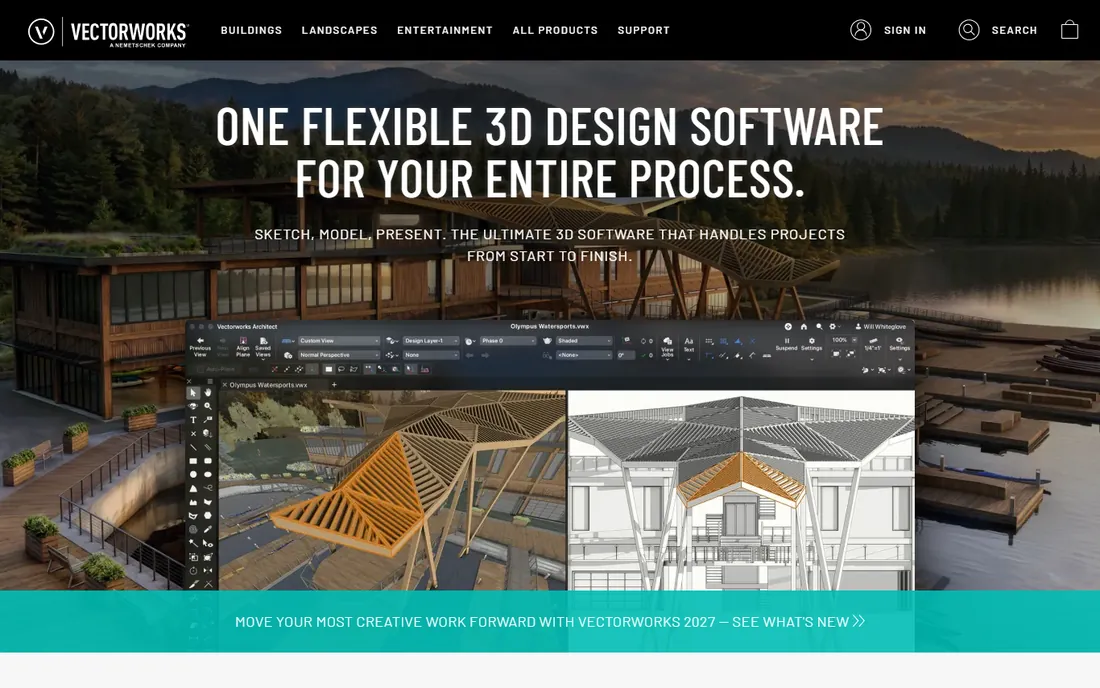
Vectorworks Architect is the quiet contender: a full BIM platform that also does excellent 2D drafting and freeform 3D, running natively on Mac and Windows. At $3,045 a year it is priced against Revit, and for design-led studios that dislike Autodesk's ecosystem it is a legitimate alternative with real BIM coordination credentials.
The challenge is the same one ArchiCAD faces, amplified by a smaller community. Fewer firms use it, so hiring experienced staff is harder and tutorial resources are thinner. It also shares a parent company, Nemetschek, with ArchiCAD, which raises fair questions about long-term differentiation. For the right studio, usually Mac-based and design-forward, it is an excellent fit. For everyone else, the ecosystem math favors the bigger names.
What we like- BIM plus strong 2D drafting and 3D modeling in one package
- Native Mac and Windows
- Good entertainment and site-design crossover for mixed practices
Watch out for- Priced near Revit without Revit's ecosystem
- Smaller user community means fewer tutorials and hires
- Some consultants will ask for Revit files anyway
#7
Enscape
Best for: Real-time rendering and VR inside your existing modeler
Visit chaos.com
Starting price$47.90/month (Solo, billed annually, $574.80/year)
Free planFree trial (14 days)
Enscape changed architectural visualization by removing the export step: you model in Revit or SketchUp, press a button, and walk through a rendered building in real time. Chaos's own pricing page confirms Solo at $47.90 a month billed annually, with a 14-day trial and no card required. For design reviews and client presentations, the speed is transformative.
Know its lane. Enscape produces clean, fast images for reviews, but studios still hand hero shots to V-Ray for the final photorealistic polish. The subscription-only model means the cost never ends, and Mac users should note the Revit plug-in limitation. If your renderer needs to live inside your modeler, Enscape is the default choice.
What we like- Renders directly inside Revit, SketchUp, Rhino and ArchiCAD with one click
- Real-time walkthroughs clients love
- Now includes AI enhancement credits
Watch out for- No perpetual option
- Output ceiling is below offline renderers for hero shots
- The Revit plug-in is Windows only
#8
Lumion
Best for: Presentation-quality stills, animations and walkthrough videos
Visit lumion.com
Starting price$1,149/year (Pro)
Free planFree trial

Lumion is the render engine for firms that sell with images. Import your model, drop in landscaping, people and weather effects from the asset library, and produce competition-grade stills and flythrough videos. Pro at $1,149 a year per the October 2026 pricing checks is the premium price in this category, with a floating license at $1,499 for teams that share seats.
The hidden cost is hardware: Lumion wants a serious GPU, and the workstation to run it well costs $3,500 to $5,000. Budget the machine with the software. For practices where winning the project depends on the presentation, the combination pays for itself. For firms that render occasionally, Twinmotion or Enscape cover 80% of the need at a fraction of the price.
What we like- The fastest path to beautiful presentation renders
- Enormous asset library of people, vegetation and materials
- Strong animation and video tools
Watch out for- The most expensive renderer here
- Needs a powerful GPU, which is a hidden hardware cost
- Less integrated than Enscape, it is a separate application
#9
Twinmotion
Best for: Free real-time visualization for smaller firms and students
Visit twinmotion.com
Starting priceFree (under $1M revenue); $445/seat/year above that
Free planYes
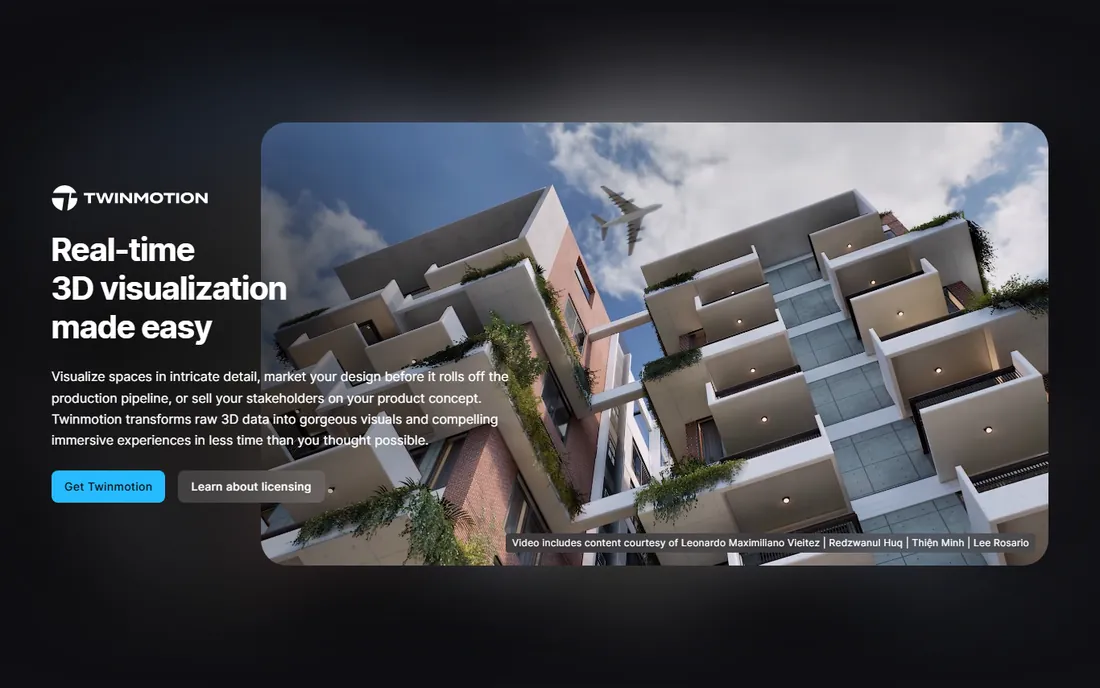
Twinmotion is Epic Games' gift to small architecture firms: a full real-time visualization tool, free, for any company under $1M in annual revenue. For the solo practitioner or five-person studio, that removes the rendering budget entirely. Above the threshold, the standard license runs $445 a seat a year, still the cheapest paid renderer here.
It is not Lumion. The materials, vegetation and atmosphere tools are good but not best-in-class, and firms producing competition imagery will feel the gap. But for client walkthroughs, design development visuals and video, free is a hard price to argue with. Every small practice should try Twinmotion before paying for anything else.
What we like- Free for firms under $1M annual revenue, which covers most small practices
- Real-time rendering with good animation tools
- Generous education licensing
Watch out for- Asset library and polish trail Lumion
- Epic's pricing tiers can confuse
- Larger firms pay $445 a seat with higher tiers above
#10
BricsCAD BIM
Best for: AutoCAD-based firms transitioning to BIM without Autodesk prices
Visit bricsys.com
Starting price~$1,485/year
Free planFree trial (30 days)
BricsCAD BIM is the pragmatic middle path: real BIM modeling on a DWG-native platform, at about $1,485 a year, roughly half of Revit. For the AutoCAD shop that knows it needs BIM but cannot justify Autodesk's pricing, the familiar interface and native DWG support make the transition far less painful than starting over.
The trade-offs are ecosystem and maturity. Fewer consultants work in BricsCAD, the BIM toolset is younger than Revit's, and firms doing complex multi-discipline coordination will still feel Revit's pull. But as a value play for small-to-mid firms moving off pure CAD, it is the most sensible stepping stone on this list.
What we like- Native DWG compatibility eases the transition
- Full BIM at roughly half the Revit price
- Familiar interface for AutoCAD users
Watch out for- Smaller ecosystem of consultants and add-ins
- BIM features are less mature than Revit or ArchiCAD
- Windows-focused for the BIM tools
How we chose
We separated the category into its real jobs: BIM platforms for documentation and coordination, design tools for concept work, and renderers for presentation. For each tool we verified current pricing against the vendor's own pricing page or against third-party pages citing vendor pages with October 2026 check dates, and we note where prices are annual-only or approximate. We weighed public review patterns and practitioner forums for reliability and real-world workflow fit, checked platform support (Mac vs Windows matters enormously in this category) and file compatibility with the consultants architects actually coordinate with, and matched each tool to a practice type and size. No vendor paid for placement, and we claimed no hands-on testing.
BIM, CAD or both: picking the right category first
The most expensive mistake is buying the wrong category. If your projects are delivered as coordinated BIM models to engineers and contractors, you need Revit, ArchiCAD or Vectorworks, and the decision is mostly about ecosystem and price. If your deliverable is a drawing set and your world is DWG, AutoCAD or BricsCAD is the honest answer, and BIM software would slow you down.
Most practices need two tools, not one. The standard professional stack in 2026 is a BIM platform for documentation plus SketchUp or Rhino for design, plus a renderer for presentation. That is three subscriptions before you draw a line, which is why the pricing above matters: a Revit plus SketchUp Pro plus Enscape stack runs over $4,000 a year per seat. ArchiCAD Solo plus SketchUp Pro plus Twinmotion runs under $1,400. Match the stack to the work, not to what the biggest firms buy.
The hidden cost: hardware
Software prices are only half the budget. Revit, ArchiCAD and the renderers all demand serious workstations: expect $2,200 to $3,500 per seat for BIM work and $3,500 to $5,000 for rendering machines with capable GPUs. A five-person firm moving to Lumion can spend more on hardware than on the software licenses in year one.
Two practical rules. First, buy the machine for the heaviest tool in your stack, not the average; a workstation that runs SketchUp fine will choke on Lumion. Second, factor hardware refresh into the subscription math: a $1,149-a-year renderer on a $4,500 machine replaced every four years costs about $2,275 a year all-in. Cloud workstations and services are emerging as an alternative, but for most small practices in 2026, local hardware remains the reality.
Frequently asked questions
What is the best architecture software for small firms?
ArchiCAD Solo at $980 a year is the most complete professional BIM environment at a small-firm price, especially for Mac-based practices. Pair it with SketchUp Pro ($399/year) for concept design and Twinmotion (free under $1M revenue) for rendering, and a solo practitioner gets a full professional stack for under $1,400 a year.
Is Revit worth the cost for a small practice?
Usually not, unless your projects demand it. At $3,005 a year, Revit is priced for firms doing multi-discipline coordination where the ecosystem pays for itself. A small residential or design-focused practice gets more value from ArchiCAD, Vectorworks or BricsCAD at lower prices, unless consultants or clients specifically require Revit files.
Can I use SketchUp Pro for construction documents?
For small projects, yes, via LayOut, which turns SketchUp models into dimensioned drawing sets. For complex commercial work with schedules, BIM data and multi-discipline coordination, no; that is BIM territory. Most professionals use SketchUp for design development and hand documentation to a BIM platform.
Which rendering software is best for architects on a budget?
Twinmotion, because it is free for firms under $1M in annual revenue and handles real-time walkthroughs and video well. If you outgrow it or cross the revenue threshold, Enscape Solo at $47.90 a month billed annually is the next step up for real-time work inside your modeler.
Do architects still need AutoCAD in 2026?
Many do. Millions of details, as-builts, consultant backgrounds and permit sets still move as DWG files, and AutoCAD remains the fastest, most compatible way to produce and edit them. Firms fully on BIM still keep AutoCAD seats for DWG cleanup and consultant coordination. It is the past of the industry the present still runs on.
Mac or Windows for architecture software?
It depends on the stack. ArchiCAD, SketchUp, Rhino, Vectorworks, Twinmotion and Blender all run natively on Mac. Revit is Windows-only, as is the Revit plug-in for Enscape. A Mac-based practice should build around ArchiCAD or Vectorworks; a Revit-based practice needs Windows machines. Decide the software first, then buy the hardware.
Sources we checked (14)
- https://www.autodesk.com/solutions/autocad-subscription-faq
- https://www.autodesk.com/products/revit
- https://graphisoft.com/pricing/
- https://www.sketchup.com/plans-and-pricing/
- https://www.rhino3d.com/sales/
- https://www.vectorworks.net/pricing/
- https://www.chaos.com/enscape
- https://lumion.com/pricing/
- https://www.twinmotion.com/license/
- https://www.bricsys.com/pricing/
- https://illustrarch.com/articles/design-softwares/75131-vectorworks-alternatives.html
- https://illustrarch.com/articles/design-softwares/73606-lumion-vs-enscape-vs-twinmotion.html
- https://www.snaptrude.com/blog/best-architecture-software-2026
- https://v2cloud.com/blog/architectural-design-software
Is your product missing or out of date?
We review this list regularly. Vendors can request a listing, send updated pricing or ask about featured placement.

Shihab Mia · Founder, Rankite
Shihab has spent more than a decade helping SaaS and e-commerce brands grow through search. He writes Rankite's software buying guides from pricing pages, documentation and public user reviews. More about Shihab.