How we make this list: we compare pricing pages, product documentation and public user reviews. Ratings come from G2, Capterra or Trustpilot, with the date we checked them.
Key takeaways
- In this guide, redlining means one thing only: marking up a document or drawing with proposed changes, comments, and tracked edits during review. It has nothing to do with the housing practice of the same name.
- Litera Compare is the legal standard for contract redlines, showing every change between two versions of a document in seconds.
- Bluebeam Revu owns the construction side, where redlining means markup on drawings and plans rather than contract clauses.
- Draftable is the simpler, cheaper comparison tool for teams that redline occasionally rather than all day.
- Word and Adobe Acrobat already cover basic markup for many teams; the dedicated tools earn their price on comparison accuracy and volume.
Quick comparison
Is your product missing or out of date?
We review this list regularly. Vendors can request a listing, send updated pricing or ask about featured placement.
The best redlining software

#1Litera Compare
Best for: Law firm contract redlines4.3/5 on
G2 (23 reviews, checked Oct 2026)
Visit litera.com
Starting priceSee website
Free planNo

Litera Compare is what most law firms mean by redlining software. Drop in two versions of an agreement and it produces a marked document showing every change, grouped so a partner can review insertions only, or print a summary for the client. It handles the messy reality of negotiation: scanned PDFs, changes buried in tables, and clauses moved rather than edited.
The trade off is specialisation against price and scope. It is sold to firms, priced by quote, and focused on documents rather than drawings. Litera Compare fits law firms and in house legal teams where redline accuracy is the work product and a missed change is a professional risk.
What we like- Compares Word, PDF, and other formats with change by change accuracy
- Categorises changes so reviewers can filter
- Integrates with document management systems
- Renders a clean redline in seconds
Watch out for- Enterprise pricing by quote
- Built for legal workflows first
- Overkill for occasional comparisons
Starting priceSee website
Free planYes

Draftable does the core job, comparing two documents and showing what changed, with a side by side view many reviewers prefer to a single marked copy. A free online version handles quick checks, and desktop and enterprise versions keep files off the web for confidential work. Pricing is published per product but varies, so confirm the current figure for the edition you need.
The trade off is simplicity against depth. There is less machinery for managing a negotiation across dozens of turns. Draftable fits small legal teams, commercial staff, and anyone who redlines a few contracts a month and wants the comparison without an enterprise contract.
What we like- Side by side comparison that is easy to read
- Works in the browser with a free tier
- Desktop version for sensitive files
- Covers Word, PDF, and text formats
Watch out for- Fewer legal workflow integrations than Litera
- Change management is lighter
- Per user pricing varies by product line

#3Bluebeam Revu
Best for: Construction drawing markup4.5/5 on
G2 (461 reviews, checked Oct 2026)
Visit bluebeam.com
Starting price$260 per user per year
Free planNo
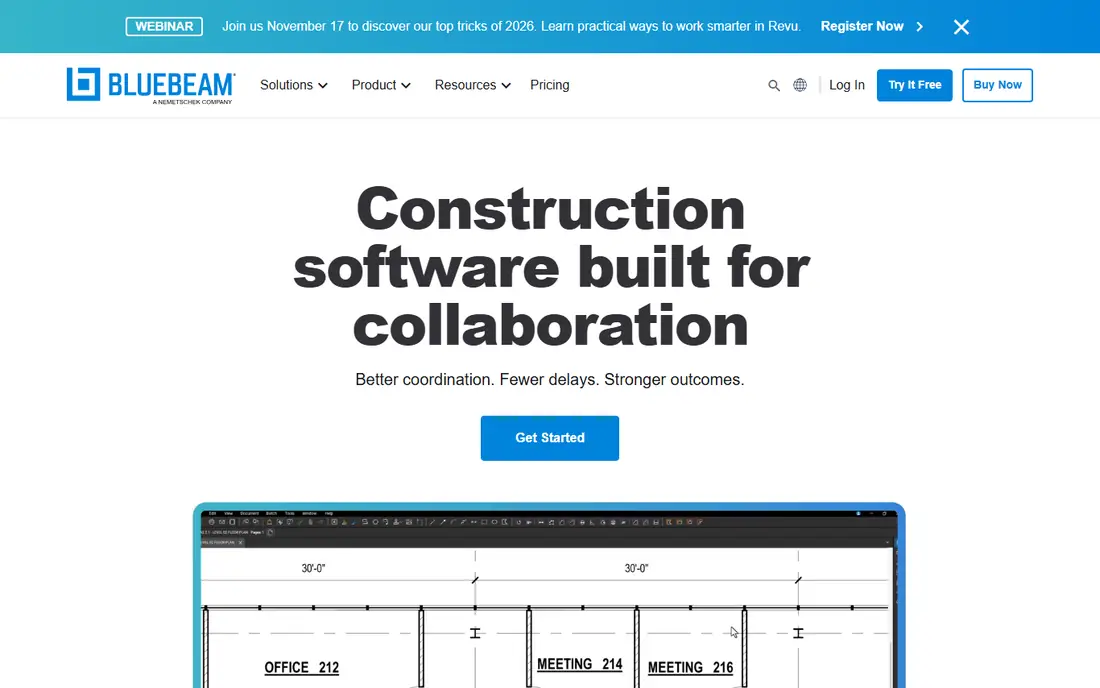
Bluebeam Revu is where construction redlining lives. Estimators, engineers, and reviewers mark drawings with revision clouds, notes, and measured markups, and Studio sessions put the whole project team on the same sheet at once. Plans are reported from $260 per user per year for Basics, with Core and Complete tiers adding measurement and collaboration depth.
The trade off is drawing power against document weakness. Revu will not compare two contract versions the way Litera does. Bluebeam fits contractors, architects, and engineers whose redlines are on plans, submittals, and shop drawings rather than clauses.
What we like- Markup tools designed for drawings, including clouds, callouts, and measurements
- Studio sessions let a whole team mark one drawing live
- Measurement and quantity tools built in
- Industry standard in construction
Watch out for- Subscription tiers gate the best tools
- Not a contract comparison tool
- Learning curve for casual users

#4Procore
Best for: Markup inside construction projects4.6/5 on
G2 (4,357 reviews, checked Oct 2026)
Visit procore.com
Starting priceSee website
Free planNo
Procore's drawing tools let teams pin issues, mark up sheets, and tie every note to the drawing's place in the project: the RFI it answers, the submittal it reviews. Revisions are controlled so the field works from the current set, which is the most expensive drawing mistake in construction.
The trade off is integration against specialisation. Nobody buys Procore for markup alone; it is a project platform, priced by quote on construction volume. Procore fits general contractors who want drawings, markups, and the rest of project management in one system of record.
What we like- Drawings sit inside the project record with RFIs and submittals
- Markup tools for field and office
- Revision control keeps the current set in front of crews
- Mobile access on site
Watch out for- Sold as a platform, priced by construction volume
- Markup depth trails Bluebeam
- Value depends on using the wider system
Starting priceSee website
Free planNo
Autodesk Construction Cloud, through Docs and Build, gives project teams drawing markup tied to issues, with the design model one click away. For teams already designing in Revit, reviewing in the same family of tools removes the export and reimport cycle that loses comments.
The trade off is ecosystem against openness. Pricing depends on which products you take, and mixed Autodesk and non Autodesk projects feel the seams. Autodesk Construction Cloud fits design led teams and owners standardised on Autodesk who want review inside the platform of record.
What we like- Markup and issues inside Autodesk Docs and Build
- Models and drawings reviewed in one place
- Connects design in Revit to field review
- Strong version control
Watch out for- Pricing varies by product and bundle
- Best value inside the Autodesk ecosystem
- Markup tools trail Bluebeam for pure review work

#6Adobe Acrobat Pro
Best for: PDF markup for any team4.7/5 on
Capterra (4,264 reviews, checked Oct 2026)
Visit adobe.com
Starting price$19.99 per month
Free planNo
Acrobat Pro is the generalist: annotate any PDF, share it for comment, and use its compare files tool for a first pass at what changed between versions. At a reported $19.99 per month billed annually, it is already on many desks, which is its real advantage.
The trade off is familiarity against rigour. The comparison misses changes that legal tools catch, and comment threads on a heavily negotiated document become hard to govern. Acrobat fits mixed teams whose redlining is mostly review comments on PDFs rather than clause level negotiation.
What we like- Everyone knows it
- Comment, highlight, and compare files tools included
- Works on any PDF from any source
- E signature in the same subscription
Watch out for- Compare feature is basic next to Litera
- Comment management gets messy on long negotiations
- Subscription only

#7Microsoft Word
Best for: Tracked changes in drafting4.7/5 on
G2 (2,062 reviews, checked Oct 2026)
Visit microsoft.com
Starting price$7 per user per month
Free planNo
Word's Track Changes is the original redlining tool and still the medium most contracts are negotiated in: one side edits with tracking on, the other accepts or rejects. Word also compares two documents into a third marked copy. It arrives with Microsoft 365, reported from $7 per user per month for Business Basic.
The trade off is ubiquity against precision. Word's compare is weaker than Litera's on complex documents, and comment chaos grows with each round. Word fits every team as the base layer; the question is only whether your volume justifies a dedicated comparison tool beside it.
What we like- Track Changes is the negotiation format counterparties expect
- Compare documents feature built in
- Included in Microsoft 365 plans from $7 per user per month
- Real time co authoring
Watch out for- Comparison misses formatting and moved text subtleties
- Large documents with many reviewers get fragile
- No drawing markup role

#8Oracle Aconex
Best for: Document control on major projects4.5/5 on
G2 (232 reviews, checked Oct 2026)
Visit oracle.com
Starting priceSee website
Free planNo
Aconex treats drawings and documents as controlled records: each revision is registered, reviews and markups happen against the controlled copy, and nothing is ever deleted from the register. On major projects with hundreds of organisations, that audit trail is the product.
The trade off is control against weight. Aconex is implemented, not installed, and priced for programmes measured in years. Aconex fits owners and lead contractors on large capital projects where the cost of a wrong revision dwarfs the software bill.
What we like- Full document control register with markup in context
- Every transmittal and review is logged
- Built for major infrastructure and energy projects
- Strong access control by organisation
Watch out for- Enterprise pricing and implementation
- Heavy for small projects
- Interface reflects its document control roots
How we chose
We split the category the way the work splits: document comparison for legal and commercial redlining, and drawing markup for construction redlining, then picked the strongest tool in each lane plus the generalists most teams already own. We checked current pricing from vendor pages and 2026 roundups, recording published figures and writing See website where vendors quote. We excluded general project tools whose markup is an afterthought and tools that use the redlining name for unrelated products.
How to choose redlining software
Decide which redline you mean. If your reviews are contracts, the buying test is comparison accuracy: run your hardest past negotiation, with tables, scanned pages, and moved clauses, through Litera Compare and Draftable and count what each misses. If your reviews are drawings, the test is markup in the field: cloud a detail, assign it, and confirm the assignee sees it on a phone on site, which points to Bluebeam or your construction platform. Check how the tool handles versions, because most redline pain is really version pain: two people marking different drafts. Confirm where files live during comparison, since contracts and drawings are confidential; desktop or private cloud comparison matters for sensitive matters. Finally, keep the generalists in the stack: Word and Acrobat remain the formats counterparties expect, and the dedicated tool has to round trip with them cleanly.
Frequently asked questions
What does redlining mean in this context?
Marking up a document or drawing with proposed changes for review and negotiation: insertions, deletions, comments, and drawing markups. The word comes from the red ink once used on paper drafts. It is unrelated to the housing practice of the same name.
What is the difference between legal and construction redlining?
Legal redlining compares text versions of contracts and tracks clause changes through negotiation. Construction redlining marks drawings and plans: revision clouds, notes, and assigned corrections. The software, file types, and buying tests are different, which is why this guide covers both lanes separately.
Can Microsoft Word handle redlining on its own?
For many teams, yes. Track Changes and the built in compare cover everyday contract negotiation. High volume legal teams outgrow it when comparison accuracy on complex documents becomes the risk, which is where Litera Compare earns its price.
How much does redlining software cost?
Generalists start at $7 to $20 per user per month inside subscriptions you may already own. Bluebeam is reported from $260 per user per year. Dedicated legal comparison and construction platforms price by quote, scaled by users or construction volume.
Is it safe to compare confidential documents in online tools?
It depends on the tool and tier. Free online comparison uploads your document to a vendor server, which is the wrong home for a privileged contract or an unreleased design. Use desktop editions or enterprise tiers with clear data handling terms for confidential work.
What file formats should redlining software support?
At minimum Word and PDF for documents, because negotiation moves between them, and PDF for drawings, with DWG viewing a plus on the construction side. Ask specifically about scanned PDFs, since older agreements and drawings often arrive as images rather than text.
Sources we checked (0)
Is your product missing or out of date?
We review this list regularly. Vendors can request a listing, send updated pricing or ask about featured placement.

Shihab Mia · Founder, Rankite
Shihab has 5+ years in B2B and SaaS SEO. He writes Rankite's software buying guides from pricing pages, documentation and public user reviews. More about Shihab.
 Draftable
 Autodesk Construction Cloud