How we make this list: we compare pricing pages, product documentation and public user reviews. Rankite is independent; if a vendor ever pays for a featured spot, that listing is clearly labeled Partner.
Key takeaways
- Litera Compare is the enterprise standard for document comparison, especially inside iManage and NetDocuments shops.
- Draftable is the fastest-growing challenger, with transparent pricing and a comparison engine lawyers actually like.
- Spellbook, LegalOn, StrongSuit and Robin AI represent the new wave: AI that redlines against your playbook instead of just showing textual differences.
- Adobe Acrobat Pro handles basic PDF comparison but is not accurate enough for legal work on its own.
Quick comparison
| Tool | Best for | Starting price | Free plan |
|---|
 Litera Compare Litera Compare | large firms with heavy DMS integration needs | See website | No (demo available) |
 Draftable Draftable | firms that want accuracy without enterprise overhead | See website | Free trial |
 Spellbook Spellbook | lawyers who draft and redline inside Word | See website | Free trial |
 StrongSuit StrongSuit | solos and small firms wanting an AI platform | $249/month | Free trial (5 days) |
 DocStyle Compare DocStyle Compare | quick Word comparisons without the bloat | See website | Free trial |
 LegalOn LegalOn | in-house teams reviewing high contract volumes | See website | Demo |
 Robin AI Robin AI | enterprises wanting contract intelligence | See website | Demo |
 Adobe Acrobat Pro Adobe Acrobat Pro | occasional PDF comparisons outside legal workflows | See website | Free trial (7 days) |
Is your product missing or out of date?
We review this list regularly. Vendors can request a listing, send updated pricing or ask about featured placement.
Word has a Compare button. It is not redline software. Legal comparison tools handle moved paragraphs, renumbered clauses, tables, and formatting changes without producing a garbage redline, and they integrate with the document management systems lawyers live in. The newer AI tools go further: they compare a contract against your standard positions, not just against the previous draft.
#1
Litera Compare
Best for: large firms with heavy DMS integration needs
Visit litera.com
Starting priceSee website
Free planNo (demo available)

Litera Compare is what Workshare Compare, DeltaView and Change-Pro became after Litera acquired them, which is why it dominates large law firms. If you have seen a pristine redline come out of a BigLaw deal, this is probably the engine behind it.
The comparison accuracy is genuinely best in class: moved text, renumbered sections and table changes are rendered correctly where Word's native compare produces noise. The cost is enterprise sales cycles and pricing that is never published. Small firms will find Draftable or Spellbook far more accessible. For a 500-lawyer firm already on iManage, though, Litera Compare is the default answer.
What we like- The most accurate comparison engine in legal
- Deep iManage and NetDocuments integration
- Handles complex multi-format documents
Watch out for- Enterprise pricing, no published numbers
- Interface feels dated
- Overkill for small teams
Starting priceSee website
Free planFree trial

Draftable built its reputation by doing one thing extremely well: comparing documents fast and accurately. Trusted by more than 1,300 law firms and legal teams, it handles Word, PDF, PowerPoint, Excel and Outlook files, with redlines that render directly in Word.
The company positions itself against Litera on simplicity and fairness: published pricing, no sales gauntlet, support that answers. It lacks some of Litera's deep DMS customization, but for most firms that is a feature, not a gap. If your current comparison tool frustrates people daily, Draftable is the first trial to run.
What we like- Very fast and accurate comparisons
- Clean, modern interface
- Transparent pricing and responsive support
Watch out for- Fewer advanced admin features than Litera
- DMS integration is lighter
- Newer brand, less entrenched in BigLaw
Starting priceSee website
Free planFree trial
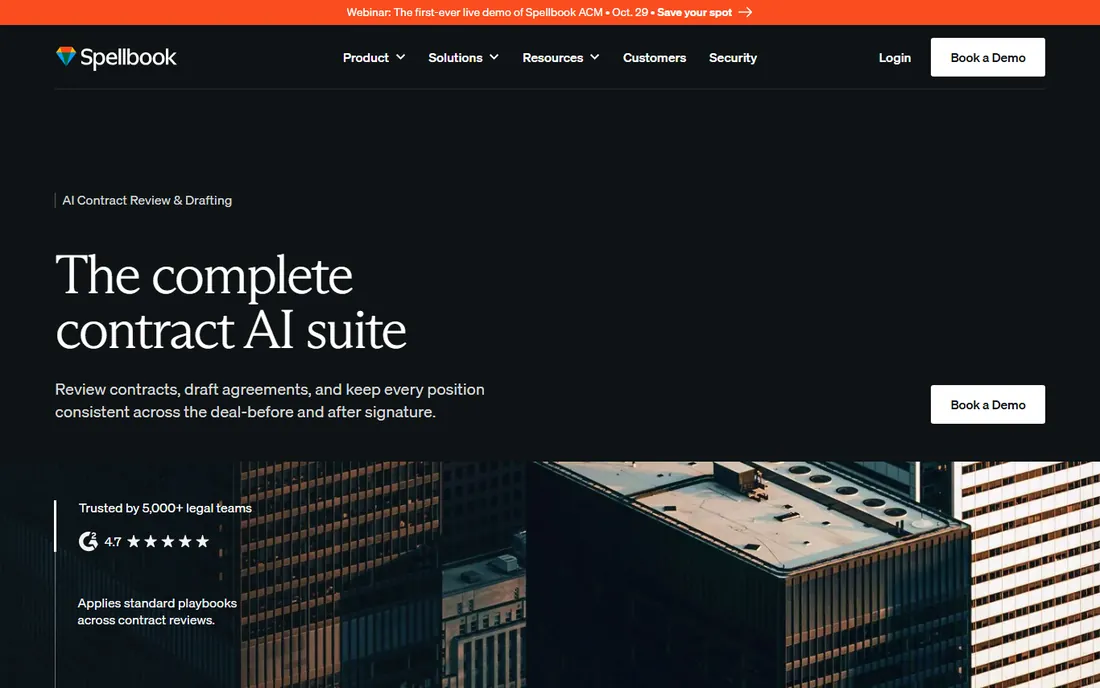
Spellbook is not a comparison tool in the Litera sense. It is an AI associate inside Microsoft Word that drafts clauses, reviews contracts against your standards and redlines as you work. The redlining happens against your playbook positions, which is a fundamentally different job from diffing two drafts.
For transactional lawyers who live in Word, this is transformative: real-time suggestions, missing-provision detection and consistent positions across deals. It does not replace a dedicated comparison engine for rendering complex redlines between versions, and it is Word-only. Many firms will end up with both Spellbook for drafting and Draftable or Litera for comparison.
What we like- Word-native AI drafting and review
- Clause suggestions and risk flags inline
- Used by 5,000 plus legal teams
Watch out for- Tied to the Word workflow
- Less suited to portfolio-level review
- Pricing requires a sales conversation
Starting price$249/month
Free planFree trial (5 days)
StrongSuit is a full legal AI platform that includes contract review and redlining, and it stands out by publishing its price: $249 a month for the standard suite, with a 5-day free trial. You can redline contracts against your own gold-standard documents, which gives small firms a playbook-like workflow without enterprise software.
The platform also covers legal research, memo drafting and discovery timelines, so it replaces several subscriptions at once. The honest catch is breadth versus depth: it does many things well, but a dedicated comparison engine still renders cleaner version-to-version redlines. For a solo or boutique that wants one AI subscription, the value is strong.
What we like- Published $249/month pricing, rare in legal AI
- Review and redline against your own gold standard
- Research, drafting and timelines in one login
Watch out for- $249 a month is real money for a solo
- Newer vendor with a smaller track record
- Advanced features sit in higher tiers
Starting priceSee website
Free planFree trial

DocStyle Compare is the quiet option: a Word add-in that compares documents quickly and cleanly, from a vendor focused on document productivity for law firms. It supports multiple languages well, which matters for international practices, and it lives in the Word ribbon where lawyers already work.
It will not replace Litera for complex deal documents, and it has fewer integrations than the bigger names. But for firms that find enterprise comparison tools heavy and expensive, DocStyle Compare is a pragmatic middle ground worth a trial, especially now that the vendor is adding AI-assisted features across its product line.
What we like- Lightweight and fast
- Strong multilingual support
- Integrates directly into the Word ribbon
Watch out for- Fewer advanced features
- Minimal external integrations
- Smaller vendor
Starting priceSee website
Free planDemo
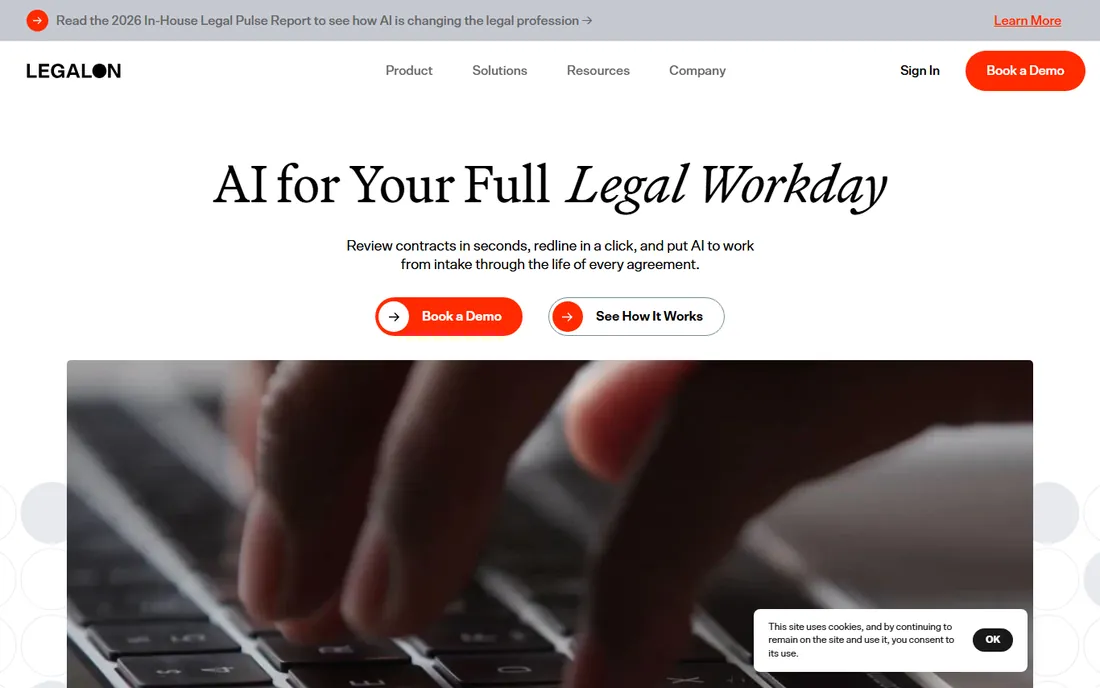
LegalOn reviews contracts against your standards and generates redlines to your position, right inside Word. The 135 plus attorney-built playbooks mean in-house teams can start with defensible positions on NDAs, MSAs and DPAs immediately instead of building guidelines from scratch.
This is review software, not version comparison: it answers whether the contract meets your standards, not just what changed since the last draft. Pricing is quote-based, and teams reviewing fewer than a handful of contracts monthly will not see the return. For in-house legal drowning in vendor paper, it is one of the most effective tools available.
What we like- 135 plus attorney-built playbooks on day one
- Redlines to your position inside Word
- Trusted by 9,000 plus legal teams
Watch out for- Pricing is not published
- Needs playbook configuration to shine
- Overkill under five contracts a month
Starting priceSee website
Free planDemo
Robin AI reviews, analyzes and finalizes contracts with AI, backed by Anthropic and operating with enterprise-grade security. Its strength is the combination of review speed with a searchable repository: every signed contract becomes queryable precedent.
Like LegalOn, it is a review platform rather than a diff engine. Firms choosing between the two should trial both against their own contract types. Robin AI skews toward larger enterprises with its coverage model and security certifications, while smaller teams may find the sales process heavier than the product requires.
What we like- Fast review with 80 percent claimed time savings
- Searchable contract repository
- Strong security posture with ISO 27001 and SOC 2
Watch out for- Enterprise sales motion
- Pricing not published
- Broader platform, not a pure redline tool
#8
Adobe Acrobat Pro
Best for: occasional PDF comparisons outside legal workflows
Visit adobe.com
Starting priceSee website
Free planFree trial (7 days)
Adobe Acrobat Pro includes a Compare Files feature that highlights differences between two PDFs, and for non-lawyers comparing reports or marketing copy, it is perfectly adequate. It is also the tool your counterparty's business team is probably using.
For legal work, it falls short. The comparison engine misses the nuances that matter in contracts, it only handles PDFs, and there is no concept of redlining to a standard. Use it for what it is: a convenient utility, not a legal tool. If redlines are part of your job, buy real redline software.
What we like- Everyone already has it or can get it
- Decent side-by-side PDF comparison
- Part of a suite you may already pay for
Watch out for- Not accurate enough for legal documents
- PDF-only
- No playbook or standards-based review
How to buy: comparison engine versus AI review
These are two different purchases that buyers keep confusing. A comparison engine (Litera Compare, Draftable, DocStyle Compare) answers: what changed between version 1 and version 2? An AI review tool (Spellbook, LegalOn, StrongSuit, Robin AI) answers: does this contract meet our standards, and how should we redline it? Most firms eventually need both, but start with the pain that is loudest. If associates waste hours cleaning up Word's compare output, buy a comparison engine. If contract review itself is the bottleneck, buy AI review.
Check integration with your document management system before anything else. A comparison tool that does not work inside iManage or NetDocuments will not get used, no matter how accurate it is. Then check output quality on your own documents: run the same messy redline through two vendors during trials. The difference is usually obvious within a day.
How we chose
We reviewed vendor product pages, legal tech publications (Above the Law, Intellek), practitioner discussions and product documentation. We compared comparison accuracy claims, DMS integrations, AI review capabilities, playbook depth, pricing transparency and firm-size fit. We excluded generic diff utilities and pure CLM platforms without redlining, and we did not claim hands-on testing.
The consolidation you should know about
The redline market has consolidated around Litera. Workshare Compare, DeltaView and Change-Pro, once competitors, are all Litera products now, which is why this list has one Litera entry instead of four. That consolidation is exactly what created the opening for Draftable, which has grown by being the anti-enterprise alternative.
The second shift is AI review eating the edges of comparison. Tools like Spellbook and LegalOn do not replace comparison engines, but they change what the redline is for: less about spotting textual changes, more about enforcing positions. Buyers should expect these categories to keep merging, and should favor vendors with open integrations over closed suites.
Frequently asked questions
What is the best redline software for law firms?
Litera Compare is the enterprise standard, especially for firms on iManage or NetDocuments. Draftable is the leading challenger with simpler pricing and a modern interface. Most firms should trial both against their own documents.
What is the difference between redline software and Word's compare feature?
Word's compare produces noisy, unreliable output on complex legal documents with moved paragraphs, renumbered clauses and tables. Dedicated redline software renders these changes accurately and integrates with legal workflows.
How much does Litera Compare cost?
Litera does not publish pricing; it is sold through enterprise sales quotes. Draftable and StrongSuit publish or semi-publish pricing and are worth pricing against it.
Can AI redline a contract for me?
Yes, with a caveat. Tools like Spellbook, LegalOn and Robin AI generate redlines against your playbook or standards. They are review assistants, not replacements for lawyer judgment, and their output should always be reviewed.
Is Adobe Acrobat enough for contract comparison?
No. Acrobat's Compare Files feature works for simple PDFs but lacks the accuracy and legal-specific handling that dedicated redline software provides. It is fine for non-legal documents.
Do I need both a comparison tool and an AI review tool?
Many firms end up with both, since they solve different problems: comparison shows what changed between versions, AI review checks whether the contract meets your standards. Start with whichever pain is costing you more time.
Sources we checked (10)
- https://www.litera.com
- https://draftable.com/
- https://spellbook.legal/
- https://www.strongsuit.com/
- https://docstyle.com/
- https://www.legalontech.com/
- https://robinai.com/
- https://www.adobe.com
- https://intellek.io/blog/best-document-comparison-software-for-lawyers/
- https://abovethelaw.com/legal-innovation-center/legal-tech-provider/draftable/
Is your product missing or out of date?
We review this list regularly. Vendors can request a listing, send updated pricing or ask about featured placement.

Shihab Mia · Founder, Rankite
Shihab has spent more than a decade helping SaaS and e-commerce brands grow through search. He writes Rankite's software buying guides from pricing pages, documentation and public user reviews. More about Shihab.