How we make this list: we compare pricing pages, product documentation and public user reviews. Ratings come from G2, Capterra or Trustpilot, with the date we checked them.
Key takeaways
- QuillBot Summarizer is the best general PDF summarizer, with adjustable length, paragraph or bullet output, and Premium at $8.33 per month billed annually.
- Scholarcy is the best academic summarizer, turning papers into structured flashcards with key points, tables, and citation extraction.
- SciSummary is the cheapest specialist at $4.99 per month, built for science papers, while Resoomer and TLDR This cover quick free summaries.
- NotebookLM is the best free multi-document tool, grounding study guides in your own uploaded PDFs rather than generating from memory.
- Summaries help you decide what to read, not replace reading. Verify any claim you cite against the original pages, and check your institution academic integrity policy before submitting AI-generated work. Start with a free tier before paying for any tool here.
Quick comparison
| Tool | Best for | Starting price | Free plan |
|---|
 QuillBot Summarizer QuillBot Summarizer | General summaries with length control | Free | Yes |
 Scholarcy Scholarcy | Academic papers to flashcards | Free | Yes |
 SciSpace SciSpace | Summarizing and comparing paper sets | Free | Yes |
 SciSummary SciSummary | Science papers on a budget | Free | Yes |
 Resoomer Resoomer | Quick free article summaries | Free | Yes |
 TLDR This TLDR This | One-click URL and PDF summaries | Free | Yes |
 Wordtune Wordtune | Readable, shareable summaries | Free | Yes |
 NotebookLM NotebookLM | Multi-document study guides | Free | Yes |
Is your product missing or out of date?
We review this list regularly. Vendors can request a listing, send updated pricing or ask about featured placement.
Starting priceFree
Free planYes
QuillBot Summarizer is the best general PDF summarizer, combining a free summarizer with a full writing suite covering paraphrasing, grammar, and citations. Paragraph mode produces clean, readable summaries without much manual cleanup, and the length slider lets you choose a brief overview or a detailed digest.
The free plan caps input at 1,200 words, which limits long PDFs, and Premium at $8.33 per month billed annually removes the cap. For students and writers who want one tool for summarizing and editing, QuillBot is the best all-round pick.
What we like- Adjustable summary length with a slider
- Paragraph or bullet output
- Word and Google Docs integration
- 40 million plus monthly users
Watch out for- Free plan limited to 1,200 words
- Premium at $8.33 per month billed annually
- Weaker on dense academic papers than Scholarcy
Starting priceFree
Free planYes
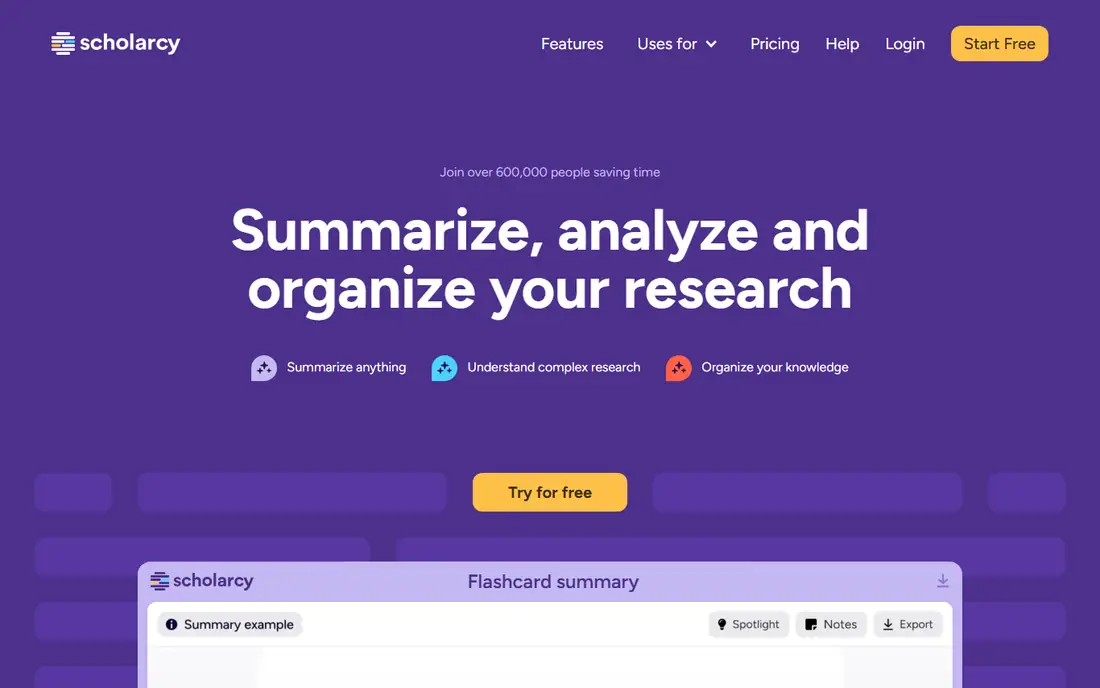
Scholarcy is the best academic PDF summarizer, turning research papers into interactive summary flashcards with key points, extracted tables, and citations. Its Robo-Highlighter identifies important terms and concepts, and browser extensions let you summarize papers directly from publisher pages.
Paid plans start around $9.99 per month, with higher tiers for institutions, and the fixed flashcard format suits structured reading more than free-form summaries. For a student working through a reading list of papers, Scholarcy saves the most time here.
What we like- Turns papers into structured flashcards with key points
- Table extraction and citation extraction
- Browser extensions for Chrome and Edge
Watch out for- Paid plans from about $9.99 per month
- Fixed key-points format limits custom output
- Weaker on non-academic documents
Starting priceFree
Free planYes
SciSpace suits researchers who need to summarize and compare many papers at once, with custom table columns for methods, results, and findings across a paper set. Its section-wise explanations decode methods and discussion in depth, and built-in paper search finds related work without leaving the tool.
Premium pricing conflicts across guides, from about $12 per month billed annually to $20 per month, so confirm the plan. For a literature review spanning dozens of papers, SciSpace is the strongest comparison tool here.
What we like- Summarizes and compares large paper sets with custom table columns
- Section-wise explanations
- Paper search built in
Watch out for- Premium from about $12 to $20 per month across guides
- Free plan limits credits and summaries
- Less suited to short structured summaries
Starting priceFree
Free planYes
SciSummary is the cheapest specialist PDF summarizer, built for science and academic content at $4.99 per month, with figure and table interpretation that general tools lack. For a science student or researcher on a budget, it covers the core job at the lowest specialist price.
The free tier allows only 5 summaries per month, so heavy users need the paid plan, and its scope is narrower than SciSpace. For science papers at the lowest price, SciSummary is the best value here.
What we like- Built for science and academic content
- Interprets figures and tables
- Cheapest specialist at $4.99 per month
Watch out for- Only 5 free summaries per month
- Narrower scope than SciSpace
- Newer product with a smaller user base
Starting priceFree
Free planYes
Resoomer is the best completely free summarizer for articles and news, identifying key ideas and simplifying language for easier reading. It needs no account for basic use and handles web articles fast, which suits casual readers and journalists skimming long pieces.
It struggles with academic or technical papers, where its editorial focus misses specialized meaning, and it lacks PDF chat and citation features. For quick free summaries of articles, Resoomer is the simplest pick.
What we like- Completely free for basic use
- Good at identifying key ideas in editorial content
- Simplifies language for easier reading
Watch out for- Weak on academic or technical papers
- Fewer features than paid tools
- No PDF chat or citation features
Starting priceFree
Free planYes
TLDR This is the fastest summarizer here, offering one-click summaries of articles and PDFs with no sign-up needed and a browser extension for reading on the go. Article metadata extraction adds author and date context, and paid plans from $4 per month raise limits.
Output is basic compared with academic tools, and PDF support is limited on the free tier. For a reader who wants a quick gist before deciding whether to read fully, TLDR This is the fastest tool here.
What we like- One-click summaries with no sign-up needed
- Browser extension
- Article metadata extraction
- Paid plans from $4 per month
Watch out for- Basic output compared with Scholarcy or SciSpace
- PDF support limited on free tier
- Less control over summary format
#7Wordtune
Best for: Readable, shareable summaries4.6/5 on
G2 (199 reviews, checked Oct 2026)
Visit wordtune.com
Starting priceFree
Free planYes
Wordtune suits users who need summaries that read well when shared with a team or class, with natural-sounding output and a browser extension for quick work. Its summaries need less editing before sharing than raw extraction tools produce.
The free plan allows only 3 summaries per day, and paid plans start at $9.99 per month. For shareable, readable summaries rather than research depth, Wordtune is the best pick here.
What we like- Natural-sounding output that reads well when shared
- Browser extension
- Readable summaries for team sharing
Watch out for- Free plan limited to 3 summaries per day
- Paid from $9.99 per month
- Weaker on long academic PDFs than Scholarcy
Starting priceFree
Free planYes
NotebookLM is the best free multi-document summarizer, grounding study guides, timelines, and audio summaries in your own uploaded PDFs rather than generating from general knowledge. With 50 sources per notebook free, it suits students building a study guide from a whole course reading list.
Summaries are chat-driven rather than one-click, which takes more interaction than QuillBot or Scholarcy, and no questions span notebooks. For a free, source-grounded study tool, NotebookLM is unmatched.
What we like- Grounds study guides in your own uploaded PDFs
- 50 sources per notebook free
- Audio summaries
- Chat-driven exploration
Watch out for- Summaries are chat-driven rather than one-click
- No questions across notebooks
- Google account required
- Higher tiers via Google AI plans
How we chose
We compared tools on summary accuracy, length control, academic features, PDF handling, free tier generosity, and pricing transparency, using 2026 guides and vendor pages. We included dedicated summarizers and multi-document tools, since many users need both one-click summaries and deeper study guides, and we left out tools with no credible current product. Prices conflict across guides for SciSpace and Scholarcy, so we flagged the ranges rather than presenting one figure as certain. We also weighted free tier honesty: a free plan that covers only a handful of summaries is a trial, not a plan, and we say so plainly for each tool above.
Start with your document type. General PDFs point to QuillBot. Academic papers point to Scholarcy or SciSummary. Many papers at once point to SciSpace or NotebookLM. Quick articles point to Resoomer or TLDR This. Shareable team summaries point to Wordtune.
Verify before you cite
Ask for page citations where available, read the cited passage plus nearby context for exceptions, and never cite a summary claim you have not checked in the original. AI summaries are a tool for deciding what to read, not a substitute for having read it. For academic work, check your institution integrity policy, since submitting AI summaries as your own work differs from using them as a reading aid.
Handle scanned and image-heavy PDFs first
Scanned PDFs and image-heavy reports need OCR before any summarizer can work well, and poor OCR produces confident-sounding errors. Run a text layer check first: if you cannot select and copy text from the PDF, run OCR software or ask the publisher for a text version. For papers with complex tables, compare the summary against the original table cell by cell, since rows and columns are the first thing summarizers garble. A few minutes of checking beats a wrong citation later.
Frequently asked questions
What is the best PDF summarizer tool?
QuillBot Summarizer is the best general tool, Scholarcy is best for academic papers, SciSummary is cheapest for science papers, and NotebookLM is best free for multi-document study guides. The right tool depends on document type and whether you need one-click summaries or deeper study features, so start with the free tier of your top two picks before paying.
Can I summarize PDFs for free?
Yes. QuillBot offers a free plan up to 1,200 words, Scholarcy and SciSummary offer limited free summaries, Resoomer and TLDR This are free for basic use, and NotebookLM is free with 50 sources per notebook. Paid plans from $4 to $10 per month remove caps.
How accurate are PDF summarizers?
For text-heavy documents, modern tools are quite accurate at extracting key points, especially with citation features for verification. Accuracy drops with complex tables, charts, equations, and scanned documents with poor OCR. Always verify summaries for legal, medical, or financial documents.
Do PDF summarizers work on scanned PDFs?
Only as well as the OCR allows. Scanned documents with poor OCR quality reduce accuracy sharply, and handwritten notes often fail entirely. For scanned material, run OCR first or read critical sections yourself rather than trusting an AI summary.
Should students use PDF summarizers?
Yes, as a reading aid, not as a replacement for reading. Use summaries to triage a reading list, understand structure, and find key sections, then read important passages yourself. Check your institution academic integrity policy before submitting any AI-generated work.
What is the difference between a summarizer and a PDF chat tool?
A summarizer produces a one-click digest of a document, while a PDF chat tool like ChatPDF answers questions about it with citations. Summarizers suit quick triage, while chat tools suit deep interrogation of one paper. Many users benefit from both.
Sources we checked (8)
- https://quillbot.com
- https://www.scholarcy.com
- https://www.scispace.com
- https://www.scisummary.com
- https://www.resoomer.com
- https://www.tldrthis.com
- https://www.wordtune.com
- https://notebooklm.google.com
Is your product missing or out of date?
We review this list regularly. Vendors can request a listing, send updated pricing or ask about featured placement.

Shihab Mia · Founder, Rankite
Shihab has 5+ years in B2B and SaaS SEO. He writes Rankite's software buying guides from pricing pages, documentation and public user reviews. More about Shihab.