How we make this list: we compare pricing pages, product documentation and public user reviews. Ratings come from G2, Capterra or Trustpilot, with the date we checked them.
Key takeaways
- iLovePDF has the smoothest rotate tool, letting you rotate single pages, all pages, or a page range in one pass.
- PDF24 Tools rotates unlimited PDFs for free, with no watermark and an offline desktop option on Windows.
- Sejda suits quick rotations with no account, within its hourly task limit and 50 MB file cap.
- Smallpdf rotates cleanly but limits free users to around 2 tasks a day.
- PDFsam Basic rotates offline on desktop, which is the right choice for sensitive documents.
- Rotating a PDF is not the same as rotating a scanned image: scanned pages may need OCR or a re-scan to read correctly.
Quick comparison
| Tool | Best for | Starting price | Free plan |
|---|
 iLovePDF iLovePDF | Smoothest rotate tool | Free | Yes |
 PDF24 Tools PDF24 Tools | Unlimited free rotation | Free | Yes |
 Sejda Sejda | Quick no-account rotation | Free | Yes |
 Smallpdf Smallpdf | Clean interface, light use | Free | Yes |
 PDF Candy PDF Candy | Rotate inside a full suite | Free | Yes |
 PDF2Go PDF2Go | Rotate plus editing | Free | Yes |
 RotatePDF RotatePDF | Single-purpose rotation | Free | Yes |
 PDFsam Basic PDFsam Basic | Offline desktop rotation | Free | Yes |
Is your product missing or out of date?
We review this list regularly. Vendors can request a listing, send updated pricing or ask about featured placement.
The best pdf rotator service
#1iLovePDF
Best for: Smoothest rotate tool4.6/5 on
G2 (583 reviews, checked Oct 2026)
Visit ilovepdf.com
Starting priceFree
Free planYes
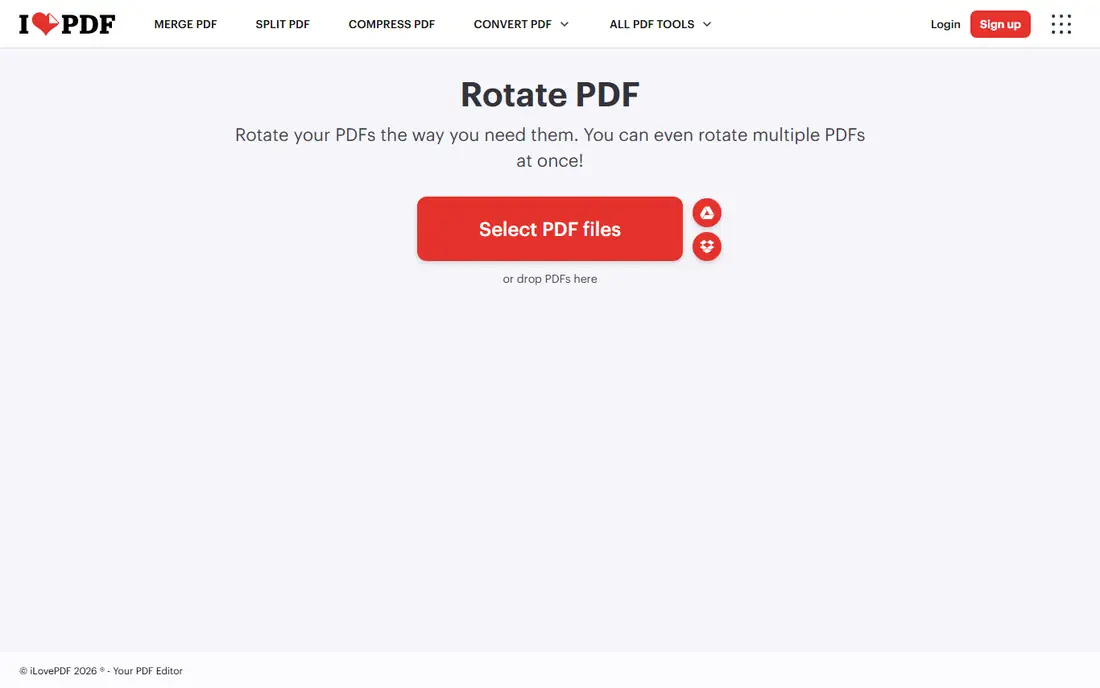
iLovePDF has the best rotate workflow of any online tool. You upload a PDF, see page thumbnails, rotate individual pages or the whole document, and save, all in one pass. That page-level control matters, since most rotation jobs involve a few sideways pages in an otherwise correct document, not a whole file turned 90 degrees.
Free output carries no watermark, and uploaded files are deleted within 2 hours under GDPR-compliant handling. The free tier limits daily processing, so a user rotating dozens of files in a day will hit a cap and need Premium from 4 dollars a month. For the common job, one scanned form or a few sideways pages, iLovePDF is the smoothest tool available.
What we like- Rotate single pages, all pages, or a range
- Page preview before saving
- No watermark
- Files deleted within 2 hours
Watch out for- Free tier has daily processing limits
- Batch work needs Premium from 4 dollars a month
Starting priceFree
Free planYes
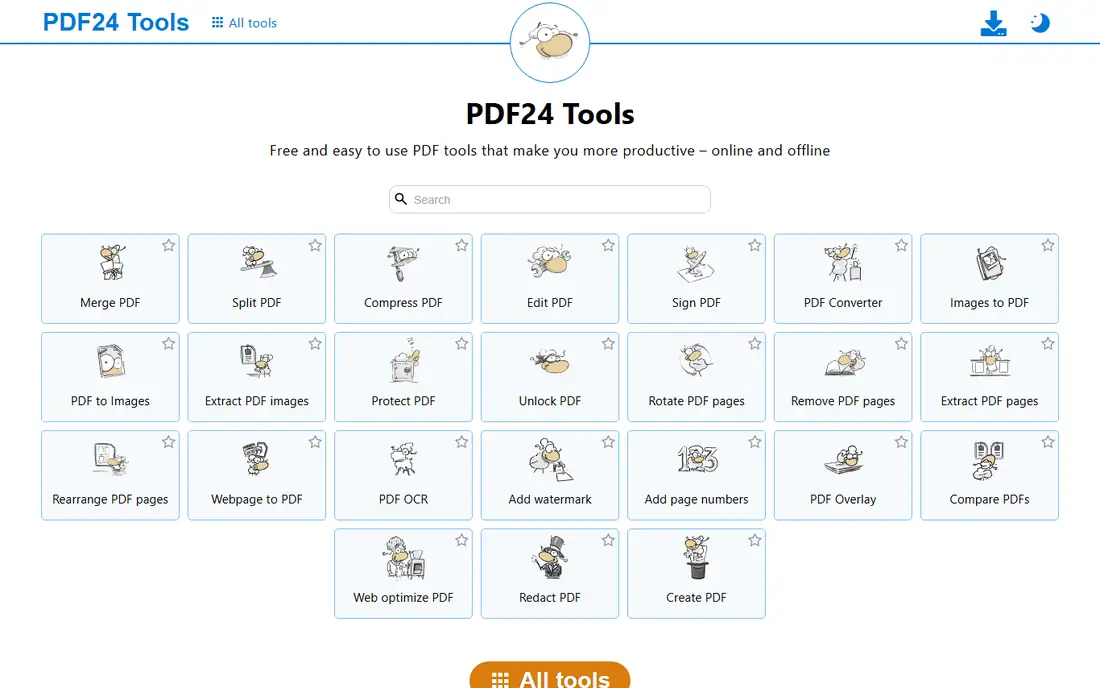
PDF24 Tools rotates PDFs without limits and without a watermark, which makes it the best choice for batch rotation jobs. The online rotate tool handles single files and multi-file jobs, and the free PDF24 Creator desktop app does the same work offline on Windows. That offline option matters for sensitive documents, since online rotation uploads your file to a server even when the vendor deletes it quickly afterward.
The interface is basic next to iLovePDF, with fewer previews and less polish, but the job gets done. Mac and Linux users rely on the online tools, since the desktop app is Windows only. For unlimited free rotation with no watermark, PDF24 is the tool to bookmark first.
What we like- Unlimited free rotation
- No watermark
- Online tools plus free Windows desktop app
- Files deleted after processing
Watch out for- Basic interface
- Desktop Creator is Windows only
- Online files upload to a server
#3Sejda
Best for: Quick no-account rotation4.5/5 on
G2 (42 reviews, checked Oct 2026)
Visit sejda.com
Starting priceFree
Free planYes

Sejda suits a quick rotation with no signup. Upload a PDF, choose whether to rotate all pages or only selected ones, save, and download, with no account and no watermark. The editing suite sits alongside rotation, so a user who also needs to fix text or add a signature can stay in one place.
Free limits are the catch. Guides cite 3 tasks per hour in some cases and 3 per day in others, with files capped at 50 MB or 200 pages, so check the current limit on the site before a batch job. Paid plans start from 7.50 dollars a month, with a 5 dollar week pass for short projects. For one or two rotations without signing up, Sejda is one of the cleanest options.
What we like- No account needed
- Rotate all pages or selected pages
- Clean privacy handling
- Editing tools alongside rotation
Watch out for- Free tasks limited per hour or day by guide
- Files up to 50 MB or 200 pages
- Paid plans from 7.50 dollars a month
#4Smallpdf
Best for: Clean interface, light use4.5/5 on
G2 (306 reviews, checked Oct 2026)
Visit smallpdf.com
Starting priceFree
Free planYes
Smallpdf rotates PDFs through the nicest interface on this list, with page previews and a simple rotate-and-save flow that needs no learning. Output carries no watermark, files are deleted after 1 hour, and handling is ISO 27001 certified. Cloud integrations with Google Drive and Dropbox suit users who store files there.
The free tier allows around 2 tasks a day in most guides, which is enough for an occasional rotation but not for a batch job. Pro costs 10 dollars a month on annual billing, or 15 dollars month to month. Smallpdf suits light users who value design, while heavy rotators should choose PDF24 or iLovePDF Premium.
What we like- Nicest interface
- No watermark
- Page preview
- Files deleted after 1 hour
- ISO 27001 certified handling
Watch out for- Free tier near 2 tasks a day
- Pro costs 10 dollars a month on annual billing
- File size limits on free tier
#5PDF Candy
Best for: Rotate inside a full suite3.8/5 on
G2 (18 reviews, checked Oct 2026)
Visit pdfcandy.com
Starting priceFree
Free planYes
PDF Candy includes rotation inside a 47-tool suite, so a user who rotates, merges, splits, and converts PDFs can do it all in one place. The rotate flow is simple, output carries no watermark, and guides report free use without strict daily caps. That breadth makes PDF Candy a good second bookmark next to a specialist rotator.
The usual online caveat applies: files upload to a server, so sensitive documents belong in an offline tool. Some advanced features may need a paid plan, and PDF Candy is less widely reviewed than iLovePDF or Smallpdf. For a free suite that covers rotation plus everything else, it is a strong all-rounder.
What we like- 47 PDF tools in one suite
- No watermark
- Simple rotate flow
- Free use reported in guides
Watch out for- Online uploads only
- Advanced features may need a paid plan
- Less widely reviewed than iLovePDF
#6PDF2Go
Best for: Rotate plus editing4.8/5 on
G2 (8 reviews, checked Oct 2026)
Visit pdf2go.com
Starting priceFree
Free planYes
PDF2Go pairs rotation with editing, conversion, and compression, so a user who rotates a scanned form and then needs to compress it for upload can finish both jobs in one place. The interface is easy, cloud integrations cover Google Drive and Dropbox, and free output carries no watermark. It suits students and office workers who handle PDFs daily but lightly.
Free limits on file size and task count apply, and heavy users will need a premium plan. Online processing means sensitive files should go offline instead. For a free online suite that covers rotation plus light editing, PDF2Go is a capable choice between the simplicity of RotatePDF and the depth of iLovePDF.
What we like- Rotation plus editing, conversion, and compression
- No watermark
- Cloud integrations
- Easy interface
Watch out for- Free tier has limits
- Online uploads only
- Premium needed for heavy use
Starting priceFree
Free planYes
RotatePDF does exactly one job: rotate PDF pages. There is no suite to learn, no account to create, and no extra feature to distract from the task. Upload, rotate, download, and you are done, with no watermark on the output. That simplicity suits a user who needs one rotation right now and does not want to learn a full PDF platform.
The limits follow from the focus. There are no other tools for the next job, files upload to a server, and support is thinner than the larger suites. RotatePDF is the right bookmark for a rare, simple rotation, while regular PDF users should pick a suite such as iLovePDF or PDF24 instead.
What we like- Does one job only
- No signup
- Fast for single files
- No watermark on output
Watch out for- No other PDF tools
- Online uploads only
- Basic interface and limited support
#8PDFsam Basic
Best for: Offline desktop rotation4.2/5 on
G2 (48 reviews, checked Oct 2026)
Visit pdfsam.org
Starting priceFree
Free planYes
PDFsam Basic handles rotation as part of its free, open-source desktop suite, with no watermarks, no limits, and no uploads. It runs on Windows, Mac, and Linux, covers batch jobs, and keeps every file on your own computer, which makes it the right choice for contracts, medical forms, and other sensitive documents. There is no account and no subscription.
The interface is plainer than the online tools, and rotation sits inside a larger toolset rather than as a single-purpose page. But for anyone who rotates PDFs regularly or handles private files, an offline tool removes both the daily limit problem and the upload privacy problem. PDFsam Basic is the safest long-term pick on this list.
What we like- Free and open source
- Fully offline
- No watermarks or limits
- Batch rotation
- Windows, Mac, and Linux
Watch out for- Desktop only
- Rotation is part of a larger toolset
- Plainer interface
How we chose
We judged rotators on page-level control, free limits, watermark policy, and privacy. A good rotator must rotate single pages, not just whole documents, since most real jobs involve a few sideways pages. We excluded paid-only tools and watermarked trials, and we flagged where guides disagree on free limits, since several vendors change caps without notice. We also separated online tools from offline ones, because uploading a sensitive document to rotate it is a privacy decision, not just a convenience choice.
What to check before you buy
Check whether you need page-level or whole-document rotation, since a few tools only rotate the entire file. Then check the free limit against your batch size: Smallpdf allows around 2 tasks a day, while PDF24 allows unlimited rotation, and that gap decides whether a batch finishes today. For sensitive documents, use PDFsam Basic or PDF24 Creator offline, never an online uploader. Finally, check the output before sending it, since a rotated page can still read upside down if the original scan was flipped, and scanned pages may need a re-scan rather than a rotation to read correctly. Save a copy of the original before you rotate, so a mistake costs you a minute rather than the only version of an important document. A quick visual check of every rotated page takes seconds and catches most errors before anyone else sees them.
Frequently asked questions
Can I rotate just one page of a PDF?
Yes, on most tools here. iLovePDF, Sejda, and Smallpdf all let you rotate individual pages, a page range, or the whole document from a thumbnail view.
Do free PDF rotators add a watermark?
The tools on this list do not add a watermark to normal free output. They limit task counts, file sizes, or advanced features instead.
Is it safe to rotate PDFs online?
For ordinary files, yes, with encrypted connections and short deletion windows. For sensitive documents, use an offline desktop tool such as PDFsam Basic or PDF24 Creator.
Why is my scanned PDF still sideways after rotating?
The scan itself may be flipped or the page orientation metadata may conflict with the image. Try rotating again, or re-scan the page in the correct orientation if the image data is upside down.
Which rotator has no limits?
PDF24 Tools offers unlimited free rotation online, and PDFsam Basic offers unlimited free rotation offline on desktop. Both carry no watermark.
Sources we checked (0)
Is your product missing or out of date?
We review this list regularly. Vendors can request a listing, send updated pricing or ask about featured placement.

Shihab Mia · Founder, Rankite
Shihab has 5+ years in B2B and SaaS SEO. He writes Rankite's software buying guides from pricing pages, documentation and public user reviews. More about Shihab.