How we make this list: we compare pricing pages, product documentation and public user reviews. Ratings come from G2, Capterra or Trustpilot, with the date we checked them.
Key takeaways
- PDF24 Tools is the best free merge service, with unlimited free merging online or offline and no watermark.
- PDFsam Basic is the best offline option, free and open source, with no watermarks or limits on desktop.
- iLovePDF is the most beginner-friendly online merger, with no watermark on free merges but daily processing limits.
- Sejda suits occasional merges with no account, limited to a few tasks per hour and files up to 50 MB.
- Smallpdf has the nicest interface but the tightest free limits, around 2 tasks a day.
- For sensitive documents, use an offline desktop tool or a browser-based tool that never uploads your file.
Quick comparison
| Tool | Best for | Starting price | Free plan |
|---|
 PDF24 Tools PDF24 Tools | Unlimited free merging | Free | Yes |
 iLovePDF iLovePDF | Beginner-friendly merging | Free | Yes |
 Sejda Sejda | Occasional merges, no account | Free | Yes |
 Smallpdf Smallpdf | Best interface, light use | Free | Yes |
 PDFsam Basic PDFsam Basic | Offline desktop merging | Free | Yes |
 PDF Candy PDF Candy | 47 tools in one suite | Free | Yes |
 CombinePDF CombinePDF | Simple no-signup merges | Free | Yes |
 PDF2Go PDF2Go | Online merging with editing | Free | Yes |
Is your product missing or out of date?
We review this list regularly. Vendors can request a listing, send updated pricing or ask about featured placement.
The best pdf merge service with no watermark
Starting priceFree
Free planYes
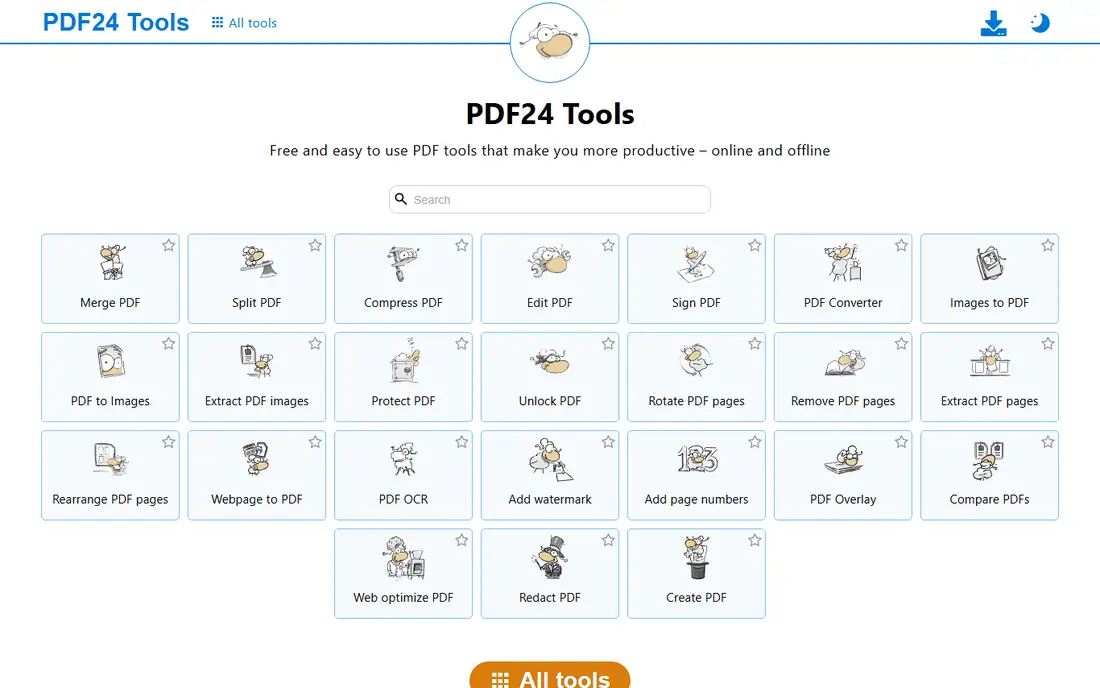
PDF24 Tools is the best free merge service because it removes the usual catches. Merging is unlimited and free, with no watermark on output, and the online tools cover merging, splitting, compressing, and converting alongside dozens of other jobs. A free desktop app, PDF24 Creator, handles the same jobs offline on Windows, which is the right choice for sensitive documents.
The interface is basic next to Smallpdf or iLovePDF, and the desktop app is Windows only, so Mac and Linux users rely on the online tools. Online files are deleted after processing under German data protection rules, but they still upload to a server, so truly confidential documents belong in the desktop app or another offline tool. For everyday merging with no limits and no watermark, PDF24 is the first tool to try.
What we like- Unlimited free merging
- No watermark
- Online tools plus a free Windows desktop app
- Files deleted after processing
Watch out for- Interface is basic
- Desktop Creator is Windows only
- Online files still upload to a server
#2iLovePDF
Best for: Beginner-friendly merging4.6/5 on
G2 (583 reviews, checked Oct 2026)
Visit ilovepdf.com
Starting priceFree
Free planYes
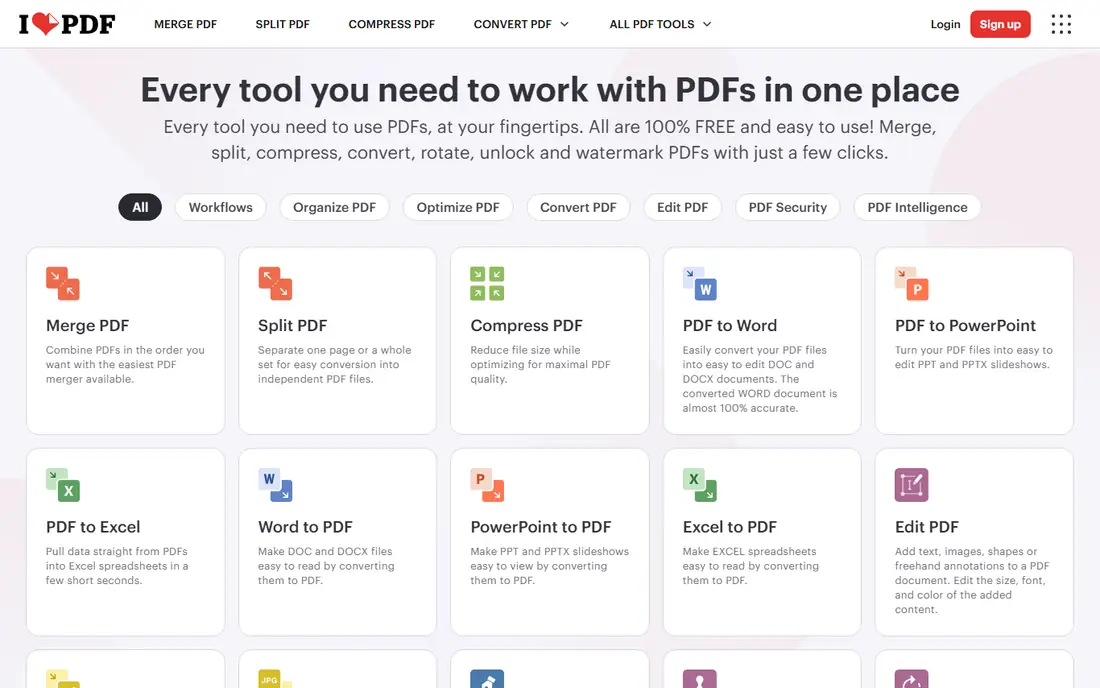
iLovePDF is the most reliable everyday merge tool for beginners. Drag files in, reorder pages, merge, and download, with no watermark on the free output and no account needed for basic tasks. Desktop and mobile apps extend the same tools offline, and uploaded files are deleted within 2 hours under GDPR-compliant handling with encrypted connections.
The free tier limits processing once you do a few operations in a day, and guides disagree on the exact cap, so heavy users will hit a wall. Premium starts from 4 dollars a month on annual billing and removes those limits. For occasional merges, iLovePDF is the smoothest experience on this list, and its merge, split, and compress tools share one consistent interface.
What we like- Cleanest beginner interface
- No watermark on free merges
- Desktop and mobile apps
- Files deleted within 2 hours
Watch out for- Free tier has daily processing limits
- Larger files and batch work need Premium from 4 dollars a month
#3Sejda
Best for: Occasional merges, no account4.5/5 on
G2 (42 reviews, checked Oct 2026)
Visit sejda.com
Starting priceFree
Free planYes
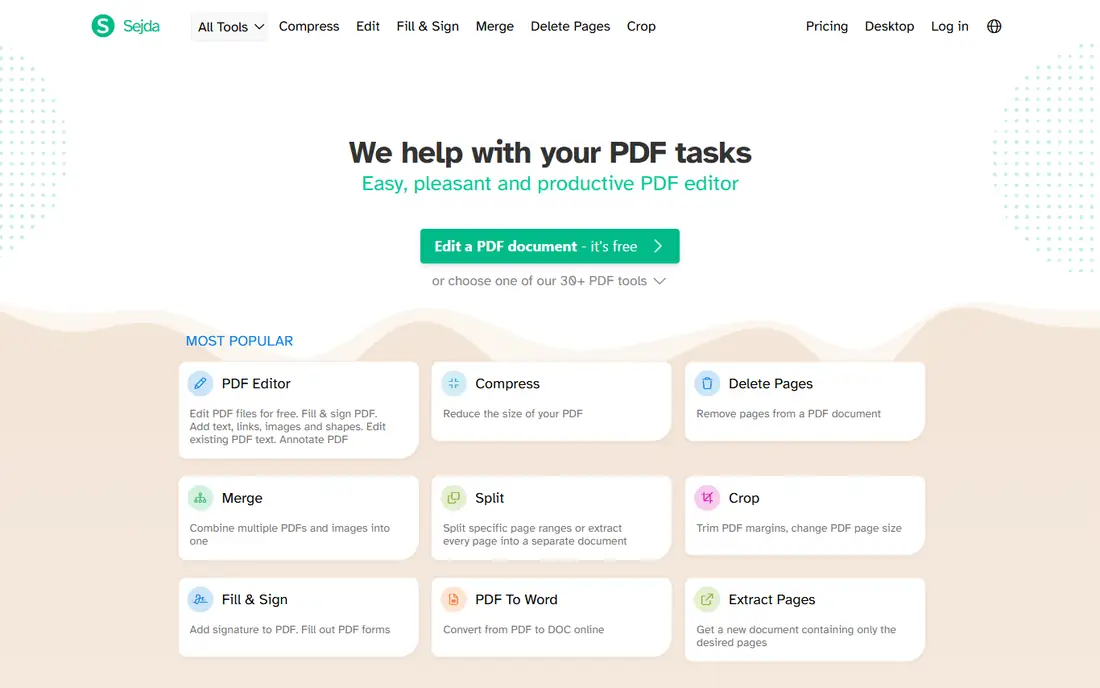
Sejda suits occasional merges where you want no account and clean privacy handling. The free tier allows a few tasks per hour, with files up to 50 MB or 200 pages, and the hourly reset is less annoying than a daily cap if you only need one or two merges at a time. Editing tools go deeper than most free mergers, covering text edits, forms, and signatures alongside merging.
Guides disagree on the exact free allowance, citing 3 tasks per hour in some and 3 per day in others, so check the current limit on the site before planning a batch job. Paid plans start from 7.50 dollars a month, with a 5 dollar week pass for short projects. For a quick merge without signing up, Sejda is one of the cleanest options available.
What we like- No account needed
- Clean privacy handling
- Advanced editing tools
- Hourly task reset suits occasional use
Watch out for- Free tasks limited per hour or day by guide
- Files up to 50 MB or 200 pages
- Paid plans from 7.50 dollars a month
#4Smallpdf
Best for: Best interface, light use4.5/5 on
G2 (306 reviews, checked Oct 2026)
Visit smallpdf.com
Starting priceFree
Free planYes
Smallpdf has the best-designed interface of any online PDF tool, and for a single quick merge it feels effortless. Files upload, merge, and download in a few clicks, output carries no watermark, and files are deleted after 1 hour under ISO 27001 certified handling. Integrations with Google Drive and Dropbox suit users who already store files in the cloud.
The free tier is the tightest here, near 2 tasks a day in most guides, with file size limits on free files. Pro costs 10 dollars a month on annual billing, or 15 dollars month to month, and adds unlimited tasks plus a 7-day free trial. Smallpdf suits occasional users who value design and simplicity, while daily mergers should choose PDF24 or iLovePDF Premium instead.
What we like- Nicest interface
- No watermark on free output
- Cloud integrations
- Files deleted after 1 hour
- ISO 27001 certified
Watch out for- Free tier near 2 tasks a day
- File size limits on free tier
- Pro costs 10 dollars a month on annual billing
#5PDFsam Basic
Best for: Offline desktop merging4.2/5 on
G2 (48 reviews, checked Oct 2026)
Visit pdfsam.org
Starting priceFree
Free planYes
PDFsam Basic is the best offline merge tool, free and open source under the AGPL license, with no watermarks, no limits, and no uploads. It runs on Windows, Mac, and Linux, handles batch merging, and keeps every file on your own computer, which makes it the right choice for contracts, HR documents, and other sensitive files. There is no account, no subscription, and no feature gate on merging.
The trade-off is convenience. PDFsam Basic is a desktop app with a plainer interface than the online tools, and there is no cloud or mobile version for quick phone merges. But for anyone who merges PDFs regularly or handles private documents, an offline tool removes both the daily limit problem and the upload privacy problem in one move.
What we like- Free and open source
- Fully offline
- No watermarks or limits
- Batch merging
- Windows, Mac, and Linux
Watch out for- Desktop only
- Plainer interface
- No cloud or mobile version
#6PDF Candy
Best for: 47 tools in one suite3.8/5 on
G2 (18 reviews, checked Oct 2026)
Visit pdfcandy.com
Starting priceFree
Free planYes
PDF Candy bundles 47 PDF tools, including merging, splitting, compressing, converting, and editing, in one free suite with no watermark on output. Guides report unlimited free use, which puts it alongside PDF24 as one of the least restricted online options. The interface is simple, and the breadth means one bookmark covers almost every PDF job.
The usual online caveat applies: files upload to a server for processing, so sensitive documents belong in an offline tool instead. Some advanced features may need a paid plan, and PDF Candy is less widely reviewed than iLovePDF or Smallpdf. For a free all-in-one suite with no watermark, though, it is a strong second bookmark next to PDF24.
What we like- 47 PDF tools in one suite
- Unlimited free use reported in guides
- No watermark
- Simple interface
Watch out for- Online files upload to a server
- Advanced features may need a paid plan
- Less known than iLovePDF
Starting priceFree
Free planYes
CombinePDF does one job simply: drag PDFs in, reorder them, merge, and download, with no signup and no watermark. It suits a user who wants a merge in under a minute without learning a suite or creating an account. The interface has almost nothing to learn, which is the point.
The limits are breadth and privacy. CombinePDF covers merging and a few related jobs rather than a full suite, and files upload to a server, so it is not the choice for confidential documents. For a quick, simple merge of ordinary files, it is one of the fastest options on this list.
What we like- No signup needed
- Simple drag-and-drop merging
- No watermark
- Fast for small jobs
Watch out for- Fewer tools than full suites
- Online uploads only
- File size limits may apply
#8PDF2Go
Best for: Online merging with editing4.8/5 on
G2 (8 reviews, checked Oct 2026)
Visit pdf2go.com
Starting priceFree
Free planYes
PDF2Go pairs merging with a solid set of editing, conversion, and compression tools, so a user who needs to merge and then edit or compress can stay in one place. The interface is easy, cloud integrations cover Google Drive and Dropbox, and free output carries no watermark. It suits students, freelancers, and small business owners who handle PDFs daily but lightly.
The free tier has limits on file size and task count, and heavy users will need a premium plan. Online processing means sensitive files should go to an offline tool instead. For a free online suite that covers merging plus light editing, PDF2Go is a capable all-rounder, sitting between the simplicity of CombinePDF and the depth of iLovePDF.
What we like- Merging plus editing, conversion, and compression
- No watermark on free output
- Cloud integrations
- Easy interface
Watch out for- Free tier has limits
- Online uploads only
- Premium needed for heavy use
How we chose
We tested this list against one rule: the free output must carry no watermark. Every tool here passes that test on its free tier, which is why paid-only tools and watermarked trials were excluded. We then split the list by the real trade-offs: unlimited versus limited free use, online versus offline processing, and simple versus full-suite tools. We flagged where guides disagree on free limits, since several vendors change caps without notice, and we marked privacy handling in every case, because an online merger uploads your file to a server no matter how clean its interface looks.
What to check before you buy
Check the free limit before you commit to a tool for a batch job, since Smallpdf allows around 2 tasks a day while PDF24 allows unlimited merges, and that difference decides whether you finish today or tomorrow. Then check privacy: never upload tax returns, medical records, or contracts with personal information to an online tool. Use PDFsam Basic, PDF24 Creator, or another offline desktop app for those files, or a browser-based tool that processes files on your own device without uploading. Finally, confirm the output before you send it, since page order and file size are the two things that go wrong most often in a merge.
Frequently asked questions
Do free PDF mergers add a watermark?
The tools on this list do not add a watermark to normal free output. Some limit file size, task count, or advanced features instead, so check the free limits rather than worrying about watermarks.
Which free PDF merger has no limits?
PDF24 Tools offers unlimited free merging online, and PDFsam Basic offers unlimited free merging offline on desktop. Both carry no watermark.
Is it safe to merge PDFs online?
For ordinary files, yes, with encrypted connections and short deletion windows. For sensitive documents, use an offline desktop tool or a browser-based tool that never uploads your file.
Why do free limits differ between guides?
Vendors change free caps without notice, and guides check at different times. Treat any stated limit as a guide figure and confirm the current limit on the vendor site before a batch job.
Can I merge PDFs on my phone?
Yes. iLovePDF, Smallpdf, and PDF24 all have mobile apps or mobile-friendly sites, and the same no-watermark rule applies to their free tiers within the stated limits.
Sources we checked (0)
Is your product missing or out of date?
We review this list regularly. Vendors can request a listing, send updated pricing or ask about featured placement.

Shihab Mia · Founder, Rankite
Shihab has 5+ years in B2B and SaaS SEO. He writes Rankite's software buying guides from pricing pages, documentation and public user reviews. More about Shihab.