How we make this list: we compare pricing pages, product documentation and public user reviews. Ratings come from G2, Capterra or Trustpilot, with the date we checked them.
Key takeaways
- Adobe Acrobat is the standard, with the deepest feature set and AI tools, but prices are not shown on the public homepage.
- PDFelement offers a perpetual license at 129.99 dollars, a rare alternative to subscriptions.
- Smallpdf, iLovePDF, PDFescape, and Sejda cover most everyday PDF creation free in the browser, with paid tiers for heavy use.
- For pure creation from Word, images, or web pages, a free online tool is usually enough. Desktop editors earn their price when editing, OCR, and signing are daily work.
Quick comparison
| Tool | Best for | Starting price | Free plan |
|---|
 Adobe Acrobat Adobe Acrobat | Deepest feature set | See website | Free reader |
 Foxit PDF Editor Foxit PDF Editor | Acrobat alternative for business | See website | Free trial |
 PDFelement PDFelement | Perpetual license value | $129.99 one-time | Free trial |
 Nitro PDF Pro Nitro PDF Pro | Teams and eSign workflows | See website | Free trial |
 Smallpdf Smallpdf | Simple browser tools | See website | Yes |
 iLovePDF iLovePDF | Free everyday tools | Free | Yes |
 PDFescape PDFescape | Free online editor and forms | Free | Yes |
 Sejda Sejda | Free editor with desktop option | Free | Yes |
Is your product missing or out of date?
We review this list regularly. Vendors can request a listing, send updated pricing or ask about featured placement.
Starting priceSee website
Free planFree reader
Adobe Acrobat defines the category it created. The homepage confirms creation from Microsoft files, images, and more into high-fidelity PDFs, plus conversion back, editing, e-signatures, redaction, password protection, and OCR for scanned documents. Newer additions include AI Assistant for chatting with documents and PDF Spaces, shared AI-powered workspaces for project files.
The trade-off is price and complexity. Adobe no longer sells perpetual Acrobat versions after Acrobat 2020, apart from a one-time Acrobat Pro 2024 purchase with three years of access and no feature updates. For occasional creation, Acrobat is overkill. For teams that live in PDFs, it remains the benchmark.
What we like- Create PDFs from Microsoft files and images with high fidelity
- Edit, sign, protect, and redact
- AI Assistant and PDF Spaces
Watch out for- Subscription pricing not shown on the homepage
- Most expensive option in practice
#2Foxit PDF Editor
Best for: Acrobat alternative for business4.6/5 on
G2 (3,783 reviews, checked Oct 2026)
Visit foxit.com
Starting priceSee website
Free planFree trial
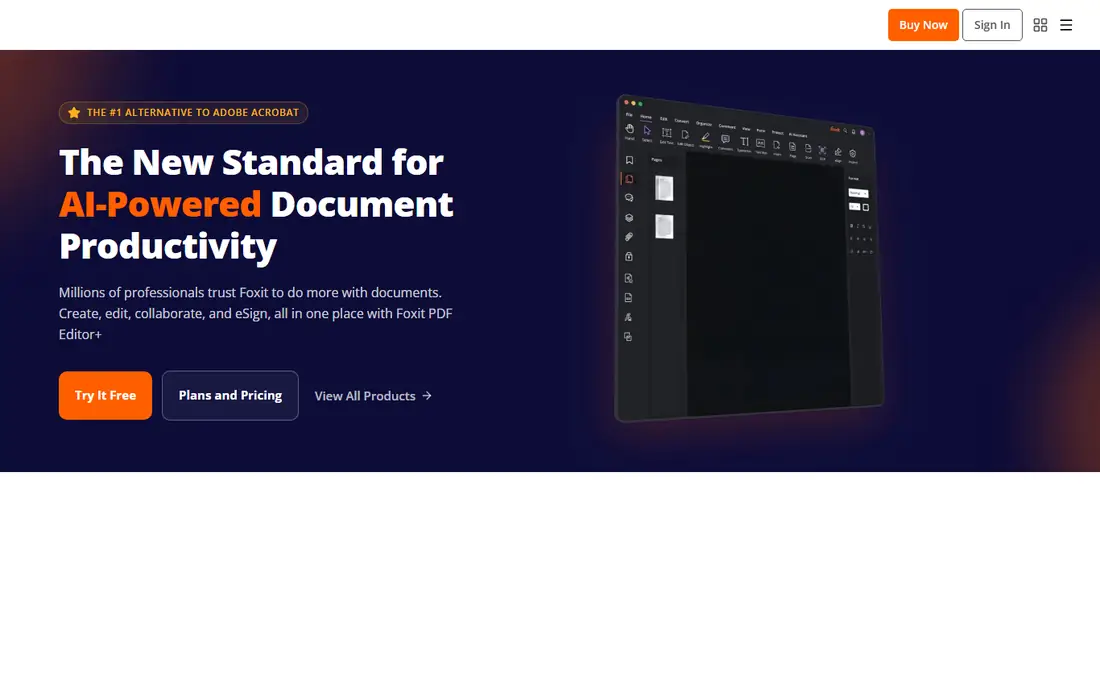
Foxit positions itself as the number one alternative to Adobe Acrobat, and the homepage backs that with a broad platform: create, edit, collaborate, and eSign with PDF Editor, plus AI summarization, batch processing for conversion, compression, merging, and OCR, and integrations with Office 365, Google Drive, SharePoint, and Salesforce. Security certifications include SOC, HIPAA, GDPR, and PCI references.
The catch is pricing opacity on the homepage. Foxit suits businesses that want Acrobat-class features with a different vendor and admin model. Individual users doing occasional creation will find cheaper options below.
What we like- Create, edit, collaborate, and eSign in one place
- Batch processing and OCR
- Enterprise security certifications
Watch out for- Homepage shows no pricing
- Feature set overlaps Acrobat heavily
Starting price$129.99 one-time
Free planFree trial
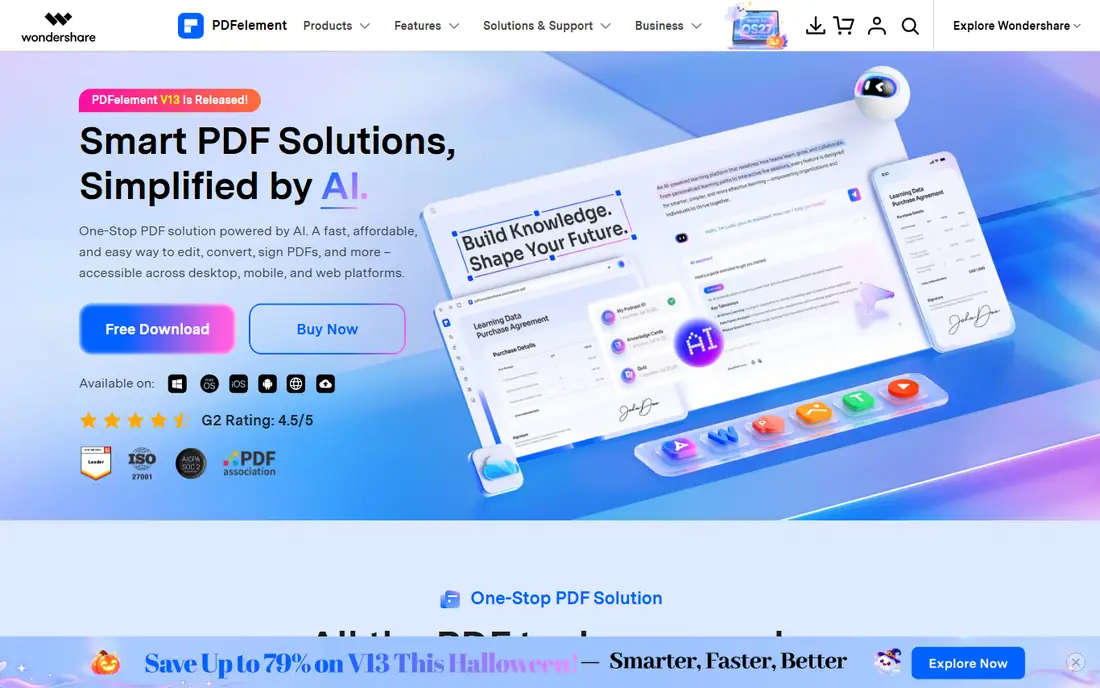
PDFelement stands out on pricing structure. The homepage lists a personal perpetual plan at 129.99 dollars, down from 159 dollars, with team perpetual at 139 dollars and an education yearly plan at 39.99 dollars. Features include Word-like text editing, conversion to and from PDF without losing formatting, OCR in 26 languages, batch conversion and OCR, e-signing, compression, forms, and AI tools for summarizing, translating, and chatting with documents.
The perpetual license is the reason to choose it: pay once instead of subscribing forever. The caveat is that promotional prices change, so confirm the current figure at checkout. For users who dislike subscriptions, PDFelement is the strongest desktop pick here.
What we like- Perpetual personal plan at 129.99 dollars
- Edit text like Word
- AI tools, OCR in 26 languages, batch conversion
Watch out for- Promotional pricing may change
- AI features add cost on some plans
#4Nitro PDF Pro
Best for: Teams and eSign workflows4.4/5 on
G2 (391 reviews, checked Oct 2026)
Visit gonitro.com
Starting priceSee website
Free planFree trial
Nitro bundles PDF Pro, Nitro Sign, Smart Redact, and Nitro Automate into one platform, with AI tools included in every plan for summarizing, analyzing, and extracting document data. The homepage cites 67 percent of the Fortune 500 among users, plus ISO 27001, SOC 2, and HIPAA compliance, and a Canva plus Nitro bundle for design and document workflows.
The enterprise lean shows in the homepage, which emphasizes teams, analytics, and admin portals over individual pricing. Nitro suits organizations that want PDF and eSigning under one contract. Solo creators will find simpler and cheaper tools below.
What we like- PDF, eSign, redaction, and automation in one platform
- AI tools included in every plan
- Trusted by 67 percent of the Fortune 500
Watch out for- Homepage shows no pricing
- Enterprise lean may overcomplicate solo use
#5Smallpdf
Best for: Simple browser tools4.5/5 on
G2 (306 reviews, checked Oct 2026)
Visit smallpdf.com
Starting priceSee website
Free planYes
Smallpdf keeps PDF work simple: 30 tools covering merge, JPG to PDF, sign, edit, and compress, all in the browser with no install. The homepage claims over a billion users, ISO/IEC 27001 certification, GDPR and CCPA compliance, and 256-bit TLS encryption, plus a 7-day free trial for unlimited access to all tools.
The flag is that homepage pricing figures did not extract cleanly, so the paid tier price needs a live check before quoting. Smallpdf suits occasional creators who want a quick browser tool without installing software.
What we like- 30 tools for converting, compressing, editing, and signing
- Free tier plus 7-day trial
- Mobile app and browser extensions
Watch out for- Homepage pricing figures did not extract, so paid tiers need a live check
#6iLovePDF
Best for: Free everyday tools4.6/5 on
G2 (583 reviews, checked Oct 2026)
Visit ilovepdf.com
Starting priceFree
Free planYes
iLovePDF offers every tool a typical user needs in one place, all free: merge, split, compress, convert between PDF and Word, PowerPoint, Excel, and JPG, edit, sign, watermark, rotate, protect, and remove password restrictions. Newer additions include an AI summarizer, PDF translation, PDF forms, and custom workflows, plus desktop and mobile apps for offline work.
The free tier covers most creation tasks, while Premium adds advanced OCR, secure e-signature requests, and workflows. iLovePDF suits users who create and convert PDFs regularly but rarely need deep editing or redaction.
What we like- All core tools free, including merge, split, compress, convert, and sign
- New AI summarizer and translate tools
- Desktop and mobile options
Watch out for- Advanced OCR, e-signatures, and workflows sit behind Premium
- Free tier has usage limits
#7PDFescape
Best for: Free online editor and forms4.2/5 on
G2 (70 reviews, checked Oct 2026)
Visit pdfescape.com
Starting priceFree
Free planYes
PDFescape calls itself the original online free PDF editor and form filler, and the free online version covers editing, annotating, filling forms, creating basic forms, password protection, sharing, and viewing. A Windows desktop version adds more, and Premium adds text and image editing, merge, conversion to Word, watermarks, page numbers, and compression.
The dated interface is the main drawback, but the free tier is genuinely useful for form filling and annotation. PDFescape suits users who mainly fill and annotate existing PDFs rather than creating complex documents.
What we like- Online editor and form filler always free
- Windows desktop version
- Password protection and sharing built in
Watch out for- Text and image editing, merge, and conversion sit behind Premium or Desktop
- Interface looks dated
#8Sejda
Best for: Free editor with desktop option4.5/5 on
G2 (42 reviews, checked Oct 2026)
Visit sejda.com
Starting priceFree
Free planYes
Sejda offers one of the most complete free online editors: edit existing PDF text, add text, links, images, and shapes, fill and sign forms, annotate, merge, split, compress, convert, OCR, protect, watermark, and more. The desktop app runs the same features offline on Mac, Windows, and Linux, with files never leaving the computer, while the web version deletes files permanently after processing.
The free tier limits hourly usage, so heavy users need a paid plan. Sejda suits privacy-minded users and anyone who wants a real editor, not just a converter, without paying.
What we like- Free online editor with text editing, fill and sign, and annotations
- Desktop app works fully offline
- Files deleted after processing
Watch out for- Free tier has hourly usage limits
- Advanced batch tools need a paid plan
How we chose
We opened each vendor homepage and compared creation options, editing depth, free tiers, and published prices. Adobe, Foxit, Nitro, and Smallpdf did not show usable prices on their homepages, so those entries record "See website" rather than invented figures. We favored tools with clear free paths, real creation features rather than viewer-only functions, and honest limits on free tiers.
The choice splits on frequency. If you create or convert PDFs a few times a month, a free browser tool like iLovePDF, Smallpdf, or Sejda covers it with no install and no cost. If you edit PDFs daily, handle scanned documents, sign contracts, or redact sensitive data, a desktop editor like Acrobat, Foxit, PDFelement, or Nitro pays for itself in time saved.
Security is the second split. Browser tools upload files to a server, even when the vendor deletes them after processing, while desktop apps like Sejda Desktop keep files local. For contracts, medical records, or legal documents, prefer desktop processing or a vendor with clear deletion and compliance claims.
Conversion quality is a third split worth testing before committing. Cheap converters mangle tables, fonts, and layouts, especially when turning PDFs back into Word or Excel files. Run the same test document through two or three tools and compare the output side by side, checking tables, headings, and special characters. PDFelement and Acrobat both emphasize format preservation, and the difference shows on complex documents with tables and images.
Forms are the final divider. If the work involves fillable forms, signature requests, or data extraction, prioritize tools with strong form features: PDFelement, Acrobat, Nitro, and Sejda all handle form creation and filling, while iLovePDF added form detection recently. For simple annotation and signing, the free browser tools are enough, and paying for a desktop editor adds little. Start free, upgrade only when a limit actually blocks the work, and keep the test document from the conversion check as a benchmark for any new tool. The best PDF tool is rarely the most powerful one. It is the one that handles the documents you actually create, on the devices you actually use, without friction or surprise costs, day after day.
Frequently asked questions
What is the best free PDF creation tool?
iLovePDF and Sejda offer the most complete free creation and editing, while PDFescape leads for free form filling. Smallpdf covers quick conversions free.
Is PDFelement really a one-time purchase?
The homepage lists a personal perpetual plan at 129.99 dollars, down from 159 dollars. Promotional prices change, so confirm at checkout, and note that perpetual plans may exclude future feature updates.
Do I need Adobe Acrobat to create PDFs?
No. Word, Google Docs, browsers, and free online tools all create PDFs. Acrobat earns its price for editing, OCR, redaction, and signing, not for basic creation.
Are online PDF tools safe for sensitive documents?
Reputable tools use encryption and delete files after processing, and Sejda offers a fully offline desktop app. For highly sensitive documents, prefer desktop processing.
Can I create a PDF from images or a web page?
Yes. iLovePDF, Smallpdf, and Sejda all offer JPG to PDF and HTML to PDF tools, and browsers can print any page to PDF free.
Which PDF tool is best for teams?
Nitro and Foxit suit teams with eSign, admin, and analytics needs, while PDFelement team plans cover smaller groups at lower cost.
Sources we checked (8)
- https://www.adobe.com/acrobat.html
- https://www.foxit.com/
- https://pdf.wondershare.com/
- https://www.gonitro.com/
- https://smallpdf.com/
- https://www.ilovepdf.com/
- https://www.pdfescape.com/
- https://www.sejda.com/
Is your product missing or out of date?
We review this list regularly. Vendors can request a listing, send updated pricing or ask about featured placement.

Shihab Mia · Founder, Rankite
Shihab has 5+ years in B2B and SaaS SEO. He writes Rankite's software buying guides from pricing pages, documentation and public user reviews. More about Shihab.