How we make this list: we compare pricing pages, product documentation and public user reviews. Ratings come from G2, Capterra or Trustpilot, with the date we checked them.
Key takeaways
- PDF Expert at $49.99 a year is the polished all rounder for Apple users: fast on huge files, strong markup, and real text editing when annotation is not enough.
- Goodnotes is the handwriting answer, with a free tier and paid plans from $11.99 a year, and Notability adds audio recording synced to your notes for lectures and meetings.
- Adobe Acrobat Reader is free and its comments are the industry's common language; the full Acrobat editing suite is a subscription priced well above the rest.
- PDFgear is completely free on desktop with editing included, and Xodo covers every platform with a capable free tier.
- Drawboard PDF is the engineer's pick, built for marking up drawings and plans on Windows and the web.
Quick comparison
| Tool | Best for | Starting price | Free plan |
|---|
 PDF Expert PDF Expert | Polished annotation and editing on Apple devices | $49.99 per year | No |
 Goodnotes Goodnotes | Handwritten annotation with a Pencil | Free | Yes |
 Notability Notability | Lectures and meetings with synced audio | Free | Yes |
 Adobe Acrobat Adobe Acrobat | The standard reader and comment format | Free | Yes |
 Xodo Xodo | Cross platform annotation, free first | Free | Yes |
 PDFgear PDFgear | Free desktop editing and annotation | Free | Yes |
 Drawboard PDF Drawboard PDF | Drawings, plans, and engineering markup | Free | Yes |
 Foxit PDF Editor Foxit PDF Editor | Business editing with annotation | See website | No |
Is your product missing or out of date?
We review this list regularly. Vendors can request a listing, send updated pricing or ask about featured placement.
The best PDF annotation apps
Starting price$49.99 per year
Free planNo
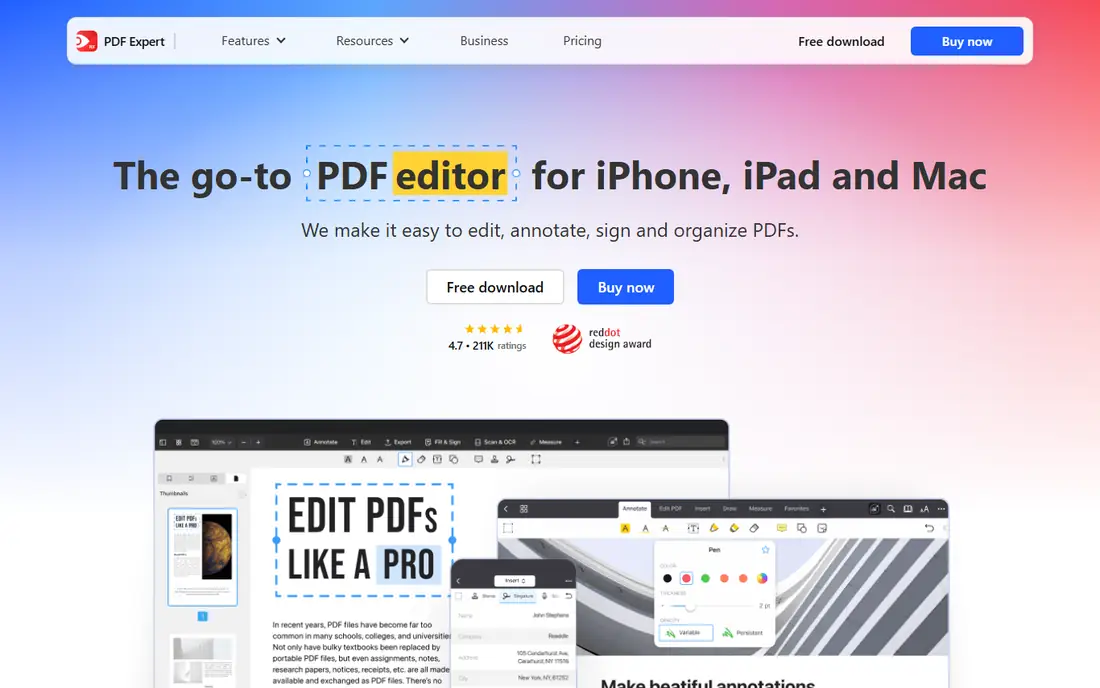
PDF Expert is what most people picture when they say a PDF app should feel premium. It opens heavy files quickly, the annotation toolbar is where your hand expects it, and when markup turns into actual editing, changing a word, fixing a figure, reordering pages, it does that too instead of sending you to a second app.
The trade off is platform and price. There is no Windows version, and the free reader is a doorway to the subscription. PDF Expert fits Apple based professionals, lawyers, consultants, and heavy readers, whose PDFs are work product rather than coursework.
What we like- Fast and fluid on very large PDFs, with a deep annotation set: highlights, notes, stamps, shapes, and freehand
- Edits PDF text and images directly, beyond simple markup
- Annotation summaries export cleanly for review work
- A mature iPhone, iPad, and Mac lineup from Readdle
Watch out for- Premium at $49.99 a year is needed for the full toolset
- Apple ecosystem only, no Windows or Android
- OCR for scanned documents is a Mac side strength rather than a phone one
Starting priceFree
Free planYes
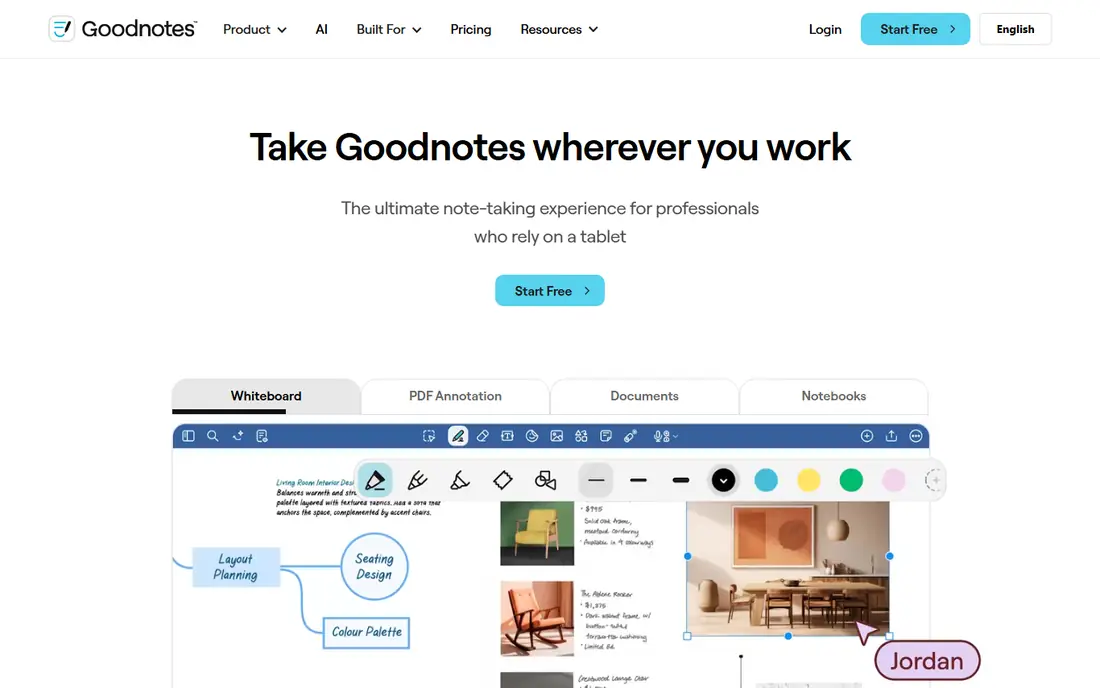
Goodnotes turns a PDF into a page in your notebook. Import the reading, write over it with the Pencil, and your handwriting remains searchable as if typed. For students and anyone whose thinking happens in ink, that is the annotation experience everything else is measured against, and the starting price is nothing.
The trade off is filing. A library of contracts and reports lives less naturally in notebooks than in a document manager. Goodnotes fits students, researchers, and meeting heavy professionals on tablets, who annotate by hand and organise by subject.
What we like- The leading handwriting experience: natural ink, searchable handwriting, and PDFs annotated inside notebooks
- A free plan with three notebooks to start, and paid plans from $11.99 a year
- Audio recording synced to notes, and AI tools on higher tiers
- Collaboration and cross platform versions have widened beyond Apple
Watch out for- The free tier's notebook and import limits arrive quickly for students
- It is a notebook that hosts PDFs, so document management is notebook shaped
- Deep PDF editing is lighter than PDF Expert or Acrobat
Starting priceFree
Free planYes
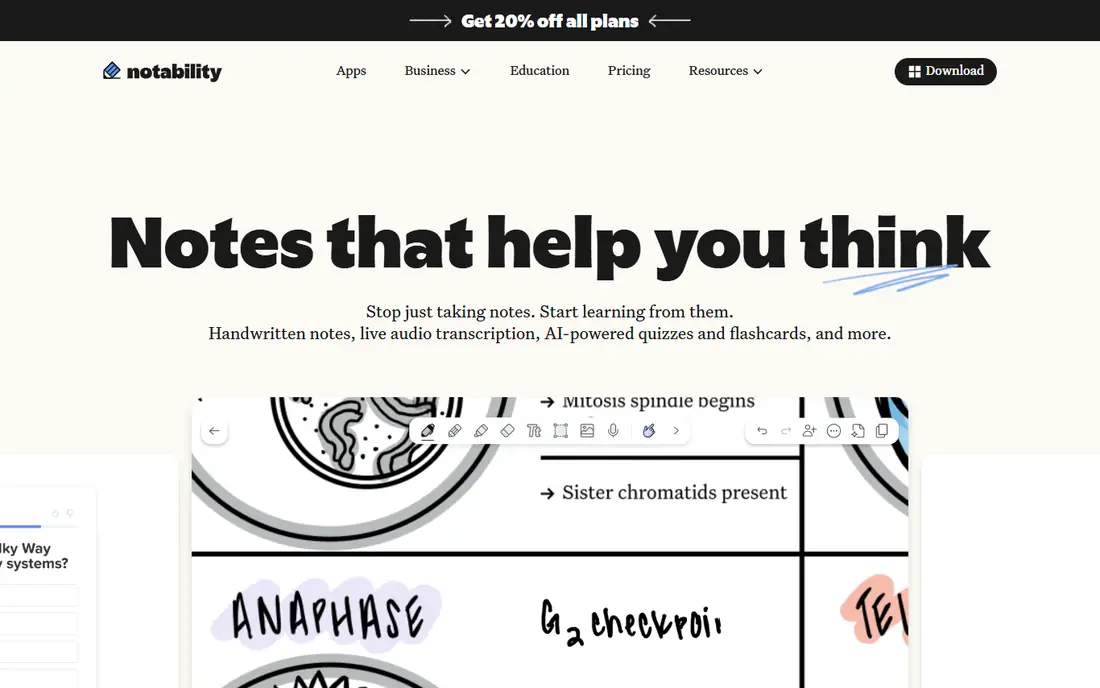
Notability's recording trick is still unmatched for its purpose. In a lecture or a client meeting, you write sparse notes while the app records; in review, tapping a scribble replays the exact sentence that prompted it. Around that core sits a tidy PDF annotator that students have used for a decade.
The trade off is the walled garden and the tier maze. Notability fits students and professionals inside the Apple world who learn and review through listening as much as reading, and who will pick one paid tier and stay there.
What we like- Audio recording linked to your handwriting: tap a word and hear what was being said when you wrote it
- Clean PDF annotation with highlights, text boxes, and shapes
- Study tools on paid tiers turn notes into summaries, flashcards, and quizzes
- Plans from $14.99 a year after a usable free starter
Watch out for- Apple devices only, with no real time collaboration or cross platform reach
- Shared files export as static documents
- The tier ladder, Lite, Plus, Pro at up to $99.99 a year, needs care to navigate
#4Adobe Acrobat
Best for: The standard reader and comment format4.7/5 on
Capterra (4,264 reviews, checked Oct 2026)
Visit adobe.com
Starting priceFree
Free planYes
Adobe invented the PDF, and Acrobat Reader remains the safe default: free, universal, and the reference point for how comments should behave when a file passes between people and platforms. If your annotation is professional correspondence, a contract marked and returned, sending it in Acrobat's dialect avoids surprises.
The trade off is that Adobe sells the whole workshop when you may only need the pencil. Acrobat fits organisations standardised on Adobe, and anyone whose annotation is mostly typed comments and forms, with the paid tier justified only when editing and redaction join the job.
What we like- Acrobat Reader is free everywhere and opens everything, with comments, highlights, and form filling
- Its comment format is the one every other app must round trip faithfully
- Paid Acrobat adds full editing, OCR, redaction, comparison, and e signatures
- Cloud storage keeps documents and annotations in step across devices
Watch out for- Full Acrobat pricing is the steepest here, with Pro commonly listed near $29.99 a month
- The interface carries far more than an annotator needs
- Handwriting is not its language at all
#5Xodo
Best for: Cross platform annotation, free first4.4/5 on
G2 (38 reviews, checked Oct 2026)
Visit xodo.com
Starting priceFree
Free planYes
Xodo is the answer to the mixed device household and the mixed device office. The same document, annotated on an Android tablet, reviewed on a Windows laptop, signed on an iPhone, stays one document. Its free tier is generous enough that many users never test the paid ceiling.
The trade off is polish and focus. Xodo does everything adequately and nothing as beautifully as the specialists. Xodo fits cross platform users and teams, especially in education and field work, who refuse to let an operating system choose their PDF app.
What we like- Runs everywhere: iOS, Android, Windows, Mac, and the web, with sync across them
- A strong free tier covering markup, forms, and page management
- Direct PDF editing and OCR on paid plans from $10.99 a month
- A long track record in mobile PDF work
Watch out for- The full power sits behind the subscription, and pricing tiers take reading
- The interface is busy next to PDF Expert's calm
- Handwriting is supported but not the soul of the app
#6PDFgear
Best for: Free desktop editing and annotation4.8/5 on
G2 (168 reviews, checked Oct 2026)
Visit pdfgear.com
Starting priceFree
Free planYes
PDFgear is the disruptor entry: a desktop PDF toolkit that annotates, edits, converts, and OCRs without a price tag. For the large group of people whose PDF work is occasional, a form here, a marked up report there, it removes the subscription question entirely, and its tools are better than they have any right to be at zero.
The trade off is assurance. A professional practice standardising for a decade will choose a vendor with a longer commercial shadow. PDFgear fits individuals, students, and small offices whose PDF work is real but not regulated, and who would rather spend nothing and keep moving.
What we like- A genuinely free desktop PDF editor for Windows and Mac, with annotation and text editing included
- OCR, conversion, and page tools that rivals charge for
- No account walls in the desktop apps
- A clean, quick interface for everyday documents
Watch out for- Free software this complete invites the obvious question about its future business model
- Mobile and cloud sync story is thinner than the suites
- Enterprise support and compliance features are not its market
#7Drawboard PDF
Best for: Drawings, plans, and engineering markup4.3/5 on
G2 (40 reviews, checked Oct 2026)
Visit drawboard.com
Starting priceFree
Free planYes
Drawboard comes from the world where a PDF is a drawing set, not a document. Its markup tools, its handling of large format sheets, and its review workflows serve architects, engineers, and construction teams marking changes that other people will build from. On a Surface tablet on site, it feels made for the hand holding it.
The trade off is specialisation. An office worker annotating reports gains little from its strengths. Drawboard PDF fits technical reviewers and construction professionals whose annotation is redlining, and who want those redlines tracked properly.
What we like- Built for annotating drawings and plans, with tools shaped for technical documents
- Strong stylus support on Windows tablets and a web version for review anywhere
- Measurement and markup workflows for architects, engineers, and builders
- A free tier to start, with paid plans from about $4.19 a month
Watch out for- Everyday document users will find the drawing focus more than they need
- Direct PDF text editing is not its offer
- The ecosystem is smaller than Adobe's or Readdle's
#8Foxit PDF Editor
Best for: Business editing with annotation4.6/5 on
G2 (3,783 reviews, checked Oct 2026)
Visit foxit.com
Starting priceSee website
Free planNo
Foxit is the other enterprise name in PDFs. Organisations that find Acrobat's pricing or weight heavy have run Foxit for years: the annotation and editing core is complete, documents connect to the usual business systems, and IT can deploy and manage it like proper office software.
The trade off is that it is office software, with editions and licensing to match, and students or solo annotators will find the route in less obvious than an app store icon. Foxit fits businesses standardising PDF work across many seats that want Acrobat class capability with a different commercial relationship.
What we like- A full business PDF editor: annotation, editing, forms, and signatures in one suite
- Long used as the enterprise alternative to Acrobat, with admin and deployment tooling
- Connected document workflows and integrations for offices
- A free Foxit Reader exists for viewing and basic markup
Watch out for- Current suite pricing was not stated consistently in our sources, so check the site
- The product range and editions take effort to untangle
- Handwriting is a minor feature in a keyboard first product
How we chose
We compared the annotation tools named across 2026 guides from the app makers themselves and independent reviewers, and checked prices against at least two sources per app, marking See website where the suite pricing did not settle. We split the list by input style, ink first against document first, because that choice decides daily satisfaction more than any feature matrix. We also weighed what happens to your annotations when a document leaves the app: standard comment formats survive the trip, proprietary ink sometimes flattens. We did not claim hands on testing.
How to choose, and keep your annotations portable
Start with your hand. If you think with a stylus, Goodnotes, Notability, or Drawboard will feel like home and the typed comment apps will feel like email. If your annotation is professional correspondence, comments that must survive being opened in a client's Acrobat, choose a document first app and test the round trip: annotate a page, send it to a different app, and confirm everything arrives.
Then check the two quiet features that decide long term happiness. Search: can the app find a word inside your handwriting and inside a scanned page, which needs OCR, or only inside born digital text. And exit: can you export the annotated file, and a summary of your notes, in standard formats you will still be able to open in ten years. An annotation library is a work record; keep it in formats and places that outlive any single subscription, including a plain folder of exported PDFs beside whatever app you choose.
Frequently asked questions
What is the best free PDF annotation app?
PDFgear on desktop, where annotation and editing are free without a tier, and Xodo across phones and tablets, whose free tier covers markup, forms, and pages on every platform. Goodnotes' free plan is the best free start for handwriting, with three notebooks to learn in. Acrobat Reader is the free universal fallback for typed comments and forms.
Which app is best for annotating PDFs with Apple Pencil?
Goodnotes, for the most natural ink and searchable handwriting inside a notebook, and Notability where lectures or meetings make its synced audio recording valuable. PDF Expert is the better Pencil companion when the document is a professional file rather than a notebook page, with strong markup tools wrapped around real editing. All three are Apple centred, which is simply where the Pencil lives.
Can these apps edit PDF text, or only annotate?
Both kinds are here. PDF Expert, Acrobat's paid tier, Xodo's paid plans, PDFgear, and Foxit edit the underlying text and images. Goodnotes, Notability, and Drawboard annotate on top of the document, with ink and comments, which is the right model when the original must not change, such as a contract under review or a drawing under revision. Know which job you have before choosing.
Will my annotations show up in other PDF apps?
Usually, if they are standard PDF annotations: highlights, sticky notes, and text comments are part of the PDF specification and travel with the file. Handwritten ink generally travels too, as drawn markup, though its searchability stays behind in the app that recognised it. Proprietary features, linked audio in Notability, layer structures, live only in their home app. Export a flattened copy for archiving anything that matters.
Do I need OCR in a PDF annotation app?
Only if you annotate scans. A born digital PDF carries real text that every app here can highlight and search. A scanned page is a photograph: without OCR, no app can search it or snap a highlight to its words. Acrobat, Xodo, PDFgear, and Drawboard include OCR in some tier; Goodnotes reads existing text layers and recognises your handwriting instead. Check your actual documents before paying for the feature.
Sources we checked (0)
Is your product missing or out of date?
We review this list regularly. Vendors can request a listing, send updated pricing or ask about featured placement.

Shihab Mia · Founder, Rankite
Shihab has 5+ years in B2B and SaaS SEO. He writes Rankite's software buying guides from pricing pages, documentation and public user reviews. More about Shihab.