How we make this list: we compare pricing pages, product documentation and public user reviews. Ratings come from G2, Capterra or Trustpilot, with the date we checked them.

Key takeaways
- This article is general information only, not financial or tax advice, and freelancers should check current fees and tax rules for their situation.
- PayPal is the best all round payment app for freelancers, since most clients already have it and accept it without setup friction.
- Wise is the best choice for international payments, with real exchange rates and lower conversion costs than most rivals.
- Payoneer suits freelancers paid by marketplaces and large companies, with receiving accounts in several currencies.
- Stripe is the best option for freelancers who invoice through their own website or sell services online.
- Fees, payout timing, and tax reporting vary by app and country, so compare the total cost for your typical payment, not just the headline rate.
Quick comparison
| Tool | Best for | Starting price | Free plan |
|---|
 PayPal PayPal | All round client payments | Free | Yes |
 Wise Wise | International payments | Free | Yes |
 Payoneer Payoneer | Marketplace and company payouts | Free | Yes |
 Stripe Stripe | Website invoicing and sales | Free | Yes |
 Square Square | In person and online sales | Free | Yes |
 Cash App Cash App | Simple US peer payments | Free | Yes |
 Venmo Venmo | Simple US client payments | Free | Yes |
 Revolut Revolut | Multi currency freelancer banking | Free | Yes |
Is your product missing or out of date?
We review this list regularly. Vendors can request a listing, send updated pricing or ask about featured placement.
The best payment apps for freelancers
#1PayPal
Best for: All round client payments4.4/5 on
G2 (2,751 reviews, checked Oct 2026)
Visit paypal.com
Starting priceFree
Free planYes
PayPal is the most widely accepted payment app for freelancers, since most clients already have an account and can pay an invoice or a PayPal link without new setup. Invoicing is built in, with templates, reminders, and partial payments, and seller protections cover eligible transactions. That familiarity reduces friction, which matters when a client is deciding how to pay.
Fees apply to commercial payments, currency conversion costs are high compared with Wise, and new accounts can face holds on incoming funds. For US clients paying in dollars, PayPal is the simplest, most accepted option, and it should be in every freelancer toolkit even when another app handles international work.
What we like- Most clients already have it
- Invoicing built in
- Buyer and seller protections
Watch out for- Fees on commercial payments
- Currency conversion costs are high
- Holds can delay new accounts
#2Wise
Best for: International payments4.7/5 on
G2 (11 reviews, checked Oct 2026)
Visit wise.com
Starting priceFree
Free planYes
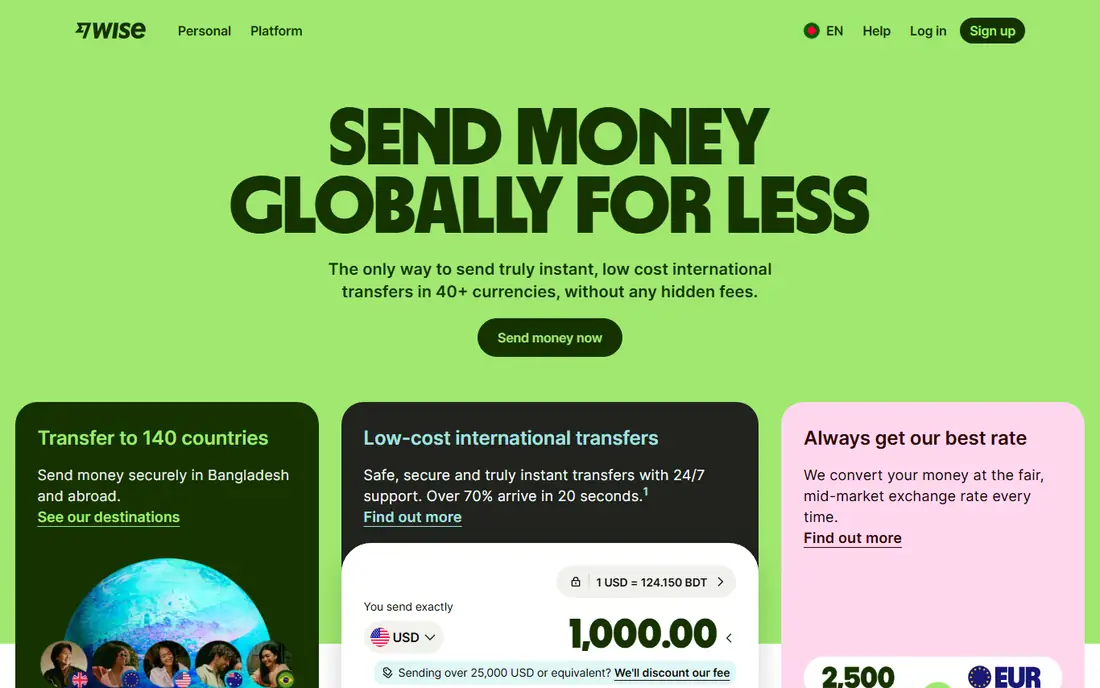
Wise, formerly TransferWise, is the best payment app for freelancers with international clients, offering real mid market exchange rates with a transparent fee shown upfront, instead of a hidden markup in the rate. Local receiving accounts in several currencies let clients pay by local bank transfer, which avoids international wire fees, and transfers are usually fast.
Invoicing features are thinner than PayPal, some clients prefer paying by card, and business features vary by country. For a freelancer paid from abroad, Wise often saves a large amount on conversion compared with PayPal or bank wires, and it is the first app to add for international work.
What we like- Real exchange rates with transparent fees
- Local receiving accounts
- Fast transfers
Watch out for- Fewer invoicing features than PayPal
- Some clients prefer card payments
- Business features vary by country
Starting priceFree
Free planYes

Payoneer suits freelancers paid by marketplaces like Upwork and Fiverr and by large companies, offering receiving accounts in dollars, euros, pounds, and other currencies so payers can send local transfers. Funds can be withdrawn to a local bank account or spent through a prepaid card in supported regions, which helps freelancers without easy access to international banking.
Fees apply to withdrawals and currency conversion, account approval takes time, and direct client invoicing is less polished than PayPal. For marketplace and company payouts, especially international ones, Payoneer is a strong and widely supported choice.
What we like- Receiving accounts in several currencies
- Marketplace and company payouts
- Prepaid card option
Watch out for- Fees on withdrawals and conversion
- Account approval takes time
- Less suited to direct client invoicing
#4Stripe
Best for: Website invoicing and sales4.2/5 on
G2 (462 reviews, checked Oct 2026)
Visit stripe.com
Starting priceFree
Free planYes
Stripe is the best payment tool for freelancers who invoice through their own website or sell services and products online, offering payment links, hosted invoices, subscriptions, and card payments from customers worldwide. Reporting is strong, tax tools help with sales tax and 1099 preparation, and the checkout experience looks professional.
Stripe needs a website or platform setup, which is more work than sending a PayPal link, fees apply per transaction, and payouts can take days for new accounts. For freelancers building a real online business, Stripe is the most capable payment platform on this list.
What we like- Professional invoicing and payment links
- Card payments worldwide
- Strong reporting
Watch out for- Needs a website or platform setup
- Fees per transaction
- Payouts take days for new accounts
#5Square
Best for: In person and online sales4.6/5 on
G2 (1,208 reviews, checked Oct 2026)
Visit squareup.com
Starting priceFree
Free planYes
Square suits freelancers who sell in person as well as online, such as photographers, makers, and consultants who take card payments at events, plus online invoices and payment links. Setup is simple, the point of sale app is free, and hardware readers are inexpensive, which makes Square practical for face to face work.
Fees apply per transaction, pure service invoicing is less deep than Stripe, and international coverage is limited compared with Wise or Payoneer. For freelancers who meet clients in person and take cards on the spot, Square is the best choice.
What we like- In person card payments plus online invoices
- Simple setup
- Free point of sale app
Watch out for- Fees per transaction
- Less suited to pure service invoicing
- International coverage is limited
Starting priceFree
Free planYes
Cash App offers very simple peer payments in the United States, with an optional instant transfer to a bank account for a fee and a Cash Card for spending balances. Some small clients and individuals prefer it for quick payments, and setup takes minutes.
Cash App is US focused, invoicing is limited, and business use requires a business account with fees, while personal accounts are not meant for commercial payments. For small US clients who already use Cash App, it is a convenient extra option, though it should not be a freelancer only payment method.
What we like- Very simple US payments
- Instant transfer option
- Cash Card for spending
Watch out for- US only for most use
- Limited invoicing
- Business use needs a business account and fees
Starting priceFree
Free planYes
Venmo, owned by PayPal, is widely used in the United States for peer payments, and its business profiles let freelancers accept client payments with a recognizable handle. The social feed suits casual clients, and many US clients already have Venmo installed, which reduces friction for small payments.
Venmo is US only, business profiles carry transaction fees, and invoicing and tax tools are limited compared with PayPal or Stripe. For small US payments from clients who prefer Venmo, it is a useful extra channel, best paired with a full invoicing tool.
What we like- Widely used in the US
- Simple payments
- Social feed suits casual clients
Watch out for- US only
- Business profiles carry fees
- Limited invoicing and tax tools
Starting priceFree
Free planYes
Revolut offers multi currency accounts, competitive exchange rates, and business tools including invoicing on paid plans, which suits freelancers who hold and spend in several currencies. The app combines banking, cards, and payments in one place, and its free plan covers basic use.
Availability varies by country, free plan limits apply to exchange and features, and support is app based with no branches. For freelancers who juggle currencies and want banking plus payments in one app, Revolut is a strong option, especially alongside Wise for transfers.
What we like- Multi currency accounts
- Competitive exchange
- Invoicing and business tools on paid plans
Watch out for- Availability varies by country
- Free plan limits apply
- Support is app based
How we chose
We ranked apps by client acceptance, fee transparency, payout speed, international coverage, and invoicing quality, favoring apps that clients already use and that show fees upfront. We gave extra weight to international conversion costs, since hidden exchange markups often exceed transaction fees for freelancers paid from abroad. We also weighed tax reporting, since US freelancers need clear records for 1099 forms and quarterly taxes. Fees change often, so readers should check current fee schedules and compare the total cost for a typical payment.
Buying guide
Start by listing how your clients actually pay. US clients paying in dollars fit PayPal, Stripe, or Square, while international clients fit Wise or Payoneer, and marketplace work fits Payoneer. Offer two options, such as PayPal plus Wise, so clients can choose the method with least friction for them.
Next, compare total cost for a typical payment, not just headline rates. Include transaction fees, currency conversion markups, withdrawal fees, and payout timing, since a slow payout can matter as much as a fee when rent is due. Test with a small payment first to confirm fees, timing, and tax documents before routing large amounts.
Finally, keep clean tax records from day one. Save invoices, fee statements, and 1099 forms from each app, track income quarterly, and set aside money for taxes, since freelance income usually has no withholding. Consider a separate business account to keep client payments apart from personal spending. This article is general information only, not tax advice, so consult a tax professional for your situation. The best payment app for freelancers is the one your clients will actually use, at a total cost you accept, with records you can hand to your accountant.
Frequently asked questions
What is the best payment app for freelancers overall?
PayPal is the best all round choice, since most clients already have it and accept it without friction. Add Wise for international clients, since its exchange rates save money on conversion.
How much do freelancer payment apps charge?
Fees vary by app and payment type: card payments often cost a percentage plus a fixed fee, bank transfers are cheaper, and currency conversion adds a markup or a transparent fee. Check the current fee schedule for your typical payment before choosing.
Do payment apps report my income for taxes?
In the United States, payment apps and platforms report payments above IRS thresholds on Form 1099-K, though rules and thresholds change. Keep your own records regardless, since you owe tax on freelance income even when no form is issued.
Should freelancers use a personal or business account?
Use a business account for client payments where the app offers one, since personal accounts may restrict commercial use and lack invoicing and tax tools. Separate business money from personal spending for cleaner records.
How fast will I get paid as a freelancer?
Payout speed varies by app and account history: peer apps can be instant to a balance, bank transfers take one to three business days, and new accounts may face holds. Ask clients for payment terms upfront, and invoice promptly when work is delivered.
Sources we checked (0)
Is your product missing or out of date?
We review this list regularly. Vendors can request a listing, send updated pricing or ask about featured placement.

Shihab Mia · Founder, Rankite
Shihab has 5+ years in B2B and SaaS SEO. He writes Rankite's software buying guides from pricing pages, documentation and public user reviews. More about Shihab.