How we make this list: we compare pricing pages, product documentation and public user reviews. Ratings come from G2, Capterra or Trustpilot, with the date we checked them.
Key takeaways
- Paper trading is free almost everywhere. The real differences are fill realism, options support and whether you need a funded brokerage account first.
- thinkorswim paperMoney is the strongest all-round simulator, with full multi-leg options and a $100,000 virtual balance.
- Futures traders should start with NinjaTrader, whose simulation mode is free and models slippage instead of filling every order instantly.
- Paper results flatter you. Most free simulators fill orders instantly at the quoted price, which real markets rarely do.
Quick comparison
Is your product missing or out of date?
We review this list regularly. Vendors can request a listing, send updated pricing or ask about featured placement.

#1
thinkorswim paperMoney
Best for: Overall simulator and options practice
Visit schwab.com
Starting priceFree
Free planYes
paperMoney is the simulator most serious traders recommend first, and the reason is depth. You get the full thinkorswim platform with stocks, options, futures, forex and crypto, plus complete options chains with Greeks and multi-leg strategies. The $100,000 virtual balance resets when you need it to, and the journal and profit tracking help you review what actually worked.
The gate is a Schwab account, since thinkorswim is now Schwab's trading platform. That is a minor hurdle for most US traders, and the account itself costs nothing to open. The honest limit is fill realism: orders fill instantly at the quoted price, so paper profits will look better than live results on thin or fast-moving stocks. Treat it as a test of your process, not a preview of returns.
What we like- Full multi-leg options with Greeks
- $100,000 virtual balance
- Desktop, web and mobile apps
Watch out for- Requires a Schwab account
- Fills are instant, so slippage is not modeled
Starting priceFree
Free planYes
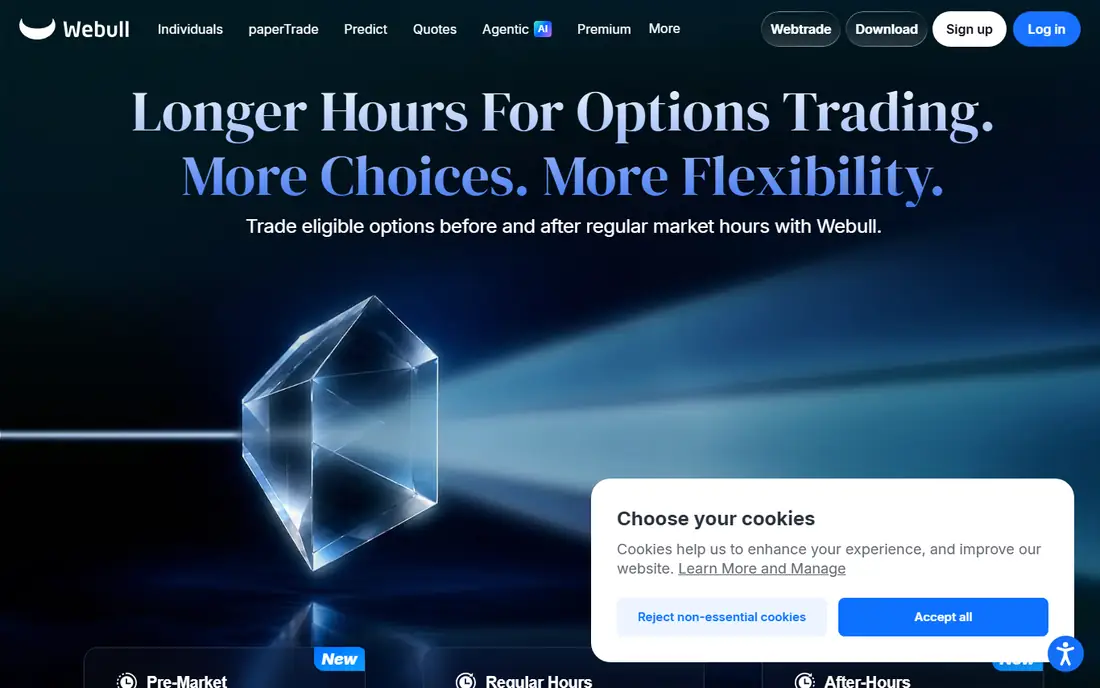
Webull's paper mode lives inside the same app as live trading, which makes the jump from practice to real money short. You get real-time quotes, stocks, options, futures and crypto, and a $1,000,000 virtual balance that removes any worry about running out of practice funds. The mobile app is the strongest here for traders who practice on a phone.
The trade-off is depth. Options chains are basic compared with paperMoney, and performance tracking is a simple profit summary rather than a detailed journal. For a beginner learning order types and position sizing, that simplicity is a feature. For an options trader testing spreads, paperMoney or TradeStation will serve better. This is not financial advice; paper trading teaches mechanics, not guaranteed outcomes.
What we like- $1,000,000 virtual balance
- Real-time quotes
- Polished mobile app
Watch out for- Basic options chains
- Simple profit tracking
Starting priceFree
Free planYes

TradingView is the pick if you practice by reading charts. Paper trading is free on every plan, including the free tier, and it runs directly on the chart, so you place simulated orders where you draw your levels. You also get an equity curve and a trade list for review, which most broker simulators handle less clearly.
The limits matter for some traders. Options simulation is limited, with no Greeks modeling, and the free tier caps indicators per chart, alerts and layouts. Paid tiers start at $12.95 per month on annual billing, but the paper engine itself costs nothing. If you already chart on TradingView, practicing here keeps your whole workflow in one place.
What we like- No brokerage account needed
- Runs on the chart you already use
- Equity curve and trade list
Watch out for- Limited options simulation
- Advanced charting features need a paid tier
Starting priceFree
Free planYes
SimTrader is the simulator for traders who test rules rather than hunches. It models slippage and partial fills, which makes paper results closer to live results than the instant fills on most free platforms. Backtesting is the strongest here, and the platform covers stocks, options, futures and crypto with detailed reporting.
The catch is the gate: you need a funded TradeStation account, and the platform assumes you already know trading terminology. Beginners may find the interface dense. For a systematic trader who wants to validate a strategy before risking capital, though, the realism and reporting justify the setup effort.
What we like- High fill realism with slippage modeling
- Full options and futures
- Detailed trade reports
Watch out for- Needs a funded account
- Platform learning curve is steep
Starting priceFree
Free planYes
Interactive Brokers offers the widest market access of any simulator here, with stocks, options, futures, forex, bonds and crypto across 175 markets. The paper account carries a $1,000,000 virtual balance and uses the same Trader Workstation platform as live trading, so skills transfer directly. A same-day free trial runs on delayed data if you want a quick look first.
The friction is the account process. The full paper account opens once a live application is approved, and Trader Workstation has a professional-grade learning curve. Traders who stick to US stocks will find simpler options above. Traders who want global markets, bonds or forex in one simulator will not find a better free choice.
What we like- $1,000,000 virtual balance
- 175 markets worldwide
- Full multi-asset coverage
Watch out for- Requires an approved IBKR account for the full paper account
- Platform feels built for professionals
Starting priceFree
Free planYes
NinjaTrader is the futures specialist, and its simulation mode shows it. You get free unlimited simulated trading with configurable slippage, advanced analytics and session replay for reviewing the trading day. The platform supports automated strategy development through its C# framework, which appeals to traders who code their rules.
The scope is narrow by design: this is a futures platform, not a stock simulator. Live market data in the simulation runs for the first 14 days, after which you continue on delayed data unless you fund an account. For a futures day trader, that is a fair deal. For anyone trading stocks or options, look elsewhere on this list.
What we like- Free unlimited simulated trading
- Configurable slippage
- Session replay
Watch out for- Futures only
- Live market data in simulation lasts 14 days

#7
moomoo Paper Trading
Best for: Mobile and international traders
Visit moomoo.com
Starting priceFree
Free planYes
moomoo pairs a clean mobile app with a generous simulator: real-time quotes, a $1,000,000 virtual balance and stocks, options and ETFs. The app design suits traders who practice on a phone and want detailed analytics without a desktop platform. International traders also benefit, since moomoo serves several markets beyond the US.
One flag belongs here. During our homepage check, moomoo.com returned a rate-limit page rather than the normal homepage, so we list it on search evidence and vendor documentation rather than a fresh homepage view. The product itself is well documented and widely used, but confirm the current app version in your app store before relying on any single feature claim.
What we like- $1,000,000 virtual balance
- Real-time quotes
- Polished mobile design
Watch out for- Basic options chains
- Homepage fetch returned a rate-limit page during our check
#8
eToro Virtual Portfolio
Best for: Social and copy trading practice
Visit etoro.com
Starting priceFree
Free planYes
eToro's Virtual Portfolio suits a different kind of learner: the investor who wants to follow other traders. You get a $100,000 virtual balance, stocks, crypto and ETFs, and the social feed where you can watch and copy the portfolios of other users with play money. The interface is the simplest here, which helps absolute beginners.
The limits are real. There is no options simulation, and pricing is CFD-based in some regions, which changes how positions behave compared with owning shares. Practice here teaches portfolio thinking and copy trading mechanics, not options strategy. For a new investor learning how markets move, that is still a useful first step.
What we like- $100,000 virtual balance
- Copy trading practice
- Simple interface
Watch out for- No options simulation
- CFD-based pricing in some regions
How we chose
We compared vendor homepages, platform documentation and independent simulator roundups in October 2026, and opened each homepage to confirm it loads and belongs to the product named. Two exceptions are flagged in the article: Schwab returned an authorization error page and moomoo returned a rate-limit page during our checks, so those two entries rest on search evidence and vendor documentation rather than a fresh homepage view. We favored simulators that are free, still offered and realistic about fills, and we weighted options support, market breadth and account gates alongside cost.
What to check before you practice
Start with the gate, not the feature list. Some simulators need only an email, while others need an approved or funded brokerage account. If you want to practice today, TradingView, Webull and eToro open fastest. If you already hold an account at Schwab, TradeStation or Interactive Brokers, use that broker's simulator so your practice matches your live platform.
Then match the simulator to the asset you will actually trade. Options traders need full chains and Greeks, which points to paperMoney or SimTrader. Futures traders need slippage modeling and replay, which points to NinjaTrader. Chart readers need the simulator on the chart, which points to TradingView. A simulator that covers the wrong asset teaches habits that do not transfer.
Finally, set rules for going live. Paper trading cannot teach you how real losses feel, and most free simulators fill orders instantly, which flatters results. A common standard is two to three months of consistent paper profits with position sizes you could afford live, plus a written plan for entries, exits and maximum daily loss. When paper results and live results diverge, trust the live ones and shrink size.
Frequently asked questions
What is the best paper trading platform overall?
thinkorswim paperMoney, for most traders. It combines full options support, a $100,000 virtual balance and desktop, web and mobile apps at no cost. Futures traders should pick NinjaTrader instead, and chart-focused traders should pick TradingView.
Is paper trading really free?
Yes, on every platform listed here. Some require a brokerage account first, and TradeStation needs a funded account, but the simulator itself costs nothing. TradingView's advanced charting features sit behind paid tiers, while its paper engine stays free.
How long should I paper trade before using real money?
Most educators suggest at least two to three months of consistent practice with realistic position sizes. Track your trades in a journal, and only go live when your paper results hold up across different market conditions, not just one good week. Paper trading also lets you test a broker platform before you fund an account, which saves switching costs later.
Does paper trading prepare you for real trading?
Partly. It teaches order types, position sizing and platform mechanics with real prices. It cannot reproduce slippage, partial fills on thin stocks or the emotions of risking real money, so live results usually trail paper results at first.
Can I paper trade options and futures?
Yes. paperMoney and SimTrader offer full options simulation, and NinjaTrader covers futures with slippage modeling. Webull and moomoo offer basic options chains, while eToro has no options simulation at all.
Sources we checked (8)
- https://www.schwab.com
- https://www.webull.com
- https://www.tradingview.com
- https://www.tradestation.com
- https://www.interactivebrokers.com
- https://ninjatrader.com
- https://www.moomoo.com
- https://www.etoro.com
Is your product missing or out of date?
We review this list regularly. Vendors can request a listing, send updated pricing or ask about featured placement.

Shihab Mia · Founder, Rankite
Shihab has 5+ years in B2B and SaaS SEO. He writes Rankite's software buying guides from pricing pages, documentation and public user reviews. More about Shihab.
 Webull Paper Trading
 TradingView Paper Trading
 TradeStation SimTrader
 Interactive Brokers Paper Trading
 NinjaTrader SIM