How we make this list: we compare pricing pages, product documentation and public user reviews. Ratings come from G2, Capterra or Trustpilot, with the date we checked them.
Key takeaways
- WooCommerce is the fastest route for WordPress sites, while Magento Open Source suits large catalogs with a development team behind them.
- Headless options like Medusa, Saleor, and Sylius give developers full control, but they need frontend work before launch.
- Free to download does not mean free to run: hosting, payment fees, extensions, and maintenance set the real budget.
- Pick the platform whose language your team already knows, since that choice shapes hiring and support for years.
Quick comparison
| Tool | Best for | Starting price | Free plan |
|---|
 WooCommerce WooCommerce | WordPress sites adding a store | Free (open source) | Yes |
 Magento Open Source Magento Open Source | Large, complex catalogs | Free (open source) | Yes |
 PrestaShop PrestaShop | Standalone multilingual stores | Free (open source) | Yes |
 OpenCart OpenCart | Small catalogs on a budget | Free (open source) | Yes |
 Medusa Medusa | Custom headless stores on Node.js | Free self-hosted | Yes |
 Saleor Saleor | High-volume headless stores | Free self-hosted | Yes |
 Sylius Sylius | Custom B2B and B2C builds | Free (Community Edition) | Yes |
 Bagisto Bagisto | Laravel teams and marketplaces | Free (open source) | Yes |
Is your product missing or out of date?
We review this list regularly. Vendors can request a listing, send updated pricing or ask about featured placement.
#1WooCommerce
Best for: WordPress sites adding a store4.4/5 on
G2 (1,283 reviews, checked Oct 2026)
Visit woocommerce.com
Starting priceFree (open source)
Free planYes
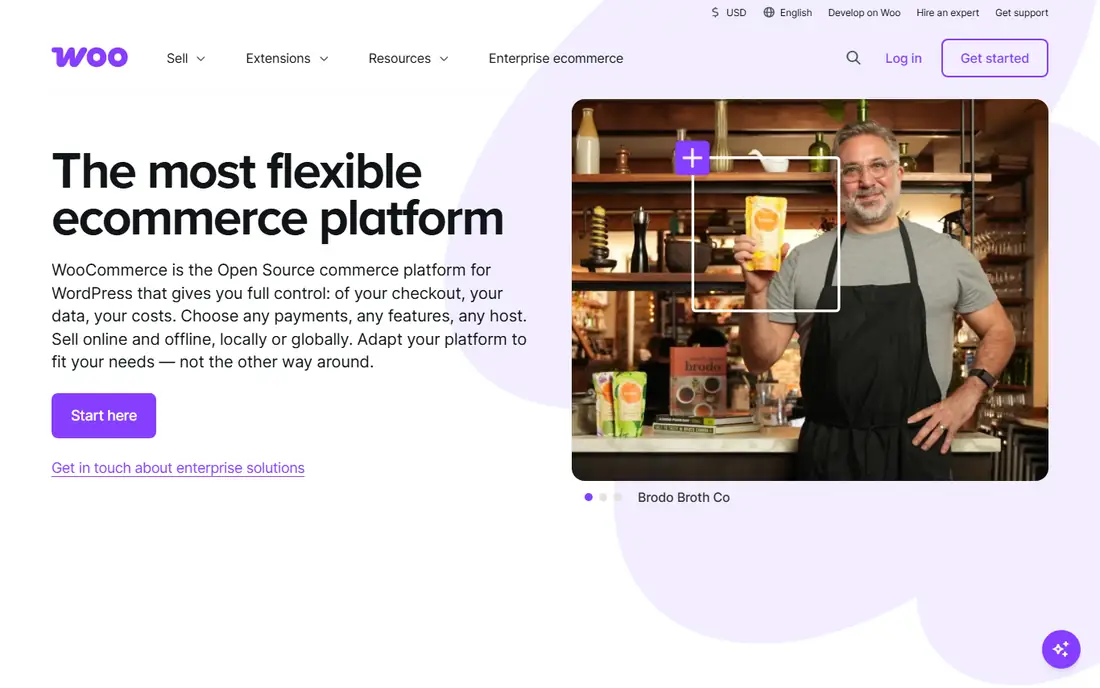
WooCommerce turns a WordPress site into a store, which is why it remains the default pick for small and mid-sized sellers. The plugin itself is free, themes and payment gateways are plentiful, and content and commerce live in one admin panel. A team that already runs WordPress can launch a basic store in days rather than months, and the extension marketplace covers subscriptions, bookings, memberships, and most shipping needs.
The trade is maintenance and scale. Each plugin adds update and compatibility work, and large catalogs need caching, good hosting, and database care to stay fast. Payment processing fees still apply on every order, and premium extensions can add up. WooCommerce fits best when the site is already on WordPress and the catalog is modest; huge, high-traffic stores often outgrow it.
What we like- Huge plugin ecosystem
- Familiar WordPress admin
- Low entry cost
Watch out for- Performance needs tuning at scale
- Plugin quality varies
- Security updates are your job
#2Magento Open Source
Best for: Large, complex catalogs4.0/5 on
G2 (268 reviews, checked Oct 2026)
Visit magento.com
Starting priceFree (open source)
Free planYes
Magento Open Source is the heavyweight of this list, built for stores with large catalogs, multiple storefronts, and complex pricing rules. It handles customer groups, tier pricing, and promotions natively, and its extension marketplace covers most enterprise needs. Agencies with Magento experience are easy to find, which matters when the build gets complicated.
That power comes with cost and complexity. Magento needs capable hosting, regular patching, and developers who know the platform well. Upgrades are projects, not clicks, and a poorly built store can be slow despite good hardware. Choose Magento when the catalog and business rules genuinely need its depth, not merely because the brand is familiar.
What we like- Very deep catalog and promotion features
- Strong B2B support
- Large agency ecosystem
Watch out for- Needs skilled developers
- Hosting and upkeep costs run high
- Upgrades take planning
#3PrestaShop
Best for: Standalone multilingual stores4.3/5 on
G2 (159 reviews, checked Oct 2026)
Visit prestashop.com
Starting priceFree (open source)
Free planYes

PrestaShop is a standalone store platform with particular strength in multilingual selling, which explains its long popularity with European merchants. The core covers products, orders, and promotions well, and its module marketplace adds shipping carriers, payment methods, and marketplace features. The admin panel is approachable for store owners who do not code.
Costs creep in through modules, since several features that ship free elsewhere are paid add-ons here. The English-speaking community is smaller than WooCommerce's, so finding help can take longer. PrestaShop fits stores that sell across languages and currencies and want a dedicated store admin rather than a WordPress plugin.
What we like- Strong multilingual and multi-currency support
- Large module library
- Clear admin
Watch out for- Paid modules add up
- Smaller English-speaking community
- Hosting matters
#4OpenCart
Best for: Small catalogs on a budget4.3/5 on
G2 (106 reviews, checked Oct 2026)
Visit opencart.com
Starting priceFree (open source)
Free planYes
OpenCart is one of the simplest platforms here, and that simplicity is its appeal. Installation is quick, hosting needs are modest, and the admin covers products, orders, and basic marketing without a steep learning curve. Small stores with straightforward catalogs can be live fast and keep running costs low.
The limits show as the store grows. OpenCart lacks some of the deeper promotion, B2B, and headless features found in larger platforms, and extension quality is uneven. It is a good fit for a small catalog with simple needs and a tight budget, and a poor fit for teams planning complex, multi-channel selling.
What we like- Light and fast to set up
- Low hosting needs
- Simple admin
Watch out for- Fewer modern features
- Extension quality varies
- Limited headless support
Starting priceFree self-hosted
Free planYes
Medusa is a headless commerce engine for Node.js teams that want to build a custom storefront without starting from scratch. Its modular design lets developers swap in their own payment, fulfillment, and notification providers, and the admin panel covers everyday merchandising. Medusa Cloud starts at $29 per month for teams that prefer managed hosting over self-hosting.
Being headless means the storefront is a separate build, so launch takes longer than with a themed platform. Medusa is also younger than Magento or WooCommerce, so some edge-case features still arrive through plugins or custom code. It fits teams with JavaScript skills who want full control over the buying experience.
What we like- Modern TypeScript stack
- Modular commerce engine
- Growing plugin ecosystem
Watch out for- Needs frontend build
- Younger platform
- Enterprise features are paid
Starting priceFree self-hosted
Free planYes
Saleor is a Python and Django headless platform aimed at high-volume and multi-channel selling. Its GraphQL API is thorough, and it handles multiple channels, warehouses, and currencies as core concepts rather than add-ons. Large teams value its performance focus and clean data model when traffic spikes.
The setup is developer-heavy, and there is no ready-made theme to fall back on, so frontend work is mandatory. Saleor Cloud starts at $1,599 per month, which puts managed hosting out of reach for small stores, though self-hosting remains free. Saleor fits engineering-led teams building a serious headless store, not solo sellers wanting a quick launch.
What we like- GraphQL-first API
- Built for high volume
- Strong multi-channel support
Watch out for- Developer-heavy setup
- Cloud pricing starts high
- Smaller theme ecosystem
#7Sylius
Best for: Custom B2B and B2C builds4.2/5 on
G2 (9 reviews, checked Oct 2026)
Visit sylius.com
Starting priceFree (Community Edition)
Free planYes
Sylius is a Symfony-based platform for teams that need custom commerce logic, especially in B2B. Its code is clean and well structured, which developers appreciate when checkout rules, customer-specific pricing, or approval flows get complicated. The Community Edition is free, while Sylius Plus adds paid features and support for larger operations.
The admin panel is functional rather than polished, and the platform assumes Symfony knowledge, so non-technical owners will need a partner. Sylius fits agencies and in-house teams building tailored B2B or B2C stores where off-the-shelf rules fall short, and it rewards teams that value code quality over a flashy dashboard.
What we like- Clean Symfony architecture
- Strong B2B features
- Flexible checkout and pricing
Watch out for- Needs PHP Symfony skills
- Admin is plainer than rivals
- Paid Plus edition for extras
Starting priceFree (open source)
Free planYes
Bagisto is a Laravel-based platform that stands out by shipping marketplace features in the open source edition, including multi-vendor support. Its admin panel and default storefront look modern, and Laravel developers can extend it quickly. For teams already on Laravel, Bagisto removes the need to learn a second stack just to sell online.
The community is smaller than WooCommerce's or Magento's, so third-party extensions and hiring options are thinner. Marketplace selling still needs thought around commissions, payouts, and vendor onboarding, which no platform automates fully. Bagisto fits Laravel teams, especially those building a marketplace or B2B store on a familiar stack.
What we like- Laravel stack
- Marketplace features included
- Modern admin and storefront
Watch out for- Smaller community than WooCommerce
- Marketplace setup still needs care
How we chose
We compared pricing pages, project documentation, and public user reviews for platforms whose source is openly available and actively maintained. We favored projects with recent releases, a real extension or plugin ecosystem, and a clear path from free download to production store. Hosted-only platforms were left out, since the topic is open source, and we checked that each listed platform still ships new releases in 2026.
What the free download really costs
Open source pricing is honest but incomplete, because the download is only one line of the budget. Hosting, a domain, an SSL certificate, payment fees, and paid extensions all add up, and so does the time spent on updates. Before choosing, price a full year: hosting at your expected traffic, the extensions you cannot launch without, and either staff time or an agency retainer for maintenance.
Match the stack to your team
The language of the platform decides who can maintain it. A WordPress team will move fastest on WooCommerce, a PHP team on Magento, PrestaShop, or Sylius, and a JavaScript team on Medusa. Hiring for an unfamiliar stack just to use a favored platform usually costs more than any license saving. Check local hiring and agency availability before committing.
Plan the storefront question
Themed platforms ship a storefront you can style and launch, while headless platforms hand you an API and expect a frontend build. Headless brings speed and design freedom, but it also means a second project with its own hosting and testing. If launch speed matters more than pixel-level control, a themed platform is the safer call.
Protect the upgrade path
Ask how upgrades work, how security patches arrive, and what breaks when a major version ships. Platforms with long release histories and clear upgrade guides age better than fast-moving projects that rewrite often. Keep a staging copy of the store, test every update there, and never edit core files directly, since that blocks future upgrades.
Frequently asked questions
Is open source ecommerce really free?
The software download is free, but running a store is not. You still pay for hosting, a domain, payment processing, and any paid extensions, plus time or agency fees for setup and maintenance. Budget the full year, not just the download.
Do I need developers for an open source platform?
For WooCommerce or OpenCart, a careful non-developer can manage a small store, though help is wise for setup. Magento, Saleor, Sylius, and other developer-focused platforms need real engineering skill for setup, customization, and upgrades.
Which platform is best for a marketplace?
Bagisto ships marketplace features in its open source edition, which gives it an edge for multi-vendor plans. WooCommerce and Magento can also run marketplaces, but usually through paid extensions that add cost and update work.
Can I switch platforms later?
Yes, but migration is a project. Products, customers, and orders can usually be exported, while themes, extensions, and custom logic must be rebuilt. Pick carefully now, and keep product data clean so a future move stays possible.
What about payment fees?
Payment fees are separate from platform costs and apply on every order, whichever platform you choose. Compare gateway rates for your country and volume, and check whether your platform adds its own transaction fee on top.
Sources we checked (8)
- https://woocommerce.com
- https://magento.com
- https://prestashop.com
- https://www.opencart.com
- https://medusajs.com
- https://saleor.io
- https://sylius.com
- https://bagisto.com
Is your product missing or out of date?
We review this list regularly. Vendors can request a listing, send updated pricing or ask about featured placement.

Shihab Mia · Founder, Rankite
Shihab has 5+ years in B2B and SaaS SEO. He writes Rankite's software buying guides from pricing pages, documentation and public user reviews. More about Shihab.