How we make this list: we compare pricing pages, product documentation and public user reviews. Ratings come from G2, Capterra or Trustpilot, with the date we checked them.
Key takeaways
- Malwarebytes leads on second-opinion scanning and cleanup, catching threats that a main antivirus misses.
- Microsoft Defender, built into Windows, leads on free baseline protection with no install needed.
- HitmanPro leads on fast cloud-assisted second scans, with no installation and quick results.
- Bitdefender and Norton lead on full suites that combine removal with real-time protection, firewall, and VPN.
- Emsisoft and Kaspersky Rescue Disk suit advanced users and badly infected machines that will not boot normally.
- No single tool catches everything: run a second-opinion scan after any infection, and back up data before aggressive cleanup.
Quick comparison
Is your product missing or out of date?
We review this list regularly. Vendors can request a listing, send updated pricing or ask about featured placement.
Malware removal differs from antivirus protection. Antivirus tries to stop infections before they happen, while removal tools clean machines that are already infected, often when the main antivirus missed something or was disabled by the malware itself. The eight tools below cover free second-opinion scanners, built-in protection, and full suites, and the right pick depends on whether your machine is infected now, whether you want ongoing protection, and how technical you are.
How we chose
We started from the malware removal tools security experts actually recommend in 2026, drawing on independent lab results, vendor pages, and practitioner guides. We favored tools with strong detection rates, safe cleanup that does not break Windows, and clear free options, and we excluded tools with bundled adware, fake system optimizers, or unclear vendors. Prices vary by billing period and device count, so where a figure is not confirmed on a vendor page, we use "See website" and flag the gap.
Buying guide
Start with your situation. If your machine is infected now, run a free second-opinion scanner such as Malwarebytes Free or HitmanPro first, since they install alongside your existing antivirus without conflict. If the machine will not boot or the malware blocks scanners, use a rescue disk such as Kaspersky Rescue Disk from a USB drive, which cleans before Windows starts.
Next, decide on ongoing protection. A free scanner cleans on demand but does not block new threats in real time, so pair it with Microsoft Defender or a paid suite for continuous protection. Check system impact too: full suites slow older machines more than lightweight scanners, so test performance after install.
Then verify cleanup carefully. After any removal, check that browsers open normally, that no unknown programs launch at startup, and that Windows Update works, since malware often disables updates. Change passwords for email and banking from a clean device after an infection, since credential theft often accompanies malware. Finally, set up backups before the next infection: an external drive or cloud backup turns a bad infection from a disaster into a reinstall.
One more habit matters more than any tool: keep software updated. Most infections exploit known flaws in browsers, Office, and Windows itself, and updates close those holes. Enable automatic updates for Windows and your browser, and treat update prompts as security work, not annoyance.
Frequently asked questions
What is the difference between antivirus and malware removal?
Antivirus runs continuously to block threats before infection, while removal tools focus on finding and cleaning infections that already happened. Many products do both, but second-opinion scanners specialize in cleanup without conflicting with your main antivirus.
Can I run two antivirus programs at once?
Running two real-time antivirus engines together causes conflicts and slowdowns. Second-opinion scanners such as Malwarebytes Free and HitmanPro are designed to run on demand alongside a main antivirus, which is safe.
Is Windows Defender enough on its own?
For careful users, Microsoft Defender plus updated Windows and a modern browser covers most threats, and independent labs rate it well. Users who click risky links, download cracks, or want extra features such as VPN and parental controls benefit from a paid suite.
What should I do after removing malware?
Change passwords for email, banking, and important accounts from a clean device, check bank statements for unknown charges, verify that Windows Update and your antivirus update normally, and back up important files. If banking credentials were exposed, contact your bank promptly.
Are free malware removal tools safe?
Reputable free tools from Malwarebytes, Microsoft, and Kaspersky are safe. Avoid unknown "PC cleaner" or "system optimizer" tools advertised through popups, since many are adware or scams themselves. Download only from vendor sites.
Sources
- Vendor pages for Malwarebytes, Microsoft Defender, HitmanPro, Bitdefender, Norton, Emsisoft, Kaspersky, and Avast
- Independent lab results for malware detection and cleanup in 2026
- Security practitioner guides on second-opinion scanning and post-infection steps
Starting priceSee website
Free planFree plan
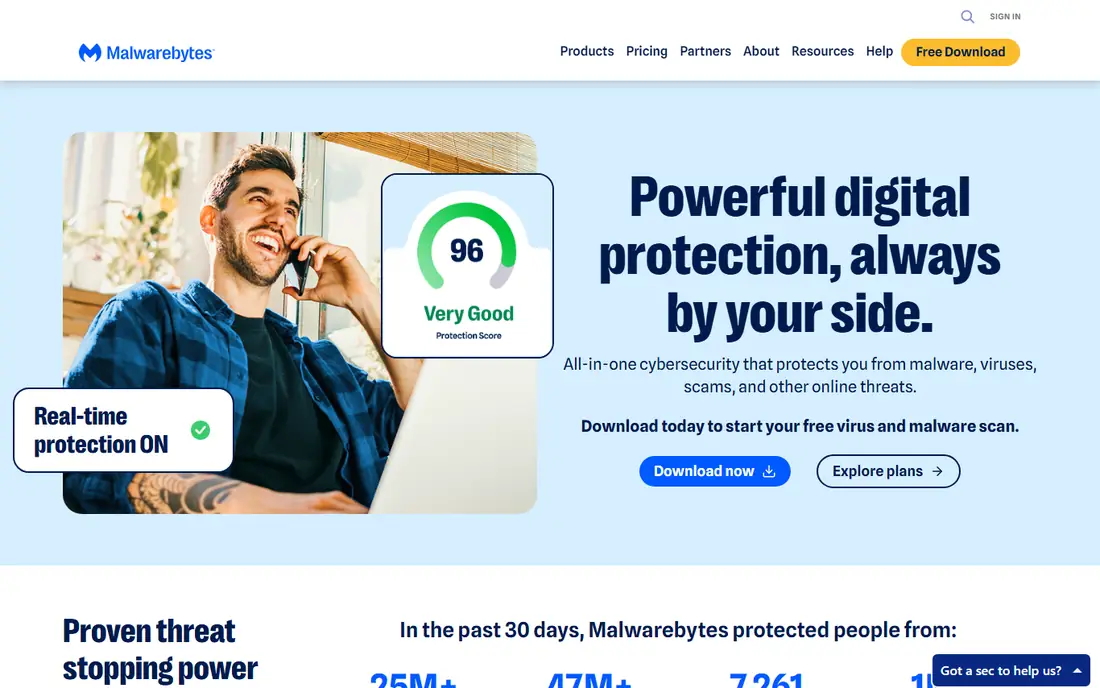
Malwarebytes Free is the first tool most experts reach for on an infected machine. It installs alongside existing antivirus software, scans quickly, and removes adware, spyware, trojans, and potentially unwanted programs that main antivirus tools often miss. Its detection engine focuses on the threats that actually spread in the wild, which keeps false positives lower than many rivals.
The free version scans on demand only, with no real-time blocking, so it cleans but does not prevent the next infection. Premium adds real-time protection, ransomware layers, and web blocking for a yearly price. Malwarebytes suits anyone with a suspected infection who wants a trusted second opinion, and it pairs well with Microsoft Defender for ongoing protection.
What we like- Best second-opinion detection
- Cleans without conflicting
- Fast scans
Watch out for- Free version has no real-time protection
- Premium adds cost
- Occasional false positives
Starting priceFree
Free planFree
Microsoft Defender, built into Windows 10 and 11, is the baseline every Windows user already has. Independent labs rate its protection well, it updates through Windows Update, and it needs no install, no account, and no extra cost. For careful users who browse safely and keep Windows updated, Defender plus a second-opinion scan when needed is a solid setup.
The extras are thinner than paid suites: no VPN, limited parental controls, and basic management for families or small businesses. Advanced users who want firewall rules, network controls, or detailed reports may prefer a paid suite. Microsoft Defender suits every Windows user as a baseline, and it is the right default before spending money.
What we like- Built into Windows at no cost
- Good lab scores
- No conflicts or extra install
Watch out for- Fewer extras than paid suites
- Management is basic
- Advanced users want more control
Starting priceSee website
Free planFree trial
HitmanPro, from Sophos, is a portable second-opinion scanner that runs without installation and checks files against cloud databases from multiple antivirus engines. Scans finish in minutes, and the tool is famous for catching infections that resist normal removal, since it runs from a USB drive or a quick download without touching installed programs.
The free scan cleans once, and continued use needs a paid license, while real-time protection is not included. HitmanPro suits technicians and users who want a fast, no-install second opinion on a machine they suspect is infected, especially when installed scanners fail to run.
What we like- No installation needed
- Cloud-assisted detection
- Very fast scans
Watch out for- Trial cleans once for free
- Ongoing use needs a license
- No real-time protection
Starting priceSee website
Free planFree trial
Bitdefender consistently earns top scores in independent lab tests for detection and low system impact, and its suites add ransomware remediation, which restores files encrypted by ransomware from backups. That combination of detection and recovery makes it a strong full-suite pick for households and small businesses.
Full features such as VPN, parental controls, and password management sit on higher tiers, and renewal prices often rise after the first year. The interface also packs in many options that can overwhelm new users. Bitdefender suits users who want a top-rated full suite with strong ransomware handling and who will watch renewal pricing.
What we like- Top lab detection scores
- Low system impact
- Ransomware remediation
Watch out for- Full features need higher tiers
- Interface has many options
- Renewal prices rise
Starting priceSee website
Free planFree trial
Norton 360 bundles antivirus with a VPN, dark web monitoring, cloud backup, and parental controls, which appeals to families who want one subscription covering many needs. Its protection scores are strong, and the dark web monitoring alerts users when their data appears in breaches.
Prices run higher than rivals, upsell prompts annoy some users, and system impact is noticeable on older machines. Norton suits families and users who want a broad bundle in one subscription and who value dark web monitoring and backup alongside antivirus.
What we like- Strong protection plus VPN and dark web monitoring
- Good family tools
- Cloud backup
Watch out for- Higher prices
- Upsell prompts
- System impact on older machines
Starting priceSee website
Free planFree trial
Emsisoft Anti-Malware uses two scanning engines plus behavior blocking, which catches stubborn infections that single-engine tools miss. Its cleanup tools suit advanced users and technicians who need detailed control over quarantine, logs, and scan settings, and its behavior blocker stops ransomware-style file encryption early.
The interface assumes more knowledge than consumer suites, the brand is smaller, and consumer extras such as VPN are absent. Emsisoft suits advanced users, technicians, and small businesses that want strong dual-engine cleanup and behavior blocking without consumer bundle extras.
What we like- Dual-engine scanning
- Strong behavior blocking
- Good for stubborn infections
Watch out for- Interface suits advanced users
- Smaller brand
- Fewer consumer extras
Starting priceFree
Free planFree
Kaspersky Rescue Disk is the tool for machines that will not boot or where malware blocks every scanner. You write it to a USB drive, boot from it, and scan and clean before Windows starts, which bypasses malware that hides inside a running system. It is free, and it has saved many machines that seemed unrecoverable.
Using it needs BIOS or boot menu changes and comfort with a technical interface, and it offers no ongoing protection after cleanup. Kaspersky Rescue Disk suits technicians and advanced users facing a badly infected or unbootable machine, as a rescue step before reinstalling Windows.
What we like- Free rescue environment
- Cleans before Windows boots
- Bypasses malware blocks
Watch out for- Needs a USB drive and BIOS changes
- Interface is technical
- No ongoing protection
Starting priceFree app
Free planFree plan
Avast One offers a free tier that goes beyond a scanner, adding basic VPN, network inspection, and cleanup tools alongside antivirus, which makes it the most complete free suite on this list. Detection scores are good, and the interface is easy for new users.
The free tier includes upsell prompts, Avast's privacy history deserves a check for users who care about data collection, and full features need a paid plan. Avast One suits budget users who want a free suite with more than basic antivirus, and who accept upsells in exchange for no upfront cost.
What we like- Free tier includes antivirus plus VPN limits
- Good detection
- Easy interface
Watch out for- Free tier has upsells
- Privacy history needs checking
- Full features need paid plan
Is your product missing or out of date?
We review this list regularly. Vendors can request a listing, send updated pricing or ask about featured placement.

Shihab Mia · Founder, Rankite
Shihab has 5+ years in B2B and SaaS SEO. He writes Rankite's software buying guides from pricing pages, documentation and public user reviews. More about Shihab.
 Malwarebytes
 Microsoft Defender
 HitmanPro
 Bitdefender
 Norton
 Emsisoft
 Kaspersky Rescue Disk
 Avast One