How we make this list: we compare pricing pages, product documentation and public user reviews. Ratings come from G2, Capterra or Trustpilot, with the date we checked them.
Direct answer
Xakia is the top pick for most small in-house teams because it covers matters, intake, contracts and spend in one system with a 14-day free trial. LawVu suits teams that want one workspace for legal work and can work through a sales quote.
Key takeaways
- Small teams that need matters and contracts in one place should start with Xakia, which offers a 14-day free trial and per user pricing.
- Contract heavy teams that want setup help included should compare SpotDraft, which lists 30 or more integrations on its pricing page.
- Teams that want many business users to self-serve contracts should compare Juro, which states an average 21 day rollout and unlimited users.
- Teams that need a low risk start should compare Contractbook, which offers a 14 day free trial with no credit card required.
- Teams with high request volume should compare Streamline AI Pro, which starts at $22,900 and includes 4 core users.
Quick comparison
| Tool | Best for | Starting price | Free plan |
|---|
 Xakia | Small teams needing matters and contracts | See website | 14-day free trial, no credit card required |
 LawVu | One workspace for all legal work | See website | None found on vendor page |
 SpotDraft | Contract work with setup included | See website | None found on vendor page |
 Juro | Business self-serve contracts | See website | None found on vendor page |
 Contractbook | Templates and signing to start | See website | 14-day free trial, no credit card required |
 LinkSquares | Finding terms in signed contracts | See website | None found on vendor page |
 Streamline AI | Intake and triage at volume | Pro starting at $22,900 | None found on vendor page |
 Checkbox | Legal front door and self-service | See website | None found on vendor page |
 Brightflag | Outside counsel spend control | See website | None found on vendor page |
 Ironclad | Complex contract approval paths | See website | None found on vendor page |
Is your product missing or out of date?
We review this list regularly. Vendors can request a listing, send updated pricing or ask about featured placement.
The best legal software for small in-house teams
Small in-house teams do not need the largest platform. They need one clear place for requests, matters, contracts and spend, with prices they can plan around. This list ranks tools by fit for teams with few lawyers and little legal operations support. Contract tools rank high when templates, approvals and renewals take most of the week. Intake tools rank high when email and chat requests drive the work. Spend tools rank high when outside counsel bills need control. Each entry states who should buy the tool and who should choose a different option.
Starting priceSee website
Free plan14-day free trial, no credit card required
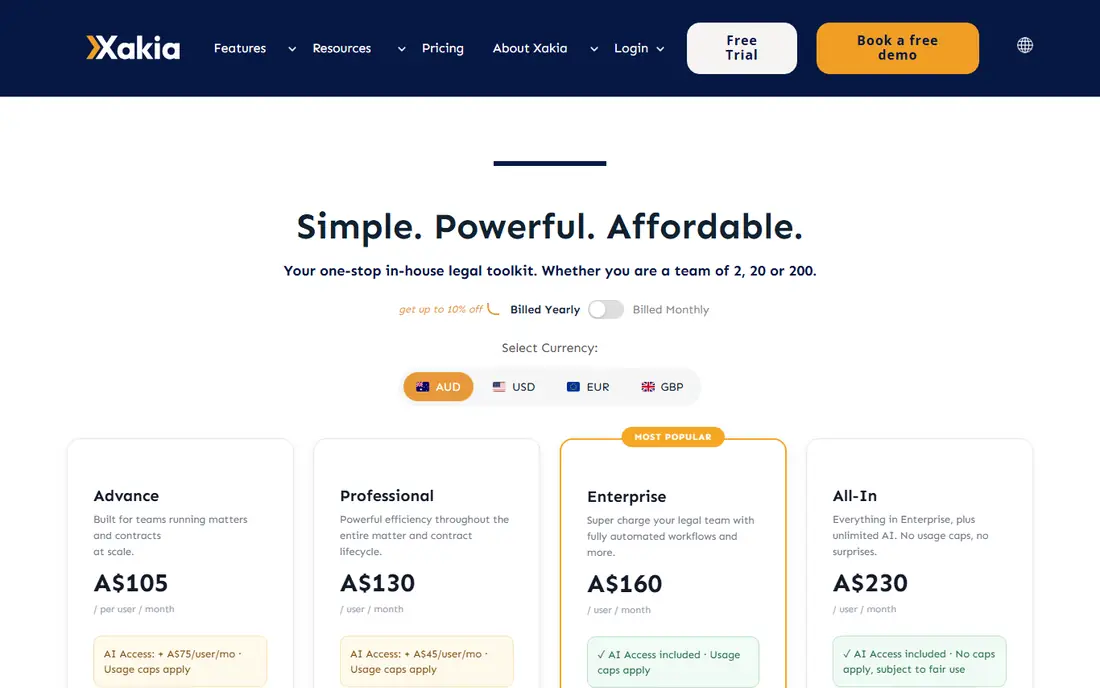
Xakia is legal operations software built for in-house teams. It covers matter and task tracking, legal intake and triage, a searchable contract repository, budgets and spend analytics. Every plan includes contract intake, lifecycle management, dashboards and an internal client portal. That mix suits a team of 1 to 10 lawyers that still runs work from email and shared drives. Business requesters use the portal at no extra seat fee. External counsel use Xakia Connect at no extra fee. The pricing page lists Advance, Professional, Enterprise and All-In tiers with clear feature splits.
The catch is tier gating. Contract approval workflows, signing workflows and full content search sit on Enterprise and All-In. AI contract review is an add-on on Advance and Professional. A team that needs approvals on day one should budget for Enterprise and confirm the per user price in writing. Pick Xakia if you want one system for daily legal work. Look elsewhere if you need deep contract drafting in Word as the main job.
What we like- Per user pricing with no lock-in stated by vendor
- Matters, intake, contracts and spend in one system
- Unlimited internal requesters at no extra seat fee
Watch out for- Approval and signing workflows sit on Enterprise and All-In
- AI review costs extra on Advance and Professional
Starting priceSee website
Free planNone found on vendor page
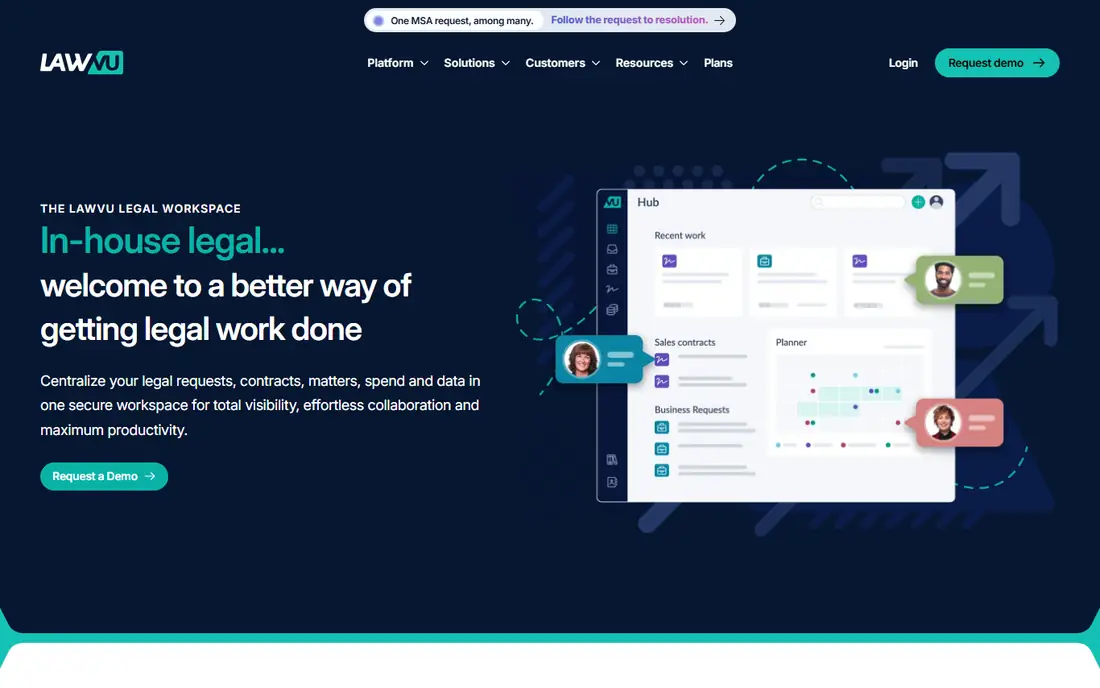
LawVu is a legal workspace for in-house teams. It brings requests, contracts, matters, spend and data into one secure system. The LegalOS plans split into Matters, Essentials and Ultimate. Matters covers intake, matters, documents and reporting. Essentials adds contracts. Ultimate adds spend. That structure helps a small team start with matters and add contracts or spend later. The business portal lets staff submit requests and use self-service guidance. Dashboards show matter, contract and spend status in one view. Documents and email storage sit with the matter record, so the team searches one place for advice and files.
The catch is cost and scope. LawVu does not publish a LegalOS price. The quote depends on modules and user count, and year one includes a standard onboarding fee. LawVu Draft is a separate Word add-on and costs extra. Pick LawVu if you want one system and can run a sales process. Look elsewhere if you need a published price or a tool you can start this week without a demo.
What we like- Intake, matters, contracts, spend and documents in one workspace
- Business portal for requests and self-service
- Reporting across matter, contract and spend work
Watch out for- LegalOS price is quote based with a year one onboarding fee
- Broad rollout takes more setup than a single intake tool
Starting priceSee website
Free planNone found on vendor page
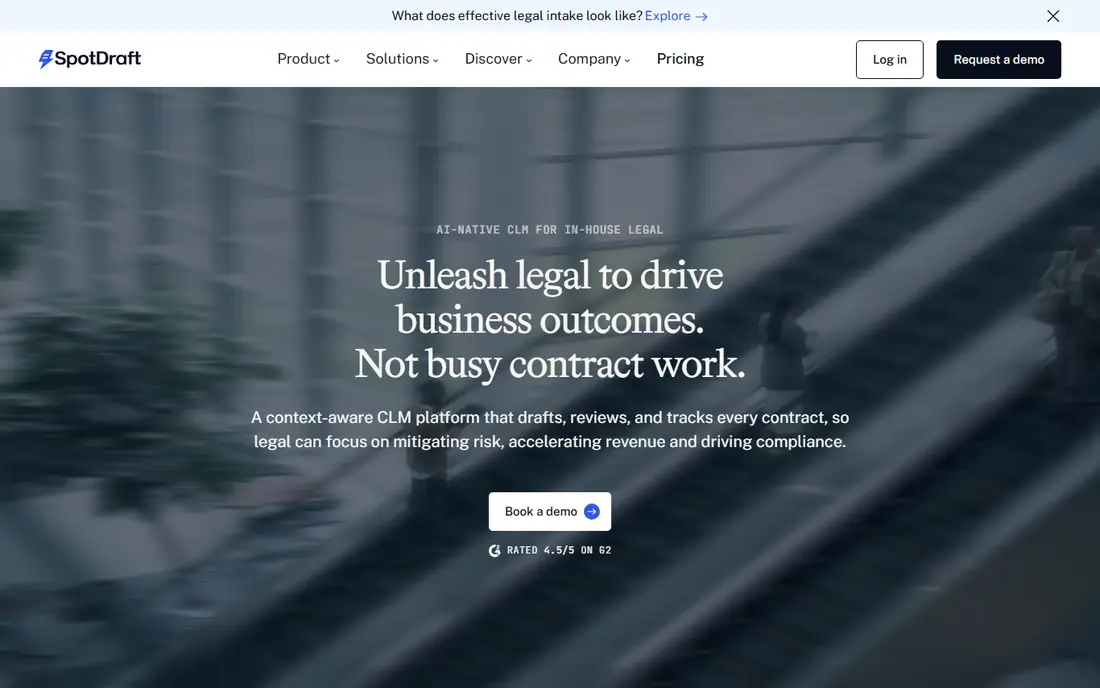
SpotDraft is contract lifecycle software for in-house legal and business teams. It covers intake, drafting from templates, review, approvals, eSignatures, a contract repository and analytics. Legal and business users can review and redline in Word, Slack or the app. That helps a small team that spends most time on NDAs, vendor terms and sales contracts. The pricing page states that plans are priced on contract volume. It also states that in-house implementation and migration of legacy contracts are included with no extra fees. Reporting shows contract status and pending approvals for the team.
The catch is budget planning. SpotDraft publishes no plan price, so you must request a written quote and ask what counts as one contract. Confirm term, renewal terms and whether AI review is bundled or priced apart. Pick SpotDraft if contracts drive your workload and you want setup help included. Look elsewhere if your main problem is matter tracking or outside counsel spend, since those jobs need a different tool type.
What we like- Drafting, review, approvals, signing and repository in one contract platform
- In-house implementation and legacy migration included
- Review in Word, Slack or the app
Watch out for- No published price, quote depends on contract volume
- No self-serve trial on the vendor pages checked
Starting priceSee website
Free planNone found on vendor page
Juro is a contract platform for legal and business teams. Teams create contracts from automated templates, discuss and approve in a browser editor, sign with native eSignature and store contracts in one repository. AI Extract pulls data from contracts into reports. Key date reminders help track renewals. The model suits a small legal team that wants sales, HR and procurement staff to self-serve routine contracts with legal guardrails. Every plan includes unlimited users, unlimited workflows and unlimited templates. Price depends on contract volume and integration needs. Renewal reminders and reports help finance track dates and values after signature.
The catch is quote scope. Basic integrations such as Slack and Google Drive are included. Deeper integrations such as Salesforce, HubSpot and Workday cost extra. Ask which plan tier includes each integration you need. Pick Juro if many business users need contract access without per seat fees. Look elsewhere if you need matter management, e-billing or legal intake beyond contract requests.
What we like- Unlimited users, workflows and templates on every plan
- Browser editor for create, approve and sign work
- Contract data search and renewal reminders
Watch out for- No published price, quote depends on volume and integrations
- Deeper integrations such as Salesforce cost extra
Starting priceSee website
Free plan14-day free trial, no credit card required
Contractbook is contract management software for teams that need to draft, collaborate, sign and store contracts in one place. Essential includes 1 user, 5 templates and up to 100 signed contracts per year with unlimited e-signatures. Centralize includes 5 users, 15 templates and up to 350 signed contracts per year. Accelerate includes 10 users, 25 templates and up to 500 signed contracts per year. AI data extraction helps make uploaded contracts searchable. That structure suits a small team moving off shared drives and email signing. Reminders and tasks help track renewals and obligations after signature.
The catch is limits and quote pricing. Essential allows 50 contract uploads, so a team with a large archive must move to Centralize. Centralize and Accelerate list request a quote and show no plan price. Extra users cost 50 euros per month for 5 users. Pick Contractbook if you want a trial first and clear caps. Look elsewhere if you need matter management or spend control in the same system.
What we like- 14 day trial with all features and no card required
- Templates, collaboration, signing and repository in one tool
- Clear user and contract limits by plan
Watch out for- Centralize and Accelerate show request a quote with no plan price
- Essential limits teams to 1 user and 50 uploads
Starting priceSee website
Free planNone found on vendor page
LinkSquares is contract lifecycle software for in-house legal teams. It supports drafting, review, execution, analysis and renewal. Its AI engine extracts parties, dates, values and clauses from contracts and makes the repository searchable. That helps a small team that holds hundreds of signed agreements and needs fast answers on renewals, notice periods and key terms. Playbooks and libraries help keep review positions consistent. Analytics help report on contract status without manual spreadsheet work. The platform serves legal, procurement, finance and sales users. Reports help show renewal dates and clause patterns across the full contract set.
The catch is total cost. LinkSquares publishes no list price. The quote depends on contract volume, user count, modules, implementation and custom integrations. Ask for each charge in writing, with term and renewal terms stated. Pick LinkSquares if signed contract search and clause data matter most. Look elsewhere if you need legal intake for all request types or e-billing for outside counsel.
What we like- Contract repository with AI extraction of parties, dates and clauses
- Drafting, review, execution and renewal in one platform
- Playbooks and analytics for legal teams
Watch out for- No published price, quote depends on volume, users and modules
- Implementation and onboarding add to year one cost
Starting pricePro starting at $22,900
Free planNone found on vendor page
Streamline AI is an intake and matter platform for in-house legal teams. Requests arrive from Slack, Teams, email and forms. The system classifies each request, applies routing rules and creates a structured record. Approvals, escalations and SLA tracking run in the platform. Dashboards show volume, cycle time and team throughput. Pro starts at $22,900 and includes 4 core users, forms, AI email intake, a shared inbox, a workflow builder and 5,000 business users. Enterprise starts at $26,900 and adds storage integrations, API access and unlimited business users. Audit trails log each request, decision and action for review.
The catch is price clarity and scope. The pricing page states no billing period, so confirm whether the figure is monthly or annual before you compare quotes. The tool centers on intake and routing, not full contract drafting. Pick Streamline AI if request volume and triage time drive your week. Look elsewhere if templates, redlines and renewals are your main need.
What we like- Intake from Slack, Teams, email and forms in one queue
- AI classification, routing rules and SLA timers
- Pro includes 4 core users and 5,000 business users
Watch out for- Pricing page states no billing period for the starting price
- Contract drafting depth is narrower than a full contract platform
Starting priceSee website
Free planNone found on vendor page
Checkbox is intake and workflow software that acts as a legal front door. Staff ask for help where they already work. Checkbox captures context once, applies routing rules and keeps the next action visible. Routine work follows guided workflows with templates legal has approved. Policy questions go to an AI assistant that answers from approved guidance. Complex matters go to a lawyer with context attached. That split helps a small team cut repeat questions and status chases. Reporting shows demand, cycle time and capacity in one view. Owners and next steps stay with the matter record for status checks.
The catch is setup work. Legal must define request types, routing rules and approved answers before the front door helps. Checkbox publishes no price on the pages checked, so request a quote tied to request volume and integrations. Pick Checkbox if unstructured requests overwhelm your team. Look elsewhere if you need a contract repository or e-billing as the first purchase.
What we like- One front door for email, Slack, Teams, Jira, Salesforce and forms
- Guided workflows for NDAs and routine requests
- Matter record keeps owner and next step visible
Watch out for- No published price on the vendor pages checked
- Value depends on legal defining routing rules and approved guidance
Starting priceSee website
Free planNone found on vendor page
Brightflag is legal spend and matter software for in-house teams. It receives invoices in LEDES, PDF and global e-invoicing formats. AI classifies each charge and checks it against billing guidelines and agreed rates. Budgets track spend by matter, vendor and practice area in real time. Accrual tools collect unbilled estimates on a schedule. Timekeeper tools manage rate requests in one place. That mix suits a small team with steady outside counsel spend and monthly close pressure from finance. Matter records link budgets, invoices and notes. Vendor profiles help compare firms by matter type, rate and past work.
The catch is fit and pricing. Brightflag publishes no price list. Its FAQ describes a fixed one-time implementation fee and an annual subscription based on annual outside counsel spend. Ask for a worked total at your spend level. Pick Brightflag if invoice review and budget control drive value. Look elsewhere if contracts or intake cause more delay than bills each month.
What we like- AI invoice review against billing guidelines
- Budgets and spend tracking by matter, vendor and practice area
- Accrual collection and rate management in one system
Watch out for- Price is quote based on outside counsel spend
- Contract drafting and intake sit outside the core spend focus
Starting priceSee website
Free planNone found on vendor page
Ironclad is contract lifecycle software for legal and business teams. It covers intake, drafting, review, approvals, signature, storage and analysis. A workflow designer builds approval paths that branch by contract type, value and risk. The repository stores signed contracts with structured data for search and reporting. AI tools support drafting, redlining and comparison against approved positions. That depth helps a small team that expects complex approvals across sales, procurement and finance. Integrations connect contract work to CRM, chat and storage tools. Permissions control who can view, edit and approve each agreement.
The catch is weight. Ironclad publishes no price. The quote depends on products, users, workflows and growth, with implementation and add-ons priced apart. A team without a workflow owner may pay for depth it does not use. Pick Ironclad if approval paths are complex and you can staff setup. Look elsewhere if you need a light tool live in days with a published price.
What we like- Workflow designer for branching approvals by contract type
- Repository with clause search and obligation tracking
- AI review against approved playbooks
Watch out for- Custom quote with implementation priced apart
- Needs an owner for workflow design and admin
Buy one platform first if one job takes most of the week. A team that signs 30 contracts a month and tracks 10 matters a month should buy contract software first. A team that fields 80 requests a month and signs 10 contracts a month should buy intake software first. Separate tools help when contract volume and request volume both stay high for two quarters. One platform cuts training and reporting work. Xakia covers matters, intake and contracts for a 4 lawyer team, with per user pricing confirmed by quote before add-ons, implementation, and renewal terms are added to the year one total. A separate contract tool plus a separate intake tool means two quotes, two rollouts and two renewal dates. Start with the bottleneck, measure cycle time for 90 days, then add the second tool only if the data shows a second bottleneck. Track request count, contract count and approval time each month. That record shows whether one platform still fits.
What should a team of 2 to 5 lawyers buy first?
Buy the tool that fixes the longest queue first. Count open matters, pending contracts and unanswered requests for two weeks. If pending contracts top the list, start with Xakia, SpotDraft or Juro. If unanswered requests top the list, start with Xakia intake, Streamline AI or Checkbox. If unpaid invoices and budget questions top the list, start with Xakia spend tools or Brightflag. A 3 lawyer team can test intake, matters and contracts in a 14 day trial first. It should confirm the per user price in writing before it signs. Avoid buying all depth at once if no one owns setup.
How much should a small in-house team budget in year one?
Budget for subscription, implementation, integrations and admin time. Published prices give a floor where vendors list them. Xakia prices per user per month, with amounts confirmed by quote. Streamline AI Pro lists a starting price of $22,900 with no billing period stated, so confirm the period in writing. Quote based tools need a full year one total. Ask each vendor for subscription, implementation, migration, integration, training and renewal terms on one page. Add internal time for template cleanup and migration. Keep a reserve for AI review, extra users and storage.
You need a contract tool when drafting, approvals and renewals cause delay. You need an intake tool when requests arrive with missing facts and no owner. Many small teams need intake first, because poor intake creates contract rework later. Contractbook Centralize covers 5 users and 350 signed contracts per year, which fits a team with steady contract flow. Checkbox and Streamline AI fit teams where Slack and email requests drive the day. Buy both only when each queue stays full after the first tool is live. One queue with clear owners beats two tools with split records.
Frequently asked questions
What is the best legal software for a solo in-house lawyer?
Xakia Advance fits a solo lawyer who needs matters, intake and contracts in one place with per user pricing confirmed by quote. The 14 day trial lets one lawyer test real contracts with no credit card. A solo lawyer with contract work only may prefer Contractbook Essential, which includes 1 user and 100 signed contracts per year.
Can a small team start without a sales call?
Yes, with Xakia and Contractbook. Xakia offers a 14 day free trial with no credit card required, with per user pricing confirmed by quote. Contractbook offers a 14 day free trial with no credit card required. LawVu, SpotDraft, Juro, LinkSquares, Brightflag and Ironclad require a quote or demo on the pages checked.
What does legal software cost for a 4 lawyer team?
Xakia prices per user per month, so a 4 lawyer team should confirm its Advance and Enterprise totals in writing before add-ons. Streamline AI Pro lists a starting price of $22,900 with 4 core users included. Quote based tools vary by volume, users and modules, so compare year one totals.
Should a small team buy intake software or contract software first?
Buy intake software first when requests arrive by email and chat with missing facts. Buy contract software first when templates, redlines and renewals hold up deals. Xakia covers both jobs in one system, which helps teams with mixed demand. Checkbox and Streamline AI focus on intake. SpotDraft, Juro and Contractbook focus on contracts.
What should you ask in a vendor quote?
Ask for subscription price, user count, contract or request volume, implementation fee, migration scope, integration fees, AI add-on fees and renewal terms. Ask what counts as one contract or one user. Ask for the price at double your current volume. Get each answer in writing before you compare Xakia per user pricing with any quote.
What to look for before you buy
First, count your top queue for two weeks and buy for that queue, whether it is contracts, requests, matters or invoices. Second, confirm the full year one price in writing, with users, volume, implementation, migration, integrations and renewal terms stated. Third, check tier gates for approvals, AI review, API access and SSO, since small teams often need one gated feature. Fourth, test data exit, search and renewal alerts with your own contracts during any trial. Fifth, name one owner for templates, routing rules and reports, and set a 90 day review date.
How we chose
Prices and facts were checked on vendor pages and documentation on 2026-11-29. Tools were ranked for small in-house teams by fit for matters, intake, contracts and spend, published pricing, trial access, tier limits and setup weight. Where a vendor page showed no price, the entry states See website. No hands-on testing is claimed. Product limits and quote factors come from vendor pricing and product pages listed in Sources.
Sources we checked (13)
- https://www.xakiatech.com/pricing
- https://www.xakiatech.com/blog/free-contract-management-software
- https://lawvu.com/lp/workspace/
- https://www.spotdraft.com
- https://juro.com/intelligent-repository
- https://contractbook.com/
- https://contractbook.com/pricing
- https://linksquares.com/about-us/
- https://www.streamline.ai/
- https://www.streamline.ai/pricing
- https://www.checkbox.ai/go/front-door
- https://brightflag.com/
- https://ironcladapp.com/product/ironclad-ai
Is your product missing or out of date?
We review this list regularly. Vendors can request a listing, send updated pricing or ask about featured placement.

Shihab Mia · Founder, Rankite
Shihab has 5+ years in B2B and SaaS SEO. He writes Rankite's software buying guides from pricing pages, documentation and public user reviews. More about Shihab.