How we make this list: we compare pricing pages, product documentation and public user reviews. Ratings come from G2, Capterra or Trustpilot, with the date we checked them.

Key takeaways
- Legal docketing software calculates court deadlines from the rules, so a missed date does not become a malpractice claim.
- Published starting prices here run from $20 per case per month to $39 per user per month billed annually.
- CompuLaw and Milana sell by quote and are built for firms with docketing departments, not for solos.
- This guide covers court deadlines and litigation calendaring, not patent or trademark docketing, which Rankite covers on its live trademark docketing page.
What is legal docketing software and what does it do?
Legal docketing software calculates and tracks court deadlines from the rules of each court, so a litigation team never misses a filing, response or discovery date. A trigger event, such as a complaint served or an order entered, starts a chain of deadlines, and the software applies the court rules, weekends and holidays to compute every downstream date, then puts those dates on the matter calendar with reminders. The best tools cover thousands of rule sets across federal, state and local courts, watch for rule changes, and sync with Outlook or a practice management system.
How much does legal docketing software cost?
Legal docketing software costs from $20 per case per month to $39 per user per month billed annually at the published end, and by quote at the enterprise end. LawToolBox lists $39 per user per month billed yearly, or $46 billed monthly, for firms of 2 to 9 users, with lower rates at higher user counts and a one-year minimum, while partner pricing is reported at $29 billed yearly or $35 monthly. Deadlines.com charges $35 per open case per month for one case, falling to $20 per case at 30 or more, with unlimited users and a quote above 100 cases. Jural starts at $24 per user per month billed yearly for its Solo plan. CompuLaw, Milana and MatterAlert publish no prices and sell by quote.
LawToolBox is the best fit for most small litigation firms, because it publishes a per-user price, works inside Microsoft 365 and Outlook where the firm already lives, and covers court rules across all 50 states and federal courts, with AI deadline extraction added in 2026. Deadlines.com is the better choice when the firm has only a few active litigated cases, because per-case pricing with unlimited users costs less than a per-user licence for every paralegal who needs to see the dates.
How do I choose legal docketing software for my firm?
Choose legal docketing software by counting your cases, your users and your courts first, because those three numbers decide the price. A firm with many users and few cases should price per-case tools such as Deadlines.com, while a firm with few users and many cases should price per-user tools such as LawToolBox. Then check the integration with the calendar and practice management system the firm already uses, since a docket that lives apart from the matter record will be ignored.
We picked tools that calculate court deadlines from the rules, not tools that only record dates a person types in, and that are actively sold in 2026. Each tool had to serve a clear buyer, from a solo litigator to a firm with a docketing department, and had to publish enough product detail to compare fairly. We checked starting prices on vendor pricing pages and in recent comparisons that quoted vendor pages on 22 Nov 2026, and we marked a tool as quote where the vendor publishes no price. This guide covers court docketing and litigation calendaring. Patent and trademark docketing use a different set of tools, and Rankite covers those on its live trademark docketing page, which compares Alt Legal, AppColl, Anaqua and similar IP platforms. Last verified 22 Nov 2026.
Quick comparison
| Tool | Best for | Starting price | Free plan |
|---|
 CompuLaw | Large firms with a docketing department and enterprise systems | quote | No free plan, no free trial |
 Milana | Firms that want CompuLaw rules in a cloud product | quote | No free plan, no free trial |
 LawToolBox | Litigation firms on Microsoft 365 that want published per-user pricing | $39 per user per month billed annually | No free plan, demo and free tour with no credit card |
 Deadlines.com | Firms with a small number of active litigated cases | $20 to $35 per open case per month | No free plan |
 CourtAlert | Firms that need case monitoring across New York courts and federal jurisdictions | $250 per month reported | No free plan |
 MatterAlert | Firms coordinating deadlines and matter workflows across many jurisdictions | quote | No free plan, trial not stated |
 CalendarRules via Clio | Firms already running Clio Manage that want court rules inside practice management | Bundled in Clio from $49 per user per month | No free plan for the rules engine, Clio offers a free trial |
 Jural | Firms whose deadlines arrive inside served pleadings, orders and contracts | $24 per user per month billed annually | No free plan, trial not stated |
Is your product missing or out of date?
We review this list regularly. Vendors can request a listing, send updated pricing or ask about featured placement.
The table below gives a quick view of price, free plan, main strength and best fit. Read the full entries for coverage, limits and drawbacks before you buy.
| Tool | Starting price | Free plan | Main strength | Best for |
| CompuLaw | quote | No | Court rules engine for large firms | Firms with a docketing department |
| Milana | quote | No | Cloud docketing built on CompuLaw rules | Firms moving CompuLaw to the cloud |
| LawToolBox | $39 per user per month billed annually | No, demo only | Rules-based deadlines inside Microsoft 365 | Small litigation firms |
| Deadlines.com | $20 to $35 per open case per month | No | Per-case pricing with unlimited users | Firms with few active cases |
| CourtAlert | $250 per month reported | No | Case monitoring plus docketing | New York and federal litigation |
| MatterAlert | quote | No | Web-based docketing and tickler system | Firms coordinating deadlines across jurisdictions |
| CalendarRules via Clio | Bundled in Clio from $49 per user per month | No, free trial of Clio | Court rules inside practice management | Firms already running Clio Manage |
| Jural | $24 per user per month billed annually | No | AI deadline extraction from documents | Firms whose deadlines arrive in pleadings |
#1
CompuLaw
Best for: Large firms with a docketing department and enterprise systems
Visit aderant.com
Starting pricequote
Free planNo free plan, no free trial

CompuLaw debuted in 1979 and has been part of Aderant since 2011, and it is the number one legal calendar, docket and matter management solution for large firms. Its court rules engine covers more than 3,000 rule sets within its covered US jurisdictions, maintained by a full-time team of Aderant-employed licensed attorneys and a separate monitoring team, with automated deadline reports built for a docketing team. Aderant does not publish CompuLaw pricing, and the product page invites existing users to move to Milana.
What we like- The leading court rules engine, more than 3,000 rule sets maintained by licensed attorneys, automated deadline reports built for a docketing team
Watch out for- Quote-only pricing with no public numbers, built for firms with docketing departments, and existing users are being invited to move to Milana
#2
Milana
Best for: Firms that want CompuLaw rules in a cloud product
Visit aderant.com
Starting pricequote
Free planNo free plan, no free trial

Milana is Aderant's cloud answer to docketing, launched on 5 October 2022. It combines the CompuLaw court rules engine with the American LegalNet feature set, which Aderant had bought in January 2022, to create a cloud product that calculates deadlines from court rules, manages the docket and streamlines the flow of information to attorneys and staff. The buying experience is the same as CompuLaw: no published pricing, a quote-led sales process and a scoped implementation. A firm should confirm the migration path, the rule coverage for its own jurisdictions and the training included in the quote before committing.
What we like- Combines CompuLaw court rules with American LegalNet workflow, cloud-native, built for docketing teams with more than 1,000 firms using Aderant docketing products
Watch out for- Quote-only pricing with no public numbers, and migration from CompuLaw is a project rather than a simple switch
#3
LawToolBox
Best for: Litigation firms on Microsoft 365 that want published per-user pricing
Visit lawtoolbox.com
Starting price$39 per user per month billed annually
Free planNo free plan, demo and free tour with no credit card
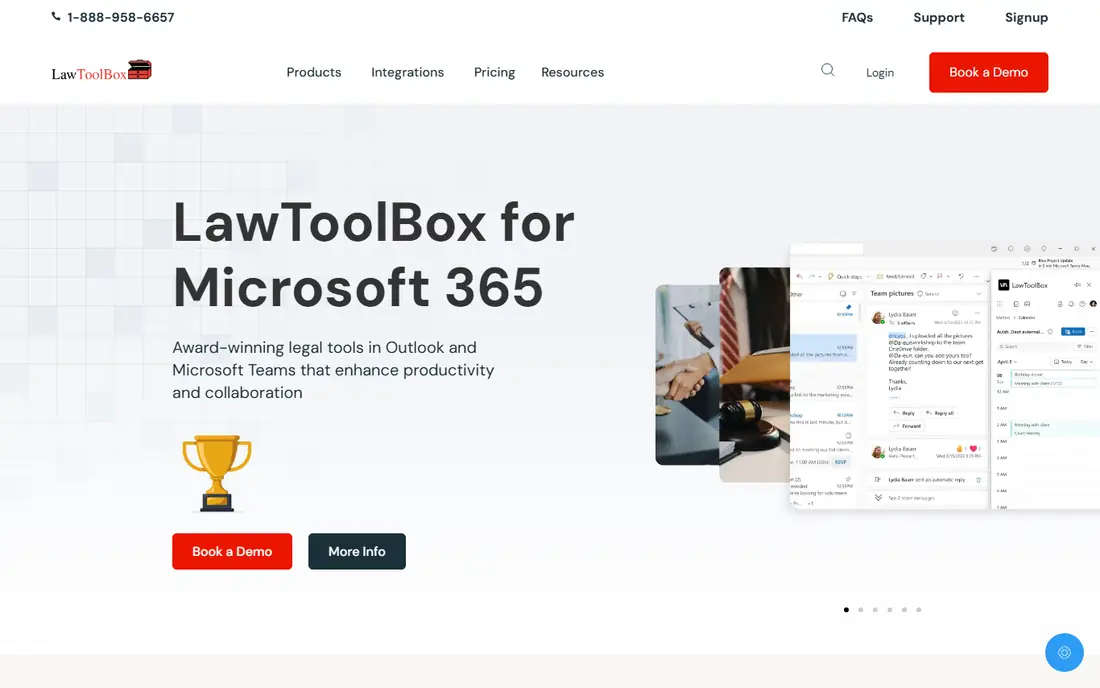
LawToolBox is the industry standard for court rules-based calendaring at the small-firm end, and it is the only tool in this guide with a fully published per-user price. On 13 November 2026 its pricing page listed $39 per user per month billed yearly, or $46 billed monthly, for firms of 2 to 9 users, falling to $21 and $24 at 80 or more users, all on a minimum one-year commitment, with one license for every Microsoft 365 mailbox. Confirm the current tiers on the pricing page before you buy.
What we like- Published pricing, rules-based deadline calculation across all 50 states and federal courts, native Outlook and Microsoft 365 integration, AI deadline extraction added in 2026
Watch out for- One license per Microsoft 365 mailbox, one-year minimum, and some integrations, AI, training and onboarding cost extra
#4
Deadlines.com
Best for: Firms with a small number of active litigated cases
Visit deadlines.com
Starting price$20 to $35 per open case per month
Free planNo free plan
Deadlines.com is Aderant's answer for the smaller firm: the same CompuLaw rules engine, priced per open case instead of per user. The pricing page lists $35 per open case per month for one case, $30 for 2 to 5 cases, $25 for 6 to 29 cases and $20 per case at 30 or more, with unlimited users and a quote above 100 cases. That unit is the whole point. A firm with five active cases and ten people who need to see the dates pays for five cases, not ten seats, while a firm with fifty active cases would pay more than it would on a per-user plan. The product is described by Aderant as automated rules-based calendaring, with nationwide coverage, rule change notices and Outlook sync.
What we like- Per-case pricing with unlimited users, same CompuLaw rules engine, nationwide coverage with rule change notices and Outlook sync
Watch out for- Per-case pricing gets expensive as caseload grows, and a quote is needed above 100 cases
#5
CourtAlert
Best for: Firms that need case monitoring across New York courts and federal jurisdictions
Visit courtalert.com
Starting price$250 per month reported
Free planNo free plan
CourtAlert is a legal intelligence and case monitoring platform that also covers docketing, and that combination is its selling point. It helps law firms, corporate legal departments and legal professionals track court activity, manage litigation workflows and receive real-time updates on cases across New York courts and federal jurisdictions nationwide, with case monitoring, court data research, PACER tracking, business development alerts and risk reduction services. The pricing picture is thin. Directories list a starting price of $250 per month, but that figure is unconfirmed at the vendor and this guide flags it as directory-reported. Coverage is also a factor: the platform is strongest in New York and federal courts, so a firm practicing mainly in other state courts should confirm coverage for its own jurisdictions before buying.
What we like- Legal intelligence and case monitoring plus docketing, real-time updates on cases, PACER tracking, business development alerts and risk reduction services
Watch out for- The $250 per month figure is directory-reported and unconfirmed at the vendor, and coverage is strongest in New York and federal courts
#6
MatterAlert
Best for: Firms coordinating deadlines and matter workflows across many jurisdictions
Visit matteralert.com
Starting pricequote
Free planNo free plan, trial not stated
MatterAlert, from PaayaTech, is a fully web-based docketing, calendaring and tickler system designed to help legal teams manage all matter-related information in one platform. Its rules engine, CalendarRules, calculates deadlines from trigger dates using more than 2,200 court rule sets across all 50 states and select Canadian jurisdictions, with weekend and holiday adjustments. The honest catch is price transparency. PaayaTech does not publish per-user pricing, so a buyer should get a quote during the demo before budgeting for seats. That puts MatterAlert in the same buying pattern as CompuLaw and Milana, with the difference that it is web-based from the start. A firm comparing it with LawToolBox should ask for the quote on the same user count and jurisdiction list, so the numbers can be compared fairly.
What we like- Fully web-based docketing, calendaring and tickler system, rules-based calculation across more than 2,200 rule sets in all 50 states and select Canadian jurisdictions
Watch out for- No published per-user pricing, so budgeting starts with a demo and a quote
#7
CalendarRules via Clio
Best for: Firms already running Clio Manage that want court rules inside practice management
Visit clio.com
Starting priceBundled in Clio from $49 per user per month
Free planNo free plan for the rules engine, Clio offers a free trial
CalendarRules is the rules engine behind much of the legal calendaring in this guide, and it now lives inside Clio, which acquired it. Clio's pricing page lists court calendaring rules as not included on Starter, 3 jurisdictions per firm on Core and 10 on Signature and Elite, with additional jurisdictions at $10 each per firm per month, or $120 a year. Only the Starter price is published, from $49 per user per month. The limit is the tiering. A firm that practices in more than 10 jurisdictions, or that needs rules on the Starter tier, will pay extra or need a standalone tool such as LawToolBox. Confirm the current tier limits on Clio's pricing page, since the inclusion changes between tiers and the rules engine is only as good as the jurisdictions it covers.
What we like- Court rules inside the practice management system the firm already uses, no separate docketing product to maintain, rules included on higher Clio tiers
Watch out for- Rules are limited by tier, with 3 jurisdictions per firm on Core and 10 on Signature and Elite, and extra jurisdictions cost $10 each per firm per month
#8
Jural
Best for: Firms whose deadlines arrive inside served pleadings, orders and contracts
Visit jural.ai
Starting price$24 per user per month billed annually
Free planNo free plan, trial not stated
Jural takes a different approach to the same problem. Instead of calculating deadlines from a trigger date and a rule set, it reads the dates and triggers out of served pleadings, orders, notices and contracts, shows the source sentence for each one, and puts the dates on the matter calendar once an attorney confirms them. That fits a firm whose pain is deadlines buried in PDFs that someone retypes late in the afternoon, rather than a firm that needs a rule set for every court. Pricing is published: Solo starts at $24 per user per month billed yearly, or $49 month to month, and Firm starts at $49 billed yearly, or $99 month to month, with intake, conflict checks, contract review and drafting in the same plan. It is an AI legal assistant with deadline extraction, not a full rules-based calendaring engine.
What we like- AI reads dates and triggers out of pleadings, orders, notices and contracts, shows the source passage for each date, and combines deadline extraction with intake, conflict checks and drafting
Watch out for- Newer and narrower than the rules calculators, and the price rises sharply on the Firm plan
Frequently asked questions
What is the difference between legal docketing and trademark docketing?
Legal docketing, as covered in this guide, calculates court deadlines for litigation from court rules, while trademark docketing tracks patent and trademark deadlines such as renewals, oppositions and office actions. The tools differ: court docketing uses CompuLaw, LawToolBox and Deadlines.com, while IP docketing uses Alt Legal, AppColl, Anaqua and similar platforms.
How much does LawToolBox cost?
LawToolBox listed $39 per user per month billed yearly, or $46 billed monthly, for firms of 2 to 9 users on 13 November 2026, with lower rates at higher user counts and a one-year minimum. Partner pricing is reported at $29 billed yearly or $35 monthly per user for 2 to 9 users. One license is needed per Microsoft 365 mailbox, and some integrations, AI, training and onboarding cost extra. Confirm the current tiers on the vendor pricing page before you buy.
Is CompuLaw still sold, or has Milana replaced it?
CompuLaw is still sold, but Aderant is directing its future development to Milana, the cloud product that combines CompuLaw court rules with American LegalNet. The CompuLaw page invites existing users to move to Milana, although it states no end date for CompuLaw.
What is per-case pricing, and when does it win?
Per-case pricing charges by the number of open cases, not by the number of users. Deadlines.com charges $35 per open case per month for one case, falling to $20 per case at 30 or more, with unlimited users. It wins when a firm has few active cases and many people who need to see the dates, because the firm pays for cases rather than seats. It loses when caseload grows, because the per-case total can pass a per-user plan, so a high-volume firm should compare both units on the same caseload.
Do I need docketing software if I already use Clio or MyCase?
It depends on the tier and the jurisdictions. Clio includes court calendaring rules on Core, Signature and Elite, with 3 jurisdictions per firm on Core and 10 on Signature and Elite, plus $10 per extra jurisdiction per month, while Starter has no rules. If the firm's jurisdictions and tier cover its needs, the bundled rules may be enough.
Sources we checked (10)
- https://www.aderant.com
- https://www.lawtoolbox.com
- https://www.deadlines.com
- https://www.courtalert.com
- https://www.matteralert.com
- https://www.clio.com
- https://jural.ai
- https://firmfooting.us/briefs/lawtoolbox-vs-compulaw
- https://jural.ai/blog/best-legal-calendaring-software-for-small-law-firms
- https://rankite.com/blog/best-trademark-docketing-software
Is your product missing or out of date?
We review this list regularly. Vendors can request a listing, send updated pricing or ask about featured placement.

Shihab Mia · Founder, Rankite
Shihab has 5+ years in B2B and SaaS SEO. He writes Rankite's software buying guides from pricing pages, documentation and public user reviews. More about Shihab.