How we make this list: we compare pricing pages, product documentation and public user reviews. Ratings come from G2, Capterra or Trustpilot, with the date we checked them.
Key takeaways
- The best image annotation tools in 2026 split into two groups: open source tools you host yourself, and managed platforms that add automation, QA, and workforce services on top.
- CVAT and Label Studio lead for teams that want full control and low cost, while Labelbox, Encord, and SuperAnnotate suit larger programs with review stages and compliance needs.
- Model-assisted labeling now appears in most platforms, so the real difference is how well automation, human review, and export fit your training pipeline.
- Prices run from free self-hosted tools to usage-based enterprise plans, so match the plan to your image volume, annotation types, and QA requirements.
Quick comparison
| Tool | Best for | Starting price | Free plan |
|---|
 CVAT CVAT | Open source teams | $23 per month | Yes |
 Label Studio Label Studio | Flexible self-hosted setup | $99 per month | Yes |
 Roboflow Roboflow | End to end computer vision | See website | Yes |
 Labelbox Labelbox | Large scale labeling programs | $0.10 per LBU | Yes |
 SuperAnnotate SuperAnnotate | Enterprise QA workflows | See website | Yes |
 Encord Encord | Regulated teams | See website | No |
 V7 Darwin V7 Darwin | Medical and video annotation | See website | Yes |
 Supervisely Supervisely | Full platform with neural networks | €199 per month | Yes |
Is your product missing or out of date?
We review this list regularly. Vendors can request a listing, send updated pricing or ask about featured placement.
Starting price$23 per month
Free planYes
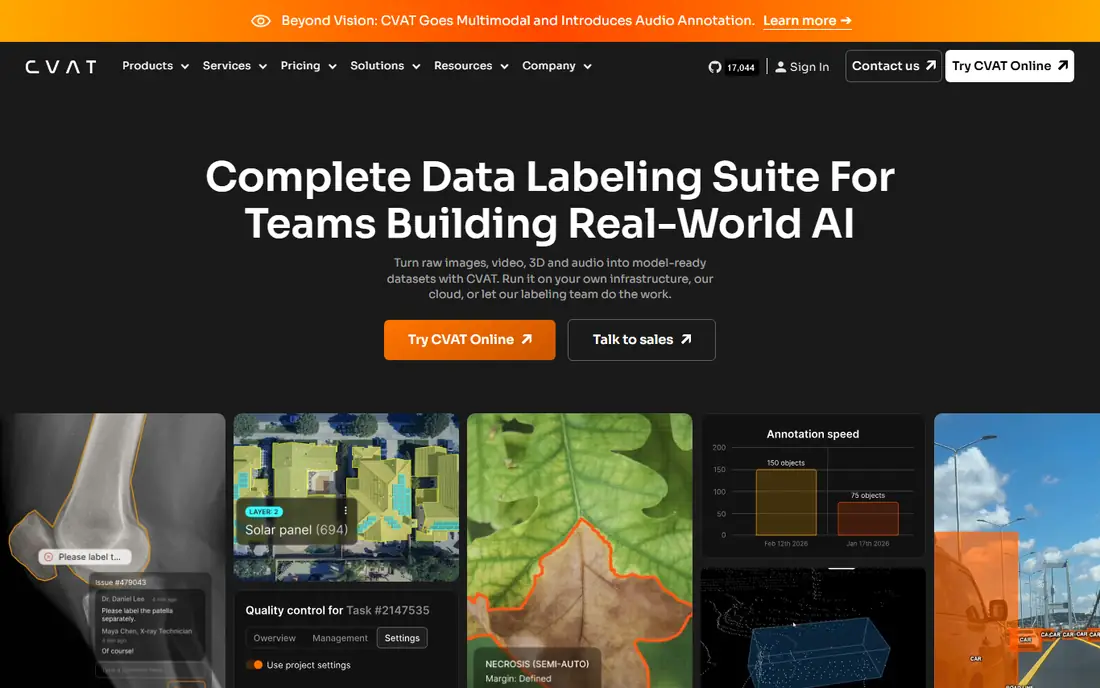
CVAT is the open source standard for computer vision annotation, and its strength starts with breadth. It covers bounding boxes, polygons, polylines, points, ellipses, cuboids, skeletons, tags, and brush masks, plus video tracking and 3D point cloud work. A research lab or small team can run it on its own servers at no license cost, which keeps sensitive images inside your own network.
The trade is setup effort. Self-hosting means you manage installation, storage, and updates, and the hosted cloud plan starts at 23 dollars per month for teams that prefer not to run servers. CVAT also supports model-assisted labeling through integrations, so annotators can start from model predictions and correct them rather than drawing every shape by hand. For teams with technical staff and tight budgets, it remains the most capable free option.
What we like- Free to self-host
- Wide annotation types
- Strong video and 3D support
Watch out for- Setup needs technical skill
- Cloud pricing is per user
- Interface feels plain next to paid rivals
Starting price$99 per month
Free planYes
Label Studio suits teams that need one tool for many data types, since it handles images, video, audio, text, time series, and PDFs behind a single configurable interface. You define the labeling task in config, which makes it easy to build custom workflows such as classification plus bounding boxes in one pass. The community edition is free to self-host, which keeps costs low for developers.
The cloud Starter plan starts at 99 dollars per month for the first user, with extra users at 49 dollars each, so costs climb as teams grow. Enterprise adds single sign-on, role-based access, audit logs, and deeper QA controls. Label Studio also plugs in machine learning backends, so a model can pre-label images and annotators only fix errors. For teams that value flexibility and self-hosting over a polished out of the box product, it is a strong pick.
What we like- Very flexible labeling configs
- Self-hosted community edition
- Multimodal data support
Watch out for- Cloud pricing rises per user
- Enterprise QA needs the paid tier
- Setup takes time for complex projects
#3Roboflow
Best for: End to end computer vision4.7/5 on
G2 (160 reviews, checked Oct 2026)
Visit roboflow.com
Starting priceSee website
Free planYes
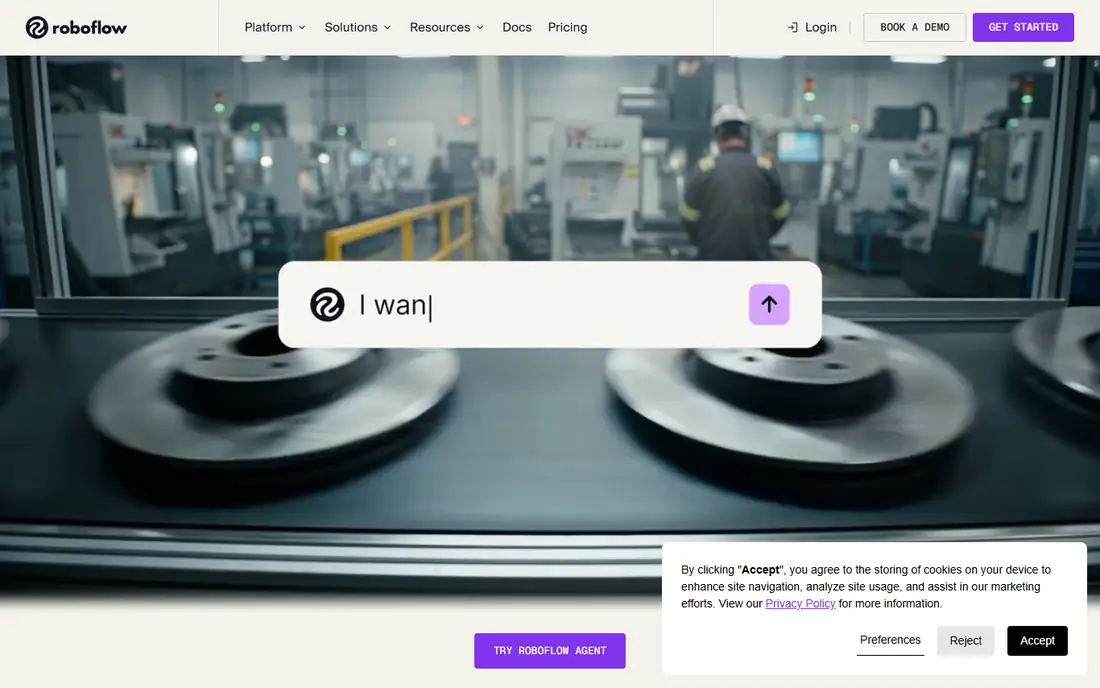
Roboflow covers the full computer vision workflow, not just annotation. You label images, augment datasets, train models, and deploy them from one account, which suits teams that want to move from raw images to a working model without stitching tools together. Its Universe library of public datasets also helps teams prototype before collecting their own data.
Auto Label and Label Assist speed up the slow parts of the job by pre-drawing boxes and masks that annotators confirm or fix. Public projects are free, which suits open work and learning, while private work sits on paid plans whose published entry figures differ across sources, so the starting price here is written as See website. For a team building a vision product end to end, Roboflow saves the most integration time.
What we like- Annotation plus training and deployment in one place
- Large public dataset library
- Strong auto labeling
Watch out for- Published entry prices differ across sources, so check the pricing page
- Private projects cost more
- Less suited to pure labeling only teams
#4Labelbox
Best for: Large scale labeling programs4.5/5 on
G2 (48 reviews, checked Oct 2026)
Visit labelbox.com
Starting price$0.10 per LBU
Free planYes
Labelbox is built for large labeling programs where throughput and review quality matter more than low cost. Its model-assisted labeling, node-based workflows, and review stages let teams route work through multiple annotators and reviewers before data reaches training. A free tier covers 500 labeling units per month, and the Starter plan charges 10 cents per unit after that.
The platform also offers Alignerr, a managed labeling service, for teams that want trained annotators without hiring. Enterprise plans remove the unit cap but are quoted rather than listed, so large buyers should budget through a sales conversation. Labelbox supports images, video, text, audio, and documents, which suits multimodal programs. For a team scaling from thousands to millions of labels, its workflow controls are the main draw.
What we like- Model-assisted labeling at scale
- Structured review workflows
- Managed labeling service available
Watch out for- Usage-based pricing is hard to predict
- Enterprise needs a quoted plan
- Smaller teams may find it heavy
Starting priceSee website
Free planYes
SuperAnnotate suits enterprises that treat annotation quality as a production concern. Its layered QA lets teams run multiple review passes, track annotator agreement, and catch errors before bad labels reach a model. AI-assisted annotation, including classification, keypoints, bounding boxes, polygons, cuboids, and skeletons, cuts the time spent on routine shapes.
A free startup tier covers small work, while Pro and Enterprise tiers are quoted rather than listed, so the starting price here is written as See website. The platform also runs a managed labeling marketplace for teams that need a workforce on demand, plus a Python SDK for pipeline automation. For regulated or high stakes vision work where a bad label costs real money, SuperAnnotate earns its place.
What we like- Layered QA and automation
- Managed labeling marketplace
- Python SDK for pipelines
Watch out for- No public list prices
- Enterprise focus means small teams get less attention
- Setup needs planning
#6Encord
Best for: Regulated teams4.8/5 on
G2 (65 reviews, checked Oct 2026)
Visit encord.com
Starting priceSee website
Free planNo
Encord is the pick for teams in regulated industries where compliance paperwork matters as much as annotation speed. It holds SOC 2 Type II and HIPAA compliance, supports DICOM medical images and point clouds beside standard images and video, and runs multi-stage QA so every label passes review before training. Its video tool with tracking suits teams labeling long clips rather than single frames.
Pricing sits in Starter, Team, and Enterprise tiers with no public list prices, so the starting price here is written as See website, and there is no free plan. Encord also supports modern automation such as SAM-based segmentation to speed up mask drawing. For a medical, automotive, or defense team that must prove how data was handled, Encord is the safest choice on this list.
What we like- SOC 2 and HIPAA compliance
- Multi-stage QA
- Strong video and medical imaging tools
Watch out for- No list prices
- No free plan
- Best value only at enterprise scale
Starting priceSee website
Free planYes
V7 Darwin, often called V7, focuses on computer vision and biomedical imaging. It handles standard images and video plus DICOM, NIfTI, and whole slide images, which makes it a natural fit for radiology and pathology teams. Auto-Annotate draws boxes and masks from text prompts or model predictions, and video auto-tracking follows objects across frames without redrawing each one.
A free tier covers small projects, while paid plans combine a platform fee, user licenses, and data processing charges, so the starting price here is written as See website. The platform also offers labeling services for teams that need extra hands. For a medical imaging team that needs specialist formats plus automation, V7 is hard to match.
What we like- Fast auto-annotate
- DICOM, NIfTI, and whole slide image support
- Video auto-tracking
Watch out for- Pricing is custom and usage-based
- Smaller community than CVAT
- Medical features need higher tiers
Starting price€199 per month
Free planYes
Supervisely pairs annotation with neural network training in one platform, so teams can label data, train a model, and test it without exporting between tools. It covers rectangles, polygons, multipolygons, bitmap masks, keypoints, cuboids, and more, and its app ecosystem adds ready-made workflows for common vision tasks. A free plan covers basic use, while paid plans start at 199 euros per month.
The trade is cost and complexity. At that entry price, Supervisely suits funded teams and companies more than hobby projects, and the wide feature set takes time to learn. For a team that wants annotation and training in one place with room to grow into custom workflows, it is a complete option.
What we like- Built-in neural network training
- Wide annotation types
- Active ecosystem of apps
Watch out for- Entry price is high for small teams
- Interface has a learning curve
- Some features need paid tiers
How we chose
We ranked tools by annotation types, automation, QA controls, export options, ease of setup, and value at entry level pricing. We favored tools that cover the shapes real projects need, from simple boxes to masks and keypoints, plus model-assisted labeling that cuts repetitive drawing. We gave extra weight to QA features such as review stages and agreement tracking, because bad labels cost far more in model quality than they save in labeling time.
We also weighed entry cost honestly. A free self-hosted tool that covers real work, such as CVAT or Label Studio community, scores higher than a demo that shows little, while quoted enterprise pricing was written as See website rather than guessed. Price conflicts across sources were handled the same way, so readers check the vendor pricing page rather than trusting a stale number.
Buying guide
Start by naming the annotation types your project needs. Object detection needs boxes, segmentation needs polygons or masks, and pose work needs keypoints or skeletons, so a tool that lacks your core shape is out no matter how good its price looks. Next, check whether model-assisted labeling fits your pipeline, since pre-labeling can cut annotation time sharply on large datasets.
Then weigh hosting and compliance. Self-hosted open source tools keep data inside your network and cost little, but you run the servers. Managed platforms add QA, workforce options, and compliance reports, but charge per unit or per seat and may lock data into their cloud. Run a pilot on a few hundred real images, measure annotator speed and agreement rates, and confirm exports load cleanly into your training code before committing to a yearly plan.
Finally, plan for QA from day one. Set review stages, sample labels for re-checks, and track disagreement between annotators, since a label set nobody audits will drift as the project grows. A tool with built-in review workflows saves more time than a cheaper tool that forces QA into spreadsheets.
Frequently asked questions
What is the best image annotation tool overall?
CVAT is the strongest free option for teams that self-host, while Labelbox suits large programs that need review workflows and managed labeling. Most teams pick based on hosting needs first, then annotation types.
Do I need a paid annotation tool if CVAT is free?
CVAT covers the core job well, but paid tools add managed QA, automation, workforce services, and compliance reports. A small team with technical staff can run CVAT happily, while a large program often pays for those extras.
What annotation types should I check before buying?
Check boxes for detection, polygons and masks for segmentation, keypoints for pose, and video tracking if you label clips. Confirm your tool exports each type in a format your training code reads.
How does model-assisted labeling work?
A model draws initial boxes or masks, and annotators correct them instead of drawing from scratch. It speeds up routine images most, while unusual cases still need careful manual work.
Can I keep my images private while annotating?
Yes. Self-hosted tools keep images on your servers, and enterprise managed platforms offer compliance controls such as SOC 2 and HIPAA. Check the vendor security page before sending sensitive data to any cloud tool.
Sources we checked (0)
Is your product missing or out of date?
We review this list regularly. Vendors can request a listing, send updated pricing or ask about featured placement.

Shihab Mia · Founder, Rankite
Shihab has 5+ years in B2B and SaaS SEO. He writes Rankite's software buying guides from pricing pages, documentation and public user reviews. More about Shihab.