How we make this list: we compare pricing pages, product documentation and public user reviews. Ratings come from G2, Capterra or Trustpilot, with the date we checked them.
What is the best HR software for healthcare organizations in 2026?
QGenda is the best HR software for healthcare organizations needing provider scheduling, with scheduling across 30-plus specialties. Deputy is the best budget pick for shift scheduling from 5 dollars per user a month. symplr is the best all-in-one platform from 6,500 dollars a year, and UKG Ready is the best HR suite from 21 dollars per employee a month.
Key takeaways
- QGenda leads for provider scheduling at health-system scale, though pricing is quote-only and third-party estimates put it at 500 to 1,000 dollars per provider per month, unconfirmed by the vendor.
- Deputy is the cheapest published price here, with Lite at 5 dollars, Core at 6.50 dollars, and Pro at 9 dollars per user per month on annual billing.
- symplr starts at 6,500 dollars a year and covers scheduling, timekeeping, clinical communication, credentialing, and vendor management in one platform.
- UKG Ready starts at 21 dollars per employee per month and is the fullest HR suite here, with payroll, benefits, time tracking, and scheduling.
- HealthStream, ShiftWizard, OnShift, and SmartLinx are quote-only, so budget planning starts with a sales conversation.
Why is healthcare HR software different from general HR software?
Healthcare HR software has to solve problems general HR tools never see. Clinicians need credentialing and license tracking with expiry dates, because an expired license means a provider cannot work a shift. Provider scheduling runs on rules: vacations, rotations, call coverage, full-time-equivalent targets, and specialty requirements that a generic rota tool cannot express. Shift work adds differentials for nights and weekends, float pools, per diem staff, and agency nurses who cost far more than employed staff. The 2026 NSI retention report puts the national RN turnover rate at 17.6 percent and the average cost of losing one bedside RN at 60,090 dollars. That is why the tools here are judged on credentialing, provider scheduling, and labor cost control, not on generic HR features.
The other split is audience. QGenda, HealthStream, and ShiftWizard serve hospitals and health systems with physicians and nurses. OnShift and SmartLinx serve senior care, long-term care, and post-acute facilities, where the workforce is mostly hourly care staff. Deputy and UKG Ready serve any shift-based employer, including healthcare, and win on published per-user pricing. Buying the wrong category is the most common mistake: a hospital that buys a general shift scheduler will still track credentials in spreadsheets.
How much does HR software for healthcare cost?
Take a 200-employee hospital that needs scheduling and time tracking. On Deputy Core the bill is 200 times 6.50 dollars, which is 1,300 dollars a month or 15,600 dollars a year. On UKG Ready at its 21 dollar starting point the bill is 4,200 dollars a month or 50,400 dollars a year, and analyst estimates put typical UKG Ready bundles at 25 to 33 dollars per employee per month, which is 60,000 to 79,200 dollars a year. symplr starts at 6,500 dollars a year, though modules and headcount move the real price above that starting point. QGenda is quote-only, and third-party estimates of 500 to 1,000 dollars per provider per month are unconfirmed by the vendor, so a 50-provider group would face 25,000 to 50,000 dollars a month on those estimates alone.
The comparison is not apples to apples. Deputy prices per user for scheduling and time tracking. UKG Ready prices per employee for a full HR suite with payroll and benefits. QGenda prices per provider for physician scheduling plus credentialing and time and attendance as separate modules. Implementation adds more: analyst estimates put UKG implementation at 40 to 70 percent of first-year software fees. Price the tool on your own headcount, provider count, and module list, not on the headline starting price.
What should you check before you buy?
Check five things before you sign. First, pricing unit: confirm whether you pay per employee, per provider, or per user, because a 500 dollar per-provider price is a different budget from a 21 dollar per-employee price. Second, credentialing: confirm the tool tracks licenses, certifications, and expiry dates, and whether credentialing is included or a separate module. Third, implementation: ask how long rollout takes and what services cost, since fees can reach 40 to 70 percent of first-year software fees. Fourth, payroll depth: confirm whether payroll is native, an add-on, or an export to another system, because Deputy does not process payroll natively. Fifth, fit: confirm the tool is built for your setting, hospital, senior care, or clinic, because a physician scheduler and a care-home scheduler solve different problems.
Comparison table
| Tool |
Best for |
Starting price |
Free plan |
| HealthStream |
Learning, competency, and credentialing |
Quote |
No |
| QGenda |
Provider scheduling at health-system scale |
Quote |
No |
| symplr |
All-in-one healthcare workforce platform |
6,500 dollars per year |
No |
| ShiftWizard |
Rules-based staff scheduling for hospitals |
Quote |
No |
| OnShift |
Senior care and post-acute workforce management |
Quote |
No |
| SmartLinx |
Long-term care scheduling and labor cost control |
Quote |
No |
| Deputy |
Budget shift scheduling with published prices |
5 dollars per user per month |
No |
| UKG Ready |
Full HR suite with payroll and scheduling |
21 dollars per employee per month |
No |
Quick comparison
| Tool | Best for | Starting price | Free plan |
|---|
 HealthStream | Learning, competency, and credentialing | quote | No |
 QGenda | Provider scheduling at health-system scale | quote | No |
 symplr | All-in-one healthcare workforce platform | 6,500 dollars per year | No |
 ShiftWizard | Rules-based staff scheduling for hospitals | quote | No |
 OnShift | Senior care and post-acute workforce management | quote | No |
 SmartLinx | Long-term care scheduling and labor cost control | quote | No |
 Deputy | Budget shift scheduling with published prices | 5 dollars per user per month | No |
 UKG Ready | Full HR suite with payroll and scheduling | 21 dollars per employee per month | No |
Is your product missing or out of date?
We review this list regularly. Vendors can request a listing, send updated pricing or ask about featured placement.
Starting pricequote
Free planNo
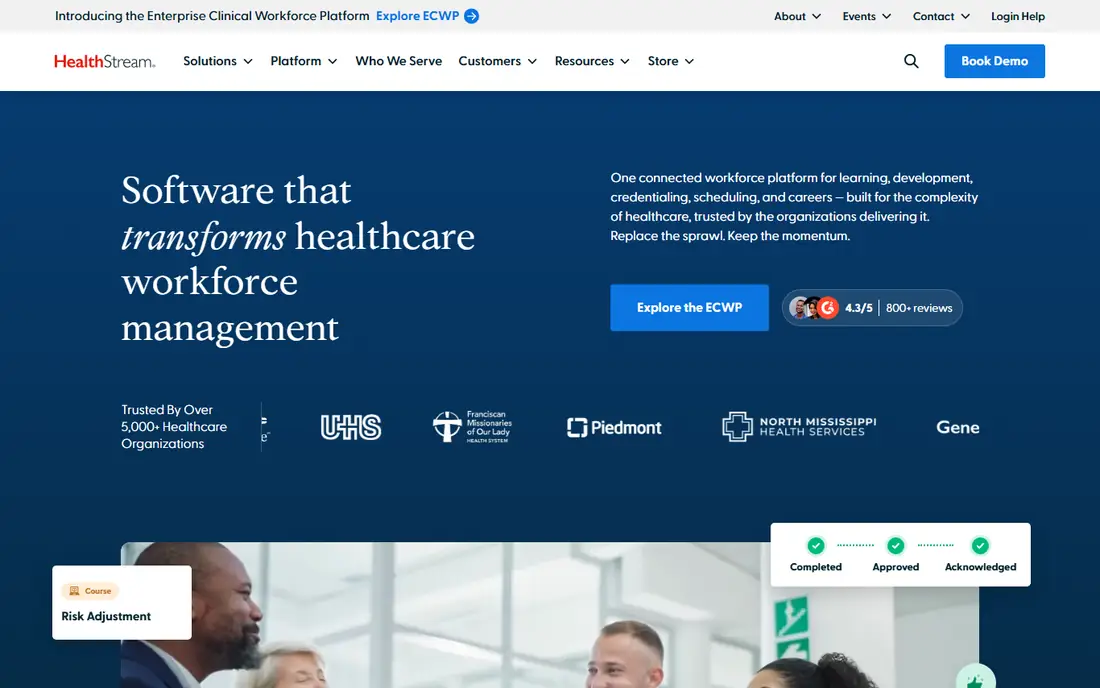
HealthStream is the learning and workforce development platform most US hospitals already know, and it earns its place here because competency and credentialing are HR jobs in healthcare, not side tasks. Its hStream platform covers mandatory training, clinical competency assessment, resuscitation programs, and continuing education, while CredentialStream manages provider credentialing, privileging, and enrollment with license and expiry tracking. That combination matters when a hospital has to prove every clinician on a unit is current before a shift starts. Pricing is quote-based with no published rates, and the sale is enterprise-shaped. Scheduling lives in a separate HealthStream product, ShiftWizard, so a hospital that wants one vendor for learning, credentialing, and scheduling will buy two products. Buy HealthStream when training compliance and credentialing are the gap, and pair it with a scheduler.
What we like- Deepest healthcare learning and competency library
- CredentialStream tracks licenses and privileging
- Widely used across US hospitals
Watch out for- Quote-only pricing with no published rates
- Learning and credentialing focus means scheduling is a separate product
- Enterprise implementation
#2QGenda
Best for: Provider scheduling at health-system scale4.6/5 on
G2 (164 reviews, checked Oct 2026)
Visit qgenda.com
Starting pricequote
Free planNo
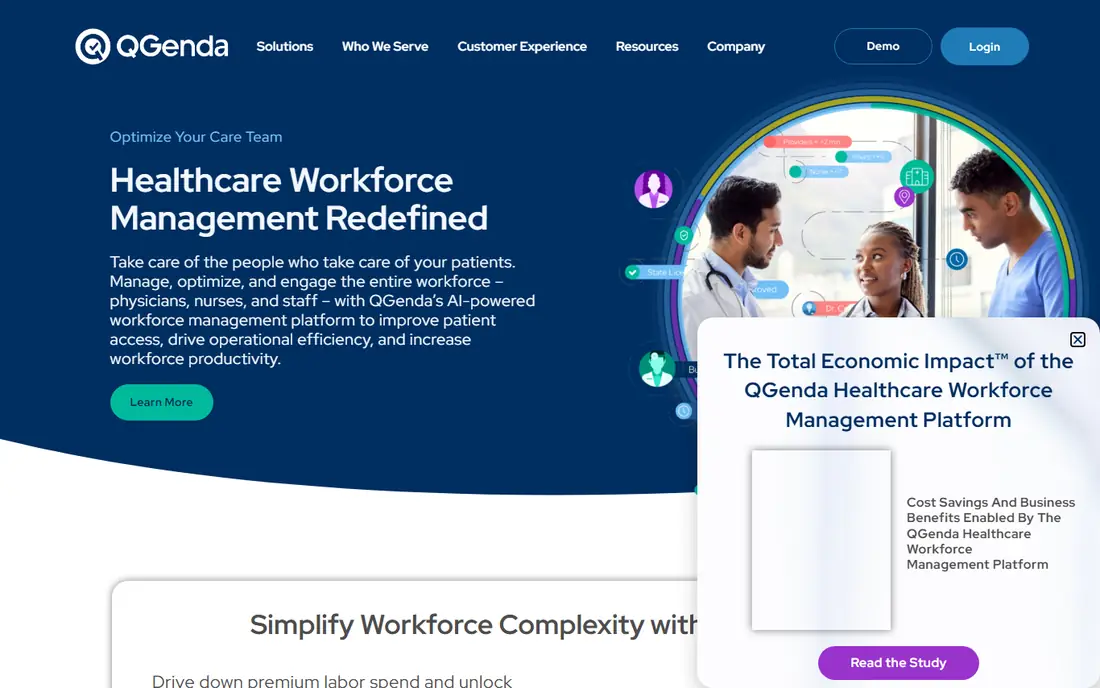
QGenda is the standard for provider scheduling in large healthcare organizations, and it is the pick when the schedule itself is the problem. Its automated scheduler works around vacations, rotations, skills, and full-time-equivalent rules to build an optimized schedule fast, across more than 30 specialties. The platform covers scheduling plus credentialing, time tracking, capacity, and residency management, though modules are sold separately. Pricing is quote-only: QGenda has never published a price, and third-party estimates of 500 to 1,000 dollars per provider per month are unconfirmed by the vendor, so treat them as an order of magnitude at most. Implementation is a configured project, and quotes usually add a one-time implementation fee. Buy QGenda when you run a health system with complex provider rules, and budget for the quote to reflect your provider count and module list.
What we like- Rules-based automated scheduling across 30-plus specialties
- Serves more than 3,000 healthcare customers
- Credentialing, time, and analytics in one platform
Watch out for- No published pricing
- Third-party estimates of 500 to 1,000 dollars per provider per month are unconfirmed
- Implementation is a multi-month project
Starting price6,500 dollars per year
Free planNo
symplr takes the broadest view in this guide: scheduling, timekeeping, clinical communication, credentialing, contract management, and vendor access in one centralized system. That breadth suits health systems that run scheduling in one tool, credentialing in another, and vendor management in spreadsheets. Third-party comparisons put the starting price at 6,500 dollars a year, which is the only published starting point among the enterprise tools here, though the real price depends on headcount and modules. The platform fits larger health systems that need one system spanning the whole workforce operation, and it is less suited to a small clinic that only needs a rota. Implementation is enterprise-shaped, so expect a configured rollout rather than a same-day start. Buy symplr when you want to consolidate workforce tools into one platform.
What we like- Scheduling, timekeeping, clinical communication, credentialing, and vendor management in one system
- Published starting price
- Built for health systems
Watch out for- Starting price is a floor and modules add cost
- Enterprise-shaped implementation
- Less suited to small clinics than to health systems
#4ShiftWizard
Best for: Rules-based staff scheduling for hospitals4.3/5 on
G2 (405 reviews, checked Oct 2026)
Visit shiftwizard.com
Starting pricequote
Free planNo
ShiftWizard is the staff scheduling product in the HealthStream family, built for hospitals that need rules-based rostering rather than a generic shift planner. It handles the realities of hospital staffing: rotating shifts, skill mix, coverage rules, time-off requests, and open-shift filling, with the schedule visible to managers and staff on desktop and mobile. Because it sits inside HealthStream, a hospital can pair it with learning and credentialing in one vendor relationship. Pricing is quote-based with no published rates, and the sale runs through an enterprise process. The scope is deliberately narrow: ShiftWizard schedules staff, and HR, payroll, and credentialing live in other systems. Buy ShiftWizard when your hospital already uses HealthStream and your scheduling problem is coverage rules.
What we like- Built specifically for hospital staff scheduling
- Handles complex shift rules and coverage
- Part of HealthStream, so it pairs with learning and credentialing
Watch out for- Quote-only pricing with no published rates
- Scheduling focus means HR, payroll, and credentialing live elsewhere
- Enterprise sales process
#5OnShift
Best for: Senior care and post-acute workforce management4.5/5 on
G2 (40 reviews, checked Oct 2026)
Visit onshift.com
Starting pricequote
Free planNo
OnShift is a human capital management platform built for the senior care industry, now a brand under ShiftKey, and it is the pick for post-acute and long-term care facilities. It covers recruiting, scheduling, and employee engagement across the full staff lifecycle, which matters in a sector where turnover is high and every open shift risks a coverage gap. The scheduling tools cover mobile scheduling, shift swapping, and workforce optimization that cut unnecessary expense while keeping staffing levels consistent. Pricing is quote-based with no published rates. The focus is the tradeoff: OnShift is tailored for senior care workforce management, so a hospital looking for physician scheduling should look at QGenda instead. Buy OnShift when you run senior care or post-acute facilities and want one platform for hiring, scheduling, and retention.
What we like- Built specifically for senior care
- Covers recruiting, scheduling, and engagement across the staff lifecycle
- Strong in post-acute care
Watch out for- Quote-only pricing with no published rates
- Senior care focus means it is not built for hospital physician scheduling
- Enterprise-shaped sale
#6SmartLinx
Best for: Long-term care scheduling and labor cost control3.8/5 on
G2 (11 reviews, checked Oct 2026)
Visit smartlinx.com
Starting pricequote
Free planNo
SmartLinx is a workforce management platform focused on scheduling, time, and labor cost control, and it is strongest where coverage gaps and overtime hurt the budget. It serves long-term care, post-acute care, and senior living, with budgeting, variance analysis, and labor cost tracking, so managers can see the cost of a schedule before they publish it. The platform covers scheduling, time and attendance, and labor cost forecasting in one system, which suits facilities that run on tight staffing budgets. Pricing is quote-based with no published rates, and there is no free trial, so budgeting starts with a sales conversation. Reviewers note the per-user pricing is affordable for small businesses but can grow expensive at large headcounts. Buy SmartLinx when labor cost control drives your day and your setting is long-term care or senior living.
What we like- Strong labor cost forecasting and variance analysis
- Built for long-term care, post-acute, and senior living
- Scheduling, time, and attendance in one system
Watch out for- Quote-only pricing with no published rates
- No free trial
- Per-user pricing can grow expensive at large headcounts
#7Deputy
Best for: Budget shift scheduling with published prices4.6/5 on
G2 (666 reviews, checked Oct 2026)
Visit deputy.com
Starting price5 dollars per user per month
Free planNo
Deputy is the budget pick and the only tool here with fully published per-user pricing. Lite costs 5 dollars per user per month, Core costs 6.50 dollars, and Pro costs 9 dollars, on annual billing, with a 30 dollar monthly minimum spend on monthly plans. Core adds auto-scheduling, demand forecasting, and wage budgets, which is the tier most healthcare teams need. The platform covers scheduling, time clocking, and labor law compliance, including rotating shifts, multiple departments, and shared devices. More than 390,000 workplaces use Deputy across hospitality, retail, healthcare, and care sectors. The limits are real: Deputy does not process payroll natively and exports timesheets instead, and the HR, messaging, and analytics add-ons cost 2 dollars, 1.95 dollars, and 1.50 dollars per user. Buy Deputy when you need scheduling and time tracking at a published price and your payroll already lives elsewhere.
What we like- Cheapest published prices here
- Auto-scheduling and demand forecasting from Core
- Used by more than 390,000 workplaces
Watch out for- No native payroll
- 30 dollar monthly minimum spend
- HR, messaging, and analytics are paid add-ons
#8
UKG Ready
Best for: Full HR suite with payroll and scheduling
Visit ukg.com
Starting price21 dollars per employee per month
Free planNo
UKG Ready is the fullest HR suite in this guide, built for small and mid-sized teams that want payroll, benefits, time tracking, and scheduling in one place. Its payroll is unusually deep for a mid-market platform, with unlimited runs, off-cycle processing, and shift differentials, and its scheduling auto-builds shifts around forecasted demand and surfaces a call list of available workers when someone drops out. Third-party comparisons put the starting point at 21 dollars per employee per month, while analyst estimates put typical bundles at 25 to 33 dollars and UKG Pro at 18 to 60 dollars or more. The hidden cost is implementation: analyst estimates put it at 40 to 70 percent of first-year software fees, which turns a 180,000 dollar software line for 500 employees into 252,000 to 306,000 dollars. Buy UKG Ready when you want one HR system for the whole employee lifecycle.
What we like- Full employee lifecycle in one platform
- Deep payroll with shift differentials
- Strong scheduling automation and call lists
Watch out for- No published vendor pricing, only third-party starting points
- Implementation fees run 40 to 70 percent of first-year software fees
- No free trial
Frequently asked questions
What is the cheapest HR software for healthcare?
Deputy is cheapest with a published price: Lite at 5 dollars per user per month, Core at 6.50 dollars, and Pro at 9 dollars on annual billing. symplr starts at 6,500 dollars a year. QGenda, HealthStream, ShiftWizard, OnShift, and SmartLinx are quote-only, so their cost depends on your headcount and modules. UKG Ready starts at 21 dollars per employee per month on third-party comparisons.
Does QGenda or symplr cost less?
symplr is cheaper to budget for because it publishes a starting price of 6,500 dollars a year. QGenda is quote-only, and third-party estimates of 500 to 1,000 dollars per provider per month are unconfirmed by the vendor. The two tools solve different problems: QGenda is a rules-based provider scheduler for health systems, while symplr is a broader workforce platform covering scheduling, credentialing, and vendor management. Get both quotes in writing before you compare.
Do I need credentialing software as well as scheduling?
Yes, if your organization employs licensed clinicians. Credentialing tracks licenses, certifications, privileging, and expiry dates, and an expired license means a provider cannot work a shift. HealthStream CredentialStream and symplr include credentialing, and QGenda sells it as a module. Deputy and UKG Ready do not focus on clinical credentialing, so a hospital using them still needs a credentialing system or a spreadsheet process with expiry alerts.
What should a 200-employee hospital budget for HR software?
Budget 15,600 dollars a year for scheduling and time tracking on Deputy Core, or 50,400 dollars a year for UKG Ready at its 21 dollar starting point, before implementation. symplr starts at 6,500 dollars a year. QGenda is quote-only, so a 50-provider group should expect a written quote rather than a budget estimate. Add implementation fees, which analyst estimates put at 40 to 70 percent of first-year software fees for UKG.
Is Deputy enough for a hospital?
Deputy is enough for shift scheduling and time tracking in a small clinic or care home, but not for a hospital that needs provider scheduling, credentialing, and payroll in one system. Deputy does not process payroll natively, does not track clinical credentials, and does not run rules-based provider scheduling. A hospital should shortlist QGenda for provider scheduling, symplr for a consolidated workforce platform, or UKG Ready for a full HR suite.
Sources we checked (15)
- https://www.healthstream.com
- https://www.qgenda.com
- https://www.symplr.com
- https://www.shiftwizard.com
- https://www.onshift.com
- https://www.smartlinx.com
- https://www.deputy.com
- https://www.ukg.com
- https://www.varshealth.com/post/healthcare-staffing-statistics-2026
- https://www.clinicshifts.com/blog/qgenda-vs-amion
- https://www.selecthub.com/workforce-management-software/qgenda-vs-symplr/
- https://www.selecthub.com/hr-management-software/ukg-ready-vs-nice-iex-workforce-management/
- https://soon.works/blog/what-a-ukg-implementation-actually-costs
- https://www.statwharf.com/best/employee-scheduling-software/
- https://www.spotsaas.com/compare/onshift-vs-synkwise-vs-tabula-pro
Is your product missing or out of date?
We review this list regularly. Vendors can request a listing, send updated pricing or ask about featured placement.

Shihab Mia · Founder, Rankite
Shihab has 5+ years in B2B and SaaS SEO. He writes Rankite's software buying guides from pricing pages, documentation and public user reviews. More about Shihab.