How we make this list: we compare pricing pages, product documentation and public user reviews. Ratings come from G2, Capterra or Trustpilot, with the date we checked them.
Key takeaways
- Unity is the safest cross-platform pick for mobile and indie 3D, with a free Personal tier under $200,000 in revenue.
- Godot is the free, open source path with no royalties, and its dedicated 2D pipeline suits indie teams well.
- Unreal Engine 5 leads on high-end 3D visuals, with Blueprints visual scripting for creators who avoid C++.
- No-code tools like Construct 3 and GDevelop let beginners ship real games, but commercial 2D still favors GameMaker.
Quick comparison
| Tool | Best for | Starting price | Free plan |
|---|
 Unity Unity | Mobile and cross-platform games | Free (Personal) | Yes |
 Unreal Engine Unreal Engine | High-end 3D and console games | Free (5% royalty above $1M) | Yes |
 Godot Godot | Free open source 2D and 3D | Free | Yes |
 GameMaker GameMaker | Commercial 2D games | Free (non-commercial) | Yes |
 Construct 3 Construct 3 | No-code browser-based 2D | Free (limited) | Yes |
 GDevelop GDevelop | Beginners and event-based games | Free | Yes |
 RPG Maker MZ RPG Maker MZ | Story-driven RPGs | See website | Free trial |
 Roblox Studio Roblox Studio | Social games with a built-in audience | Free | Yes |
Is your product missing or out of date?
We review this list regularly. Vendors can request a listing, send updated pricing or ask about featured placement.
The best game creator software
#1Unity
Best for: Mobile and cross-platform games4.5/5 on
G2 (364 reviews, checked Oct 2026)
Visit unity.com
Starting priceFree (Personal)
Free planYes
Unity remains the default cross-platform engine for mobile and indie 3D. One project can target phones, PC, consoles, and the web, and the Asset Store covers art, tools, and systems that small teams cannot build alone. Visual Scripting lets non-coders prototype, while C# supports full custom code when a project grows.
Personal is free under $200,000 in revenue, but Pro costs about $2,310 per seat per year, so a growing studio should budget early. Unity's licensing terms have also changed in the past, which some teams weigh against Godot's fixed open source terms. For reach and ecosystem, Unity still leads.
What we like- Largest asset store
- Broad platform reach
- Visual Scripting option
Watch out for- Pro costs about $2,310 per seat per year
- Pricing terms have changed before
#2Unreal Engine
Best for: High-end 3D and console games4.5/5 on
G2 (151 reviews, checked Oct 2026)
Visit unrealengine.com
Starting priceFree (5% royalty above $1M)
Free planYes

Unreal Engine 5 sets the visual bar, with Nanite geometry and Lumen lighting producing scenes that smaller engines cannot match. Blueprints let creators build gameplay logic visually, though serious projects still benefit from C++ knowledge. Console and PC support is deep, and the engine suits teams aiming at premium 3D releases.
The learning curve is steep, and development machines need strong hardware to run the editor comfortably. The royalty model is generous at small scale, with 5% due only after $1 million in lifetime revenue. Unreal fits teams chasing high-end visuals and willing to invest in learning it properly.
What we like- Best-in-class visuals
- Blueprints visual scripting
- Strong console support
Watch out for- Steep learning curve
- Heavy hardware needs
- Royalty after $1M revenue
Starting priceFree
Free planYes
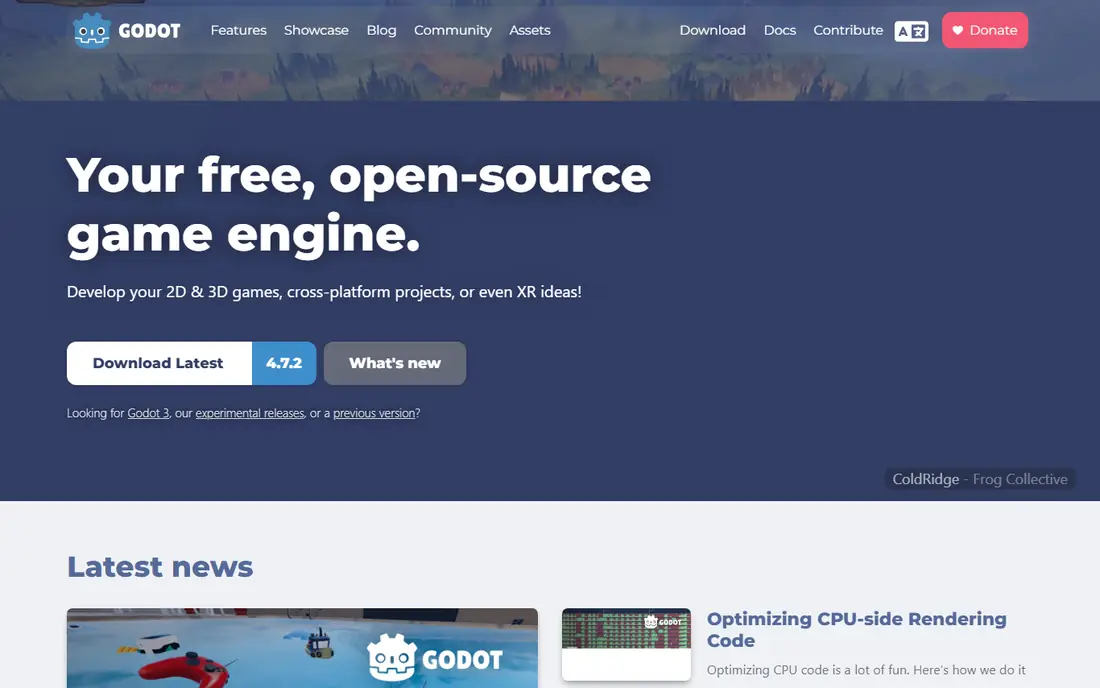
Godot is the open source favorite, and for good reason: it is free under the MIT license, with no royalties and no revenue tiers. Its 2D pipeline is dedicated rather than bolted on, the editor is light and fast, and GDScript is easy to learn for beginners. Version 4.7 brought continued 2D and 3D improvements, and the community keeps growing.
Its 3D still trails Unreal for high-end visuals, and console publishing requires third-party porting partners rather than built-in export. For indie 2D games, prototypes, and teams that value open terms over maximum graphics, Godot is the most honest deal in game development.
What we like- Fully free with no royalties
- Light editor
- Dedicated 2D pipeline
Watch out for- 3D lags behind Unreal
- Console export needs porting partners
Starting priceFree (non-commercial)
Free planYes
GameMaker has powered a long line of commercial 2D games, from pixel-art platformers to hits like Undertale. Its GML language is fast to learn, the editor is focused on 2D, and HTML5 export comes even on the free tier. Pricing is friendly: free for non-commercial use, with a one-time $99.99 Professional license for commercial work.
Console export still needs the Enterprise subscription, and 3D support is minimal, so GameMaker is a 2D specialist by design. For a solo developer or small team that wants to ship a polished 2D game quickly, it remains one of the fastest routes from idea to store page.
What we like- Fast 2D shipping
- GML is easy to learn
- One-time Pro license
Watch out for- Weak 3D
- Console export needs Enterprise subscription
Starting priceFree (limited)
Free planYes
Construct 3 is a browser-based, no-code engine built around an event system: you define conditions and actions visually, with optional JavaScript when you want it. Because it is HTML5-native, web export is excellent, and games run anywhere a browser runs. Classrooms and solo creators favor it for how fast a playable prototype appears.
The free edition caps projects at 50 events, which is enough to learn but not to ship a large game, and the Personal plan costs $129.99 a year. Construct is 2D only, so 3D ambitions belong elsewhere. For beginners and web-first 2D games, it is one of the gentlest on-ramps available.
What we like- True no-code event system
- Runs in the browser
- Excellent web export
Watch out for- Free edition caps events
- Subscription pricing
- 2D only
Starting priceFree
Free planYes
GDevelop is a free, open source-leaning engine for beginners, using event-based logic similar to Construct but with no subscription for the core engine. You can build 2D and simple 3D games, export to web, mobile, and desktop, and publish without paying for the engine itself. Paid cloud tiers add hosting and collaboration extras, but they are optional.
The asset ecosystem is smaller than Unity's, and advanced 3D features are limited. GDevelop fits first-time creators, students, and hobbyists who want a free tool that can still ship a real game. Commercial teams with complex needs will likely outgrow it, but as a starting point it is hard to fault.
What we like- Fully free engine
- Event-based logic
- Web, mobile, and desktop export
Watch out for- Paid cloud tiers for extras
- Smaller asset ecosystem than Unity
Starting priceSee website
Free planFree trial
RPG Maker MZ is a specialist: it builds story-driven role-playing games with maps, battles, items, and dialogue as first-class systems rather than add-ons. A creator with no coding skill can finish a complete RPG, and JavaScript plugins extend battles, menus, and visuals for those who want more. The asset and plugin community is large and long-lived.
That focus is also the limit. Games outside the RPG genre fight the tool, and the one-time purchase cost applies per version. RPG Maker fits writers and designers whose game is an RPG first and everything else second. For that specific dream, no general engine matches its speed.
What we like- Built for RPG systems
- Large asset and plugin community
- No coding required
Watch out for- Genre-locked
- One-time purchase cost
- Limited outside RPGs
Starting priceFree
Free planYes
Roblox Studio is free, and its advantage is distribution: games publish to an audience of millions without a separate store, marketing budget, or server setup. Luau scripting is approachable, the AI Assistant helps with code, and multiplayer, moderation, and payments come with the platform. Young creators and social game ideas thrive here.
The trade is control. Games live only on Roblox, earnings flow through Robux and the Developer Exchange with a revenue share, and platform rules can change. Roblox Studio fits creators who value audience and multiplayer over owning their storefront. Teams that want a standalone PC or console release should pick a general engine instead.
What we like- Free to build
- Huge built-in audience
- Multiplayer handled for you
Watch out for- Roblox platform only
- Revenue share through Robux
- Limited control
How we chose
We compared pricing pages, product documentation, and public user reviews for game creation tools that are actively maintained in 2026. We favored tools with a clear publishing path, current pricing, and a real community, and we checked license terms carefully, since royalties and revenue thresholds change the true cost. Asset-only tools were left out, since the topic is software that creates playable games.
Match the engine to the game, not the hype
The biggest mistake is picking an engine for its reputation rather than its fit. A 2D pixel-art game does not need Unreal's rendering power, and a high-end console title will strain in a no-code tool. Write down your game's dimension, target platforms, team coding skill, and budget before shortlisting, and let those answers narrow the list.
Prototype in two engines before committing
A weekend prototype in each of your top two choices reveals more than weeks of reading. Build one level, one enemy, and one menu, then note how long each took and where you got stuck. Keep the prototype small on purpose, since a tiny game that runs teaches you more about an engine than a large design document ever will, and it gives you something playable to show testers early. The engine that feels natural to your team will save months later, even if another engine looks stronger on paper.
Price the whole project, not the download
Free engines still cost time, assets, and sometimes royalties or subscriptions. Unity Pro, Construct subscriptions, and Unreal royalties all arrive at different stages, so model costs at your expected revenue, not at zero. Factor in asset store purchases, console porting fees, and the hardware your team needs to run the editor.
Plan publishing from the start
Each engine exports to different stores with different rules and fees. Check console, mobile, and web export for your top choice before building, and confirm whether porting partners or subscriptions are needed. If console release matters, confirm porting options before you build, since late surprises here can delay launch by months. A game that cannot reach its audience is a finished project with nowhere to go.
Frequently asked questions
Do I need to know how to code to make a game?
No. Construct 3, GDevelop, and RPG Maker MZ let you build complete games without code, and Unity and Unreal offer visual scripting. Coding helps as projects grow, but many successful indie games started with visual tools alone.
Which engine is best for a beginner?
GDevelop and Construct 3 are the gentlest starts for 2D, since both are free to learn and use event systems. Godot is the best next step when you want to learn light coding with a free, open source engine that can grow with you.
Is Godot really free forever?
Yes. Godot is released under the MIT license, with no royalties, revenue limits, or paid tiers for the engine itself. Optional services and console porting partners may charge separately, but the engine remains free.
How do Unity and Unreal make money if they are free?
Unity charges for Pro seats once revenue passes the Personal threshold, plus enterprise and services revenue. Unreal charges a 5% royalty only after $1 million in lifetime product revenue, so small projects pay nothing either way.
Can I publish the same game on mobile and PC?
Yes, with most engines here, though effort varies. Unity and Godot export to both from one project, GameMaker covers mobile and desktop well, and Roblox games stay on Roblox. Console export usually needs extra steps, licenses, or porting partners.
Sources we checked (8)
- https://unity.com
- https://www.unrealengine.com
- https://godotengine.org
- https://gamemaker.io
- https://www.construct.net
- https://gdevelop.io
- https://www.rpgmakerweb.com
- https://create.roblox.com
Is your product missing or out of date?
We review this list regularly. Vendors can request a listing, send updated pricing or ask about featured placement.

Shihab Mia · Founder, Rankite
Shihab has 5+ years in B2B and SaaS SEO. He writes Rankite's software buying guides from pricing pages, documentation and public user reviews. More about Shihab.