How we make this list: we compare pricing pages, product documentation and public user reviews. Rankite is independent; if a vendor ever pays for a featured spot, that listing is clearly labeled Partner.
Key takeaways
- SSuite Envelope Printer and Tweaking Envelope Printer are both free Windows programs built specifically for printing addresses on envelopes.
- LibreOffice Writer prints envelopes from any document for free and handles mail-merge batches from a spreadsheet.
- Avery's free Design & Print templates work for envelope addressing without installing anything.
- Envelope Print by YASDC is the simplest option of all: one font, one job, done.
Quick comparison
Is your product missing or out of date?
We review this list regularly. Vendors can request a listing, send updated pricing or ask about featured placement.
The problem with printing one envelope
You typed a beautiful letter. Now you need the envelope, and your options are handwriting it (ugly), wrestling with Word's envelope dialog (three ruined envelopes later), or buying a label maker (overkill for one letter). Dedicated envelope software exists precisely for this gap: type the addresses once, see exactly where they land on the envelope, print.
Every tool below is free. They differ in how much control they give you: some are single-purpose utilities from the 2000s that still work perfectly, others are full office suites where envelopes are one feature among hundreds. Pick based on how many envelopes you print and how fancy they need to look.

#1
SSuite Envelope Printer
Best for: Windows users who want a dedicated, no-cost envelope printer
Visit ssuiteoffice.com
Starting priceFree
Free planYes
SSuite Envelope Printer does one job: print addresses on envelopes. You add the recipient address, pick fonts, effects, sizes and envelope dimensions, align the paper tray, preview the result and print. The built-in address book stores names, surnames, email addresses, images and notes in a database, so repeat mailings are a few clicks. It also handles simple text labels.
The honest catch is scope. This is a utility, not a design studio: if you want illustrated envelopes with full-bleed graphics, look at Print Envelope Visual or Avery instead. And SSuite's website hosts dozens of free programs with eccentric navigation, so finding the actual download can take patience. But the software itself is free, with no trials, no subscriptions and no registration, per the vendor's own statements.
What we like- Purpose-built for envelopes: recipient and return addresses, font effects, envelope sizes and paper tray alignment
- Includes an address book that saves contacts in a database
- Preview before printing so you waste fewer envelopes
Watch out for- Windows only
- Recipient-address focused, so elaborate graphic design is beyond it
- The SSuite site is sprawling and the download takes some finding

#2
Tweaking Envelope Printer
Best for: Anyone who prints envelopes occasionally and wants it done in four clicks
Visit tweaking.com
Starting priceFree
Free planYes
Tweaking Envelope Printer was written by the Tweaking.com developer for his own bill-paying, then released free for everyone. The origin story is the feature list: open the program, pick an address from the address book, hit print. Four clicks. It remembers your settings, supports envelope size favorites, and can print a logo or picture next to your return address for a personal touch.
The honest catch is that it is proudly simple. There is no mail merge, no spreadsheet import, no batch printing of a hundred envelopes. For monthly bills, holiday cards and the occasional letter, that simplicity is the point. For a 500-piece mailing, you need LibreOffice instead.
What we like- Free, per the developer's own description
- Remembers your settings so repeat envelopes take seconds
- Address book with favorites and envelope size presets
- Can print a picture alongside the return address
Watch out for- Windows only and looks its age
- Single-purpose, so no mail merge or batch features to speak of
- Development updates are infrequent

#3
Print Envelope Visual
Best for: Users who want designed envelopes with logos, templates and visual layout
Visit rksoftwaretools.com
Starting priceFree
Free planYes
Print Envelope Visual by Radovan Kraus (RK Software Tools) is the free option for people whose envelopes need to look like something. Where SSuite and Tweaking focus on addresses, this one leans into visual design: templates, logos and layout control for envelopes that carry a brand. The latest versions run on current Windows.
The honest catch is the indie scale. This is one developer's program with a basic website and little hand-holding, so you should be comfortable experimenting with print settings yourself. Test on plain paper first, as with any envelope tool. For a small business that mails branded envelopes and wants to spend nothing on software, it is worth the experiment.
What we like- Free program from RK Software Tools with visual envelope design
- Supports logos and templates for a more polished result
- Installs on modern Windows versions
Watch out for- A small independent program with minimal documentation
- The vendor site is basic, so support is limited
- Windows only

#4
Envelope Print (YASDC)
Best for: People who want the absolute simplest envelope printing possible
Visit yasdc.com
Starting priceFree
Free planYes
Envelope Print from YASDC is minimalism as a feature. It prints a business envelope with a delivery address and a return address, saves both in a database, and that is the whole program. A Bangkok Post review put it well: printing an address with it is easier than writing it by hand, and you get one font in one size for each address, with placement adjustable for other envelope sizes.
The honest catch is that the simplicity is real: there is no font choice, no graphics, no batch features. But for the person who prints five envelopes a year and resents every minute spent on it, nothing here is faster. Download it, type two addresses, print. Done.
What we like- Free and tiny: does one thing with almost no learning curve
- Saves addresses in a database for reuse
- A Bangkok Post review praised it as easier than handwriting
Watch out for- One font and one size per address, per that same review
- Business-envelope focused, so other sizes need manual placement tweaks
- Minimal features by design

#5
Envelope & Address Print (ConnectCode)
Best for: Windows users who want a modern app with contacts integration
Visit connectcode.com
Starting priceFree
Free planYes
Envelope & Address Print by ConnectCode is the modern-app entry: a free Windows app that prints addresses on envelopes with a wizard guiding the process. ConnectCode is best known for barcode software, and this app brings the same straightforward engineering to envelopes, including integration with your contacts so you are not retyping addresses.
The honest catch is distribution and depth. It comes through the Windows Store rather than as a classic download, which some users dislike, and it is a focused app rather than a full mailing system. But for Windows 10 and 11 users who prefer store apps and want something newer than the vintage utilities, it is the natural pick.
What we like- Free Windows app from an established barcode-software company
- Pulls addresses from your contacts
- A guided wizard walks you through printing
Watch out for- Windows Store distribution, so no portable or direct download
- Feature set is narrower than desktop suites
- The app's store listing shows modest download numbers, so expect a small user community

#6
LibreOffice Writer
Best for: Anyone who needs envelopes plus mail merge for batches, on any operating system
Visit libreoffice.org
Starting priceFree
Free planYes
LibreOffice Writer is the heavyweight free answer. Every Writer document has envelope printing built in: type or pull the delivery address, set your return address, pick the envelope size, print. Where it leaves the single-purpose tools behind is mail merge: connect a spreadsheet of addresses and print a hundred personalized envelopes in one run, something none of the utilities above can do.
The honest catch is friction for the simple case. If you print one envelope a month, Writer's envelope dialog feels like bringing a forklift to carry a letter. But it is free, private, cross-platform and maintained by a nonprofit foundation, and for batch mailings it is not just the best free option: it is the only free option that does the job properly.
What we like- Completely free office suite on Windows, Mac and Linux
- Insert Envelope works from any document
- Mail merge prints a whole address list from a spreadsheet onto envelopes
Watch out for- More setup than a single-purpose tool for a one-off envelope
- The envelope dialog has the classic office-suite learning curve the vintage tools avoid

#7
Avery Design & Print
Best for: Template-based envelope addressing with nothing to install
Visit avery.com
Starting priceFree
Free planYes
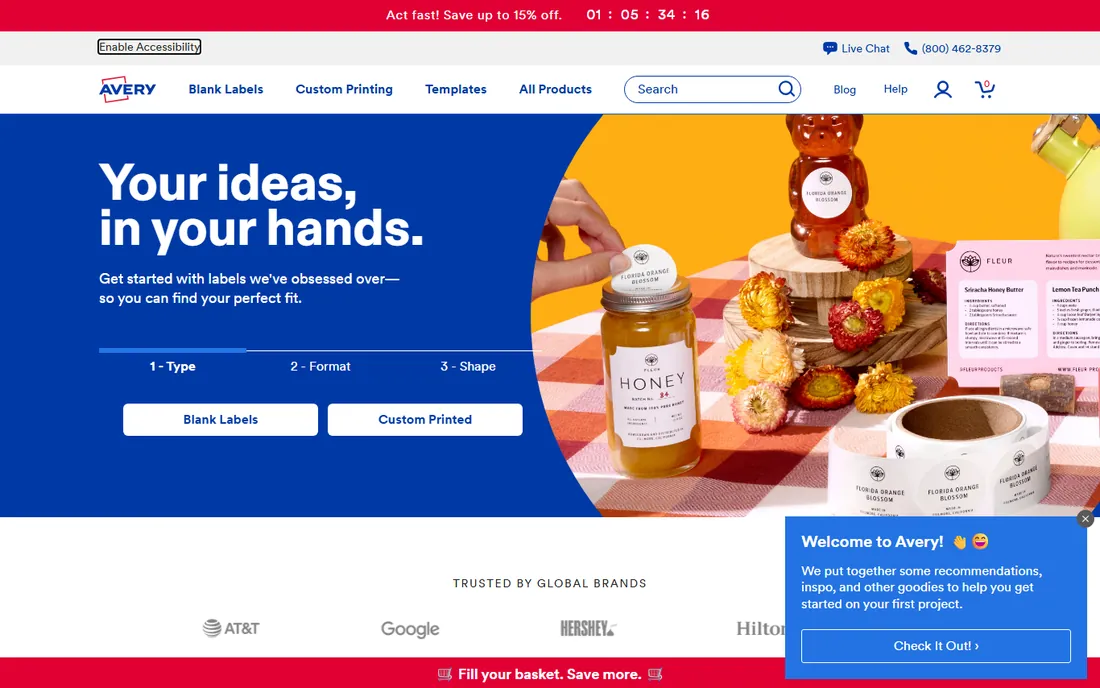
Avery Design & Print is the no-install option. Avery's free web tool offers ready-to-use templates and designs for addressing envelopes and labels, running entirely in the browser. For the occasional sender who does not want another program on their computer, it is the fastest path from addresses to a printed envelope.
The honest catch is the template box. You work within Avery's designs rather than free-form layout, and the ecosystem naturally points at Avery products. For plain envelopes with clean addresses, that hardly matters. If you want pixel-level control, use Print Envelope Visual or LibreOffice instead.
What we like- Free web app with ready-made templates
- Nothing to install, works in any browser
- Backed by the company whose name is on the label aisle
Watch out for- Template-driven, so custom layouts are limited
- Oriented toward Avery products, though plain envelopes work fine
- Requires an internet connection
How we chose
We searched for free envelope printing software the way buyers do and checked each candidate against two tests: is it actually free, and does it still work in 2026? Every tool on this list passes both. We opened each vendor's homepage to confirm the product is current and free of trial or subscription traps. Prices are simple here: everything is free, so the comparison is about features and fit, not cost.
Frequently asked questions
What is the easiest free way to print a single envelope?
Tweaking Envelope Printer or Envelope Print (YASDC). Both are free Windows utilities built for exactly this: type the addresses, print. LibreOffice Writer also works but takes more clicks for a one-off.
Can I print envelopes in bulk for free?
Yes, with LibreOffice Writer's mail merge: put your addresses in a spreadsheet, connect it as a data source, and print the whole list onto envelopes. None of the single-purpose free utilities handle real batches.
Do I need special envelopes?
No. All of these tools print on standard envelopes you feed through your printer. Set the envelope size in the software and in your printer's paper settings, and test alignment on plain paper first to avoid wasting envelopes.
Why do my envelopes print misaligned?
Envelope feed direction varies by printer: some feed face-up, some face-down, some center, some edge. Every tool here lets you adjust placement. Print one test on cheap paper, note which way the address landed, adjust, and repeat until it is right.
Are these tools safe to download?
Download only from the vendor sites listed here. The vintage utilities in particular get rehosted on download portals bundled with extras; the vendor's own site is the safe source.
Can I print envelopes from my phone?
Avery Design & Print runs in a mobile browser, which is the closest to phone envelope printing. For real control, though, envelopes remain a desktop-and-printer job.
Test on paper first, then on envelopes
Every envelope tool, free or paid, shares one quirk: printers feed envelopes differently, and the first print is often upside down or off-center. The fix costs nothing: load plain paper cut to envelope size, print, and check the placement before committing a real envelope. All seven tools here include previews or placement controls. Use them. A two-minute test saves a stack of envelopes and the trip to buy more.
Sources we checked (6)
- https://ssuiteoffice.com/
- https://www.tweaking.com/
- https://www.libreoffice.org/
- https://avery.com/
- https://www.techspot.com/downloads/6623-tweakingcom-envelope-printer.html
- https://www.bangkokpost.com/life/tech/204548/foolproof-way-to-print-neat-envelopes
Is your product missing or out of date?
We review this list regularly. Vendors can request a listing, send updated pricing or ask about featured placement.

Shihab Mia · Founder, Rankite
Shihab has spent more than a decade helping SaaS and e-commerce brands grow through search. He writes Rankite's software buying guides from pricing pages, documentation and public user reviews. More about Shihab.