How we make this list: we compare pricing pages, product documentation and public user reviews. Ratings come from G2, Capterra or Trustpilot, with the date we checked them.
FMX is the top pick for most K-12 districts because it was built around school work orders, scheduling, and community rentals, with pricing based on student enrollment. Incident IQ is the strongest alternative when a district also wants IT ticketing and device management in the same platform. Smaller schools with a tight budget should start with MaintainX or Limble CMMS.
Key takeaways
- FMX leads for K-12 districts because it covers work orders, preventive maintenance, scheduling, and community rentals in one system built for schools.
- Incident IQ suits districts that want IT, facilities, events, and HR workflows from one K-12 vendor, priced by student enrollment.
- MaintainX and Limble CMMS are the lowest cost starting points, with free plans and published per user pricing that a small school can budget without a sales call.
- eWorkOrders flat pricing at 380 dollars per month suits districts that want every teacher and custodian on the system.
- Brightly Asset Essentials, the current name for the former Dude Solutions and SchoolDude line, fits districts that need deep asset records and compliance tracking.
Comparison table
| Tool |
Best for |
Starting price |
Free plan |
| FMX |
K-12 districts that need work orders, scheduling, and rentals in one place |
Quote, about $3,000 per year reported |
No, 14-day free trial |
| Incident IQ |
Districts that want IT, facilities, and assets on one K-12 platform |
Quote, priced by student enrollment |
No |
| Brightly Asset Essentials |
Districts that need detailed asset records and compliance tracking |
Quote, about $299 per month reported |
No |
| MaintainX |
Small schools and mobile custodial teams |
Free, Essential $20 per user per month billed annually |
Yes, free Basic plan |
| Hippo CMMS |
Single-site schools that want a simple CMMS |
$35 per user per month, reported figure |
No, 21-day free trial |
| Limble CMMS |
Small teams that want the easiest CMMS to set up |
Free, Standard $28 per user per month |
Yes, free Basic plan |
| UpKeep |
Mobile-first teams that want a modern phone app |
Essential $24 per user per month |
No, free trial |
| eWorkOrders |
Districts that want flat pricing with unlimited users |
Starter $380 per month flat |
No, free trial |
What should a school look for in facilities management software?
A school system has to handle requests from teachers, principals, and community groups. The best tool starts with a simple request form that any teacher can use without training, because a system staff avoid will not capture the work. Look for work order routing by building and trade, so a leaking sink goes to the plumber without a phone call. Preventive maintenance matters just as much, since HVAC units, boilers, roofs, and kitchen equipment fail on a schedule a district can plan around, and missed service shortens equipment life. Facility scheduling is the second test, since gyms, auditoriums, fields, and classrooms get booked for classes, practices, concerts, and community events, and each booking creates setup and cleanup work. Asset tracking is the third test, from boilers and chillers down to buses and mowers. Finally, check the mobile experience, since custodians and grounds staff work from hallways, roofs, and fields, not desks.
How much does facilities management software for schools cost?
Pricing falls into three models, and the model matters more than the headline number. Per user pricing, used by MaintainX, Limble CMMS, UpKeep, and Hippo CMMS, charges for each technician and administrator with a login, while teachers usually submit work for free. A district with five technicians on MaintainX Essential at 20 dollars per user per month billed annually pays about 1,200 dollars per year, while the same team on Limble CMMS Standard at 28 dollars pays about 1,680 dollars per year. Flat pricing, used by eWorkOrders at 380 dollars per month, charges one monthly fee no matter how many users join. Enrollment pricing, used by FMX for public K-12 schools and by Incident IQ, ties the fee to student numbers, so a small district pays less than a large one and can add unlimited users without extra cost. Quote-only tools hide the price behind a sales conversation. Ask for a written quote that spells out the annual fee, the implementation fee, training, and module charges. FMX charges a one-time implementation fee, and Brightly implementations can add thousands of dollars, so the first year cost is often much higher than the renewal. Prices here were checked on 22 November 2026.
A single independent school with one building and a handful of custodians needs a different tool than a district with twenty campuses. A small school should start with MaintainX or Limble CMMS, because both offer a free plan, publish their prices, and let a team start the same week without a sales process. MaintainX suits teams that live on their phones, with work order chat and photo attachments that help a custodian show a principal exactly what is broken. Limble CMMS suits teams that want the fastest setup and the clearest preventive maintenance calendar. Either one can grow with the school. A district should look first at FMX, Incident IQ, or Brightly Asset Essentials. FMX is the most school-specific of the three, with scheduling and community rentals built in alongside work orders. Incident IQ is the pick when the district already runs its IT help desk through Incident IQ, or wants one vendor for IT, facilities, and HR. Brightly Asset Essentials fits districts with large asset inventories and compliance duties, such as fire inspections and playground safety audits. Districts with many schools should also weigh eWorkOrders, because flat pricing with unlimited users removes the seat-count argument from every budget meeting.
Quick comparison
| Tool | Best for | Starting price | Free plan |
|---|
 FMX | K-12 school districts that need work orders, preventive maintenance, facility scheduling, and community rentals in one system | Quote, about $3,000 per year reported by third-party directories, checked 22 Nov 2026 | No free plan, 14-day free trial |
 Incident IQ | School districts that want IT ticketing, asset management, facilities, and HR workflows from one K-12 vendor | Quote, priced by student enrollment and products chosen, checked 22 Nov 2026 | No free plan, demo on request |
 Brightly Asset Essentials | Districts that need detailed asset records, preventive maintenance, and compliance tracking across many buildings | Quote, about $299 per month reported by third-party directories, checked 22 Nov 2026 | No free plan and no self-serve trial |
 MaintainX | Small schools and mobile custodial teams that want a free start and a strong phone app | Free, Essential $20 per user per month billed annually ($25 billed monthly), checked 22 Nov 2026 | Yes, free Basic plan |
 Hippo CMMS | Single-site schools that want a simple cloud CMMS with clear per user pricing | $35 per user per month, reported figure from third-party listings, vendor page does not clearly publish pricing, checked 22 Nov 2026 | No free plan, 21-day free trial |
 Limble CMMS | Small maintenance teams that want the easiest CMMS to set up and a free plan to start | Free, Standard $28 per user per month, checked 22 Nov 2026 | Yes, free Basic plan |
 UpKeep | Mobile-first maintenance teams that want a modern phone app and AI-assisted work orders | Essential $24 per user per month, checked 22 Nov 2026 | No free plan, free trial |
 eWorkOrders | Districts that want flat monthly pricing with unlimited users across every school | Starter $380 per month flat, unlimited users, checked 22 Nov 2026 | No free plan, free trial |
Is your product missing or out of date?
We review this list regularly. Vendors can request a listing, send updated pricing or ask about featured placement.
#1FMX
Best for: K-12 school districts that need work orders, preventive maintenance, facility scheduling, and community rentals in one system4.8/5 on
G2 (44 reviews, checked Oct 2026)
Visit gofmx.com
Starting priceQuote, about $3,000 per year reported by third-party directories, checked 22 Nov 2026
Free planNo free plan, 14-day free trial
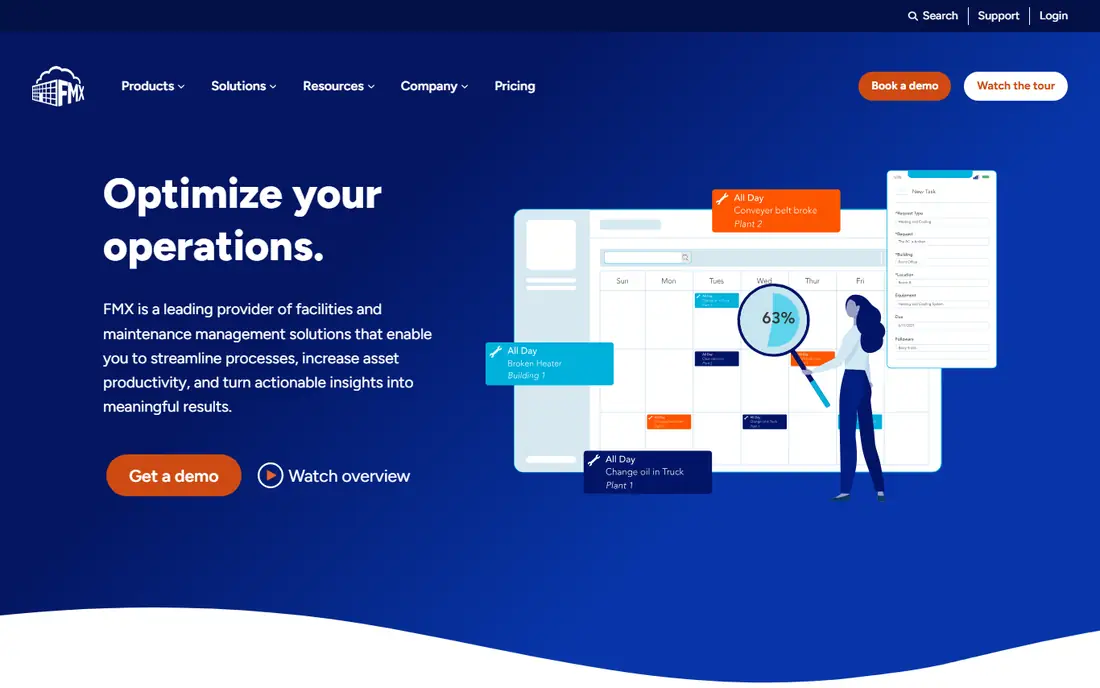
FMX is the most school-focused tool in this guide. Teachers submit requests through a simple form, the facilities team routes each request by building and trade, and the same system handles the gym booking that created the setup work. Districts can schedule preventive maintenance for HVAC units and boilers, track assets across campuses, and manage community rentals. Public K-12 schools pay based on student enrollment and can add unlimited users. The trade-off is transparency, since FMX does not publish a price list.
What we like- Built for K-12 schools, with scheduling and community rentals alongside work orders
- Public K-12 pricing based on student enrollment with unlimited users
- Simple request forms that teachers can use without training
Watch out for- Quote-only pricing makes budgeting slow, and a one-time implementation fee adds to the first year cost
#2
Incident IQ
Best for: School districts that want IT ticketing, asset management, facilities, and HR workflows from one K-12 vendor
Visit incidentiq.com
Starting priceQuote, priced by student enrollment and products chosen, checked 22 Nov 2026
Free planNo free plan, demo on request
Incident IQ started as a K-12 IT help desk and has grown into a district operations platform, a strong pick for districts that already use it for Chromebooks and IT tickets. The facilities module adds work orders and preventive maintenance with checklists, and districts can add event management, resource booking, and HR workflows as modules. Pricing is tailored to enrollment and products chosen, with no added cost for users, requests, or assets. The weakness is the buying process, since there is no published price or free trial.
What we like- Purpose-built for K-12 districts
- No added cost for users, requests, or assets
- Combines IT, facilities, events, and HR in one platform
Watch out for- No published price and no free trial, so a district cannot compare cost or test the product without a sales demo
#3Brightly Asset Essentials
Best for: Districts that need detailed asset records, preventive maintenance, and compliance tracking across many buildings4.2/5 on
G2 (240 reviews, checked Oct 2026)
Visit brightlysoftware.com
Starting priceQuote, about $299 per month reported by third-party directories, checked 22 Nov 2026
Free planNo free plan and no self-serve trial
Brightly Asset Essentials is the current name for the product line many districts knew as Dude Solutions and SchoolDude, and it remains one of the most established names in school facilities software. It covers work orders, preventive maintenance, asset tracking, and inventory, with reporting built around compliance duties such as inspections and warranties. Districts can add related Brightly products for capital planning and energy management. The buying process is the hardest part, since Brightly publishes no prices and no free trial, and third-party estimates start around 299 dollars per month.
What we like- Deep asset management with lifecycle and compliance tracking
- Long history in education through the former Dude Solutions and SchoolDude line
- Broad product family for capital planning and energy management
Watch out for- Quote-only pricing with no published tiers, and implementation can add a large one-time cost
#4MaintainX
Best for: Small schools and mobile custodial teams that want a free start and a strong phone app4.8/5 on
G2 (1,553 reviews, checked Oct 2026)
Visit getmaintainx.com
Starting priceFree, Essential $20 per user per month billed annually ($25 billed monthly), checked 22 Nov 2026
Free planYes, free Basic plan
MaintainX is the easiest tool here for a small school to start using, because the free Basic plan covers work orders and requests without a sales conversation. Teachers submit requests for free, technicians get the work on their phones with photos and chat, and the team can build repeating work orders for routine tasks. Essential at 20 dollars per user per month billed annually adds unlimited repeating work orders and work orders with images. The limit to watch is procedures, since Essential allows checklists on only 3 work orders per month.
What we like- Free Basic plan with unlimited requesters
- Strong mobile app with work order chat and photo attachments
- Published pricing with no sales call needed
Watch out for- Procedure checklists are capped at 3 work orders per month on Essential, so heavy preventive maintenance users need Premium at $65 per user per month
#5
Hippo CMMS
Best for: Single-site schools that want a simple cloud CMMS with clear per user pricing
Visit eptura.com
Starting price$35 per user per month, reported figure from third-party listings, vendor page does not clearly publish pricing, checked 22 Nov 2026
Free planNo free plan, 21-day free trial
Hippo CMMS is a straightforward cloud system for a school that needs more structure than a shared spreadsheet. Starter covers one location with up to 100 equipment items and 25 requesters, and the team gets work orders, preventive maintenance schedules, parts inventory, and facility maps. The listed entry price is 35 dollars per user per month with a two-user minimum, so the lowest bill is 70 dollars. Before budgeting, confirm with the vendor that new subscriptions are available, since Hippo is now part of Eptura and reports describe a move to Eptura Asset.
What we like- Simple setup for one location, with work orders, preventive maintenance, parts, and facility maps
- Starter covers up to 100 equipment items and 25 requesters
Watch out for- The vendor page does not clearly publish current plans, and reports of a product sunset and a move to Eptura Asset mean buyers must confirm availability with the vendor before signing
#6Limble CMMS
Best for: Small maintenance teams that want the easiest CMMS to set up and a free plan to start4.8/5 on
Capterra (757 reviews, checked Oct 2026)
Visit limble.com
Starting priceFree, Standard $28 per user per month, checked 22 Nov 2026
Free planYes, free Basic plan
Limble CMMS is known for fast setup, and that matters for a school where the maintenance lead is also the person fixing the boiler. The free Basic plan covers unlimited work orders with images, unlimited requesters, and unlimited assets, with limits on recurring work orders and procedures, so a small team can run a real pilot before paying. Standard at 28 dollars per user per month adds unlimited recurring work orders, dashboards, and downtime reporting. The mobile apps work offline.
What we like- Free Basic plan for trialling
- Fast setup with native mobile apps and offline mode
- Published pricing with implementation, training, and support included
Watch out for- Parts inventory, purchase orders, time tracking, and the API sit on Premium+ at $69 per user per month, and reporting options are limited on lower tiers
#7UpKeep
Best for: Mobile-first maintenance teams that want a modern phone app and AI-assisted work orders4.5/5 on
G2 (1,106 reviews, checked Oct 2026)
Visit upkeep.com
Starting priceEssential $24 per user per month, checked 22 Nov 2026
Free planNo free plan, free trial
UpKeep is a mobile-first CMMS built around the phone, which suits custodians and grounds staff who spend the day moving between buildings. Essential at 24 dollars per user per month covers unlimited work orders, unlimited locations, asset management, and barcode scanning, and it includes 250 Nova AI credits per month. Requester and view-only users cost nothing, so teachers can submit and track requests without adding to the bill. The catch is that Essential is a reactive plan, since preventive maintenance scheduling, checklists, and parts inventory start at Premium at 55 dollars per user per month.
What we like- Modern mobile app with barcode scanning and asset management
- Requester and view-only users are free
- Essential includes a monthly allowance of Nova AI credits
Watch out for- Preventive maintenance scheduling, checklists, and inventory are gated to Premium at $55 per user per month, so the entry plan covers reactive work only
#8eWorkOrders
Best for: Districts that want flat monthly pricing with unlimited users across every school4.9/5 on
G2 (31 reviews, checked Oct 2026)
Visit eworkorders.com
Starting priceStarter $380 per month flat, unlimited users, checked 22 Nov 2026
Free planNo free plan, free trial
eWorkOrders takes a different approach to pricing, and for a district it can be the deciding factor. Starter costs 380 dollars per month flat with unlimited users, unlimited work orders, and unlimited assets, and Advanced at 480 dollars per month adds mobile access for technicians. Teachers submit requests through a no-login form, so every school can use the system without account setup or seat counting. Guided onboarding, data migration, and role-based training are included on every plan. The flat fee is the weakness for a single small school, since 380 dollars per month is far more than a free plan from MaintainX or Limble CMMS.
What we like- Flat pricing with unlimited users on Starter and Advanced, so adding schools never adds per seat fees
- No-login request form for teachers
- Guided onboarding and data migration included on every plan
Watch out for- The flat monthly fee is high for a single small school, and multi-site controls, single sign-on, and user roles need Enterprise at $45 to $120 per user per month
Frequently asked questions
What is the best facilities management software for schools?
FMX is the best pick for most K-12 districts because it combines work orders, preventive maintenance, scheduling, and community rentals in one system built for schools. Incident IQ is the best alternative when a district also wants IT ticketing and device management. Small schools should start with MaintainX or Limble CMMS, since both offer free plans.
How much does facilities management software for schools cost?
Costs range from free to several thousand dollars per month. MaintainX and Limble CMMS offer free plans, with paid tiers starting at 20 and 28 dollars per user per month. UpKeep Essential costs 24 dollars per user per month, and eWorkOrders Starter costs 380 dollars per month flat. FMX, Incident IQ, and Brightly are quote-only, with FMX reported at about 3,000 dollars per year and Brightly reported at about 299 dollars per month.
Can teachers submit maintenance requests without an account?
Yes, on most of these tools. MaintainX, Limble CMMS, and UpKeep let requesters submit work for free, and eWorkOrders offers a no-login request form that any teacher can use. FMX and Incident IQ also let staff submit requests without a paid seat, since their pricing is based on enrollment.
Do schools need facility scheduling as well as work orders?
Most districts do, because gyms, auditoriums, fields, and classrooms are booked for classes, practices, concerts, and community events, and each booking creates setup and cleanup work. FMX links scheduling to work orders in one system, and Incident IQ offers events as a module. If a district already uses a separate booking tool, a CMMS such as MaintainX or Limble CMMS can still work, but the team must connect the calendar to the work queue by hand.
What is Brightly Asset Essentials, and is it the same as SchoolDude?
Brightly Asset Essentials is the current name for the product line that districts knew as Dude Solutions and SchoolDude. Brightly is now part of Siemens, and Asset Essentials is its core CMMS for work orders, preventive maintenance, and asset tracking. Districts should not list SchoolDude as a separate tool, since it is the former name for the same product family.
Sources we checked (8)
- https://www.gofmx.com/pricing/quote/
- https://www.incidentiq.com
- https://www.brightlysoftware.com/products/asset-essentials
- https://www.getmaintainx.com/pricing
- https://eptura.com/hippocmms/
- https://limble.com/pricing/
- https://upkeep.com/pricing/
- https://eworkorders.com/eworkorders-pricing-and-plans/
Is your product missing or out of date?
We review this list regularly. Vendors can request a listing, send updated pricing or ask about featured placement.

Shihab Mia · Founder, Rankite
Shihab has 5+ years in B2B and SaaS SEO. He writes Rankite's software buying guides from pricing pages, documentation and public user reviews. More about Shihab.