How we make this list: we compare pricing pages, product documentation and public user reviews. Rankite is independent; if a vendor ever pays for a featured spot, that listing is clearly labeled Partner.
Key takeaways
- Two tools here cost nothing: Adobe Bridge is free from Adobe, and digiKam is free open-source software with no paid tier at all.
- Photo Mechanic is the only tool with published pricing on this list: $14.99 per month, $149 per year, or a $299 perpetual license, with a 30-day free trial.
- Lightroom Classic and Capture One pair cataloging with full RAW editing; Bridge, Photo Mechanic and digiKam are organizers first and pair with whatever editor you like.
- Daminion is the only team DAM here, with shared catalogs you can self-host on your own server or run in Daminion Cloud.
- Mylio Photos syncs your library across Mac, Windows, iOS and Android over your own devices and storage, no cloud upload required.
Quick comparison
| Tool | Best for | Starting price | Free plan |
|---|
 Adobe Lightroom Classic Adobe Lightroom Classic | Photographers who want library management and RAW editing in one desktop program | See website (Creative Cloud subscription) | No (free trial offered) |
 Capture One Capture One | Studio, fashion and tethered shooters who need exacting color and session workflows | See website (subscription or perpetual license) | No (free trial offered) |
 ACDSee Photo Studio ACDSee Photo Studio | Windows photographers who want a perpetual license and fast folder browsing | See website (subscription or perpetual license) | No (15-day free trial, no credit card required) |
 Adobe Bridge Adobe Bridge | Photographers who want to organize by folder and skip catalog databases entirely | Free | Yes (free to download and use) |
 digiKam digiKam | Photographers who want a free, open-source DAM with no vendor strings attached | Free (open source) | Yes (free forever, no paid tier) |
 Photo Mechanic Photo Mechanic | Sports, news and wedding photographers who cull thousands of frames on deadline | From $14.99/month (annual $149/year; perpetual license $299 one-time) | No (30-day free trial, no payment info required) |
 Daminion Daminion | Small teams, studios and agencies that need one shared, searchable asset library | See website (quote-based) | No (live demo offered) |
 Mylio Photos Mylio Photos | Photographers whose libraries are scattered across phones, laptops and drives | See website | Yes (get started for free) |
Is your product missing or out of date?
We review this list regularly. Vendors can request a listing, send updated pricing or ask about featured placement.
The 8 best digital asset management software options for photographers
A wedding photographer comes home with 4,000 frames at midnight, and the gallery is due Friday. The difference between a panic and a normal Tuesday is the system that decides which photos live where, what keywords they carry, and how fast you can find the frame the client asked for. These eight tools cover every approach to photo organization in 2026, from free folder browsers to team catalogs that live on your own server.
#1
Adobe Lightroom Classic
Best for: Photographers who want library management and RAW editing in one desktop program
Visit adobe.com
Starting priceSee website (Creative Cloud subscription)
Free planNo (free trial offered)
Lightroom Classic remains the default answer to photo management for a reason: it combines the catalog and the darkroom. Imports land in dated folders, keywords and ratings stack up fast, and smart collections update themselves as metadata changes. For a working photographer who edits most of what they shoot, keeping organization and processing in one program removes a whole class of friction.
The honest catch is commitment. Classic is subscription-only through Adobe Creative Cloud, and your catalogs live on local drives, so moving between a desktop and a laptop takes deliberate planning. If you want a DAM that never touches your RAW files and costs nothing, look at Bridge instead. If you want Lightroom-style organization without Adobe, digiKam is the free alternative worth a hard look.
What we like- Catalog-based organization with collections, smart collections, keywords, flags and ratings
- Full non-destructive RAW development built in, so there is no round trip to another app
- Mature ecosystem of presets, plugins and mobile sync
Watch out for- Subscription only, no perpetual license
- The catalog database is local to one machine, so multi-computer workflows need workarounds
#2
Capture One
Best for: Studio, fashion and tethered shooters who need exacting color and session workflows
Visit captureone.com
Starting priceSee website (subscription or perpetual license)
Free planNo (free trial offered)
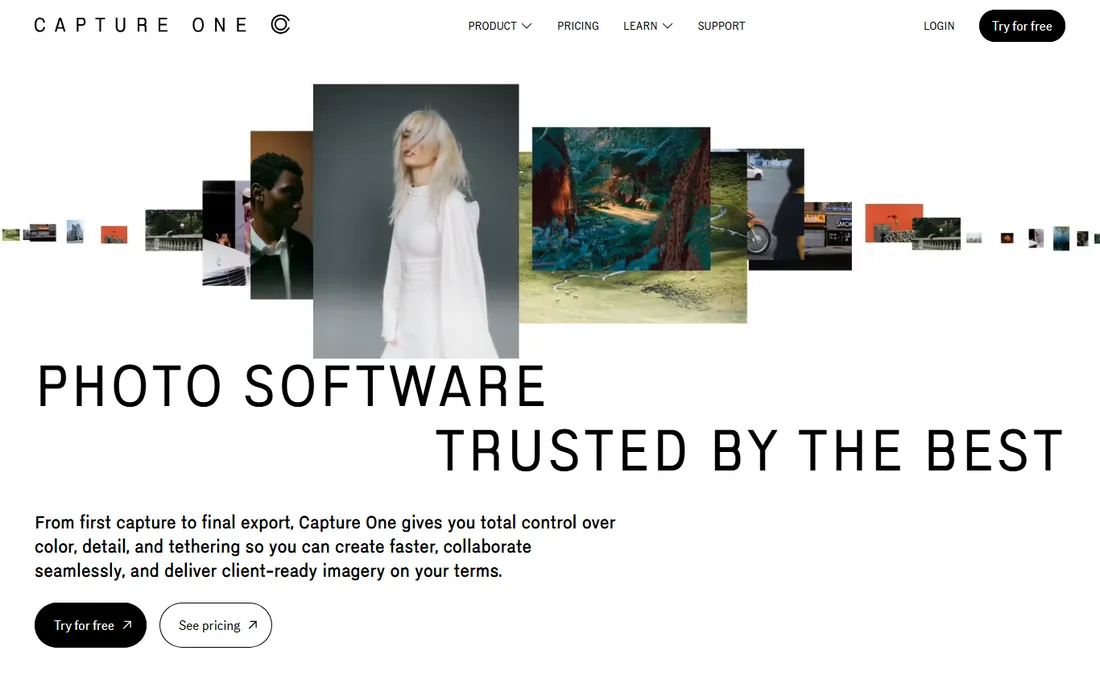
Capture One is the studio standard, and tethered capture is why. Cameras feed frames straight to the screen during the shoot, clients review as you work, and the color tools give more precise control over hue, saturation and skin tone than most alternatives. Sessions keep each job self-contained with its own folder structure, while catalogs handle the long-term archive.
The trade is focus. Capture One's organizing tools are competent, with keywords, ratings, albums and smart albums, but the product's heart is processing and capture, not archival management. Photographers who shoot high volume to card and cull afterward may be better served by Photo Mechanic plus a simpler organizer. Check the current plan structure before buying, since Capture One offers both subscriptions and perpetual licenses that change over time.
What we like- Industry-leading tethered shooting with live view on set
- Color editing tools, including the Color Editor and skin tone controls, that go beyond Lightroom
- Sessions and catalogs let you choose between project-based and archive-based organization
Watch out for- The learning curve is real, especially coming from Lightroom
- The DAM side is secondary to the editing side, so pure archivists may find it thin
#3
ACDSee Photo Studio
Best for: Windows photographers who want a perpetual license and fast folder browsing
Visit acdsee.com
Starting priceSee website (subscription or perpetual license)
Free planNo (15-day free trial, no credit card required)

ACDSee has spent decades making one thing fast: showing you your photos. The browser reads your folder structure directly, so there is no import step and no catalog database standing between you and your files, while the DAM layer adds keywords, categories, face detection and AI-assisted tagging for those who want it. Recent versions add AI keywords and local AI features for photographers wary of cloud processing.
The honest catch is platform and positioning. ACDSee is a Windows-first product, and while the editing tools are solid, they do not match Lightroom Classic or Capture One for serious RAW development. The pitch that matters here is the license choice: photographers tired of subscriptions can still buy outright. If you want the same idea on any platform for free, digiKam covers the same ground.
What we like- Fast browsing that reads folders directly, with cataloging optional
- AI keywords, face detection and media management tools aimed at large libraries
- Perpetual licenses still offered alongside 365 subscriptions
Watch out for- Windows-first, so Mac photographers have limited options
- The catalog and editing depth trail Lightroom for heavy RAW workflows
#4
Adobe Bridge
Best for: Photographers who want to organize by folder and skip catalog databases entirely
Visit adobe.com
Starting priceFree
Free planYes (free to download and use)
Bridge is the quiet bargain of photo organization: Adobe's full-featured asset browser, free, with no subscription strings. It shows thumbnails and previews of RAW files, edits metadata, applies keywords, labels and ratings, batch-renames on import, and opens files straight into Camera Raw or Photoshop. If your archive is already organized into folders by date and job, Bridge may be all the DAM you need.
The trade is that Bridge does not maintain a central database. Find-the-photo-across-50,000-frames searches are slower and less reliable than a real catalog, because Bridge indexes what you point it at. Photographers with big, messy archives who need serious search should look at Lightroom Classic or digiKam. For everyone with a sane folder system, Bridge is the cheapest professional option at zero cost.
What we like- Completely free with no Adobe subscription required
- Browses your actual folder structure with fast previews, metadata editing and batch rename
- Tight handoff to Camera Raw and Photoshop for editing
Watch out for- No true catalog, so searches only work on folders you browse
- Performance depends on your disk, since nothing is pre-indexed
#5
digiKam
Best for: Photographers who want a free, open-source DAM with no vendor strings attached
Visit digikam.org
Starting priceFree (open source)
Free planYes (free forever, no paid tier)
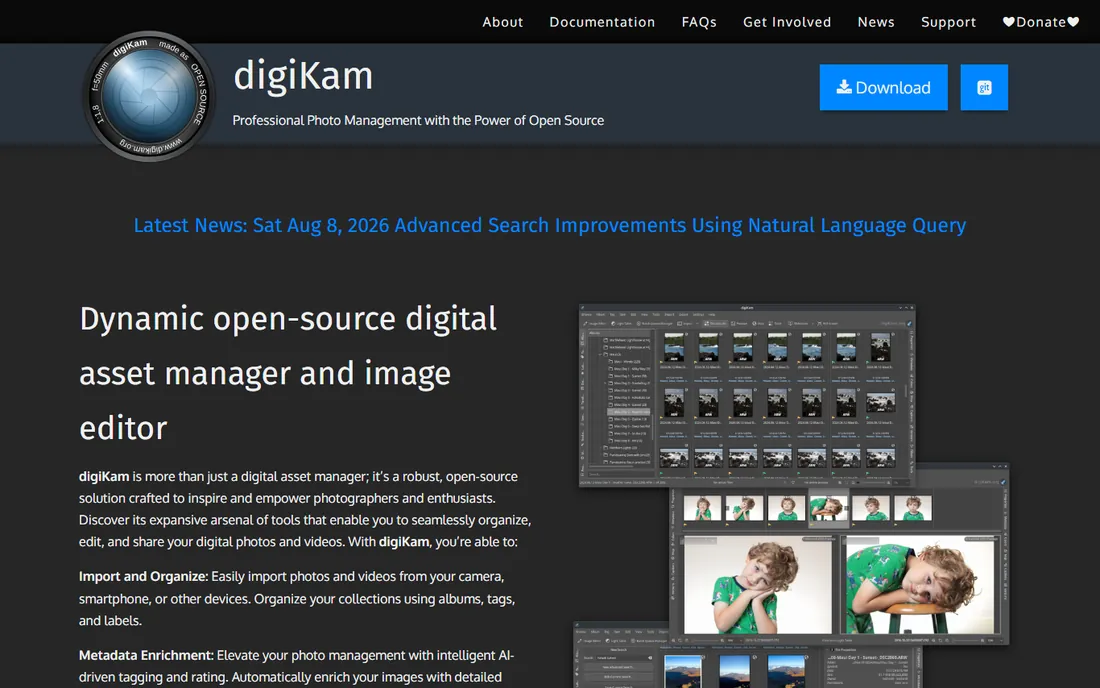
digiKam is the open-source answer to photo management, and it is far more capable than its price suggests. It imports from cameras and cards, organizes with albums, tags, labels and face recognition, enriches metadata with AI-assisted tagging, and includes a real RAW processor and batch tools. The database can live locally or on a network server, and there is no account, no subscription and no telemetry to worry about.
The honest catch is fit and finish. The interface looks like the volunteer-built software it is, and setup takes more patience than a commercial app. Community support means forums and documentation rather than a help desk. For photographers who value privacy, control and zero cost above polish, digiKam is unmatched. For those who want a guided experience, the free trials of the commercial tools are the better starting point.
What we like- No cost, no account, no cloud, with the source code public
- Handles libraries over 100,000 images with albums, tags, labels, face recognition and AI-assisted tagging
- RAW processing, batch editing and metadata tools built in
Watch out for- The interface is functional rather than polished
- Mac and Windows builds trail the Linux version in maturity, and support is community-based
#6
Photo Mechanic
Best for: Sports, news and wedding photographers who cull thousands of frames on deadline
Visit home.camerabits.com
Starting priceFrom $14.99/month (annual $149/year; perpetual license $299 one-time)
Free planNo (30-day free trial, no payment info required)
Photo Mechanic is the deadline tool. Sports and news photographers use it because it ingests cards, renders previews and lets them pick winners while Lightroom is still building its database. Code replacements turn roster codes into full captions in keystrokes, IPTC templates stamp copyright and credit fields, and everything it writes is standard metadata that any other DAM can read.
The trade is scope. Photo Mechanic deliberately does not catalog your archive; it gets frames from the card to the editor with metadata attached, and the long-term organization happens elsewhere. That is why so many professionals pair it with Lightroom or Capture One. If you shoot volume on deadline, the subscription pays for itself in an afternoon. If you shoot a hundred frames a month, Bridge or digiKam will do.
What we like- The fastest ingest and culling in the business, rendering RAW previews far quicker than catalog apps
- Code replacements, variables and IPTC templates built for wire-service metadata workflows
- Writes standard metadata that travels with the file into any other app
Watch out for- It is a workflow accelerator, not a catalog, so long-term archival search is not its job
- The interface is utilitarian and the price is steep for casual use
#7
Daminion
Best for: Small teams, studios and agencies that need one shared, searchable asset library
Visit daminion.net
Starting priceSee website (quote-based)
Free planNo (live demo offered)

Daminion is the only true team DAM on this list. Where everything else here organizes one photographer's library, Daminion builds a central, searchable hub that a whole studio can use: controlled vocabularies, AI auto-tagging, duplicate detection, version stacks and role-based permissions, all on top of your existing folder structure. The self-hosted edition runs inside your network, so large archives cost you disk space rather than a per-gigabyte cloud bill.
The honest catch is the buying process. Pricing is quote-based, aimed at teams rather than individuals, and the platform's heritage is Windows infrastructure. Solo photographers will find it overkill; Bridge or digiKam cover the same personal ground for free. For a studio where three retouchers, a producer and a client all need the same 80,000 files, Daminion is the architecture the consumer tools cannot provide.
What we like- Shared catalogs that multiple people can search, tag and download from at once
- Self-hosted option keeps terabytes of files on your own servers or NAS with no storage fees
- AI tagging, face recognition, version tracking and granular permissions
Watch out for- Quote-only pricing with no public plans
- Windows-server roots mean Mac-only teams should verify the client experience first
#8
Mylio Photos
Best for: Photographers whose libraries are scattered across phones, laptops and drives
Visit mylio.com
Starting priceSee website
Free planYes (get started for free)
Mylio Photos solves the modern mess: photos on the phone, the laptop, two external drives and an old desktop, with no single library anywhere. It links your devices over direct connections, builds one unified library with LifeCalendar, people and map views, and keeps originals on storage you control, from an SSD to your own cloud bucket. Nothing is compressed or locked into a vendor's servers.
The trade is complexity for control. Getting vaults, sync policies and device roles configured takes more thought than installing a desktop catalog, and pricing is not published on the site, so you will sign up to see the plans. For photographers who refuse to put their archive in someone else's cloud but still want it on every device, Mylio is the only tool here built around that exact demand.
What we like- Syncs your whole library across Mac, Windows, iOS and Android without uploading everything to a cloud
- Keeps your existing folder structure and removes duplicates
- Face, location and event search runs on-device
Watch out for- No published pricing on the homepage, so plans require a signup to evaluate
- The sync-first model adds setup complexity versus a simple desktop catalog
How we chose
We started with how photographers actually organize photos: catalog apps, folder browsers, culling tools and team systems. For each candidate we opened the vendor's own site, read the product and pricing pages, and checked practitioner discussion among working photographers. Where a price could not be verified on the vendor's own page we wrote "See website" rather than repeating a third-party estimate. We excluded generic cloud storage and consumer photo apps with no professional metadata tools, and we kept culling and browser tools in the comparison because most photographers pair them with a catalog rather than choosing one or the other.
What to check before you commit: six questions that narrow it down
First, how do you shoot? A wedding photographer delivering 800 images needs culling speed above all, which points at Photo Mechanic paired with a catalog. A fine-art photographer with 20,000 carefully keyworded frames needs catalog depth, which points at Lightroom Classic or digiKam. Match the tool to the bottleneck in your week, not to the feature list.
Second, catalog or folders? Catalog tools like Lightroom Classic and digiKam maintain a database that makes searching 100,000 images instant, but the database must be backed up and can corrupt. Folder browsers like Bridge and ACDSee read your disk directly, which is simpler and more transparent but slower for archive-wide search. There is no universally right answer, only the one that matches how your archive is already organized.
Third, who else touches the files? Solo photographers can ignore this entirely. The moment a second retoucher, an assistant or a client needs the same library, you need shared catalogs and permissions, which is Daminion's territory. Mylio covers the middle ground of one person with many devices.
Fourth, what is your licensing tolerance? Subscriptions fund continuous development but never end; perpetual licenses cost more up front and age out. ACDSee, Capture One and Photo Mechanic still offer perpetual options, while Adobe's tools are subscription-only and digiKam and Bridge are free. Decide this before you fall in love with a feature set.
Fifth, how serious is your metadata? If clients, agencies or stock libraries require IPTC captions, copyright notices and keywords embedded in files, Photo Mechanic and Lightroom Classic are the professional standards. If you just need to find your own photos, face recognition and AI tagging in digiKam, ACDSee or Mylio will do.
Sixth, where do the RAW files live? Tools that keep originals on your disks (Lightroom Classic, digiKam, Daminion self-hosted, Mylio) leave you in control of storage costs and backups. Anything that wants your archive in its cloud should be priced against the cost of the drives you already own.
Catalogs, browsers and sync meshes: the three architectures, explained
Photo organizers fall into three designs, and most buying confusion comes from comparing across them. Catalog applications build a database of your library. Lightroom Classic, Capture One and digiKam work this way: imports are indexed, searches are instant, and the database is the single point of failure you must back up. This architecture wins for large archives and deep metadata, and loses on simplicity.
Browser applications read your folders directly. Bridge and ACDSee's browser mode work this way: what you see is your disk, there is nothing to corrupt, and there is nothing to back up beyond the files themselves. This architecture wins for transparency and for photographers whose folder discipline is already good, and loses when the archive grows past what a human can browse.
Sync meshes replicate your library across devices. Mylio Photos works this way, and Daminion's shared catalogs are the team version of the same idea: the library exists in multiple places, stays consistent, and no single machine is the archive. This architecture wins for multi-device and multi-person workflows, and loses on setup complexity.
Once you know which architecture fits your work, the choice inside it is usually easy. Most professional workflows actually combine two: a fast culling tool like Photo Mechanic in front, and a catalog or browser behind it for the archive.
Frequently asked questions
Do I need DAM software if I already organize with folders?
If your folders are disciplined and your archive is under 20,000 images, a free browser like Bridge may be enough. Past that size, or the moment you need to find photos by keyword, face or location across years of shoots, a catalog's database search pays for itself.
Is there really a free professional DAM?
Yes. Adobe Bridge is free and handles browsing, metadata and batch operations with no subscription. digiKam is free and open source with cataloging, face recognition and RAW processing. Neither costs anything, and both write standard metadata other tools can read.
Can these tools replace my photo editor?
Lightroom Classic and Capture One are editors first, so yes. Bridge, Photo Mechanic, digiKam, ACDSee, Daminion and Mylio are organizers first; they pair with Photoshop, Capture One, DxO PhotoLab or any editor you prefer.
What is the difference between Photo Mechanic and Lightroom for culling?
Photo Mechanic renders RAW previews almost instantly and is built for picking winners from thousands of frames on deadline. Lightroom builds previews into its catalog, which is slower up front but gives you a searchable archive afterward. Many professionals cull in Photo Mechanic and catalog in Lightroom.
How should a small studio share one photo library?
Use a shared-catalog system like Daminion, which is built for multiple users with permissions, version tracking and self-hosted storage. Consumer sync tools and single-user catalogs will fight you the moment two people edit metadata at once.
Will my keywords and ratings transfer if I switch tools?
Mostly yes, if the tools write standard IPTC and XMP metadata into the files or sidecars. Lightroom, Bridge, Photo Mechanic, digiKam and ACDSee all play well here. Proprietary flags like Lightroom's pick flags may not survive the move, so check before migrating.
Sources we checked (0)
Is your product missing or out of date?
We review this list regularly. Vendors can request a listing, send updated pricing or ask about featured placement.

Shihab Mia · Founder, Rankite
Shihab has spent more than a decade helping SaaS and e-commerce brands grow through search. He writes Rankite's software buying guides from pricing pages, documentation and public user reviews. More about Shihab.