How we make this list: we compare pricing pages, product documentation and public user reviews. Ratings come from G2, Capterra or Trustpilot, with the date we checked them.
What is database schema management software
Database schema management software tracks every change to a database schema as versioned code and applies those changes safely across environments. Instead of editing a production table by hand, a developer writes a migration, reviews it, and lets the tool apply it in order, recording what ran in a tracking table. The best tools add drift detection, rollback, approval workflows and policy checks, so a schema change ships through the same pipeline as application code.
Direct answer: Flyway is the top pick for most SQL teams because its free Community edition covers plain SQL migrations across more than 60 database platforms, and its convention over configuration design needs almost no learning. Atlas is the best paid alternative for teams that want declarative schema as code, with Pro from $9 per developer per month. Start with Flyway Community or Alembic if the budget is zero.
Key takeaways
- Flyway Community is free and suits SQL first teams that want numbered migration scripts with no new language to learn.
- Liquibase Community is free and suits teams that need changelog files in SQL, XML, YAML or JSON across more than 60 databases.
- Atlas Pro starts at $9 per developer per month and is the only tool here with a declarative, Terraform style workflow and published usage pricing.
- Bytebase Pro costs $20 per user per month and is the best pick when database changes need review and approval in a web interface.
- Neither Flyway nor Liquibase publishes a paid list price in 2026, so both enterprise tiers are quote only.
How we picked
We compared eight tools on five points: migration format, database coverage, CI and CD integration, governance and rollback, and pricing transparency. A tool scored well when its migrations lived in version control and its paid pricing was published or clearly quote based. Prices come from vendor pricing pages and vendor published comparisons, checked 21 November 2026. Where sources disagree on a price, both figures are printed and the conflict is flagged. Prices are search verified; vendor homepages were not individually opened in the browser for this guide.
Comparison table
| Tool | Best for | Starting price | Free plan |
| Liquibase | Cross database governance | Quote only | Community free |
| Flyway | SQL first teams | Quote only | Community free |
| Atlas | Declarative schema as code | $9 per developer per month | Starter free |
| Bytebase | Review and approval workflows | $20 per user per month | Community free, 20 users |
| Prisma Migrate | TypeScript and Prisma teams | Free with Prisma ORM | Free |
| Alembic | Python and SQLAlchemy teams | Free | Free, MIT |
| Sqitch | Raw SQL, polyglot repos | Free | Free |
| DBmaestro | Regulated enterprise estates | Quote only | No free plan |
A small team should pick the tool that matches the language it already writes. A Python team should use Alembic, because it generates migrations from SQLAlchemy models and costs nothing. A TypeScript team should use Prisma Migrate, which is free with Prisma ORM. A team that works in several languages should use Flyway Community, because plain SQL migrations need no framework and the free edition covers more than 60 database platforms. The paid tools only earn their price when the team needs governance: drift detection, approval gates and audit trails. Until then, the free editions cover the work.
Should schema changes live in version control
Yes, schema changes should live in version control next to the application code that depends on them. A migration file is a record of what changed, when, and by whom, and it lets any environment replay the same changes in the same order. Without that record, two environments drift apart and nobody can say which schema a given release needs. Every tool in this guide treats migrations as files in Git, whether they are numbered SQL scripts, Liquibase changelogs, Atlas HCL files or Prisma schema files. The difference between the tools is how much checking happens before the migration runs.
How to choose schema management software for your stack
Choose by migration style first. Versioned migration tools such as Flyway, Liquibase and Alembic apply scripts in order and record what ran. Declarative tools such as Atlas describe the desired end state and compute the migration needed to reach it. Workflow tools such as Bytebase add a web interface where changes are submitted, reviewed and approved. Next, check database coverage: Flyway and Liquibase cover more than 60 engines, while Prisma Migrate and Alembic are tied to their own ecosystems. Finally, check the paid price honestly: Atlas and Bytebase publish theirs, while Flyway Enterprise and Liquibase Secure are quote only, so request a written total before committing.
Quick comparison
| Tool | Best for | Starting price | Free plan |
|---|
 Flyway | SQL first teams that want simple versioned migrations | Quote only for Flyway Enterprise; Community is free | Community edition free, including CLI, desktop GUI and plain SQL migrations |
 Liquibase | Large enterprises that need governed change across many databases | Quote only for Liquibase Secure; Community is free | Community edition free, covering SQL, XML, JSON and YAML changelogs across more than 60 databases |
 Atlas | Teams that want declarative schema as code, Terraform style | $9 per developer per month for Pro, plus $59 per project per month for Pipelines and $39 per database per month for monitoring | Starter free, covering MySQL, MariaDB, PostgreSQL and SQLite |
 Bytebase | Teams that want database changes reviewed and approved in a web interface | $20 per user per month for Pro | Community free for up to 20 users and 10 database instances |
 Prisma Migrate | TypeScript teams already using Prisma ORM | Free with Prisma ORM; Prisma Cloud plans from $10 to $129 per month | Free with Prisma ORM |
 Alembic | Python teams using SQLAlchemy | Free | Free under the MIT licence, no paid tier |
 Sqitch | Teams that want dependency aware raw SQL migrations | Free | Free, open source, no paid tier |
 DBmaestro | Regulated enterprises that need database release automation with audit trails | Quote only | No free plan; evaluation through sales |
Is your product missing or out of date?
We review this list regularly. Vendors can request a listing, send updated pricing or ask about featured placement.
These eight tools cover the main ways teams manage database schemas in 2026, from free migration libraries to paid governance platforms.
#1
Flyway
Best for: SQL first teams that want simple versioned migrations
Visit flywaydb.org
Starting priceQuote only for Flyway Enterprise; Community is free
Free planCommunity edition free, including CLI, desktop GUI and plain SQL migrations
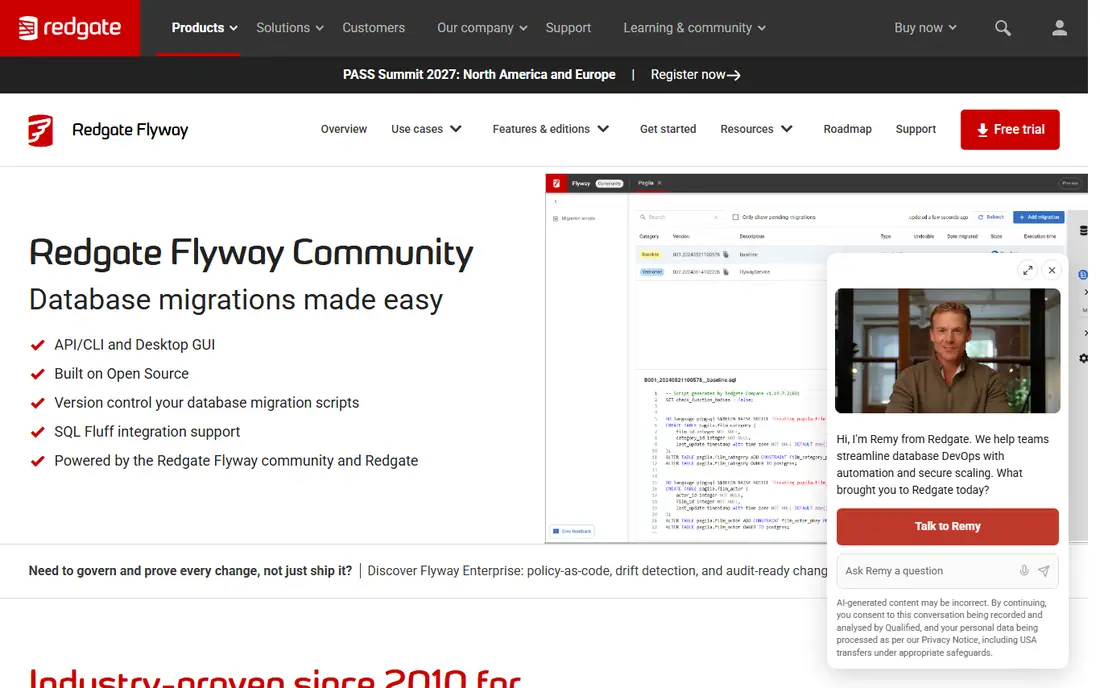
Flyway is the tool to reach for when a team does not want to think hard about schema management. Developers write plain SQL files named V1, V2 and V3, Flyway applies them in order, tracks which ran in a history table, and refuses to run the same one twice. The Community edition is free and covers basic versioned migrations from a CLI or desktop GUI across more than 60 database platforms. Redgate now sells one paid edition, Flyway Enterprise, which adds policy as code checks, drift detection, automatically generated rollback scripts and an audit trail. It is quote only with a free trial, and the old Teams tier no longer appears on Redgate's site. Older reads listing Teams at $295 per user per year are stale and should not be used.
What we like- Simplest model in this guide, supports more than 60 database platforms, huge adoption and community, desktop GUI included in the free edition
Watch out for- Enterprise pricing is quote only with no published rate, Teams tier is legacy and limited to renewals, no declarative desired state mode
#2
Liquibase
Best for: Large enterprises that need governed change across many databases
Visit liquibase.com
Starting priceQuote only for Liquibase Secure; Community is free
Free planCommunity edition free, covering SQL, XML, JSON and YAML changelogs across more than 60 databases
Liquibase is the most established schema management tool for large enterprises. Developers define changes in changelogs written in SQL, XML, JSON or YAML, and Liquibase applies them in order while recording what ran. The Community edition is free and covers more than 60 databases with rollback support. The commercial product, now called Liquibase Secure, adds governance capabilities, with Starter listing 250 database targets and higher tiers listing larger allowances. Secure plans are quote based per plan, and each requires a Professional Services package. Older reads listing Liquibase Pro at $500 per user per year or about $5,000 per year are stale; the vendor no longer publishes those prices.
What we like- Changelog abstraction works across databases, drift detection and rollbacks, preconditions and governance controls, widest enterprise adoption
Watch out for- Paid plans are quote only and require a Professional Services package, Community moved to a source available licence rather than open source, steeper learning curve than Flyway
#3
Atlas
Best for: Teams that want declarative schema as code, Terraform style
Visit atlasgo.io
Starting price$9 per developer per month for Pro, plus $59 per project per month for Pipelines and $39 per database per month for monitoring
Free planStarter free, covering MySQL, MariaDB, PostgreSQL and SQLite
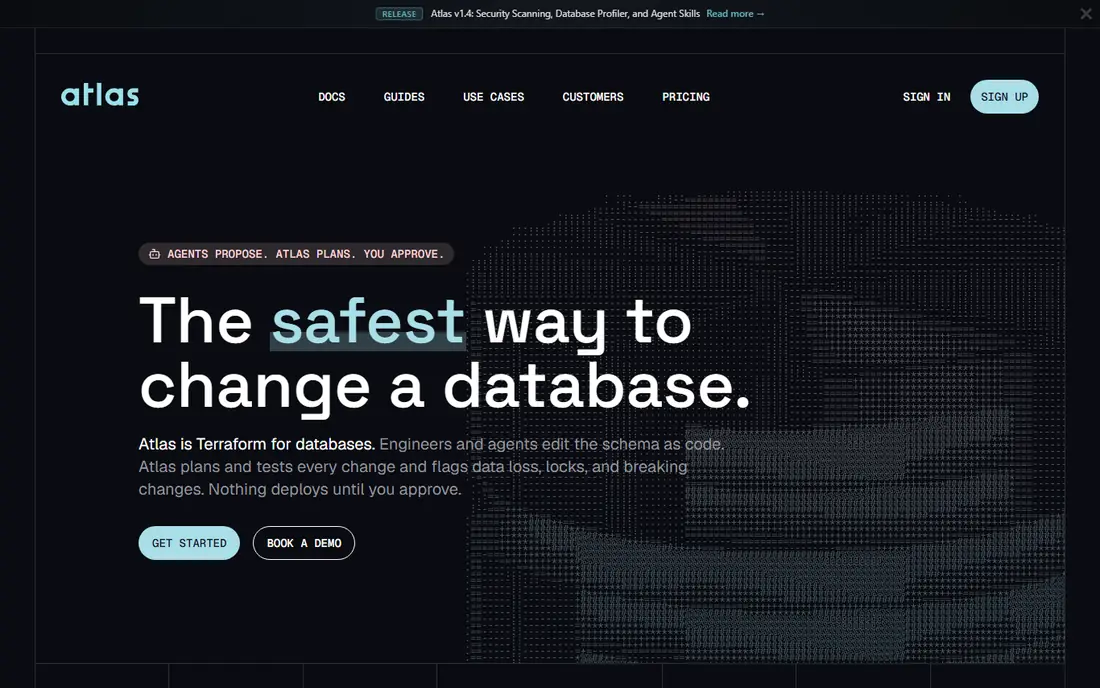
Atlas, built by Ariga, is the most modern take on schema management in this guide. Developers describe the schema they want in HCL, SQL or their ORM models, and Atlas calculates the migration needed to reach it, much like Terraform plans infrastructure changes. The Starter plan is free and covers MySQL, MariaDB, PostgreSQL and SQLite. Pro starts at $9 per developer per month, unlocks SQL Server, Oracle, ClickHouse, Redshift, CockroachDB and more, and adds migration linting, drift detection and schema policy. Pipelines cost $59 per project per month with two target databases included, and schema monitoring is $39 per database per month, so the bill stacks per database and pipeline.
What we like- Declarative workflow computes the migration from a desired state, publishes its prices, CI checks and drift detection, reads ORM models including SQLAlchemy and Django
Watch out for- Usage pricing stacks up per project and per database, paid engines such as SQL Server and Oracle need Pro, younger product than Flyway or Liquibase
#4
Bytebase
Best for: Teams that want database changes reviewed and approved in a web interface
Visit bytebase.com
Starting price$20 per user per month for Pro
Free planCommunity free for up to 20 users and 10 database instances
Bytebase approaches database change from the collaboration side. Instead of a CLI that lives only in pipelines, it gives developers, DBAs and reviewers a shared web interface for submitting schema migrations and data fixes, reviewing them and rolling them out across environments. It supports PostgreSQL, MySQL, SQL Server, Oracle and more than 20 other engines, including MongoDB, Redis and Snowflake. The free Community plan is capped at 20 users and 10 database instances, and Pro at $20 per user per month keeps the 10 instance limit, so larger estates end up on quote based Enterprise.
What we like- Web platform with approval gates and audit logs, more than 200 SQL review rules on all tiers, publishes its per user price, supports 25 engines
Watch out for- Free plan caps at 20 users and 10 instances, approval workflows are an Enterprise feature, adds operational overhead for simple projects
#5
Prisma Migrate
Best for: TypeScript teams already using Prisma ORM
Visit prisma.io
Starting priceFree with Prisma ORM; Prisma Cloud plans from $10 to $129 per month
Free planFree with Prisma ORM
Prisma Migrate is the migration tool for teams that already build on Prisma ORM. Developers define their data model in the Prisma schema file, and Migrate generates the SQL migration, applies it, and keeps a migration history in the database. There is no separate migration language to learn and no extra tool to install, which keeps the workflow short for TypeScript teams. The core workflow is free with Prisma ORM. Prisma's cloud plans, which add collaboration and management features, run from $10 to $129 per month according to third party reads checked in November 2026. The limit is scope: Prisma Migrate only makes sense inside the Prisma ecosystem, and teams on other stacks should pick Flyway, Liquibase or Atlas instead.
What we like- Migrations generated from the Prisma schema, no separate tool to learn, strong TypeScript integration, free for the core workflow
Watch out for- Tied to the Prisma ecosystem, limited database coverage next to Flyway or Liquibase, cloud features add a subscription
Starting priceFree
Free planFree under the MIT licence, no paid tier
Alembic is the standard migration tool for Python teams using SQLAlchemy, and it costs nothing. It generates migrations automatically from ORM model changes, applies them in order, and tracks what ran. Because it is part of the SQLAlchemy project, it understands the models a Python team already writes, and it needs no separate configuration. The licence is MIT and there is no paid tier. The limits are real: it is Python only, it has no web interface, no approval workflow and no drift detection, and its autogeneration does not natively cover views, functions, procedures, triggers, sequences and row level security. Teams that outgrow it usually add Atlas, which reads SQLAlchemy models and adds CI checks and drift detection from $9 per developer per month.
What we like- Native to SQLAlchemy with autogeneration from ORM models, free at any size, simple and stable, no vendor to depend on
Watch out for- Python only, no web interface or approval workflow, no drift detection or policy checks, autogeneration misses some object types
#7
Sqitch
Best for: Teams that want dependency aware raw SQL migrations
Visit sqitch.org
Starting priceFree
Free planFree, open source, no paid tier
Sqitch is the minimalist choice in this guide. It is a free, open source tool for managing database changes with raw SQL, and it plans migrations by dependency rather than by simple numbering, which avoids the merge conflicts that numbered scripts create when two developers add a migration at the same time. It works with PostgreSQL, MySQL, Oracle, SQLite, Firebird, Vertica, Exasol, Snowflake and CockroachDB, and it fits polyglot repositories because the migrations are plain SQL. There is no paid tier and no vendor. The trade off is that Sqitch offers no web interface, no commercial support and no governance features, so teams that need approval workflows or drift detection should look at Bytebase or Atlas instead.
What we like- Free at any size, dependency aware planning instead of simple numbering, works with any SQL and any language, no vendor lock in
Watch out for- No web interface or commercial support, smaller community than Flyway or Liquibase, no drift detection or governance features
#8
DBmaestro
Best for: Regulated enterprises that need database release automation with audit trails
Visit dbmaestro.com
Starting priceQuote only
Free planNo free plan; evaluation through sales
DBmaestro is the enterprise option for organisations where database changes must pass audit. It automates database releases across environments, enforces policy and segregation of duties, and records a full audit trail of who changed what and when. That focus on compliance is its reason to exist: banks, insurers and healthcare providers use it where a failed change has regulatory consequences. The price is quote only, with no published rate and no free tier, so evaluation starts with a sales conversation. Small teams will find the process slow and the price hard to justify, and they are better served by Flyway Community or Atlas Pro. For a regulated enterprise, the audit trail is the feature that matters, and DBmaestro sells it directly.
What we like- Release automation built for regulated industries, strong audit and compliance reporting, covers the full database delivery pipeline
Watch out for- Quote only pricing with no published rate, no free tier for evaluation, enterprise sales process slows small teams, less community content than open source rivals
Frequently asked questions
What is the best free database schema management tool
Flyway Community is the best free schema management tool for most teams, because it covers plain SQL migrations across more than 60 database platforms with no cost and almost no learning curve. Liquibase Community is the best free alternative when the team needs changelog files in several formats or works across many database engines. Python teams should use Alembic, which is free and generates migrations from SQLAlchemy models. The right free tool depends on the language the team already writes.
How much does Flyway Enterprise cost
Flyway Enterprise is quote only, and Redgate does not publish a per user rate. The pricing page lists per user, quote based pricing, but no number. Flyway Community is free and includes the CLI, a desktop GUI and plain SQL migrations for more than 60 database platforms. The old Teams tier, once listed around $295 per user per year, is now legacy and limited to renewals and expansions for existing customers, so new buyers should request an Enterprise quote.
Is Liquibase still open source
Liquibase Community 5.0 and later is distributed under FSL-1.1-ALv2, a source available licence, not an open source licence. Releases in the 4.x line remain under Apache 2.0. The change matters for teams with strict open source policies, and it is one reason some teams prefer Flyway Community or Atlas, whose open source core remains under Apache 2.0. Liquibase Community itself remains free to use, and the Secure plans are quote based.
What is the difference between Atlas and Flyway
Atlas is declarative and Flyway is versioned. With Flyway, developers write numbered SQL scripts and the tool applies them in order. With Atlas, developers describe the desired schema state in HCL, SQL or ORM models, and Atlas computes the migration needed to reach it. Atlas also publishes its prices, with Pro from $9 per developer per month, while Flyway Enterprise is quote only.
Should a small team pay for schema management software
A small team should not pay until it needs governance. Free editions cover the core work: Flyway Community and Liquibase Community handle versioned migrations, and Alembic and Prisma Migrate handle framework native migrations at no cost. Pay when the team needs drift detection, approval workflows or audit trails. At that point Atlas Pro from $9 per developer per month is the cheapest published option, and Bytebase Pro at $20 per user per month adds the web review workflow.
Sources we checked (8)
- https://www.bytebase.com/blog/top-data-management-tools/
- https://www.dbvis.com/thetable/top-database-cicd-and-schema-change-tools-in-2025/
- https://dupple.com/learn/best-database-migration-tools
- https://reverbico.com/blog/top-database-devops-and-schema-migration-tools/
- https://www.edgewisely.com/top-7-database-migration-tools-2026/
- https://www.atlasgo.dev/guides/flyway-vs-liquibase
- https://programcode.net/compare/flyway-vs-liquibase
- https://www.bytebase.com/blog/bytebase-vs-atlas/
Is your product missing or out of date?
We review this list regularly. Vendors can request a listing, send updated pricing or ask about featured placement.

Shihab Mia · Founder, Rankite
Shihab has 5+ years in B2B and SaaS SEO. He writes Rankite's software buying guides from pricing pages, documentation and public user reviews. More about Shihab.