How we make this list: we compare pricing pages, product documentation and public user reviews. Ratings come from G2, Capterra or Trustpilot, with the date we checked them.
Key takeaways
- Tableau is the strongest choice for deep visual exploration, but its per-user cost rises fast once you add many creators.
- Power BI is usually the lowest-cost paid option for teams already using Microsoft 365, and its free desktop app covers basic charting.
- Looker Studio and Metabase are the best free starting points, with Looker Studio fitting Google data and Metabase fitting database-backed teams.
- Qlik Sense suits teams that explore linked data without writing many queries, while Domo and ThoughtSpot suit larger, governed rollouts.
- Price alone is a weak guide here, because viewer seats, data volume, and implementation time change the total bill more than the headline rate.
Quick comparison
| Tool | Best for | Starting price | Free plan |
|---|
 Tableau Tableau | Analysts who explore complex data visually | $15 per user per month | No |
 Microsoft Power BI Microsoft Power BI | Teams already using Microsoft 365 and Excel | See website | Yes |
 Looker Studio Looker Studio | Free dashboards on Google data | Free | Yes |
 Qlik Sense Qlik Sense | Teams exploring linked data across many sources | $30 per user per month | No |
 Metabase Metabase | Small teams that want simple, database-backed dashboards | Free | Yes |
 Domo Domo | Executive dashboards and company-wide reporting | See website | No |
 ThoughtSpot ThoughtSpot | Business users who want to search data in plain language | See website | No |
Is your product missing or out of date?
We review this list regularly. Vendors can request a listing, send updated pricing or ask about featured placement.
#1Tableau
Best for: Analysts who explore complex data visually4.4/5 on
G2 (3,787 reviews, checked Oct 2026)
Visit tableau.com
Starting price$15 per user per month
Free planNo
Tableau has long been the reference point for interactive charts, and its drag-and-drop canvas still makes it easy to filter, drill down, and compare dimensions in one view. Analysts can build dashboards from live connections or extracts, and the calculation language supports the kind of custom measures that simple chart tools cannot handle. For teams with a dedicated analytics group, that depth is the main reason to pay the higher price.
The pricing model needs attention before you sign. Viewer seats start at $15 per user per month on the Standard edition, billed annually, while Explorer seats are $42 and Creator seats are $75. Every deployment needs at least one Creator, so a small team cannot buy viewer seats alone. Budget for training too, because basic dashboards are quick to build and advanced work, such as level-of-detail calculations, takes longer to learn.
What we like- Drag-and-drop visual exploration
- Strong calculation options
- Large community and training resources
Watch out for- Creator seats cost far more than viewer seats
- Annual billing
- Advanced features take time to learn
#2Microsoft Power BI
Best for: Teams already using Microsoft 365 and Excel4.5/5 on
G2 (1,661 reviews, checked Oct 2026)
Visit powerbi.microsoft.com
Starting priceSee website
Free planYes
Power BI starts from a familiar place for most office teams: spreadsheets, shared folders, and Teams channels. The free desktop app lets one person connect data, shape it, and build charts without a paid license, which makes it a practical way to test the tool on a real report. When reports need to be shared widely, paid seats or capacity plans take over, and that is where the cost comparison with other tools should happen.
Its strength is breadth at a modest price. Hundreds of connectors cover common databases, cloud apps, and files, and the built-in AI features, including Copilot, help newer users describe a chart in plain language. The limit is governance at scale, where larger firms often add Fabric capacity and a more formal semantic model. Check the current pricing page before budgeting, since Microsoft has changed Pro pricing in recent years.
What we like- Free desktop app for building reports
- Close Excel and Teams integration
- Low entry cost for many Microsoft shops
Watch out for- Full sharing needs paid seats or capacity
- Some advanced features sit behind higher tiers
- Pricing pages change often
Starting priceFree
Free planYes
Looker Studio is the easiest recommendation for a team that needs a dashboard this week and has no budget for one. It connects directly to Google Sheets, Google Analytics, and BigQuery, and sharing works much like sharing a Google document. Non-technical users can drag fields onto a canvas, add filters, and publish a report without installing software or learning a query language.
That simplicity has a ceiling. Looker Studio is not built for heavy data modeling, and very large or messy data sets can slow a report down. Teams that need strict permissions, version control, or a shared definition of each metric will outgrow it and should look at Looker, the separate Google Cloud product, or another paid platform. For marketing reports, campaign tracking, and small business dashboards, it is often enough on its own.
What we like- Free to use
- Simple sharing with a link
- Native Google Analytics, Sheets, and BigQuery connectors
Watch out for- Weaker for complex data modeling
- Performance varies on large data sets
- Fewer enterprise controls than paid platforms
#4Qlik Sense
Best for: Teams exploring linked data across many sources4.4/5 on
G2 (929 reviews, checked Oct 2026)
Visit qlik.com
Starting price$30 per user per month
Free planNo
Qlik Sense takes a different approach from most chart tools. Its associative engine keeps every value in view, so when you select one filter, related and unrelated values stay visible in different colors. That helps analysts spot gaps and unexpected links that a standard query would hide, and it works well when data comes from several systems at once.
The trade-off is the learning curve for deeper work. Simple dashboards are quick to build, but serious data loading and modeling uses Qlik script, which takes training. Published pricing points to $30 per user per month for the Business tier, with higher tiers quoted for larger deployments. Teams that value exploration over presentation polish, and that have someone comfortable with scripting, tend to get the most from it.
What we like- Associative engine surfaces related values as you click
- Strong data loading and scripting
- Cloud and on-premises options
Watch out for- Scripting has a learning curve
- Interface feels less polished than Tableau
- Premium connectors can add cost
#5Metabase
Best for: Small teams that want simple, database-backed dashboards4.4/5 on
G2 (147 reviews, checked Oct 2026)
Visit metabase.com
Starting priceFree
Free planYes
Metabase earns its place by removing friction. A small team can install the open source version, connect a database, and let non-technical staff ask questions through a visual builder instead of writing SQL. Dashboards, subscriptions, and alerts cover the daily reporting needs of many startups and internal teams, without a sales call or a complex license model.
Paid cloud plans add permissions, single sign-on, and other controls that larger teams need, and recent pricing summaries put cloud Starter at $100 per month for a small group. The open source version remains free to self-host, but that choice means your team owns updates, backups, and security. For teams with engineering support and a clear database source, that trade is usually worth it.
What we like- Open source self-hosted version is free
- Visual query builder needs no SQL
- Fast setup for common databases
Watch out for- Fewer advanced visualization types
- Enterprise features need a paid plan
- Self-hosting adds maintenance work
#6Domo
Best for: Executive dashboards and company-wide reporting4.3/5 on
G2 (1,086 reviews, checked Oct 2026)
Visit domo.com
Starting priceSee website
Free planNo
Domo is built for organizations that want one place where leaders can see sales, operations, and finance without waiting for a weekly report pack. Its connector library covers a wide range of apps and warehouses, and data preparation tools sit inside the platform, so analysts spend less time moving files between systems. Mobile dashboards are a real strength, since executives often check numbers on a phone first.
The main drawback is price transparency. Domo does not publish a simple per-user list price, so you need a quote based on users, data volume, and features. That makes it hard to compare directly with Tableau or Power BI without a sales conversation. It fits best when a company already has several data sources, a clear executive reporting need, and a budget that supports an enterprise platform.
What we like- More than 1,000 connectors
- Built-in data preparation
- Strong mobile and executive dashboard views
Watch out for- Pricing is quote-based, so budgeting is harder
- Smaller teams may find it more than they need
- Implementation can take time
#7ThoughtSpot
Best for: Business users who want to search data in plain language4.4/5 on
G2 (340 reviews, checked Oct 2026)
Visit thoughtspot.com
Starting priceSee website
Free planNo
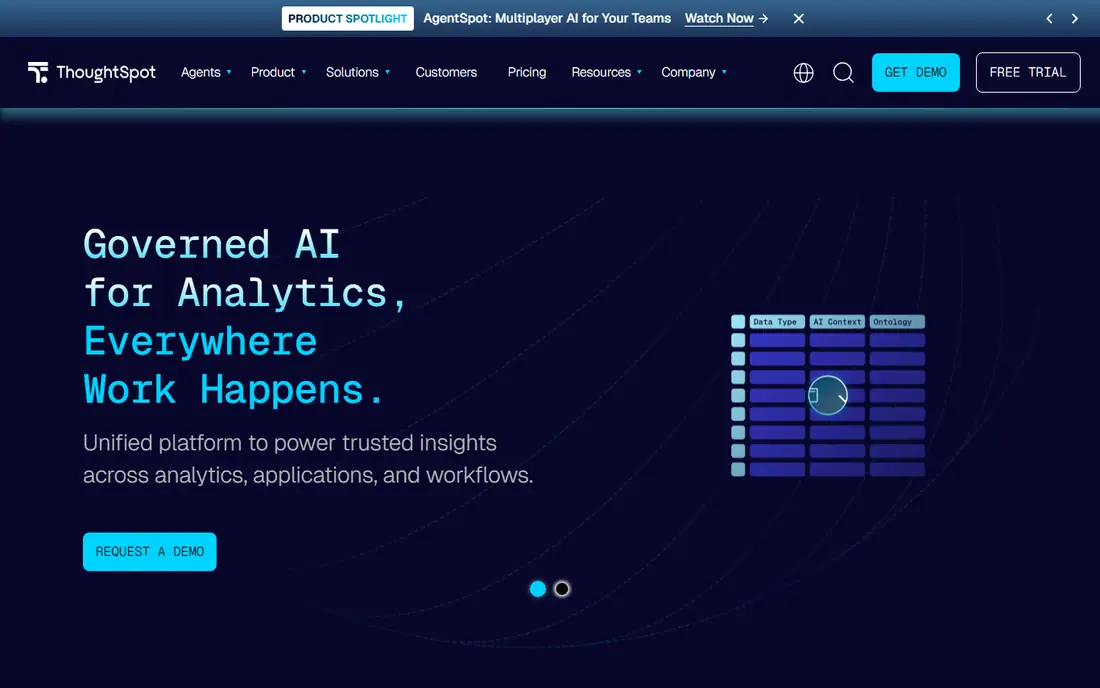
ThoughtSpot changes who can use analytics by letting people type a question and get a chart back, rather than building a dashboard first. Underneath that search box sits a governed model, so the same metric means the same thing for every team that asks about it. That combination appeals to firms where business users ask new questions every day and cannot wait for the data team to build each report.
The cost of that freedom is setup. Defining metrics, joins, and security rules takes careful planning, and pricing is quote-based, so small teams cannot judge the total from a web page alone. ThoughtSpot also fits embedded use cases, where a company wants search-driven charts inside its own product. If your priority is a fixed, print-ready report layout, a traditional dashboard tool may suit you better.
What we like- Search-style interface for asking questions
- Governed metrics keep definitions consistent
- Strong embedded analytics options
Watch out for- Quote-based pricing
- Setup of the semantic model takes planning
- Less suited to pixel-perfect report design
How we chose
We compared vendor pricing pages, product documentation, and public reviews on G2, Capterra, and Reddit, and we weighed features, integrations, and company-size fit for each platform. Price figures in this guide come from vendor pricing pages or recent pricing summaries where the vendor does not publish a list price, and we marked those cases as "See website" rather than guessing a number. We did not claim hands-on testing, and we favored tools that are actively sold today and fit analytics work, not general design or presentation tools.
Start with the people who will build reports and the people who will only read them, because that split drives most of the cost. A team with two builders and fifty readers needs cheap viewer seats, while a team where everyone builds needs a tool with a low author price and a gentle learning curve. List your data sources next, and check that each candidate connects to them without an extra paid connector.
Match the tool to the data
If your data lives in Google Sheets and Analytics, Looker Studio may cover the whole job at no cost. If it lives in a warehouse or a set of databases, Metabase, Power BI, and ThoughtSpot all handle that well, with different strengths in modeling and search. For a mix of sales, finance, and operations data, Domo and Tableau offer the widest connector and preparation options.
Count the full cost
Add viewer and creator seats separately, then add data volume charges, premium connectors, and the time needed for setup and training. A free tool that needs a week of engineering time can cost more than a paid tool that a business user can run alone. Ask each vendor for the price at your actual user count, not the headline rate, and confirm whether billing is monthly or annual before you compare.
Plan for governance
Decide early who defines each metric, who can publish a dashboard, and who can see sensitive data. Small teams can manage this informally, but larger firms need row-level security, version history, and a single definition for revenue and other key measures. Tools with a shared semantic layer, such as ThoughtSpot and Looker, help here, while simpler tools may need stricter manual checks.
Frequently asked questions
What is the best data visualization platform for analytics for beginners?
Looker Studio is the easiest free start for Google data, and Metabase is the easiest start for database data, because both let users build charts without writing code. Power BI is also friendly for Excel users, since its interface and formulas feel familiar. Pick the one that matches your data source, and move to a paid platform only when you hit limits on modeling, permissions, or scale.
Is Power BI really cheaper than Tableau?
In most small and mid-size cases, yes, because Power BI has a free desktop app and lower paid seat costs than Tableau Creator seats. Tableau Viewer seats are cheaper than Creator seats, though, so a team with many readers and few builders can narrow the gap. Compare your exact mix of builders and readers, plus any capacity or Fabric costs, before you decide on price alone.
Can I use a free tool for professional dashboards?
Yes, for many internal and marketing reports, Looker Studio and Metabase produce clean, shareable dashboards that look professional. Free tools have limits on data modeling, advanced permissions, and support, so regulated or very large deployments usually need a paid plan. Test a free tool on one real report first, and check how it handles your largest data set.
What is the difference between Looker Studio and Looker?
Looker Studio is a free reporting tool for building dashboards, mainly from Google sources and spreadsheets. Looker is a separate Google Cloud platform built around LookML, a modeling language that defines metrics once for a whole organization. Small teams usually need only Looker Studio, while large data teams use Looker for governed, large-scale analytics.
Do I need SQL to use these platforms?
No, not for basic dashboards, since every tool here offers a visual builder or search interface for common charts. SQL still helps for complex joins, custom calculations, and data cleaning, and Qlik scripting or Power BI modeling may need extra skills at a deeper level. If no one on your team writes SQL, favor Metabase, Looker Studio, or ThoughtSpot for the first rollout.
Sources we checked (10)
- https://www.tableau.com
- https://www.tableau.com/pricing/cloud
- https://powerbi.microsoft.com
- https://lookerstudio.google.com
- https://www.qlik.com
- https://www.metabase.com
- https://www.domo.com
- https://www.thoughtspot.com
- https://www.holistics.io/blog/self-service-analytics/
- https://betteranalyst.com/blog/best-data-visualization-tools
Is your product missing or out of date?
We review this list regularly. Vendors can request a listing, send updated pricing or ask about featured placement.

Shihab Mia · Founder, Rankite
Shihab has 5+ years in B2B and SaaS SEO. He writes Rankite's software buying guides from pricing pages, documentation and public user reviews. More about Shihab.