How we make this list: we compare pricing pages, product documentation and public user reviews. Ratings come from G2, Capterra or Trustpilot, with the date we checked them.
Key takeaways
- Buildout, which owns the Apto CRM, is the purpose built default for brokerage teams that want property, contact, and deal data in one system.
- ClientLook is the lighter CRE specific option many small brokerages and independent brokers choose for its simplicity.
- Salesforce and HubSpot are the general platforms: powerful and customisable, but you build the commercial real estate model yourself or pay a consultant to.
- CRE deals run on long cycles and relationships, so activity tracking and follow up discipline matter more than marketing automation for most brokerages.
- Pricing is per user and mostly quote based in the CRE specific tools; the general platforms publish theirs.
Quick comparison
| Tool | Best for | Starting price | Free plan |
|---|
 Buildout Buildout | Brokerage teams built around properties | See website | No |
 ClientLook ClientLook | Small brokerages and solo brokers | See website | No |
 Salesforce Salesforce | Firms that will customise heavily | See website | No |
 HubSpot CRM HubSpot CRM | Firms wanting a free start and marketing tools | Free | Yes |
 AscendixRE AscendixRE | Salesforce based CRE overlay | See website | No |
 Zoho CRM Zoho CRM | Budget conscious brokerages | $14 per user per month | Yes |
 Pipedrive Pipedrive | Pipeline focused individual brokers | See website | No |
 REthink CRM REthink CRM | CRE firms on Salesforce | See website | No |
Is your product missing or out of date?
We review this list regularly. Vendors can request a listing, send updated pricing or ask about featured placement.
The best CRM software for commercial real estate
#1Buildout
Best for: Brokerage teams built around properties4.0/5 on
G2 (4 reviews, checked Oct 2026)
Visit buildout.com
Starting priceSee website
Free planNo
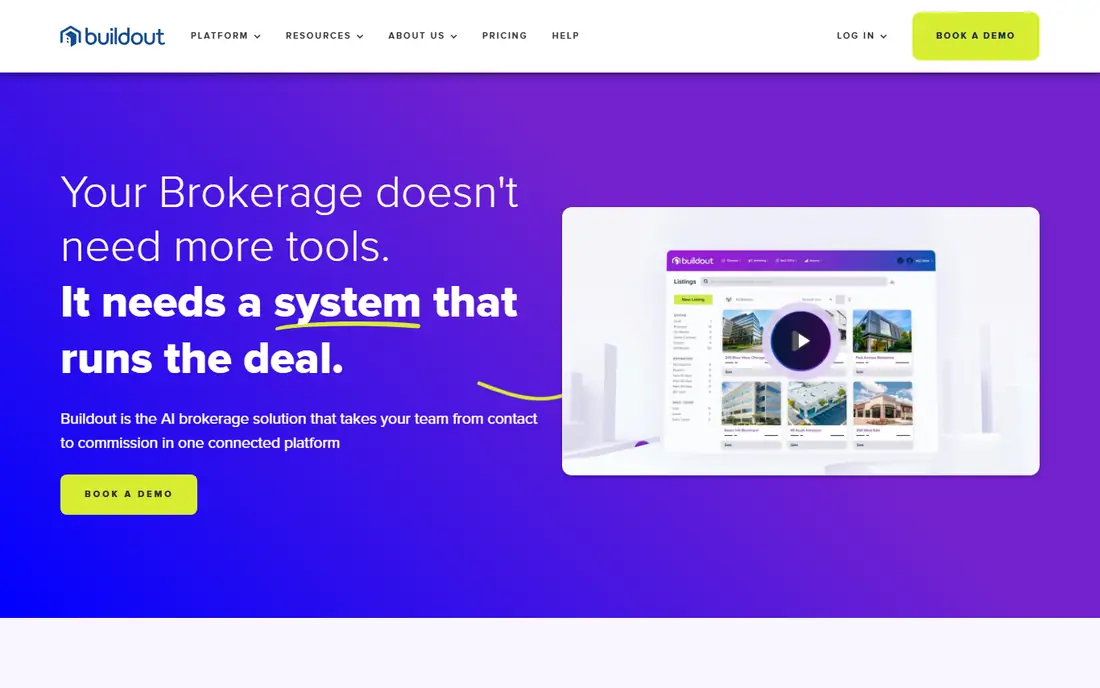
Buildout bought Apto and now sells the strongest CRE specific stack: a CRM where contacts, companies, properties, and deals connect natively, wrapped in the listing marketing tools Buildout was already known for. A broker can move from a property record to its owner, their other holdings, and the last three conversations without leaving the system.
The trade off is platform against price transparency. Everything is quoted, and the pitch assumes you take several modules. Buildout fits established brokerage teams whose book lives in property data and who want CRM and marketing under one roof.
What we like- Combines the Apto CRM with Buildout's marketing and listing tools
- Property database sits inside the CRM
- Deal tracking follows CRE stages
- Built for brokerage workflows specifically
Watch out for- Pricing by quote
- Best value when you use the wider Buildout suite
- Smaller firms may not need the full platform
#2ClientLook
Best for: Small brokerages and solo brokers3.6/5 on
G2 (12 reviews, checked Oct 2026)
Visit clientlook.com
Starting priceSee website
Free planNo
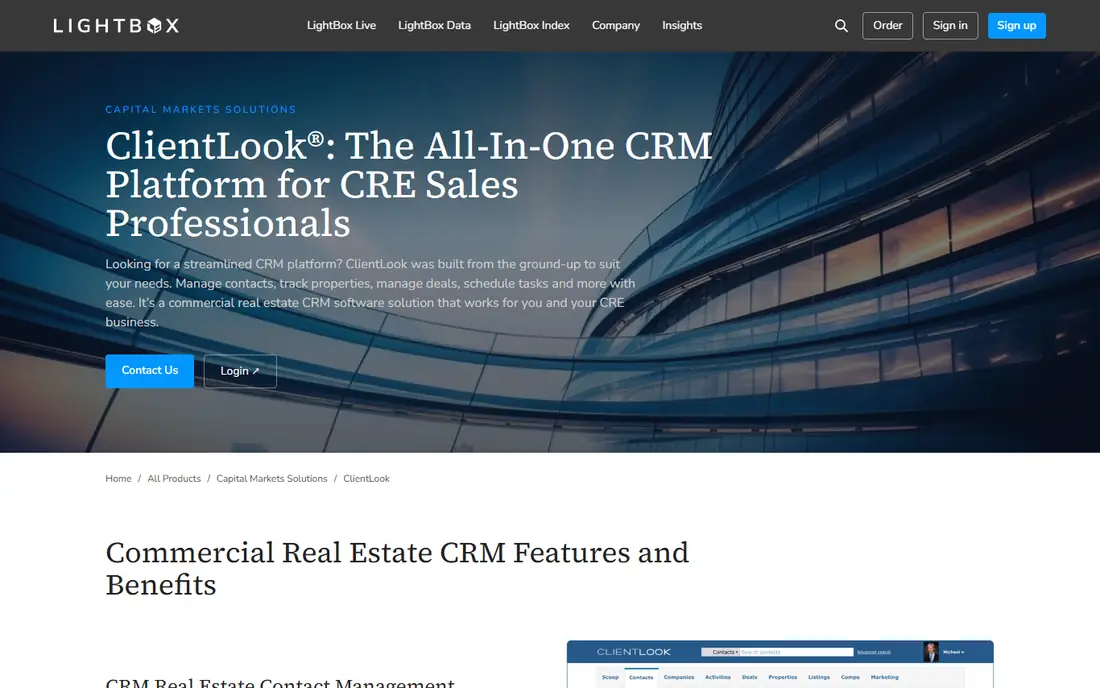
ClientLook, now part of LightBox, is the CRE CRM that small brokerages actually keep using, because it was built narrow: contacts, properties, listings, and activities, with none of the general CRM sprawl. Its back office assistant services, where real people help clean data and log activity, solve the adoption problem that kills most CRM rollouts.
The trade off is simplicity against ceiling. A firm building complex marketing automation or portfolio analytics will outgrow it. ClientLook fits solo brokers and small teams whose priority is a system the whole office will maintain daily.
What we like- Designed only for commercial real estate
- Famously simple to learn
- Virtual assistant services can update your data for you
- Property and listing tracking included
Watch out for- Quote based pricing
- Lighter automation and reporting than big platforms
- Fewer integrations than Salesforce or HubSpot
#3Salesforce
Best for: Firms that will customise heavily4.4/5 on
G2 (27,566 reviews, checked Oct 2026)
Visit salesforce.com
Starting priceSee website
Free planNo
Salesforce is the platform large brokerages and corporate real estate teams standardise on, not because it knows CRE out of the box, but because it can be made to know anything. Properties become custom objects, lease expiries become reports, and every integration a firm needs exists somewhere in the ecosystem.
The trade off is power against project cost. Licences are only the start; configuration, data migration, and an admin are the real budget. Salesforce fits firms past fifty brokers, or with corporate clients demanding enterprise reporting, that can fund a proper build.
What we like- Can be modelled into any CRE process
- Unmatched integration and app ecosystem
- Reporting depth for large firms
- Consultants everywhere
Watch out for- CRE structure must be built or bought as an overlay
- Per user pricing climbs with editions and add ons
- Admin skill is a permanent cost
#4HubSpot CRM
Best for: Firms wanting a free start and marketing tools4.5/5 on
Capterra (4,485 reviews, checked Oct 2026)
Visit hubspot.com
Starting priceFree
Free planYes
HubSpot tempts brokerages with a free CRM that a small team can run today, then grows into marketing automation for listing campaigns and investor newsletters. Properties are handled as custom objects on paid plans, which works, provided someone designs the model carefully at the start.
The trade off is easy entry against scaling cost and modelling work. Seat and tier pricing rises steeply as a firm grows into it. HubSpot fits small and mid size firms whose CRM need is half relationship tracking and half marketing, and who want to start free.
What we like- Free tier is genuinely usable for a small team
- Contact and deal records are easy to learn
- Marketing and email tools in the same platform
- Property tracking via custom objects on paid tiers
Watch out for- CRE data model needs custom objects, which need paid tiers
- Per seat costs climb fast as you scale tiers
- Reporting depth trails Salesforce
Starting priceSee website
Free planNo
AscendixRE answers the Salesforce build problem by selling the build: a CRE application on Salesforce with properties, listings, leases, and comps modelled the way brokers work, including map driven search. Firms get Salesforce power without a year of custom object design.
The trade off is two bills and one platform's complexity. Licence plus overlay plus admin is a serious line item. AscendixRE fits mid size and large brokerages committed to Salesforce that would rather buy the CRE model than commission it.
What we like- Pre built CRE model on Salesforce, including property and comp data
- Map based search over properties and listings
- Built by a firm that specialises in CRE technology
Watch out for- You pay for Salesforce plus the overlay
- Still a Salesforce admin commitment
- Quote based pricing
#6Zoho CRM
Best for: Budget conscious brokerages4.1/5 on
G2 (2,952 reviews, checked Oct 2026)
Visit zoho.com
Starting price$14 per user per month
Free planYes
Zoho is the value generalist: a capable CRM at a fraction of Salesforce money, with a free tier for tiny teams and standard plans reported from $14 per user per month. A brokerage can add a properties module and deal pipelines tuned to leasing or investment sales without a consultant.
The trade off is price against polish and guidance. You design the CRE model yourself, and nobody at Zoho will tell you how a brokerage pipeline should look. Zoho fits cost driven small brokerages with one organised person willing to set the system up properly.
What we like- Published pricing from $14 per user per month
- Free tier for up to three users
- Custom modules can model properties
- Part of a wide, cheap business suite
Watch out for- CRE structure is DIY
- Interface and support get mixed reviews
- Advanced automation needs higher tiers
#7Pipedrive
Best for: Pipeline focused individual brokers4.3/5 on
G2 (5,034 reviews, checked Oct 2026)
Visit pipedrive.com
Starting priceSee website
Free planNo
Pipedrive is built around the pipeline and the next activity, which is exactly the discipline long CRE cycles punish you for losing. Brokers who live in it keep every deal moving because the tool asks, daily, what the next step is. Properties are handled through custom fields and deal records rather than a real property database.
The trade off is focus against data model. There are no comps, no stacking plans, and no property relationships. Pipedrive fits individual brokers and small teams whose business is a pipeline of deals and whose property data lives in a separate research tool.
What we like- The clearest pipeline view in general CRM
- Activity reminders keep long cycles alive
- Simple enough that brokers actually use it
- Strong mobile app
Watch out for- No property data model, properties live in deals or custom fields
- Pricing restructured in 2026, check current plans
- Marketing tools are add ons
Starting priceSee website
Free planNo
REthink is the other established way to buy CRE on Salesforce: a managed application that models properties, spaces, listings, and deals for brokerage and occupier work. Like AscendixRE it removes the blank page problem, and it adds workflows aimed at firms that also manage property.
The trade off mirrors its rival: capability in exchange for platform commitment and cost. REthink fits brokerages standardised on Salesforce that want a vendor maintained CRE layer rather than their own custom build.
What we like- CRE native application built on Salesforce
- Covers brokerage, and property management workflows
- Deal and lease tracking designed for CRE
- Backed by a real estate focused vendor
Watch out for- Salesforce licences required underneath
- Quote based pricing
- Smaller user community than the general platforms
How we chose
We compared the CRMs commercial real estate firms actually run, checking how each handles the CRE data model: properties, listings, leases, comps, and the people attached to them. CRE specific tools rank above general platforms unless customisation budget is assumed. We recorded published pricing where it exists, Zoho and HubSpot, and wrote See website for the quote based majority. We excluded residential real estate CRMs, whose models do not translate to commercial work.
How to choose a CRM for commercial real estate
Start with the data model, not the demo. Ask each vendor to show a property record connected to its owner, its tenants, its lease expiry, and your last three touches with each party. CRE specific tools do this natively; general platforms do it after a build, and the build is a cost to price into the comparison honestly. Next, judge adoption: the best CRE CRM is the one brokers update after every call, so trial with two sceptical brokers, not two enthusiasts. Count the total: licences, overlay or configuration, data migration from spreadsheets and old systems, and the admin hours per month forever. Finally, check the integrations your firm cannot drop: listing platforms, email, and your accounting or commission system. A CRM that holds clean property and relationship data compounds in value every year of a long deal cycle; one that is abandoned by spring is the most expensive option on this list at any price.
Frequently asked questions
What makes a CRE CRM different from a normal CRM?
The data model. A commercial system tracks properties, listings, leases, and comps as first class records linked to people and companies. General CRMs track contacts and deals and need custom objects to approximate property relationships.
How much does CRE CRM software cost?
CRE specific tools such as Buildout and ClientLook price by quote per user. General platforms publish more: Zoho from $14 per user per month and HubSpot free to start, while Salesforce pricing depends on edition. Add configuration and migration to any figure before comparing.
Should a small brokerage buy Salesforce?
Usually not first. Salesforce pays off when a firm can fund configuration and an admin. Small brokerages typically get more from ClientLook, Buildout, or HubSpot, and can migrate later with their data model already learned.
Can a CRM track lease expiries and comps?
Yes, in CRE specific tools natively and in general platforms with custom objects or overlays such as AscendixRE and REthink. Lease expiry tracking with automatic reminders is one of the highest value reports in brokerage, because it surfaces next year's deal flow.
How long does implementation take?
A CRE specific tool can be live in weeks once data is imported. A Salesforce build with overlays or custom modelling runs months. In both cases the slow part is cleaning the spreadsheet and inbox data you already hold, not the software.
What integrations matter most for a brokerage CRM?
Email and calendar first, because activity logging must be effortless, then listing and marketing platforms, and then commission and accounting tools. If brokers must leave their inbox to log a call, the data will not be logged.
Sources we checked (0)
Is your product missing or out of date?
We review this list regularly. Vendors can request a listing, send updated pricing or ask about featured placement.

Shihab Mia · Founder, Rankite
Shihab has 5+ years in B2B and SaaS SEO. He writes Rankite's software buying guides from pricing pages, documentation and public user reviews. More about Shihab.