How we make this list: we compare pricing pages, product documentation and public user reviews. Ratings come from G2, Capterra or Trustpilot, with the date we checked them.
Key takeaways
- Scratch is the best coding tool for most kids, because it is free, creative, and used by millions of children worldwide.
- Code.org is best for a structured path, with a full curriculum from kindergarten through high school.
- ScratchJr suits children ages 5 to 7, since it uses picture blocks and needs no reading.
- Tynker is best for moving from blocks to real Python and JavaScript, with game-based lessons kids enjoy.
- CodeCombat and Swift Playgrounds suit older kids ready for typed code.
- Blockly Games and Kodable are good extra options for puzzles and early logic.
- Parents should supervise accounts, check privacy settings, and review what data each tool collects from children.
Quick comparison
| Tool | Best for | Starting price | Free plan |
|---|
 Scratch Scratch | Creative block coding for ages 8 and up | Free | Yes |
 Code.org Code.org | Structured K-12 curriculum | Free | Yes |
 ScratchJr ScratchJr | Ages 5 to 7, no reading needed | Free | Yes |
 Tynker Tynker | Blocks to Python and JavaScript | $120 per year | Yes |
 CodeCombat CodeCombat | Game-based typed Python and JavaScript | Free | Yes |
 Blockly Games Blockly Games | Free logic puzzles for beginners | Free | Yes |
 Swift Playgrounds Swift Playgrounds | Real Swift on Apple devices | Free | Yes |
 Kodable Kodable | Early logic for ages 4 to 10 | See website | Yes |
Is your product missing or out of date?
We review this list regularly. Vendors can request a listing, send updated pricing or ask about featured placement.
Starting priceFree
Free planYes
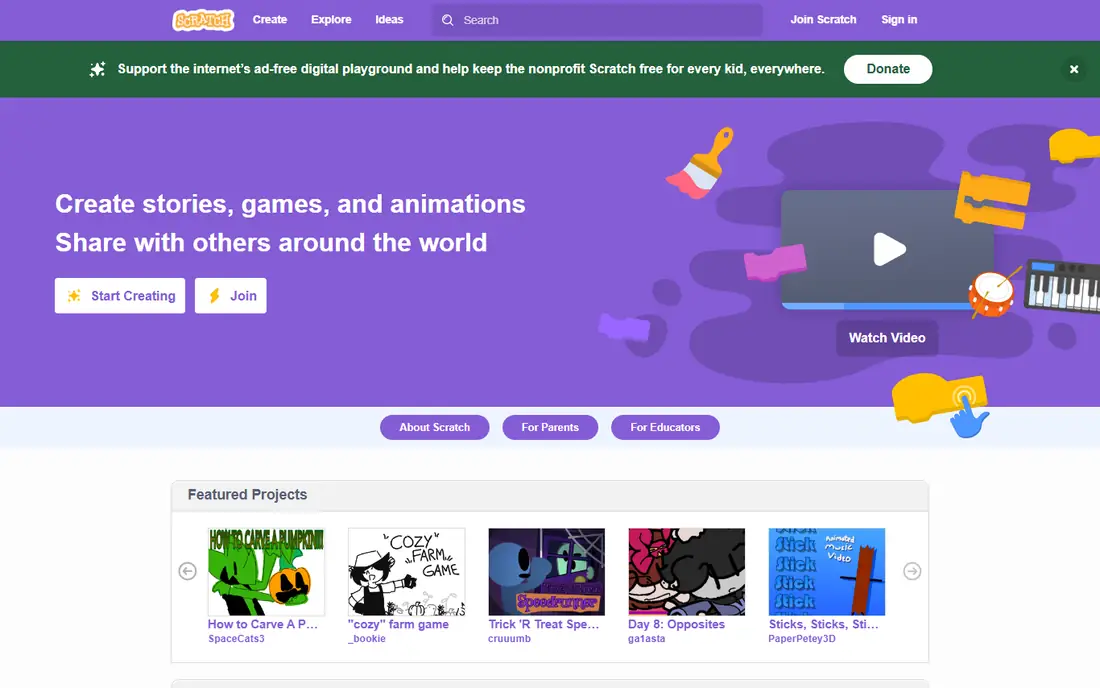
Scratch, from MIT, is the most popular coding tool for kids in the world. Children snap together color-coded blocks to make animations, games, and interactive stories, without typing code or worrying about syntax errors. The community shares millions of projects, so kids can study how others built a game and remix it into their own work. Scratch runs in a browser on Windows, Mac, and Chromebooks, and an offline app is available too.
The main limits are the path forward and supervision. Scratch does not teach typed code directly, so older kids will eventually need another tool for Python or JavaScript. Community projects are shared by other users, so parents should check sharing settings and supervise what children browse. For a free, creative start to coding, Scratch is hard to beat.
What we like- Completely free
- Huge project community
- Runs in any browser
Watch out for- Limited path to typed code
- Community content needs supervision
- No mobile app
Starting priceFree
Free planYes
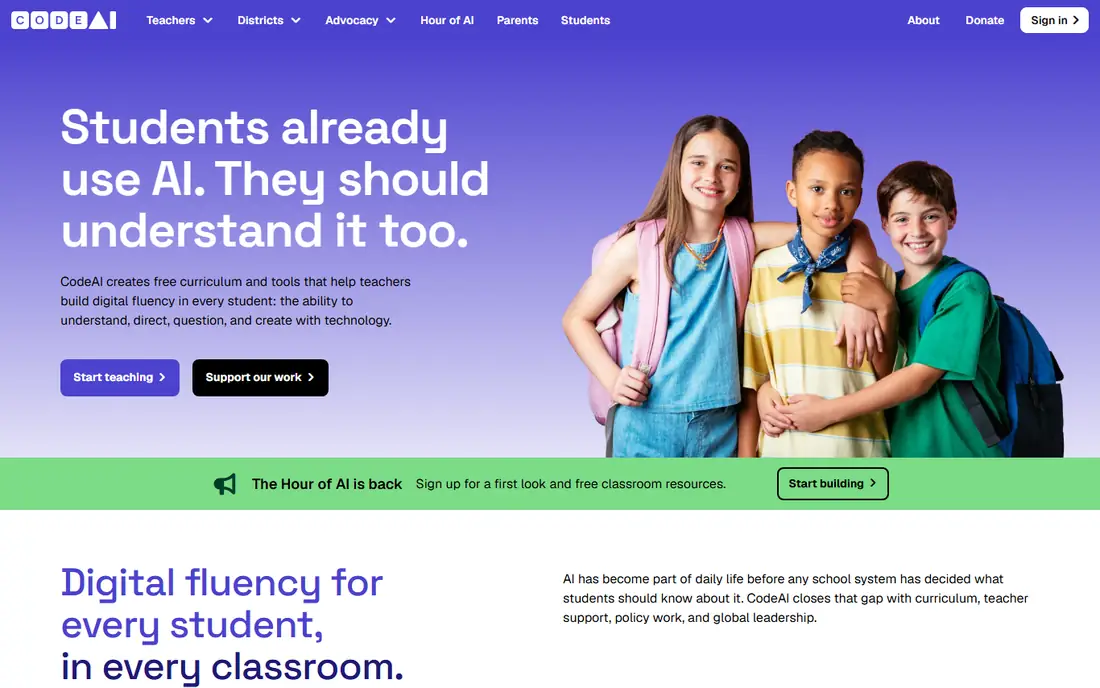
Code.org is a nonprofit with a full computer science curriculum from kindergarten through grade 12. Its Hour of Code activities use popular themes like Minecraft and Star Wars to draw beginners in, and the structured courses teach loops, conditionals, debugging, and functions step by step. Teachers get lesson plans and progress tracking, which makes it a strong pick for schools as well as home use. Note that Code.org renamed itself CodeAI in mid-2026, though the curriculum and site remain the same.
Some lessons can feel school-like compared with the open creativity of Scratch, and a few activities feel dated. The jump from block lessons to typed JavaScript and Python can also feel steep for some students. For parents who want a clear, guided path rather than open play, Code.org is the best free option.
What we like- Full free curriculum
- Popular themed lessons
- Teacher resources included
Watch out for- Can feel school-like
- Some content feels dated
- Jump to typed code can be steep
Starting priceFree
Free planYes
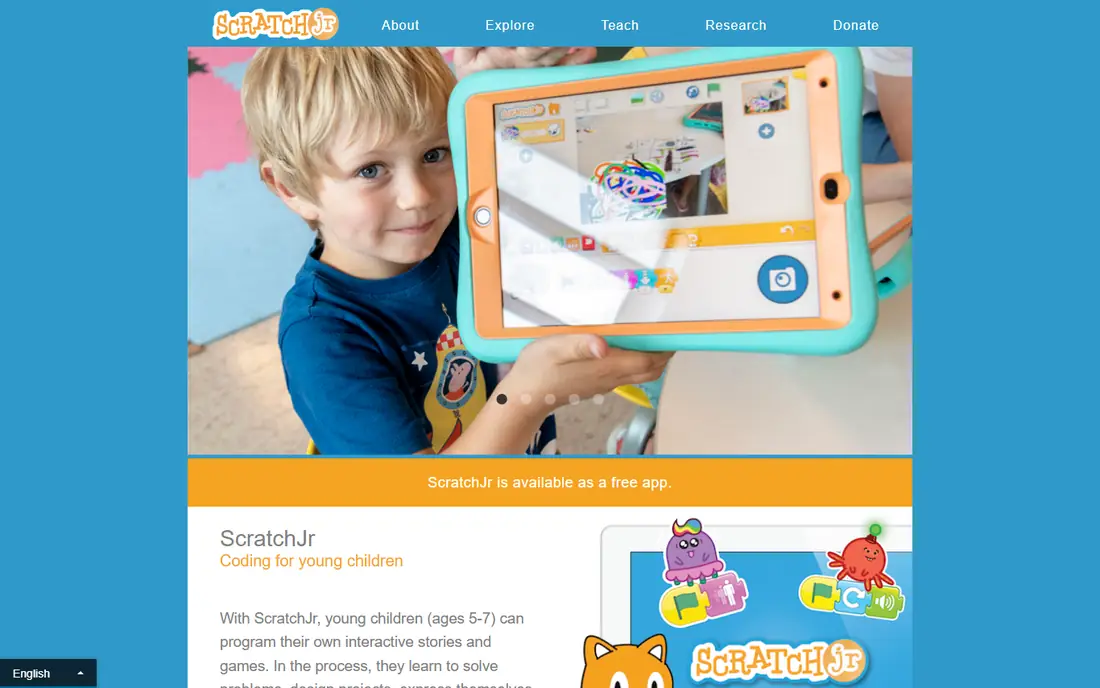
ScratchJr is a simplified version of Scratch built for children ages 5 to 7. Kids snap together picture blocks to make characters move, jump, dance, and sing, which teaches sequencing and cause and effect without reading. It runs on iPad and Android tablets, and it is completely free.
The limits are clear. ScratchJr is tablet only, and its features are basic, so children usually outgrow it within a year or two and move to Scratch. For a first coding experience before a child can read well, ScratchJr is the right starting point.
What we like- Built for young children
- Picture blocks need no reading
- Completely free
Watch out for- Tablet only
- Very basic
- Children outgrow it fast
Starting price$120 per year
Free planYes
Tynker teaches coding through game-like puzzles and projects, starting with visual blocks and moving to Python and JavaScript. Kids can build games, apps, and Minecraft mods, which keeps motivation high. A parent dashboard tracks progress, and the course library covers ages 5 to 18. A free tier offers starter lessons, while paid plans open the full library.
The paid plans cost more than free options like Scratch and Code.org, and the free tier is limited. Some users report occasional bugs in lessons. For families willing to pay for a guided path from blocks to real languages, Tynker is one of the best choices.
What we like- Smooth path from blocks to real code
- Minecraft modding
- Game-based lessons
Watch out for- Paid plans needed for full library
- Free tier is limited
- Some lessons feel buggy
Starting priceFree
Free planYes
CodeCombat teaches real Python and JavaScript through a role-playing game. Players type code to move their hero, fight enemies, and solve levels, which makes typed syntax feel like play rather than homework. The first levels are free, and a premium plan opens the full game and more languages. Teachers get classroom tools and progress tracking.
The premium plan costs about $10 per month, and the game focus can distract children who just want to play rather than learn. CodeCombat runs in a browser, so it works on Chromebooks. For kids ready to move from blocks to typed code, CodeCombat is an engaging next step.
What we like- Real typed code in a game
- Strong progression
- Classroom tools included
Watch out for- Premium needed for full levels
- Game focus may distract some kids
- Web only
Starting priceFree
Free planYes
Blockly Games is a free set of puzzle games that teach programming logic with blocks. Players solve mazes, draw pictures, and build programs that grow more complex across levels. The games are open source, run in a browser, and can be downloaded for offline use. There are no accounts, which also means no data collection from children.
The trade off is depth and tracking. There are no accounts or progress reports, and the puzzles end sooner than a full course. The design is plain compared with Tynker or CodeCombat. For a free, no-signup introduction to logic and loops, Blockly Games is an excellent extra tool.
What we like- Completely free and open source
- Puzzle-based learning
- Works offline
Watch out for- No accounts or progress tracking
- Limited depth
- Plain design
Starting priceFree
Free planYes
Swift Playgrounds, from Apple, teaches real Swift programming through interactive puzzles and projects on iPad and Mac. Lessons cover functions, parameters, types, and object-oriented basics, and students can build real apps. The app is completely free and very polished.
The main limit is platform. Swift Playgrounds only runs on Apple devices, so Chromebook and Windows families cannot use it. It also suits ages 10 and up better than younger children, and Swift is less widely used than Python. For families with iPads or Macs and a child ready for real code, Swift Playgrounds is a top free pick.
What we like- Teaches real Swift
- High-quality lessons
- Completely free
Watch out for- Apple devices only
- Best for ages 10 and up
- Swift is less common than Python
Starting priceSee website
Free planYes
Kodable teaches early programming logic to children ages 4 to 10 through drag-and-drop commands that later lead toward JavaScript. Lessons progress gently from simple sequences to conditions and functions, and the design suits young learners. A free trial is available, and schools use Kodable widely.
Full access needs a paid plan, and pricing varies, so check the site for current home pricing. Older kids will outgrow Kodable faster than Scratch or Tynker. For a gentle, school-friendly start for young children, Kodable is a solid choice.
What we like- Built for young children
- Gentle progression
- School friendly
Watch out for- Paid plans for full access
- Less depth for older kids
- Pricing varies by plan
How we chose
We compared age fit, learning path, price, device support, and privacy approach. Tools that are free and run in a browser scored well, since they work for the most families. We favored tools with a clear path from blocks to typed code, and noted where paid plans are needed. We did not test any tool hands-on with children, and prices reflect published rates that vendors change often.
Buying guide: what to check before you pay
Start with age and reading level. Picture blocks suit ages 5 to 7, drag-and-drop blocks suit ages 8 to 12, and typed code suits ages 10 and up. Next, check devices, since some tools are Apple only or tablet only. Try free tools first, since Scratch and Code.org cover a great deal before any payment is needed. Check privacy settings carefully: review what data the tool collects, whether children can share projects publicly, and whether chat or community features can be limited. Finally, watch for motivation, since the best tool is the one your child actually wants to open. Short, regular sessions work better than long, forced ones, and celebrating finished projects keeps interest alive. A game-based tool that holds attention beats a stricter course that sits unused.
Frequently asked questions
What age should kids start coding?
Children can start with picture-block tools like ScratchJr at ages 5 to 7. Block coding with Scratch or Code.org suits ages 8 to 12, while typed code with CodeCombat or Swift Playgrounds usually suits ages 10 and up.
Are free coding tools for kids good enough?
Yes, Scratch and Code.org are excellent and completely free, and they cover years of learning. Paid tools like Tynker add structure and a path to real languages, but they are not required to start.
Do kids need a computer, or will a tablet work?
Browser tools like Scratch and Code.org work on Chromebooks and computers, while ScratchJr is tablet only and Swift Playgrounds needs an Apple device. Check device support before you choose.
Is it safe for kids to share projects online?
Sharing can be safe with supervision and private settings, but parents should review community features, limit public sharing, and check what personal data appears in a child profile.
What comes after Scratch?
After Scratch, kids usually move to typed code with CodeCombat for Python or JavaScript, Swift Playgrounds for Swift, or Tynker for a guided bridge from blocks to text.
Sources we checked (0)
Is your product missing or out of date?
We review this list regularly. Vendors can request a listing, send updated pricing or ask about featured placement.

Shihab Mia · Founder, Rankite
Shihab has 5+ years in B2B and SaaS SEO. He writes Rankite's software buying guides from pricing pages, documentation and public user reviews. More about Shihab.