How we make this list: we compare pricing pages, product documentation and public user reviews. Rankite is independent; if a vendor ever pays for a featured spot, that listing is clearly labeled Partner.
Key takeaways
- ChiroTouch leads on market share with 12,500 plus practices, while Jane wins on ease of use for multidisciplinary clinics.
- ChiroSpring and ClinicMind (formerly Genesis) compete on AI-assisted SOAP notes that cut charting time significantly.
- Platinum bundles EHR, CRM and marketing in one operating system, which suits growth-focused practices.
- Eclipse offers both cloud and Windows-based options with no contracts, a rarity in this market.
- Most vendors do not publish prices: expect a demo and a custom quote, and ask about onboarding fees upfront.
Quick comparison
| Tool | Best for | Starting price | Free plan |
|---|
 ChiroTouch ChiroTouch | Established practices that want the most widely adopted platform | See website (custom quote) | No |
 Jane Jane | Multidisciplinary clinics that value simplicity and support | See website | No |
 ChiroSpring ChiroSpring | Practices that want customizable software with AI documentation | See website | No |
 ClinicMind ClinicMind | Practices that want billing and EHR truly unified | See website | No |
 Platinum Platinum | Clinics that want to run and grow the practice in one system | See website | No |
 Eclipse Eclipse | Practices that want flexibility without long-term contracts | See website | No |
 ChiroUp ChiroUp | Chiropractors who want evidence-based care protocols built in | See website | No |
Is your product missing or out of date?
We review this list regularly. Vendors can request a listing, send updated pricing or ask about featured placement.
The best chiro software
Picture a chiropractor finishing her last patient at 6 PM, then spending two more hours on SOAP notes, billing and tomorrow's schedule. The right chiro software gives her those evenings back. The wrong one adds another login to fight with. These seven tools cover the real chiropractic software market, from the dominant EHR platforms to newer options built around AI documentation and evidence-based care.
#1
ChiroTouch
Best for: Established practices that want the most widely adopted platform
Visit chirotouch.com
Starting priceSee website (custom quote)
Free planNo
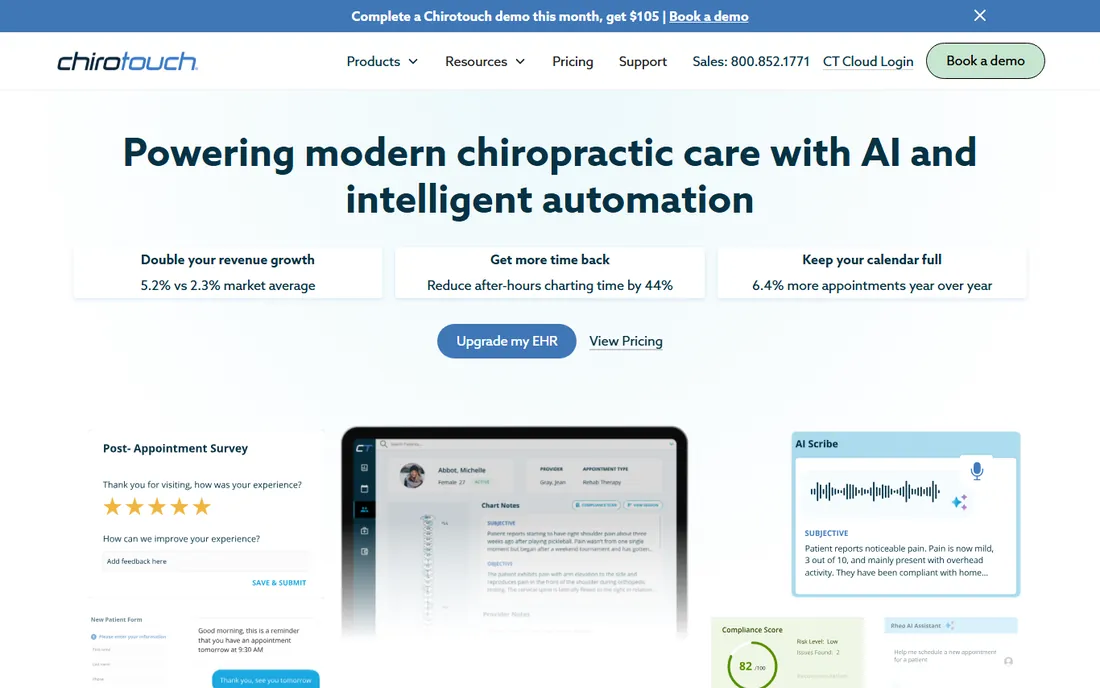
ChiroTouch is the incumbent. With nearly 25 years in chiropractic and the largest installed base, it is the safe choice for practices that want a vendor unlikely to disappear. The platform covers scheduling, EHR charting, billing, payments and patient engagement in one system. The AI Scribe feature, which turns conversation into structured SOAP notes, addresses the charting burden that drives most software purchases.
The trade-off for market leadership is opacity on pricing and a sales-led buying process. You will book a demo and get a custom quote; there are no published tiers to compare. Practices also note that the depth of features comes with a learning curve. But if you want the platform most of your peers already use, ChiroTouch is it.
What we like- Largest user base with 12,500 plus practices and 36,000 providers
- AI Scribe captures clinical notes in seconds
- Integrated payments and claim cycle management
Watch out for- Pricing is quote-only with no public tiers
- Implementation can be lengthy for larger practices
- Some users report the interface feels dense
#2
Jane
Best for: Multidisciplinary clinics that value simplicity and support
Visit jane.app
Starting priceSee website
Free planNo

Jane takes a different approach: instead of building only for chiropractors, it serves health and wellness clinics broadly, with strong adoption among chiros, physios and massage therapists. The result is a cleaner, more modern interface than most chiro-native tools, with scheduling, charting, billing and patient communication in one connected system. The support team is consistently praised by users.
The compromise is specificity. Jane lacks some chiropractic-specific workflows like advanced SOAP macros or chiro billing rules that the native tools include. Pricing is per practitioner, which adds up for larger teams. But for a multidisciplinary clinic, or a chiro practice that prioritizes ease of use over chiro-specific depth, Jane is the most pleasant software to run daily.
What we like- Intuitive interface that staff learn quickly
- Strong patient online booking and intake
- Highly rated human support team
Watch out for- Not chiropractic-specific, so some chiro workflows need workarounds
- Pricing scales per practitioner
- Advanced billing features are lighter than chiro-native tools
#3
ChiroSpring
Best for: Practices that want customizable software with AI documentation
Visit chirospring.com
Starting priceSee website
Free planNo

ChiroSpring positions itself as the flexible alternative to the big incumbents. The platform emphasizes customization: templates, macros and workflows adapt to how your practice actually works, rather than forcing you into a rigid structure. AI is built into documentation, billing and scheduling, with natural-language note generation and claim-risk surfacing.
Reviewers consistently highlight the support team, which matters when you are customizing heavily. The downside of flexibility is setup time; a fully tailored system takes longer to configure than an out-of-the-box one. And as a smaller vendor, ChiroSpring cannot match ChiroTouch's ecosystem. But for practices that want software shaped to their workflow, ChiroSpring delivers.
What we like- Highly customizable templates, macros and workflows
- AI turns conversation into structured notes
- Strong ratings for customer support
Watch out for- Smaller vendor than ChiroTouch with less market presence
- Pricing requires a demo
- Customization depth means longer initial setup
Starting priceSee website
Free planNo

ClinicMind is the new name for Genesis Chiropractic Software, rebuilt around a simple idea: documentation and billing should be one workflow, not two systems. When SOAP notes feed clean data directly into claims, denials drop and reimbursements accelerate. The platform adds AI-powered note generation, patient engagement tools and multi-location management on top of the Genesis foundation.
The rebrand is recent, so longtime Genesis users are still adjusting. Pricing remains quote-based, and the full ClinicMind platform bundles services like credentialing and virtual front desk that solo practices may not need. But for practices where billing headaches drive the software search, the integrated revenue cycle is the strongest argument here.
What we like- Integrated billing feeds directly from clinical documentation
- AI SOAP notes cut charting time significantly
- ONC-certified with multi-location support
Watch out for- Recent rebrand from Genesis may confuse
- Pricing is quote-based
- The full platform includes services some practices may not need
Starting priceSee website
Free planNo

Platinum reframes chiropractic software as a practice operating system, not just an EHR. Beyond charting, scheduling and billing, it includes CRM, reputation management, social media, SEO and patient engagement. The pitch is that a clinic should not need five vendors; one system runs the practice and grows it. With over 30 years in chiropractic and 1,500 plus active clinics, the vendor has staying power.
The breadth is also the risk. A solo practitioner who just needs SOAP notes and billing may find the marketing modules unnecessary. Pricing is not published, so you are entering a sales process. But for a growth-minded clinic that wants patient acquisition and retention in the same system as clinical care, Platinum is the most complete package.
What we like- Combines EHR, CRM, marketing and payments in one operating system
- AI tools for scribe, posture analysis and patient communication
- 30 plus years in chiropractic
Watch out for- All-in-one scope may be overkill for simple practices
- Pricing not published
- The marketing features add cost if you only need clinical tools
Starting priceSee website
Free planNo
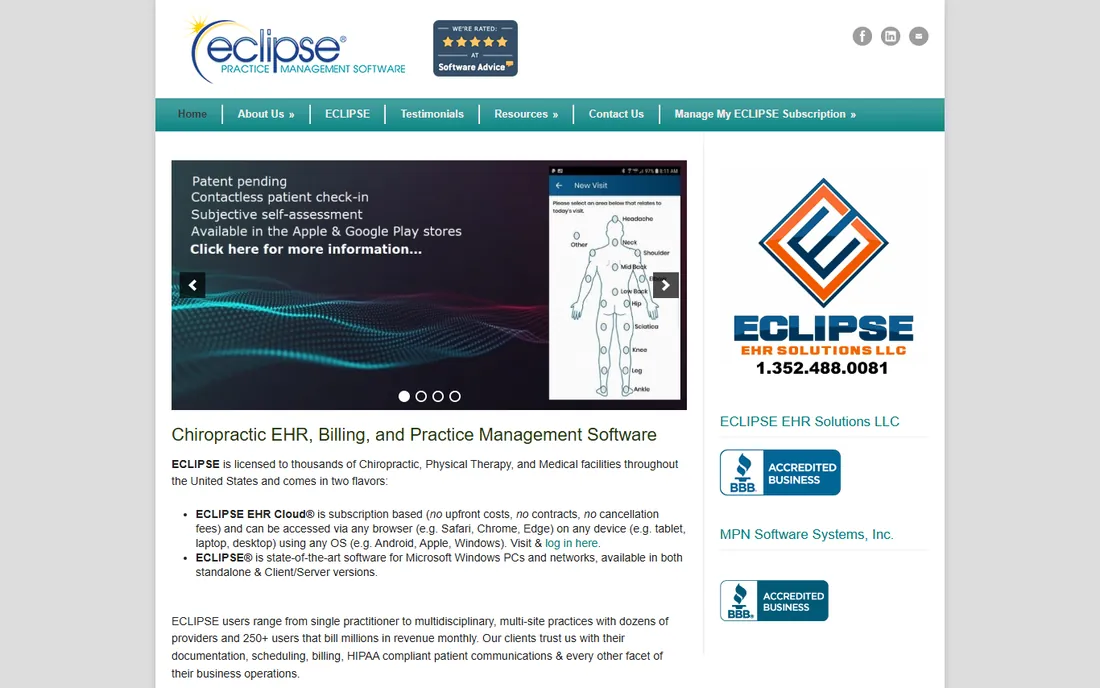
Eclipse, from MPN Software Systems, has served chiropractic, physical therapy and medical practices since the 1980s. The standout policy is contractual: the cloud version has no upfront costs, no contracts and no cancellation fees, which is rare in a market where competitors lock you into annual terms. Practices range from solo to multi-site with dozens of providers.
The software shows its age in the interface, which prioritizes function over modern aesthetics. Pricing is not published. But for a practice that values contractual freedom and a vendor with decades of stability, Eclipse offers a low-risk entry point with the option to scale.
What we like- No contracts and no cancellation fees on the cloud version
- Available for both cloud and Windows networks
- Decades of independent survey recognition
Watch out for- Interface reflects its long history rather than modern design
- Pricing not published
- The Windows version ties you to on-premise infrastructure
#7
ChiroUp
Best for: Chiropractors who want evidence-based care protocols built in
Visit chiroup.com
Starting priceSee website
Free planNo
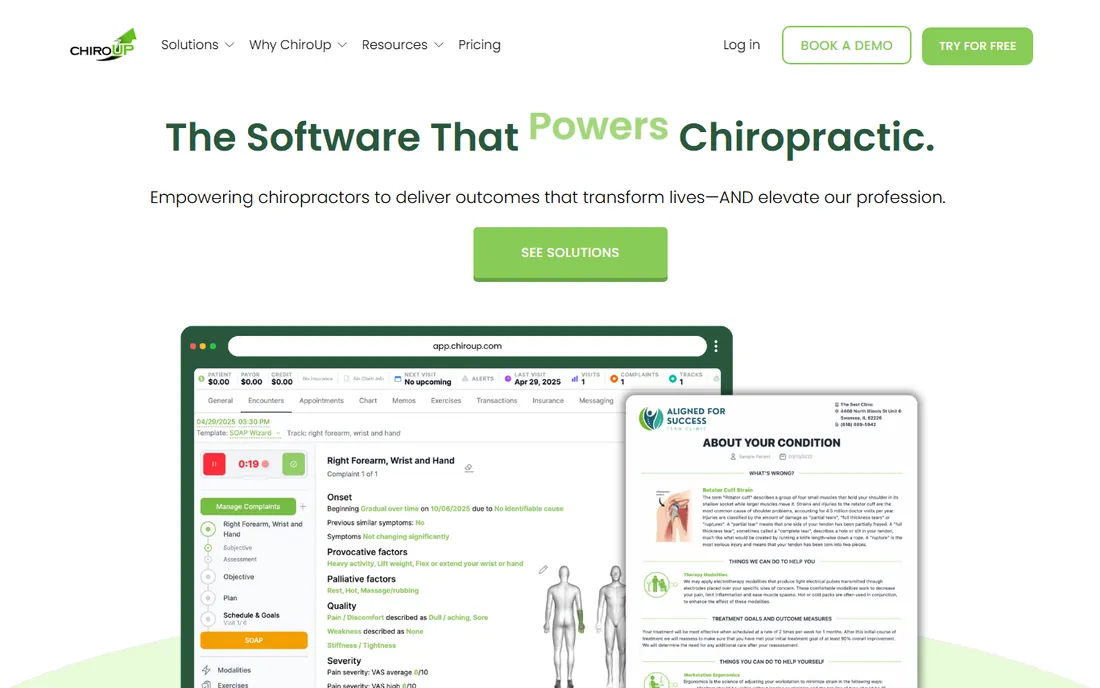
ChiroUp started as a clinical resource, providing evidence-based protocols, diagnostics and patient education to chiropractors. The newer ChiroUp EHR extends that into a full practice management system, built by chiropractors around how they actually think and treat. The combination of clinical guidance and documentation in one platform is unique.
As an EHR, ChiroUp is younger than the incumbents, with a smaller installed base. The Essentials product (protocols and education) and the EHR are separate, so you may pay for both. And the full EHR is currently US-only. But for a chiropractor who wants the software to make them a better clinician, not just a faster documenter, ChiroUp is the only option built around that goal.
What we like- Evidence-based condition protocols and patient education built in
- EHR designed by chiropractors for chiropractic workflows
- Strong community and educational resources
Watch out for- Newer EHR with a smaller user base than incumbents
- Essentials and EHR are separate products
- US-only for the full EHR
What to look for before you buy
Start with your documentation workflow, because charting is where most practices feel the pain. Ask each vendor to show you a complete SOAP note built from a typical visit, not a canned demo. Time how long it takes. Ask whether the AI scribe requires review before filing, and whether templates adapt to your techniques. A system that saves 30 minutes of charting daily pays for itself regardless of the license fee.
Next, map the billing workflow. The expensive failures in chiro software are not in scheduling but in claims: denials, rejections and delayed payments. Ask how documentation flows into claims, whether the system scrubs claims before submission, and what the clean claim rate is for practices like yours. Integrated billing, where the EHR and the claim system share data, consistently outperforms bolted-together setups.
Finally, price the total cost, not the license. Ask about onboarding fees, data migration costs, training charges and per-provider versus flat pricing. Most vendors quote annually; ask what happens if you cancel mid-term. And get the price in writing before the demo ends, because verbal quotes have a way of changing.
Common mistakes when choosing chiro software
The most common mistake is buying for the front desk instead of the doctor. The person who lives in the software eight hours a day is the chiropractor charting notes, not the receptionist booking appointments. If the doctor hates the charting interface, the whole practice will hate the system. Put the doctor in the demo, not just the office manager.
Another mistake is underestimating migration. Moving years of patient records, care plans and billing history into a new system is the hardest part of switching. Ask each vendor who does the migration, how long it takes, what gets left behind, and what it costs. A vendor that handles migration well is worth a premium.
Practices also overlook the patient experience. Online booking, digital intake, text reminders and a patient portal reduce no-shows and front-desk load measurably. If two systems tie on clinical features, pick the one patients find easier. Your schedule will thank you.
How we chose
We started with the searches chiropractors actually run: chiro software, chiropractic EHR and chiropractic practice management software. For each candidate we opened the vendor's own site, confirmed the product serves chiropractic practices today, and compared charting, billing, scheduling and support based on vendor documentation and practitioner reviews on G2, Capterra and Software Advice. We excluded products that had shut down or parked their domains. Where a price could not be verified on the vendor's own pages we wrote "See website" rather than guessing, which is the norm in this quote-based market.
Frequently asked questions
How much does chiro software cost?
Most vendors do not publish prices. Expect a demo followed by a custom quote, typically priced per provider per month on annual terms. Always ask about onboarding, migration and training fees, which can add thousands to the first year. Get the full first-year cost in writing.
What is the difference between chiro software and a general EHR?
Chiro software includes chiropractic-specific workflows: SOAP note templates for adjustments, chiro billing codes, care plan management and outcome assessments. General EHRs can be adapted, but they lack these out of the box. If you are a pure chiropractic practice, the native tools save significant configuration time.
Do I need integrated billing, or can I keep my biller?
Integrated billing, where the EHR feeds claims directly, reduces denials and speeds payment. If your biller is excellent and your denial rate is low, keeping them may work. But most practices that switch to integrated billing report fewer headaches. Ask any vendor for their clean claim rate before deciding.
How long does it take to switch chiro software?
Typical implementations run 4 to 12 weeks, depending on practice size and data migration complexity. The migration itself, moving patient records and history, is usually the longest phase. Ask the vendor for a written timeline with milestones, and plan the switch for a slower period if your practice has seasonal variation.
Can chiro software handle multiple locations?
Yes, but verify the details. Ask whether multi-location is included or an add-on, whether reporting consolidates across sites, and whether providers can work across locations without extra licenses. ClinicMind, ChiroTouch and Platinum all support multi-location; confirm the pricing model before you commit.
Is cloud or on-premise better for a chiro practice?
Cloud is the safer default for most practices: no server to maintain, automatic updates and access from anywhere. On-premise, like Eclipse's Windows version, gives you data control but adds IT burden. Unless you have specific compliance reasons to self-host, choose cloud.
Sources we checked (9)
- https://chirotouch.com/
- https://jane.app
- https://chirospring.com/
- https://genesischiropracticsoftware.com/
- https://platinumsystem.com/
- https://eclipsepracticemanagementsoftware.com/
- https://chiroup.com/
- https://www.g2.com/categories/chiropractic
- https://www.capterra.com/chiropractic-software/
Is your product missing or out of date?
We review this list regularly. Vendors can request a listing, send updated pricing or ask about featured placement.

Shihab Mia · Founder, Rankite
Shihab has spent more than a decade helping SaaS and e-commerce brands grow through search. He writes Rankite's software buying guides from pricing pages, documentation and public user reviews. More about Shihab.