How we make this list: we compare pricing pages, product documentation and public user reviews. Ratings come from G2, Capterra or Trustpilot, with the date we checked them.
Key takeaways
- Brand asset management software, often called DAM, stores, organizes, and shares logos, photos, videos, and brand guidelines in one place.
- Bynder is the best all round choice for large brands, with deep DAM, brand guidelines, and workflow tools.
- Brandfolder suits teams that want fast, simple asset sharing with strong search and analytics.
- Frontify is the best choice for brand guidelines plus assets in one home, especially for design led companies.
- Canto and MediaValet suit mid size teams that need solid DAM without enterprise complexity.
- Enterprise pricing is usually custom, so request a quote based on users, storage, and asset volume.
Quick comparison
| Tool | Best for | Starting price | Free plan |
|---|
 Bynder Bynder | Large brands and enterprises | See website | No |
 Brandfolder Brandfolder | Fast asset sharing and search | See website | No |
 Frontify Frontify | Brand guidelines plus assets | See website | No |
 Canto Canto | Mid size teams | See website | No |
 Aprimo Aprimo | Enterprise marketing workflows | See website | No |
 Widen Widen | Enterprise DAM with analytics | See website | No |
 Cloudinary Cloudinary | Developer friendly media management | Free | Yes |
 MediaValet MediaValet | Mid size DAM with Office integration | See website | No |
Is your product missing or out of date?
We review this list regularly. Vendors can request a listing, send updated pricing or ask about featured placement.
The best brand asset management software
#1Bynder
Best for: Large brands and enterprises4.5/5 on
G2 (1,184 reviews, checked Oct 2026)
Visit bynder.com
Starting priceSee website
Free planNo
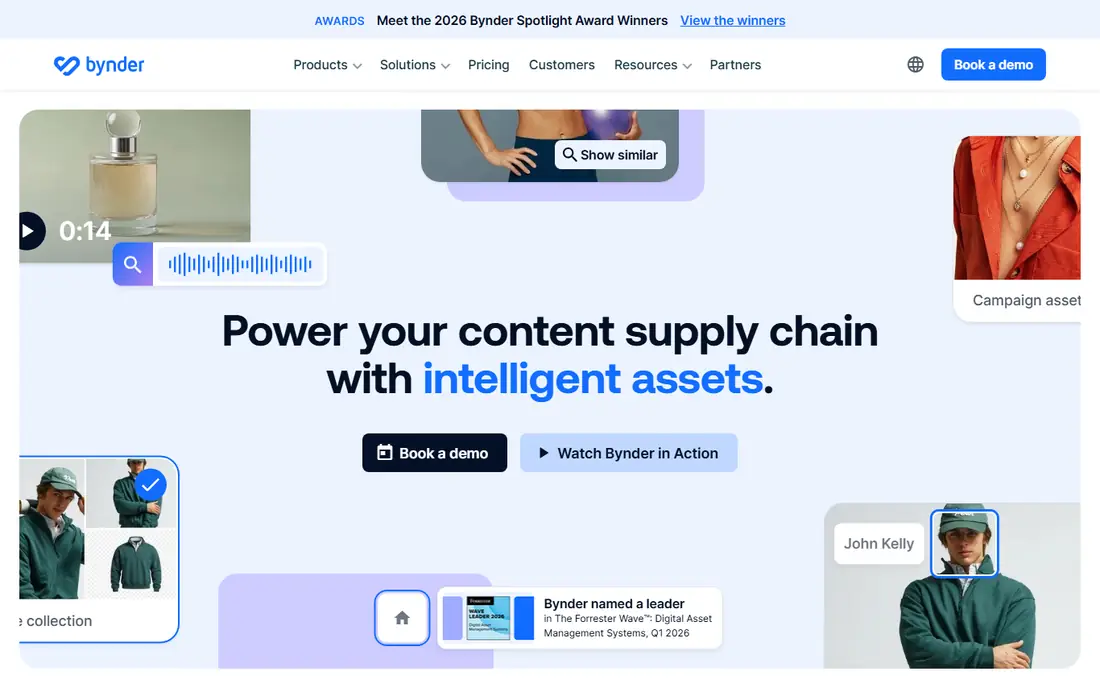
Bynder is a leading brand asset management platform for large brands, combining digital asset management with brand guidelines, creative workflow, and content creation tools. Teams can store approved logos, photos, and videos, share them through branded portals, and track usage across channels. Workflow tools handle approvals, versioning, and rights management, which matter when many teams and agencies touch the same assets.
Pricing is custom and enterprise level, and implementation takes time, since large DAM projects need taxonomy design and migration. For small teams, Bynder is overkill. For large brands with many assets, users, and markets, Bynder is the most complete platform on this list.
What we like- Deep DAM and brand guidelines
- Strong workflow and approval tools
- Global enterprise scale
Watch out for- Custom enterprise pricing
- Implementation takes time
- Overkill for small teams
#2Brandfolder
Best for: Fast asset sharing and search4.4/5 on
G2 (1,428 reviews, checked Oct 2026)
Visit brandfolder.com
Starting priceSee website
Free planNo
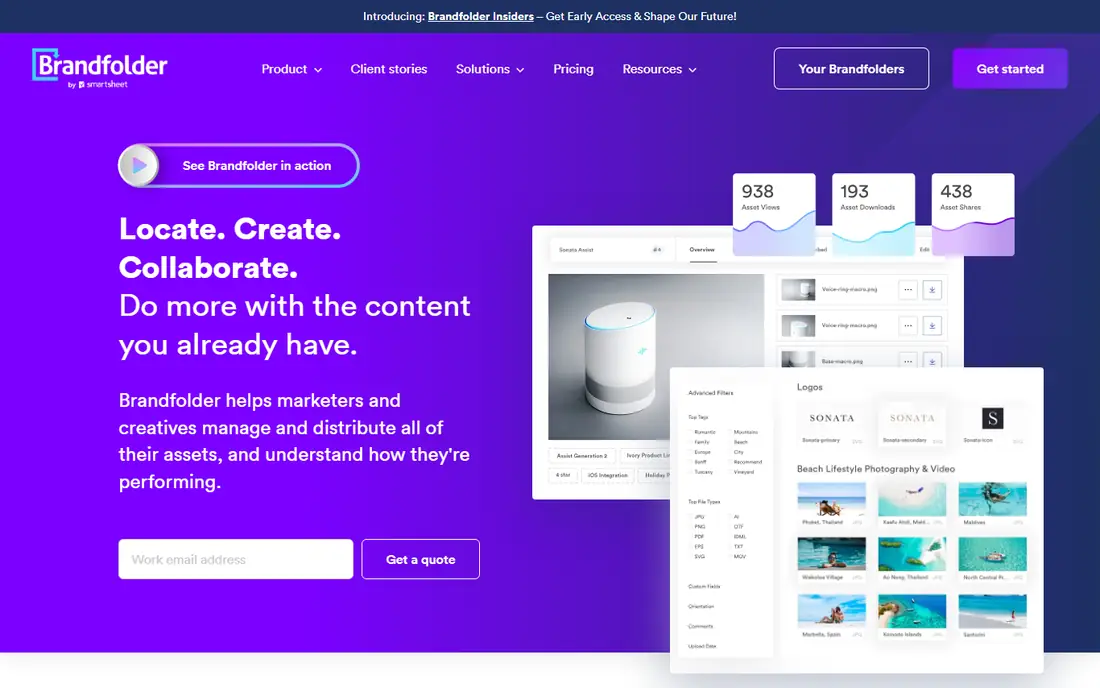
Brandfolder, part of Smartsheet, is a DAM platform known for fast search, clean sharing, and analytics that show which assets teams actually use. Its interface is simpler than enterprise rivals, which helps adoption across marketing, sales, and partner teams who just need the right logo or photo quickly. Collections, permissions, and CDN delivery keep assets current everywhere they are used.
Pricing is custom, brand guideline depth trails Frontify, and some enterprise features need higher tiers. For teams that prioritize speed of finding and sharing assets over deep workflow, Brandfolder is an excellent choice.
What we like- Fast search and sharing
- Clean interface
- Strong analytics on asset use
Watch out for- Custom pricing
- Brand guideline depth trails Frontify
- Enterprise features need higher tiers
#3Frontify
Best for: Brand guidelines plus assets4.5/5 on
G2 (216 reviews, checked Oct 2026)
Visit frontify.com
Starting priceSee website
Free planNo
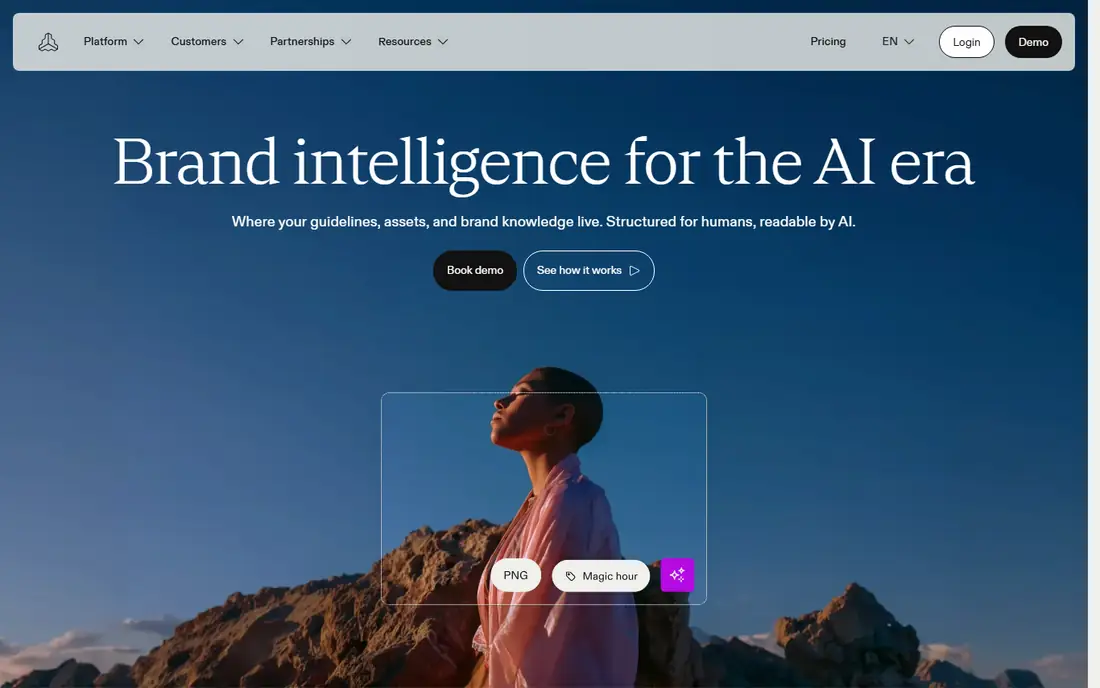
Frontify combines brand guidelines with digital asset management in one platform, which suits design led companies that want their brand home to hold both rules and files. Teams can build living brand guidelines with logos, colors, typography, and usage examples, linked directly to the approved assets those rules describe. Collaboration tools let designers, marketers, and agencies work from the same source.
DAM depth for very large libraries trails Bynder, and pricing is custom. For companies where brand consistency matters as much as asset storage, Frontify is the best choice, since it keeps guidelines and assets together instead of in separate tools.
What we like- Brand guidelines and DAM in one place
- Design led templates
- Strong collaboration
Watch out for- Custom pricing
- DAM depth trails Bynder for huge libraries
- Learning curve for guideline editors
#4Canto
Best for: Mid size teams4.4/5 on
G2 (1,821 reviews, checked Oct 2026)
Visit canto.com
Starting priceSee website
Free planNo
Canto is a digital asset management platform built for mid size teams, with a simple interface, AI powered tagging, and strong search that makes large libraries usable without a dedicated librarian. Teams can organize photos, videos, and documents, share them through portals, and control permissions by group. Its simplicity drives adoption, which is the main reason DAM projects fail when tools are too complex.
Workflow and approval depth trail enterprise rivals like Bynder and Aprimo, and the integration ecosystem is smaller. For mid size marketing teams that need solid DAM without enterprise complexity, Canto is a strong, practical choice.
What we like- Simple intuitive DAM
- AI tagging and search
- Good for mid size teams
Watch out for- Custom pricing
- Workflow depth trails enterprise rivals
- Smaller ecosystem
#5Aprimo
Best for: Enterprise marketing workflows4.3/5 on
G2 (332 reviews, checked Oct 2026)
Visit aprimo.com
Starting priceSee website
Free planNo
Aprimo is an enterprise platform combining digital asset management with marketing workflow, planning, and content operations. Large marketing organizations use it to plan campaigns, manage assets, route approvals, and measure content performance in one system, with deep integrations into marketing and creative tools.
Pricing is custom and enterprise level, implementation is complex, and small teams will find it overkill. For large enterprises that need DAM plus full marketing operations, Aprimo is one of the most capable platforms available.
What we like- Deep marketing workflow and planning
- Strong DAM
- Enterprise integrations
Watch out for- Custom enterprise pricing
- Complex implementation
- Overkill for small teams
Starting priceSee website
Free planNo
Widen, part of Acquia, is an enterprise digital asset management platform known for scale, analytics, and insights into how assets perform across channels. It handles large libraries, complex permissions, and integrations with content management and marketing tools, which suits enterprises with many brands and markets.
Pricing is custom, implementation takes time, and the interface feels enterprise heavy compared with simpler rivals. For large organizations that need DAM analytics and Acquia ecosystem integration, Widen is a strong enterprise choice.
What we like- Enterprise DAM scale
- Strong analytics and insights
- Acquia ecosystem
Watch out for- Custom pricing
- Implementation takes time
- Interface feels enterprise heavy
#7Cloudinary
Best for: Developer friendly media management4.4/5 on
G2 (219 reviews, checked Oct 2026)
Visit cloudinary.com
Starting priceFree
Free planYes
Cloudinary is a cloud based media management platform with developer friendly APIs for uploading, transforming, optimizing, and delivering images and video. It offers a free plan, which makes it the most accessible entry point on this list, and its automatic optimization and CDN delivery suit web and app teams that need fast media everywhere.
Cloudinary is more media infrastructure than brand DAM: brand guideline features and marketing workflow are thinner than Bynder or Frontify. For developer led teams that need programmable media management with a free starting point, Cloudinary is excellent. For brand teams that need guidelines and approvals, pair it with a brand tool or choose a dedicated DAM.
What we like- Free plan available
- Developer friendly APIs
- Automatic image and video optimization
Watch out for- More media infrastructure than brand DAM
- Brand guideline features are thinner
- Costs scale with usage
#8MediaValet
Best for: Mid size DAM with Office integration4.4/5 on
G2 (468 reviews, checked Oct 2026)
Visit mediavalet.com
Starting priceSee website
Free planNo
MediaValet is a digital asset management platform with strong Microsoft 365 integration, letting teams access assets inside Office apps and SharePoint workflows. Its interface is simple for mid size teams, and its support reputation is strong, which matters when a DAM rollout needs hand holding.
Pricing is custom, the ecosystem is smaller than Bynder, and brand guideline depth trails Frontify. For Microsoft centric organizations that want DAM inside their existing Office workflow, MediaValet is a practical and well supported choice.
What we like- Strong Microsoft 365 integration
- Simple DAM for mid size teams
- Good support reputation
Watch out for- Custom pricing
- Smaller ecosystem than Bynder
- Less brand guideline depth
How we chose
We ranked platforms by asset organization, search quality, brand guideline support, workflow and approval tools, integrations, and fit for team size, favoring platforms that teams actually adopt rather than the most feature heavy option. We gave extra weight to search and sharing speed, since a DAM that is hard to search will not be used, and to permissions and version control, since outdated assets are the main brand risk. Enterprise pricing is usually custom across this market, so starting prices are listed as See website except where a free plan applies.
Buying guide
Start by auditing your assets and users. Count your asset volume, file types, and storage needs, and list who needs access, including agencies and partners, since user counts and storage drive enterprise quotes. A small team with a few thousand assets needs a different platform than a global brand with millions.
Next, trial search and sharing with real assets, not a demo library. Upload your messiest folders, test AI tagging and search, and see whether non technical colleagues can find the right logo without help. Test the approval workflow too, since a DAM that cannot route a new asset for review will fill up with unapproved files, which defeats its purpose. Adoption decides DAM success more than feature lists, so involve the people who will use it daily in the trial.
Finally, plan taxonomy and governance before migration. Decide folder structure, naming, tags, permissions, and approval workflows, and assign an owner for ongoing cleanup. Without an owner, even the best DAM decays within a year as old assets pile up, duplicates appear, and teams lose trust in the library and return to scattered drives. Request quotes based on your real user, storage, and asset numbers, and confirm what implementation, training, and support cost, since those often exceed the subscription itself in year one.
Frequently asked questions
What is brand asset management software?
Brand asset management software, often called DAM, stores, organizes, and shares brand assets like logos, photos, videos, and guidelines in one place, with permissions and version control so teams always use current approved files.
How is DAM different from cloud storage?
Cloud storage holds files, while DAM adds search, tagging, version control, permissions, usage analytics, and brand portals. A shared drive cannot tell you which logo version is approved or who used an asset.
How much does brand asset management software cost?
Most enterprise DAM platforms use custom pricing based on users, storage, and asset volume. Cloudinary offers a free plan, while Bynder, Brandfolder, Frontify, and others require a quote.
Do small teams need brand asset management software?
Small teams with few assets can often manage with organized cloud storage. Once assets, users, or partners grow, or outdated logos start appearing, a DAM like Canto or Brandfolder pays for itself in time saved and brand consistency.
What should I check in a DAM trial?
Test search with your real assets, check sharing and permissions, confirm integrations with your design and marketing tools, involve daily users, and ask vendors about data export before signing, to avoid lock in later. If non technical colleagues cannot find assets quickly, the platform will fail no matter how strong its feature list looks.
Sources we checked (0)
Is your product missing or out of date?
We review this list regularly. Vendors can request a listing, send updated pricing or ask about featured placement.

Shihab Mia · Founder, Rankite
Shihab has 5+ years in B2B and SaaS SEO. He writes Rankite's software buying guides from pricing pages, documentation and public user reviews. More about Shihab.