How we make this list: we compare pricing pages, product documentation and public user reviews. Ratings come from G2, Capterra or Trustpilot, with the date we checked them.
Key takeaways
- Wave and Zoho Books are the best free cloud options, with unlimited invoicing on Wave and a full free tier on Zoho Books.
- GnuCash and Akaunting are the best fully free desktop and self-hosted options, with no subscription at all.
- Manager.io gives you a full-featured free desktop edition, while Odoo adds accounting inside a much larger business suite.
- ZipBooks and NCH Express Accounts suit very small teams that want simple invoicing and reports without a monthly bill.
- Every free plan has a limit, usually users, revenue, or automation, so check the limit that matters to you before committing your books.
Quick comparison
| Tool | Best for | Starting price | Free plan |
|---|
 Wave Wave | Freelancers, solopreneurs, and contractors who want easy cloud bookkeeping at no cost | Free | Yes |
 Zoho Books Zoho Books | Micro businesses that want a full-featured free tier with a clear upgrade path | Free | Yes |
 Akaunting Akaunting | Technical users who want free open source bookkeeping they control | Free | Yes |
 GnuCash GnuCash | Owners who want powerful offline double-entry accounting with no subscription | Free | Yes |
 ZipBooks ZipBooks | Small businesses that want simple, pleasant invoicing and basic books | Free | Yes |
 Manager.io Manager.io | Single-user businesses that want full-featured desktop accounting for free | Free | Yes |
 Odoo Accounting Odoo Accounting | Businesses that want accounting inside a wider suite of business apps | Free | Yes |
 NCH Express Accounts NCH Express Accounts | Very small teams on Windows or Mac that want simple desktop bookkeeping | Free | Yes |
Is your product missing or out of date?
We review this list regularly. Vendors can request a listing, send updated pricing or ask about featured placement.
The best free bookkeeping software
#1Wave
Best for: Freelancers, solopreneurs, and contractors who want easy cloud bookkeeping at no cost4.3/5 on
G2 (328 reviews, checked Oct 2026)
Visit waveapps.com
Starting priceFree
Free planYes
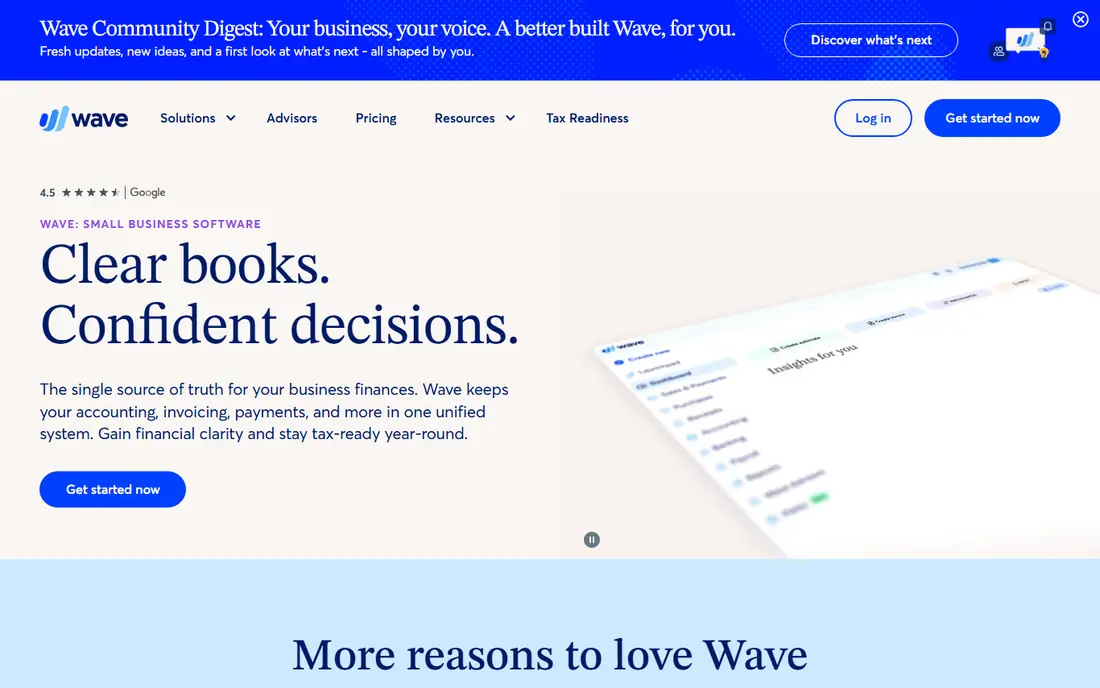
Wave is the default free pick for very small businesses. Its pitch is clear books and confident decisions, with accounting, invoicing, and payments in one unified system. The free Starter plan includes unlimited invoices, estimates, bills, and bookkeeping records, plus mobile invoicing and a cash flow and customer dashboard. Wave reports more than 350,000 small businesses using it, and its tools are web-based, so nothing needs installing beyond the mobile app.
The limit to know is automation. Automatic bank imports, auto-categorization, receipt capture, and late payment reminders moved to the paid Pro plan, so free users enter bank transactions by hand or import statements. Payroll is also a paid add-on. Wave suits freelancers, contractors, and consultants who send invoices and want tidy books for tax time. If you need automatic bank feeds, compare Zoho Books or a paid Wave plan.
What we like- Free Starter plan with unlimited invoices, estimates, bills, and bookkeeping records
- Web-based with a mobile app
- Built for owners, not accountants
Watch out for- Automatic bank imports and receipt scanning sit in the paid Pro plan
- No inventory features
#2Zoho Books
Best for: Micro businesses that want a full-featured free tier with a clear upgrade path4.4/5 on
G2 (329 reviews, checked Oct 2026)
Visit zoho.com
Starting priceFree
Free planYes
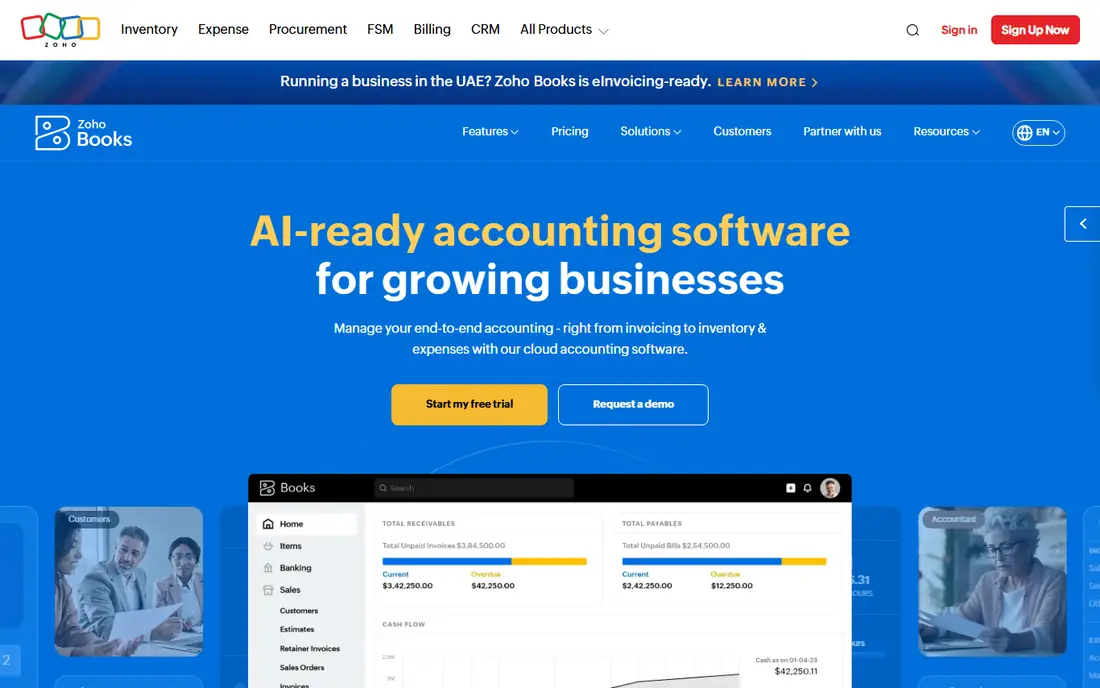
Zoho Books offers a forever free plan for businesses starting with online accounting, and it is one of the most complete free tiers available. The free plan covers invoices, quotes, expenses, and journals, receipt autoscans, online payments through Stripe and PayPal, a self-service customer portal, automated payment reminders, bank reconciliation, recurring invoices, and profit and loss, balance sheet, and 50-plus reports.
The free plan allows 1 user plus 1 accountant with email support, and third-party comparisons note a revenue cap near $50,000 a year and about 1,000 invoices a year on the free tier. When you outgrow it, Standard costs $15 per month and adds bank feeds, custom fields, custom reports, and API access, while Professional at $25 per month adds inventory, projects, and multi-currency. Zoho Books fits solopreneurs who expect to grow, since the upgrade path keeps your data in place.
What we like- Forever free plan with invoices, expenses, journals, and 50-plus reports
- 1 user plus 1 accountant
- Standard plan from $15 per month when you outgrow free
Watch out for- Free plan caps at 1 user plus 1 accountant
- Bank feeds arrive on the paid Standard plan
#3Akaunting
Best for: Technical users who want free open source bookkeeping they control1.8/5 on
G2 (12 reviews, checked Oct 2026)
Visit akaunting.com
Starting priceFree
Free planYes
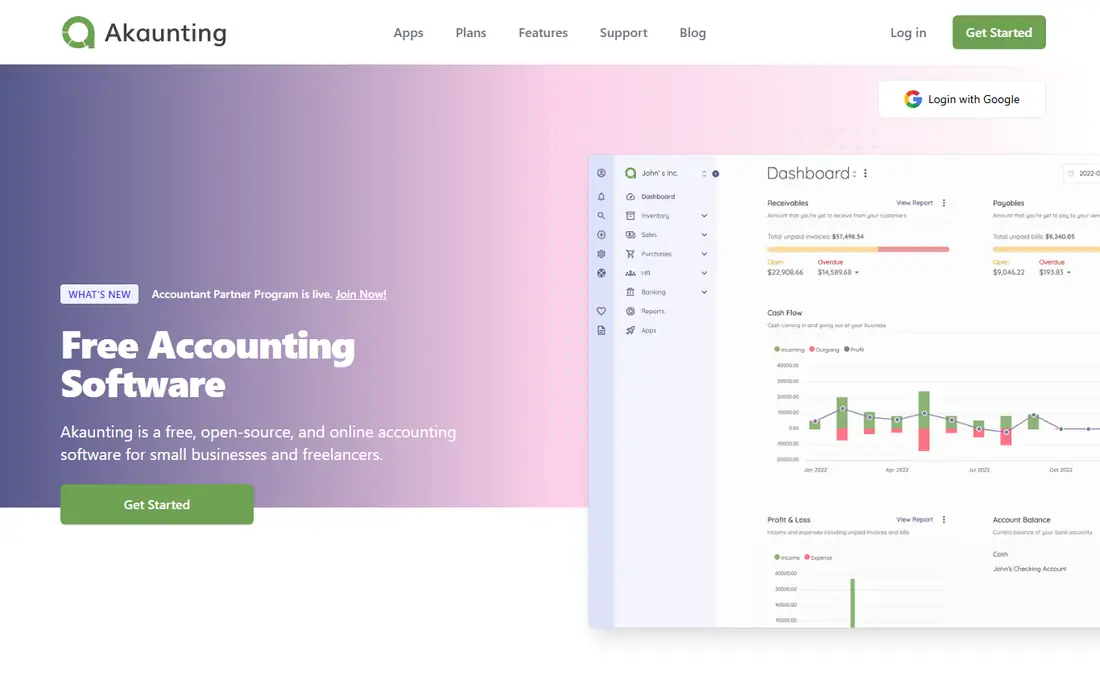
Akaunting is free accounting software for small businesses, built as open source. Its homepage states the position plainly: the Standard plan of the on-premise, self-hosted version is free in price and freedom, with source code available. Features cover invoicing, expense tracking, cash flow, transaction categories, and payments in one place with zero fees.
The project reports users in more than 100 countries, over 300,000 users, and more than 10 million invoices sent, with no limits on invoices. Because it is open source, your data stays under your control and your privacy does not depend on a vendor's business model. The trade-off is setup: you need hosting and basic technical skill, or you pay for the cloud version. Akaunting suits freelancers and small firms with technical confidence who want full control.
What we like- Self-hosted version is completely free with source code available
- No invoice limits
- Translated into more than 50 languages
Watch out for- Self-hosting needs technical setup
- Cloud version and add-ons cost extra
#4GnuCash
Best for: Owners who want powerful offline double-entry accounting with no subscription4.5/5 on
Capterra (53 reviews, checked Oct 2026)
Visit gnucash.org
Starting priceFree
Free planYes
GnuCash is personal and small-business financial accounting software, freely licensed under the GNU GPL and available for GNU Linux, BSD, Solaris, Mac OS X, and Microsoft Windows. It is designed to be as quick and intuitive as a checkbook register while resting on professional accounting principles, so books stay balanced and reports stay accurate.
Feature highlights include double-entry accounting, stock, bond, and mutual fund accounts, small-business accounting, reports and graphs, QIF, OFX, and HBCI import with transaction matching, scheduled transactions, and financial calculations. The software is developed, maintained, documented, and translated entirely by volunteers. GnuCash suits owners who are comfortable with accounting concepts and want full ledgers offline, with no vendor, no subscription, and no data lock-in.
What we like- Completely free under the GNU GPL with no limits
- Full double-entry accounting
- Stocks, bonds, and mutual fund accounts included
Watch out for- Desktop only with no official mobile app
- Steeper learning curve than cloud tools
#5ZipBooks
Best for: Small businesses that want simple, pleasant invoicing and basic books4.7/5 on
G2 (86 reviews, checked Oct 2026)
Visit zipbooks.com
Starting priceFree
Free planYes
ZipBooks promises simple, beautiful, and powerful bookkeeping, with tools and intelligence to take a business further. You can create and send invoices and estimates in seconds, accept credit cards with one click, and automate billing with recurring auto-bills. Bank Connect pulls transactions and balances daily for reconciliation, time tracking feeds directly into invoices, and smart tagging lets you slice income statements by customer, project, or location.
The product suite also covers team management with permissions for employees, contractors, and accountants, plus a mobile experience for sending invoices, marking payments, storing receipts, and categorizing expenses. ZipBooks says its users spend 15 percent less time on routine bookkeeping tasks. It fits service businesses that bill by project or hour and want a friendly interface. Because the homepage does not spell out free plan limits, confirm them on the pricing page before moving your books.
What we like- Beautiful invoices and estimates in seconds with online card payments
- Auto-categorization and a single transactions view
- Time tracking and smart tagging
Watch out for- Free plan limits are not spelled out on the homepage, so check the pricing page
- Advanced features sit in paid tiers
#6Manager.io
Best for: Single-user businesses that want full-featured desktop accounting for free4.2/5 on
G2 (18 reviews, checked Oct 2026)
Visit manager.io
Starting priceFree
Free planYes
Manager.io splits into two editions: a desktop edition you download for Windows, Mac, or Linux, and a paid cloud edition. The desktop edition is free with no time limit, which makes it one of the most capable free options for a single user. It covers the full accounting cycle, including inventory, which many free tools leave out.
The site offers guides, release notes, an accountant section, and a user forum for support, rather than phone or chat help. The desktop edition is single-user, so teams that need simultaneous access should look at the cloud edition or a cloud tool like Zoho Books. Manager.io fits a small business owner who works on one computer, wants inventory, and does not mind desktop software.
What we like- Desktop edition is free with no time limit
- Full accounting features including inventory
- Guides, forum, and accountant resources
Watch out for- Desktop edition is single-user
- Cloud edition is paid
- Homepage gives little detail, so features need a look at the guides
#7Odoo Accounting
Best for: Businesses that want accounting inside a wider suite of business apps4.3/5 on
G2 (77 reviews, checked Oct 2026)
Visit odoo.com
Starting priceFree
Free planYes
Odoo is a suite of open source business apps covering CRM, ecommerce, accounting, inventory, point of sale, project management, and more. Its homepage states the editions clearly: Community is open source and 100 percent free, while Enterprise adds extra apps, infrastructure, and professional services. The community behind it counts more than 100,000 developers, and the app store holds more than 40,000 community apps.
The appeal is integration. Invoicing, inventory, sales, and accounting share one database, so a sale updates stock and books together. There is no proprietary data format, just PostgreSQL, and you get the source code with the freedom to host on Odoo infrastructure or on premise. Odoo reports 28 million users. It fits businesses that will use several apps, not just accounting, and that want room to grow without switching systems later.
What we like- Community edition is open source and 100 percent free
- No vendor lock-in with source code and PostgreSQL data
- 40,000-plus community apps
Watch out for- Accounting is one app among many, so setup takes longer than a single-purpose tool
- Enterprise features and hosting cost extra
#8
NCH Express Accounts
Best for: Very small teams on Windows or Mac that want simple desktop bookkeeping
Visit nchsoftware.com
Starting priceFree
Free planYes
Express Accounts is professional business accounting software from NCH Software, built for small businesses that need to document and report cash flow including sales, receipts, payments, and purchases. Features cover tracking payments and deposits, viewing balances and reports, emailing or faxing reports to an accountant, recurring invoices, and expense categorization.
Reports include profit and loss, cash flow, mileage, item sales, invoices, quotes, orders, trial balance, accounts payable and receivable, sales tax, salesperson, inventory, and custom reports. The free version is available for small businesses with fewer than five employees and does not expire, though it leaves out some features designed for larger organizations. It runs on Windows 7 to 11 and macOS 10.5 or above. Express Accounts fits a tiny team that wants a simple desktop ledger without a subscription.
What we like- Free version for businesses with fewer than five employees that does not expire
- Reports include profit and loss, cash flow, trial balance, and sales tax
- Recurring invoices and expense categorization
Watch out for- Free version leaves out features built for larger organizations
- Desktop only, with no cloud edition
How we chose
We picked tools with a genuine free option, not just a trial: a free plan, a free desktop edition, or a free open source edition. Each tool had to have a working official homepage that we opened and confirmed. We favored tools with double-entry accounting, invoicing, and reports, and we noted the free limit that matters most for each one, such as users, revenue, or automation.
Free limits change, so verify the current free plan on the vendor's pricing page before you commit your books. This guide covers software features only and is not financial or tax advice. For tax filing, payroll compliance, or year-end closing, work with a qualified accountant.
How to choose free bookkeeping software
Start with how you work. If you want cloud access and a phone app, pick Wave or Zoho Books. If you want your data on your own machine, pick GnuCash or Manager.io. If you can self-host, Akaunting gives the most control. If you need inventory, Manager.io and Odoo stand out. If your team is under five people and wants simple desktop books, Express Accounts fits.
Then check the four limits that matter most: users, invoice caps, revenue caps, and bank feeds. Wave gives unlimited invoicing but manual bank entry on free. Zoho Books gives a full free tier but one user plus one accountant. GnuCash has no limits but no cloud workflow. Pick the tool whose limit you will never hit, not the one with the longest feature list.
Finally, test with real data for a month. Import a bank statement, send a real invoice, and run a profit and loss report. If the workflow feels slow or the reports confuse your accountant, switch before the year piles up. Export your data first, since moving books mid-year is painful in any system.
Frequently asked questions
Is free bookkeeping software really free?
Yes, for the plans listed here, but free always has a boundary. Wave and Zoho Books offer free cloud tiers with limits on automation or users. GnuCash, Akaunting self-hosted, and Manager.io desktop are free with no subscription. Payroll, payment processing, and premium features usually cost extra.
Can free software handle taxes?
It can produce the reports your accountant needs, such as profit and loss, balance sheet, and sales tax reports. It does not replace a tax professional. Use the software to keep clean records through the year, then hand those records to an accountant at filing time.
What is double-entry accounting and why does it matter?
Double-entry means every transaction hits two accounts, such as cash and revenue, so the books always balance. It catches errors that single-entry lists miss, and accountants prefer it. Wave, Zoho Books, GnuCash, Manager.io, Akaunting, and Odoo all use double-entry.
When should I switch from free to paid?
Switch when workarounds cost more than a paid plan, usually $15 to $30 per month. Common triggers are needing multiple users, automatic bank feeds, inventory, payroll, or real support. Zoho Books Standard at $15 per month is a common first paid step.
Can I move my data if I outgrow a free tool?
Usually yes, through CSV export or reports, but the ease varies. Cloud tools export cleanly, while desktop tools may need manual mapping. Export a full backup before switching, and run both systems in parallel for one month to catch gaps.
Sources we checked (0)
Is your product missing or out of date?
We review this list regularly. Vendors can request a listing, send updated pricing or ask about featured placement.

Shihab Mia · Founder, Rankite
Shihab has 5+ years in B2B and SaaS SEO. He writes Rankite's software buying guides from pricing pages, documentation and public user reviews. More about Shihab.