How we make this list: we compare pricing pages, product documentation and public user reviews. Rankite is independent; if a vendor ever pays for a featured spot, that listing is clearly labeled Partner.
Key takeaways
- Logos and Accordance are the two professional platforms: enormous libraries, original-language tools and prices that reflect it.
- e-Sword and theWord are both free Windows programs with 25-plus years of development and surprisingly deep study features.
- Olive Tree is the best free mobile-first option, with the app free and 35,000-plus books available to buy.
- Blue Letter Bible is a free nonprofit website and app with interlinear Bibles, lexicons and commentaries at no cost.
Quick comparison
| Tool | Best for | Starting price | Free plan |
|---|
 Logos Logos | Pastors, students and serious laypeople building a long-term digital library | Free (app); library packages priced on the vendor's site | Yes (free app) |
 Accordance Accordance | Students and pastors who want the fastest original-language tools | $49 (Starter package, after a free 90-day trial, per the vendor) | Yes (90-day free trial of the Basic Starter) |
 e-Sword e-Sword | Anyone who wants capable, free Bible study software on a Windows PC | Free | Yes |
 Olive Tree Olive Tree | Readers who study mostly on phone, tablet or laptop and want everything synced | Free (app); books priced individually in the store | Yes (free app) |
 theWord theWord | Windows users who want the deepest free study program, including portable use | Free | Yes |
 SwordSearcher SwordSearcher | KJV readers who want a huge included library with no subscription | See website (one-time purchase, no recurring fees) | No |
 Blue Letter Bible Blue Letter Bible | Free in-depth study in a browser or on a phone, no install needed | Free (nonprofit ministry) | Yes |
Is your product missing or out of date?
We review this list regularly. Vendors can request a listing, send updated pricing or ask about featured placement.
The app store says one Bible app has over 400,000 five-star reviews
That figure is on Olive Tree's own homepage, and it says something real about this market: Bible software is one of the few software categories where free tools genuinely compete with paid ones. A pastor with e-Sword or theWord and a phone with Olive Tree can do most of what a $1,000 Logos library does. The paid platforms earn their money in original-language depth, library size and workflow polish, not in basic function.
So the buying question is not "which is best" but "how deep do you study." Daily readers need Olive Tree or Blue Letter Bible. Preachers and teachers should look at Logos or Accordance. Budget-conscious students get e-Sword or theWord free. The seven tools below cover that whole range.
#1
Logos
Best for: Pastors, students and serious laypeople building a long-term digital library
Visit logos.com
Starting priceFree (app); library packages priced on the vendor's site
Free planYes (free app)
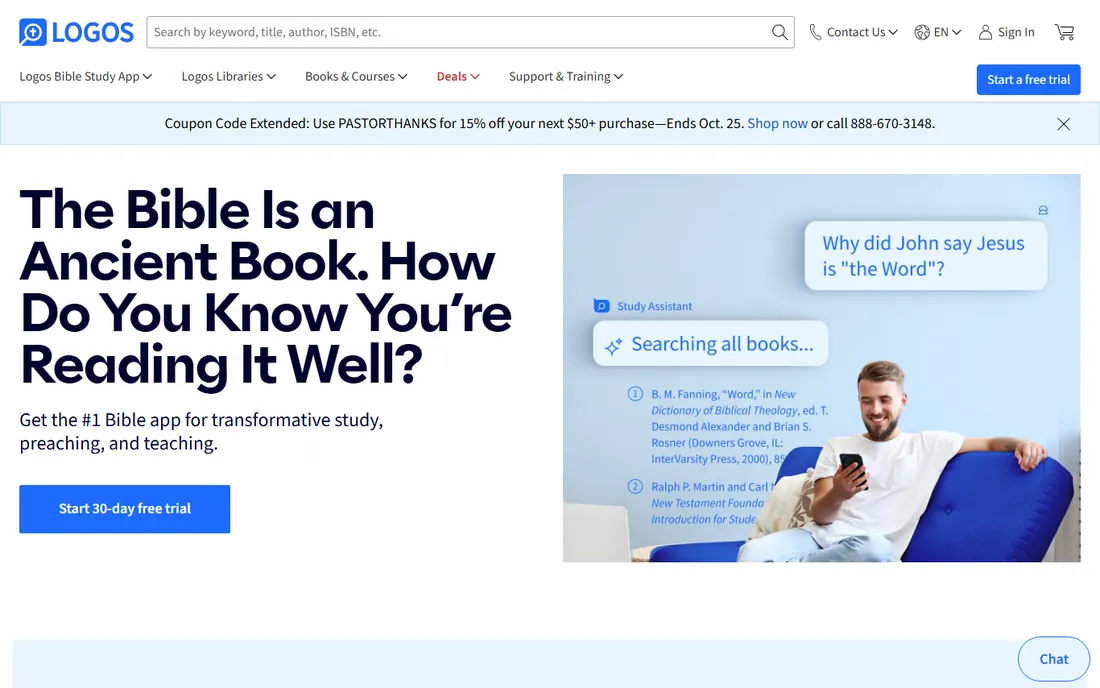
Logos is the reference standard in Bible software. The free app gets you in the door, but the product is the library: over 250,000 books on the vendor's count, each one searchable and connected to the Bible and to every other book you own. The study tools are the deepest here: Factbook gathers everything on a person, place or concept in one place, an AI research assistant answers questions from your trusted books, and the original-language tools handle Greek and Hebrew word study.
The honest catch is the pricing model. The app is free; the library is not. Starter packages are affordable, but the collections pastors actually want climb fast, and the platform is designed to keep you buying books. If you study in the original languages weekly and preach from your research, it pays for itself. If you read a chapter a day, you will never use what you paid for.
What we like- The largest ecosystem: 250,000-plus books available, every one searchable and linked to the Bible text
- Factbook, AI-assisted research and original-language tools in one platform
- Your library is yours permanently and syncs across devices
Watch out for- Library packages are the real product and the real cost, with serious collections running into four figures
- The depth of features can overwhelm casual readers
Starting price$49 (Starter package, after a free 90-day trial, per the vendor)
Free planYes (90-day free trial of the Basic Starter)
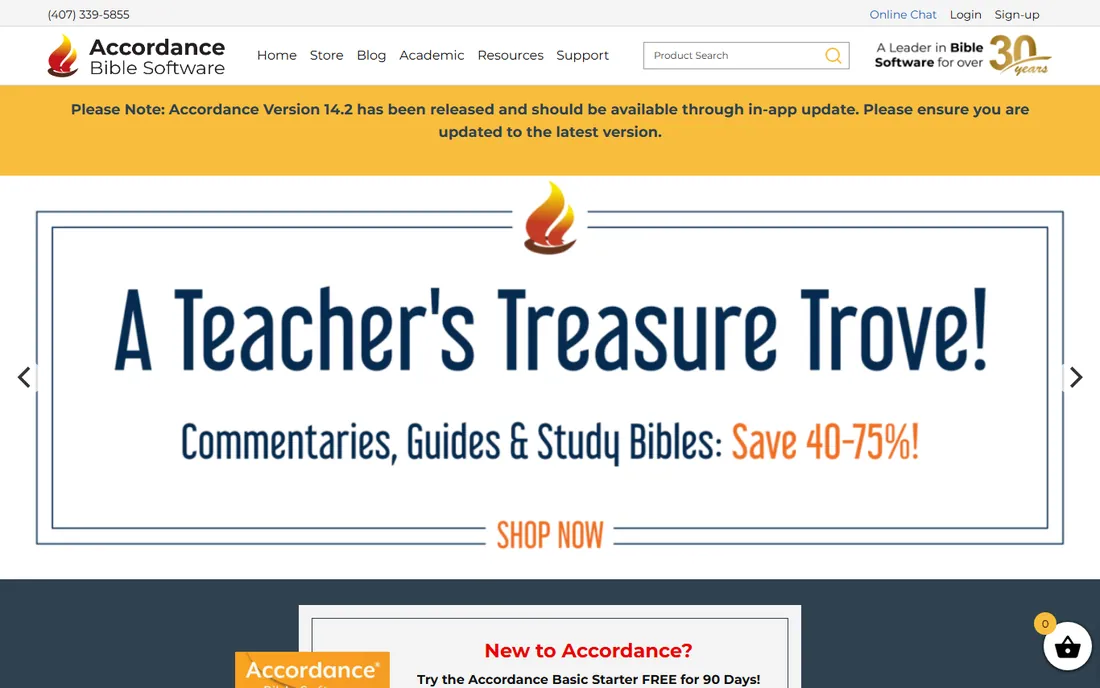
Accordance built its reputation on speed. Searches that take seconds elsewhere finish instantly here, and the interface keeps the Bible text central: select any word and look up definitions, parsing, maps or pronunciation from the toolbar. The vendor's trial is unusually generous: the Basic Starter with over 60 resources, fully functional, free for 90 days, then $49 to own it permanently.
The honest catch is that the Starter is a doorway. Serious original-language work needs the Greek and Hebrew modules, and the commentaries and reference works you will want are sold individually. Accordance's own marketing leans on endorsements from scholars like Dan Wallace and Craig Evans, which tells you the target user: people who study in the original languages and care about precision. If that is you, the speed is worth it.
What we like- Famous for search speed and a Bible-centered interface
- The trial is generous: fully functional with 60-plus resources for 90 days
- Over 30 years of development behind the current version 14
Watch out for- Library pricing adds up as you buy commentaries and original-language modules
- Mac-first heritage means Windows users get a slightly less native feel
#3
e-Sword
Best for: Anyone who wants capable, free Bible study software on a Windows PC
Visit e-sword.net
Starting priceFree
Free planYes
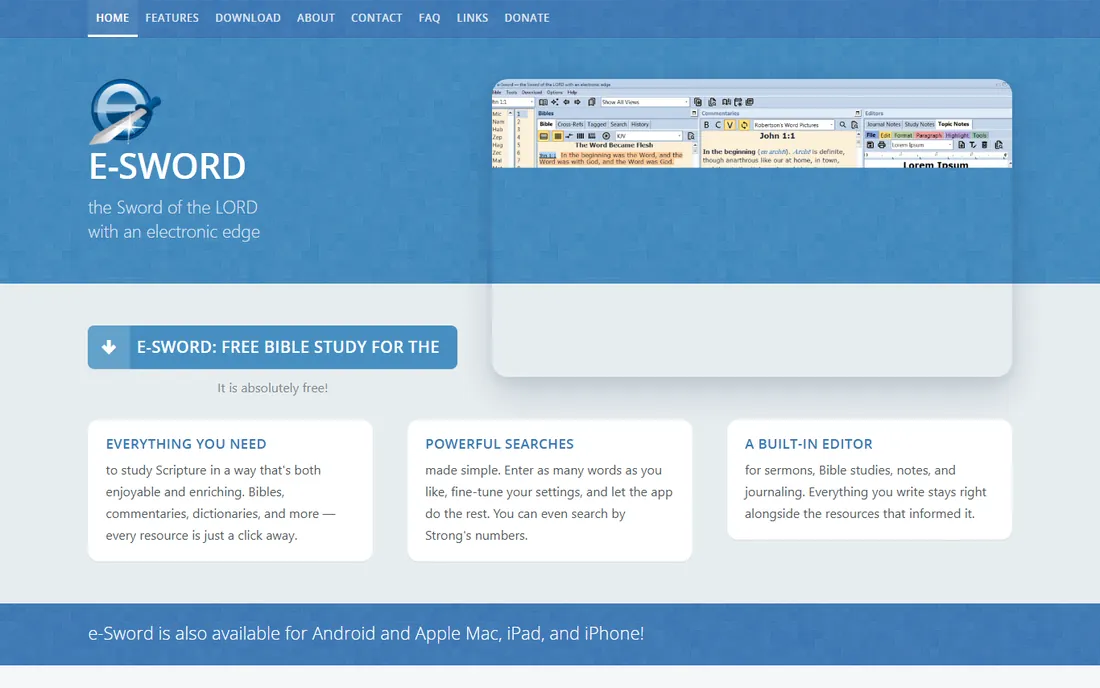
e-Sword is the free option that embarrasses paid software. The vendor's site says it outright: absolutely free. What you get is a fast, feature-rich study program: parallel Bible display, Strong's number tooltips, scripture tooltips, verse comparison, a built-in editor for sermons and journals, WYSIWYG printing, and search tools including Strong's-number search. Twenty-five years of development shows in the details.
The honest catch is presentation and platform. The interface is functional rather than beautiful, and the full experience is on Windows. Some premium Bibles and resources are sold separately, so the "free" covers the program and a solid base library, not everything. For verse-by-verse study, note-taking and sermon prep on a PC, it is genuinely all most people need.
What we like- Completely free, as the vendor states plainly: "It is absolutely free"
- Parallel Bibles, Strong's tooltips, a built-in sermon editor and powerful searches
- 25-plus years of refinement
Watch out for- Windows-focused (mobile versions exist but the PC app is the star)
- The interface looks dated next to Logos and Accordance
- Premium resources cost extra
#4
Olive Tree
Best for: Readers who study mostly on phone, tablet or laptop and want everything synced
Visit olivetree.com
Starting priceFree (app); books priced individually in the store
Free planYes (free app)
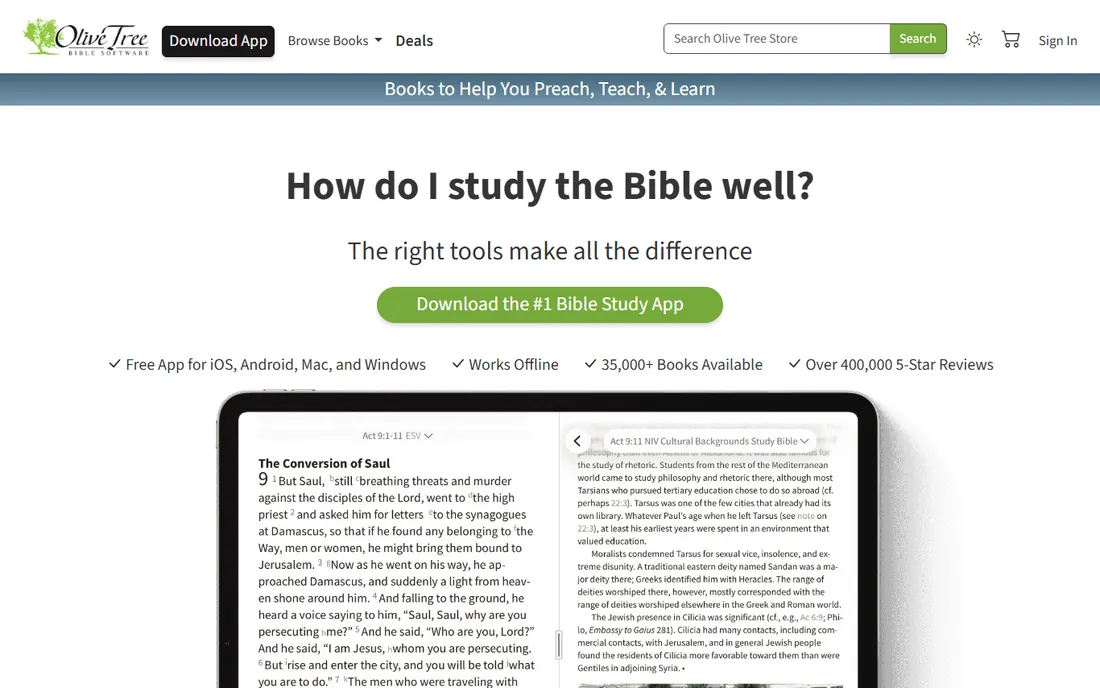
Olive Tree is the modern reader's Bible app. The app itself is free on every platform and works offline, which matters for travel and spotty connections. Its best feature is the Resource Guide: as you read a passage, it automatically surfaces relevant sections from your commentaries, study Bibles, maps and dictionaries. Notes, highlights, tags and reading plans sync across all your devices, and the Strong's Bibles cover ESV, NIV, NKJV, KJV, NASB, CSB and more.
The honest catch is the store. The vendor advertises 35,000-plus books available, and they are available for purchase, one by one. The free app with free resources is excellent for reading and basic study; the moment you want respected commentaries, you are buying them. Budget for the books, not the app.
What we like- Free app for iOS, Android, Mac and Windows that works offline
- Resource Guide pulls relevant commentaries and maps automatically as you read
- Notes, highlights and reading plans sync across devices
Watch out for- The app is free but the good books are not, and a real library costs real money
- Deep original-language work is thinner than Logos or Accordance
#5
theWord
Best for: Windows users who want the deepest free study program, including portable use
Visit theword.net
Starting priceFree
Free planYes
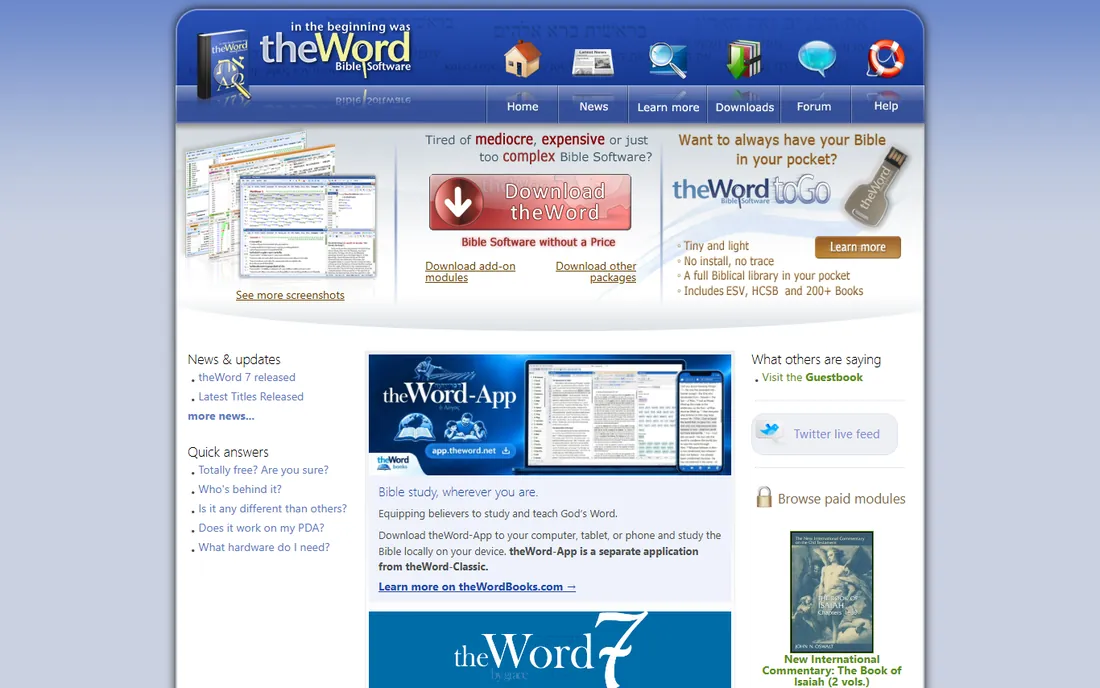
theWord is the enthusiast's free Bible program. The vendor's pitch is disarmingly direct: free software of this quality seems impossible, with no catches, no ads, no nags, not even an email required to download. The module library is enormous, with many add-ons that would cost hundreds elsewhere. It is deeply configurable, runs portably from a USB flash drive, and has clever touches like clipboard monitoring that detects a copied verse reference and shows the verse instantly.
The honest catch is the learning curve and the platform. theWord assumes you enjoy configuring software; first-time users can feel lost among the options. The classic program is Windows-only (a separate theWord-App covers other devices). But the forum support is active and the price is zero, which makes it the best free choice for serious students on Windows.
What we like- Free with no ads, no nags and no registration, per the vendor
- Huge library of free add-on modules
- Runs portably from a USB drive
- Clipboard monitoring pops up verses you copy from the web
Watch out for- Windows only for the classic program
- The interface rewards tinkerers and can confuse newcomers
- Some premium modules are paid
#6
SwordSearcher
Best for: KJV readers who want a huge included library with no subscription
Visit swordsearcher.com
Starting priceSee website (one-time purchase, no recurring fees)
Free planNo
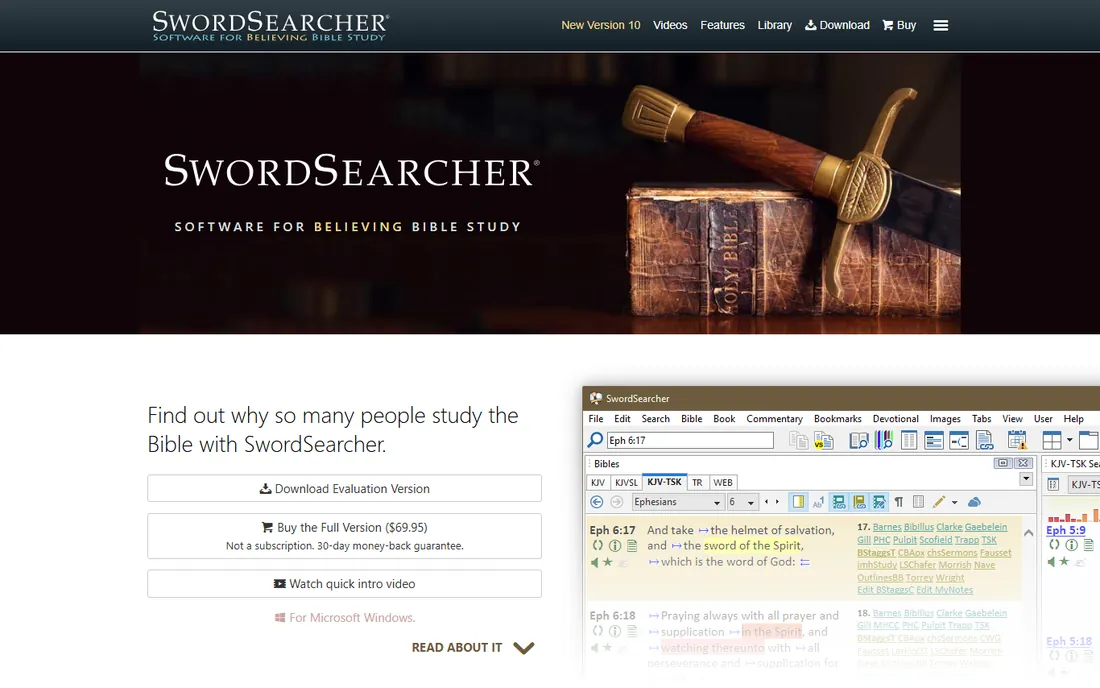
SwordSearcher takes a deliberate stance: not a subscription, no recurring fees, your data stays on your computer, no tracking. The library is the selling point: hundreds of books, dictionaries and commentaries included and searchable in seconds, with the vendor's promise that you will not be "nickel-and-dimed" to build it. The discovery tools are genuinely distinctive: word trees, word clouds and an extensive cross-reference collection integrated into the King James text, plus a full editor for your own studies that links verse references automatically.
The honest catch is fit. This is a KJV-centered program from a theologically conservative publisher; if your study life runs on the ESV or NIV, look elsewhere. The vendor publishes no price on its homepage, so you will need to check the store. For its audience, though, the one-time-purchase model is a relief in a subscription world.
What we like- Explicitly no subscription: buy once, own it
- Hundreds of included volumes searchable in seconds with no upsells
- Strong discovery features like word trees, word clouds and cross-references built into the KJV
Watch out for- No price published on the main pages we could verify
- KJV-centered, so readers attached to other translations have fewer options
- Windows-focused
Starting priceFree (nonprofit ministry)
Free planYes
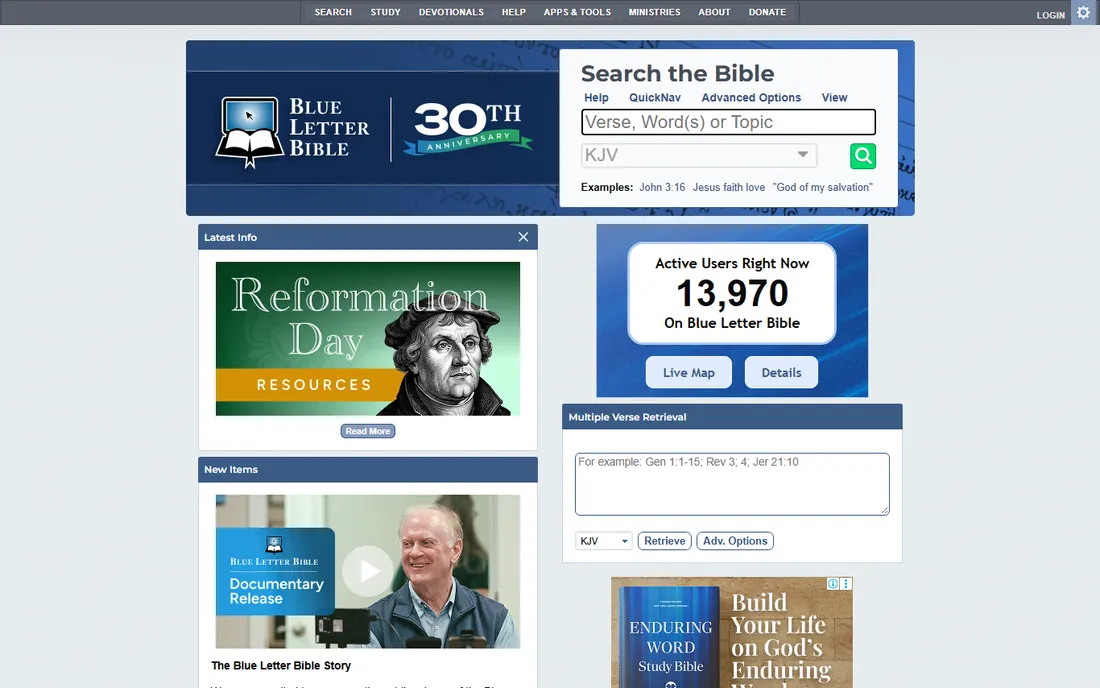
Blue Letter Bible is the free website generations of students grew up on. Run by a nonprofit ministry, it offers interlinear Hebrew, Aramaic and Greek Bibles, lexicons, concordances, commentaries and study tools entirely free, with mobile apps for on-the-go study. There is no premium tier and no upsell: the mission is free access to study resources.
The honest catch is the web-first design. You need an internet connection, and the sheer density of tools on each page can intimidate newcomers. The commentary selection leans toward classic public-domain works alongside modern contributions. But as a free, no-install, no-account study desk that works anywhere, nothing here beats it.
What we like- Completely free: interlinear Bibles, lexicons, concordances and commentaries with no account required
- Run by a nonprofit, so there is nothing to upsell
- Mobile apps for iOS and Android
Watch out for- Web-first, so offline study is limited
- The interface packs in tools and can overwhelm beginners
- Some commentaries are older classic works rather than recent scholarship
How we chose
We started with the searches Bible students actually run and the tools pastors actually name: Logos, Accordance, e-Sword, Olive Tree, theWord, SwordSearcher, Blue Letter Bible. Each vendor site was opened and checked for current 2026 status. We excluded BibleWorks, once a major player, because it was discontinued in 2018. Prices come only from vendor pages: Accordance's $49 Starter, the vendors' own statements that their apps are free. Where no price is published, we wrote "See website" instead of quoting retailers.
Free versus paid: where the money actually goes
In Bible software, "free" usually means the program is free and the books cost money. Olive Tree's app is free; its 35,000-plus books are the business. Logos's app is free; the library packages are the business. e-Sword, theWord and Blue Letter Bible are free more completely, funded by donations or ministry budgets, with large free module libraries.
The practical rule: if your study needs are reading, basic word study and note-taking, the free tools cover you completely. You start paying when you want respected modern commentaries, original-language grammars and lexicons, and academic reference works. Those cost money everywhere because publishers charge for them everywhere. Buy books, not apps: the app is rarely the expensive part.
Frequently asked questions
What is the best Bible software for beginners?
Olive Tree or Blue Letter Bible. Olive Tree's free app is the friendliest modern option with synced notes and reading plans; Blue Letter Bible is free in any browser with no install. Start there before spending money.
Is Logos worth the price?
For pastors, seminary students and serious teachers who study in the original languages and build sermons from their research, yes: the library depth and linked tools save hours weekly. For daily reading, it is far more than you need, and the free tools suffice.
What is the difference between Logos and Accordance?
Both are professional platforms with large libraries. Accordance is known for search speed and a Bible-centered, original-language-first interface; Logos is known for the largest book ecosystem and research tools like Factbook. Try Accordance's 90-day trial and Logos's free app before choosing.
Can I get good Bible study software for free?
Yes. e-Sword and theWord are full-featured free Windows programs, Olive Tree's app is free, and Blue Letter Bible is a free nonprofit website and app. The free tier of this market is genuinely excellent.
Does Bible software work offline?
Most desktop programs do: Logos, Accordance, e-Sword, theWord and SwordSearcher keep your library on your computer. Olive Tree works offline too. Blue Letter Bible is web-first and needs a connection.
What happened to BibleWorks?
BibleWorks, once one of the big three alongside Logos and Accordance, was discontinued in 2018 when the company closed. Accordance and Logos remain the professional options; e-Sword and theWord are the free alternatives for its former users.
Sources we checked (6)
- https://www.logos.com/
- https://accordancebible.com/
- https://e-sword.net/
- https://olivetree.com/
- https://theword.net/
- https://www.swordsearcher.com/
Is your product missing or out of date?
We review this list regularly. Vendors can request a listing, send updated pricing or ask about featured placement.

Shihab Mia · Founder, Rankite
Shihab has spent more than a decade helping SaaS and e-commerce brands grow through search. He writes Rankite's software buying guides from pricing pages, documentation and public user reviews. More about Shihab.