How we make this list: we compare pricing pages, product documentation and public user reviews. Ratings come from G2, Capterra or Trustpilot, with the date we checked them.
Key takeaways
- Audible still has the deepest catalog for new releases, but its cheapest plan does not let you keep books after you cancel.
- Libro.fm matches Audible on price for one credit a month, and its files are DRM-free, so you truly own what you buy.
- Libby and Hoopla cost nothing with a library card, and they should be the first stop for patient listeners.
- Spotify and Everand suit listeners who want music, ebooks, or a mixed catalog in one subscription rather than one book at a time.
Quick comparison
| Tool | Best for | Starting price | Free plan |
|---|
 Audible Audible | New releases and the largest catalog | $8.99 per month (Standard) | Free trial |
 Libro.fm Libro.fm | Supporting independent bookstores | $14.99 per month | No |
 Libby Libby | Free audiobooks from your library | $0 per month | Yes |
 Spotify Spotify | Music listeners who also want audiobooks | $9.99 per month (Audiobooks Access) | Yes |
 Everand Everand | Readers who want ebooks and audiobooks together | $11.99 per month (Standard) | Free trial |
 Kobo Audiobooks Kobo Audiobooks | Budget listeners and Kobo device owners | $7.99 per month (Kobo Plus Listen) | Free trial |
 Apple Books Apple Books | Pay-as-you-go listening on Apple devices | See website | No |
 Chirp Chirp | Discounted audiobooks and deals | See website | No |
 Hoopla Hoopla | Free library listening without hold queues | $0 per month | Yes |
Is your product missing or out of date?
We review this list regularly. Vendors can request a listing, send updated pricing or ask about featured placement.
The best audiobook apps, ranked by listening style
Starting price$8.99 per month (Standard)
Free planFree trial
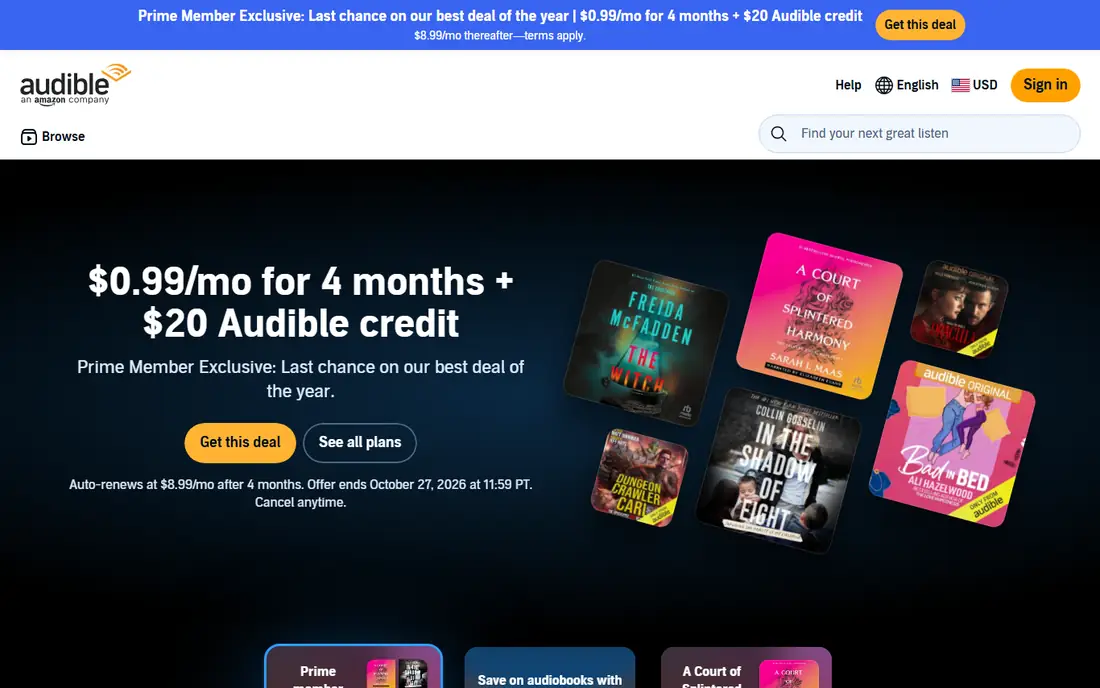
Audible remains the default choice for a listener who wants a new bestseller on release day. Standard costs $8.99 per month and gives one monthly selection plus access to a curated catalog of Originals and podcasts. Premium Plus costs $14.95 per month, gives one credit, and lets you keep credit purchases even after you cancel, which is a major difference for anyone building a library. Members also get discounts on extra purchases.
The catch sits in that Standard detail. If you cancel Standard, access to its selections ends, so Standard works best for listeners who finish a book and move on. Premium Plus suits collectors, series readers, and people who relisten. Audible also integrates with Alexa and Kindle, which helps at home and in the car, although its proprietary format limits playback outside Audible apps and devices.
What we like- Huge catalog
- Audible Originals
- Strong app with sleep timer and bookmarks
Watch out for- Standard plan books are lost after cancellation
- Premium Plus costs more
Starting price$14.99 per month
Free planNo
Libro.fm gives the closest Audible-style experience without locking your books to one company. One credit per month costs $14.99, a two-credit plan costs $23.99 per month, and every purchase shares revenue with an independent bookstore you choose. Credits never expire, even if you pause or cancel, and downloads are DRM-free, so you can play them in other apps and keep them for good.
The catalog covers most mainstream fiction, memoir, business, and self-help titles, although Audible Originals and some exclusives will not appear here. The app is clean and reliable for everyday listening, with bookmarks, sleep timers, and offline downloads. For a listener who values ownership and wants listening money to support local shops, Libro.fm is the strongest paid alternative to Audible.
What we like- DRM-free files you own
- Credits never expire
- Bookseller recommendations
Watch out for- Smaller catalog than Audible
- No Audible Originals
Starting price$0 per month
Free planYes
Libby, from OverDrive, turns a public library card into a free audiobook service. Borrowed titles download for offline listening, return automatically at the end of the loan, and sync across phone, tablet, and computer. Many libraries let you hold several titles at once, and some allow multiple library cards in one account, which shortens waits for popular books.
Patience is the price. New releases often carry long hold queues, and a loan ends whether you finished the book or not, although renewals are often available. Libby has no subscription, no ads in the usual sense, and no reason not to try it first. Pair Libby with a paid service for new releases, and use Libby for backlist titles, classics, and books you are in no hurry to hear.
What we like- Completely free with a library card
- Easy holds and returns
- No subscription to cancel
Watch out for- Wait times for popular titles
- Loan periods expire
Starting price$9.99 per month (Audiobooks Access)
Free planYes
Spotify suits a listener who already pays for music and wants audiobooks without a second app. Premium Individual costs $12.99 per month and includes 15 hours of audiobook listening, while Audiobooks Access costs $9.99 per month for the same 15 hours without premium music. Hours are counted by the book length, not by playback speed, and unused hours expire at the end of the billing period.
That hour cap is the main limit. Fifteen hours covers one average novel per month, but not two long books or a full series binge. Spotify also lacks a credit system for owning titles, so it cannot replace Audible for collectors. For a casual listener who finishes one book a month and already lives in Spotify for music and podcasts, the bundled hours are convenient and good value.
What we like- Huge music catalog in the same app
- 15 hours of audiobook listening per month
- Easy car playback
Watch out for- Audiobook hours do not roll over
- Hour limit frustrates heavy listeners
#5
Everand
Best for: Readers who want ebooks and audiobooks together
Visit everand.com
Starting price$11.99 per month (Standard)
Free planFree trial
Everand, from Scribd, fits a reader who switches between reading and listening. Standard costs $11.99 per month for one title credit, Plus costs $16.99 for three title credits, and Deluxe costs $28.99 for five title credits. Titles opened with a credit stay available for the duration of the subscription, and a curated selection of titles, Originals, and podcasts is available without using a credit. A 30-day trial on the website lets you check the catalog before paying.
The credit system needs care. It is not the old all-you-can-listen model, and a heavy listener can burn through credits quickly. Everand also does not work natively on Kindle e-ink devices, although it works on phones, tablets, and Kindle Fire tablets. For a mixed reader who values both formats and does not need every new release at once, Everand offers more variety per dollar than a single-format credit service.
What we like- Ebooks and audiobooks in one plan
- Large catalog
- Curated selection without using a credit
Watch out for- Credit limits on premium titles
- Access ends when you cancel
#6
Kobo Audiobooks
Best for: Budget listeners and Kobo device owners
Visit kobo.com
Starting price$7.99 per month (Kobo Plus Listen)
Free planFree trial
Kobo Audiobooks gives two different ways to listen. Kobo Plus Listen costs $7.99 per month for access to an included audiobook catalog, while Kobo Plus Read and Listen costs $9.99 per month and adds ebooks. A separate credit subscription lets you buy individual titles to keep. That mix helps a listener who sometimes wants unlimited catalog listening and sometimes wants to own a specific book.
The catalog is smaller than Audible, and some titles may not appear in every country, so check a few must-have books before subscribing. The app covers the basics well, with offline listening, sleep timers, and playback speed controls. For a Kobo e-reader owner or a budget listener who prefers a subscription catalog over credits, Kobo Plus is a smart, low-cost option.
What we like- Low-cost subscription tier
- Credit purchases stay in your library
- Works with Kobo e-readers
Watch out for- Catalog is smaller than Audible
- Availability varies by country
#7
Apple Books
Best for: Pay-as-you-go listening on Apple devices
Visit apple.com
Starting priceSee website
Free planNo
Apple Books suits a listener who dislikes subscriptions and listens irregularly. You buy individual audiobooks, keep them in your Apple library, and listen on iPhone, iPad, Mac, Apple Watch, and CarPlay. There is no monthly fee to justify in a slow month, and no credit to lose if you forget to pick a book. Sample clips and curated collections make browsing easy inside the Apple ecosystem.
The downside is cost per book. A frequent listener will usually spend more buying titles one by one than paying for a credit plan, and there is no included catalog to fall back on. Android users should skip Apple Books, since the experience is built for Apple devices. For an occasional Apple listener who wants ownership without a subscription, Apple Books is simple and predictable.
What we like- No subscription required
- Buy only the books you want
- Deep Apple device integration
Watch out for- No subscription catalog
- Prices vary by title
- Best only inside Apple devices
Starting priceSee website
Free planNo
Chirp works like a daily deals store for audiobooks. You browse limited-time discounts, buy the titles you want, and listen in the Chirp app without a monthly plan. That model suits a listener who builds a library slowly, waits for sales, and does not want another subscription. Prices vary by deal, and some popular titles appear at a fraction of their usual price.
The trade-off is patience and selection. Chirp cannot guarantee that a specific new release will be discounted soon, and it has no subscription catalog for browsing. Pair Chirp with Libby for free backlist listening, and use it to buy favorites cheaply when they appear. For a bargain hunter, Chirp turns audiobook buying into a low-cost habit rather than a monthly bill.
What we like- Frequent deep discounts
- No subscription
- Books you buy are yours to keep
Watch out for- Catalog depends on deals
- No included listening catalog
Starting price$0 per month
Free planYes
Hoopla differs from Libby in one useful way: most titles are available at once, with no hold queue. Borrow a book, listen, and return it automatically when the loan ends. Many libraries also include movies, music, comics, and ebooks in the same app, which makes Hoopla a good family option. All of it is free with a participating library card.
The limit is borrows per month, and that number is set by your library, not by Hoopla itself. A heavy listener can hit the cap mid-month, and the audiobook catalog varies by library system. Hoopla still deserves a place beside Libby, because the two services often carry different titles. Check both before buying a book, and you may find it free in one of them.
What we like- No wait lists on most titles
- Free with a library card
- Movies, music, and comics too
Watch out for- Monthly borrow limits set by your library
- Catalog varies by library
How we chose
We compared pricing pages, catalog models, ownership rules, and app features for paid and free audiobook services available in the US. We favored services with a clear price, a real catalog, and honest terms about what happens after cancellation. We also weighed library options, because a free app that covers backlist listening changes the value of every paid plan. We did not claim hands-on testing; this guide rests on vendor pricing pages, documentation, and public reviews.
Picking the right model for how you listen
Start by counting how many books you finish in a typical month. One book a month points to a single-credit plan or a 15-hour bundle. Two or more books a month points to a multi-credit plan, a subscription catalog, or a library app for overflow. A listener who relistens favorites should favor ownership, through Libro.fm, Audible Premium Plus, or pay-per-book buying, over rental-style plans.
Ownership, rental, and library borrowing
Ownership means you keep the file or the license after you cancel, subject to the store terms. Rental-style plans give access only while you subscribe, which is fine for one-time listening but poor for a permanent collection. Library borrowing costs nothing and works best for backlist titles and patient readers. Many listeners get the best result by combining one paid plan for new releases with Libby and Hoopla for everything else.
Check the app before you commit
Playback speed, sleep timers, bookmarks, offline downloads, and CarPlay or Android Auto support matter more in daily use than a small price difference. Try the free trial or the free tier first, download a book, and listen on a commute or a walk. If the app feels awkward in that first week, a cheaper price will not fix it.
Frequently asked questions
What is the best audiobook app overall?
Audible leads for catalog depth and new releases, while Libro.fm leads for ownership and independent bookstore support. Libby leads for free listening. The best overall choice depends on whether you value new releases, ownership, or low cost most, so match the app to that priority rather than to a single ranking.
What is the best free audiobook app?
Libby and Hoopla are the best free options, because both work with a public library card and cost nothing. Libby often has a deeper catalog with hold queues, while Hoopla usually has no queues but caps monthly borrows. Use both if your library supports them, and check which one carries the book you want.
Is Audible worth it in 2026?
Audible is worth it for a listener who finishes at least one new release a month and wants the widest choice. Premium Plus at $14.95 per month makes more sense than Standard for collectors, because Premium Plus purchases stay in your library after cancellation. Light or irregular listeners may do better with Libby, Hoopla, or pay-per-book buying.
Can I listen to audiobooks on Spotify for free?
Spotify free listening does not include the audiobook catalog in the same way as paid plans. Premium Individual and Audiobooks Access include 15 hours of audiobook listening per month, and unused hours expire. If audiobooks are your main interest, a dedicated audiobook service usually gives better value than Spotify alone.
Do I keep my audiobooks if I cancel?
It depends on the service. Libro.fm DRM-free purchases, Audible Premium Plus credit purchases, and pay-per-book purchases from Apple Books or Chirp stay with you, subject to store terms. Audible Standard selections, Everand credits, and subscription catalog access generally end when the subscription ends. Read the cancellation terms before you build a large library in a rental-style plan.
Sources we checked (9)
- https://www.audible.com/ep/memberbenefits
- https://libro.fm/membership
- https://www.overdrive.com/apps/libby
- https://www.spotify.com/us/premium/
- https://www.everand.com/blog/new-plans-and-pricing
- https://www.kobo.com/us/en/audiobooks
- https://www.apple.com/apple-books/
- https://www.chirpbooks.com
- https://www.hoopladigital.com
Is your product missing or out of date?
We review this list regularly. Vendors can request a listing, send updated pricing or ask about featured placement.

Shihab Mia · Founder, Rankite
Shihab has 5+ years in B2B and SaaS SEO. He writes Rankite's software buying guides from pricing pages, documentation and public user reviews. More about Shihab.