How we make this list: we compare pricing pages, product documentation and public user reviews. Ratings come from G2, Capterra or Trustpilot, with the date we checked them.
What is the best AR WYSIWYG editor software?
The best AR WYSIWYG editor software for most buyers is ZapWorks by Zappar, because it pairs a true drag and drop Designer with a visual Studio, published pricing, and strong image and world tracking. Blippar is the best low cost starting point, with Blippbuilder from 7.99 pounds per month. MyWebAR is the best value paid plan for small commercial projects, at 25 dollars per month on annual billing.
Two well known names are missing from this list on purpose. 8th Wall closed its hosted platform on 28 February 2026 and released its engine as open source, so it no longer offers a hosted visual editor. Adobe Aero was retired on 6 November 2025 and its cloud service was decommissioned on 3 December 2025, so it can no longer be downloaded or used. Overly and Web-AR.Studio take their places below as live no-code editors.
Key takeaways:
- ZapWorks is the top pick for agencies and brands that need a proven editor with published commercial pricing.
- Blippar and Web-AR.Studio are the cheapest ways to start, with entry prices under 10 dollars or pounds per month.
- MyWebAR gives the clearest low cost commercial plan, at 25 dollars per month billed yearly.
- Vuforia Studio and ARway suit industrial and indoor navigation work, not simple marketing campaigns.
- Always check whether the cheapest plan allows commercial use, because several low priced tiers are non-commercial only.
Last verified: 15 November 2026
How do I choose an AR WYSIWYG editor?
Start with the type of experience you want to publish. If you want a QR code on packaging or a poster that opens a 3D model in a phone browser, any WebAR editor on this list can do it. If you need indoor navigation, ARway is the specialist. If you need AR that locks onto factory machines, Vuforia Studio is the specialist.
Next, check the viewing model. Some tools charge per month, some charge per view, and some charge per experience. A per view plan looks cheap until a campaign goes viral, so read the view limits before you commit. Also check whether the plan allows commercial use. ZapWorks Developer, MyWebAR Creator, and Onirix Starter are all limited to non-commercial or testing use, so a business must buy a higher tier.
Finally, test the editor with a real asset before you pay. Upload your own 3D model or image, publish a test link, and open it on two different phones. Tracking quality, load time, and the phone browser experience vary more between tools than the feature lists suggest.
How much does AR WYSIWYG editor software cost?
Entry prices in this guide run from free to 315 dollars per month for a commercial plan. Web-AR.Studio starts at 8 dollars per month billed yearly. Blippbuilder starts at 7.99 pounds per month. MyWebAR Pro costs 25 dollars per month billed yearly or 39 dollars billed monthly. Onirix Starter costs 45 euros per month billed yearly. ZapWorks Pro costs 315 dollars per month. Vuforia Studio is quote only, so you must contact PTC for a price.
Prices conflict between sources for several tools in this list. Third party directories list ZapWorks at 45 dollars per feature per month, while Zappar's own pricing page lists Developer at 12.99 dollars per month and Pro at 315 dollars per month. G2 lists Overly Starter at 7 dollars and Pro at 14 dollars per month, while Overlyapp's own pricing page lists Pro from 19.99 euros per experience per month. Where sources conflict, this guide uses the vendor's own pricing page and notes the conflict in the tool write-up.
Quick comparison
| Tool | Best for | Starting price | Free plan |
|---|
 ZapWorks | Agencies and brands that need a proven no-code AR editor with strong tracking | $12.99 per month (Developer plan, non-commercial only; Pro from $315 per month) | Free trial available; no permanent free plan listed |
 Blippar | Marketers and educators who want the cheapest no-code AR editor | £7.99 per month (Blippbuilder, one project) | Yes, free plan available, and the WebAR SDK includes 100 free views |
 MyWebAR | Small businesses and educators launching commercial WebAR projects | $25 per month (Pro, billed yearly; $39 per month billed monthly) | Yes, free Creator plan for non-commercial use |
 Onirix | Brands and agencies that need no-code WebAR plus spatial AR and wayfinding | €45 per month (Starter, billed yearly; €90 per month billed monthly) | 15-day free trial; no permanent free plan |
 Vuforia Studio | Manufacturers that need AR work instructions tied to real machines | quote | No free plan; a trial is available through PTC sales |
 ARway | Indoor navigation and location based AR in malls, airports, campuses, and museums | $199 per month (Developer plan, per the vendor March 2024 pricing announcement) | Yes, free Starter plan with limited features |
 Overly | Small teams and creators who want a simple DIY WebAR editor | €19.99 per experience per month (about $23, Pro plan, self-service) | Free trial available; no permanent free plan |
 Web-AR.Studio | Beginners and small budgets that want the cheapest paid WebAR editor | $8 per month (Standard plan, billed yearly) | Yes, free plan available |
Is your product missing or out of date?
We review this list regularly. Vendors can request a listing, send updated pricing or ask about featured placement.
| Tool |
Best for |
Starting price |
Free plan |
No-code editor |
| ZapWorks |
Agencies and brands |
$12.99 per month |
Free trial |
Yes |
| Blippar |
Low cost marketing AR |
£7.99 per month |
Yes |
Yes |
| MyWebAR |
Small commercial projects |
$25 per month |
Yes, non-commercial |
Yes |
| Onirix |
Brands and spatial AR |
€45 per month |
15-day trial |
Yes |
| Vuforia Studio |
Industrial AR |
Quote |
No |
Yes |
| ARway |
Indoor navigation |
$199 per month |
Yes |
Yes |
| Overly |
DIY WebAR campaigns |
€19.99 per experience per month |
Free trial |
Yes |
| Web-AR.Studio |
Budget no-code WebAR |
$8 per month |
Yes |
Yes |
#1ZapWorks
Best for: Agencies and brands that need a proven no-code AR editor with strong tracking4.5/5 on
G2 (30 reviews, checked Oct 2026)
Visit zap.works
Starting price$12.99 per month (Developer plan, non-commercial only; Pro from $315 per month)
Free planFree trial available; no permanent free plan listed
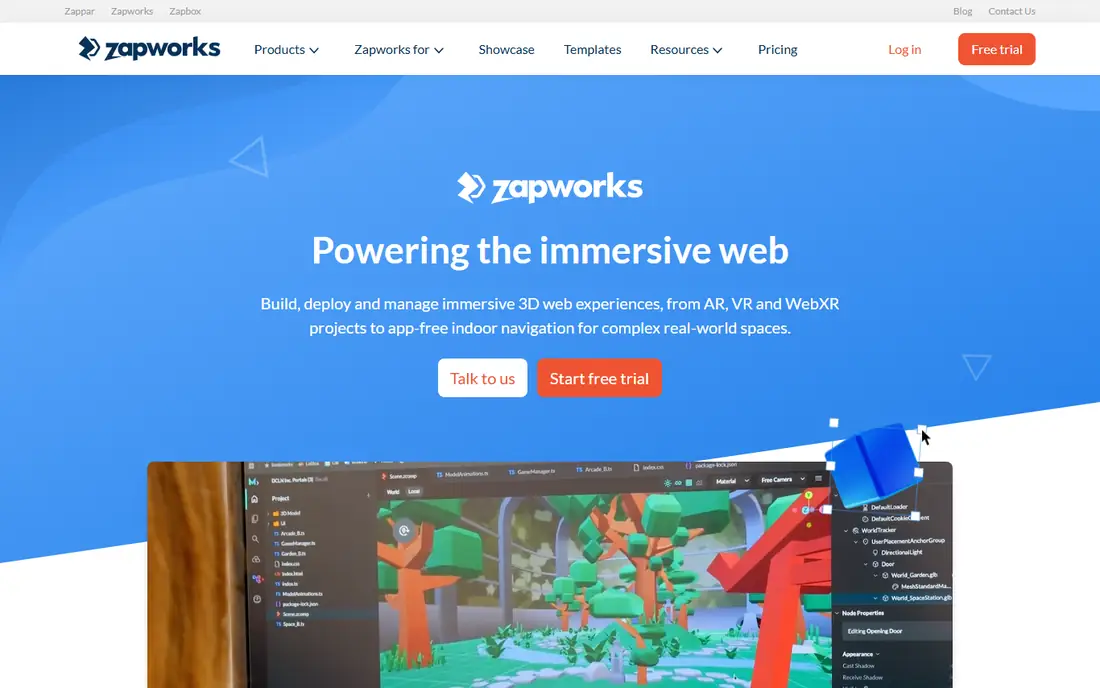
ZapWorks is the AR toolkit from Zappar, and it is the most complete WYSIWYG option in this list. The Designer lets non-technical users build image tracked experiences without code, while Studio adds a visual timeline for richer scenes with animation and interactivity. Experiences run in the phone browser, so viewers scan a QR code and see the content with no app download. Pricing is published on Zappar's own pricing page, with Developer at 12.99 dollars per month for non-commercial use and Pro at 315 dollars per month for commercial projects. Note that third party directories list 45 dollars per feature per month, which conflicts with the vendor page, so confirm the current price with Zappar before you budget. ZapWorks suits agencies that ship many client campaigns and want one platform for design, publishing, and analytics.
What we like- True drag and drop Designer plus a visual Studio, strong image and world tracking, published pricing, large agency user base
Watch out for- View based billing can push costs up fast, because Pro includes only 12,000 views per year and extra views cost $30 per thousand
#2Blippar
Best for: Marketers and educators who want the cheapest no-code AR editor3.6/5 on
G2 (4 reviews, checked Oct 2026)
Visit blippar.com
Starting price£7.99 per month (Blippbuilder, one project)
Free planYes, free plan available, and the WebAR SDK includes 100 free views

Blippar is one of the oldest names in AR, founded in 2011, and its Blippbuilder is a drag and drop editor that needs no coding or technical skill. You build a scene, publish it, and share it through a link or QR code. The paid Blippbuilder plan starts at 7.99 pounds per month for one project, with a Professional plan at 249 pounds per month for five projects. For developers, the Blippar WebAR SDK uses pay as you go pricing from 0.01 dollars per 1,000 views, with a free download and 100 free project views. Blippar suits marketing teams, publishers, and educators who want to test AR on a small budget and scale up only when a campaign works.
What we like- Very low entry price, drag and drop Blippbuilder, pay as you go SDK option at $0.01 per 1,000 views
Watch out for- Advanced WebAR SDK work needs developer skill, so the no-code editor alone cannot cover complex custom interactions
#3
MyWebAR
Best for: Small businesses and educators launching commercial WebAR projects
Visit mywebar.com
Starting price$25 per month (Pro, billed yearly; $39 per month billed monthly)
Free planYes, free Creator plan for non-commercial use
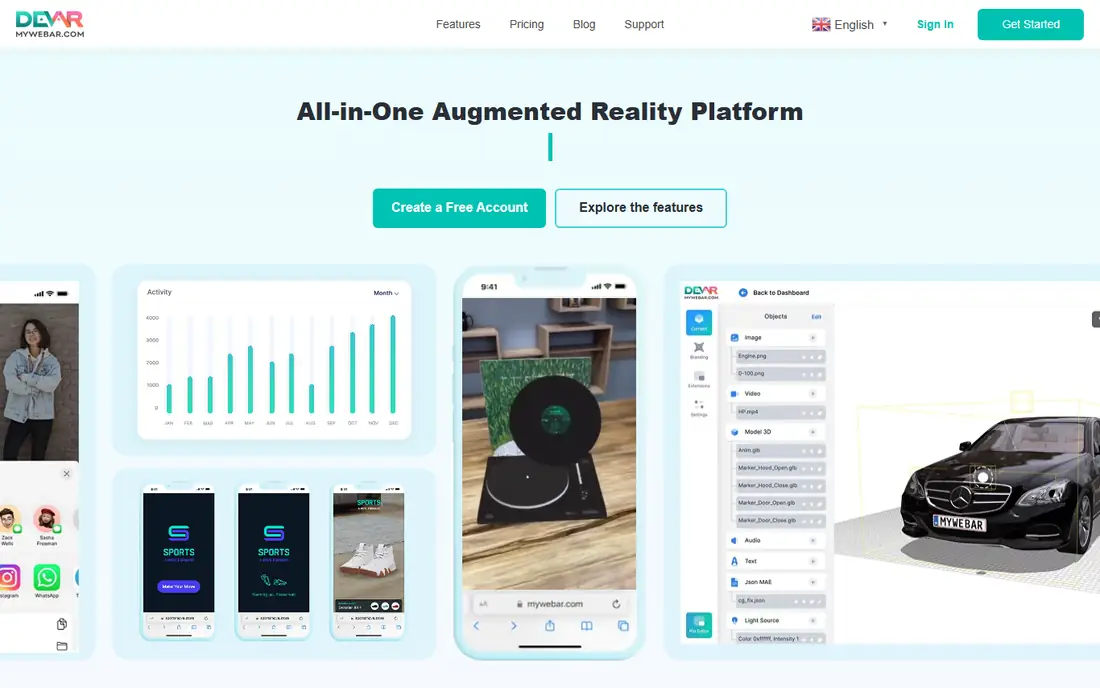
MyWebAR by DEVAR is a no-code WebAR platform built for marketers, educators, and small businesses. The editor covers world experiences, image tracking, masks, and face effects without code, and published experiences open in any mobile browser. The free Creator plan is for non-commercial use only. Pro costs 39 dollars per month billed monthly or 25 dollars per month billed yearly, and adds flat and curved image tracking, reports and analytics, a custom domain, and AI content generation. Higher tiers add white label publishing and 3D object tracking. MyWebAR is the best value commercial plan in this list for a small team that wants to publish real campaigns without an enterprise budget.
What we like- Clear low cost commercial plan, no-code editor with world experiences and face effects, AI content generation on Pro
Watch out for- The free Creator plan is non-commercial only, so any business use forces a paid plan
#4Onirix
Best for: Brands and agencies that need no-code WebAR plus spatial AR and wayfinding4.3/5 on
G2 (5 reviews, checked Oct 2026)
Visit onirix.com
Starting price€45 per month (Starter, billed yearly; €90 per month billed monthly)
Free plan15-day free trial; no permanent free plan
Onirix is a WebAR platform from Spain with a browser based editor called Onirix Studio, designed for staff without technical knowledge. You can build 3D model scenes, videos, interactive elements, and geolocated maps, then share them through a link or QR code with no app download for viewers. Onirix also offers spatial AR, which scans an environment and anchors content in place, plus wayfinding routes inside venues. The Starter plan costs 90 euros per month billed monthly or 45 euros per month billed yearly, and includes 200 Studio views per month, but it is limited to testing, internal development, and pre-sales demos. Commercial deployment to end customers starts at Professional, at 299 euros per month billed yearly. Onirix suits brands and tourism, retail, and venue operators that want location based AR.
What we like- Visual Onirix Studio editor, spatial AR with visual positioning, wayfinding and geolocated experiences
Watch out for- The Starter plan cannot be used for commercial client work, and Professional jumps to €299 per month on annual billing
#5
Vuforia Studio
Best for: Manufacturers that need AR work instructions tied to real machines
Visit vuforia.com
Starting pricequote
Free planNo free plan; a trial is available through PTC sales
Vuforia Studio is PTC's drag and drop AR authoring tool for industrial teams. It turns existing 3D CAD models into AR experiences that overlay service steps, assembly guidance, and IoT data onto real equipment. The editor needs no coding for standard experiences, and it supports image targets, model targets built from CAD data, and Microsoft HoloLens 2. PTC does not publish a price for Vuforia Studio, so every deployment is quoted. That puts it out of reach for small teams that want a published price on day one, but it is the strongest choice in this list when AR must track a physical machine accurately and connect to live equipment data. Manufacturers in aerospace, automotive, and energy use it for training, maintenance, and quality control.
What we like- Drag and drop authoring, direct use of Creo CAD data, strong model and image tracking, enterprise backing from PTC
Watch out for- Quote only pricing with a sales process, and the tool is built for industrial use, so marketing teams may find it heavy and costly
#6
ARway
Best for: Indoor navigation and location based AR in malls, airports, campuses, and museums
Visit arway.ai
Starting price$199 per month (Developer plan, per the vendor March 2024 pricing announcement)
Free planYes, free Starter plan with limited features
ARway is a no-code spatial computing platform focused on indoor spaces. Its Web Creator Studio lets users build AR experiences and indoor navigation without beacons, using visual marker tracking with centimeter precision. Visitors follow AR arrows and a compass to find their way around malls, airports, campuses, hospitals, and museums, while interacting with AR content along the route. The Starter plan is free with limited features. The Developer plan was repriced to 199 dollars per month in March 2024, replacing an earlier 249 dollar one-time activation fee, and pilot deployments start at 10,000 dollars per project. Third party directories list 299 to 1,999 dollars per month, which conflicts with the vendor announcement, so ask ARway for a current quote. ARway suits venues and agencies that sell wayfinding, not simple one off marketing scenes.
What we like- No-code Web Creator Studio, centimeter accurate visual marker tracking, no beacons needed, indoor navigation built in
Watch out for- Pricing history is confusing, with an older $249 one-time activation fee replaced by a $199 monthly plan, and pilot projects start at $10,000
#7Overly
Best for: Small teams and creators who want a simple DIY WebAR editor4.5/5 on
G2 (13 reviews, checked Oct 2026)
Visit overlyapp.com
Starting price€19.99 per experience per month (about $23, Pro plan, self-service)
Free planFree trial available; no permanent free plan
Overly, also known as Overlyapp, is a cost effective WebAR platform with a DIY Creator editor that needs no coding. You upload an image, video, or 3D model in the browser editor and publish, and viewers scan a QR code to see the 3D model on their floor, table, or wall in the phone browser. Image tracked AR can also run in the free Overlyapp mobile app. The Pro plan is billed per AR experience, monthly or annually, and annual billing saves 40 percent. Overlyapp's own pricing page lists Pro from 19.99 euros per experience per month, while G2 lists Starter at 7 dollars and Pro at 14 dollars per month, which conflicts with the vendor page, so use the vendor figure when budgeting. Overly suits product launches, packaging, print, real estate, and exhibition projects where one or two experiences carry the campaign.
What we like- Simple browser editor, per experience pricing keeps small campaigns cheap, WebAR and app based AR in one plan
Watch out for- Pro is billed per experience, so running many small AR pieces adds up, and there is no permanent free plan
#8
Web-AR.Studio
Best for: Beginners and small budgets that want the cheapest paid WebAR editor
Visit web-ar.studio
Starting price$8 per month (Standard plan, billed yearly)
Free planYes, free plan available
Web-AR.Studio is an end to end WebAR platform for brands, agencies, and developers to create, publish, and analyze AR experiences that run in any mobile browser. The editor is no-code, and every plan includes monthly AI credits for generating text, images, and 3D models. The free plan costs nothing and is a quick way to start. Standard costs 8 dollars per month billed yearly and adds 500 AI credits per month plus unlimited projects and 10 year storage. Business costs 24 dollars per month billed yearly, and Unlimited costs 110 dollars per month billed yearly with 5,000 AI credits. Web-AR.Studio suits beginners and small teams that want to publish their first paid AR campaign in under an hour without a large budget.
What we like- Lowest paid price in this list, free plan to start, AI credits included on every plan, unlimited projects on Standard
Watch out for- The Standard plan limits AI credits to 500 per month, and the platform is newer with a smaller community than ZapWorks or Blippar
Which AR editor is best for beginners?
For a complete beginner, Blippar and Web-AR.Studio are the easiest starting points, because both offer a free plan and a simple drag and drop editor. Blippar costs 7.99 pounds per month when you outgrow the free tier, and Web-AR.Studio costs 8 dollars per month billed yearly. MyWebAR is also beginner friendly, but its free plan is non-commercial, so a business must pay from the start. Avoid Vuforia Studio as a first tool, because it is built for industrial teams and needs a sales conversation before you can even see a price. Whichever tool you pick, publish one small test experience first and check it on a real phone before you promise a client a launch date.
Frequently asked questions
What is an AR WYSIWYG editor?
An AR WYSIWYG editor is a visual tool that lets you build augmented reality experiences by dragging objects into a scene and seeing the result as you work, without writing code. You place 3D models, images, video, and buttons in a browser editor, then publish a link or QR code. Viewers open it on a phone and see the digital content overlaid on the real world.
Do I need to know how to code to use these tools?
No, you do not need to code to use the editors in this list. ZapWorks Designer, Blippbuilder, MyWebAR, Onirix Studio, ARway Creator, Overly Creator, and Web-AR.Studio are all built for non-technical users. Coding helps only when you want custom interactions, such as a game or a checkout flow, and several tools offer an SDK for that work.
How much does AR WYSIWYG editor software cost?
Entry prices range from free to 315 dollars per month for a commercial plan. Web-AR.Studio starts at 8 dollars per month billed yearly, and Blippbuilder starts at 7.99 pounds per month. MyWebAR Pro costs 25 dollars per month billed yearly. ZapWorks Pro costs 315 dollars per month. Vuforia Studio is quote only, so you must contact PTC for a price.
Can I publish AR experiences without an app?
Yes, most tools in this list publish WebAR experiences that run in the phone browser. Viewers scan a QR code or open a link, and the AR content appears with no app download. Blippar, MyWebAR, Onirix, Overly, and Web-AR.Studio all support browser based viewing. Vuforia Studio and ARway can also publish app based experiences when a project needs them.
Which AR editor is best for small businesses?
MyWebAR is the best choice for most small businesses, because Pro costs 25 dollars per month billed yearly and allows commercial use. Blippar is cheaper at 7.99 pounds per month, and Web-AR.Studio is cheaper still at 8 dollars per month billed yearly. Pick MyWebAR if you need analytics and a custom domain, or Web-AR.Studio if budget is your main concern.
Sources we checked (12)
- https://zap.works/
- https://www.banuba.com/blog/banuba-web-ar-sdk-vs-zappar
- https://www.blippar.com/
- https://www.banuba.com/blog/web-ar-sdk-pricing
- https://mywebar.com/pricing/
- https://www.onirix.com/pricing/?target=blank
- https://www.ptc.com/en/products/augmented-reality/mixed-reality-for-hololens
- https://arway.ai/
- https://www.cioreview.com/news/arwayai-launches-new-website-raises-ar-navigation-platform-prices-nid-39111-cid-244.html
- https://overlyapp.com/pricing/
- https://web-ar.studio/en/pricing/
- https://overlyapp.com/blog/best-web-based-augmented-reality-platforms/
Is your product missing or out of date?
We review this list regularly. Vendors can request a listing, send updated pricing or ask about featured placement.

Shihab Mia · Founder, Rankite
Shihab has 5+ years in B2B and SaaS SEO. He writes Rankite's software buying guides from pricing pages, documentation and public user reviews. More about Shihab.