How we make this list: we compare pricing pages, product documentation and public user reviews. Ratings come from G2, Capterra or Trustpilot, with the date we checked them.
Key takeaways
- Pacer and StepsApp are the strongest phone-only step trackers, with no wearable required and free tiers that cover daily counting well.
- Pedometer++ is the simplest iPhone option, with no account and no subscription pressure, while Steps Club adds a private social layer for small groups.
- Fitbit and MapMyWalk suit people who already own a wearable or want GPS-mapped walks, rather than pure step counts.
- Charity Miles and Sweatcoin turn steps into donations or rewards, which helps some walkers stay consistent, though both share more data than the simple counters.
Quick comparison
| Tool | Best for | Starting price | Free plan |
|---|
 Pacer Pacer | Phone-only tracking with challenges | Free | Yes |
 StepsApp StepsApp | Clean design and streaks | Free | Yes |
 Pedometer++ Pedometer++ | Simple iPhone step counting | Free | Yes |
 Fitbit Fitbit | Wearable-based tracking | Free | Yes |
 MapMyWalk MapMyWalk | GPS-mapped walks | Free | Yes |
 Charity Miles Charity Miles | Turning miles into donations | Free | Yes |
 Sweatcoin Sweatcoin | Rewards for walking | Free | Yes |
 Steps Club Steps Club | Private step clubs with friends | Free | Yes |
Is your product missing or out of date?
We review this list regularly. Vendors can request a listing, send updated pricing or ask about featured placement.
The best apps to track your steps
Starting priceFree
Free planYes

Pacer is the most complete phone-only step tracker because it pairs counting with community. The app counts steps from your phone's motion sensor, so no watch or band is required, and it syncs with Apple Health, Fitbit, and Garmin when you do own one. Challenges are its real draw: you can create a group challenge in minutes, invite people with a link, and follow a shared leaderboard.
The free tier covers daily tracking, challenges, and basic trends. Pacer Premium, at $9.99 per month or $49.99 per year, adds custom goals, guided plans, and deeper reports. The trade-off is advertising in the free version and a paywall around goal customization, which feels basic enough that it should be free. For walkers who stay motivated through friendly competition, Pacer is still the default recommendation.
What we like- Counts steps with just a phone
- Group challenges and leaderboards
- Syncs with Apple Watch, Fitbit, and Garmin
Watch out for- Custom step goals need Premium
- Free version shows ads
Starting priceFree
Free planYes
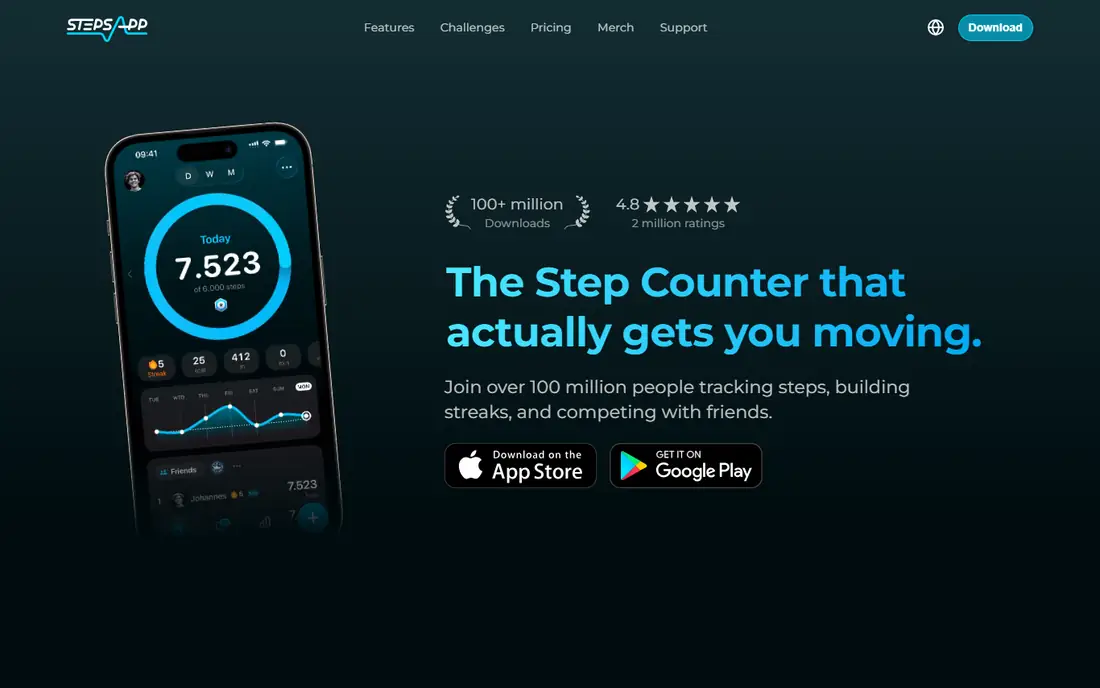
StepsApp wins on presentation. Daily steps, distance, and calories appear in a calm, readable layout, and the streak counter gives you a reason to open the app each morning. It reads steps from Apple Health or Google Fit, so it works with nearly any watch or band you already own, including Apple Watch, Fitbit, Garmin, Oura, and Polar.
The free tier covers tracking, goals, streaks, and basic progress views. StepsApp PRO costs $29.99 per year and adds advanced trends, analytics, and premium customization, with a family plan at $59.99 per year for up to six members. StepsApp suits people who check their steps often and want the numbers to look good. It is less social than Pacer, with challenges present but not the center of the app.
What we like- Clear daily and weekly views
- Streaks and challenges
- Syncs with Apple Watch, Fitbit, Garmin, Oura, and more
Watch out for- Android free tier shows ads
- Advanced trends need PRO
Starting priceFree
Free planYes
Pedometer++ is the quiet option on this list. Made by independent iOS developer David Smith, it shows your step count, distance, active calories, and flights of stairs in simple graphs, with badges for milestones. There is no account to create, no feed to check, and no subscription pushed at you. Apple Watch complications let you glance at progress from your wrist.
The app is free, and its simplicity is the point. Pedometer++ does not offer group challenges, GPS routes, or rewards, and Android users cannot use it at all. For iPhone owners who want a step count and nothing else, that restraint is a strength. If you need social motivation, pair it with Steps Club or Pacer instead.
What we like- No account required
- Clean graphs and badges
- Apple Watch complications included
Watch out for- IPhone and Apple Watch only
- No social challenges or rewards
Starting priceFree
Free planYes
Fitbit's app is free, but it makes most sense as the companion to a Fitbit tracker or Pixel Watch. Steps are recorded automatically all day from the wrist, which is more reliable than carrying a phone everywhere, and the dashboard adds sleep, heart rate, exercise, and readiness scores. Community challenges still exist, though they are quieter than in past years.
Fitbit Premium costs $9.99 per month or $79.99 per year and adds detailed sleep analysis, wellness reports, and guided programs. The honest catch is hardware lock-in: without a Fitbit device, the app is a weaker phone pedometer than Pacer or StepsApp, and Google is folding Fitbit into its wider Google Health app. Buy into Fitbit for the wearable ecosystem, not for the app alone.
What we like- Automatic all-day tracking from Fitbit devices
- Sleep, heart rate, and activity in one dashboard
- Large challenge community
Watch out for- Best with Fitbit hardware
- Phone-only counting is less accurate
- Premium subscription for deeper insights
Starting priceFree
Free planYes
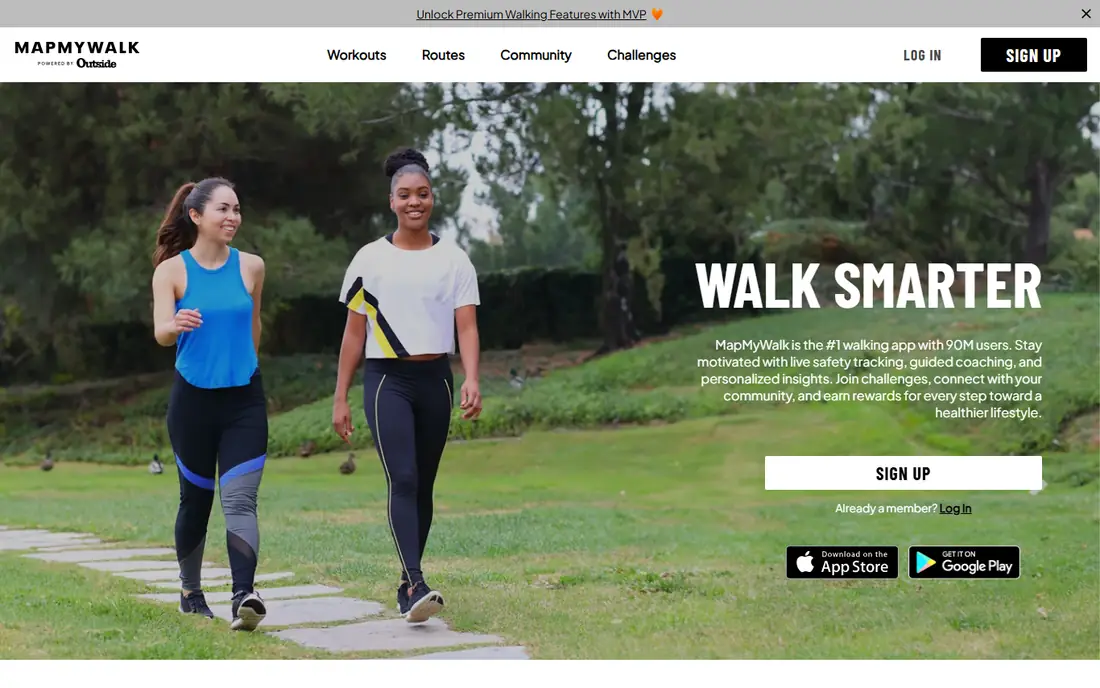
MapMyWalk, from Under Armour, treats walking as an outdoor activity to map rather than a number to hit. Start a walk and it records your route by GPS, with distance, pace, elevation, and calories, and you can save favorite routes or discover routes other walkers use nearby. It also counts steps, but GPS is where it earns its place.
The app is free, with a premium tier for advanced training plans, live tracking, and ad removal. MapMyWalk fits walkers who care about where they walked, not just how many steps they took, and it pairs well with a simple counter for daily totals. People who walk mostly indoors or on a treadmill will get less from it, since GPS needs open sky to work well.
What we like- GPS routes with distance, pace, and calories
- Route discovery and saved routes
- Works with many wearables
Watch out for- Step counting is secondary to GPS tracking
- Premium features need a subscription
Starting priceFree
Free planYes
Charity Miles gives your steps a second purpose. Walk, run, or bike with the app open and corporate sponsors donate to the charity you choose, covering causes from hunger and health to veterans and the environment. Companies can also run employee programs through it, which makes it a natural fit for workplace walking challenges with a cause attached.
The app is free, with no subscription, and its site reports strong user ratings. Donation rates depend on sponsorship pools rather than a fixed per-mile amount, so treat the giving as a bonus rather than a fundraising plan. Charity Miles suits walkers who want their routine to help someone else. Pure training features are thinner here than in MapMyWalk or Strava-style apps, so use it for motivation, not coaching.
What we like- Walking, running, and biking raise money for charities
- Corporate and charity team options
- No subscription
Watch out for- Donation amounts depend on sponsors
- Fewer training features than dedicated fitness apps
Starting priceFree
Free planYes
Sweatcoin pays you, in a manner of speaking, to walk. Outdoor steps verified by its movement algorithm earn Sweatcoins, which you can spend in its marketplace on gadgets, subscriptions, travel vouchers, and charity donations. The company reports that users walk about 20 percent more after joining, and the app has topped app store charts in more than 70 countries.
The app is free, with optional premium tiers for faster earning. The honest catch is value: rewards are modest and change often, so nobody should walk for the payout alone. Sweatcoin also uses GPS validation, which uses more battery than a plain pedometer, and its privacy posture involves more data sharing than Pedometer++ or Steps Club. It works best as a nudge for people who respond to small, tangible rewards.
What we like- Steps convert into coins for rewards
- Challenges and community
- Works on iPhone and Android
Watch out for- Reward values vary and are modest
- GPS-based validation uses more battery
- Shares more data than simple counters
Starting priceFree
Free planYes
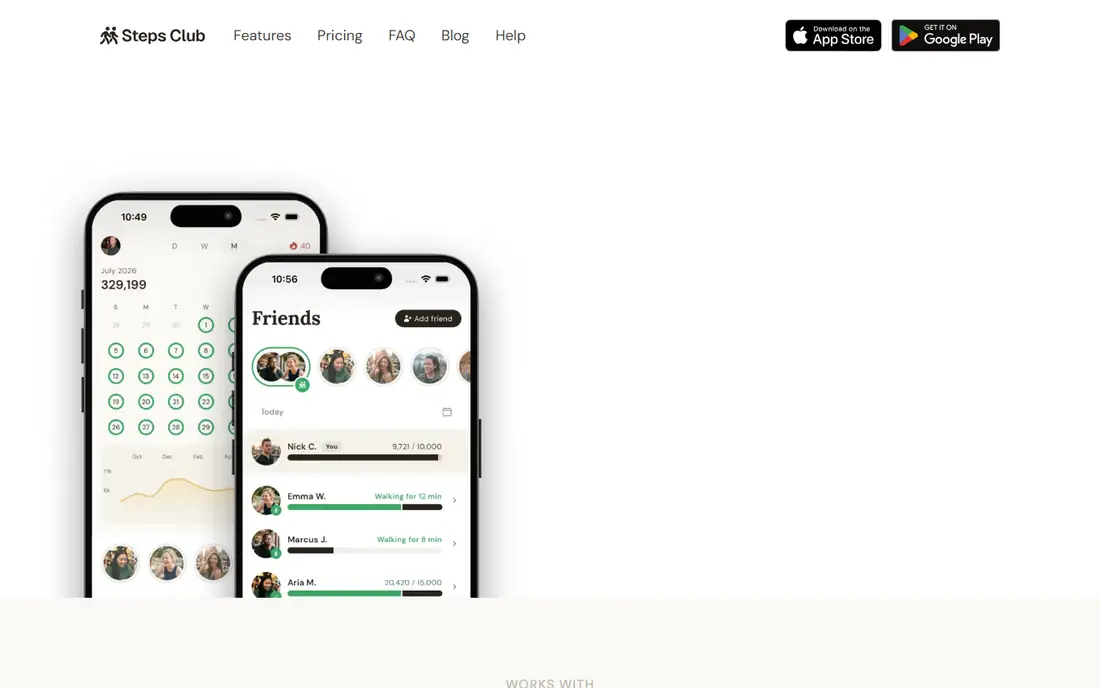
Steps Club is a social layer that sits on top of whatever device you already use. Create a club, share a link, and your friends or family join to see each other's steps, cheer milestones, and walk together live, with steps ticking up in real time. Because it reads from Apple Health or Health Connect, mixed iPhone and Android groups work the same way, and each person keeps their own goal.
The basic plan is free for up to 2 clubs and 5 friends. Plus costs $4.99 per month or $19.99 per year for unlimited clubs and friends, and a lifetime option is listed at $29.99. Steps Club is private by design, with invite-only clubs and no public profiles, which sets it apart from open leaderboards. It is only as good as your group, so it suits families, friend circles, and small teams rather than solo walkers.
What we like- Private clubs with live walks and reactions
- Reads steps from Apple Health or Health Connect
- No public profiles
Watch out for- Needs friends to be useful
- Free tier limited to 2 clubs and 5 friends
How we chose
We compared step apps on counting accuracy, whether a wearable is required, the quality of the free tier, social and motivation features, and privacy posture. Pricing came from vendor homepages and App Store listings checked in October 2026, and every homepage above was opened to confirm it loads and belongs to the product named. Strava was excluded after its homepage was blocked by the browser tool, so it could not be verified in this session. Where a price could not be confirmed from the vendor, the field reads See website rather than a guess.
What to check before you install
Start with how you carry your phone. If it stays in your pocket most of the day, a phone-only tracker like Pacer or StepsApp will count well. If your phone spends hours on a desk or in a bag, a wrist device with Fitbit or Apple Watch will record far more steps, and a phone app alone will undercount. Next, decide what keeps you walking. Challenges suit competitive people, streaks suit routine builders, charity or rewards suit purpose-driven walkers, and a private club suits people motivated by friends rather than strangers.
Then check the subscription. Most step apps are free for basic counting, and premium tiers mostly add trends, plans, or customization. Pay only if you will actually use those extras, since a free counter plus a walking habit beats a paid app you ignore. Finally, think about privacy. Simple counters keep data on your device, while social and rewards apps share steps, location, or both with servers and partners. Read the privacy page before installing if that matters to you.
Frequently asked questions
Do I need a smartwatch to track steps?
No. Pacer, StepsApp, and similar apps count steps using your phone's motion sensor. A watch improves accuracy, especially when your phone is not on you, but it is not required.
Are step counts from a phone accurate?
Phone counting is usually close for everyday walking, within a few percent of a dedicated tracker. Accuracy drops when the phone sits on a desk, in a bag, or on a treadmill, where wrist devices do better.
Which step app is completely free?
Pedometer++ and Charity Miles are free with no subscription for core features. Most others offer a free tier with optional premium upgrades for trends, plans, or extra features.
Can I track steps with friends?
Yes. Pacer offers open challenges and leaderboards, while Steps Club offers private clubs for friends and family. Both work across iPhone and Android.
Do rewards apps really pay you to walk?
Sweatcoin and Charity Miles convert activity into rewards or donations, but the values are modest and vary. Treat them as motivation, not income.
Will a step app drain my battery?
Simple counters use very little battery. GPS-based apps like MapMyWalk and Sweatcoin use more, since they track location during walks. Keeping GPS sessions short limits the effect.
Sources we checked (9)
- https://www.mypacer.com
- https://stepsapp.io
- https://david-smith.org/apps/
- https://www.fitbit.com
- https://www.mapmywalk.com
- https://charitymiles.org/
- https://sweatcoin.com
- https://www.stepsclubapp.com
- https://getcurex.com/glp1-blog/top-apps-to-track-daily-steps
Is your product missing or out of date?
We review this list regularly. Vendors can request a listing, send updated pricing or ask about featured placement.

Shihab Mia · Founder, Rankite
Shihab has 5+ years in B2B and SaaS SEO. He writes Rankite's software buying guides from pricing pages, documentation and public user reviews. More about Shihab.