How we make this list: we compare pricing pages, product documentation and public user reviews. Ratings come from G2, Capterra or Trustpilot, with the date we checked them.
Key takeaways
- DEVONthink suits Mac users with huge local libraries, with fast full-text search, AI classification, and local-first storage that handles 100 GB without cloud bottlenecks.
- Paperless-ngx suits self-hosters who want free, unlimited local storage, with OCR, tagging, and a web interface for scanned documents.
- Zotero suits researchers with large libraries, with free local storage, citation management, and linked-file mode that keeps 100 GB off its cloud.
- PDF Expert suits readers and annotators who want speed and polish, with fast search and annotation across large collections.
- At 100 GB, local-first beats cloud-first: cloud sync of that size is slow and expensive, so keep the library local, back it up separately, and sync only what you need.
Quick comparison
Is your product missing or out of date?
We review this list regularly. Vendors can request a listing, send updated pricing or ask about featured placement.
The best app for managing over 100 GB of PDF files
Starting priceSee website
Free planNo
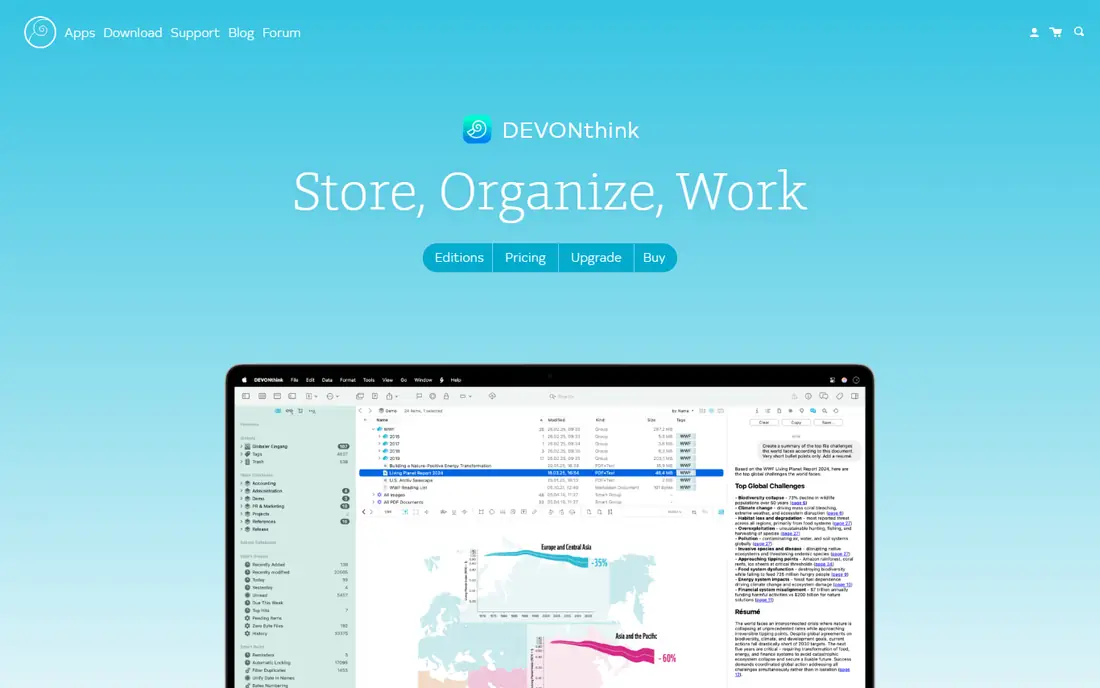
DEVONthink suits Mac users with huge local libraries. Its local-first databases handle 100 GB or more without cloud bottlenecks, its full-text search stays fast across large collections, and its AI classification and see-also suggestions help organize documents that would otherwise sit in unnamed folders. For a researcher, lawyer, or archivist with decades of PDFs, DEVONthink is the most capable local manager.
The trade is platform and complexity. It is Mac only, it needs a paid license, and its database model has a learning curve. DEVONthink fits best for Mac users whose library is large enough that search speed and organization matter more than cross-platform access.
What we like- Local-first storage with fast full-text search
- AI classification and see-also suggestions
- Handles very large databases
- Flexible sync options
Watch out for- Mac only
- Paid license
- Learning curve for its database model
- Interface feels dense to new users
Starting priceFree
Free planYes
Paperless-ngx suits self-hosters who want free, unlimited local storage. Its open-source server ingests scanned documents, runs OCR, tags them, and serves a web interface from any device, with no storage cap beyond your own disk. For a household or small office with 100 GB of scans, Paperless-ngx costs nothing but a server and some setup time.
The limits are setup and support. It needs Docker and server setup, offers no official mobile app, and support comes from the community rather than a vendor. Paperless-ngx fits best for technical users who want free, unlimited, self-hosted document management.
What we like- Free and open source with unlimited local storage
- Automatic OCR and tagging
- Web interface for access from any device
- Consumes scanned documents automatically
Watch out for- Needs Docker and server setup
- No official mobile app
- Support comes from the community, not a vendor

#3Zotero
Best for: Research libraries plus citations4.4/5 on
G2 (99 reviews, checked Oct 2026)
Visit zotero.org
Starting priceFree
Free planYes
Zotero suits researchers with large libraries. Its free, open-source app manages bibliographic data and PDFs together, its citation tools insert references in Word and Google Docs, and its linked-file mode keeps a 100 GB library on your local drive or your own cloud folder rather than Zotero's cloud, which offers only 300 MB free. For a researcher whose library is mostly papers, Zotero is the standard.
The trade is cloud storage and polish. Its cloud storage is small without a paid plan from $20 to $120 per year, its interface feels dated, and its mobile experience is limited. Zotero fits best for researchers who use linked files locally and value citations over cloud sync.
What we like- Free and open source
- Strong citation management
- Linked-file mode keeps large libraries off its cloud
- Plugins for full-text indexing and translation
Watch out for- Cloud storage is only 300 MB free, with paid plans from $20 to $120 per year
- Interface feels dated
- Mobile experience is limited
Starting priceSee website
Free planNo
PDF Expert suits readers and annotators who want speed and polish. Its fast search and rendering stay responsive across large collections, its annotation and form tools cover markup, signing, and editing, and its clean interface makes long reading sessions pleasant. For a user who reads and marks up PDFs all day, PDF Expert is the most enjoyable reader here.
The limits are platform and management. It needs a paid subscription, it is Mac and iOS only, and its library management is weaker than DEVONthink's or Zotero's, with no citation tools. PDF Expert fits best as a reader and annotator, paired with DEVONthink or Zotero for organization.
What we like- Fast search and rendering across large collections
- Strong annotation and form tools
- Clean interface
- Good iPad and Mac experience
Watch out for- Paid subscription
- Mac and iOS only
- Weaker library management than DEVONthink or Zotero
- No citation tools
Starting priceFree
Free planYes
Mendeley suits students with research libraries. Its free version organizes PDFs, annotates them, and inserts citations in Word and LaTeX, with a large community and familiar workflows. For a student juggling papers across a semester, Mendeley's annotation and citation tools are a lifesaver.
The trade is scale and openness. Its free storage is limited, it can slow down with very large libraries, and it is owned by Elsevier rather than open source, with premium features from around $4.99 per month. Mendeley fits best for students whose libraries are large but not yet at 100 GB, or who use it alongside local storage.
What we like- Free version for organizing and annotating PDFs
- Word and LaTeX integration
- Large user community
- Citation tools
Watch out for- Free storage is limited
- Can slow down with very large libraries
- Owned by Elsevier, not open source
- Premium starts around $4.99 per month

#6Foxit PDF Editor
Best for: Windows PDF editing at scale4.6/5 on
G2 (3,783 reviews, checked Oct 2026)
Visit foxit.com
Starting priceSee website
Free planNo
Foxit PDF Editor suits Windows users who edit PDFs at scale. Its editing, OCR, and batch tools handle large files well, its Windows performance stays responsive, and it costs less than Acrobat for many teams. For an office that edits, redacts, and batches hundreds of PDFs, Foxit is a strong Acrobat alternative.
The limits are management depth. Its library management is weaker than DEVONthink's or Zotero's, its interface is dense, and cloud features need a subscription. Foxit fits best as an editor for large collections, paired with a dedicated manager for organization.
What we like- Strong editing, OCR, and batch tools
- Good Windows performance
- Cheaper than Acrobat for many teams
- Handles large files well
Watch out for- Paid license
- Library management is weaker than DEVONthink or Zotero
- Interface is dense
- Cloud features need a subscription

#7Adobe Acrobat
Best for: Enterprise PDF workflows4.7/5 on
Capterra (4,264 reviews, checked Oct 2026)
Visit adobe.com
Starting priceSee website
Free planNo
Adobe Acrobat suits enterprise PDF workflows. Its industry-standard editing, signing, forms, OCR, and accessibility tools cover compliance and production needs, its enterprise deployment and admin controls suit large teams, and Acrobat Sign integration covers e-signatures. For a company where PDF is a production format, Acrobat is the safe standard.
The trade is price and weight. Its subscription is the priciest here for individuals, it feels heavy for simple reading, and library management needs a separate tool. Acrobat fits best for enterprise teams, not for a solo user managing a personal archive.
What we like- Industry-standard PDF editing, signing, and forms
- Strong OCR and accessibility tools
- Enterprise deployment and admin controls
- Acrobat Sign integration
Watch out for- Paid subscription, the priciest here for individuals
- Heavy for simple reading
- Library management needs a separate tool
Starting priceSee website
Free planNo
EagleFiler suits Mac users who want simple archiving without complexity. Its library-based model stores files in standard folders, so your data stays portable and readable without the app, its search is fast, and it stays lightweight even with large collections. For a user who wants a searchable archive without DEVONthink's depth, EagleFiler is a calm choice.
The limits are platform and features. It is Mac only, needs a paid license, and offers no citation or collaboration tools. EagleFiler fits best for Mac users who value portability and simplicity over AI classification.
What we like- Simple, library-based archiving on Mac
- Stores files in standard folders, so your data stays portable
- Fast search
- Lightweight
Watch out for- Mac only
- Paid license
- No citation or collaboration tools
- Smaller feature set than DEVONthink
How we chose
We compared these tools on local storage handling, search speed at scale, OCR, annotation, citation support, and cost at 100 GB, since a tool that handles 1 GB gracefully may crawl at 100 GB. Pricing figures come from vendor pages and current comparison guides checked in October 2026, and any figure we could not confirm is marked as See website. We did not claim hands-on testing. Instead we weighed public documentation, pricing pages, and user reviews, plus the practical difference between local-first and cloud-first storage at this scale.
What to check before you pick
Start with storage strategy. At 100 GB, keep the library local and back it up separately, since cloud sync of that size is slow and expensive, and sync only the subset you need on mobile. Next, decide whether you need citations: researchers should pick Zotero or Mendeley, while archivists should pick DEVONthink, Paperless-ngx, or EagleFiler. Finally, test search speed with your real library, not a sample, since indexing time and search latency at 100 GB differ sharply from small collections.
Local-first, backed up, not synced
A 100 GB library should live on a fast local drive, with a separate backup on an external drive or a backup service, not as a live cloud sync folder. Live sync of 100 GB creates conflicts, slow uploads, and storage bills, while a backup runs on a schedule and stays out of the way. For Zotero, linked files keep the library local; for DEVONthink and EagleFiler, the database is already local; for Paperless-ngx, the server is yours. Keep one local copy, one backup copy, and sync only a working subset to mobile.
OCR and naming at scale
At 100 GB, search depends on OCR and naming. Scanned PDFs without OCR are invisible to search, so run OCR on ingestion, as Paperless-ngx does automatically, and keep original filenames plus a consistent naming scheme. Deduplicate before importing, since 100 GB often hides duplicates, and tag by project or topic rather than by year alone, so a search finds the document, not just its folder.
Frequently asked questions
What is the best app for managing 100 GB of PDFs?
DEVONthink for Mac users with huge local libraries, Paperless-ngx for free self-hosted storage, and Zotero for researchers. All three handle large local libraries without forcing 100 GB through a cloud sync.
Should I store 100 GB of PDFs in the cloud?
Not as a live sync folder: it is slow and expensive. Keep the library local, back it up separately, and sync only a working subset to mobile. Zotero's cloud offers only 300 MB free, so use linked files for large libraries.
Is Zotero free for large libraries?
Yes, locally: Zotero itself is free and open source, and linked files keep a 100 GB library on your own drive. Only Zotero's cloud storage is limited, with paid plans from $20 to $120 per year for larger cloud storage.
Can Mendeley handle 100 GB of PDFs?
Mendeley can organize large libraries, but its free storage is limited and it can slow down with very large collections. For 100 GB, pair it with local storage or pick DEVONthink, Paperless-ngx, or Zotero with linked files.
What is the cheapest way to manage 100 GB of PDFs?
Paperless-ngx, free and open source with unlimited local storage on your own server, or Zotero with linked files, free locally. Both avoid cloud storage bills at this scale.
Do I need OCR for a large PDF library?
Yes for scanned PDFs: without OCR, scanned pages are invisible to search. Run OCR on ingestion, as Paperless-ngx does automatically, and use Foxit or Acrobat for batch OCR on existing scans.
Sources we checked (8)
- https://www.devontechnologies.com/apps/devonthink
- https://docs.paperless-ngx.com
- https://www.zotero.org
- https://pdfexpert.com
- https://www.mendeley.com
- https://www.foxit.com/pdf-editor
- https://www.adobe.com/acrobat.html
- https://c-command.com/eaglefiler
Is your product missing or out of date?
We review this list regularly. Vendors can request a listing, send updated pricing or ask about featured placement.

Shihab Mia · Founder, Rankite
Shihab has 5+ years in B2B and SaaS SEO. He writes Rankite's software buying guides from pricing pages, documentation and public user reviews. More about Shihab.
 DEVONthink
 Paperless-ngx
 PDF Expert
 Mendeley
 EagleFiler