How we make this list: we compare pricing pages, product documentation and public user reviews. Ratings come from G2, Capterra or Trustpilot, with the date we checked them.
Key takeaways
- Homebase is the small business default: a free plan with scheduling and a time clock for one location and up to 10 employees, then $24 per location per month for paid tiers with unlimited staff.
- Connecteam is the deskless crew app: free for up to 10 users with all core features, then $29 per month covering the first block of users, with GPS clock ins, forms, and team chat.
- Jibble and Clockify are the free heavyweights: Jibble offers verified clock ins with facial recognition free for unlimited users, and Clockify tracks time free for unlimited users.
- Deputy at $5 per user per month and When I Work at $2.50 per user per month serve shift heavy teams that need scheduling and compliance as much as punches.
- The privacy note that belongs at the top: GPS tracking of employees needs a clear written policy and, in many places, consent. Track the shift, at the worksite, during work hours. Anything broader creates legal and trust problems no app can fix for you.
Quick comparison
| Tool | Best for | Starting price | Free plan |
|---|
 Homebase Homebase | Small hourly teams, scheduling plus clock | Free | Yes |
 Connecteam Connecteam | Deskless and field crews | Free | Yes |
 Jibble Jibble | Free verified clock ins at any team size | Free | Yes |
 Clockify Clockify | Free time tracking for desk and remote teams | Free | Yes |
 When I Work When I Work | Scheduling first teams on a budget | $2.50 per user per month | No |
 Deputy Deputy | Retail and hospitality with compliance rules | $5 per user per month | No |
 Buddy Punch Buddy Punch | Stopping buddy punching | $19 per month plus $4.99 per user | No |
 OnTheClock OnTheClock | Simple GPS verified punches | $5 per month plus $4 per employee | No |
Is your product missing or out of date?
We review this list regularly. Vendors can request a listing, send updated pricing or ask about featured placement.
The best apps for employees to clock in and out
#1Homebase
Best for: Small hourly teams, scheduling plus clock4.6/5 on
G2 (586 reviews, checked Oct 2026)
Visit joinhomebase.com
Starting priceFree
Free planYes
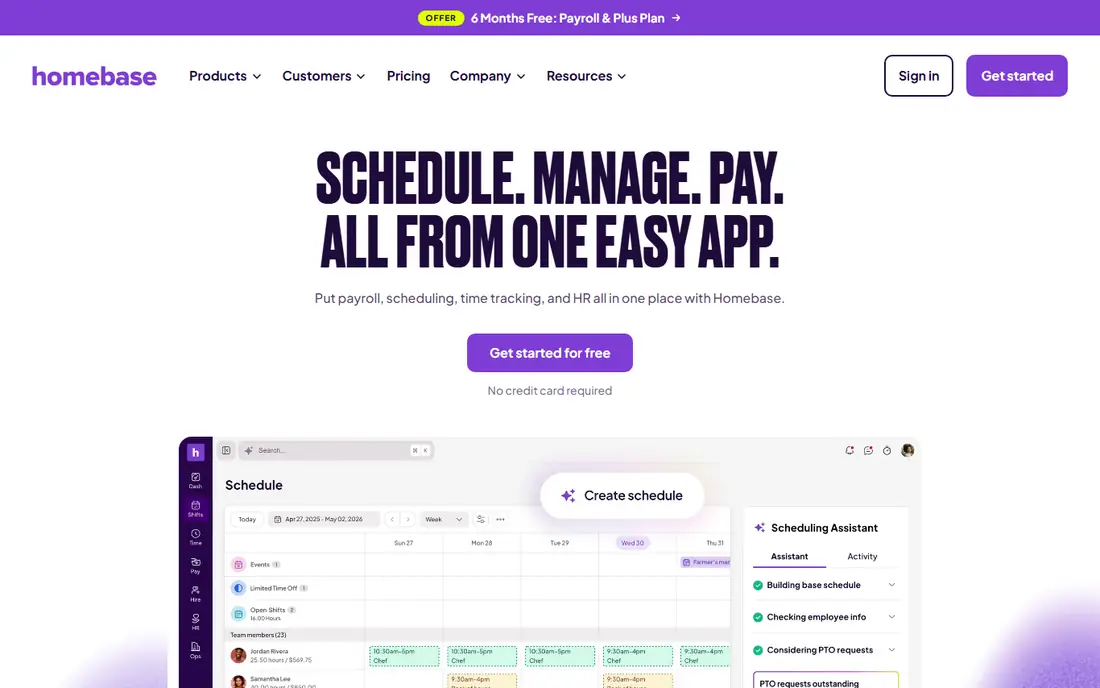
Homebase is where small hourly businesses land. The free tier is a real product, not a demo: build the schedule, staff clock in on their phones or a shared device, hours total themselves, and the owner stops reconstructing the week from memory on Sunday night. Restaurants, retailers, and cafes are its home ground, and its hiring tools sit in the same app.
The trade off is the ceiling of free and the add ons beyond it. Payroll is a paid extra, and each new location starts a new line on the bill. Homebase fits single location hourly teams best, and growing ones that prefer a predictable per location price over per head maths.
What we like- A free Basic plan with scheduling, time clock, messaging, and hiring for one location and up to 10 employees
- Paid plans from $24 per location per month billed annually, with unlimited employees, so headcount growth does not raise the bill
- GPS clock in on paid tiers, plus POS integrations for shops and restaurants
- Payroll available as an add on in the same system
Watch out for- The free plan's 10 employee and one location caps arrive fast for growing businesses
- Payroll costs extra on top of the plan
- Multi location businesses pay per location
#2Connecteam
Best for: Deskless and field crews4.6/5 on
G2 (3,506 reviews, checked Oct 2026)
Visit connecteam.com
Starting priceFree
Free planYes
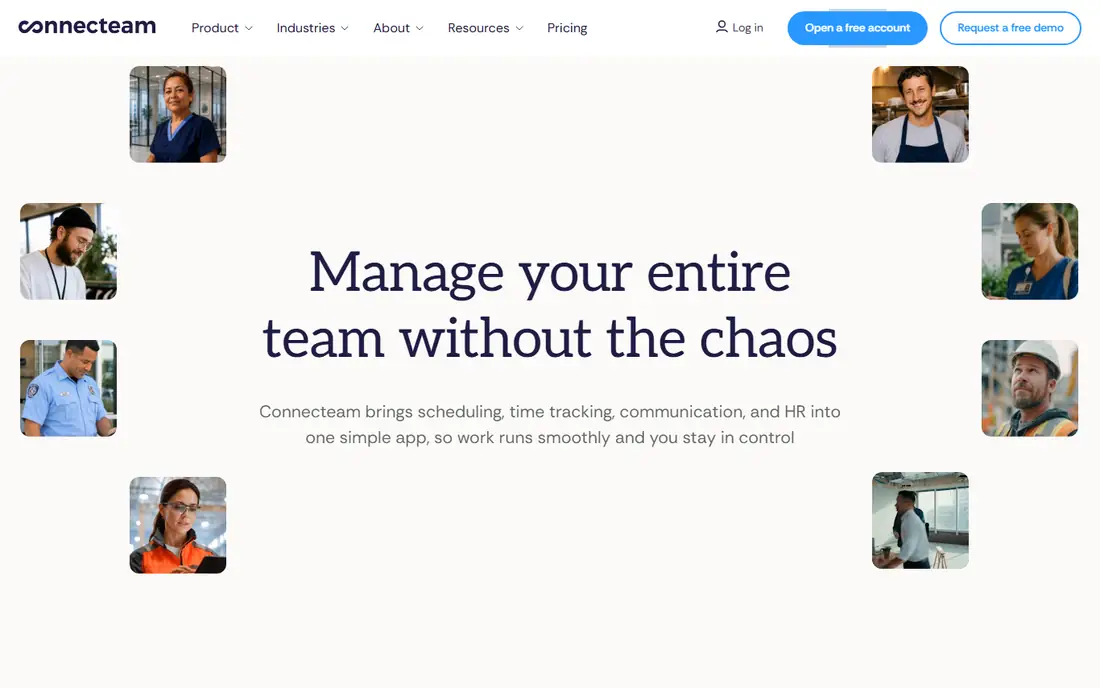
Connecteam treats the time clock as one room in a bigger house for deskless teams: clock in with GPS, complete the day's forms and checklists, read the announcement, message the crew. For cleaning companies, trades, home care, and field services, that single app replaces a pocketful of separate tools. Its free tier for small teams is unusually complete.
The trade off is tier geography: the location controls a field business most wants sit on the middle and upper plans. Connecteam fits mobile crews up to a few dozen people who want operations, not just hours, in one place.
What we like- Free for up to 10 users with all features available to try properly
- A GPS time clock with geofencing options, plus forms, checklists, training, and team chat in one crew app
- Paid plans start at $29 per month for the first block of users on annual billing, which suits small crews
- Built for workers who never sit at a desk
Watch out for- Location features deepen on higher tiers, with geofencing and live breadcrumbs costing more
- No offline mode in the time clock per current comparisons
- Admin power lives on the web dashboard, not the phone
#3Jibble
Best for: Free verified clock ins at any team size4.7/5 on
G2 (579 reviews, checked Oct 2026)
Visit jibble.io
Starting priceFree
Free planYes
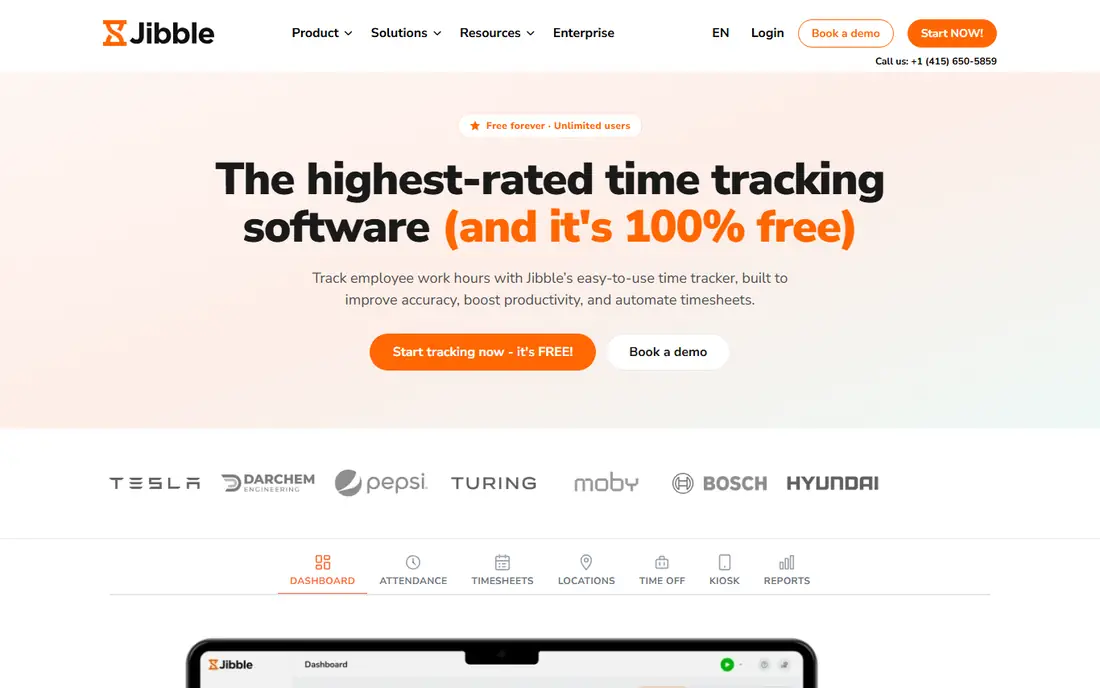
Jibble's offer is startling enough to repeat: the free tier does not cap your headcount. Unlimited employees can clock in with facial recognition and GPS at no cost, which removes the usual reason small and mid size teams postpone a real time clock. The kiosk mode suits warehouses, clinics, and sites where personal phones are not the answer.
The trade off is in the structure around the clock: multiple schedules, advanced leave management, and scale features are the paid story. Jibble fits cost conscious teams of any size whose core need is verified, honest punches, and who will pay later for management depth if they ever need it.
What we like- Free for unlimited users, including facial recognition clock ins and GPS tracking with geofences
- Kiosk mode turns any tablet into a verified punch station
- Automated timesheets and overtime rules
- Paid plans from $3.49 per user per month add PTO depth and priority support
Watch out for- The free plan allows one kiosk and one schedule, so structure costs money
- A smaller brand than the US incumbents
- Scheduling is functional rather than its headline strength
#4Clockify
Best for: Free time tracking for desk and remote teams4.5/5 on
G2 (204 reviews, checked Oct 2026)
Visit clockify.me
Starting priceFree
Free planYes
Clockify answers a different question from the rest of this list: not where were you at 9, but what did the week get spent on. Agencies, freelancers, and remote teams log time against projects, and the free tier's unlimited users made it the default tracker for desk based work worldwide. Clock in and out exists here as the timer, with attendance style controls on paid tiers.
The trade off is enforcement. If your problem is a jobsite and a foreman, Jibble or Connecteam fits better. Clockify fits knowledge teams that need honest project hours and a free start, with GPS available when they grow into needing it.
What we like- Free time tracking for unlimited users, across projects, tasks, and clients
- Works on desktop, web, and mobile, suiting desk and remote work
- Paid plans from $3.49 per user per month add GPS, scheduling, and approvals
- Reports show where the hours actually went, not just that they happened
Watch out for- It tracks time against work more than it polices attendance
- Location features sit on the Pro tier around $7.99 per seat
- No shift scheduling in the core product
#5When I Work
Best for: Scheduling first teams on a budget4.4/5 on
G2 (404 reviews, checked Oct 2026)
Visit wheniwork.com
Starting price$2.50 per user per month
Free planNo
When I Work is the scheduler that also clocks. For shift businesses, the schedule is where the week is won: fill the shifts, let staff trade them under rules you set, then let the clock verify the plan actually happened. At $2.50 per user it is priced for exactly the small service teams that live this way.
The trade off is that attendance is the second feature, not the first. Businesses whose main pain is time theft will want the verification specialists. When I Work fits restaurants, retail, care, and service teams whose manager hours go to building and repairing schedules.
What we like- Scheduling is the core product, with self service swaps, shift covers, and open shifts
- Time and attendance rides alongside at $2.50 per user per month for the starting tier
- Employees manage their availability in the app, cutting the manager's message traffic
- Integrates with the major payroll providers
Watch out for- No free plan, a 14 day trial instead
- Live GPS tracking is not its strength
- Time tracking specifics vary by plan, so read the tier table carefully
#6Deputy
Best for: Retail and hospitality with compliance rules4.6/5 on
G2 (666 reviews, checked Oct 2026)
Visit deputy.com
Starting price$5 per user per month
Free planNo
Deputy is the compliance grade option. In hospitality and retail, the expensive mistakes are legal ones: missed breaks, unplanned overtime, minors on wrong shifts. Deputy builds those rules into scheduling and clocking, flags violations before they become payroll, and documents the record. That is why larger shift operations standardise on it.
The trade off is weight for small teams. A six person cafe does not need Deputy's rulebook. Deputy fits multi site retail, hospitality, and healthcare rosters where compliance and labour cost control justify $5 per user and a proper implementation.
What we like- Scheduling and time built for regulated shift work: break rules, overtime, and labour law compliance features
- Facial recognition clock ins on kiosks
- Demand based scheduling for retail and hospitality groups
- $5 per user per month starting price, with a long 31 day trial
Watch out for- Depth costs attention: setup and rules configuration take real time
- The mobile app's offline mode is limited
- Advanced admin controls sit on the Pro tier
#7Buddy Punch
Best for: Stopping buddy punching4.8/5 on
G2 (416 reviews, checked Oct 2026)
Visit buddypunch.com
Starting price$19 per month plus $4.99 per user
Free planNo
Buddy Punch is the focused tool: a time clock whose design brief is honest punches. If your audit found friends clocking friends in early, its verification menu, face, photo, QR at the door, closes that hole directly, and its job codes keep the hours sorted for payroll. Pricing is a $19 monthly base plus $4.99 per user on annual billing.
The trade off is narrowness. It will not run your schedule on the entry plan or your payroll ever. Buddy Punch fits small and mid size businesses whose time problem is specifically verification, and who already have payroll handled elsewhere.
What we like- Named for the problem it solves: facial recognition, PIN, QR code, and photo punch options stop staff clocking each other in
- GPS location stamps on all plans, with geofencing on the Pro tier
- Job codes track time by project or department
- Integrates with the major payroll providers rather than running its own
Watch out for- No free plan, and the base fee plus per user price needs both numbers read together
- No offline mode, so dead zones need a workaround
- Scheduling arrives on the Pro plan rather than the entry tier
#8OnTheClock
Best for: Simple GPS verified punches4.4/5 on
G2 (279 reviews, checked Oct 2026)
Visit ontheclock.com
Starting price$5 per month plus $4 per employee
Free planNo
OnTheClock is the uncomplicated American small business clock. It does the core job, verified punches from anywhere, clean timesheets, payroll integrations, at a price a ten person company can compute in its head. Its own comparison content is unusually candid about rivals, which matches the product's plain speaking style.
The trade off is ceiling. Growing companies will eventually want the scheduling and compliance depth above it in this list. OnTheClock fits small teams that want GPS honest punches and payroll ready hours without adopting an HR platform to get them.
What we like- Straightforward pricing: a $5 monthly base plus $4 per employee per month
- GPS verified clock ins across mobile, browser, kiosk, and fingerprint options
- Payroll ready exports and integrations with Gusto, QuickBooks, ADP, and others
- A 30 day trial with no card required
Watch out for- Overtime calculations can need manual checking per current comparisons
- No offline mode
- Feature depth trails the bigger suites
How we chose
We compared the time clock apps small and mid size employers choose most, using vendor pricing pages and October 2026 comparisons that test clock in methods, GPS features, and free tier limits head to head. Prices are quoted with their shape, per user, per location, or base plus per head, because the shape decides your bill at your headcount. We weighted verified clocking, since that is the feature employers actually pay for, and we noted free tier caps honestly. We did not clock in with these apps or claim hands on testing.
Employee privacy: the policy to write before you switch GPS on
A time clock that tracks location is a workplace monitoring tool, and it should be introduced like one. Start with the legitimate purpose, in writing: verifying that hourly staff are at the assigned site when they clock in and out. Then configure the tool to collect only that: a location stamp at the punch, or a geofence check at the site boundary, during scheduled hours. Continuous tracking of a person's phone through the day, and anything that reaches off duty time, goes beyond the purpose and, in a growing number of jurisdictions, beyond the law without explicit consent.
Tell people plainly. A short written policy, what is collected, when, who can see it, how long it is kept, and what it is never used for, presented before the first tracked shift, prevents the suspicion that quietly destroys the trust these tools are meant to protect. Some states and countries require notice or consent for biometric features like facial recognition specifically, with real penalties attached, so check your local rules before enabling face based punches. Used narrowly and openly, a GPS clock protects honest employees as much as the business: their accurate record is what settles every dispute about hours, in their favour as often as yours.
Frequently asked questions
What is the best free app for employees to clock in and out?
Jibble, for verified punches: facial recognition and GPS free for unlimited users, a combination no rival matches at zero cost. Homebase's free plan is the better free answer when you also need scheduling for a small team at one location, and Clockify is the free pick for desk and project based tracking. All three free tiers are real; their caps are structural, one kiosk, one location, no scheduling, rather than time limits.
How much do time clock apps cost for a 20 person team?
Shapes decide it. At published rates: When I Work about $50 a month at $2.50 per user; OnTheClock $85, from a $5 base plus $4 per head; Deputy $100 at $5 per user; Connecteam can be cheaper, since its $29 entry block covers the first group of users; Homebase charges $24 per location regardless of headcount. Add payroll only if you will use the same vendor's, and check whether GPS and geofencing sit in the tier you priced.
Can employees clock in from their own phones?
Yes, that is the standard model for every app here, with controls to keep it honest: GPS stamps, geofences that only accept punches inside the site boundary, and photo or facial verification. Employers who prefer no personal phones can run a shared tablet kiosk instead, which Jibble, Homebase, Deputy, and OnTheClock all support. Decide the model in your policy, including what happens when a phone is flat or forgotten; a manager override with a note is the usual answer.
Is it legal to track employee location with a clock app?
Generally yes for the punch itself, with conditions that vary by state and country: employers typically may verify attendance location during work hours for a stated business purpose, with notice to employees. Facial recognition and other biometrics carry stricter consent laws in several states, and off duty or continuous tracking is where employers get into trouble. This is general information, not legal advice: publish a written policy, collect the minimum, and check your jurisdiction's rules before rollout.
What is buddy punching and how do apps stop it?
Buddy punching is one employee clocking in for an absent or late colleague, an old paper timecard fraud that costs employers real money. Apps stop it by tying the punch to a person and a place: facial recognition or a photo at the punch, a PIN plus GPS stamp, or a QR code that exists only at the site. Buddy Punch is built around the problem, and Jibble includes facial recognition free. The honest side effect to plan for is a fair exception process, because verification systems occasionally reject the genuine employee too.
Sources we checked (0)
Is your product missing or out of date?
We review this list regularly. Vendors can request a listing, send updated pricing or ask about featured placement.

Shihab Mia · Founder, Rankite
Shihab has 5+ years in B2B and SaaS SEO. He writes Rankite's software buying guides from pricing pages, documentation and public user reviews. More about Shihab.