How we make this list: we compare pricing pages, product documentation and public user reviews. Ratings come from G2, Capterra or Trustpilot, with the date we checked them.
Best alarm app for heavy sleepers at a glance
Alarmy is the best alarm app for heavy sleepers, because photo, barcode, maths and shake missions make it hard to silence the alarm half asleep. Sleep Cycle is the best pick for a gentler wake inside a light sleep window, and Sleep as Android is the best cheap option with a one-time unlock.
Key takeaways
- A heavy sleeper needs a dismiss task, not a louder sound: missions that force you to get up beat volume alone.
- Alarmy has the deepest mission set here, with maths, photo, barcode, typing, shake, memory and squat missions.
- Sleep Cycle wakes you inside a window you set, which suits people who wake groggy from a harsh alarm.
- Sleep as Android pairs dismiss tasks with sleep tracking for about $6 as a one-time unlock.
- On Android, exempt the alarm app from battery optimisation, or the phone may kill it overnight and it never fires.
Best alarm apps for heavy sleepers compared
| Tool | Best for | Starting price | Free plan |
| Alarmy | Mission alarms for heavy sleepers | Free; Premium about $59.99 per year | Yes |
| Sleep Cycle | Smart wake window | Premium $39.99 per year | Yes |
| Sleep as Android | Dismiss tasks plus sleep tracking | Free trial; about $6 one-time | Trial |
| Wake Boom | Relentless alarms with missions | Free; Premium in-app purchases | Yes |
| Pillow | Sleep tracking with a smart alarm | Free; Premium subscription | Yes |
| Alarm Clock for Me | Simple loud alarm with tasks | Free; Premium in-app purchases | Yes |
| Alarm Clock Planner | Alarms on specific dates | Free; unlimited $2.99 per year | Yes |
| Alarmi | Morning habit missions | Free; Premium in-app purchases | Yes |
What makes an alarm work for a heavy sleeper?
A dismiss task makes it work, not volume. A heavy sleeper can sleep through a loud alarm and tap snooze without waking, so the alarm has to demand an action that needs a waking brain. Alarmy does this best, with missions such as solving maths problems, taking a photo of a place you chose the night before, scanning a barcode in another room, shaking the phone a set number of times, or doing squats. The point is that the task forces you out of bed and into the light before the alarm stops. Volume, vibration and a rising sound still help, but they are the backup, not the mechanism. If an alarm lets you stop it with one tap, it will fail a heavy sleeper.
How much do heavy sleeper alarm apps cost?
Most are free to start and charge $3 to $60 a year for the full version. Alarmy is free with ads, and Premium is reported at about $5.99 a month or $59.99 a year, with other reports listing $49.99 a year, so the price varies by store and region. Sleep Cycle Premium is $39.99 a year, and Sleep as Android costs about $6 as a one-time unlock after a free trial. Alarm Clock Planner is the cheapest paid option here at $2.99 a year for unlimited alarms, or $9.99 once. Prices here are third-party reported, checked 13 Nov 2026, because no vendor pricing page was opened directly for this guide, and app store prices vary by country, so check the store listing before you pay.
Will a smart alarm wake a heavy sleeper?
Sometimes, but it is not the best tool for the job. A smart alarm such as Sleep Cycle or Pillow wakes you inside a window you set, when your sleep is lightest, which gives a gentler start and suits people who wake groggy. But a heavy sleeper can sleep through a light sleep window too, and a gentle alarm has no way to force you up. If you sleep through ordinary alarms, start with a mission alarm such as Alarmy, and use the smart alarm as a second, earlier alarm that catches you on a light morning. The best setup for a heavy sleeper is often two alarms: a mission alarm as the one that must work, and a smart alarm as the backup.
What if my alarm app does not fire in the morning?
On Android, the usual cause is battery optimisation killing the app overnight. Exempt the alarm app from battery optimisation in the phone settings, especially on Samsung Galaxy phones with One UI, and keep the app updated. On iPhone, check that the app has notification permission and that Focus or Do Not Disturb does not silence it. Test the alarm during the day before you rely on it for a morning that matters, and keep a second alarm on another device for the first week. An alarm that never fires is worse than a bad alarm, so reliability comes before features.
Quick comparison
| Tool | Best for | Starting price | Free plan |
|---|
 Alarmy | Mission alarms that force heavy sleepers out of bed | Free; Premium about $59.99 per year, third-party reported, checked 13 Nov 2026 | Yes |
 Sleep Cycle | A smart wake window with sleep tracking | Premium $39.99 per year, third-party reported, checked 13 Nov 2026 | Yes |
 Sleep as Android | Dismiss tasks plus deep sleep tracking on Android | Free trial, then about $6 one-time unlock, third-party reported, checked 13 Nov 2026 | Trial |
 Wake Boom | Relentless alarms with missions for heavy sleepers | Free; Premium in-app purchases, third-party reported, checked 13 Nov 2026 | Yes |
 Pillow | Sleep tracking with a smart alarm on iPhone | Free; Premium subscription, see store listing, third-party reported, checked 13 Nov 2026 | Yes |
 Alarm Clock for Me | A simple loud alarm with tasks on iPhone and Android | Free; Premium in-app purchases, third-party reported, checked 13 Nov 2026 | Yes |
 Alarm Clock Planner | Alarms planned by date, with backup alarms and a custom snooze pattern | Free; unlimited alarms $2.99 per year or $9.99 once, third-party reported, checked 13 Nov 2026 | Yes |
 Alarmi | Morning habit missions that build a routine | Free; Premium in-app purchases, third-party reported, checked 13 Nov 2026 | Yes |
Is your product missing or out of date?
We review this list regularly. Vendors can request a listing, send updated pricing or ask about featured placement.
The 8 best alarm apps for heavy sleepers compared
#1
Alarmy
Best for: Mission alarms that force heavy sleepers out of bed
Visit alar.my
Starting priceFree; Premium about $59.99 per year, third-party reported, checked 13 Nov 2026
Free planYes
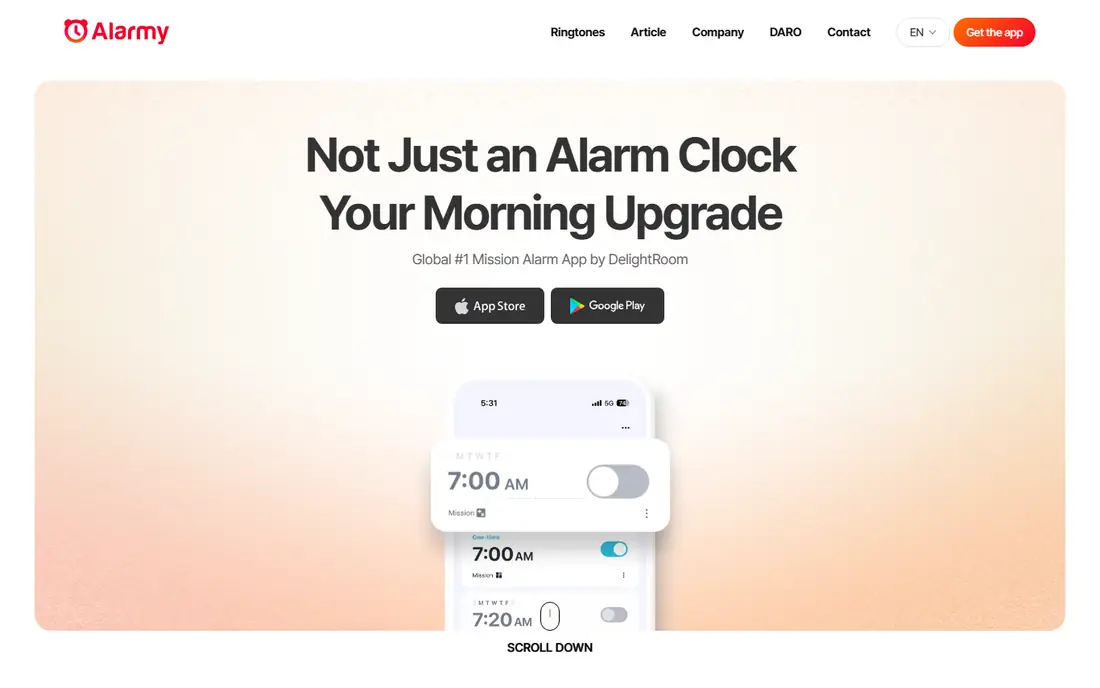
Alarmy is the best-known mission alarm, and its strength is dismissal difficulty. Instead of a snooze button you can tap half asleep, Alarmy requires a mission: solve maths problems, shake the phone, take a photo of a set location, scan a barcode, type a sentence, or do squats before the alarm stops. That forced action wakes you properly, which is the whole point for heavy sleepers. The free tier is usable, with maths, shake, photo, barcode and memory missions, plus sleep tracking and sleep sounds. Premium adds walking and squat missions, mission chaining, backup sound and time pressure, with a 7-day free trial. The trade-off is that the tougher missions sit behind the subscription, reported at about $59.99 a year, and the missions annoy on mornings when you must move fast. Pick Alarmy when you sleep through ordinary alarms.
What we like- Deepest mission set here, maths, photo, barcode, typing, shake and squat missions, more than 100 million downloads
Watch out for- The tougher missions sit behind the subscription, and the missions annoy on mornings when you must move fast
Starting pricePremium $39.99 per year, third-party reported, checked 13 Nov 2026
Free planYes
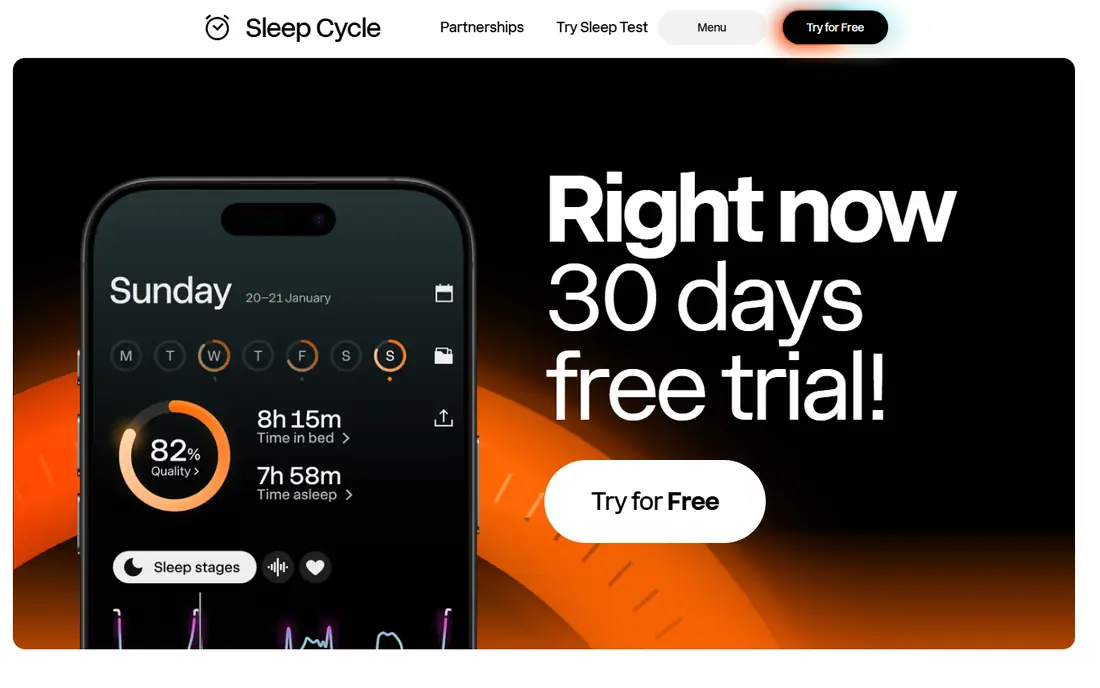
Sleep Cycle is the best-known smart alarm, waking you inside a window you set rather than at a single harsh moment. It tracks movement and sound through the night, estimates your sleep phases, and rings when you are in light sleep, which gives a gentler start than a fixed alarm. Premium at $39.99 a year adds full trend history, detailed analysis and extra sleep aids. The free tier covers the basic smart alarm. The trade-off is that a gentle wake can fail a true heavy sleeper: if you sleep through ordinary alarms, a soft sound in a light sleep window may still not reach you. Pick Sleep Cycle when you wake groggy from harsh alarms and want a gentler start with real sleep data behind it.
What we like- Smart wake window, long-term sleep analytics, gentle wake sounds
Watch out for- A gentle alarm can fail a true heavy sleeper, and full trend history sits behind Premium
Starting priceFree trial, then about $6 one-time unlock, third-party reported, checked 13 Nov 2026
Free planTrial
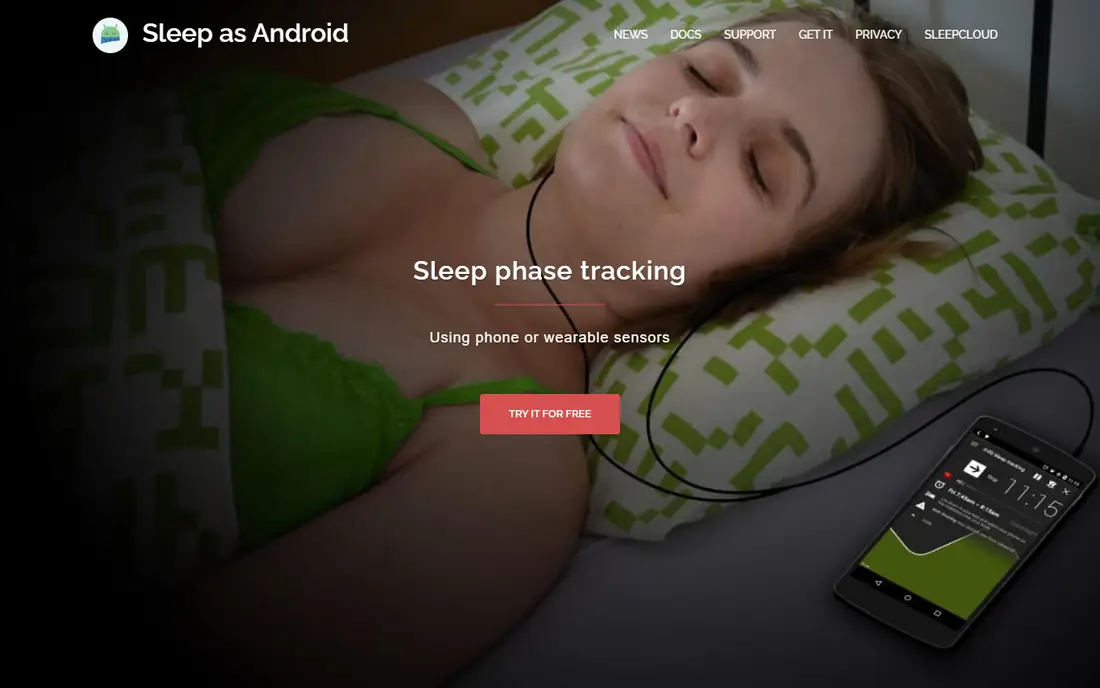
Sleep as Android pairs CAPTCHA-style dismiss tasks with a smart wake window and sleep tracking, which makes it the best cheap option here. The dismiss tasks include maths, barcode scanning and CAPTCHA puzzles that need a waking brain, and the smart wake window rings when you are in light sleep. It also tracks snoring, sleep debt and circadian patterns, and it works with Wear OS watches. After a free trial, the unlock costs about $6 as a one-time payment, which is far cheaper than a yearly subscription. The trade-off is that it is Android only, and the interface is dense with settings that take a while to learn. Pick Sleep as Android if you are on Android and want missions plus tracking for one small payment.
What we like- CAPTCHA, maths and barcode dismiss tasks, smart wake window, one-time price, Wear OS support
Watch out for- Android only, and the interface is dense with settings
#4
Wake Boom
Best for: Relentless alarms with missions for heavy sleepers
Visit wakeboom.app
Starting priceFree; Premium in-app purchases, third-party reported, checked 13 Nov 2026
Free planYes
Wake Boom is a newer heavy sleeper alarm that focuses on relentlessness: the alarm keeps going until you finish the task, and the first seven days give full access with no ads. The maths mission at medium difficulty stays free, with other mission types behind Premium, and the app pairs mission dismissal with volume ramp and vibration. It also works when the app is closed and supports Wear OS. The trade-off is youth: it is a newer service with a smaller user base than Alarmy, and the full mission set needs Premium. Pick Wake Boom when you want a mission alarm that stays free for the core maths task.
What we like- Relentless alarm mode, maths mission stays free, unlimited alarms on Premium
Watch out for- Newer service with a smaller user base, and other mission types sit behind Premium
Starting priceFree; Premium subscription, see store listing, third-party reported, checked 13 Nov 2026
Free planYes
Pillow is a sleep tracker with a smart alarm, and it is the best pick here for iPhone users who want clean sleep data. It records sleep stages, snoring and heart rate, syncs with Apple Watch and Apple Health, and wakes you inside a window you set. The free tier covers basic tracking and the smart alarm, while Premium adds full history and advanced analysis. The trade-off is that it is a sleep tracker first: it has no mission dismissal, so a heavy sleeper can still sleep through it or tap it off. Premium pricing varies by store, so check the listing before paying. Pick Pillow when you want sleep insight on iPhone and your problem is grogginess rather than sleeping through alarms.
What we like- Clean sleep tracking, smart alarm, Apple Watch and Health integration
Watch out for- It is a sleep tracker first, not a mission alarm, and Premium pricing varies by store
#6
Alarm Clock for Me
Best for: A simple loud alarm with tasks on iPhone and Android
Visit apalon.com
Starting priceFree; Premium in-app purchases, third-party reported, checked 13 Nov 2026
Free planYes
Alarm Clock for Me by Apalon is a simple alarm app with a loud ring and maths tasks to dismiss it, plus weather, a sleep timer and a flashlight in the same app. It is easy to set up, which suits people who do not want to learn a complex settings screen, and it works on iPhone and Android. The free tier covers the core alarm with ads, and Premium removes ads and unlocks extra sounds and tasks. The trade-off is depth: the mission set is thinner than Alarmy, with maths as the main task, and the free tier shows ads. Pick Alarm Clock for Me when you want a loud alarm with a maths task and no learning curve.
What we like- Loud alarm with maths tasks, weather and sleep timer, simple to set up
Watch out for- The free tier shows ads, and the mission set is thinner than Alarmy
Starting priceFree; unlimited alarms $2.99 per year or $9.99 once, third-party reported, checked 13 Nov 2026
Free planYes
Alarm Clock Planner solves a different problem from the mission alarms: it makes sure the right alarm is waiting on the right day. You plan alarms by date, set backup alarms, and choose your own snooze pattern, with no ads on the free version and up to three alarms free. Unlimited alarms cost $2.99 a year or $9.99 once, which is the cheapest paid option here. The trade-off is that it has no mission dismissal, so it will not force a heavy sleeper up on its own. Pick Alarm Clock Planner as a planning tool and a backup alarm, paired with a mission alarm such as Alarmy as the one that must work.
What we like- Cheapest paid option here, alarms on specific dates, backup alarms, no ads on the free version
Watch out for- No mission dismissal, so it will not force a heavy sleeper up on its own
Starting priceFree; Premium in-app purchases, third-party reported, checked 13 Nov 2026
Free planYes
Alarmi is a newer alarm app that turns the wake-up into a morning habit: instead of just a maths problem, it asks for camera-verified tasks such as drinking water or brushing your teeth, with AI-powered routines that build a morning habit over time. It works on iPhone and Android, and the free tier covers the core alarm with missions. The trade-off is scale: it is a solo-developer project with a small ecosystem, and the best missions sit behind Premium. Pick Alarmi when you want the alarm to start a morning routine rather than just end your sleep.
What we like- Camera-verified morning tasks, habit missions, works on iPhone and Android
Watch out for- A solo-developer project with a small ecosystem, and the best missions sit behind Premium
How we picked these apps
We compared alarm apps on dismissal difficulty, smart wake features, sleep tracking, reliability and price, using published comparisons from Rankite, Wake Boom, Alarm Clock Planner and AVA from 2026. Prices are third-party reported and were checked 13 Nov 2026, because no vendor pricing page was opened directly for this guide, and app store prices vary by country and change with promotions. Every website listed here was checked and confirmed live this run. Alarm Clock Xtreme and I Can't Wake Up were left out because no working official website could be confirmed for them. We did not claim hands-on testing. Sleep tracking in these apps is an estimate, not a medical measurement, and persistent sleep problems deserve a clinician, not an app.
Frequently asked questions
What is the best alarm app for someone who sleeps through everything?
Alarmy is the best pick, because its missions force you to get up and do something before the alarm stops. Maths, photo, barcode, typing, shake and squat missions all need a waking brain, which is what stops the half-asleep snooze tap. Set the mission the night before, put the phone across the room, and exempt the app from battery optimisation on Android. If Alarmy still fails, add a second alarm on another device.
Is Sleep Cycle worth $39.99 a year?
It is worth it if you wake groggy and want to understand your sleep, since Premium adds trend history and sleep aids. It is not worth it if you sleep through ordinary alarms, because a gentle wake has no way to force you up. Try the free tier for two weeks first, and if you wake inside the window and feel better, Premium is a fair price. If you sleep through it, spend the money on Alarmy Premium instead.
Can I use two alarm apps at once?
Yes, and for a heavy sleeper it is the best setup. Use a mission alarm such as Alarmy as the one that must work, and a smart alarm such as Sleep Cycle as an earlier backup that catches you on a light morning. Stagger them by 10 to 15 minutes so the smart alarm gets the first chance. Keep both apps exempt from battery optimisation on Android, and test both during the day before you rely on them.
Why does my alarm app sometimes not fire?
On Android, the usual cause is battery optimisation killing the app overnight, especially on Samsung Galaxy phones with One UI. Exempt the alarm app from battery optimisation and keep the app updated. On iPhone, check notification permission and make sure Focus or Do Not Disturb does not silence it. Test the alarm during the day, and never rely on a single app for a flight or an exam.
Are mission alarms bad for your health?
They are annoying by design, which is the point, but they are not harmful for most people. The sudden wake and forced activity raise your heart rate for a minute, and some people find the stress unpleasant. If you have a heart condition, high blood pressure, or a sleep disorder such as sleep apnoea, talk to a clinician first. For most heavy sleepers, the bigger risk is oversleeping and missing work, not the alarm itself.
Sources we checked (12)
- https://alar.my
- https://www.sleepcycle.com
- https://sleep.urbandroid.org
- https://wakeboom.app
- https://pillow.app
- https://www.apalon.com
- https://www.alarmclockplanner.com
- https://alarmi.app
- https://rankite.com/blog/best-alarm-app
- https://rankite.com/blog/best-alarm-clock-app
- https://wakeboom.app/best-heavy-sleeper-alarm-apps-for-android/
- https://alarmclockplanner.com/compare/alarm-clock-planner-vs-alarmy/
Is your product missing or out of date?
We review this list regularly. Vendors can request a listing, send updated pricing or ask about featured placement.

Shihab Mia · Founder, Rankite
Shihab has 5+ years in B2B and SaaS SEO. He writes Rankite's software buying guides from pricing pages, documentation and public user reviews. More about Shihab.