How we make this list: we compare pricing pages, product documentation and public user reviews. Ratings come from G2, Capterra or Trustpilot, with the date we checked them.
Key takeaways
- The best alarm clock apps in 2026 split between mission alarms that force you out of bed and smart alarms that wake you gently in light sleep.
- Alarmy leads for heavy sleepers with many mission types, while Sleep Cycle leads for gentle smart alarms with long-term sleep analytics.
- Sleep as Android leads for Android power users who want deep customization, while Pillow leads for Apple Watch owners who want Health integration.
- Alarm Clock Xtreme and Alarm Clock for Me lead for simple loud alarms with snooze control, while I Can't Wake Up and WakeUpBroo lead for task gauntlets.
- No app alone replaces sleep habits. Consistent bedtimes, a phone across the room, and a backup alarm matter more than any single feature.
Quick comparison
Is your product missing or out of date?
We review this list regularly. Vendors can request a listing, send updated pricing or ask about featured placement.
The best alarm clock apps
Starting priceFree
Free planYes
Alarmy is the best-known mission alarm, and its strength is dismissal difficulty. Instead of a snooze button you can tap half-asleep, Alarmy requires a mission: solve math problems, shake the phone, take a photo of a set location, or scan a barcode. That forced action wakes you properly, which is the whole point for heavy sleepers.
The trade is paywall and friction. Most missions sit behind the premium subscription, and missions annoy on mornings when you must move fast. For a heavy sleeper who sleeps through standard alarms, Alarmy is the strongest pick.
What we like- Many mission types including math, shaking, photo, and barcode
- Loud and aggressive
- IPhone and Android
Watch out for- Most features sit behind the subscription
- Missions can annoy on rushed mornings
- Setup takes tuning
Starting price$39.99 per year
Free planYes
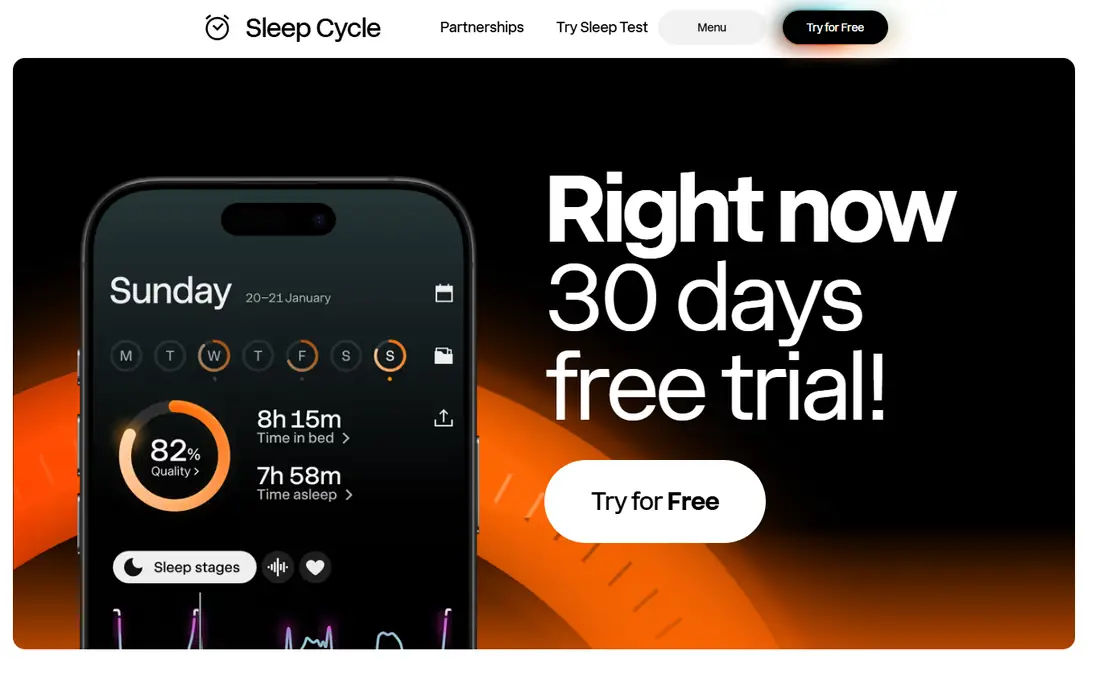
Sleep Cycle pioneered phone-only sleep tracking, and its smart alarm remains the gold standard for gentle waking. Place the phone on the nightstand, and sound analysis tracks sleep phases, waking you during light sleep within a customizable window. Premium at 39.99 dollars per year adds long-term trends, comparative statistics, snore and sleep-talk recording, and heart rate measurement.
The limits are cost and shared beds. The subscription adds up, the phone must stay by the bed all night, and a partner snoring pollutes microphone data. For a light sleeper who wants gentle waking and long-term analytics, Sleep Cycle leads.
What we like- Smart alarm wakes in light sleep within a 30-minute window
- Long-term sleep trends
- Snore analysis
Watch out for- Subscription adds up over years
- Needs the phone on the bedside table
- Shared beds pollute microphone data
Starting priceFree
Free planYes
Alarm Clock Xtreme suits users who want a loud alarm without complexity. It offers strong volume, snooze limits that stop endless snoozing, and a math dismissal option for heavy sleepers, all with simple setup. Android users get the most from it, and the free tier covers the core alarm.
The trade is depth. Sleep tracking is basic compared with Sleep Cycle or Sleep as Android, and the interface feels dated. For a user who wants a loud, simple alarm that just works, Alarm Clock Xtreme fits.
What we like- Loud alarms with snooze limits
- Simple setup
- Math dismissal option
Watch out for- Sleep tracking is basic
- Interface feels dated
- Premium features need an upgrade
Starting priceSee website
Free planFree trial
Sleep as Android is the Swiss knife tool for Android sleep. Fifteen years of development power sonar contactless tracking without a phone in bed, AI sound recognition for snoring and sleep talk, sleep scores covering deficit, regularity, efficiency, phases, and heart rate variability, plus integrations with Wear OS, Garmin, Spotify, Philips Hue, and Tasker. A 7-day premium trial covers evaluation, followed by a freemium tier or a one-time license upgrade.
The limits are platform and complexity. Sleep as Android is Android only, and setup takes time to tune. For an Android power user who wants the deepest sleep customization, it leads.
What we like- Deepest sleep tracking customization
- Sonar contactless tracking
- Wearable and smart light integrations
Watch out for- One-time license key pricing varies, so check the listing
- Android only
- Setup takes time
Starting priceSee website
Free planYes
I Can't Wake Up suits heavy sleepers who need a gauntlet, not a single task. It chains multiple tasks before the alarm stops, then requires a hold-to-confirm step that proves you are actually awake. That layered approach beats single-mission alarms for people who solve one math problem half-asleep and fall back asleep.
The trade is platform and polish. The app is Android-first and the iOS version lags, and the interface is functional rather than polished. For an Android heavy sleeper who needs the toughest dismissal, I Can't Wake Up leads.
What we like- Task gauntlet forces full waking
- Hold-to-confirm I am Up step
- Strong for heavy sleepers
Watch out for- Android-first, iOS version lags
- Interface is functional rather than polished
- Pricing varies by store
Starting priceFree
Free planYes
Alarm Clock for Me suits users who want a standard alarm without missions or tracking. Its dismiss button works like a normal clock, setup takes seconds, and it runs on iPhone and Android. The free tier covers the core alarm, with a paid upgrade for full features.
The limits are dismissal ease. A standard button is exactly what heavy sleepers tap half-asleep, so this app suits light sleepers who wake on the first ring. For a user who wants a simple replacement clock, Alarm Clock for Me fits.
What we like- Standard dismiss button
- Simple setup
- IPhone and Android
Watch out for- No mission difficulty for heavy sleepers
- Sleep tracking is basic
- Premium upgrade needed for full features
Starting priceFree
Free planYes
WakeUpBroo suits heavy sleepers who want no-snooze dismissal. Its standout method shows a code on another device, so you must get up and fetch it, or scan a random-item barcode to stop the alarm. The free download includes a 3-day trial, followed by a permanent free tier, with Pro for full access.
The trade is platform and setup. WakeUpBroo is iPhone only with Android in development, and code dismissal needs a second device placed away from the bed. For an iPhone heavy sleeper who wants the hardest snooze-proof alarm, WakeUpBroo leads.
What we like- Code on another device prevents half-asleep snoozing
- Barcode dismissal option
- No ads on free tier
Watch out for- IPhone only, Android in development
- Pro needed after 3-day trial for full access
- Setup needs a second device
Starting priceSee website
Free planYes
Pillow suits Apple device users who want sleep tracking deeply integrated with Apple Health. It natively integrates with Apple Watch sleep tracking and the Health app, providing richer sleep stage visualization than the native watchOS interface, plus audio recording for snoring and sleep sounds with timestamps. The design follows Apple conventions closely.
The limits are platform and paywall. Pillow is Apple-only, premium subscriptions gate key features, and full value needs an Apple Watch. For an Apple Watch owner who finds the native Sleep app too basic, Pillow is the obvious upgrade.
What we like- Best Apple Watch integration
- Beautiful sleep stage visualization
- Snore recording with timestamps
Watch out for- Apple-only, no Android
- Premium subscription needed for key features
- Needs an Apple Watch for full value
How we chose
We ranked apps by dismissal difficulty, sleep tracking, platform coverage, sound options, and value at entry level pricing. We weighed each app on one thing above all: how hard it is to stop the alarm without genuinely waking up. Loudness, customization, and sleep tracking matter, but for a true heavy sleeper the deciding factor is whether the app can be silenced on autopilot.
We also weighed gentleness honestly. Smart alarms suit light sleepers who want to wake in light sleep, while mission alarms suit heavy sleepers who need forced action. Where pricing varies by store or listing, such as Sleep as Android, I Can't Wake Up, and Pillow, we wrote See website, so readers check the current App Store listing before committing.
Buying guide
Start by naming why you miss alarms. If you snooze half-asleep, choose a mission alarm such as Alarmy, I Can't Wake Up, or WakeUpBroo. If you wake groggy but on time, choose a smart alarm such as Sleep Cycle or Sleep as Android. If you wake easily, a simple alarm such as Alarm Clock Xtreme or Alarm Clock for Me suffices.
Next, place the phone across the room. No app beats distance, since walking to the phone forces waking more reliably than any mission. Pair the app with a consistent bedtime and a backup alarm for important mornings, since even the best app fails when the phone dies or silences itself.
Finally, test the dismissal on a normal morning before relying on it. Set the mission, run it half-awake, and confirm it actually wakes you without annoying you into deleting the app. An alarm you delete after three days is worse than a simple one you keep for years.
Frequently asked questions
What is the best alarm clock app overall?
Alarmy leads for heavy sleepers, Sleep Cycle leads for gentle smart alarms, and Sleep as Android leads for Android power users. The best pick follows why you miss alarms and which phone you use.
Do alarm apps work for heavy sleepers?
Mission alarms work best, since they require math, shaking, photos, or barcodes before stopping. Standard dismiss buttons fail heavy sleepers because they can be tapped half-asleep.
Should I use a smart alarm or a mission alarm?
Smart alarms suit light sleepers who want gentle waking in light sleep, while mission alarms suit heavy sleepers who need forced action. Choose based on your failure mode, not the feature list.
Are alarm apps free?
Most offer free tiers, including Alarmy, Sleep Cycle, Alarm Clock Xtreme, Alarm Clock for Me, WakeUpBroo, and Pillow. Premium features need subscriptions or one-time licenses.
Does sleep tracking replace medical advice?
No. Phone sleep tracking shows trends, not diagnoses. If you snore heavily, stop breathing at night, or feel exhausted despite full sleep, consult a clinician.
Sources we checked (0)
Is your product missing or out of date?
We review this list regularly. Vendors can request a listing, send updated pricing or ask about featured placement.

Shihab Mia · Founder, Rankite
Shihab has 5+ years in B2B and SaaS SEO. He writes Rankite's software buying guides from pricing pages, documentation and public user reviews. More about Shihab.
 Alarmy
 Sleep Cycle
 Alarm Clock Xtreme
 Sleep as Android
 I Can't Wake Up
 Alarm Clock for Me
 WakeUpBroo
 Pillow