How we make this list: we compare pricing pages, product documentation and public user reviews. Ratings come from G2, Capterra or Trustpilot, with the date we checked them.
Key takeaways
- The best AI tools for resume writing in 2026 split into job-search suites, ATS optimizers, and design-led builders.
- Teal leads for managing a high-volume job search, while Jobscan leads for diagnosing exactly where a resume falls short against a posting.
- Rezi and Novoresume focus on ATS-safe formatting, with Rezi scoring content against job descriptions and Novoresume offering simple one-page layouts.
- Kickresume and Enhancv are the design picks for candidates whose resume needs to look as good as it reads.
- AI drafts need review: verify every fact yourself and never invent jobs, dates, or credentials, since hiring managers check.
Quick comparison
| Tool | Best for | Starting price | Free plan |
|---|
 Teal Teal | Managing a high-volume search | $29 per month | Yes |
 Rezi Rezi | ATS-optimized corporate resumes | $29 per month | Yes |
 Kickresume Kickresume | Designed templates on a budget | $8 per month | Yes |
 Enhancv Enhancv | Creative layouts that stand out | $13.33 per month | Free trial |
 Resume.io Resume.io | Guided building for beginners | $24.95 per month | Yes |
 Jobscan Jobscan | Diagnosing ATS gaps | $49.95 per month | Yes |
 Novoresume Novoresume | Clean one-page layouts | $19.99 per month | Yes |
 Zety Zety | Assisted writing with suggestions | $25.95 per 4 weeks | Free trial |
Is your product missing or out of date?
We review this list regularly. Vendors can request a listing, send updated pricing or ask about featured placement.
Starting price$29 per month
Free planYes
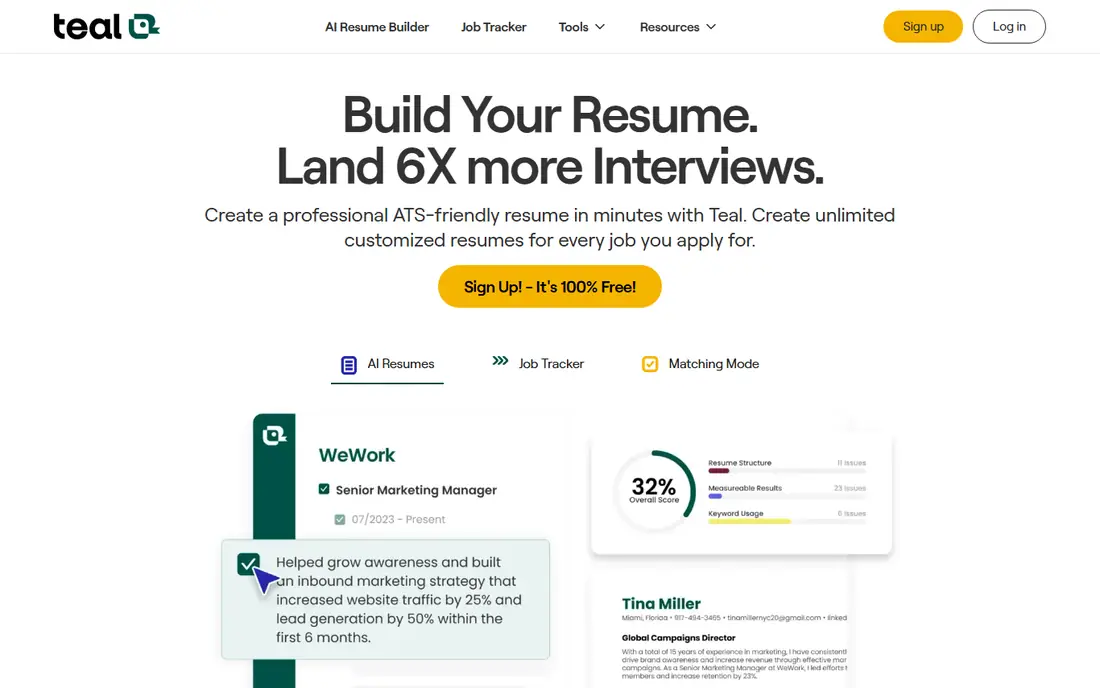
Teal is a job-search workspace rather than a document editor alone. It tracks applications across boards, matches your resume against each saved posting, and highlights missing keywords, while the core resume builder and export stay free, which is unusual here. Teal+ costs about 29 dollars per month or 9 dollars per week in some listings, with AI caps on the free tier such as limited bullets and summaries.
The trade is design depth. Templates are limited next to Kickresume or Enhancv, and heavy AI use needs the paid tier. For a job seeker applying to dozens of roles who needs tracking plus tailoring in one place, Teal is the strongest overall pick.
What we like- Job tracker plus resume builder
- Keyword match against saved postings
- Genuinely usable free tier
Watch out for- Paid tier bills weekly in some listings
- Design options are limited
- AI caps apply on free tier
Starting price$29 per month
Free planYes
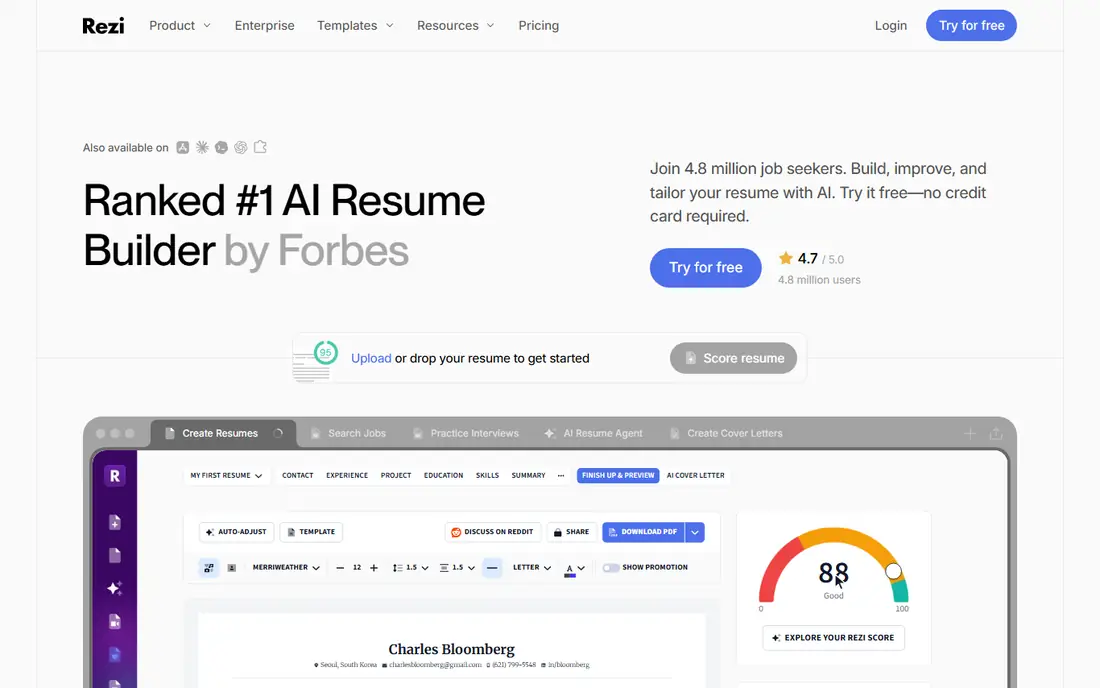
Rezi is built around getting past applicant tracking systems. It scores your resume in real time against a pasted job description across 23 criteria, rewrites bullet points to match the target role, and reports keyword gaps plainly. Pro costs 29 dollars per month, or about 129 to 149 dollars for a lifetime plan depending on current offer, and the free tier covers one resume with a few downloads.
The limits are looks. Templates are plain by design, since the priority is machine readability over visual flair, and the free tier is narrow. For a corporate applicant whose resume must survive ATS parsers at Workday, Greenhouse, or Taleo first, Rezi is the most focused tool here.
What we like- Real-time ATS scoring against job descriptions
- Keyword-gap analysis
- Lifetime plan option
Watch out for- Templates are plain by design
- Free tier covers one resume
- Design lovers will find it dull
Starting price$8 per month
Free planYes
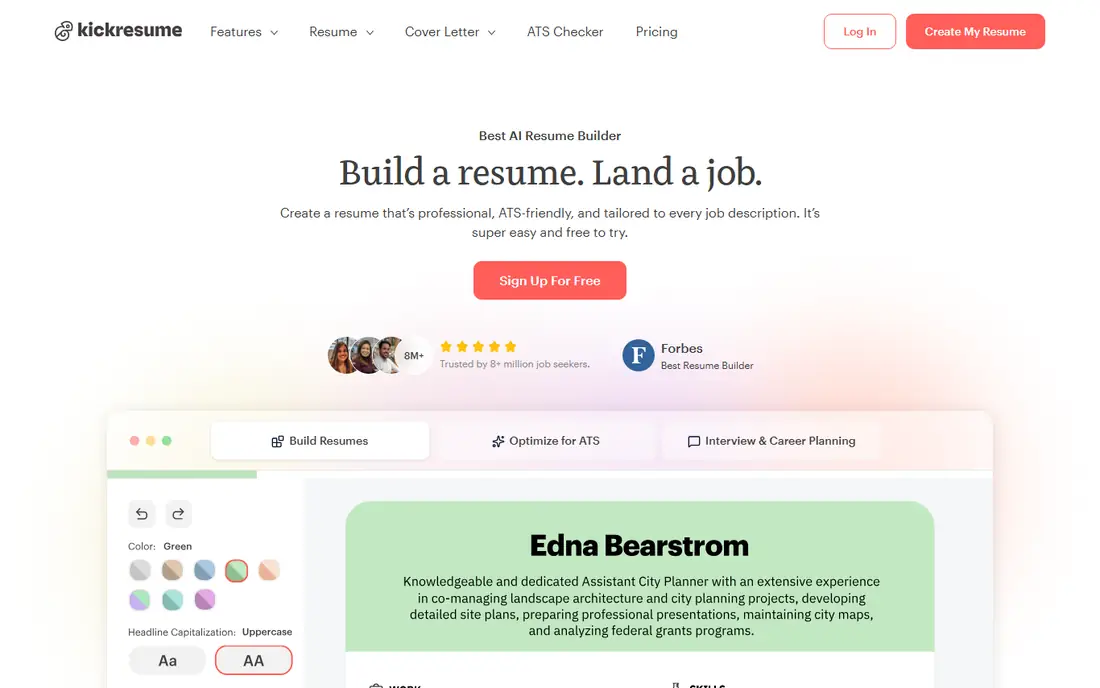
Kickresume pairs a large template library with an AI writer trained on real resumes, plus a cover letter builder and personal website tool. Its AI draft can start from a job title alone, and a phrase library of 20,000 plus entries helps beginners write bullets that sound professional. Annual billing brings the price to about 8 dollars per month, with a free tier covering basic templates.
The trade is billing shape. The best templates sit behind Premium, and monthly billing costs far more than annual, so budget buyers should commit to a year only if they will use it. For a student or creative who wants good design plus AI writing at a low annual price, Kickresume offers the best balance.
What we like- 40 plus templates
- GPT-powered AI writer
- Cover letter builder and personal website
Watch out for- Best templates are premium
- Annual billing pushed hard
- Monthly price is higher
Starting price$13.33 per month
Free planFree trial
Enhancv suits mid-career and executive candidates whose resume needs to look as good as it reads. Narrative sections, visual elements such as skill graphs, and real-time suggestions help tell a career story that plain templates flatten. Pricing runs about 13.33 dollars per month on six-month billing, or 19.99 dollars month to month, with a 7-day trial on basic features.
The limits are trial and ATS gating. Trial exports carry a watermark and lack Word export, and ATS score fixes sit behind paid plans. For a candidate whose document must impress a human reader first, Enhancv is the design leader here.
What we like- Narrative and visual section types
- Real-time content suggestions
- Strong executive layouts
Watch out for- ATS fixes gated to paid plans
- 7-day trial only
- Watermark on trial exports
Starting price$24.95 per month
Free planYes
Resume.io suits first-time writers who want a guided build in about 20 minutes. Its wizard walks through each section with role suggestions, templates stay clean and ATS-safe, and exports cover PDF and Word on paid plans. Monthly pricing runs near 24.95 dollars, with a 2.95 dollar 7-day trial that converts to subscription billing.
The trade is free-tier honesty. Building is free, but the free tier exports plain text only, stripping formatting, so a formatted resume needs payment. Trial billing also runs every four weeks on some plans, which works out higher per year than the monthly figure suggests. For a beginner who wants speed and guidance, Resume.io is the fastest path to a clean resume.
What we like- Fast 20-minute builds
- 30 plus templates
- Role suggestions guide first-time writers
Watch out for- Free tier exports TXT only
- Trial converts to a subscription
- PDF and Word need payment
Starting price$49.95 per month
Free planYes
Jobscan suits job seekers who already have a resume and want to know exactly where it falls short against a posting. Its match rate system compares your resume against the job description line by line, flags missing keywords and skills, and suggests targeted fixes. Paid plans start at 49.95 dollars per month, or about 29.98 dollars on annual billing, with five free scans per month.
The limits are price and scope. Jobscan is a diagnostic tool, not a full builder, so you still need an editor for the document itself, and the monthly price is the highest here. For a candidate targeting specific roles who wants precise keyword optimization, Jobscan is the most accurate checker available.
What we like- Direct job-description keyword match
- Match rate system
- Deep optimization reports
Watch out for- Highest monthly price here
- Not a full resume builder
- Free scans capped at five per month
Starting price$19.99 per month
Free planYes
Novoresume suits candidates who want a clean, structured, European-style CV on one page. Its layouts enforce strict one-page optimization, which forces concise writing, and ATS-safe formatting keeps parsing reliable. The free tier covers a single basic one-page CV, while Premium runs near 19.99 dollars per month on some listings, with annual options lower.
The limits are price clarity and range. Published prices differ across sources, so the starting price here reflects the commonly listed monthly figure and readers should confirm current terms. Template range is smaller than Kickresume, and the AI assistant is basic. For an international job seeker who values clean structure over flash, Novoresume fits well.
What we like- Strict one-page optimization
- ATS-safe layouts
- Multilingual support
Watch out for- Published prices differ across sources, so check the pricing page
- Template range is smaller
- AI assistant is basic
Starting price$25.95 per 4 weeks
Free planFree trial
Zety suits traditional job seekers who want a guided wizard with strong writing help. Its builder walks through each section with thousands of bullet examples and suggestions, templates cover 15 to 18 professional styles, and a resume score tool checks the result. A trial near 2.70 dollars covers 14 days, then billing runs 25.95 dollars per four weeks.
The trade is billing math. Four-week billing means 13 cycles per year, so the yearly total runs higher than a monthly figure suggests, and the free tier exports plain text only. For a job seeker who wants hand-holding through every section, Zety offers the most guided experience here.
What we like- Guided wizard
- Thousands of bullet examples
- Resume score tool
Watch out for- Trial converts to subscription billing
- Free tier exports TXT only
- Four-week billing works out higher yearly
How we chose
We ranked tools by AI writing quality, ATS handling, template range, job-search features, export options, and value at entry level pricing. We favored tools whose free tier exports a usable document rather than plain text alone, and tools that score against real job descriptions rather than generic advice. We gave extra weight to ATS parse reliability, since a beautiful resume that parsers garble never reaches a human.
We also weighed entry cost honestly. Where published prices conflicted across sources, such as Kickresume annual rates and Enhancv billing terms, we used the most commonly listed figures and noted billing periods. Trial plans that convert to subscriptions are flagged in each entry, since that conversion is the most common billing surprise in this category.
Buying guide
Start by naming your search shape. High-volume applicants should start with Teal for tracking plus tailoring. Corporate applicants should start with Rezi or Jobscan for ATS fit. Design-led candidates should start with Kickresume or Enhancv. First-time writers should start with Resume.io or Zety for guidance.
Next, test ATS parsing before paying. Paste your resume into a free ATS check or a trial scan, confirm that columns, headers, and dates parse cleanly, and fix garbled sections before submitting anywhere. Then verify every AI-written fact: job titles, dates, metrics, and credentials must be yours, since inventing achievements risks rejection when references are checked.
Finally, tailor per role rather than blasting one resume everywhere. Match keywords from each posting honestly, keep the document to one or two pages, and save a clean PDF plus a Word version, since some portals parse one better than the other. Cancel trials before they convert if you only needed one resume, and keep your master resume updated after every role change.
Frequently asked questions
What is the best AI resume tool overall?
Teal suits high-volume searches, Rezi suits ATS-heavy corporate applications, and Kickresume suits design on a budget. The best pick follows how many roles you target and how much design matters.
Will AI write my whole resume for me?
AI can draft bullets, summaries, and sections, but you must verify every fact. Never invent jobs, dates, metrics, or credentials, since hiring managers and reference checks catch inventions.
Do ATS-friendly templates really matter?
Yes. Many large employers filter resumes through applicant tracking systems before a human reads them, so clean parsing, standard headings, and matched keywords decide whether your resume is seen at all.
Are free resume builders really free?
Partly. Several tools let you build free but restrict formatted downloads to paid plans, exporting plain text only. Check download terms before investing hours in a free builder.
Should I tailor my resume for each job?
Yes. Tailoring keywords and bullets to each posting beats blasting one generic resume everywhere, and tools such as Teal and Jobscan make per-role tailoring fast.
Sources we checked (0)
Is your product missing or out of date?
We review this list regularly. Vendors can request a listing, send updated pricing or ask about featured placement.

Shihab Mia · Founder, Rankite
Shihab has 5+ years in B2B and SaaS SEO. He writes Rankite's software buying guides from pricing pages, documentation and public user reviews. More about Shihab.