How we make this list: we compare pricing pages, product documentation and public user reviews. Ratings come from G2, Capterra or Trustpilot, with the date we checked them.

Key takeaways
- The best AI app for home interior design in 2026 depends on the job: floor planners build dimensioned layouts, while photo restylers turn one picture into a new look.
- Homestyler leads as the all rounder with editable floor plans plus AI rendering, while Planner 5D suits DIY layout planning on a budget.
- AI renders are moodboard grade visuals, not measured plans: verify dimensions with a tape measure and confirm furniture exists before buying.
- Free tiers are real but small: most photo restylers give a handful of free designs, then charge credits or subscriptions.
Quick comparison
| Tool | Best for | Starting price | Free plan |
|---|
 Homestyler Homestyler | Floor plans plus AI rendering | $6.80 per month | Yes |
 Planner 5D Planner 5D | Editable 2D and 3D layouts | $19.99 per month | Yes |
 RoomGPT RoomGPT | Quick room style experiments | $9 for 30 credits | Yes |
 REimagineHome REimagineHome | Conversational restyles | $19 per month | Free trial |
 Remodel AI Remodel AI | Photo makeovers and finishes | $29 per month | Free trial |
 IKEA Kreativ IKEA Kreativ | Previewing real IKEA furniture | Free | Yes |
 Spacely AI Spacely AI | Budget design experiments | $9 per credit pack | Free trial |
 RoomStaging RoomStaging | Staging and redesign from photos | $19 per month | Free trial |
Is your product missing or out of date?
We review this list regularly. Vendors can request a listing, send updated pricing or ask about featured placement.
The best AI apps for home interior design
#1Homestyler
Best for: Floor plans plus AI rendering4.7/5 on
G2 (12 reviews, checked Oct 2026)
Visit homestyler.com
Starting price$6.80 per month
Free planYes
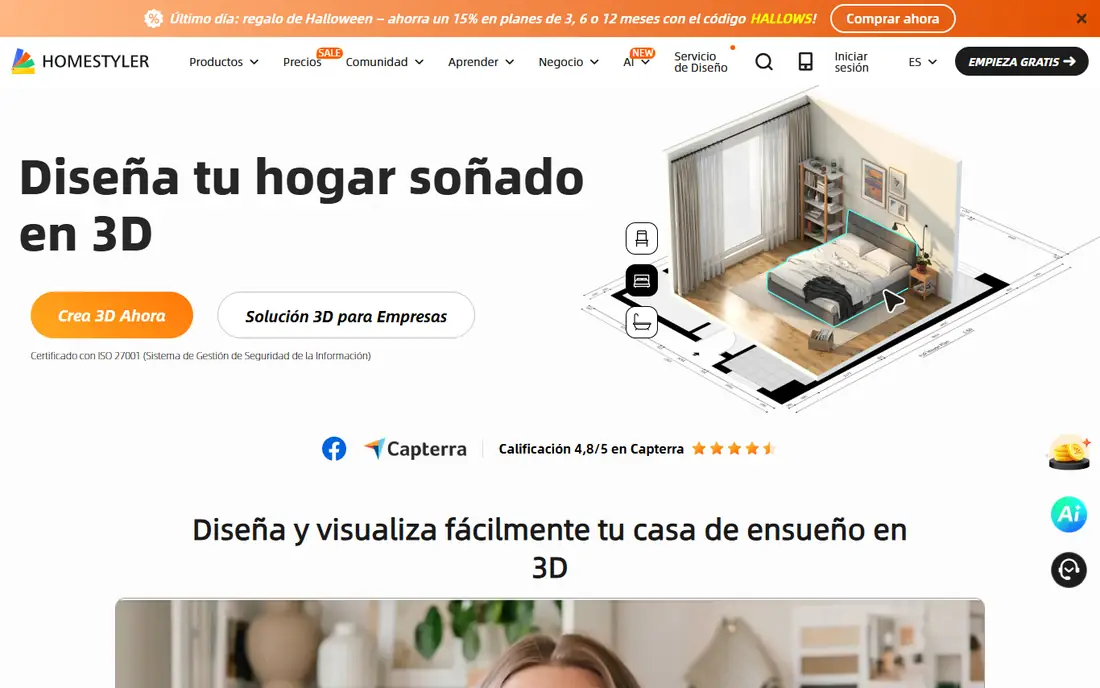
Homestyler is the best all rounder because it does both jobs: it builds dimensioned floor plans you can edit, and it renders them in 3D. The free Basic tier includes unlimited 1K renders, which is generous for testing layouts, and paid plans from 6.80 dollars per month add higher resolution, more AI credits, and watermark removal. The furniture catalog covers real products, so a plan can move toward a shopping list.
The free AI allowance is small, with only 3 AI credits on Basic, and a Stager image costs 10 credits, so photo restyling runs out fast without a paid plan. If your project is about layout and furniture placement rather than one click photo magic, Homestyler is the strongest free starting point.
What we like- Editable 2D and 3D floor plans
- Free Basic tier with unlimited 1K renders
- Large furniture catalog
Watch out for- Free AI credits total only 3
- A full Stager image costs 10 credits
- 4K renders cost extra per image
#2Planner 5D
Best for: Editable 2D and 3D layouts4.7/5 on
G2 (178 reviews, checked Oct 2026)
Visit planner5d.com
Starting price$19.99 per month
Free planYes
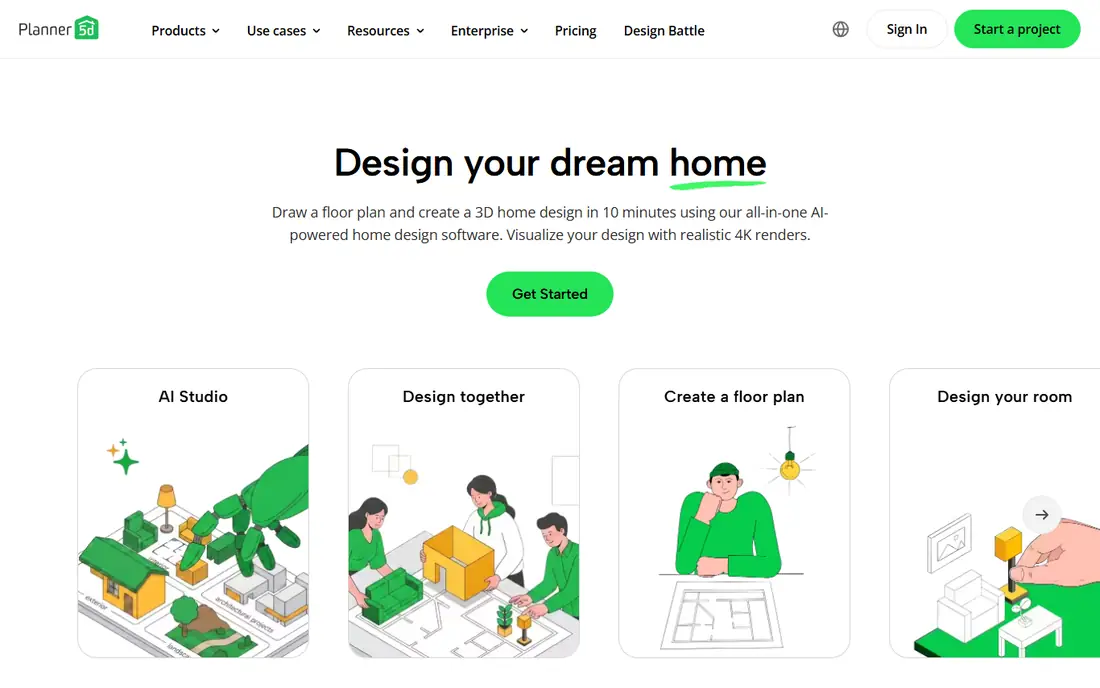
Planner 5D is the DIY floor plan builder. It lets you draw a room to scale, place furniture from a catalog, and view the result in 2D and 3D, with AI plan recognition that can read a sketched plan. The free tier allows unlimited projects with about half the furniture catalog, which suits testing layouts before paying.
The paid tier costs 19.99 dollars per month or 59.99 dollars per year, and it adds the full catalog and advanced rendering. Planner 5D is weaker for one click photo restyling than RoomGPT or REimagineHome, since its strength is planning, not photo magic. For a measured plan you can hand to a builder, Planner 5D is the budget pick.
What we like- Full 2D and 3D room planning
- AI plan recognition
- Unlimited projects on free tier
Watch out for- Full furniture catalog and advanced rendering are paid
- No AI photo restyling on free
- Monthly price is high versus annual
Starting price$9 for 30 credits
Free planYes

RoomGPT is the fastest way to test a new look. Upload a room photo, pick a style, and get a restyled image in minutes, with credit packs from 9 dollars for 30 credits. That simplicity suits renters and homeowners who want inspiration before committing to paint or furniture.
The limits are scope: only 1 free credit, no editable plan, and the AI decor in a render may not exist as a product you can buy. Treat RoomGPT as an idea tool, then verify furniture and colors separately before spending. For quick style experiments, it is the cheapest entry on this list.
What we like- Simplest upload and redesign workflow
- Cheap credit packs
- Good for style inspiration
Watch out for- Only 1 free credit
- No editable room plan
- AI decor in renders may not exist as real products
Starting price$19 per month
Free planFree trial
REimagineHome restyles rooms through conversation: describe the look you want, refine it in chat, and iterate on the result. The trial gives 5 free designs, and paid plans from 19 dollars per month add credits, with product linked ideas on Pro tiers and above. That chat flow suits people who think in words rather than floor plans.
The trade is that chat depth, reference images, and real product matching need higher tiers, and the output remains a visual, not a measured plan. For homeowners who want to talk through a redesign and see it quickly, REimagineHome is a strong pick.
What we like- Conversational design flow
- 5 free designs
- Product linked ideas on higher tiers
Watch out for- Chat, references, and real products need Pro and up
- Monthly price climbs with credits
- Renders are visuals, not plans
Starting price$29 per month
Free planFree trial
Remodel AI turns a photo into a makeover preview, changing finishes, colors, and styles for interiors and exteriors. The mobile workflow is simple: upload, pick a style, and compare before and after. That suits homeowners weighing a paint color, a floor finish, or a facade change.
The free trial gives 3 standard quality designs, and the paid plan costs 29 dollars per month, which is high for a one off project. Confirm the commercial use tier before using renders for a listing or client work. For finish and exterior previews, Remodel AI earns its place.
What we like- Photo makeovers with finish changes
- Good for exterior and interior previews
- Simple mobile workflow
Watch out for- Only 3 standard quality designs free
- Monthly price is high for casual use
- Confirm commercial use tier before business use
#6
IKEA Kreativ
Best for: Previewing real IKEA furniture
Visit ikea.com
Starting priceFree
Free planYes
IKEA Kreativ solves a different problem from the rest of this list: instead of imagining a new room, you place real IKEA furniture in your actual space through your phone camera, free. An AI redesign layer added in 2025 extends it beyond single items, and because the catalog is real, the preview maps directly to a purchase.
The trade is scope: you preview one brand catalog, and full 3D scanning needs supported hardware. It is not a general floor planner. For anyone actually buying IKEA furniture, Kreativ is the most immediately useful free tool on this list.
What we like- Fully free
- Places real IKEA furniture in your actual room
- AI redesign layer added in 2025
Watch out for- IKEA catalog only
- Full 3D scan needs supported hardware
- Not a general floor planner
Starting price$9 per credit pack
Free planFree trial
Spacely AI suits budget experiments with photo restyling and staging. Trial credits carry no watermark, and credit packs from 9 dollars let you pay per project rather than subscribing. Renders are fast and clean, which suits quick comparisons of several styles.
The limits match other photo tools: AI decor may not exist as a real product, subscription pricing changed during 2026, so check current plans, and there are no measured floor plans. For cheap, watermark free trial renders, Spacely AI is a good pick.
What we like- Budget credit packs from 9 dollars
- Trial credits with no watermark
- Fast quality renders
Watch out for- AI generated decor may not be buyable
- Subscription pricing changed in 2026, so check current plans
- No measured floor plans
Starting price$19 per month
Free planFree trial
RoomStaging turns property photos into staged and redesigned rooms, which suits sellers, agents, and homeowners preparing a listing. The trial gives 3 credits with no card, and paid plans from 19 dollars per month add 100 credits, or 12 dollars per month billed annually. Cleanup and redesign tools sit beside staging, so one photo can serve several purposes.
Higher resolution renders need eligible plans and extra credits, and the staging focus makes it less of an everyday design planner than Homestyler or Planner 5D. For listing ready visuals from real photos, RoomStaging rounds out the list.
What we like- Home staging, cleanup, and redesign from property photos
- 3 free credits with no card
- Clear credit pricing
Watch out for- Higher resolution renders need eligible plans and extra credits
- Staging focus over everyday design
- Monthly cost adds up for casual use
How we chose
We ranked apps by plan quality, render quality, furniture realism, ease of use, and value at entry level pricing. We favored tools that give a measured, editable plan over tools that only produce a pretty picture, since a plan guides real spending, and we gave extra weight to real product catalogs, because AI decor you cannot buy wastes a shopping trip.
We also weighed free entry points honestly. A permanent free tier with real renders scores higher than a small trial, and we noted where free AI credits run out fast. Price conflicts across sources were handled by writing "See website" where published figures disagreed, so readers check the vendor pricing page rather than trusting a stale number.
Buying guide
Start by naming the job. For a layout with real measurements, pick Homestyler or Planner 5D. For a quick style test, pick RoomGPT or Spacely AI. For buying real furniture, pick IKEA Kreativ if the catalog fits, or a planner with a real product catalog.
Next, verify before you buy. AI renders are moodboard grade visuals, not floor plans with dimensions, so measure the room with a tape, confirm paint colors against physical samples in your own light, and check that furniture in a render exists and fits through your door. For anything structural, hire a professional.
Finally, watch credit math. Photo tools charge per render, and a Stager image can cost several credits, so a cheap monthly plan can run out mid project. Count how many rooms and styles you need, then pick a credit pack or plan that covers the whole project.
Frequently asked questions
What is the best AI app for home interior design overall?
Homestyler is the best all rounder, since it combines editable floor plans with AI rendering and a free tier with unlimited 1K renders. Planner 5D suits pure layout planning, while RoomGPT suits quick style tests.
Can AI design apps replace an interior designer?
No. AI tools produce visuals and layouts, but they do not handle structural work, building codes, or trade coordination. For anything structural, hire a professional.
Are the furniture items in AI renders real products?
Sometimes. Planners with catalogs such as Homestyler and IKEA Kreativ show real products, while photo restylers may show AI generated decor that does not exist. Check before buying.
How accurate are AI room measurements?
AI renders do not carry reliable measurements. Use a tape measure for the room and check furniture dimensions against vendor listings before ordering.
Which app is best for a renter on a budget?
RoomGPT and Spacely AI give cheap credit based style tests, while Homestyler and Planner 5D give free planning tools. IKEA Kreativ is fully free for previewing IKEA furniture.
Sources we checked (0)
Is your product missing or out of date?
We review this list regularly. Vendors can request a listing, send updated pricing or ask about featured placement.

Shihab Mia · Founder, Rankite
Shihab has 5+ years in B2B and SaaS SEO. He writes Rankite's software buying guides from pricing pages, documentation and public user reviews. More about Shihab.