How we make this list: we compare pricing pages, product documentation and public user reviews. Ratings come from G2, Capterra or Trustpilot, with the date we checked them.
Key takeaways
- jq 1.8.1 is the standard command line JSON processor, free and portable, but alternatives win for YAML, interactive browsing, speed, or Python syntax.
- yq (Go, v4.44 or later) handles YAML and JSON with jq-like syntax, while gojq and jaq offer faster or more correct jq-compatible implementations.
- fx and jless suit interactive exploration of large files, streaming data without loading everything into memory.
- jello suits Python users who think in Python syntax, and gron suits grep-based workflows that flatten JSON into lines.
- All tools here are free and open source, so the choice is about workflow fit, not price.
Quick comparison
| Tool | Best for | Starting price | Free plan |
|---|
 yq yq | YAML and JSON with jq-like syntax | Free | Yes |
 gojq gojq | Pure Go jq implementation | Free | Yes |
 jaq jaq | Correct, fast jq clone in Rust | Free | Yes |
 fx fx | Interactive JSON viewer and processor | Free | Yes |
 jless jless | Large-file JSON viewer | Free | Yes |
 jello jello | Python-syntax JSON filtering | Free | Yes |
 gron gron | Greppable JSON lines | Free | Yes |
 Miller Miller | Mixed CSV, TSV, and JSON work | Free | Yes |
Is your product missing or out of date?
We review this list regularly. Vendors can request a listing, send updated pricing or ask about featured placement.
The best alternatives to jq
Starting priceFree
Free planYes

yq (Go) by Mike Farah, version 4.44 or later, handles YAML and JSON with a jq-like expression language, making it the natural alternative when configs span both formats. DevOps work runs on structured data: kubectl output, Helm values, GitHub Actions workflows, and Docker Compose files are JSON or YAML, and yq covers both with one syntax.
A warning matters: two tools share the name yq. The Python yq by Andrey Kislyuk is a thin wrapper around jq, while the Go yq has its own expression language. Installing via a package manager may give the Python one, so check the version output for the mikefarah URL before trusting examples.
yq edits YAML in place, merges configs, and audits manifests, which jq cannot do for YAML. Pick yq when YAML plus JSON leads. Pick jq when pure JSON scripts lead.
What we like- Handles YAML and JSON
- Jq-like expression language in v4+
- In-place editing and merging
Watch out for- Two tools share the name yq
- Go version differs from Python wrapper
- Learning curve for v4 syntax
Starting priceFree
Free planYes
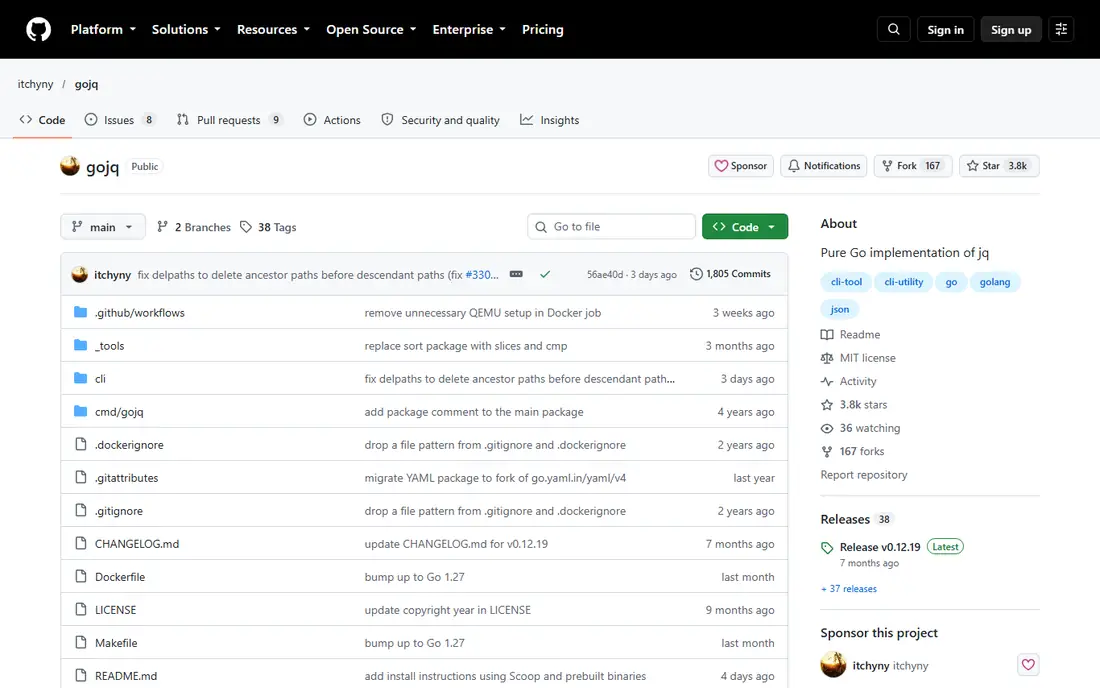
gojq is a pure Go implementation of jq, offering jq-compatible syntax in a portable single binary. It suits Go environments and teams that want jq's language without a C dependency, since the Go binary runs anywhere Go runs.
The compatibility is the point: existing jq filters generally work unchanged, so migration costs nothing in script rewrites. For a team standardizing on Go tooling, gojq fits the toolchain naturally.
Ecosystem integrations trail jq, since jq's decades of adoption mean more examples, wrappers, and preinstalled availability. Pick gojq when a Go-native jq leads. Pick jq when ubiquity leads.
What we like- Pure Go implementation of jq
- Portable single binary
- Jq-compatible syntax
Watch out for- Less widely installed than jq
- Fewer ecosystem integrations
- Go-specific quirks
Starting priceFree
Free planYes
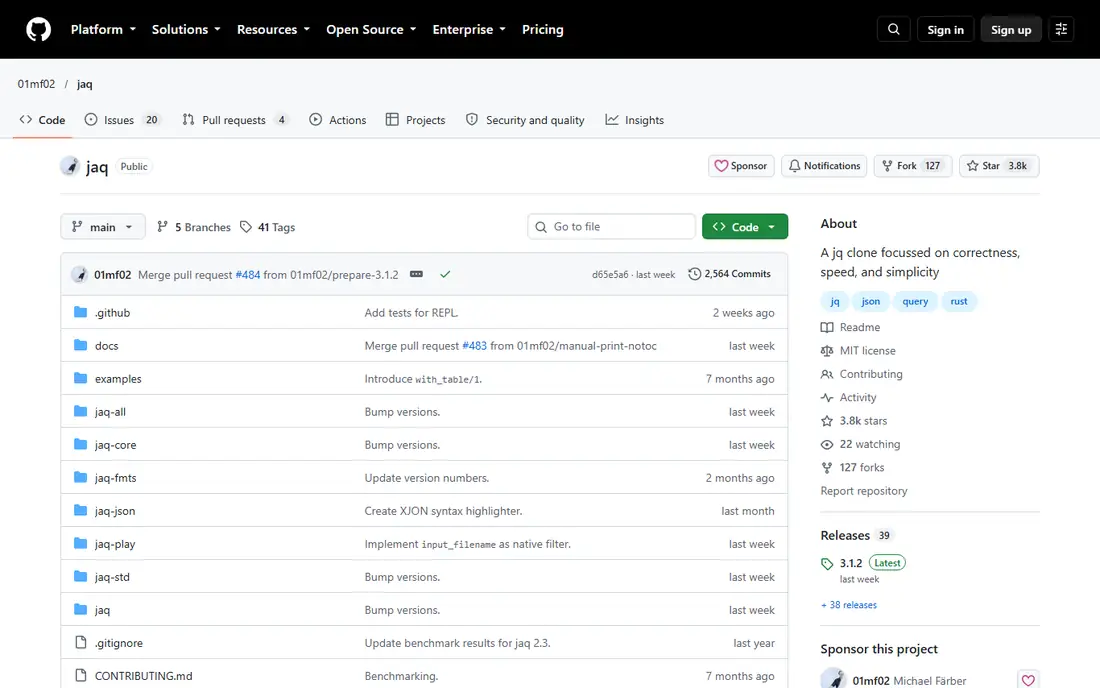
jaq is a jq clone in Rust focused on correctness, speed, and simplicity, recommended for speed on resource-limited systems. It runs jq filters with a Rust implementation that prioritizes correct behavior where jq's edge cases can surprise.
For scripts where correctness matters more than familiarity, jaq's stricter semantics catch errors that jq tolerates silently. Speed on constrained hardware is a second benefit, since Rust binaries start fast and use little memory.
The community is smaller, and some jq features differ in detail, so test filters before migrating production scripts. Pick jaq when correctness and speed lead. Pick jq when ubiquity leads.
What we like- Rust implementation focused on correctness, speed, and simplicity
- Jq-compatible
- Fast on limited systems
Watch out for- Smaller community than jq
- Some jq features differ
- Less preinstalled
Starting priceFree
Free planYes
fx is a dual-purpose command line tool for JSON, providing both a terminal-based viewer and a JSON processing utility. The viewer is written in Go and runs without external dependencies, while the processing tool uses JavaScript, compatible with Node.js and Deno.
For interactive exploration, fx wins over jq: browse a JSON document, expand and collapse nodes, and run JavaScript expressions against it. That exploration suits API responses that need understanding before scripting.
Scripting pipelines still favor jq, since fx's JavaScript processing adds a language dependency. Pick fx when interactive exploration leads. Pick jq when pipeline scripting leads.
What we like- Interactive viewer plus JavaScript processing
- Streaming support
- Mouse support
Watch out for- Processing requires JavaScript knowledge
- Less scriptable than jq for pipelines
- Go viewer plus JS tool split
Starting priceFree
Free planYes
jless is a command line JSON viewer written in Rust, designed for reading, exploring, and searching large JSON files. It streams data, uses vim keys, and avoids the memory overload that hits vim or less on 100MB or larger files.
The viewer omits quotes around keys, closing delimiters, and trailing commas for a clean display, with expand and collapse for objects and arrays. Full regex search finds exactly the data needed in a large file.
jless views but does not process, so filtering and transformation still need jq or another tool. Pick jless when browsing large files leads. Pick fx when interactive processing leads.
What we like- Rust viewer for 100MB+ files
- Collapse and expand
- Vim keys
- Regex search
Watch out for- Viewer only, not a processor
- MacOS and Linux only, Windows planned
- Learning curve for vim keys
Starting priceFree
Free planYes
jello filters JSON and JSON Lines data with Python syntax, letting Python developers query JSON without learning jq's language. A filter written as Python reads naturally to a Python team, and the tool integrates with Python workflows.
For a team that already thinks in Python, jello removes the context switch between Python code and jq filters. That readability matters in scripts that teammates must maintain.
Python startup and interpretation make jello slower than compiled tools on huge files, and pipeline idiom trails jq. Pick jello when Python syntax leads. Pick jq when pipeline speed leads.
What we like- Pure Python syntax for filters
- No new query language to learn
- Good for Python teams
Watch out for- Requires Python
- Slower than compiled tools for huge files
- Less pipeline idiom than jq
Starting priceFree
Free planYes
gron transforms JSON into greppable lines of the form key equals value, so standard Unix tools such as grep, sed, and awk work on JSON. A developer who knows grep can find values in JSON without learning a query language.
The workflow is simple: gron the data, grep for the key, and read the value. For quick searches in large JSON, that beats writing a jq filter, and ungron converts lines back to JSON when needed.
Expressiveness trails jq, since gron's line model cannot express complex transformations. Pick gron when grep-based searching leads. Pick jq when transformation leads.
What we like- Flattens JSON into greppable key-value lines
- Pairs with grep
- Simple mental model
Watch out for- Output is lines, not JSON
- Round-tripping needs ungron
- Less expressive than jq filters
Starting priceFree
Free planYes
Miller, invoked as mlr, excels for mixed formats, handling CSV, TSV, and JSON interop with stats verbs. A command such as mlr with JSON input and cut for a field gives jq-like output while also handling CSV and TSV in the same pipeline.
That interop suits data work that crosses formats: logs in JSON Lines, reports in CSV, and reference data in TSV all flow through one tool. Stats verbs add aggregation that jq requires manual filters for.
JSON depth trails jq, since Miller's strength is format bridging rather than JSON transformation. Pick Miller when mixed formats lead. Pick jq when pure JSON transformation leads.
What we like- CSV, TSV, and JSON interop
- Stats verbs
- Version 6.13.0 in late 2024
Watch out for- Less JSON depth than jq
- Stats focus may exceed simple needs
- Learning curve for verbs
How we chose
We compared tools that replace jq's core job, command line JSON processing, using vendor pages and 2026 comparison data. We favored free open-source tools, since jq itself is free, and marked version and compatibility notes where they matter. We also split viewers from processors, since those jobs need different tools.
Viewer versus processor versus language clone
Viewers such as fx and jless help humans understand JSON: browse, expand, search, and collapse. Processors such as jq, gron, and Miller transform JSON in pipelines: filter, map, and convert. Language clones such as gojq, jaq, and jello keep jq's job but change the implementation or syntax.
Most developers need one of each: jq or a clone for scripts, and a viewer for exploration, plus yq when YAML configs enter the picture daily. A developer who only scripts needs jq alone, while a developer who debugs APIs daily benefits from fx or jless alongside jq.
The common mistake is scraping JSON with grep and sed, which works until the output has a second field with the same name, different indentation, or a value containing a quote. Then it silently returns the wrong thing. Use a real JSON tool for extraction, even for a one-off command, since the cost of a wrong value exceeds the cost of learning the tool. That discipline pays off most in scripts that run unattended: a cron job that parses API output with grep will fail silently on a format change, while a jq filter fails loudly and visibly, alerting the team before bad data spreads downstream into reports, dashboards, billing systems, or customer-facing pages.
Frequently asked questions
What is the best alternative to jq overall?
yq (Go) is the best general alternative, since it handles YAML and JSON with jq-like syntax. gojq and jaq suit teams wanting a Go or Rust jq implementation, while fx and jless suit interactive exploration.
Which alternative handles YAML as well as JSON?
yq (Go) version 4 or later handles both, with in-place editing, merging, and manifest auditing. Beware the name collision: the Python yq is a thin jq wrapper, while the Go yq has its own expression language.
Which alternative is fastest?
jaq, the Rust clone, focuses on correctness and speed, suiting resource-limited systems. gojq offers Go-native speed with jq compatibility, while jq 1.8.1 itself remains fast for most pipeline work.
Which alternative is best for large JSON files?
jless and fx excel for 100MB or larger files, streaming data with collapse, expand, and search. They avoid the memory overload that hits vim or less on large files, and both use vim-style navigation.
Can I use Python syntax instead of jq filters?
Yes, jello filters JSON with pure Python syntax, which suits Python teams. It requires Python and runs slower than compiled tools on huge files, but readability for Python developers outweighs that for many scripts.
Should I replace jq or add to it?
Add to it in most cases. jq remains the standard for pipeline scripting, while yq covers YAML, fx or jless covers exploration, and gron covers grep workflows. Replace jq only when a clone's speed, correctness, or language fit justifies migrating scripts.
Sources we checked (6)
- https://copyprogramming.com/howto/command-to-keep-only-a-portion-of-json-data-from-each-line
- https://copyprogramming.com/howto/how-to-parse-some-json-code
- https://copyprogramming.com/howto/how-to-display-json-better-on-terminal
- https://www.linuxlinks.com/jql-query-process-json-data/
- https://medium.com/@obaff/15-jq-and-yq-one-liners-every-devops-engineer-should-know-08daa407aab0
- https://www.x-cmd.com/pkg/jless/
Is your product missing or out of date?
We review this list regularly. Vendors can request a listing, send updated pricing or ask about featured placement.

Shihab Mia · Founder, Rankite
Shihab has 5+ years in B2B and SaaS SEO. He writes Rankite's software buying guides from pricing pages, documentation and public user reviews. More about Shihab.