How we make this list: we compare pricing pages, product documentation and public user reviews. Ratings come from G2, Capterra or Trustpilot, with the date we checked them.
Key takeaways
- Akiflow costs about $19 per month billed annually and focuses on individual time blocking, so alternatives compete on price, automation, and team depth.
- Motion at $19 per month fully auto-schedules the day, while Sunsama at $16 to $17 per month keeps planning manual and deliberate.
- Reclaim at $10 per month auto-reschedules focus blocks when meetings land on top, the single feature that separates real time blocking from stale calendars.
- Todoist Pro near $4 to $5 per month and TickTick Premium at $35.99 per year are the cheapest serious alternatives.
- Akiflow lacks deep reporting and project visualization, so teams needing those should look at Motion or GoodDay-style project tools.
Quick comparison
| Tool | Best for | Starting price | Free plan |
|---|
 Motion Motion | Full auto-scheduling | $19 per month | No |
 Reclaim Reclaim | Auto-rescheduling focus blocks | $10 per month | Yes |
 Sunsama Sunsama | Deliberate daily planning | $16 per month | No |
 Morgen Morgen | Multi-calendar planning | $9 per month | Yes |
 Routine Routine | Unified personal workspace | $10 per month | Yes |
 Todoist Todoist | Simple cross-platform tasks | $4 per month | Yes |
 TickTick TickTick | Tasks plus habits and timer | $35.99 per year | Yes |
 FlowSavvy FlowSavvy | Affordable auto-scheduling | Free | Yes |
Is your product missing or out of date?
We review this list regularly. Vendors can request a listing, send updated pricing or ask about featured placement.
The best Akiflow alternatives
Starting price$19 per month
Free planNo
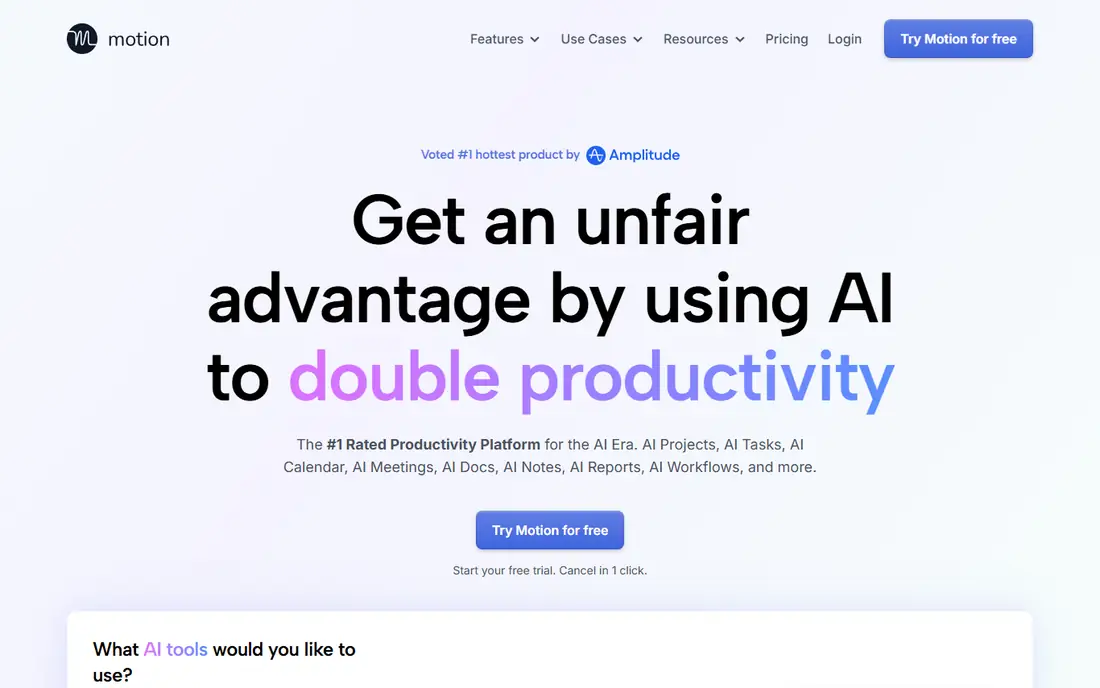
Motion takes tasks, deadlines, and meetings and lays the day out itself, rebuilding the plan whenever something moves. It is the most complete version of auto-scheduling and the least forgiving if you like deciding your own order of work. Individual pricing starts near $19 per month billed annually, with team pricing near $12 per user per month in some comparisons.
The project management depth is the real advantage over Akiflow: Motion handles complex teams and projects with built-in project tools, not just individual time blocks. That breadth suits growing companies that outgrew Akiflow's individual focus.
The opinionated design is the cost: Motion reshuffles your day aggressively, which frustrates planners who want control. Pick Motion when full automation and team projects lead. Pick a control-first planner when manual ordering matters.
What we like- Fully automatic planning and replanning
- Tasks and projects in one tool
- Team scheduling
Watch out for- Most expensive here
- No free plan
- Opinionated design removes manual control
#2Reclaim
Best for: Auto-rescheduling focus blocks4.8/5 on
G2 (144 reviews, checked Oct 2026)
Visit reclaim.ai
Starting price$10 per month
Free planYes
Reclaim, now part of Dropbox, books habits and focus blocks into calendar gaps and moves them when a meeting lands on top. That automatic rescheduling is the single feature that separates real time blocking from a calendar full of stale color. The free Lite plan covers basic use, with Starter near $10 per month and Business near $12 to $15 per month across sources.
Habit and focus-time defense protects deep work from meeting creep, which is the core job for many Akiflow users. The calendar-first design integrates deeply with Google Calendar, though Outlook support is thinner.
Reclaim lacks Akiflow's universal inbox depth, pulling tasks from fewer sources. Pick Reclaim when auto-rescheduling focus time leads. Pick Akiflow when a universal task inbox matters more.
What we like- Automatic rescheduling
- Habit and focus-time defense
- Genuine free tier
Watch out for- Google Calendar first, Outlook thinner
- Less universal inbox depth than Akiflow
Starting price$16 per month
Free planNo
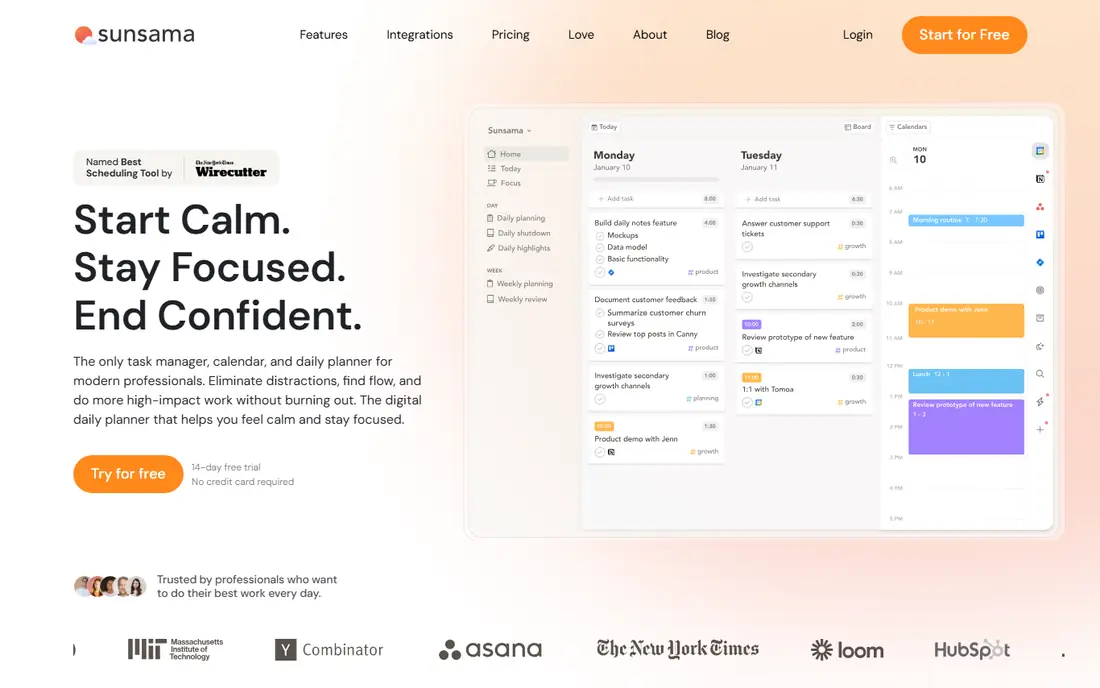
Sunsama offers a planning ritual rather than an algorithm: a guided daily and weekly flow that forces capacity decisions before the day starts. Pricing sits near $16 per month billed annually, with monthly billing near $22 in some sources, and a 14-day free trial.
The ritual is the point. Sunsama asks what fits today, what moves, and what gets shut down, which prevents daily overload better than any auto-scheduler. The customizable Home view and AI assistant add structure without removing control.
Manual planning takes time, and there is no free plan. Pick Sunsama when deliberate daily planning leads. Pick Motion when automation leads.
What we like- Guided daily and weekly planning ritual
- Customizable Home view
- AI assistant
Watch out for- Manual planning takes time
- No free plan
- $16 to $22 per month depending on billing
#4Morgen
Best for: Multi-calendar planning4.8/5 on
G2 (29 reviews, checked Oct 2026)
Visit morgen.so
Starting price$9 per month
Free planYes
Morgen manages several calendars at once with a side-by-side to-do list and calendar view, plus AI-assisted planning that suggests blocks you can approve or reject. The free Basic plan covers multi-calendar use, with Pro near $9 per month in some comparisons and higher tiers near $30 in others, so confirm the current tier before comparing.
Frames guide AI scheduling, letting users set rules for how blocks form. That human-approval model suits planners who want AI help without handing over the whole day.
Morgen does not mirror Motion's full replanning, and its pricing range across sources is wide. Pick Morgen when several calendars and task systems cause the friction. Pick Motion when full replanning leads.
What we like- Side-by-side to-do list and calendar
- Multi-calendar management
- Free Basic plan
Watch out for- AI suggestions need approval
- $9 to $30 per month range across sources
- Less auto-scheduling than Motion
Starting price$10 per month
Free planYes
Routine combines notes, tasks, and calendar into a unified personal workspace, with a free version and Professional near $10 per month. It suits users who want one place for planning, capture, and reference, rather than separate apps for each job.
The unified workspace reduces context switching: notes from a meeting sit beside the task that follows from it, and the calendar shows both. Integrations cover Notion and Slack, though the set is smaller than Todoist's.
AI features are limited compared with Motion and Reclaim, and project depth trails Motion. Pick Routine when a unified personal workspace leads. Pick Motion when team projects lead.
What we like- Notes, tasks, and calendar in one place
- Free version
- Clean interface
Watch out for- Fewer AI features
- Smaller integration set
- Less project depth than Motion
#6Todoist
Best for: Simple cross-platform tasks4.5/5 on
G2 (832 reviews, checked Oct 2026)
Visit todoist.com
Starting price$4 per month
Free planYes
Todoist is the simple cross-platform task list that feeds time blocks, with a free plan and Pro near $4 to $5 per month depending on source and billing. It syncs across every platform, imports from Akiflow easily, and connects to 200 or more apps.
The task management itself is excellent: quick capture, natural language dates, projects, labels, and filters cover most personal planning needs. Time blocking arrives through Pro's calendar integration, though it is secondary to the task list.
There is no auto-scheduling, and the calendar view does not match dedicated planners. Pick Todoist when simple, cheap, cross-platform tasks lead. Pick a planner when the calendar itself is the workspace.
What we like- Generous free plan
- Excellent cross-platform sync
- 200+ integrations
Watch out for- Time blocking is part of Pro
- No auto-scheduling
- Calendar view is secondary
#7TickTick
Best for: Tasks plus habits and timer4.5/5 on
G2 (113 reviews, checked Oct 2026)
Visit ticktick.com
Starting price$35.99 per year
Free planYes
TickTick combines tasks, calendar, a habit tracker, and a Pomodoro focus timer in one app, with a free plan and Premium at $35.99 per year. That bundle suits users who want habits and focus sessions alongside tasks, without buying separate apps.
The Eisenhower matrix helps prioritize urgent versus important work, and import from CSV or Todoist eases migration. The calendar view supports time blocking, though it remains secondary to the task list.
The interface is busier than Todoist's, and project depth trails Motion. Pick TickTick when tasks plus habits and a timer in one cheap app lead. Pick Todoist when a cleaner task list leads.
What we like- Tasks, calendar, habit tracker, and Pomodoro timer in one
- Cheap Premium
- Eisenhower matrix
Watch out for- Interface busier than Todoist
- Less project depth
- Calendar secondary to tasks
Starting priceFree
Free planYes
FlowSavvy offers AI auto-scheduling as its core, rebuilding the entire schedule after any change, with a free plan and Pro near $14 per month. It is the affordable individual auto-scheduler, undercutting Motion while keeping the rebuild behavior that defines the category.
The streamlined interface suits individual users who want Motion-style automation without Motion's price or team complexity. For a solo planner, FlowSavvy covers the core job: tasks in, schedule out, rebuilt when life intervenes.
Team and project breadth is limited, and the vendor is smaller with fewer integrations. A free plan lets you test the rebuild behavior on your own tasks before paying, which matters because auto-scheduling feels different in practice than it sounds in a feature list. For solo planners, that low-risk entry beats an expensive team platform. Pick FlowSavvy when affordable individual auto-scheduling leads. Pick Motion when team projects lead.
What we like- AI auto-scheduling is core
- Rebuilds the whole schedule after changes
- Free plan
Watch out for- Limited team and project breadth
- Smaller vendor
- Fewer integrations than Motion
How we chose
We compared tools that replace Akiflow's core job, universal inbox plus time blocking, using vendor pages and 2026 comparison data. We favored published prices and marked ranges where sources disagree, since Morgen, Sunsama, and Todoist prices vary across comparisons. We also split the list by automation level, since control-first and auto-scheduling planners suit opposite users.
Control-first versus auto-scheduling: pick by failure
Label the failure in one sentence before switching. If the calendar changes too aggressively, choose a control-first planner such as Sunsama or Morgen. If manual planning takes too long, choose another auto-scheduler such as Motion or FlowSavvy. If daily overload is the issue, choose a ritual-led planner that forces capacity decisions.
If several calendars and task systems cause the friction, prioritize account coverage and synchronization, which points to Morgen. That diagnosis prevents a polished trial from becoming an expensive lateral move: a new tool that solves the wrong problem feels better for a week, then fails the same way.
Price follows the same logic. Todoist and TickTick cover tasks cheaply, Reclaim covers focus defense at $10, and Motion covers full automation and teams at $19. Pay for the job that actually fails, not the feature list that looks longest.
Frequently asked questions
How much does Akiflow cost?
Akiflow costs about $19 per month billed annually, with monthly billing near $34 in some comparisons. It focuses on individual time blocking, with less team and project depth than Motion.
What is the best free Akiflow alternative?
Todoist and Morgen offer generous free plans, with Todoist best for pure task management and Morgen best for multi-calendar support. FlowSavvy also offers a free plan with AI auto-scheduling.
What is the cheapest paid Akiflow alternative?
TickTick Premium at $35.99 per year is the cheapest paid option here, followed by Todoist Pro near $4 per month. Both cover tasks well, though neither auto-schedules like Motion.
Which alternative auto-schedules like Motion but costs less?
FlowSavvy offers AI auto-scheduling from a free plan, with Pro near $14 per month, and rebuilds the whole schedule after changes. Reclaim at $10 per month auto-reschedules focus blocks, though it is less of a full auto-scheduler.
Which alternative is best for teams?
Motion leads for teams, with project management and team scheduling built in. Akiflow's individual focus and lack of deep reporting make it a weaker team pick as companies grow.
Do I need a planner or just Google Calendar?
Google Calendar covers basic time blocking free, with focus-time blocks built in, but it moves every block by hand and offers no automatic rescheduling. A planner earns its cost when rescheduling, task integration, or planning rituals save daily manual work.
Sources we checked (6)
- https://www.goodday.work/blog/best-akiflow-alternatives/
- https://www.flozic.ai/blog/best-time-blocking-app
- https://flowsavvy.app/akiflow-alternatives
- https://thedigitalprojectmanager.com/tools/best-akiflow-alternatives/
- http://ellieplanner.com/comparisons/akiflow-alternative
- https://akiflow.com/blog/motion-app-alternatives
Is your product missing or out of date?
We review this list regularly. Vendors can request a listing, send updated pricing or ask about featured placement.

Shihab Mia · Founder, Rankite
Shihab has 5+ years in B2B and SaaS SEO. He writes Rankite's software buying guides from pricing pages, documentation and public user reviews. More about Shihab.