How we make this list: we compare pricing pages, product documentation and public user reviews. Ratings come from G2, Capterra or Trustpilot, with the date we checked them.
Start with the software your team already uses. If your team lives in Google Workspace, Google Meet is the natural pick, with video calls linked to Calendar invites and Drive files. If your team meets by video with clients and partners outside your company, Zoom is stronger, with reliable video and webinar tools that guests can join easily.
Consider phone needs too. Teams, Webex, RingCentral and Dialpad all offer calling plans, while Zoom offers Zoom Phone as a separate add on. Pick the tool that matches your current stack and your meeting habits, then check its paid plan against your team size.
| Tool |
Best for |
Starting paid price |
Free option |
| Zoom |
Video first meetings |
14.16 dollars per user per month billed annually |
Basic free |
| Google Meet |
Google Workspace users |
7 dollars per user per month |
Free with Google account |
| Microsoft Teams |
Microsoft 365 teams |
4 dollars per user per month billed annually |
Free plan |
| Slack |
Flexible team chat |
7.25 dollars per user per month billed annually |
Free plan |
| Cisco Webex |
Enterprise meetings and calling |
12 dollars per user per month billed annually |
Free plan |
| GoTo Meeting |
Simple scheduled meetings |
12 dollars per organizer per month billed annually |
Free plan |
| RingCentral |
Meetings and phone in one system |
20 dollars per user per month billed annually |
No free plan, 14 day trial |
| Dialpad |
AI phone and meetings |
15 dollars per user per month billed annually |
No free plan, 14 day free trial |
Prices checked 18 Nov 2026.
Pricing depends on user count, billing period and whether you need meetings, calling or webinars. Zoom Pro costs 14.16 dollars per user per month billed annually, 16.99 dollars monthly, and Business costs 18.33 dollars billed annually, 21.99 dollars monthly.
Google Meet is free with a Google account, and Google Workspace Business Starter costs 7 dollars per user per month, Standard costs 14 dollars and Plus costs 22 dollars. Microsoft Teams Essentials costs 4 dollars per user per month billed annually. Microsoft 365 Business Basic costs 7 dollars per user per month billed annually and includes Teams. Slack Pro costs 7.25 dollars per user per month billed annually, 8.75 dollars monthly. Webex Meet costs 12 dollars per user per month billed annually, 14.50 dollars monthly. GoTo Meeting Professional costs 12 dollars per organizer per month billed annually, 14 dollars monthly, and Business costs 16 dollars billed annually, 19 dollars monthly. RingCentral RingEX Core costs 20 dollars per user per month billed annually, 30 dollars monthly. Dialpad Connect Standard costs 15 dollars per user per month billed annually, 27 dollars monthly.
How do video meetings compare?
Zoom leads on video first meetings, with reliable video, breakout rooms and webinar tools that guests can join from a link. Google Meet offers simple video calls inside Google Workspace, with captions, recording and breakout rooms on paid Workspace plans. Teams includes meetings, chat and file sharing in one app, with recording and transcription on paid Microsoft 365 plans.
Webex offers Meet, Call and Suite plans, with Meet at 12 dollars per user per month billed annually and Suite at 22.50 dollars billed annually. GoTo Meeting suits simple scheduled meetings, with screen sharing and recording on paid plans. RingCentral combines video meetings with phone, messaging and contact centre tools in one system. Dialpad combines AI powered calling with meetings and messaging. Choose Zoom for video first meetings, and Google Meet for video inside Google Workspace.
Small teams can start free and upgrade when they need longer meetings, recording or admin controls. Zoom Basic is free with a 40 minute limit on group meetings. Google Meet is free with a Google account, with a 60 minute limit on group calls. Teams free offers chat and meetings with limits. Slack free limits message history. Webex free offers meetings with limits. GoTo Meeting free covers up to 3 participants and 40 minute meetings. RingCentral and Dialpad have no free plan, but both offer a 14 day trial.
Larger teams should check per user pricing, admin controls and support. Zoom Business at 18.33 dollars per user per month billed annually adds admin tools. Teams through Microsoft 365 Business Premium at 22 dollars per user per month adds security and device management.
Quick comparison
| Tool | Best for | Starting price | Free plan |
|---|
 Zoom | Meeting led teams that need reliable video, webinars and phone tools | Basic free; Pro 14.16 dollars per user per month billed annually, 16.99 dollars monthly; Business 18.33 dollars per user per month billed annually, 21.99 dollars monthly; Business Plus 22.49 dollars per user per month billed annually, 29 dollars monthly; Enterprise quote only | Basic free with a 40 minute limit on group meetings |
 Google Meet | Google Workspace users who want simple video calls inside Google tools | Free with a Google account; Google Workspace Business Starter 7 dollars per user per month, Standard 14 dollars per user per month, Plus 22 dollars per user per month | Free with a Google account, with a 60 minute limit on group calls |
 Microsoft Teams | Microsoft 365 teams that want chat, meetings and files in one place | Teams Essentials 4 dollars per user per month billed annually; Microsoft 365 Business Basic 7 dollars per user per month billed annually, includes Teams; Business Standard 14 dollars per user per month; Business Premium 22 dollars per user per month | Free plan with chat, meetings and file sharing with limits |
 Slack | Teams that want flexible channels, broad integrations and fast chat | Pro 7.25 dollars per user per month billed annually, 8.75 dollars monthly; Business Plus 15 dollars per user per month billed annually, 18 dollars monthly; Enterprise Plus quote only | Free plan with limited message history and integrations |
 Cisco Webex | Enterprise teams that need meetings, calling and secure collaboration | Free plan; Meet 12 dollars per user per month billed annually, 14.50 dollars monthly; Call 15.30 dollars per user per month billed annually, 17 dollars monthly; Suite, Meet plus Call, 22.50 dollars per user per month billed annually, 25 dollars monthly; Enterprise quote only | Free plan with meetings, messaging and file sharing with limits |
 GoTo Meeting | Teams that want simple scheduled meetings without a full suite | Free plan; Professional 12 dollars per organizer per month billed annually, 14 dollars monthly; Business 16 dollars per organizer per month billed annually, 19 dollars monthly; Enterprise quote only | Free plan up to 3 participants and 40 minute meetings |
 RingCentral | Teams that want meetings, phone, messaging and contact centre tools in one system | RingEX Core 20 dollars per user per month billed annually, 30 dollars monthly; Advanced 25 dollars per user per month billed annually, 35 dollars monthly; Ultra 35 dollars per user per month billed annually, 45 dollars monthly | No free plan, 14 day trial |
 Dialpad | Teams that want AI powered phone, meetings and messaging | Dialpad Connect Standard 15 dollars per user per month billed annually, 27 dollars monthly; Pro 25 dollars per user per month billed annually, 35 dollars monthly; Enterprise quote only | No free plan, 14 day free trial |
Is your product missing or out of date?
We review this list regularly. Vendors can request a listing, send updated pricing or ask about featured placement.
#1
Zoom
Best for: Meeting led teams that need reliable video, webinars and phone tools
Visit zoom.us
Starting priceBasic free; Pro 14.16 dollars per user per month billed annually, 16.99 dollars monthly; Business 18.33 dollars per user per month billed annually, 21.99 dollars monthly; Business Plus 22.49 dollars per user per month billed annually, 29 dollars monthly; Enterprise quote only
Free planBasic free with a 40 minute limit on group meetings
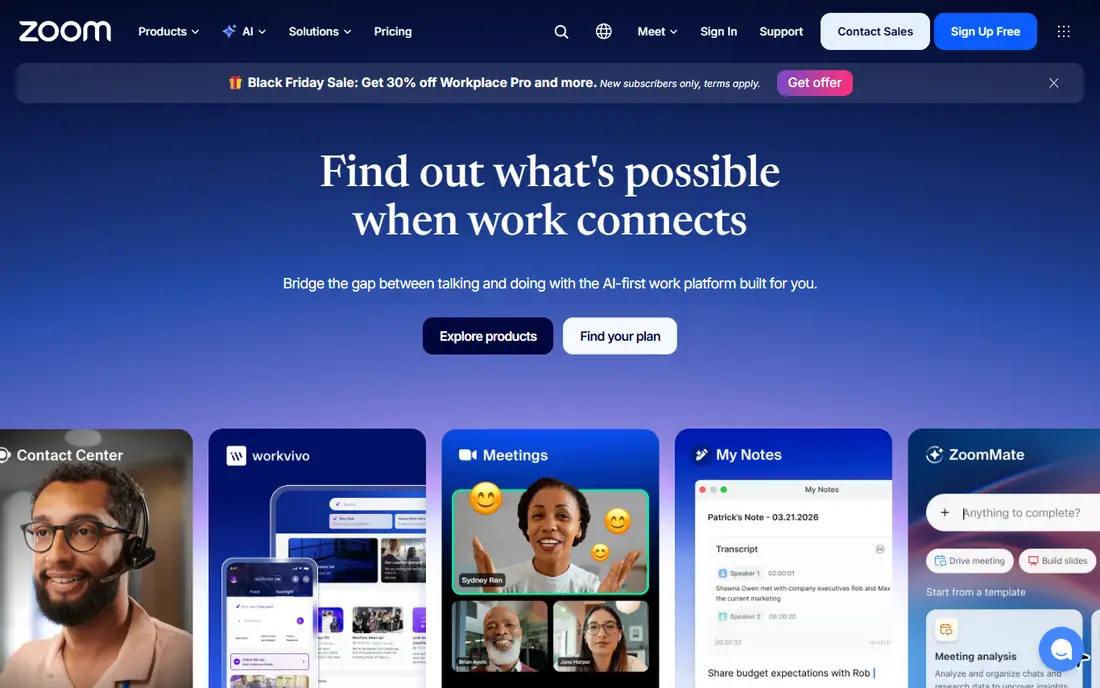
Zoom suits teams that meet by video every day. Meetings are reliable, with screen sharing, breakout rooms and recording on paid plans. Pro at 14.16 dollars per user per month billed annually suits small teams, while Business at 18.33 dollars billed annually adds admin tools and support. Choose Zoom when video meetings matter most and chat is a secondary need. Guests can join from a link without an account, which suits client calls.
What we like- Reliable video meetings, breakout rooms and webinar tools, Team Chat included, broad integrations
Watch out for- Pro plan costs more than Teams Essentials, chat is less central than Slack, larger plans need care with user counts
#2Google Meet
Best for: Google Workspace users who want simple video calls inside Google tools4.6/5 on
G2 (4 reviews, checked Oct 2026)
Visit meet.google.com
Starting priceFree with a Google account; Google Workspace Business Starter 7 dollars per user per month, Standard 14 dollars per user per month, Plus 22 dollars per user per month
Free planFree with a Google account, with a 60 minute limit on group calls
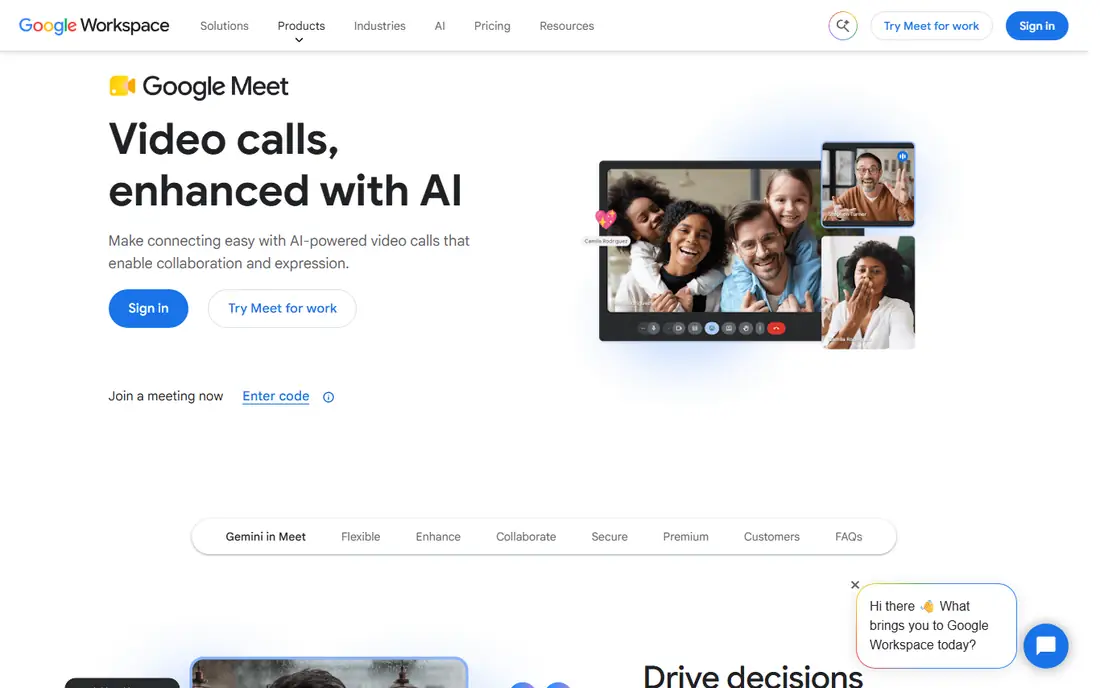
Google Meet suits teams that already use Gmail, Calendar and Drive. Meetings start from a Calendar invite or a Gmail link, and files from Drive open without leaving the call. Live captions help in noisy rooms. The free version with a Google account is useful for small groups. Choose Google Meet when Google Workspace is your daily stack and you want video that fits it without extra software.
What we like- Built into Google Workspace, simple join from Calendar and Gmail, live captions, works with Drive and Chat, low cost entry through Workspace
Watch out for- Fewer webinar tools than Zoom, advanced features need a paid Workspace plan, large meetings need care with plan limits
#3Microsoft Teams
Best for: Microsoft 365 teams that want chat, meetings and files in one place4.4/5 on
G2 (19,330 reviews, checked Oct 2026)
Visit microsoft.com
Starting priceTeams Essentials 4 dollars per user per month billed annually; Microsoft 365 Business Basic 7 dollars per user per month billed annually, includes Teams; Business Standard 14 dollars per user per month; Business Premium 22 dollars per user per month
Free planFree plan with chat, meetings and file sharing with limits
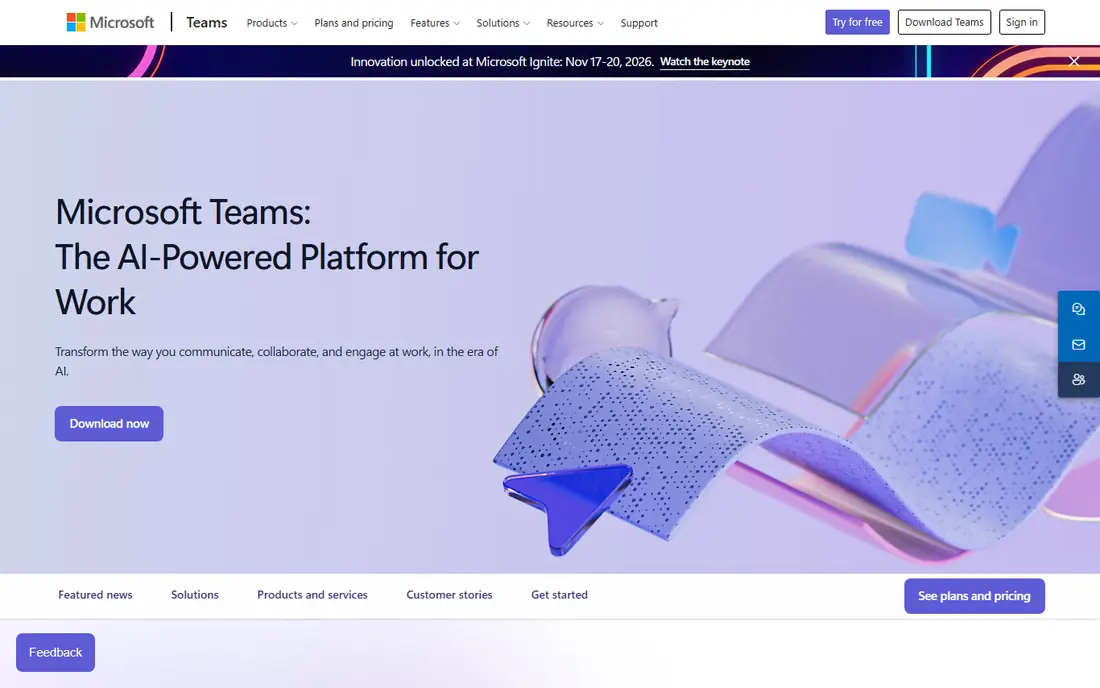
Teams is the natural choice for Microsoft 365 users. Chat, meetings, files and calendar sit in one app, and documents open in Word, Excel and PowerPoint. Meetings support screen sharing, recording and transcription on paid plans. Teams Essentials at 4 dollars per user per month billed annually is a low cost entry point, while Business Basic at 7 dollars per user per month adds OneDrive and Exchange. Choose Teams when your email, files and calendar already sit inside Microsoft 365.
What we like- Deep integration with Microsoft 365, Outlook and OneDrive, strong meeting tools, good admin and security controls
Watch out for- Interface can feel busy, best value needs a Microsoft 365 plan, chat feels less flexible than Slack for some teams
#4Slack
Best for: Teams that want flexible channels, broad integrations and fast chat4.5/5 on
G2 (39,944 reviews, checked Oct 2026)
Visit slack.com
Starting pricePro 7.25 dollars per user per month billed annually, 8.75 dollars monthly; Business Plus 15 dollars per user per month billed annually, 18 dollars monthly; Enterprise Plus quote only
Free planFree plan with limited message history and integrations
Slack suits teams that live in chat and connect many tools. Channels keep work organised by project or topic, and integrations bring alerts from project, CRM, design and support apps into one place. Huddles offer quick audio and video without scheduling a meeting. Search helps you find past decisions, though the free plan limits history. The paid plans add unlimited history, more integrations and admin controls. Choose Slack when flexible chat and integrations matter more than a built in meeting suite.
What we like- Fast channel based chat, broad app integrations, huddles for quick calls, strong search and workflow tools
Watch out for- Free plan limits message history, costs rise fast for larger teams, video meetings are less full featured than Teams or Zoom
#5Cisco Webex
Best for: Enterprise teams that need meetings, calling and secure collaboration4.2/5 on
G2 (18,918 reviews, checked Oct 2026)
Visit webex.com
Starting priceFree plan; Meet 12 dollars per user per month billed annually, 14.50 dollars monthly; Call 15.30 dollars per user per month billed annually, 17 dollars monthly; Suite, Meet plus Call, 22.50 dollars per user per month billed annually, 25 dollars monthly; Enterprise quote only
Free planFree plan with meetings, messaging and file sharing with limits
Webex suits enterprise teams that need meetings and calling in one system. Meet handles video, Call handles phone, and Suite at 22.50 dollars per user per month billed annually combines both. Security and admin controls suit larger organisations, and transcription and noise removal help in busy calls. The free plan is useful for testing, but paid plans are needed for full features. Choose Webex when enterprise calling, security and meeting quality matter more than low cost chat.
What we like- Strong meeting and calling tools, enterprise security and admin controls, good noise removal and transcription, broad integrations
Watch out for- Higher prices than Teams Essentials, interface can feel complex, best value needs the Suite plan for calling and meetings
#6GoTo Meeting
Best for: Teams that want simple scheduled meetings without a full suite4.2/5 on
G2 (17,045 reviews, checked Oct 2026)
Visit goto.com
Starting priceFree plan; Professional 12 dollars per organizer per month billed annually, 14 dollars monthly; Business 16 dollars per organizer per month billed annually, 19 dollars monthly; Enterprise quote only
Free planFree plan up to 3 participants and 40 minute meetings
GoTo Meeting suits teams that want simple scheduled meetings. Hosts can set up a meeting fast, share a link, and share their screen with recording on paid plans. Professional at 12 dollars per organizer per month billed annually suits small teams, while Business at 16 dollars billed annually adds more features and support. The free plan covers up to 3 participants and 40 minute meetings, which suits quick tests. Choose GoTo Meeting when simple meetings matter more than chat, phone and a full collaboration suite.
What we like- Simple meeting setup, reliable screen sharing and recording, easy guest join links, works with GoTo Webinar and other GoTo tools
Watch out for- Free plan is limited to 3 participants and 40 minute meetings, fewer chat and collaboration tools than Teams, per organizer pricing can add up for many hosts
#7RingCentral
Best for: Teams that want meetings, phone, messaging and contact centre tools in one system4.1/5 on
G2 (1,076 reviews, checked Oct 2026)
Visit ringcentral.com
Starting priceRingEX Core 20 dollars per user per month billed annually, 30 dollars monthly; Advanced 25 dollars per user per month billed annually, 35 dollars monthly; Ultra 35 dollars per user per month billed annually, 45 dollars monthly
Free planNo free plan, 14 day trial
RingCentral suits teams that want phone and meetings in one system. RingEX combines video meetings, team messaging and cloud phone, with call quality, analytics and integrations that suit sales and support teams. Core at 20 dollars per user per month billed annually is the entry point, while Advanced at 25 dollars billed annually adds more integrations and analytics. There is no free plan, but a 14 day trial lets teams test it. Choose RingCentral when phone and meetings must live in one system.
What we like- Meetings, phone and messaging in one system, strong call quality and analytics, broad integrations, good admin tools
Watch out for- No free plan, Core plan costs more than Teams Essentials, phone features need care with number and plan choices
#8Dialpad
Best for: Teams that want AI powered phone, meetings and messaging4.4/5 on
G2 (4,201 reviews, checked Oct 2026)
Visit dialpad.com
Starting priceDialpad Connect Standard 15 dollars per user per month billed annually, 27 dollars monthly; Pro 25 dollars per user per month billed annually, 35 dollars monthly; Enterprise quote only
Free planNo free plan, 14 day free trial
Dialpad suits teams that want AI help with phone calls and meetings. Dialpad Connect combines calling, meetings and messaging, with AI transcription, summaries and coaching notes on paid plans. Standard at 15 dollars per user per month billed annually is the entry point, while Pro at 25 dollars billed annually adds more AI features and integrations. There is no free plan, but a 14 day free trial lets teams test it. Choose Dialpad when AI call notes and a combined phone and meeting system matter most.
How we picked: We compared price, free plans, video, phone, chat and integrations, using vendor pricing pages checked 18 Nov 2026, and we listed a real drawback for each option. RingCentral and Dialpad have no free plan.
Last verified 18 Nov 2026.
What we like- AI powered call transcription and summaries, meetings and messaging in one app, good integrations, simple setup
Watch out for- No free plan, Standard plan costs more than Teams Essentials, AI features need a paid plan and careful review of accuracy
Frequently asked questions
Is Zoom better than Google Meet?
It depends on your stack. Zoom is better if you want video first meetings, breakout rooms and webinars that work outside Google, with Pro at 14.16 dollars per user per month billed annually. Google Meet is better if you already use Google Workspace, since it is free with a Google account and fits Gmail, Calendar and Drive. Test both with a real meeting before you move your team.
How much does Google Meet cost?
Google Meet is free with a Google account, with a 60 minute limit on group calls. For business use, Google Workspace Business Starter costs 7 dollars per user per month, Standard costs 14 dollars and Plus costs 22 dollars. Paid plans add more storage, admin controls, recording and support. Small groups can start free, while teams that need admin tools should pick a paid Workspace plan.
How much does Zoom cost per user?
Zoom Pro costs 14.16 dollars per user per month billed annually, or 16.99 dollars monthly. Business costs 18.33 dollars per user per month billed annually, or 21.99 dollars monthly. Business Plus costs 22.49 dollars billed annually, or 29 dollars monthly. The Basic plan is free with a 40 minute limit on group meetings. Compare the plan that matches your team size and meeting needs before you buy.
Does RingCentral have a free plan?
RingCentral has no free plan. It offers a 14 day trial so teams can test meetings, phone and messaging before they buy. RingEX Core costs 20 dollars per user per month billed annually, or 30 dollars monthly. Advanced costs 25 dollars billed annually, or 35 dollars monthly. Ultra costs 35 dollars billed annually, or 45 dollars monthly. Start with the trial and check per user costs at your team size.
Does Dialpad have a free plan?
Dialpad has no free plan. It offers a 14 day free trial so teams can test AI powered calling, meetings and messaging before they buy. Dialpad Connect Standard costs 15 dollars per user per month billed annually, or 27 dollars monthly. Pro costs 25 dollars billed annually, or 35 dollars monthly. Enterprise is quote only. Use the trial to test call quality and AI transcription first.
Sources we checked (9)
- https://zoom.us
- https://meet.google.com
- https://www.microsoft.com/microsoft-teams
- https://slack.com
- https://www.webex.com
- https://www.goto.com/meeting
- https://www.ringcentral.com
- https://www.dialpad.com
- https://rankite.com
Is your product missing or out of date?
We review this list regularly. Vendors can request a listing, send updated pricing or ask about featured placement.

Shihab Mia · Founder, Rankite
Shihab has 5+ years in B2B and SaaS SEO. He writes Rankite's software buying guides from pricing pages, documentation and public user reviews. More about Shihab.