How we make this list: we compare pricing pages, product documentation and public user reviews. Ratings come from G2, Capterra or Trustpilot, with the date we checked them.
Start with the stack your team already uses. If your team uses Gmail, Drive and Calendar every day, Google Meet fits without extra setup, and meetings start from a link in an email or calendar invite. If your team uses Outlook, Word, Excel and OneDrive, Teams fits better, with chat and meetings in the same window as your files.
Consider how your team talks between meetings too. Teams is a chat hub with channels, files and apps, while Meet is a meeting tool that pairs with Google Chat for daily messages. Pick the tool that matches your email and file stack, then check its paid plan against your team size.
| Tool |
Best for |
Starting paid price |
Free option |
| Google Meet |
Google Workspace teams |
7 dollars per user per month |
Free with Google account |
| Microsoft Teams |
Microsoft 365 teams |
4 dollars per user per month billed annually |
Free plan |
| Zoom |
Video first meetings |
14.16 dollars per user per month billed annually |
Basic free |
| Cisco Webex |
Enterprise meetings and calling |
12 dollars per user per month billed annually |
Free plan |
| Slack |
Flexible team chat |
7.25 dollars per user per month billed annually |
Free plan |
| Google Chat |
Google Workspace users |
7 dollars per user per month |
Free with Google account |
| RingCentral |
Meetings and phone in one system |
20 dollars per user per month billed annually |
No free plan, 14 day trial |
| Dialpad |
AI phone and meetings |
15 dollars per user per month billed annually |
No free plan, 14 day free trial |
Prices checked 18 Nov 2026.
Pricing depends on user count, billing period and whether you need meetings, calling or chat. Google Meet is free with a Google account, with 100 participants and a 60 minute limit on group calls. Business Starter costs 7 dollars per user per month and includes Meet, Gmail and Drive. Standard costs 14 dollars and adds recording and storage. Plus costs 22 dollars and adds security and vault.
Microsoft Teams Essentials costs 4 dollars per user per month billed annually and includes Teams meetings and chat. Microsoft 365 Business Basic costs 7 dollars per user per month billed annually and adds OneDrive, Exchange and the web Office apps. Standard costs 14 dollars and adds the desktop Office apps. Premium costs 22 dollars and adds security and device management. Zoom Pro costs 14.16 dollars per user per month billed annually, 16.99 dollars monthly, and Business costs 18.33 dollars billed annually, 21.99 dollars monthly. Webex Meet costs 12 dollars per user per month billed annually, 14.50 dollars monthly, and Suite costs 22.50 dollars billed annually, 25 dollars monthly. Slack Pro costs 7.25 dollars per user per month billed annually, 8.75 dollars monthly, and Google Chat is free with a Google account.
How do video meetings compare?
Google Meet is simple and reliable, with video, screen sharing, captions, breakout rooms and recording on paid Workspace plans. Guests join from a link with no install, which suits client calls and interviews. Microsoft Teams offers similar video tools plus chat, files and apps in the same window, which suits teams that meet and work in one place all day.
Zoom leads on video first meetings, with breakout rooms, webinars and reliable video that guests join from a link. Webex offers enterprise meetings with noise removal, transcription and strong security controls. RingCentral and Dialpad add phone tools to meetings, while Slack and Google Chat handle quick calls between scheduled meetings. Choose Meet for simple Google based video, and Teams for meetings inside a Microsoft 365 workflow.
Small teams can start free and upgrade when they need longer meetings, recording or admin controls. Google Meet free covers 100 participants and 60 minute group calls. Teams free covers chat and meetings with limits. Zoom Basic is free with a 40 minute limit on group meetings. Slack free limits message history, while Google Chat is free with a Google account. RingCentral and Dialpad have no free plan, but both offer a 14 day trial.
Larger teams should check per user pricing, admin controls and support. Google Workspace Business Plus at 22 dollars per user per month adds security and vault. Microsoft 365 Business Premium at 22 dollars per user per month adds security and device management. Zoom Business at 18.33 dollars per user per month billed annually adds admin tools, while Webex Suite at 22.50 dollars billed annually adds calling.
Quick comparison
| Tool | Best for | Starting price | Free plan |
|---|
 Google Meet | Google Workspace teams that want simple video meetings with easy guest access | Free with a Google account; Google Workspace Business Starter 7 dollars per user per month; Business Standard 14 dollars per user per month; Business Plus 22 dollars per user per month | Free with a Google account, 100 participants and 60 minute group calls |
 Microsoft Teams | Microsoft 365 teams that want chat, meetings and files in one place | Teams Essentials 4 dollars per user per month billed annually; Microsoft 365 Business Basic 7 dollars per user per month billed annually, includes Teams; Business Standard 14 dollars per user per month; Business Premium 22 dollars per user per month | Free plan with chat, meetings and file sharing with limits |
 Zoom | Meeting led teams that need reliable video, webinars and phone tools | Basic free; Pro 14.16 dollars per user per month billed annually, 16.99 dollars monthly; Business 18.33 dollars per user per month billed annually, 21.99 dollars monthly; Business Plus 22.49 dollars per user per month billed annually, 29 dollars monthly; Enterprise quote only | Basic free with a 40 minute limit on group meetings |
 Cisco Webex | Enterprise teams that need meetings, calling and secure collaboration | Free plan; Meet 12 dollars per user per month billed annually, 14.50 dollars monthly; Call 15.30 dollars per user per month billed annually, 17 dollars monthly; Suite, Meet plus Call, 22.50 dollars per user per month billed annually, 25 dollars monthly; Enterprise quote only | Free plan with meetings, messaging and file sharing with limits |
 Slack | Teams that want flexible channels, broad integrations and fast chat | Pro 7.25 dollars per user per month billed annually, 8.75 dollars monthly; Business Plus 15 dollars per user per month billed annually, 18 dollars monthly; Enterprise Plus quote only | Free plan with limited message history and integrations |
 Google Chat | Google Workspace users who want simple team chat inside Google tools | Free with a Google account; Google Workspace Business Starter 7 dollars per user per month | Free with a Google account, with spaces, direct messages and file sharing |
 RingCentral | Teams that want meetings, phone, messaging and contact centre tools in one system | RingEX Core 20 dollars per user per month billed annually, 30 dollars monthly; Advanced 25 dollars per user per month billed annually, 35 dollars monthly; Ultra 35 dollars per user per month billed annually, 45 dollars monthly | No free plan, 14 day trial |
 Dialpad | Teams that want AI powered phone, meetings and messaging | Dialpad Connect Standard 15 dollars per user per month billed annually, 27 dollars monthly; Pro 25 dollars per user per month billed annually, 35 dollars monthly; Enterprise quote only | No free plan, 14 day free trial |
Is your product missing or out of date?
We review this list regularly. Vendors can request a listing, send updated pricing or ask about featured placement.
#1Google Meet
Best for: Google Workspace teams that want simple video meetings with easy guest access4.6/5 on
G2 (4 reviews, checked Oct 2026)
Visit meet.google.com
Starting priceFree with a Google account; Google Workspace Business Starter 7 dollars per user per month; Business Standard 14 dollars per user per month; Business Plus 22 dollars per user per month
Free planFree with a Google account, 100 participants and 60 minute group calls
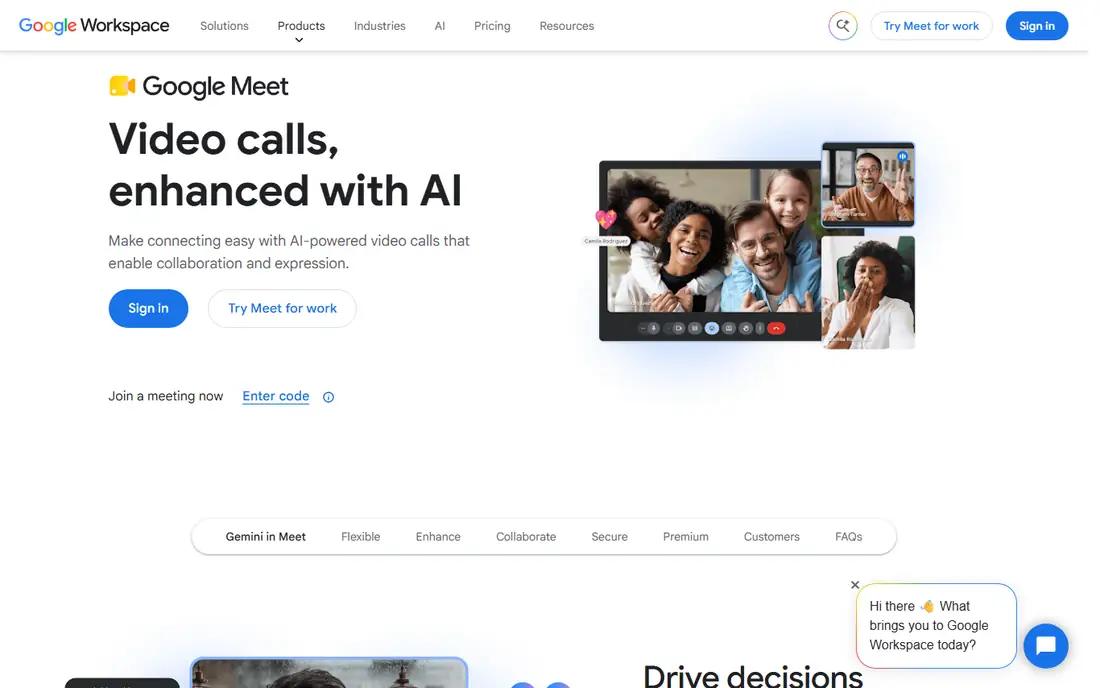
Google Meet suits teams that already live in Google Workspace. Meetings start from Gmail or Calendar with one click, and guests join from a link without an install. Video is reliable, with captions, noise cancellation and screen sharing, and paid plans add recording and breakout rooms. Business Starter at 7 dollars per user per month is a low cost entry point, while Standard at 14 dollars adds recording and more storage. Choose Meet when Google tools are your daily stack and simple video meetings are the priority.
What we like- Simple meeting setup, easy guest join links, built into Gmail, Calendar and Drive, good captions and noise cancellation
Watch out for- Recording and breakout rooms need a paid Workspace plan, fewer chat tools than Teams, admin controls need a paid plan
#2Microsoft Teams
Best for: Microsoft 365 teams that want chat, meetings and files in one place4.4/5 on
G2 (19,330 reviews, checked Oct 2026)
Visit microsoft.com
Starting priceTeams Essentials 4 dollars per user per month billed annually; Microsoft 365 Business Basic 7 dollars per user per month billed annually, includes Teams; Business Standard 14 dollars per user per month; Business Premium 22 dollars per user per month
Free planFree plan with chat, meetings and file sharing with limits
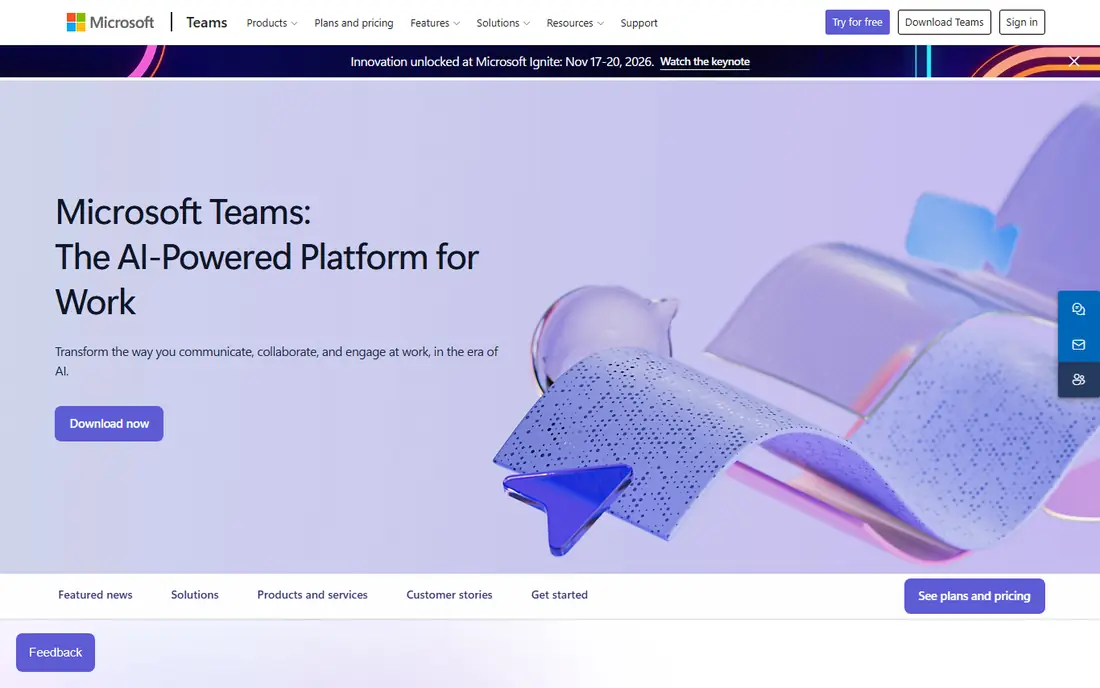
Teams is the natural choice for Microsoft 365 users. Chat, meetings, files and calendar sit in one app, and documents open in Word, Excel and PowerPoint. Meetings support screen sharing, recording and transcription on paid plans. Teams Essentials costs 4 dollars per user per month billed annually, while Business Basic at 7 dollars adds OneDrive and Exchange. Choose Teams when your email, files and calendar already sit inside Microsoft 365.
What we like- Deep integration with Microsoft 365, Outlook and OneDrive, strong meeting tools, good admin and security controls
Watch out for- Interface can feel busy, best value needs a Microsoft 365 plan, chat feels less flexible than Slack for some teams
#3
Zoom
Best for: Meeting led teams that need reliable video, webinars and phone tools
Visit zoom.us
Starting priceBasic free; Pro 14.16 dollars per user per month billed annually, 16.99 dollars monthly; Business 18.33 dollars per user per month billed annually, 21.99 dollars monthly; Business Plus 22.49 dollars per user per month billed annually, 29 dollars monthly; Enterprise quote only
Free planBasic free with a 40 minute limit on group meetings
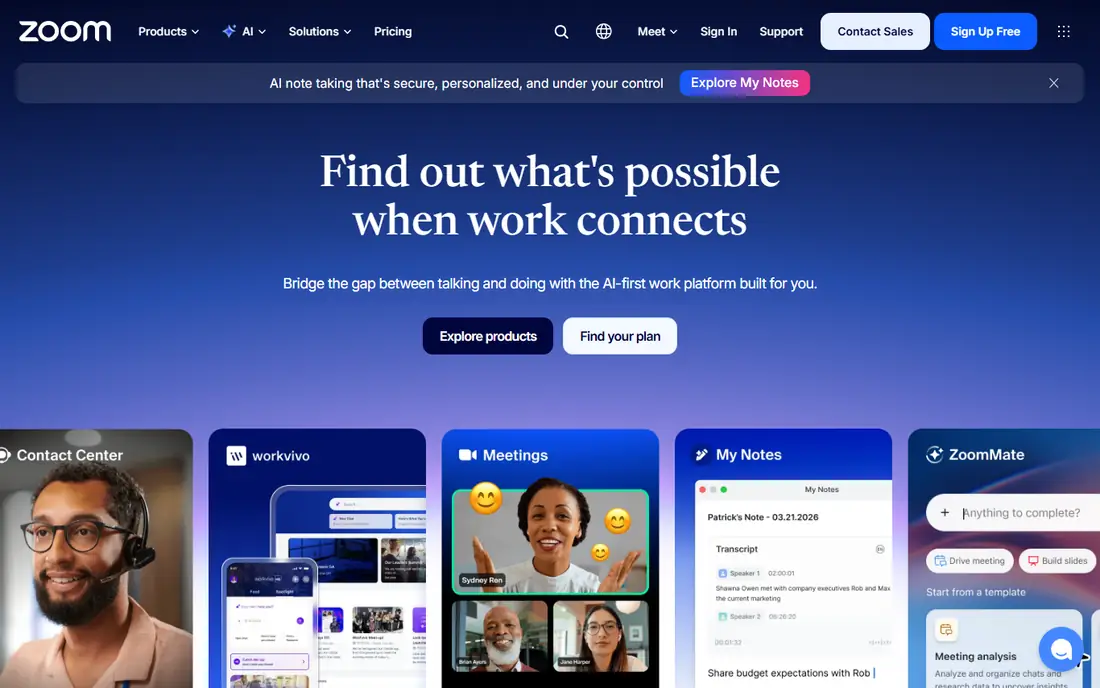
Zoom suits teams that meet by video every day. Meetings are reliable, with screen sharing, breakout rooms and recording on paid plans. Team Chat adds channels and direct messages, though chat is not as central as in Slack. Pro at 14.16 dollars per user per month billed annually suits small teams, while Business at 18.33 dollars billed annually adds admin tools and support. Choose Zoom when video meetings matter most and chat is a secondary need.
What we like- Reliable video meetings, breakout rooms and webinar tools, Team Chat included, broad integrations
Watch out for- Pro plan costs more than Teams Essentials, chat is less central than Slack, larger plans need care with user counts
#4Cisco Webex
Best for: Enterprise teams that need meetings, calling and secure collaboration4.2/5 on
G2 (18,918 reviews, checked Oct 2026)
Visit webex.com
Starting priceFree plan; Meet 12 dollars per user per month billed annually, 14.50 dollars monthly; Call 15.30 dollars per user per month billed annually, 17 dollars monthly; Suite, Meet plus Call, 22.50 dollars per user per month billed annually, 25 dollars monthly; Enterprise quote only
Free planFree plan with meetings, messaging and file sharing with limits
Webex suits enterprise teams that need meetings and calling in one system. Meet handles video, Call handles phone, and Suite at 22.50 dollars per user per month billed annually combines both. Security and admin controls suit larger organisations, and transcription and noise removal help in busy calls. The free plan covers basic meetings, and paid plans add full features. Choose Webex when enterprise calling, security and meeting quality matter more than low cost chat.
What we like- Strong meeting and calling tools, enterprise security and admin controls, good noise removal and transcription, broad integrations
Watch out for- Higher prices than Teams Essentials, interface can feel complex, best value needs the Suite plan for calling and meetings
#5Slack
Best for: Teams that want flexible channels, broad integrations and fast chat4.5/5 on
G2 (39,944 reviews, checked Oct 2026)
Visit slack.com
Starting pricePro 7.25 dollars per user per month billed annually, 8.75 dollars monthly; Business Plus 15 dollars per user per month billed annually, 18 dollars monthly; Enterprise Plus quote only
Free planFree plan with limited message history and integrations
Slack suits teams that live in chat and connect many tools. Channels keep work organised by project or topic, and integrations bring alerts from project, CRM, design and support apps into one place. Huddles offer quick audio and video without scheduling a meeting. Search helps you find past decisions, though the free plan limits history. Paid plans add unlimited history, more integrations and admin controls. Choose Slack when flexible chat and integrations matter more than a built in meeting suite.
What we like- Fast channel based chat, broad app integrations, huddles for quick calls, strong search and workflow tools
Watch out for- Free plan limits message history, costs rise fast for larger teams, video meetings are less full featured than Teams or Zoom
#6Google Chat
Best for: Google Workspace users who want simple team chat inside Google tools4.5/5 on
Capterra (2,394 reviews, checked Oct 2026)
Visit chat.google.com
Starting priceFree with a Google account; Google Workspace Business Starter 7 dollars per user per month
Free planFree with a Google account, with spaces, direct messages and file sharing
Google Chat suits teams that already use Gmail, Drive and Meet. Spaces organise work by project, and files from Drive open without leaving the chat. Meet handles video calls, while Chat handles daily messages. The free version with a Google account is useful for small groups, and Business Starter at 7 dollars per user per month adds admin tools and more storage. Choose Google Chat when Google Workspace is your daily stack and you want chat that fits it without extra software.
What we like- Built into Google Workspace, simple spaces and direct messages, works with Gmail, Drive and Meet, low cost entry through Workspace
Watch out for- Fewer integrations than Slack, chat features are simpler than Teams, admin controls need a paid Workspace plan
#7RingCentral
Best for: Teams that want meetings, phone, messaging and contact centre tools in one system4.1/5 on
G2 (1,076 reviews, checked Oct 2026)
Visit ringcentral.com
Starting priceRingEX Core 20 dollars per user per month billed annually, 30 dollars monthly; Advanced 25 dollars per user per month billed annually, 35 dollars monthly; Ultra 35 dollars per user per month billed annually, 45 dollars monthly
Free planNo free plan, 14 day trial
RingCentral suits teams that want phone and meetings in one system. RingEX combines video meetings, team messaging and cloud phone, with call quality, analytics and integrations that suit sales and support teams. Core at 20 dollars per user per month billed annually is the entry point, while Advanced at 25 dollars billed annually adds more integrations and analytics. There is no free plan, but a 14 day trial lets teams test it. Choose RingCentral when phone and meetings must live in one system.
What we like- Meetings, phone and messaging in one system, strong call quality and analytics, broad integrations, good admin tools
Watch out for- No free plan, Core plan costs more than Teams Essentials, phone features need care with number and plan choices
#8Dialpad
Best for: Teams that want AI powered phone, meetings and messaging4.4/5 on
G2 (4,201 reviews, checked Oct 2026)
Visit dialpad.com
Starting priceDialpad Connect Standard 15 dollars per user per month billed annually, 27 dollars monthly; Pro 25 dollars per user per month billed annually, 35 dollars monthly; Enterprise quote only
Free planNo free plan, 14 day free trial
Dialpad suits teams that want AI help with phone calls and meetings. Dialpad Connect combines calling, meetings and messaging, with AI transcription, summaries and coaching notes on paid plans. Standard costs 15 dollars per user per month billed annually, while Pro at 25 dollars adds more AI features and integrations. There is no free plan, but a 14 day free trial lets teams test it. Choose Dialpad when AI call notes and a combined phone and meeting system matter most.
How we picked: We compared price, free plans, video, phone, chat and integrations, using vendor pricing pages checked 18 Nov 2026, and we listed a real drawback for each option. RingCentral and Dialpad have no free plan.
Last verified 18 Nov 2026.
What we like- AI powered call transcription and summaries, meetings and messaging in one app, good integrations, simple setup
Watch out for- No free plan, Standard plan costs more than Teams Essentials, AI features need a paid plan and careful review of accuracy
Frequently asked questions
Is Google Meet better than Microsoft Teams?
It depends on your stack. Google Meet is better if your team uses Gmail, Drive and Calendar, with simple video meetings that are free with a Google account. Microsoft Teams is better if your team uses Outlook, Word and OneDrive, with chat, meetings and files in one app. Test both with a real meeting before you move your team.
How much does Google Meet cost?
Google Meet is free with a Google account, with 100 participants and a 60 minute limit on group calls. Google Workspace Business Starter costs 7 dollars per user per month and includes Meet, Gmail and Drive. Business Standard costs 14 dollars, and Business Plus costs 22 dollars. Paid plans add recording, breakout rooms and admin controls.
How much does Microsoft Teams cost?
Microsoft Teams Essentials costs 4 dollars per user per month billed annually. Microsoft 365 Business Basic costs 7 dollars per user per month billed annually and includes Teams, OneDrive and Exchange. Business Standard costs 14 dollars per user per month, and Business Premium costs 22 dollars per user per month. A free plan covers chat and meetings with limits for small teams.
Does RingCentral have a free plan?
RingCentral has no free plan. It offers a 14 day trial so teams can test meetings, phone and messaging before they buy. RingEX Core costs 20 dollars per user per month billed annually, or 30 dollars monthly. Advanced costs 25 dollars billed annually, or 35 dollars monthly. Ultra costs 35 dollars billed annually, or 45 dollars monthly. Start with the trial and check per user costs at your team size.
Does Dialpad have a free plan?
Dialpad has no free plan. It offers a 14 day free trial so teams can test AI powered calling, meetings and messaging before they buy. Dialpad Connect Standard costs 15 dollars per user per month billed annually, or 27 dollars monthly. Pro costs 25 dollars billed annually, or 35 dollars monthly. Enterprise is quote only. Use the trial to test call quality and AI transcription first.
Sources we checked (9)
- https://meet.google.com
- https://www.microsoft.com/microsoft-teams
- https://zoom.us
- https://www.webex.com
- https://slack.com
- https://chat.google.com
- https://www.ringcentral.com
- https://www.dialpad.com
- https://rankite.com
Is your product missing or out of date?
We review this list regularly. Vendors can request a listing, send updated pricing or ask about featured placement.

Shihab Mia · Founder, Rankite
Shihab has 5+ years in B2B and SaaS SEO. He writes Rankite's software buying guides from pricing pages, documentation and public user reviews. More about Shihab.