How we make this list: we compare pricing pages, product documentation and public user reviews. Ratings come from G2, Capterra or Trustpilot, with the date we checked them.
Start with whether your team sells by phone or meets by video. If your team makes outbound calls and reviews them to get better, Dialpad fits, with AI transcription, summaries and real time coaching on every call. If your team mainly meets by video and only needs phone for some staff, Zoom fits, with reliable meetings, webinars and Zoom Phone in the same app.
Consider the combined cost too. Zoom Phone at 10 dollars per user per month is an add on to Zoom Meetings, so a team that needs both pays for two products. Dialpad at 15 dollars covers phone, messaging and video in one subscription. Compare the full stack cost for your team size before you decide.
Is Dialpad or Zoom Phone cheaper?
Zoom Phone at 10 dollars per user per month billed annually is cheaper than Dialpad Standard at 15 dollars, but the comparison is not complete without meetings. Zoom Meetings Pro costs 14.16 dollars per user per month billed annually, so a team that needs both Zoom Meetings and Zoom Phone pays about 24 dollars per user per month. Dialpad Standard at 15 dollars covers phone, messaging and video meetings in one plan, which is cheaper for a team that needs both.
For a 10 person team, Dialpad Standard costs 150 dollars per month billed annually. Zoom Meetings Pro plus Zoom Phone costs about 242 dollars per month for the same team. A team that already pays for Zoom Meetings and only adds phone for a few staff will find Zoom Phone cheaper, because it only pays the 10 dollar add on for the people who need a number.
| Tool |
Best for |
Starting paid price |
Free option |
| Dialpad |
AI transcription and coaching |
15 dollars per user per month billed annually |
No free plan, 14 day trial |
| Zoom Phone |
Zoom users adding phone |
10 dollars per user per month billed annually |
No free plan, free Zoom meetings Basic |
| RingCentral |
Phone, video and messaging in one system |
20 dollars per user per month billed annually |
No free plan, 14 day trial |
| Microsoft Teams |
Microsoft 365 chat and meetings |
4 dollars per user per month billed annually |
Free Teams plan |
| 8x8 |
Global calling and contact centre |
Quote, reported X2 from 24 dollars per user per month |
Express plan reported free up to 10 users |
| Vonage |
Simple per line phone plans |
19.99 dollars per line per month |
No free plan |
| Nextiva |
Small teams wanting phone, video and chat |
15 dollars per user per month billed annually |
No free plan, 30 day trial |
| Ooma Office |
Small offices wanting flat pricing |
19.95 dollars per user per month |
No free plan |
What about meetings, AI features and support?
Zoom leads this list on meetings, with reliable video, breakout rooms, webinars and simple guest join links. Dialpad covers video meetings in its Standard plan, but meetings are not its strength. RingCentral and Teams offer video meetings for up to 200 and 1,000 participants, while Nextiva and Ooma cover smaller meetings. If your team meets by video all day, Zoom is hard to beat.
Dialpad leads on AI. Every call can be transcribed, summarised and scored, and real time coaching prompts help agents during live conversations. Zoom adds AI Companion summaries to meetings and calls on paid plans, and Nextiva adds AI voicemail transcription on Core. Support varies: RingCentral and Nextiva offer 24 hour support on paid plans, while Zoom and Teams support runs through their own help channels.
How do Dialpad and Zoom handle integrations?
Dialpad integrates with Salesforce, HubSpot, Zendesk, Google Workspace and Slack, and its AI summaries sync to the CRM so managers can review calls without listening to recordings. Zoom integrates with Salesforce, HubSpot, Slack, Google Workspace and Microsoft 365, and its app marketplace covers hundreds of tools. Both cover the common sales and support tools.
RingCentral connects with Salesforce, HubSpot, Zendesk, Google Workspace, Microsoft 365 and Slack, and it offers an open API for custom work. 8x8 integrates with Salesforce, Microsoft Dynamics and ServiceNow. Vonage, Nextiva and Ooma cover Google Workspace, Microsoft 365 and popular CRMs. If your team lives in one CRM, check that the phone system offers a native integration for it before you buy.
Quick comparison
| Tool | Best for | Starting price | Free plan |
|---|
 Dialpad | Sales and support teams that want AI transcription and coaching on every call | Connect Standard 15 dollars per user per month billed annually (27 dollars month to month); Pro 25 dollars (35 dollars month to month); Enterprise quote | No free plan; 14 day free trial |
 Zoom Phone | Teams that already meet on Zoom and want to add cloud phone | US and Canada plan 10 dollars per user per month billed annually; Pro 15 dollars; Business Plus 20 dollars | No free phone plan; free Zoom Meetings Basic plan with a 40 minute limit on group meetings |
 RingCentral | Teams that want phone, video and messaging in one cloud system | Core 20 dollars per user per month billed annually (30 dollars month to month); Advanced 25 dollars; Ultra 35 dollars | No free plan; 14 day free trial |
 Microsoft Teams | Businesses already using Microsoft 365 for email, files and meetings | Teams Essentials 4 dollars per user per month billed annually; Microsoft 365 Business Basic 7 dollars, Standard 14 dollars, Premium 22 dollars | Free Teams plan with chat, meetings and file sharing |
 8x8 | Mid sized and global teams that need phone plus contact centre in one platform | Quote based; reported X2 from 24 dollars per user per month billed annually (28 dollars month to month); X4 from 44 dollars; X6 from 85 dollars | Express plan reported free for up to 10 users, phone only |
 Vonage | Small businesses that want simple per line phone plans with a mobile app | Mobile 19.99 dollars per line per month (13.99 dollars with the 30 percent annual promo); Premium 29.99 dollars (20.99 dollars promo); Advanced 39.99 dollars (27.99 dollars promo) | No free plan |
 Nextiva | Small teams that want phone, video, chat and SMS bundled in one plan | NEXT Core 15 dollars per user per month billed annually (23 dollars month to month); Engage 25 dollars (50 dollars month to month); Scale 75 dollars | No free plan; 30 day free trial and 30 day money back guarantee |
 Ooma Office | Small offices that want flat per user pricing with no contract | Essentials 19.95 dollars per user per month; Pro 24.95 dollars; Pro Plus 29.95 dollars; no annual discount | No free plan |
Is your product missing or out of date?
We review this list regularly. Vendors can request a listing, send updated pricing or ask about featured placement.
The 8 best business phone systems for teams comparing Dialpad and Zoom
#1Dialpad
Best for: Sales and support teams that want AI transcription and coaching on every call4.4/5 on
G2 (4,201 reviews, checked Oct 2026)
Visit dialpad.com
Starting priceConnect Standard 15 dollars per user per month billed annually (27 dollars month to month); Pro 25 dollars (35 dollars month to month); Enterprise quote
Free planNo free plan; 14 day free trial
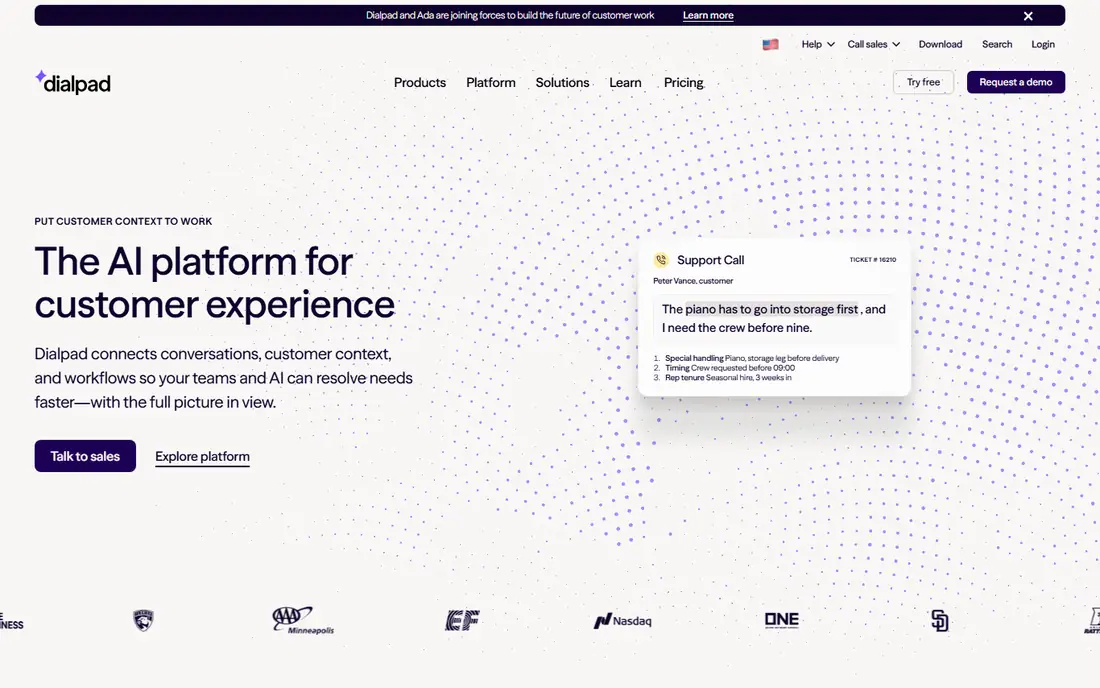
Dialpad is the AI first phone system in this list, and it stands out for teams that learn from their calls. Every call can be transcribed, summarised and scored, and real time coaching prompts help agents during live conversations. The Standard plan costs 15 dollars per user per month billed annually and covers unlimited calling in the US and Canada, SMS, video meetings and integrations with Salesforce, HubSpot and Google Workspace. Pro adds advanced analytics and more AI features at 25 dollars.
What we like- AI transcription, summaries and real time coaching built in
- Clean interface
- Strong CRM integrations
Watch out for- No free plan, and the monthly price is much higher than the annual price
- Some advanced AI features need the Pro plan
#2Zoom Phone
Best for: Teams that already meet on Zoom and want to add cloud phone4.6/5 on
G2 (2,672 reviews, checked Oct 2026)
Visit zoom.com
Starting priceUS and Canada plan 10 dollars per user per month billed annually; Pro 15 dollars; Business Plus 20 dollars
Free planNo free phone plan; free Zoom Meetings Basic plan with a 40 minute limit on group meetings
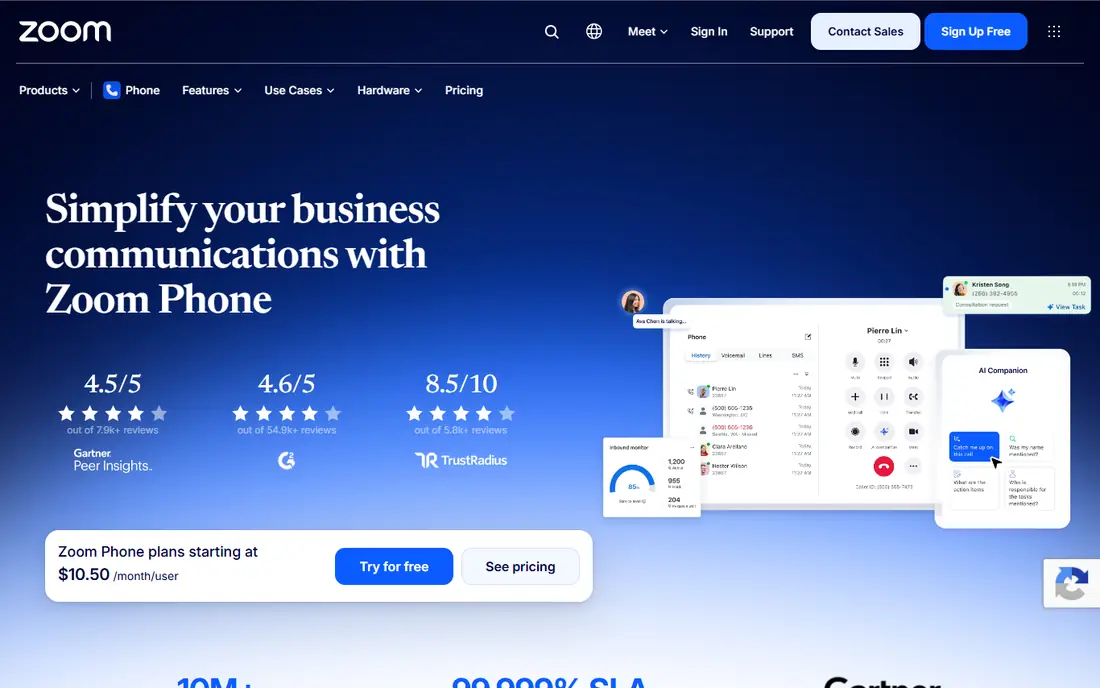
Zoom Phone adds cloud calling to the Zoom platform, and it suits teams that already run meetings on Zoom every day. The US and Canada plan costs 10 dollars per user per month billed annually and covers unlimited domestic calling, voicemail, call recording and SMS. Pro adds more integrations and admin controls at 15 dollars, and Business Plus adds advanced features at 20 dollars. Calls can move between phone and video meeting, and the same Zoom app handles both.
What we like- Low entry price for Zoom users
- Reliable call quality on Zoom infrastructure
- Simple admin for existing Zoom accounts
Watch out for- Phone is a separate add on to Zoom Meetings, so the combined cost is higher than the headline price
- Advanced contact centre features need a higher tier
#3RingCentral
Best for: Teams that want phone, video and messaging in one cloud system4.1/5 on
G2 (1,076 reviews, checked Oct 2026)
Visit ringcentral.com
Starting priceCore 20 dollars per user per month billed annually (30 dollars month to month); Advanced 25 dollars; Ultra 35 dollars
Free planNo free plan; 14 day free trial
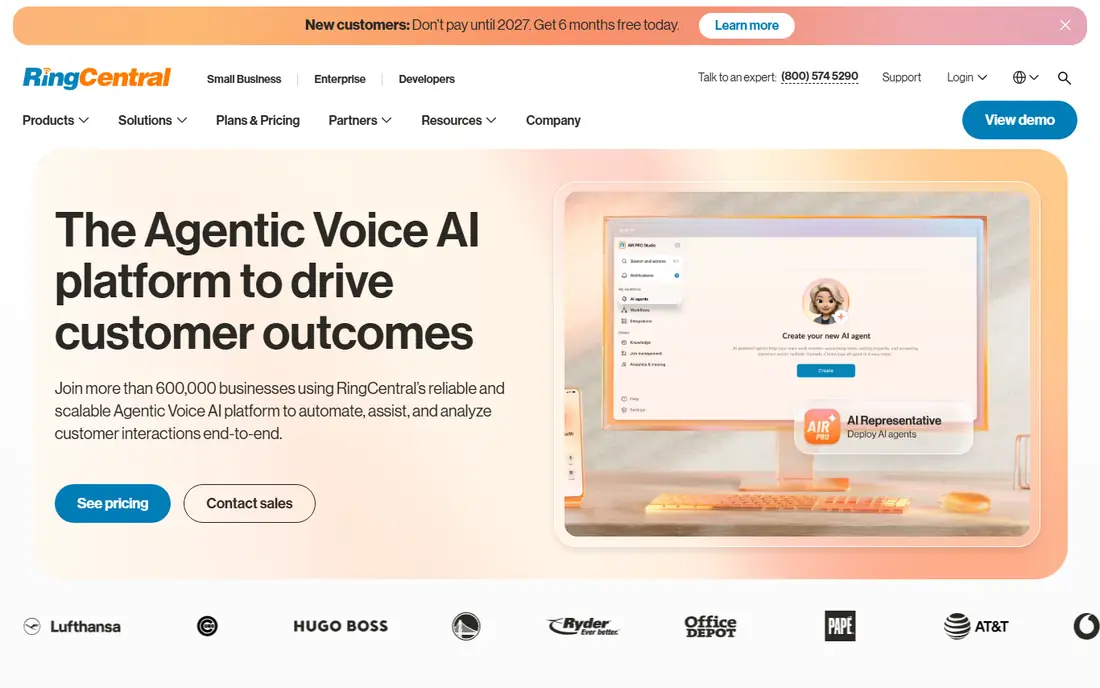
RingCentral RingEX is the dedicated phone system in this comparison, and its calling features show it. Auto attendant, call queues, call monitoring, call recording and analytics are built in rather than added on. Video meetings support up to 200 participants, team messaging covers daily chat, and the mobile app lets staff take business calls from a personal phone. It integrates with Salesforce, HubSpot, Zendesk, Google Workspace and Microsoft 365, so call logs flow into the tools a team already uses.
What we like- Full phone, video and messaging in one system
- Strong CRM integrations
- Reliable global calling
Watch out for- No free plan, and the entry price is higher than Dialpad or Nextiva
- Add on fees for extra numbers and international calling can raise the bill
#4Microsoft Teams
Best for: Businesses already using Microsoft 365 for email, files and meetings4.4/5 on
G2 (19,330 reviews, checked Oct 2026)
Visit microsoft.com
Starting priceTeams Essentials 4 dollars per user per month billed annually; Microsoft 365 Business Basic 7 dollars, Standard 14 dollars, Premium 22 dollars
Free planFree Teams plan with chat, meetings and file sharing
Microsoft Teams is the collaboration hub for Microsoft 365, and it suits teams that already use Outlook, SharePoint and OneDrive every day. Chat, video meetings, file sharing and app tabs sit in one window, and meetings support up to 1,000 participants on paid plans. Phone calling comes through Teams Phone, which adds a cloud PBX, auto attendant and call queues, plus a calling plan for outbound calls. The free Teams plan covers chat and meetings for small teams that do not need phone yet.
What we like- Deep Microsoft 365 integration
- Chat, meetings and files in one place
- Free plan available
Watch out for- Phone calling needs Teams Phone Standard plus a calling plan, which adds cost and setup
- Admin setup is more complex than a dedicated phone system
#58x8
Best for: Mid sized and global teams that need phone plus contact centre in one platform4.2/5 on
G2 (939 reviews, checked Oct 2026)
Visit 8x8.com
Starting priceQuote based; reported X2 from 24 dollars per user per month billed annually (28 dollars month to month); X4 from 44 dollars; X6 from 85 dollars
Free planExpress plan reported free for up to 10 users, phone only
8x8 Work combines cloud phone, video meetings, team messaging and contact centre tools in one platform, and it suits teams that call customers around the world. The X2 plan is reported from 24 dollars per user per month billed annually and covers unlimited calling in 14 countries, while X4 is reported from 44 dollars and extends unlimited calling to 48 countries with supervisor tools and advanced analytics. Higher tiers add full contact centre features, quality management and speech analytics.
What we like- Strong global calling to 48 countries on X4
- Phone, video and contact centre in one platform
- Good analytics
Watch out for- No public pricing on the vendor site in 2026, so buyers must go through sales
- Support response times have been inconsistent in user reviews
#6Vonage
Best for: Small businesses that want simple per line phone plans with a mobile app4.3/5 on
G2 (503 reviews, checked Oct 2026)
Visit vonage.com
Starting priceMobile 19.99 dollars per line per month (13.99 dollars with the 30 percent annual promo); Premium 29.99 dollars (20.99 dollars promo); Advanced 39.99 dollars (27.99 dollars promo)
Free planNo free plan
Vonage Business Communications is a straightforward cloud phone system for small businesses that want clear per line pricing. Mobile costs 19.99 dollars per line per month and covers the desktop and mobile apps, unlimited domestic calling, SMS and MMS and voicemail. Premium costs 29.99 dollars and adds desk phone support, video meetings for up to 200 people, team messaging and integrations. Advanced costs 39.99 dollars and adds on demand call recording, visual voicemail with transcription and call groups.
What we like- Simple three tier pricing
- Strong mobile app for staff on the move
- 30 percent promo on annual contracts
Watch out for- Desk phones need Premium or Advanced
- Call recording and call groups need Advanced
- Taxes and fees add to the listed price
#7Nextiva
Best for: Small teams that want phone, video, chat and SMS bundled in one plan4.5/5 on
G2 (3,659 reviews, checked Oct 2026)
Visit nextiva.com
Starting priceNEXT Core 15 dollars per user per month billed annually (23 dollars month to month); Engage 25 dollars (50 dollars month to month); Scale 75 dollars
Free planNo free plan; 30 day free trial and 30 day money back guarantee
Nextiva repackaged its small business plans in early 2026 into three tiers, and the current lineup is simpler than the old one. NEXT Core costs 15 dollars per user per month billed annually and covers unlimited inbound and outbound VoIP calling in the US, Canada and Puerto Rico, AI voicemail transcription, video meetings, team chat and 100 SMS per user per month. Engage costs 25 dollars and adds live chat, customer SMS, a toll free number and advanced reporting. Scale costs 75 dollars and adds contact centre features and AI transcription.
What we like- Phone, video, chat and SMS bundled from the entry plan
- Low entry price on annual billing
- US based support
Watch out for- No free plan, and monthly billing costs far more than annual
- Regulatory and E911 fees add about 5.45 dollars per line per month
#8Ooma Office
Best for: Small offices that want flat per user pricing with no contract4.5/5 on
G2 (134 reviews, checked Oct 2026)
Visit ooma.com
Starting priceEssentials 19.95 dollars per user per month; Pro 24.95 dollars; Pro Plus 29.95 dollars; no annual discount
Free planNo free plan
Ooma Office is the simplest priced system in this comparison, and that is its main appeal. Essentials costs 19.95 dollars per user per month with no contract and no annual discount, and it covers unlimited calling to the US, Canada, Mexico and Puerto Rico, a virtual receptionist, a mobile app, digital fax and one free toll free number. Pro costs 24.95 dollars and adds a desktop app, texting, video meetings for up to 25 participants and call recording. Pro Plus costs 29.95 dollars and adds CRM integration, call queues, hot desking and video for up to 100 participants.
What we like- Flat pricing with no contract and no annual discount games
- Unlimited calling to the US, Canada, Mexico and Puerto Rico
- One free toll free number
Watch out for- Texting, desktop app, video and call recording start at Pro
- CRM integration and call queues need Pro Plus
- One time 29.95 dollar activation fee
Frequently asked questions
Is Dialpad better than Zoom for a sales team?
Dialpad is better for a sales team that wants AI transcription, summaries and real time coaching on every call, because those features are built into the Standard plan. Zoom is better for a team that meets by video all day and wants webinars, breakout rooms and simple guest join links. Pick Dialpad for phone first sales work, Zoom for video first teamwork.
How much does Dialpad cost per user?
Dialpad Connect Standard costs 15 dollars per user per month billed annually, or 27 dollars month to month. Pro costs 25 dollars billed annually, or 35 dollars month to month, and Enterprise is quote based. There is no free plan, only a 14 day trial. Add taxes and regulatory fees, plus any extra numbers, to get the real monthly cost.
How much does Zoom Phone cost per user?
Zoom Phone US and Canada costs 10 dollars per user per month billed annually. Pro costs 15 dollars and Business Plus costs 20 dollars. Zoom Meetings is priced separately: Pro costs 14.16 dollars per user per month billed annually, Business costs 18.33 dollars and Business Plus costs 22.49 dollars. A team that needs both meetings and phone should add the two prices together.
Can I use Dialpad and Zoom together?
Yes, many teams use Zoom for video meetings and Dialpad for phone calling, with both integrated into the same CRM. Calls can be logged in Salesforce or HubSpot from either tool. Running both costs more than one bundled system, so it suits teams that want the best meeting tool and the best AI phone tool rather than the cheapest combined price.
Which business phone system is cheapest for a small team?
Nextiva Core at 15 dollars per user per month billed annually and Dialpad Standard at 15 dollars are the cheapest entry points in this list for a full phone system. Zoom Phone starts at 10 dollars per user per month but is an add on to Zoom Meetings. Ooma Office Essentials at 19.95 dollars has no contract, which suits teams that do not want an annual commitment. Compare annual and monthly prices, because monthly billing can cost far more.
Sources we checked (9)
- https://www.dialpad.com
- https://www.zoom.com/en/products/voip-phone/
- https://www.ringcentral.com
- https://www.microsoft.com/microsoft-teams
- https://www.8x8.com
- https://www.vonage.com
- https://www.nextiva.com
- https://www.ooma.com
- https://rankite.com
Is your product missing or out of date?
We review this list regularly. Vendors can request a listing, send updated pricing or ask about featured placement.

Shihab Mia · Founder, Rankite
Shihab has 5+ years in B2B and SaaS SEO. He writes Rankite's software buying guides from pricing pages, documentation and public user reviews. More about Shihab.