How we make this list: we compare pricing pages, product documentation and public user reviews. Ratings come from G2, Capterra or Trustpilot, with the date we checked them.
Zoho Books vs FreshBooks: The Short Answer
Zoho Books is the better pick for most small businesses that need full double-entry accounting, inventory tracking and multi-user access at a low price. FreshBooks is the better pick for freelancers and service businesses that live on client invoicing and want the simplest possible billing workflow. If you sell products or manage stock, choose Zoho Books. If you bill hours and send invoices, FreshBooks is easier to use day to day.
Key takeaways
- Zoho Books starts free for businesses under $50,000 in annual revenue, while FreshBooks has no free plan and starts at $23 per month.
- FreshBooks is built around client invoicing, time tracking and getting paid, so it suits freelancers and agencies better than product sellers.
- Zoho Books includes inventory, purchase orders and multi-currency invoicing from its $50 Professional plan, which FreshBooks does not match.
- Zoho Books Standard allows three users for $20 per month, while FreshBooks Lite allows one user for $23 per month.
- Both tools handle bank feeds, expenses and tax-ready reports, so the decision comes down to invoicing simplicity or accounting depth.
Zoho Books vs FreshBooks at a Glance
| Tool |
Starting price |
Free plan |
Best for |
| Zoho Books |
$0 free, then $20 per month |
Yes, under $50,000 revenue |
Small businesses that need full accounting and inventory |
| FreshBooks |
$23 per month |
No, 30-day trial |
Freelancers and service businesses that invoice clients |
| QuickBooks Online |
$20 per month |
No, 30-day trial |
Businesses that want the widest accountant support |
| Xero |
$27 per month |
No, 30-day trial |
Small businesses that want unlimited users on every plan |
| Wave |
$0 free |
Yes |
Solo operators who want free invoicing and accounting |
| Sage Accounting |
$20 per month |
No, 30-day trial |
Small teams that want simple per-user pricing |
| Kashoo |
$30 per month |
No, 14-day trial |
Very small businesses that want one flat price |
| ZipBooks |
$0 free |
Yes |
Freelancers who want free invoicing with paid upgrades |
Prices checked 20 Nov 2026. Monthly prices shown; annual billing lowers most of them.
Which One Is Better for Freelancers?
FreshBooks is better for most freelancers. Its whole product is built around sending a polished invoice, tracking billable hours, logging expenses against a client and chasing late payment with automatic reminders. A freelancer can create a client, log time, turn that time into an invoice and accept card payment without touching a chart of accounts. Zoho Books can do the same work, but its invoicing sits inside a fuller accounting system, so the path from time log to paid invoice takes more clicks and more setup. FreshBooks also includes a client portal where customers can view invoices and pay online. The trade-off is price and limits. FreshBooks Lite at $23 per month covers one user and five billable clients, so a freelancer with more than five active clients must move to Plus at $43 per month. Zoho Books Free covers one user and up to 1,000 invoices a year at no cost, which makes it the cheaper route for a freelancer who is still building a client list.
Which One Is Better for a Growing Small Business?
Zoho Books is better for a growing small business. The reason is headroom. As a business adds products, staff and locations, Zoho Books grows with it through Standard at $20 per month, Professional at $50, Premium at $70 and Elite at $150, adding inventory, purchase orders, multi-currency, vendor management and warehouse tools along the way. FreshBooks grows too, but it stays focused on service billing, so a business that starts selling physical products will eventually need a separate inventory tool. Zoho Books also scales on users more cheaply. Standard includes three users for $20 per month, while FreshBooks charges $23 per month for one user on Lite and $11 per extra user on higher plans.
We picked tools that a small business can buy and run without an accountant on staff. Every tool on this list offers invoicing, expense tracking, bank feeds and tax-ready reports. Prices come from vendor pricing pages and reputable review sources checked on 20 Nov 2026. Where sources disagree, we note the conflict rather than picking one number silently. We did not invent ratings, user counts or test results.
Quick comparison
| Tool | Best for | Starting price | Free plan |
|---|
 Zoho Books | Small businesses that need full accounting, inventory and multi-user access at a low price | $0 free plan; Standard $20 per month ($15 billed annually); Professional $50 ($40); Premium $70 ($60); Elite $150 ($120); Ultimate $275 ($240) | Yes, free for businesses with less than $50,000 in annual revenue, one user and up to 1,000 invoices a year |
 FreshBooks | Freelancers, consultants and agencies that bill clients by the hour or by the project | Lite $23 per month; Plus $43; Premium $70; annual billing $248.40, $464.40 and $756 per year | No free plan; 30-day free trial |
 QuickBooks Online | Businesses that want the widest choice of accountants and integrations | Solopreneur $20 per month; Simple Start $38; Essentials $85; Plus $140; Advanced $340; 70 percent off for three months until 29 Nov 2026 | No free plan; 30-day free trial |
 Xero | Small businesses that want unlimited users and clean bank reconciliation | Early $27 per month; Growing $59; Established $97 | No free plan; 30-day free trial |
 Wave | Solo operators and micro-businesses that want free accounting and invoicing | Starter $0; Pro $19 per month or $190 per year; Payroll $40 per month plus $6 per person | Yes, Starter includes free invoicing, accounting and receipt scanning |
 Sage Accounting | Small teams that want simple per-user pricing and a long-established vendor | Start $20 per month for one user; Standard $40 for two users; Plus $50 for unlimited users | No free plan; 30-day free trial |
 Kashoo | Very small businesses that want one flat monthly price with no tiers to compare | $30 per month flat, unlimited users | No free plan; 14-day free trial |
 ZipBooks | Freelancers who want free invoicing and a low-cost upgrade path | Starter $0; Smarter $15 per month; Sophisticated $35 per month | Yes, Starter includes invoicing, expense tracking and basic reports |
Is your product missing or out of date?
We review this list regularly. Vendors can request a listing, send updated pricing or ask about featured placement.
#1Zoho Books
Best for: Small businesses that need full accounting, inventory and multi-user access at a low price4.4/5 on
G2 (329 reviews, checked Oct 2026)
Visit zoho.com
Starting price$0 free plan; Standard $20 per month ($15 billed annually); Professional $50 ($40); Premium $70 ($60); Elite $150 ($120); Ultimate $275 ($240)
Free planYes, free for businesses with less than $50,000 in annual revenue, one user and up to 1,000 invoices a year
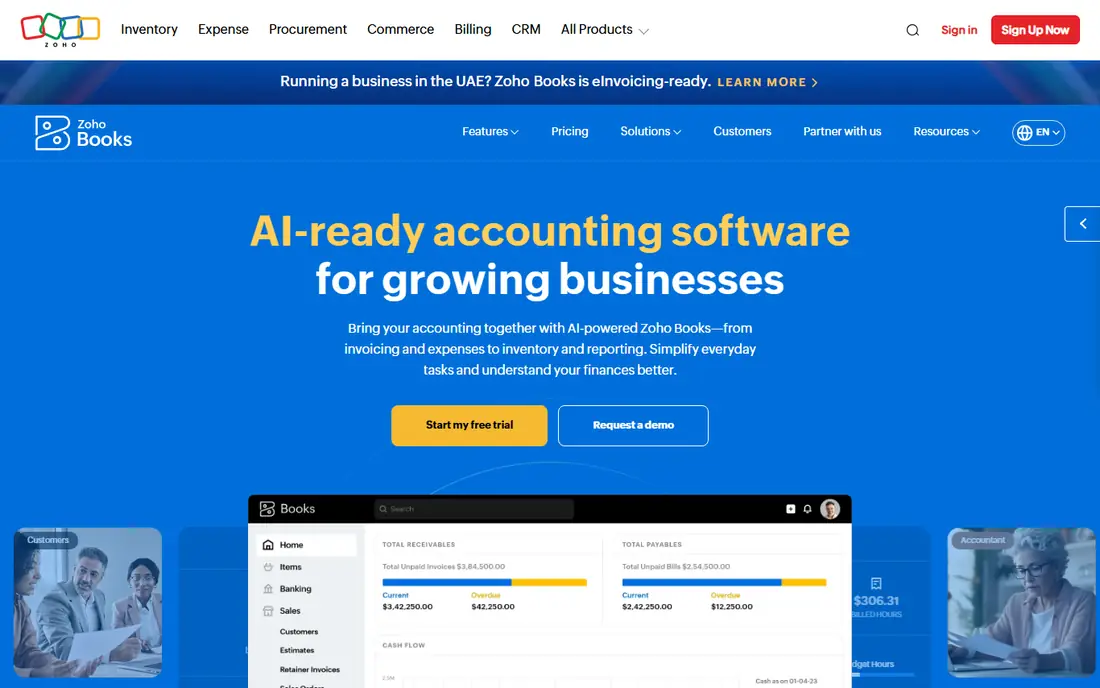
Zoho Books is a full double-entry accounting system that covers invoicing, bills, expenses, bank reconciliation, sales tax and reporting in one place. The free plan suits a new business with modest revenue, and the paid tiers add real capability at each step rather than just raising limits. Professional adds inventory tracking, sales and purchase orders, multi-currency invoicing and vendor management, which makes it a practical choice for a business that sells physical products. Premium adds workflow automation, cashflow forecasting and a vendor portal. Because Zoho Books is part of the Zoho suite, it connects cleanly with Zoho CRM, Zoho Inventory and Zoho Expense. The main weakness is complexity. There are many menus and settings to learn, and a freelancer who only needs invoicing may find the extra depth gets in the way.
What we like- Free plan is genuinely usable
- Inventory and purchase orders from Professional
- Three users included on Standard
- Deep integration with the rest of Zoho
Watch out for- The interface packs in many features, so new users face a learning curve
- The free plan caps at 1,000 invoices a year
- Phone support is limited on lower plans
#2FreshBooks
Best for: Freelancers, consultants and agencies that bill clients by the hour or by the project4.5/5 on
G2 (981 reviews, checked Oct 2026)
Visit freshbooks.com
Starting priceLite $23 per month; Plus $43; Premium $70; annual billing $248.40, $464.40 and $756 per year
Free planNo free plan; 30-day free trial
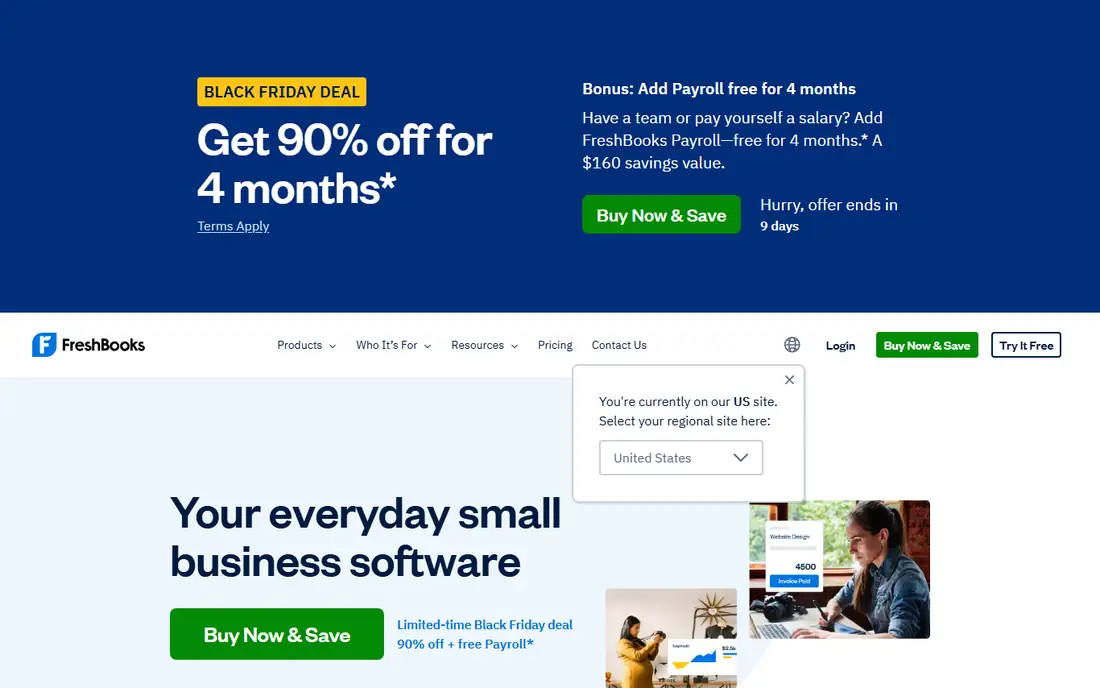
FreshBooks is built for people who sell their time. Creating an invoice takes minutes, the invoice looks professional without custom design work, and clients can pay by card or bank transfer from the invoice itself. Time tracking ties directly into billing, so hours logged on a project become line items on the next invoice with no retyping. Expenses can be photographed and attached to a client or project, and automatic reminders chase overdue invoices without the owner having to send awkward follow-up emails. The accounting side covers profit and loss, tax summaries and expense reports, which is enough for most service businesses and their accountants. The limits are clear. There is no free plan, Lite allows only five billable clients, and there is no inventory module, so a business that sells stock will outgrow FreshBooks or need a second tool.
What we like- The cleanest invoicing workflow in this list
- Strong time tracking and client portal
- Automatic payment reminders and late fees
Watch out for- No free plan
- Lite covers only five billable clients and one user
- No inventory management for product sellers
#3QuickBooks Online
Best for: Businesses that want the widest choice of accountants and integrations4.0/5 on
G2 (3,871 reviews, checked Oct 2026)
Visit quickbooks.intuit.com
Starting priceSolopreneur $20 per month; Simple Start $38; Essentials $85; Plus $140; Advanced $340; 70 percent off for three months until 29 Nov 2026
Free planNo free plan; 30-day free trial
QuickBooks Online is the default choice for many small businesses because almost every accountant knows it and almost every business app connects to it. The range of plans covers a solo operator on Solopreneur through to a mid-size business on Advanced, and the reporting is deeper than most rivals, with budgeting, class tracking and custom reports on higher tiers. Payroll, payments and time tracking are available as add-ons, so a business can build a complete back office around one login. Bank feeds and receipt capture are reliable, and the mobile app handles invoicing and expenses well. The main drawback is cost. The 1 Aug 2026 price rise moved Simple Start to $38, Essentials to $85 and Plus to $140 per month, and the 70 percent introductory discount ends after three months, so the long-term price is higher than the headline offer suggests. Businesses that only need simple invoicing and expense tracking may find cheaper tools do the same job.
What we like- The largest ecosystem of accountants, apps and integrations
- Strong reporting and payroll add-ons
- Reliable bank feeds
Watch out for- Prices rose on 1 Aug 2026, so older comparison pages understate the cost
- The interface can feel crowded
- Support quality varies by plan
#4Xero
Best for: Small businesses that want unlimited users and clean bank reconciliation4.4/5 on
G2 (1,832 reviews, checked Oct 2026)
Visit xero.com
Starting priceEarly $27 per month; Growing $59; Established $97
Free planNo free plan; 30-day free trial
Xero is a cloud accounting platform that is popular with small businesses and their accountants because it keeps the daily workflow simple. Bank reconciliation is its strongest feature, with a dashboard that shows cash flow, outstanding invoices and bills at a glance. Every plan includes unlimited users, which makes it cheap for a team, since adding a bookkeeper or a second staff member costs nothing extra. The app marketplace is large, with hundreds of connected tools for payments, inventory, payroll and reporting. Growing at $59 per month removes the invoice and bill limits of Early and adds bulk reconciliation and expense claims, which suits most established small businesses. Established at $97 adds multi-currency, project tracking and expense management. The Early plan is the weak point, because 20 invoices and 20 bills a month is tight for an active business, so many buyers should budget for Growing from the start.
What we like- No per-user fees on any plan
- Strong bank reconciliation and dashboard
- Large app marketplace
Watch out for- Early limits invoices and bills to 20 each per month
- Payroll costs extra in some regions
- No built-in free plan
#5Wave
Best for: Solo operators and micro-businesses that want free accounting and invoicing4.3/5 on
G2 (328 reviews, checked Oct 2026)
Visit waveapps.com
Starting priceStarter $0; Pro $19 per month or $190 per year; Payroll $40 per month plus $6 per person
Free planYes, Starter includes free invoicing, accounting and receipt scanning
Wave gives a solo business free invoicing and double-entry accounting with no revenue limit, which makes it the cheapest real option on this list. Invoices look professional, customers can pay by card, and expenses and receipts are tracked without a subscription. Bank connections and receipt scanning are included, so the daily bookkeeping workflow works without paying anything. Pro at $19 per month adds unlimited bank and credit card connections, automatic receipt data entry and faster support. Payroll starts at $40 per month plus $6 per person, and bookkeeping services start at $149 per month for owners who want to hand the books to a person. The limits are real. There is no inventory module, reporting is lighter than QuickBooks or Xero, and payroll does not cover every country, so a growing business with staff outside the US and Canada will need another payroll tool.
What we like- Free invoicing and accounting with no revenue cap
- Simple to set up
- Receipt scanning included
Watch out for- Pro is needed for unlimited bank connections and priority support
- Payroll is only available in the US and Canada
- Fewer advanced reports than paid rivals
#6Sage Accounting
Best for: Small teams that want simple per-user pricing and a long-established vendor4.2/5 on
G2 (76 reviews, checked Oct 2026)
Visit sage.com
Starting priceStart $20 per month for one user; Standard $40 for two users; Plus $50 for unlimited users
Free planNo free plan; 30-day free trial
Sage Accounting is a straightforward cloud accounting tool from a vendor that has served small businesses for decades. Start at $20 per month covers one user with unlimited sales invoices, bank reconciliation and expense tracking, which is enough for a solo operator. Standard at $40 adds two users, quotes, purchase invoices and cash flow forecasting, with extra users at $4 each per month. Plus at $50 covers unlimited users and adds inventory, multi-currency and budgeting, which makes it one of the cheapest unlimited-user plans in this list. The interface is clean and the reports cover profit and loss, balance sheet and tax summaries. The main drawback is the lack of a free plan, so a new business must pay from day one. Buyers should also be careful with third-party price listings, because some sites still show older figures such as $24, $53 and $80 per month or much lower legacy prices, while the vendor page and GetApp both list $20, $40 and $50.
What we like- Clear per-user pricing
- Plus covers unlimited users for $50
- Long track record in small business accounting
Watch out for- No free plan
- No published annual billing discount
- Some third-party listings show conflicting prices, so confirm on the vendor page
#7Kashoo
Best for: Very small businesses that want one flat monthly price with no tiers to compare4.6/5 on
G2 (55 reviews, checked Oct 2026)
Visit kashoo.com
Starting price$30 per month flat, unlimited users
Free planNo free plan; 14-day free trial
Kashoo keeps the decision simple by offering a single plan at $30 per month with unlimited users, invoicing, expenses, bank reconciliation and basic reports. There are no tiers to compare and no per-user charges, so a two-person or five-person business pays the same flat amount. Setup is quick and the interface is aimed at owners rather than accountants, with plain language and a short learning curve. Invoicing, payments and expense tracking cover the daily needs of a small service business, and the mobile app handles receipts and invoices on the go. The trade-off is depth. Kashoo does not match the reporting, inventory or integration range of the bigger platforms, so a business that needs multi-currency, project costing or a large app ecosystem will feel the limits. It is best suited to a very small business that wants honest bookkeeping without paying for features it will never use.
What we like- One simple price with no plan tiers
- Unlimited users included
- Easy setup for non-accountants
Watch out for- Fewer features than QuickBooks, Xero or Zoho Books
- Limited third-party integrations
- No free plan
#8ZipBooks
Best for: Freelancers who want free invoicing and a low-cost upgrade path4.7/5 on
G2 (86 reviews, checked Oct 2026)
Visit zipbooks.com
Starting priceStarter $0; Smarter $15 per month; Sophisticated $35 per month
Free planYes, Starter includes invoicing, expense tracking and basic reports
ZipBooks is a simple accounting tool aimed at freelancers and very small businesses. The free Starter plan covers invoicing, expense tracking and basic reporting, which is enough for a solo operator who is just starting to bill clients. Smarter at $15 per month adds recurring billing, time tracking and more reports, while Sophisticated at $35 adds advanced reporting and priority support. The interface is clean and the learning curve is short, so an owner can send a first invoice within minutes of signing up. The weakness is scale. ZipBooks has fewer integrations and a narrower feature set than QuickBooks, Xero or Zoho Books, so a business that needs inventory, payroll or deep reporting will outgrow it. As a free or low-cost starting point for a freelancer, though, it is a practical choice.
What we like- Free starter plan
- Smarter is cheap at $15 per month
- Simple interface for freelancers
Watch out for- Smaller company with a narrower feature set
- Fewer integrations than the big platforms
- Advanced reporting needs the top plan
Frequently asked questions
Is Zoho Books really free?
Yes, Zoho Books has a free plan for businesses with less than $50,000 in annual revenue. It covers one user, up to 1,000 invoices a year, expense tracking and bank feeds. A business that grows past the revenue limit or needs more invoices must move to Standard at $20 per month, or $15 per month billed annually.
Does FreshBooks have a free plan?
No, FreshBooks has no free plan. It offers a 30-day free trial, then Lite starts at $23 per month for one user and five billable clients. Plus at $43 per month covers 50 billable clients, and Premium at $70 covers unlimited billable clients. Annual billing lowers the yearly cost to $248.40, $464.40 and $756 respectively.
Can I switch from FreshBooks to Zoho Books later?
Yes, both tools support importing customers, invoices and chart of accounts data, and Zoho Books has a migration assistant for common formats. Plan the move at a month end, export your client and invoice history first, and check that open invoices and unpaid balances carry across correctly before cancelling the old subscription.
Which tool is better for tracking inventory?
Zoho Books is better for inventory. Its Professional plan at $50 per month includes inventory tracking, reorder points, purchase orders and vendor management. FreshBooks has no inventory module, so a business that sells physical products would need a separate inventory tool alongside FreshBooks.
Do both tools handle sales tax?
Yes, both Zoho Books and FreshBooks handle sales tax on invoices and produce tax-ready reports. Zoho Books has deeper tax configuration, including multi-rate tax groups and location-based rules on higher plans, while FreshBooks keeps tax setup simpler for service businesses with straightforward tax needs.
Sources we checked (8)
- https://www.zoho.com/books/
- https://www.freshbooks.com/
- https://quickbooks.intuit.com/
- https://www.xero.com/
- https://www.waveapps.com/
- https://www.sage.com/
- https://www.kashoo.com/
- https://www.zipbooks.com/
Is your product missing or out of date?
We review this list regularly. Vendors can request a listing, send updated pricing or ask about featured placement.

Shihab Mia · Founder, Rankite
Shihab has 5+ years in B2B and SaaS SEO. He writes Rankite's software buying guides from pricing pages, documentation and public user reviews. More about Shihab.