How we make this list: we compare pricing pages, product documentation and public user reviews. Ratings come from G2, Capterra or Trustpilot, with the date we checked them.
Key takeaways
- Atera is the best overall pick for small to mid-size MSPs, with per-technician pricing at $129 per month billed annually and unlimited endpoints.
- NinjaOne wins on ease of use and automation depth, with per-device pricing from $1.50 to $3.75 a month depending on volume.
- Syncro pairs RMM with a full PSA at $129 per user per month billed annually, the only all-in-one with pricing you can buy off the website.
- Action1 is free for the first 200 endpoints with no feature limits, the best entry point for patching on a budget.
- Datto RMM, N-able N-central, Pulseway and Kaseya VSA are quote-only, so get pricing in writing before comparing.
Quick comparison
| Tool | Best for | Starting price | Free plan |
|---|
 Atera Atera | Small to mid-size MSPs | $129 per technician per month | Free trial |
 NinjaOne NinjaOne | Ease of use and automation | $1.50 per device per month | Free trial |
 Syncro Syncro | All-in-one RMM plus PSA | $129 per user per month | Free trial |
 SuperOps SuperOps | Modern RMM plus PSA combo | $1.50 per endpoint per month | Free trial |
 Action1 Action1 | Free patching up to 200 endpoints | $0 | Yes, 200 endpoints |
 Pulseway Pulseway | Mobile-first management | See website | Free trial |
 Datto RMM Datto RMM | Data protection depth | See website | Free trial |
 N-able N-central N-able N-central | Large complex environments | See website | Free trial |
Is your product missing or out of date?
We review this list regularly. Vendors can request a listing, send updated pricing or ask about featured placement.
The best Xeox RMM alternatives
#1Atera
Best for: Small to mid-size MSPs4.6/5 on
G2 (1,123 reviews, checked Oct 2026)
Visit atera.com
Starting price$129 per technician per month
Free planFree trial
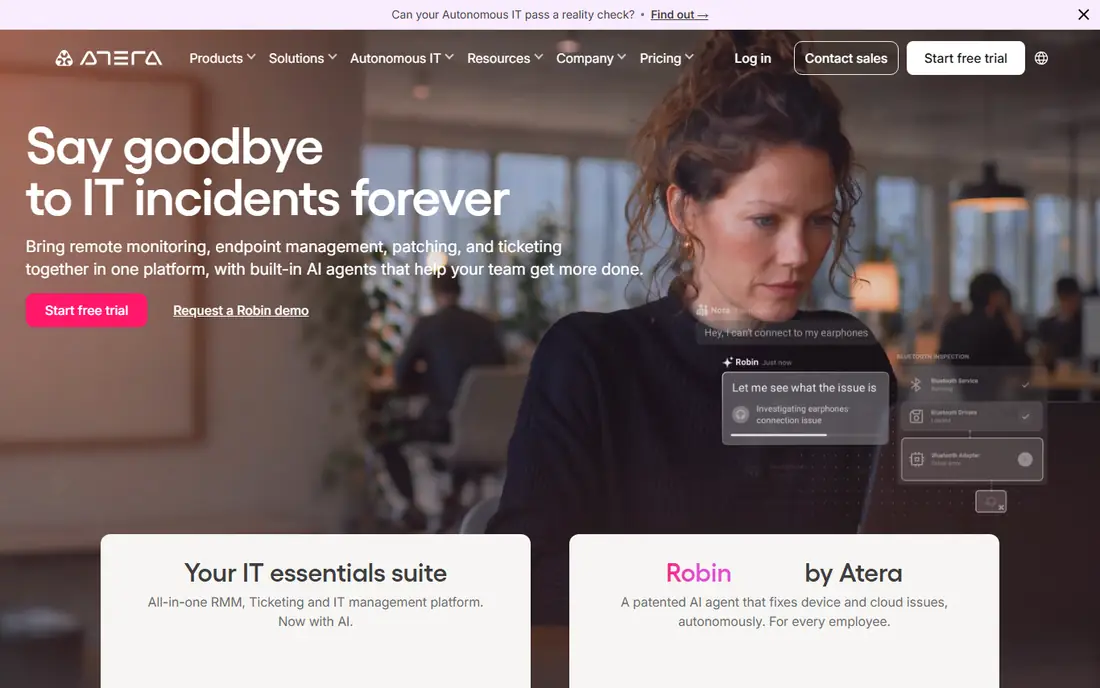
Atera is the best overall pick for small to mid-size MSPs, because per-technician pricing at $129 per month billed annually covers unlimited endpoints. A technician managing 200 endpoints pays $129 a month, which works out to about $0.65 per endpoint, against $750 a month for the same 200 endpoints at $3.75 each on a per-device plan. That math is why endpoint-dense shops usually save with per-technician pricing.
Atera bundles RMM with a light PSA, remote access and AI workflows, so a small MSP can run tickets, monitoring and patching from one console. There is no free plan, only a 30-day trial, and the bill grows with every technician hired. For an MSP with many endpoints per technician, Atera's pricing model is the most economical on this list.
What we like- Per-technician pricing with unlimited endpoints
- RMM plus light PSA
- AI workflows
Watch out for- No free plan
- Pricing rises with technician count
#2NinjaOne
Best for: Ease of use and automation4.7/5 on
G2 (5,037 reviews, checked Oct 2026)
Visit ninjaone.com
Starting price$1.50 per device per month
Free planFree trial
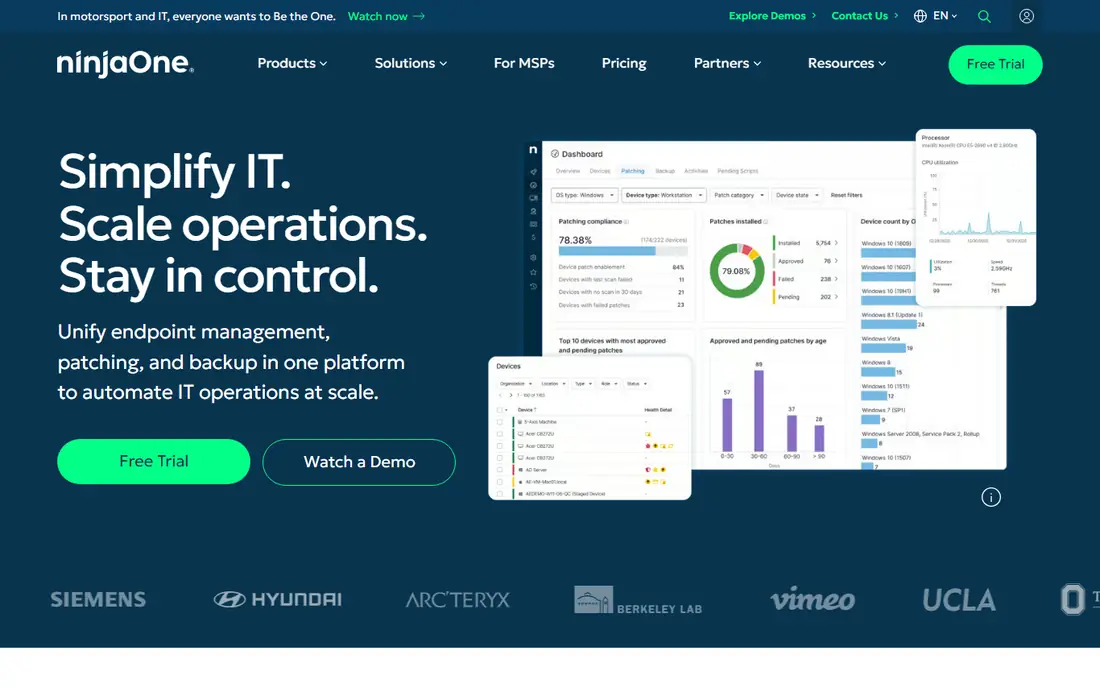
NinjaOne built its reputation on being the RMM that technicians actually enjoy opening. The console is quick, patching for operating systems and third-party apps is automated out of the box, and auto-remediation handles common issues before they become tickets. Published pricing runs $3.75 per device per month at 50 or fewer endpoints, dropping to $1.50 at 10,000, with volume discounts between.
The honest catch is the per-device math: a fleet of a few thousand endpoints gets expensive fast, and backup, MDM and vulnerability scanning are separate paid modules rather than included features. Onboarding and support are free and unlimited, which is rare in this space. If your endpoint count is modest and you value speed and simplicity over raw depth, NinjaOne is the easiest recommendation on this list.
What we like- Fast modern console
- Strong automation and patching
- Free unlimited support
Watch out for- Per-device costs climb on large fleets
- Backup and MDM are paid add-ons
#3Syncro
Best for: All-in-one RMM plus PSA4.5/5 on
G2 (553 reviews, checked Oct 2026)
Visit syncro.com
Starting price$129 per user per month
Free planFree trial
Syncro pairs RMM with a full PSA at $129 per user per month billed annually, making it the only all-in-one on this list with pricing you can buy directly off the website. Tickets, contracts, billing, scripting and Microsoft 365 management sit alongside monitoring and patching, so a small MSP avoids buying and integrating a separate PSA.
The interface is less polished than NinjaOne's, and there is no free plan, only a 14-day trial. For a small MSP that wants one console and one bill for both the technical and business sides of the practice, Syncro's published all-in-one price is the most transparent deal available.
What we like- Full RMM plus PSA in one price
- Published pricing
- Scripting and billing included
Watch out for- No free plan
- Interface is less polished than NinjaOne
#4SuperOps
Best for: Modern RMM plus PSA combo4.4/5 on
G2 (205 reviews, checked Oct 2026)
Visit superops.com
Starting price$1.50 per endpoint per month
Free planFree trial
SuperOps is a modern RMM plus PSA combo built for MSP service delivery, starting near $1.50 per endpoint per month with a 100 endpoint minimum. RMM and PSA share one data model, so a monitoring alert can become a ticket without integration work, and AI-assisted ticketing speeds up triage. The interface feels current, which matters for teams hiring younger technicians.
SuperOps is newer than Datto or N-able, so its enterprise track record is shorter, and the 100 endpoint minimum excludes the smallest shops. For an MSP that wants a modern all-in-one with per-endpoint pricing and no legacy baggage, SuperOps is the most forward-looking option here.
What we like- Modern interface
- RMM and PSA on a shared data model
- AI-assisted ticketing
Watch out for- 100 endpoint minimum
- Newer than Datto or N-able
#5Action1
Best for: Free patching up to 200 endpoints4.9/5 on
G2 (1,206 reviews, checked Oct 2026)
Visit action1.com
Starting price$0
Free planYes, 200 endpoints
Action1 is free for the first 200 endpoints with no feature limits, making it the best entry point for patching and endpoint management on a budget. Cloud-native patching covers operating systems and third-party apps, with remediation workflows and reporting included. Its ratings are among the highest in the category, near 4.9 out of 5 on G2.
Action1 is patching-focused rather than a full RMM, so teams that need deep monitoring, remote access and PSA features will pair it with another tool or choose a full platform. Pricing above 200 endpoints is quote-based. For an internal IT team or small MSP that mainly needs reliable patching at zero cost, Action1 is unmatched.
What we like- Free for the first 200 endpoints with no feature limits
- Cloud-native patching
- Strong ratings
Watch out for- Patching-focused, not a full RMM
- Quote above 200 endpoints
#6Pulseway
Best for: Mobile-first management4.5/5 on
G2 (125 reviews, checked Oct 2026)
Visit pulseway.com
Starting priceSee website
Free planFree trial
Pulseway is the mobile-first RMM, built around a phone app that lets technicians receive alerts and take remote actions from anywhere. That mobile focus suits technicians who spend their day traveling between sites rather than sitting at a desk. RMM plus a light PSA covers monitoring, patching and tickets, with tiered per-device pricing.
Pricing is quote-only, so buyers should get figures in writing before comparing, and the ecosystem is smaller than Datto's or N-able's. For a mobile-heavy team that values managing endpoints from a phone, Pulseway's app-first design is the most practical option on this list.
What we like- Mobile-first alerts and remote actions
- RMM plus light PSA
- Tiered per-device pricing
Watch out for- Quote-only pricing
- Smaller ecosystem than Datto or N-able
#7Datto RMM
Best for: Data protection depth4.5/5 on
G2 (803 reviews, checked Oct 2026)
Visit datto.com
Starting priceSee website
Free planFree trial
Datto RMM suits MSPs that want data protection depth alongside endpoint management, since it integrates closely with Datto's backup products. Policy-based monitoring and automation keep large fleets consistent, and ransomware detection adds a security layer that pure monitoring tools lack. Datto is now part of Kaseya, so its ecosystem includes PSA and security products from the same vendor.
Pricing is quote-only with committed minimums, so small MSPs may find the entry bar high. For an MSP already invested in Datto backup or the wider Kaseya ecosystem, Datto RMM's integration advantage makes it the natural endpoint choice.
What we like- Policy-based monitoring
- Strong automation
- Ransomware detection
- Backup integration
Watch out for- Quote-only pricing
- Committed minimums apply
#8N-able N-central
Best for: Large complex environments4.4/5 on
G2 (567 reviews, checked Oct 2026)
Visit n-able.com
Starting priceSee website
Free planFree trial
N-able N-central is the mature choice for large, complex MSP environments, with support for hybrid and on-premises deployments that cloud-only tools cannot match. Monitoring, patching, backup and security integrations, including SentinelOne, cover the full stack for MSPs managing diverse client environments. Its depth suits teams with dedicated NOC staff and complex client requirements.
Pricing is quote-only and per device, and the complexity is overkill for a small shop. For a large MSP that needs on-premises options, deep automation and a proven platform at scale, N-central remains one of the safest enterprise picks in the category.
What we like- Mature MSP platform
- Hybrid and on-prem support
- Deep security integrations
Watch out for- Quote-only pricing
- Complexity suits larger teams
How we chose
We compared RMM tools on monitoring depth, patching, automation, remote access, PSA bundling and pricing transparency. We used vendor pricing pages and recent comparison guides for rates, and we favored tools with published prices where available. We did not claim hands-on testing. Instead we weighed what each tool monitors, how it charges, and how it fits MSPs versus internal IT teams, so buyers can match a tool to their endpoint count and technician count.
Per-technician versus per-device pricing
The pricing model you choose significantly affects cost as your practice scales. A technician managing 200 endpoints pays $129 per month on a per-technician plan, about $0.65 per endpoint, while the same 200 endpoints at $3.75 each cost $750. Shops with many endpoints per technician usually save with per-technician pricing, while shops with few endpoints per technician usually save with per-device pricing.
Model your actual numbers before signing: count endpoints, count technicians, and divide. Under about 10 technicians, an all-in-one is usually the better buy, since one console and one bill beats integration work. Larger shops often split the stack, pairing a dedicated RMM with a dedicated PSA for deeper features on each side. Confirm contract length and the integrations you depend on before committing. Also test agent performance on your oldest hardware during the trial, since a heavy agent on a five-year-old laptop creates more tickets than it prevents.
Frequently asked questions
What is RMM software?
Remote monitoring and management software lets IT teams monitor endpoints, deploy patches, run scripts and open remote sessions from one console. MSPs use it to manage many clients' devices, while internal IT teams use it for their own fleet.
Is per-technician or per-device pricing better?
It depends on endpoint density. A technician managing 200 endpoints pays $129 per month on a per-technician plan, about $0.65 per endpoint, while the same endpoints at $3.75 each cost $750. Shops with many endpoints per technician save with per-technician pricing.
Can I get RMM software for free?
Yes, for patching. Action1 is free for the first 200 endpoints with no feature limits. For a full RMM, no free plan exists on this list, though every tool offers a free trial of 14 to 30 days.
What is the difference between RMM and PSA software?
RMM handles the technical side: monitoring, patching, scripting and remote access. PSA handles the business side: tickets, projects, time entries, contracts and billing. All-in-one tools like Syncro, Atera and SuperOps bundle both.
How long does RMM implementation take?
A small MSP can deploy agents and basic policies in a week. A large MSP with custom policies, automation and PSA integration should plan four to eight weeks, including a staged rollout across clients. Start with your least complex client first, so policy mistakes surface where the impact is smallest. Document the rollout as you go, since the notes become the template for every later client.
Sources we checked (8)
- https://www.atera.com
- https://www.ninjaone.com
- https://syncro.com
- https://superops.com
- https://www.action1.com
- https://www.pulseway.com
- https://www.datto.com
- https://www.n-able.com
Is your product missing or out of date?
We review this list regularly. Vendors can request a listing, send updated pricing or ask about featured placement.

Shihab Mia · Founder, Rankite
Shihab has 5+ years in B2B and SaaS SEO. He writes Rankite's software buying guides from pricing pages, documentation and public user reviews. More about Shihab.