How we make this list: we compare pricing pages, product documentation and public user reviews. Ratings come from G2, Capterra or Trustpilot, with the date we checked them.
Direct answer: Frame.io is the best cloud service for most media editing teams in 2026, because its review and approval workflow, camera-to-cloud ingest and Premiere Pro and DaVinci Resolve panels cover the whole post-production loop at a clear per-member price. LucidLink is the best alternative for teams that need to edit directly from shared cloud storage.
Media editing puts harder demands on cloud storage than almost any other kind of office work. A single camera card can hold hundreds of gigabytes, a finished project can run to several terabytes, and editors need frame-accurate playback.
The services in this guide fall into four groups. Review platforms such as Frame.io and iconik are built around comments, versions and approvals. Streaming filesystems such as LucidLink mount cloud storage as a local drive so editors can cut directly from it.
Key takeaways
- Frame.io leads on review and approval, with free client reviewers, timecoded comments and panels inside Premiere Pro and DaVinci Resolve.
- LucidLink is the only service here that lets editors cut media straight from a mounted cloud drive without a full download.
- Dropbox, Google Drive and Box are the cheapest general storage options, but none offers proxy workflows or frame-accurate review.
- MASV is the cheapest way to move very large files, at 25 cents per gigabyte after a free monthly allowance.
- Backblaze B2 is the cheapest place to keep finished projects, at 6.95 dollars per terabyte per month, but it is archive storage, not an editing workspace.
How we picked
We judged each service on proxy workflows and playback, review and approval tools, storage cost and transfer speed, integration with Premiere Pro, DaVinci Resolve and Final Cut Pro, and team collaboration. Prices below are third-party reported and checked 14 November 2026 unless the vendor publishes them directly. Where sources disagreed, both figures are shown and the conflict is flagged.
Comparison table
| Tool | Best for | Starting price | Free plan |
| Frame.io | Video review | $15 per member per month | Free, 2 members, 2 GB |
| LucidLink | Direct cloud editing | $7 per member per month | Trial only |
| Dropbox | File sync, small teams | $9.99 per month, annual | Basic, 2 GB |
| Google Drive | Cheap team storage | $7 per user per month | 15 GB per account |
| Box | Regulated teams | $5 per user per month | Individual, 10 GB |
| MASV | Large file transfer | $0.25 per GB after 15 GB free | 15 GB free each month |
| iconik | Media library, own storage | $9 per user per month | Collaborator seats free |
| Backblaze B2 | Cheap archive storage | $6.95 per TB per month | First 10 GB free |
A cloud service for a media editor should do four jobs at once: store original camera media safely, generate lightweight proxies for fast editing, let clients review cuts with timecoded notes, and move finished files to whoever needs them next. Most services do one or two of these well and the rest poorly, which is why many teams use two services together, one for editing and one for review. Before buying, list which of the four jobs you actually need, because a service that only stores files will not fix a slow review process, and a review tool will not fix slow storage.
Which cloud service is best for video review
Frame.io is the best cloud service for video review in 2026. Clients open a link, watch the cut in a browser, and leave comments pinned to an exact frame, and those comments appear inside Premiere Pro and DaVinci Resolve as markers the editor can work through. Reviewers need no paid account and no app install, which removes the most common reason clients delay feedback. Iconik is the strongest alternative for teams that also need a searchable media library, since its review tools sit on top of a full asset manager with AI tagging and transcription. General storage services fall short here.
A working media editor needs far more storage than the headline number on a plan suggests, because one project exists in several forms at once: camera originals, proxies, renders, exports and backups. A single day of shooting on a modern cinema camera can produce 500 GB to 1 TB of originals, and a feature or series can pass 10 TB before the edit is locked. Budget for at least 2 TB per active project for short-form work and 10 TB or more for long-form, then add the same again for a backup copy. The cheapest way to hold that volume is object storage such as Backblaze B2 at 6.95 dollars per terabyte per month.
Can you edit straight from the cloud
Yes, you can edit straight from the cloud, but only with a service designed for it. LucidLink mounts a cloud filespace as a local drive and streams media on demand, so Premiere Pro, DaVinci Resolve and Final Cut Pro open the files as if they sat on a local disk. Editors working from home can cut the same shared project without waiting for a full sync, and the filespace keeps a local cache of frames already played, so scrubbing back over a clip you just watched is fast. A strong internet connection is still required, and first playback of uncached high-bitrate footage can stutter while the data arrives.
Quick comparison
| Tool | Best for | Starting price | Free plan |
|---|
 Frame.io | Video review and approval for teams that cut in Premiere Pro or DaVinci Resolve | $15 per member per month on Pro, billed monthly, or $13 on annual billing; Team is $25 per member per month, or $22 on annual billing. Vendor-published pricing. | Free plan with 2 members, 2 GB of storage and 2 projects |
 LucidLink | Distributed teams that need to edit shared media directly from the cloud | $7 per member per month on Starter, billed monthly; Business is $27 per member per month on annual billing, or $32 billed monthly. Vendor-published pricing. Price conflict flagged: G2 lists Basic at $20 usage-based per month and older listings quote $12 per TB per month, conflicting with the vendor pricing page. | Free trial available; no permanent free plan |
 Dropbox | Small teams that want reliable file sync and simple client sharing | $9.99 per month on Plus with 2 TB, billed annually, or $11.99 billed monthly. Price conflict flagged: some guides list Plus at $11.99 per month on annual billing, conflicting with the $9.99 annual figure, so check dropbox.com/plans. Business Standard is $15 per user per month billed annually, or $18 billed monthly, with a 3-user minimum. | Basic plan with 2 GB of storage |
 Google Drive | Teams already using Google Workspace that need cheap pooled storage | $7 per user per month on Workspace Business Starter with 30 GB pooled per user, on a 1-year commitment; Business Standard is $14 per user per month with 2 TB pooled per user. Vendor-published pricing, third-party reported November 2026. Google One starts at $1.99 per month for 100 GB; 2 TB costs $9.99 per month. | 15 GB free per Google account, shared across Gmail, Drive and Photos |
 Box | Regulated teams and media companies that need compliance controls and unlimited storage | $5 per user per month on Business Starter, billed annually, or $7 billed monthly, with a 3-user minimum and 100 GB per user. Business is $15 per user per month billed annually, or $20 billed monthly, with unlimited storage. Vendor-published pricing. | Individual plan with 10 GB of storage and a 250 MB single-file upload limit |
 MASV | Sending very large files to clients, freelancers and broadcasters on a deadline | $0.25 per GB after the first 15 GB free each month, pay as you go. Annual subscriptions start at $58 per month for 250 GB included, $110 per month for 500 GB, and $215 per month for 1 TB. Third-party reported, checked 14 November 2026. | 15 GB of transfers free every month, with no subscription required, though a credit card is required to sign up |
 iconik | Teams that need a searchable media library across storage they already own | $9 per user per month for a Browse user on the Starter plan; Standard users cost $65 per user per month and Power users $120 per user per month, plus usage credits for storage, AI and services. Vendor-published pricing, third-party reported September and October 2026. Price conflict flagged: SoftwareWorld lists a $49 per user starting price, conflicting with the $9 Browse user figure. | Collaborator seats are free; a free trial is available |
 Backblaze B2 | Cheap long-term archive storage for finished projects and camera originals | $6.95 per TB per month, or $0.00695 per GB per month, pay as you go, with the first 10 GB free. Third-party reported, checked November 2026. Price conflict flagged: older listings quote $6.00 per TB per month, conflicting with the current $6.95 figure. | First 10 GB of storage free, with free downloads up to 3 times the stored volume each month |
Is your product missing or out of date?
We review this list regularly. Vendors can request a listing, send updated pricing or ask about featured placement.
#1Frame.io
Best for: Video review and approval for teams that cut in Premiere Pro or DaVinci Resolve4.5/5 on
G2 (198 reviews, checked Oct 2026)
Visit frame.io
Starting price$15 per member per month on Pro, billed monthly, or $13 on annual billing; Team is $25 per member per month, or $22 on annual billing. Vendor-published pricing.
Free planFree plan with 2 members, 2 GB of storage and 2 projects
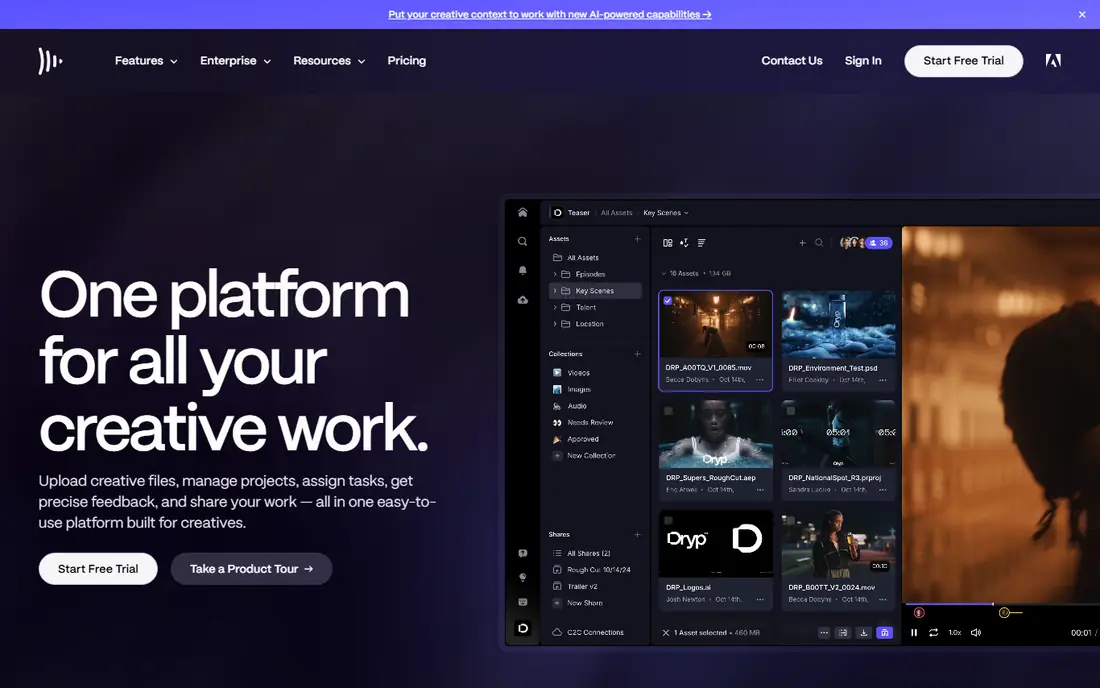
Frame.io is the default review tool for video teams because it solves the problem editors complain about most: feedback scattered across email, chat and phone calls. A client opens a link, watches the cut, and leaves a note on the exact frame where the problem sits, and that note appears as a marker in the editor timeline. Version stacks keep every cut in one place, and the comparison viewer puts two versions side by side so a client can confirm a fix at a glance.
What we like- Frame-accurate timecoded comments that sync into Premiere Pro and DaVinci Resolve
- Free unlimited client reviewers
- Camera to Cloud ingest
Watch out for- Pro is capped at 5 members, so a growing team is pushed onto Team at $25 per member per month
- Storage grows only by adding paid members
#2
LucidLink
Best for: Distributed teams that need to edit shared media directly from the cloud
Visit lucidlink.com
Starting price$7 per member per month on Starter, billed monthly; Business is $27 per member per month on annual billing, or $32 billed monthly. Vendor-published pricing. Price conflict flagged: G2 lists Basic at $20 usage-based per month and older listings quote $12 per TB per month, conflicting with the vendor pricing page.
Free planFree trial available; no permanent free plan
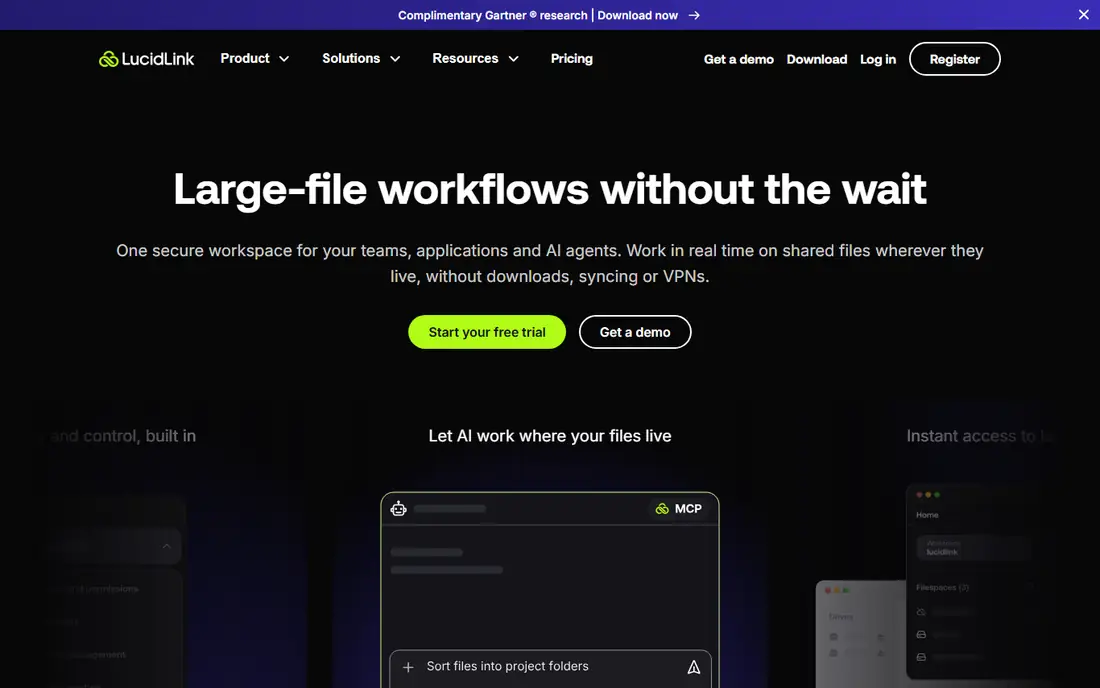
LucidLink is the only service in this guide that changes how editing itself works. Instead of syncing a project folder to each editor machine, it mounts a shared filespace as a drive and streams the media on demand. An editor in another city opens the same project file, plays the same footage, and saves back to the same space, with no upload step and no version confusion.
What we like- Mounted filespace streams media on demand, so editors cut without downloading full files
- Works with Premiere Pro
Watch out for- Extra storage costs $7 to $8 per 100 GB per month, roughly $70 to $80 per TB
#3Dropbox
Best for: Small teams that want reliable file sync and simple client sharing4.4/5 on
G2 (31,453 reviews, checked Oct 2026)
Visit dropbox.com
Starting price$9.99 per month on Plus with 2 TB, billed annually, or $11.99 billed monthly. Price conflict flagged: some guides list Plus at $11.99 per month on annual billing, conflicting with the $9.99 annual figure, so check dropbox.com/plans. Business Standard is $15 per user per month billed annually, or $18 billed monthly, with a 3-user minimum.
Free planBasic plan with 2 GB of storage
Dropbox is the most polished file sync service available, and for a small photo or video team that mostly needs files to arrive intact and on time, it is hard to beat. Sync is fast, conflict handling is sensible, and Smart Sync lets an editor see a whole project folder without downloading every file. Sharing is simple: a link, an expiry date and a password, and the client can download the master without an account.
What we like- Fast and reliable sync across Mac, Windows and mobile
- Smart Sync keeps large files in the cloud until needed
Watch out for- The free plan is only 2 GB, too small for any real media work
- Dropbox has no proxy workflow and no NLE panel
#4Google Drive
Best for: Teams already using Google Workspace that need cheap pooled storage4.8/5 on
Capterra (28,634 reviews, checked Oct 2026)
Visit drive.google.com
Starting price$7 per user per month on Workspace Business Starter with 30 GB pooled per user, on a 1-year commitment; Business Standard is $14 per user per month with 2 TB pooled per user. Vendor-published pricing, third-party reported November 2026. Google One starts at $1.99 per month for 100 GB; 2 TB costs $9.99 per month.
Free plan15 GB free per Google account, shared across Gmail, Drive and Photos
Google Drive wins on price and familiarity, and for many small teams that is enough. Business Standard at $14 per user per month with 2 TB pooled per user undercuts Dropbox and Box on a per-terabyte basis, and the pooled model means a five-person team shares 10 TB rather than splitting it into five fixed buckets. Sharing controls are granular, and shared drives keep team files owned by the team rather than one person.
What we like- Lowest cost per terabyte among general storage services in this guide
- Storage is pooled across the team
Watch out for- No proxy workflow, no frame-accurate review and no NLE integration
- Desktop sync must download full files before editing
- 15 GB free tier is shared with Gmail and Photos
#5Box
Best for: Regulated teams and media companies that need compliance controls and unlimited storage4.2/5 on
G2 (5,259 reviews, checked Oct 2026)
Visit box.com
Starting price$5 per user per month on Business Starter, billed annually, or $7 billed monthly, with a 3-user minimum and 100 GB per user. Business is $15 per user per month billed annually, or $20 billed monthly, with unlimited storage. Vendor-published pricing.
Free planIndividual plan with 10 GB of storage and a 250 MB single-file upload limit
Box is built for organisations that answer to legal and compliance teams, and that focus shows in every part of the product. Admin controls are deep, retention policies and audit trails are standard, and the certification list covers the regulated industries that other services in this guide do not. For a media company handling client assets under contract, that matters more than a slick review interface. Unlimited storage from the Business plan up is genuinely useful for a team with a large back catalogue.
What we like- Unlimited storage from the Business plan up
- Strong compliance certifications and admin controls
Watch out for- Business plan caps a single file upload at 5 GB
#6MASV
Best for: Sending very large files to clients, freelancers and broadcasters on a deadline4.8/5 on
G2 (48 reviews, checked Oct 2026)
Visit masv.io
Starting price$0.25 per GB after the first 15 GB free each month, pay as you go. Annual subscriptions start at $58 per month for 250 GB included, $110 per month for 500 GB, and $215 per month for 1 TB. Third-party reported, checked 14 November 2026.
Free plan15 GB of transfers free every month, with no subscription required, though a credit card is required to sign up
MASV exists for one moment: a deadline, a huge file, and a recipient waiting on the other side. It is the service post-production teams reach for when a master, a camera card or a full project folder has to move now and cannot be split into smaller pieces. There is no file size limit, the accelerated transfer engine uses multiple connections to push data faster than a plain browser upload, and the recipient gets a simple download link with no account needed.
What we like- No file size limit, with single deliveries over 5 TB possible
- Accelerated multiconnect uploads and downloads
Watch out for- Pay-per-gigabyte pricing gets expensive fast on regular high-volume work, since 1 TB costs about $250 on the on-demand rate
- It is a transfer service, not storage or review
#7
iconik
Best for: Teams that need a searchable media library across storage they already own
Visit iconik.io
Starting price$9 per user per month for a Browse user on the Starter plan; Standard users cost $65 per user per month and Power users $120 per user per month, plus usage credits for storage, AI and services. Vendor-published pricing, third-party reported September and October 2026. Price conflict flagged: SoftwareWorld lists a $49 per user starting price, conflicting with the $9 Browse user figure.
Free planCollaborator seats are free; a free trial is available
Iconik is the media asset manager in this guide, and it solves a different problem from the rest: finding footage. It connects to storage you already own, whether that is a NAS in the office, a Backblaze B2 bucket or an S3 account, and builds one searchable library over all of it, with AI tagging, transcription and object detection so an editor can search for a shot by what is in it rather than by a file name.
What we like- One searchable library across NAS, Backblaze B2, Wasabi, AWS S3, Azure and LucidLink
- AI tagging, transcription and object detection
Watch out for- Usage-based credits make the monthly bill hard to predict, since storage, AI and services all consume credits on top of seat fees
#8Backblaze B2
Best for: Cheap long-term archive storage for finished projects and camera originals4.6/5 on
G2 (114 reviews, checked Oct 2026)
Visit backblaze.com
Starting price$6.95 per TB per month, or $0.00695 per GB per month, pay as you go, with the first 10 GB free. Third-party reported, checked November 2026. Price conflict flagged: older listings quote $6.00 per TB per month, conflicting with the current $6.95 figure.
Free planFirst 10 GB of storage free, with free downloads up to 3 times the stored volume each month
Backblaze B2 is the cheapest place in this guide to keep media, and the gap is large: $6.95 per terabyte per month against roughly $70 to $80 per terabyte on LucidLink and far more on per-seat services once storage is counted. A 10 TB finished-project archive costs about $70 a month, and the first 10 GB are free, so small archives cost almost nothing.
What we like- Lowest storage price in this guide by a wide margin
- Downloads free up to 3 times stored data per month
Watch out for- Object storage with no editing, review or proxy tools, so it cannot be used as a working drive on its own
- No native integration with Premiere Pro
Frequently asked questions
Is Frame.io the best cloud service for media editing?
Frame.io is the best choice for most media editing teams because its review and approval workflow is the strongest in this guide, with frame-accurate comments, free client reviewers and panels inside Premiere Pro and DaVinci Resolve. It is not an editing drive, so teams that need to cut directly from the cloud should pair it with LucidLink or local storage.
Can I edit video directly from Google Drive or Dropbox?
No, not directly. Google Drive and Dropbox sync files to your local disk before an editor can open them, so a large project must finish downloading before the first cut. LucidLink is the service in this guide built for direct cloud editing, since it mounts storage as a drive and streams media on demand.
How much does cloud storage cost for a video editor?
A solo editor with 2 TB of active work pays roughly $10 to $16 a month on Dropbox Plus or Google Workspace Business Standard, while a team editing 10 TB from the cloud pays $700 or more a month on LucidLink before seat fees. Archive storage is far cheaper: Backblaze B2 holds 10 TB for about $70 a month.
Which cloud service is best for photo editing?
Google Drive and Dropbox suit photo editors best, because RAW files are small enough to sync quickly and both services offer simple sharing, comments and mobile access. Frame.io also works well for photo review when clients need to approve selects. Photo teams rarely need LucidLink, since the files are small and sync delays are short.
Do I need two cloud services for media editing?
Most professional teams do. A common pairing is LucidLink for editing and Frame.io for client review, with Backblaze B2 holding finished projects as archive. General storage such as Dropbox or Google Drive can cover delivery and day-to-day files, while MASV handles the occasional very large transfer that nothing else moves fast enough.
Sources we checked (16)
- https://www.frame.io/pricing
- https://www.lucidlink.com/pricing
- https://www.dropbox.com/plans
- https://workspace.google.com/pricing
- https://www.box.com/pricing
- https://www.masv.io/pricing
- https://www.iconik.io/pricing
- https://www.backblaze.com
- https://shade.inc/blog/frame-io-review-video-production
- https://shade.inc/blog/best-cloud-storage-for-video-production
- https://blog.internxt.com/dropbox-pricing/
- https://saascrmreview.com/google-drive-pricing/
- https://brault.app/blog/creative-asset-management/box-pricing
- https://www.thegeeksclub.com/platforms/masv/
- https://www.framequery.com/compare/framequery-vs-iconik
- https://upstash.com/blog/backblaze-b2-pricing-explained-2026
Is your product missing or out of date?
We review this list regularly. Vendors can request a listing, send updated pricing or ask about featured placement.

Shihab Mia · Founder, Rankite
Shihab has 5+ years in B2B and SaaS SEO. He writes Rankite's software buying guides from pricing pages, documentation and public user reviews. More about Shihab.