How we make this list: we compare pricing pages, product documentation and public user reviews. Ratings come from G2, Capterra or Trustpilot, with the date we checked them.
Key takeaways
- Adobe Acrobat is the safest default for full-featured PDF editing, signing and collaboration, with AI tools now built in.
- Foxit PDF Editor and Nitro PDF Pro suit businesses that want Acrobat-level features at a lower cost with strong compliance options.
- PDFelement suits individuals and students with a perpetual license option, while PDF-XChange suits Windows users who want a fast, affordable editor.
- Smallpdf, Sejda and PDFescape suit occasional users who prefer browser-based tools with generous free options.
Quick comparison
| Tool | Best for | Starting price | Free plan |
|---|
 Adobe Acrobat Adobe Acrobat | Users who want the most complete PDF toolkit | See website | Acrobat Reader free |
 Foxit PDF Editor Foxit PDF Editor | Businesses seeking a lower-cost Acrobat alternative | See website | See website |
 PDFelement PDFelement | Users who want a perpetual license instead of a subscription | $129.99 perpetual | Free download |
 Nitro PDF Pro Nitro PDF Pro | Teams with compliance and analytics needs | See website | See website |
 PDF-XChange Editor PDF-XChange Editor | Windows users who want speed and value | See website | Free reader |
 Smallpdf Smallpdf | Occasional users who work in the browser | See website | Yes |
 Sejda Sejda | Free online PDF editing with a desktop option | Free | Yes |
 PDFescape PDFescape | Free online form filling and basic editing | Free | Yes |
Is your product missing or out of date?
We review this list regularly. Vendors can request a listing, send updated pricing or ask about featured placement.
The best software for editing pdfs
#1Adobe Acrobat
Best for: Users who want the most complete PDF toolkit4.7/5 on
Capterra (4,264 reviews, checked Oct 2026)
Visit adobe.com
Starting priceSee website
Free planAcrobat Reader free
Adobe Acrobat is the reference PDF editor: create, edit, sign and manage PDFs with trusted tools, plus an AI Assistant that answers questions about your documents and PDF Spaces that turn collections of files into shared, AI-powered workspaces. Acrobat Standard covers editing, conversion, form filling and e-signatures; Pro adds OCR for scanned documents, redaction, document comparison and bulk e-signature sending; Studio adds PDF Spaces, AI Assistant and Adobe Express Premium.
With more than 635 million Acrobat Reader mobile installs and deep Microsoft 365, Dropbox and Google Drive integrations, Acrobat is the safest choice when documents must look right everywhere. The trade-off is cost: Adobe discontinued perpetual Acrobat after the 2020 version, so most buyers pay a subscription, and prices are region-specific. For professional work where fidelity matters, it remains the benchmark.
What we like- Edit text and images, convert, sign, protect and redact in one place
- AI Assistant and PDF Spaces for document Q and A
- Desktop, web and mobile access
Watch out for- Subscription pricing with no perpetual option except a limited 3-year desktop purchase
- Plans and prices vary by region and were not shown on the homepage extract
#2Foxit PDF Editor
Best for: Businesses seeking a lower-cost Acrobat alternative4.6/5 on
G2 (3,783 reviews, checked Oct 2026)
Visit foxit.com
Starting priceSee website
Free planSee website
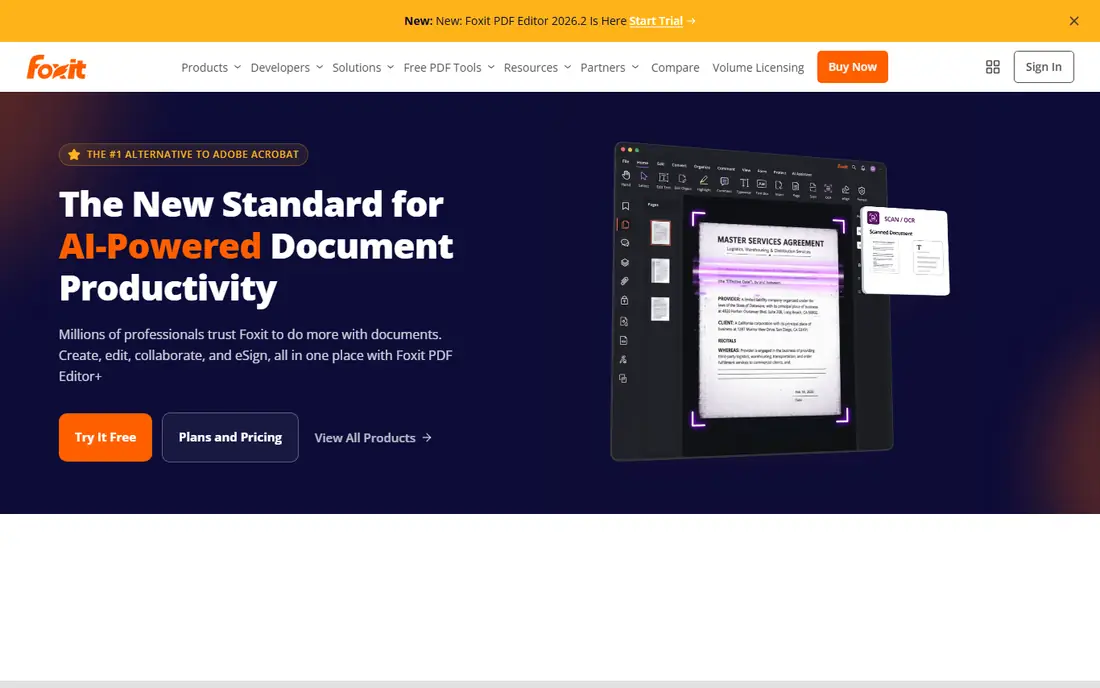
Foxit calls its PDF Editor Plus the new standard for AI-powered document productivity, trusted by millions of professionals for creating, editing, collaborating and e-signing in one place. It covers the full Acrobat feature set: text and image editing, conversion, OCR, batch processing, shared review, annotations and digital signatures, plus an AI summarizer and enterprise-grade security including SOC, HIPAA, GDPR and PCI compliance markers.
Foxit positions itself as the number one alternative to Adobe Acrobat and earns top G2 ratings for enterprise administration and estimated return on investment. For businesses switching from Acrobat, Foxit offers a familiar feature set with a strong cost story. Confirm current pricing on Foxit's site before buying.
What we like- Full editing, conversion, collaboration and e-signing in one platform
- AI summarizer and AI-powered document productivity
- Enterprise security certifications
Watch out for- Pricing was not shown on the homepage
- AI features may require higher tiers
#3PDFelement
Best for: Users who want a perpetual license instead of a subscription4.5/5 on
G2 (1,046 reviews, checked Oct 2026)
Visit pdf.wondershare.com
Starting price$129.99 perpetual
Free planFree download
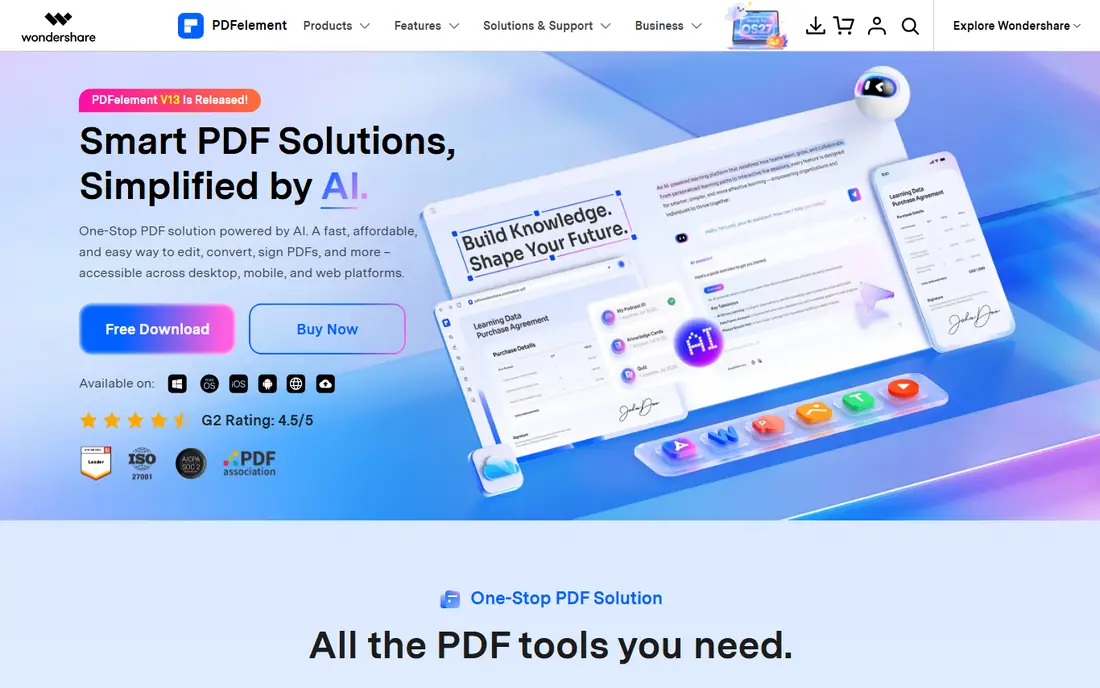
Wondershare PDFelement handles documents smartly with AI: an AI knowledge base across PDFs and Office files, contract review with key clause insights, chat with documents, translation, and conversion to and from Word, Excel and images. It edits text without layout loss, recognizes text in scanned PDFs with OCR in 26 languages, creates fillable forms, extracts form data in bulk, compresses files and signs documents with certificate-based signatures.
Pricing is the draw: a personal perpetual plan costs $129.99, a team perpetual plan $139 per user, and an education yearly plan $39.99, with a cross-platform perpetual plan at $139.99. PDFelement claims to cost about half of Adobe Acrobat and holds a 4.5 out of 5 G2 rating. For individuals who dislike subscriptions, it is the strongest value pick.
What we like- Edit PDF like Word with AI tools, OCR in 26 languages, batch conversion and form creation
- Personal perpetual plan at $129.99
- Education plan at $39.99 per year
Watch out for- Advanced AI features may cost extra
- Cross-platform perpetual plan is $139.99
#4Nitro PDF Pro
Best for: Teams with compliance and analytics needs4.4/5 on
G2 (391 reviews, checked Oct 2026)
Visit gonitro.com
Starting priceSee website
Free planSee website
Nitro brings PDF, eSign, redaction and document automation together in one platform. Nitro PDF Pro covers creating, editing, converting, organizing and securing PDFs across Windows, Mac and iOS, with built-in AI tools for summarizing, analyzing and extracting information. Nitro Sign handles legally binding e-signatures with audit trails and identity verification, while Smart Redact uses natural language processing to surface sensitive data for permanent removal.
Nitro's enterprise credentials are strong: 67 percent of the Fortune 500 use Nitro, compliance covers ISO 27001, SOC 2, HIPAA and eIDAS frameworks, and every plan includes admin tools, analytics and AI at no extra cost. A 2026 Nitro survey found 62 percent of managers spend 6 or more hours per week on manual document tasks, which is the problem Nitro targets. For regulated industries, Nitro is a top pick.
What we like- Complete PDF, eSign, redaction and automation in one platform
- AI tools included in every plan
- Trusted by 67 percent of the Fortune 500
Watch out for- Business-oriented pricing may be high for casual users
- No free tier stated on the homepage
Starting priceSee website
Free planFree reader
PDF-XChange Editor from Tracker Software is a long-running Windows favorite, voted a best PDF reader by its users, with a free reader that includes OCR and a paid editor adding full creation, editing, enhancement and conversion. PDF-Tools adds wizard-driven batch creation and modification, while the PDF-XChange Standard virtual printer creates fully compatible, text-searchable PDFs from most Windows applications. A bundle combines Editor Plus, PDF-Tools and the Standard printer at a discount.
PDF-XChange is known for speed and light resource use, which matters when opening large engineering drawings or long documents. Client testimonials praise its simple license management and fast support. For Windows users who want a capable editor without Adobe's price, PDF-XChange is hard to beat.
What we like- Fast, customizable editor with batch tools and a virtual printer
- Free OCR in the reader
- Bundle options with PDF-Tools and Standard printer
Watch out for- Windows-focused, so Mac and Linux users need another tool
- Homepage gives little pricing detail
#6Smallpdf
Best for: Occasional users who work in the browser4.5/5 on
G2 (306 reviews, checked Oct 2026)
Visit smallpdf.com
Starting priceSee website
Free planYes
Smallpdf offers 30 tools to convert, compress and edit PDFs for free, including merge, JPG to PDF, sign, edit and compress, all in the browser with no installation. It stores and manages documents across devices, offers a mobile app for scanning and organizing, and integrates with Google Workspace and Dropbox. More than a billion users have used the service, and it holds high ratings on Capterra, G2 and Trustpilot.
Smallpdf suits quick tasks: compress a file before emailing, merge two reports, sign a contract, convert a scan. Heavy editors who need OCR, redaction or form design should pick a desktop tool instead. For occasional use, Smallpdf's free tools are the fastest path.
What we like- 30 free tools to convert, compress, merge, edit and sign PDFs
- Mobile app and browser extensions
- ISO 27001 certified with 256-bit TLS encryption
Watch out for- Full editing is limited compared with desktop editors
- Unlimited access requires a paid plan with a 7-day free trial
#7Sejda
Best for: Free online PDF editing with a desktop option4.5/5 on
G2 (42 reviews, checked Oct 2026)
Visit sejda.com
Starting priceFree
Free planYes
Sejda helps with PDF tasks through a free online editor: edit existing PDF text, add text, links, images and shapes, fill and sign forms, annotate, compress, merge, split, crop and convert to Word, Excel, JPG and PowerPoint. It also offers OCR, password protection, watermarking, Bates numbering and page management tools, with a 4.5 rating across 1,874 Google reviews.
Sejda Web processes files in the browser and permanently deletes them after processing, while Sejda Desktop works offline with the same features, so files never leave your computer. That privacy story plus a genuinely free editor makes Sejda the best free-first option for users who edit PDFs a few times a month.
What we like- Free online editor with text editing, annotation, forms and signatures
- Desktop app works offline on Windows, Mac and Linux
- Files deleted after processing
Watch out for- Free tier has usage limits
- Advanced features require a paid plan
#8PDFescape
Best for: Free online form filling and basic editing4.2/5 on
G2 (70 reviews, checked Oct 2026)
Visit pdfescape.com
Starting priceFree
Free planYes
PDFescape calls itself the original online free PDF editor and form filler, offering annotation, form filling, basic form creation, password protection, document sharing and viewing for free in the browser, across Chrome, Firefox, Edge, Opera and Safari. PDFescape Premium adds editing existing text and images, print to PDF, merging, conversion to Word, watermarking, page numbers and compression, while PDFescape Desktop for Windows adds the same premium tools offline.
PDFescape is the simplest choice for filling out a form, adding a signature or annotating a document without installing software. Its free tier limits are real, but for one-off form tasks it remains the quickest free option.
What we like- Free online editor and form filler with annotation, password protection and sharing
- Windows desktop version available
- No account needed for basic use
Watch out for- Free version cannot edit existing text or images
- Premium and Desktop versions needed for conversion, merging and compression
How we chose
We opened each vendor homepage in October 2026 to confirm it loads and belongs to the product named. Adobe's homepage did not show dollar prices in the extract, so Acrobat pricing is listed as "See website" rather than guessed. We weighed editing depth, platform coverage, free options, pricing model and security features.
What to look for when editing PDFs
Start by matching the tool to your task frequency. Daily editors need a desktop app with OCR, redaction and batch tools, such as Acrobat, Foxit, Nitro or PDFelement. Occasional users save money with browser tools such as Smallpdf, Sejda or PDFescape.
Next, check the features that matter most for your documents. Scanned paperwork needs OCR. Legal or medical documents need redaction and password protection. Forms need fillable field creation. Contracts need e-signatures with audit trails. Do not pay for features you will never use.
Finally, consider the pricing model. Subscriptions suit teams that need updates and support, while perpetual licenses suit individuals who want a one-time cost. Try the free tier or trial first, and test your own documents before committing, since PDF rendering varies between tools.
Frequently asked questions
What is the best free software for editing PDFs?
Sejda and PDFescape offer the strongest free online editors, with Sejda adding existing-text editing and a desktop app. For a free desktop reader with OCR, PDF-XChange Reader is a good choice.
Is Adobe Acrobat worth the subscription cost?
For professionals who edit PDFs daily, need reliable rendering, redaction and e-signatures, Acrobat's depth justifies the price. Occasional users can save with PDFelement's perpetual license or free browser tools.
Can I edit a PDF in my browser without installing software?
Yes. Smallpdf, Sejda and PDFescape all edit PDFs in the browser. Sejda and PDFescape offer free tiers, while Smallpdf offers free tools with a paid plan for unlimited use.
Which PDF editor is best for Windows users?
PDF-XChange Editor is fast, affordable and Windows-focused, while Foxit and Nitro offer strong Windows apps with business features. Acrobat remains the most complete cross-platform option.
Do PDF editors support OCR for scanned documents?
Yes. Acrobat Pro, Foxit, PDFelement, Nitro and PDF-XChange all offer OCR that turns scanned pages into searchable, editable text. Sejda offers OCR as an online tool as well.
Sources we checked (8)
- https://www.adobe.com/acrobat.html
- https://www.foxit.com
- https://pdf.wondershare.com
- https://www.gonitro.com
- https://www.tracker-software.com
- https://smallpdf.com
- https://www.sejda.com
- https://www.pdfescape.com
Is your product missing or out of date?
We review this list regularly. Vendors can request a listing, send updated pricing or ask about featured placement.

Shihab Mia · Founder, Rankite
Shihab has 5+ years in B2B and SaaS SEO. He writes Rankite's software buying guides from pricing pages, documentation and public user reviews. More about Shihab.