How we make this list: we compare pricing pages, product documentation and public user reviews. Ratings come from G2, Capterra or Trustpilot, with the date we checked them.

Key takeaways
- BuiltWith is the deepest paid option, with years of historical technology data and free single-site lookups for quick checks.
- WhatRuns is the best free replacement for casual checks, with a browser extension that costs nothing and needs no account.
- W3Techs answers a different question, showing market share across the whole web rather than one site's stack.
- SimilarTech and ZoomInfo suit sales teams that want technology signals combined with contact data and intent.
- NerdyData is the outlier worth knowing: it searches source code itself, so it can find custom and proprietary implementations other tools miss.
Quick comparison
| Tool | Best for | Starting price | Free plan |
|---|
 BuiltWith BuiltWith | Deep historical tech data | $295/month | Yes |
 WhatRuns WhatRuns | Free one-click checks | Free | Yes |
 W3Techs W3Techs | Web-wide market share | Free | Yes |
 SimilarTech SimilarTech | Competitor tech comparison | See website | Free trial |
 NerdyData NerdyData | Source-code search | See website | Yes |
 WhatCMS WhatCMS | CMS and tech detection | See website | Yes |
 StackCrawler StackCrawler | Simple lookup plus API | See website | Yes |
 ZoomInfo ZoomInfo | Tech signals plus contacts | See website | Yes |
Is your product missing or out of date?
We review this list regularly. Vendors can request a listing, send updated pricing or ask about featured placement.
The best Wappalyzer alternatives
#1BuiltWith
Best for: Deep historical tech data4.3/5 on
G2 (62 reviews, checked Oct 2026)
Visit builtwith.com
Starting price$295/month
Free planYes
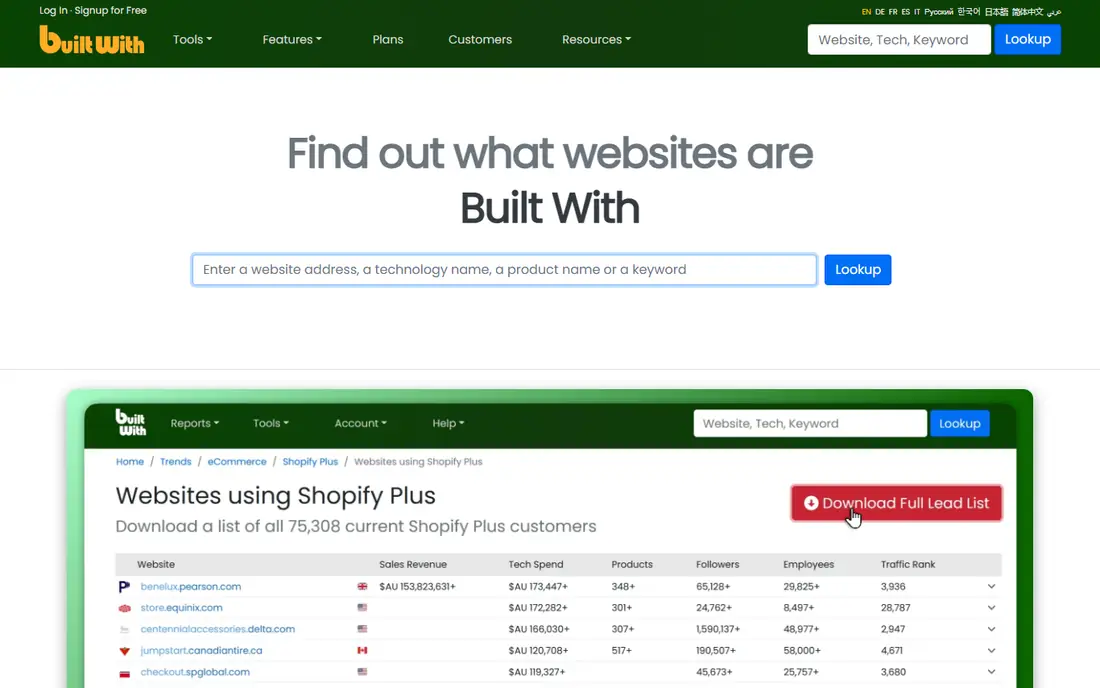
BuiltWith is the tool sales and research teams reach for when a single snapshot is not enough. Its homepage is spare, but its reputation rests on nearly two decades of crawl history: you can see when a company adopted or dropped a technology, not just what it runs today. That history turns a cold list into timing, since a recent platform change often signals budget and an open mind.
The price is the honest barrier. Individual lookups are free, which covers occasional research, but paid plans start around $295 per month and climb quickly. Small teams should start with the free lookups and only upgrade when they need bulk lists, trends, or alerts at scale.
What we like- Largest historical archive of technology adoption
- Free individual lookups for quick checks
- Trend data and alerts for sales teams
Watch out for- Paid plans start high for small teams
- Basic paid tier covers only a small number of tracked technologies
Starting priceFree
Free planYes
WhatRuns describes itself as a free browser extension that identifies the technologies on any website at the click of a button, and that description is accurate. It shows web apps, CDNs, tracking tools, WordPress plugins, and fonts, and it lets you follow sites to get notified when they start or stop using a technology. For a designer, developer, or analyst checking competitors one site at a time, it replaces Wappalyzer's core job at zero cost.
Its limits are structural. There is no API, no bulk scanning, and no lead-list export, so sales teams cannot build prospect lists from it. Use WhatRuns for research and pair it with a data provider when you need outreach at scale.
What we like- Completely free browser extension
- Shows CMS, frameworks, analytics, fonts, and plugins
- Follow websites for change alerts
Watch out for- No API or bulk lookup
- Extension only, so it cannot build lead lists
Starting priceFree
Free planYes
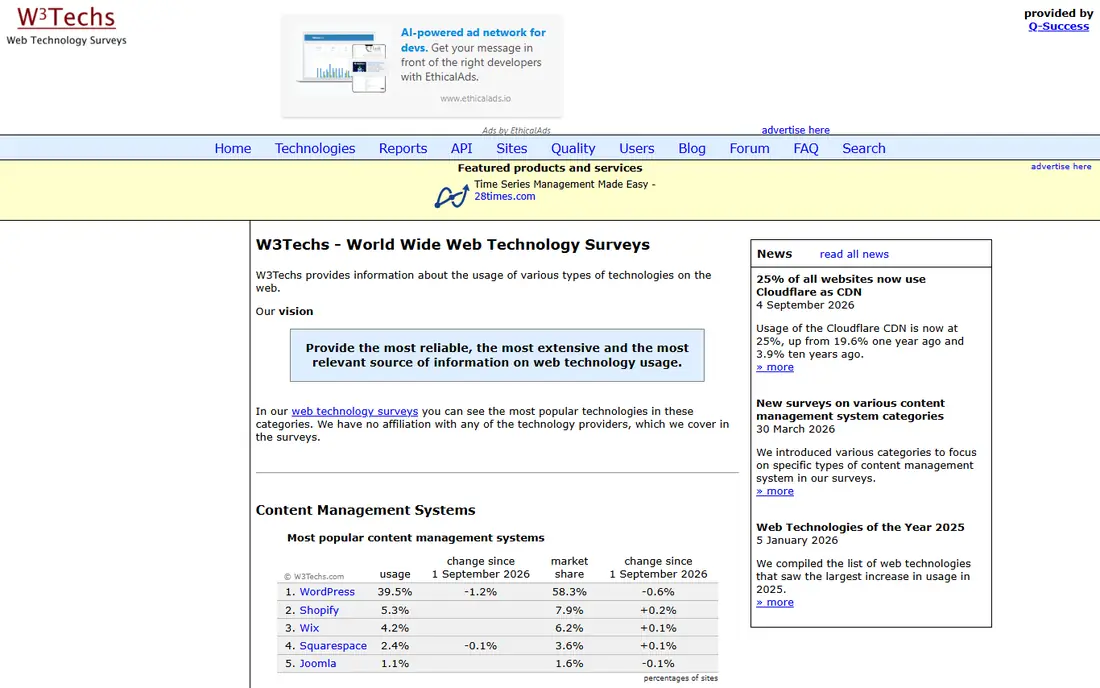
W3Techs answers a different question from the rest of this list. Rather than detecting one site's stack, it surveys the web and reports usage shares: WordPress at 39.6 percent of all sites in its latest tables, Shopify and Wix behind it, and similar breakdowns for servers, languages, and analytics tools. Its stated vision is to be the most reliable, extensive, and relevant source on web technology usage, with no affiliation to the providers it covers.
That makes it a strategy tool, not a prospecting tool. Use it to size a market, justify a platform choice, or track a trend such as Astro's growth, then turn to BuiltWith or SimilarTech when you need company-level lists.
What we like- Extensive, independent surveys of web technology usage
- No affiliation with the vendors it covers
- Free to browse
Watch out for- Not a per-site lookup tool
- Data is survey-level, so it cannot tell you one company's stack
Starting priceSee website
Free planFree trial
SimilarTech, now a Similarweb company, pitches itself as a tool for web technology analysis: check any company's technologies by category, reveal what powers any website, compare rivals side by side, and build contact lists from technology signals. Its homepage cites coverage of 100 million websites, 4 million apps, and 10 years of historical data.
The fit is sales teams that want technology data inside a broader intelligence workflow, with lead scoring and enrichment nearby. Pure researchers may find the sales packaging heavier than they need, and pricing reflects the enterprise buyer. For competitor comparisons and technology-filtered prospecting, though, it is one of the strongest Wappalyzer replacements.
What we like- Side-by-side competitor technology comparison
- Search companies by the technologies they use
- Now part of Similarweb's sales intelligence
Watch out for- Full features sit inside Similarweb's sales platform, so pricing is enterprise-oriented
- Lighter than BuiltWith on pure historical depth
Starting priceSee website
Free planYes
NerdyData calls itself the search engine for source code, and that framing explains its edge. It scans, renders, and indexes millions of websites' source code, so you can search for code fingerprints such as a JavaScript snippet, a cookie, a pixel, or an HTTP header. That catches custom builds and niche tools that signature-based detectors miss.
Its homepage also promises unlimited reports on paid plans, a free browser extension, and domain enrichment with company data included. The trade-off is scale: its index is smaller than BuiltWith's, so rare technologies may return thin lists. When you need to find everyone running a specific script, though, nothing else on this list works the same way.
What we like- Searches rendered source code, not just signatures
- Finds custom and proprietary implementations
- Free plan with no credit card
Watch out for- Smaller index than the giants
- Interface and data depth suit prospecting more than casual browsing
Starting priceSee website
Free planYes
WhatCMS started as a CMS detector and grew into broader web technology detection. Its homepage shows recent detections naming WordPress versions, Next.js, Node.js, and hosting providers, and explains its method: checking meta generator tags, common paths, headers, and session names across thousands of possible artifacts. It also offers lead generation through technology reports and batch detection with JSON and CSV downloads.
For one-off checks, it is free and fast, and its batch mode suits agencies auditing client lists. It is less strong as a sales database than BuiltWith or SimilarTech, but as a direct Wappalyzer-style lookup with an API, it is a solid, affordable pick.
What we like- Free single-site detections with detailed reports
- Batch detection for URL lists
- API plans for programmatic access
Watch out for- CMS-first framing, so non-CMS technologies get less depth
- Free tier limits apply to heavier use
Starting priceSee website
Free planYes
StackCrawler keeps the job small and clear: start with a technology, browse real websites using it, and refine by location, industry, or performance. Its API example shows a single lookup returning detected technologies as JSON, and its plans run from a free start through Pro for research to Advanced for lead data and API access.
That simplicity is the selling point for developers and small teams that want a lookup API without enterprise sales calls. The catalog is narrower than BuiltWith's, so exotic stacks may come back thin, but for common frameworks, analytics tools, and CDNs, it does the job at a friendly price.
What we like- Simple one-at-a-time lookup, list upload, or API
- New accounts include 25 API requests
- Technology usage comparisons built in
Watch out for- Smaller technology catalog than the leaders
- Lead data requires the advanced plan
#8ZoomInfo
Best for: Tech signals plus contacts4.5/5 on
G2 (9,130 reviews, checked Oct 2026)
Visit zoominfo.com
Starting priceSee website
Free planYes
ZoomInfo is the broadest tool here, and technology detection is only part of it. Its homepage pitches a go-to-market platform built on verified data for 500 million contacts and 100 million companies, with firmographic, technographic, and intent data used to prioritize outreach. ZoomInfo Lite is a permanent free plan with no credit card required, and the full platform runs on consumption credits rather than fixed seat tiers.
Pick ZoomInfo when the technology signal is just the start of the workflow: you spot a company on a target stack, then need the right contact, buying signals, and CRM sync in the same place. If you only need stack detection, it is more product than you need, and a focused tool will cost less.
What we like- Technographic data combined with verified contacts and intent signals
- Permanent free Lite plan
- Deep CRM integrations
Watch out for- Full platform pricing is consumption-based and enterprise-oriented
- Technology data is one slice of a much larger product
How we chose
We compared technology detection tools on vendor homepages and current pricing coverage, weighing detection method, catalog depth, historical data, free access, and fit for different jobs: quick checks, market research, and sales prospecting. We favored tools with live homepages and clear current offerings, and we included both free extensions and enterprise platforms because Wappalyzer itself served both audiences before its pricing shift.
What to check before you commit
Start with the job, not the tool. A free extension covers one-off competitor checks, a survey site covers market sizing, and only a database tool covers bulk prospecting. Buying a database for occasional checks wastes money, and trying to prospect from an extension wastes time.
Next, test detection quality on sites you know well. Run your own website and three competitors through each finalist and compare results against what you know is actually installed. Signature-based tools miss custom code, and code-search tools miss server-side choices, so no single tool is complete.
Finally, check the ongoing cost honestly. Free tiers cap lookups or rows, paid plans charge per technology or per credit, and API credits sometimes expire. Match the pricing model to how your team actually works, in bursts or daily, before signing.
Frequently asked questions
What is the best free Wappalyzer alternative?
WhatRuns, for most people. It is a free browser extension with no account and no paid tier, and it covers CMS, frameworks, analytics, fonts, and plugins. For free API-style lookups, WhatCMS and StackCrawler both offer free entry points.
Is BuiltWith worth $295 per month?
It depends on volume. If you need historical adoption data, trend alerts, and bulk lead lists, BuiltWith's archive is hard to replace. If you check a handful of sites per week, the free single lookups plus WhatRuns will cover you at zero cost.
Can these tools detect any website's technology?
No tool is complete. Signature-based detectors miss custom builds and server-side choices, while code-search tools such as NerdyData catch custom implementations but cover fewer sites. Cross-check important findings with a second tool or manual inspection.
What happened to Wappalyzer's pricing?
Wappalyzer was acquired in 2023 and repositioned toward enterprise sales intelligence, with paid plans rising to around $250 per month. That shift is why many individuals and small teams now look for free or cheaper replacements.
Do I need a paid tool for sales prospecting?
For small lists, no. A free extension plus manual research works for dozens of accounts. For hundreds or thousands of accounts filtered by technology, a database tool such as BuiltWith, SimilarTech, or ZoomInfo saves enough time to justify its price.
Which tool is best for tracking technology changes over time?
BuiltWith, thanks to its long historical archive and change alerts. SimilarTech also offers 10 years of historical data, and WhatRuns offers change alerts for followed sites at the free tier.
Sources we checked (8)
- https://builtwith.com
- https://whatruns.com
- https://w3techs.com
- https://similartech.com
- https://nerdydata.com
- https://whatcms.org
- https://stackcrawler.com
- https://www.zoominfo.com
Is your product missing or out of date?
We review this list regularly. Vendors can request a listing, send updated pricing or ask about featured placement.

Shihab Mia · Founder, Rankite
Shihab has 5+ years in B2B and SaaS SEO. He writes Rankite's software buying guides from pricing pages, documentation and public user reviews. More about Shihab.