How we make this list: we compare pricing pages, product documentation and public user reviews. Ratings come from G2, Capterra or Trustpilot, with the date we checked them.
Why is Unroll.Me free, and what does that cost you
Unroll.Me charges nothing because the product is not the source of its income. Its owner, NielsenIQ, uses data from users' commercial mail to build market-research products, and that arrangement is stated in the service terms. You pay with access to your inbox data instead of with money. A paid alternative removes the data trade, since its income comes from subscriptions, but it adds a monthly or yearly cost. Before you switch, read the privacy policy of any tool you are considering and check what it collects and what it shares.
Which Unroll.Me alternative works in Europe
Unroll.Me has not served EU and EEA residents since May 2018, when GDPR took effect, so anyone in Europe needs a different tool. Clean Email, Leave Me Alone, Mailstrom, SaneBox, Spark, Edison Mail, and Spike all accept European users. Clean Email is a strong pick for European users because it is a dedicated inbox cleaner with a clear paid model and no advertising data trade. Leave Me Alone is also a good fit, since it is a small, focused unsubscribe tool. SaneBox and Spark work well too, though they are full email services rather than unsubscribe-only tools. Triage is iPhone and iPad only, so it suits European users who read mail on Apple devices.
Which Unroll.Me alternative is best for a one-off inbox cleanup
A one-off cleanup is a different job from daily inbox management, and the best tool for it is one that charges little or nothing for a single pass. Leave Me Alone sells a $19 one-off 7-day pass, which is the closest match to a single cleanup, and it also gives 10 free unsubscribes with no card. Clean Email offers a free plan that cleans up to 1,000 emails, plus a 14-day Premium trial with no card needed. Mailstrom offers a 14-day free trial on a partial inbox. Triage is free on iPhone and iPad, and it helps you work through a backlog by swiping to keep or archive. If your inbox has tens of thousands of unread messages, a cap matters: Mailstrom Basic covers up to 10,000 emails.
Switching unsubscribe tools is usually simple, because your mail stays with your provider and the tool only reads it and acts on your instructions. Still, check five things before you move. First, confirm that the tool supports your mail provider and your device, since some tools are web only, some are mobile only, and some need a desktop app. Second, check how the tool unsubscribes: the best tools use the real unsubscribe link in each message, while weaker ones only move mail to trash or create a filter. Third, check what the tool does with your data, since an unsubscribe tool has full access to your inbox. Fourth, check the price for the number of accounts you have, since most tools charge per account. Fifth, check how you cancel. Gmail now requires 2-Step Verification plus an app password to connect some third-party tools.
Quick comparison
| Tool | Best for | Starting price | Free plan |
|---|
 Clean Email | People who want a dedicated inbox cleaner with bulk unsubscribe, grouping, and auto-clean rules | $9.99 per month, or $29.99 per year for 1 account, checked November 2026 | Yes, free plan cleans up to 1,000 emails, plus a 14-day Premium trial, no card needed |
 Leave Me Alone | People who want a simple unsubscribe-only tool with a cheap yearly price or a one-off pass | $4 per month billed yearly, $48 per year, for 1 address; a $19 one-off 7-day pass is also sold, checked November 2026 | 10 free unsubscribes, no card; no free plan; 14-day money-back guarantee |
 Mailstrom | People with a large backlog who want to sort, block, and unsubscribe in bulk from the web | $9 per month, or $59.95 per year, for Basic with 1 account and up to 10,000 emails, checked November 2026 | No permanent free plan; free trial only, 14 days on a partial inbox |
 Triage | iPhone and iPad users who want a quick, free way to work through an inbox backlog | $9.99 per year for the annual subscription, checked 12 October 2026 | Yes, free plan |
 SaneBox | Busy professionals who want automatic sorting, snooze, and follow-up reminders in their existing inbox | $9.49 per month, or $65 per year, for the Snack plan with 1 account, checked November 2026 | No free plan; 7-day free trial |
 Spark | People who want a full email client with a smart inbox, snooze, and one-tap unsubscribe on every device | $10 per month for Plus, or $99 per year, which is $8.25 per month billed annually; the core app is free, checked November 2026 | Yes, generous free plan with unlimited accounts, Smart Inbox, snooze and send later; 7-day trial on Plus and Pro |
 Edison Mail | Mobile users who want a free email app with one-tap unsubscribe and smart sorting | $14.99 per month for Mail+, or $99.99 per year; the core app is free, checked November 2026 | Yes, free core app with unlimited accounts and one-tap unsubscribe |
 Spike | Small teams and individuals who want email with chat, notes, and tasks in one app | $6 per user per month billed annually, or $8 billed monthly, for Email App Pro; Teamspace Team is $4 per member per month billed annually, checked November 2026 | Yes, free Email App with 1 address and 60-day search, plus free Teamspace Starter for up to 3 members |
Is your product missing or out of date?
We review this list regularly. Vendors can request a listing, send updated pricing or ask about featured placement.
The 8 best Unroll.Me alternatives
#1Clean Email
Best for: People who want a dedicated inbox cleaner with bulk unsubscribe, grouping, and auto-clean rules4.4/5 on
G2 (10 reviews, checked Oct 2026)
Visit clean.email
Starting price$9.99 per month, or $29.99 per year for 1 account, checked November 2026
Free planYes, free plan cleans up to 1,000 emails, plus a 14-day Premium trial, no card needed
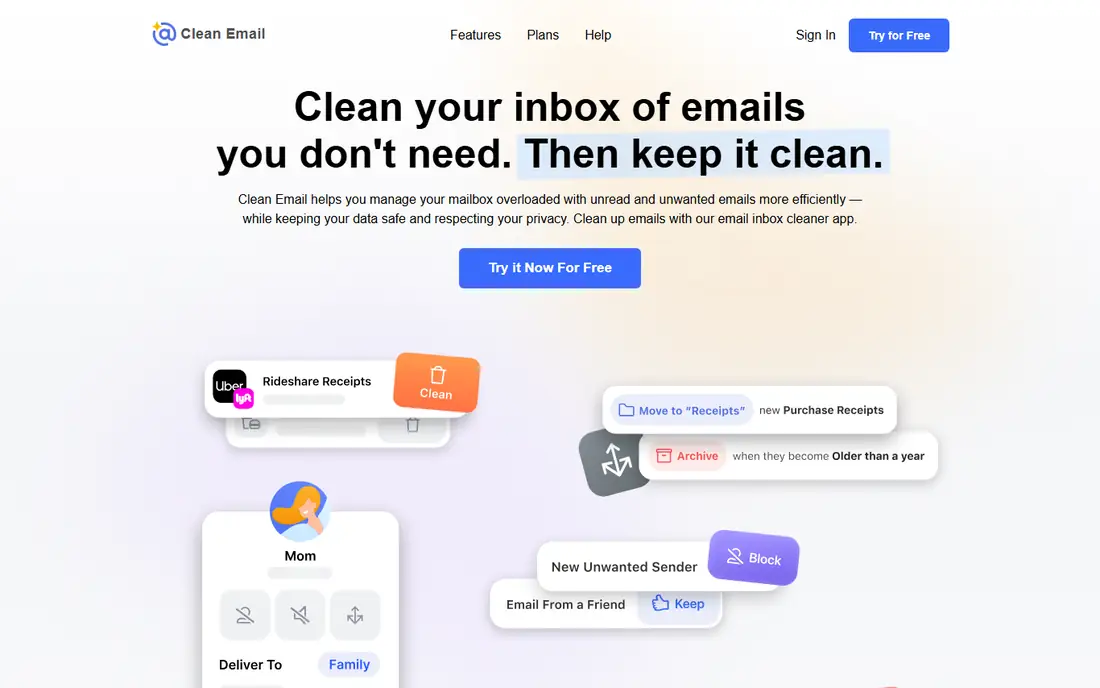
Clean Email is the closest direct replacement for Unroll.Me, and the best pick for most people who only want to clean up an inbox. It scans your mail, groups messages by sender, and lets you unsubscribe, block, or mute a sender. The Screener holds mail from new senders until you approve it, and Auto Clean applies rules you set, so the inbox stays clean. The free plan covers up to 1,000 emails, which is enough to test it properly.
What we like- Strong bulk tools for unsubscribing, grouping senders, and cleaning old mail. Works on web, Mac, iOS, and Android. Auto Clean rules keep the inbox tidy after the first pass.
Watch out for- Key tools such as Unsubscriber, Screener and Auto Clean are paid-only
- Monthly billing costs about four times the annual rate
- There is no Windows app.
#2
Leave Me Alone
Best for: People who want a simple unsubscribe-only tool with a cheap yearly price or a one-off pass
Visit leavemealone.com
Starting price$4 per month billed yearly, $48 per year, for 1 address; a $19 one-off 7-day pass is also sold, checked November 2026
Free plan10 free unsubscribes, no card; no free plan; 14-day money-back guarantee
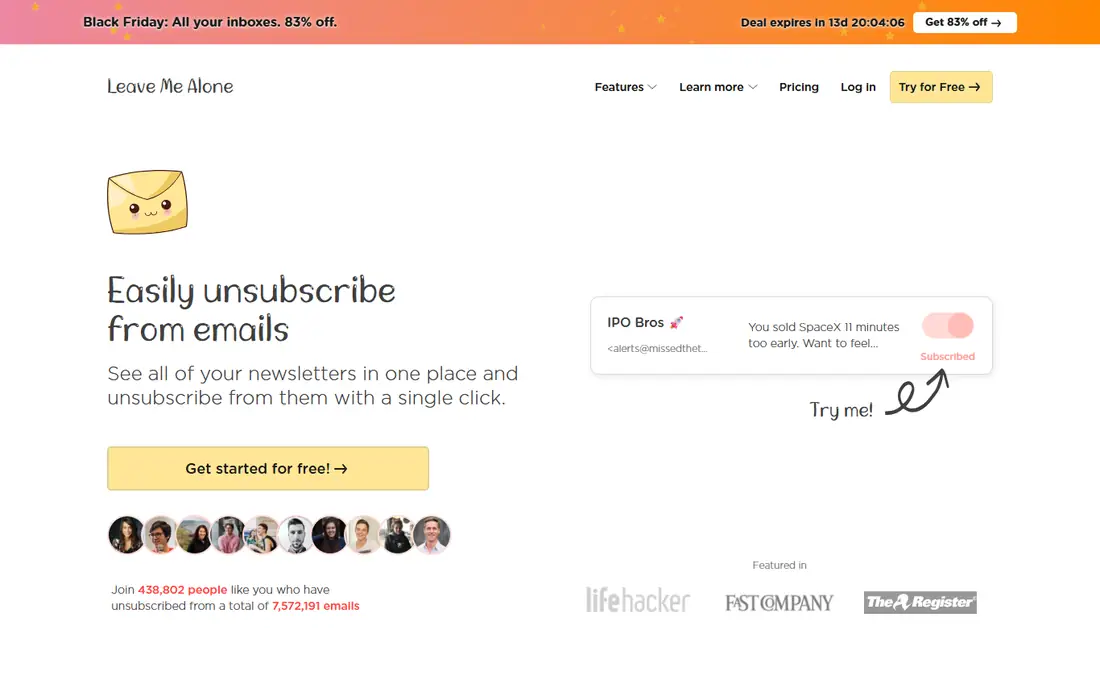
Leave Me Alone does one thing and does it well: it shows you every subscription in your inbox and lets you unsubscribe from the ones you no longer want. There is no inbox client, no digest, and no extra clutter, which is a plus if you already like your email app and only want the unsubscribe part of Unroll.Me. The $19 one-off 7-day pass is a smart option for a single cleanup.
What we like- Very simple to use, with a clear list of subscription senders and one-click unsubscribe. One-off 7-day pass suits a single cleanup. No card needed for the 10 free unsubscribes.
Watch out for- No standalone iOS app as of 2026, web only on mobile, and $48 per year for one inbox costs more than Clean Email at $29.99 per year. Note the live site is leavemealone.com, not leavemealone.app.
#3
Mailstrom
Best for: People with a large backlog who want to sort, block, and unsubscribe in bulk from the web
Visit mailstrom.co
Starting price$9 per month, or $59.95 per year, for Basic with 1 account and up to 10,000 emails, checked November 2026
Free planNo permanent free plan; free trial only, 14 days on a partial inbox
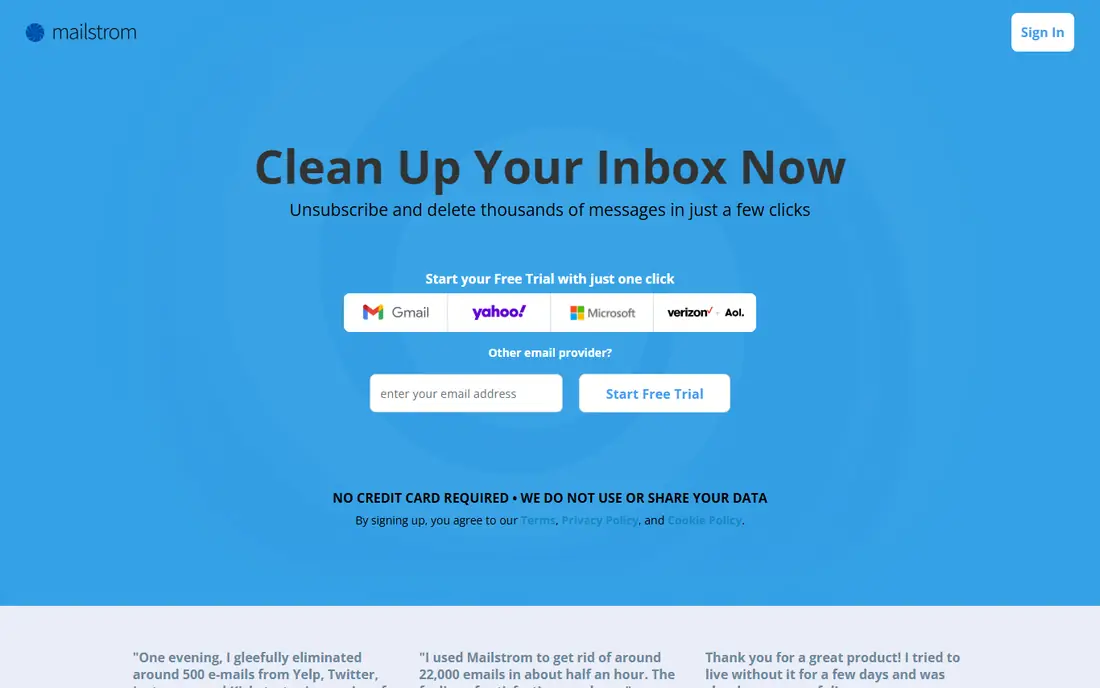
Mailstrom is a good pick if your inbox has grown out of control and you want to sort it first. It groups your mail by sender, size, and age, so you can see which senders fill your inbox and deal with the biggest ones first. That view is more useful than a plain unsubscribe list with thousands of unread messages. The Basic plan covers one account and up to 10,000 emails at $59.95 per year.
What we like- Good bulk tools for sorting mail by sender, size, and age. Unsubscribe and block in one place. Works in any browser with no app to install.
Watch out for- The entry plan caps at 10,000 emails and 1 account, and it is web-only with no desktop app. Note one vendor blog page quotes $59.99 per year and $9.95 per month
- The pricing page figures are used here.
#4
Triage
Best for: iPhone and iPad users who want a quick, free way to work through an inbox backlog
Visit triage.cc
Starting price$9.99 per year for the annual subscription, checked 12 October 2026
Free planYes, free plan
Triage takes a different approach. Instead of showing you a list of senders, it shows you one message at a time and lets you swipe to keep it or archive it, which turns a huge backlog into a quick daily habit. It is iPhone and iPad only, so Android and desktop users should look elsewhere, and it is not a full email client, since it cannot bulk-delete mail or unsubscribe you from senders.
What we like- Very cheap yearly subscription at $9.99. Simple swipe workflow that makes a big backlog feel manageable. Free plan covers the core keep-or-archive flow.
Watch out for- IPhone and iPad only, and keep-or-archive only
- It is not a full email client and cannot bulk-delete or unsubscribe. Note the triage.email domain does not load
- The product is Triage: Email First Aid at triage.cc.
#5SaneBox
Best for: Busy professionals who want automatic sorting, snooze, and follow-up reminders in their existing inbox4.8/5 on
G2 (243 reviews, checked Oct 2026)
Visit sanebox.com
Starting price$9.49 per month, or $65 per year, for the Snack plan with 1 account, checked November 2026
Free planNo free plan; 7-day free trial
SaneBox is less of an Unroll.Me clone and more of a full inbox assistant, which is why it suits people who want ongoing help rather than a one-off cleanup. It works inside your existing email app, sorting low-priority mail into a SaneLater folder and letting you drag unwanted senders into SaneBlackHole, which blocks them for good. Snooze, follow-up reminders, and do-not-disturb hours help you manage mail.
What we like- Works with your existing email app, so there is nothing new to learn. SaneLater and SaneBlackHole sort low-priority mail and block unwanted senders. Snooze, reminders, and do-not-disturb tools are built in.
Watch out for- The entry Snack plan covers only 1 account and 2 features, so most users need Lunch at $15.99 per month, and prices rose several times in 2026. Note older figures of $7, $12 and $36 per month are outdated.
#6
Spark
Best for: People who want a full email client with a smart inbox, snooze, and one-tap unsubscribe on every device
Visit sparkmailapp.com
Starting price$10 per month for Plus, or $99 per year, which is $8.25 per month billed annually; the core app is free, checked November 2026
Free planYes, generous free plan with unlimited accounts, Smart Inbox, snooze and send later; 7-day trial on Plus and Pro
Spark is the best pick if you want to replace Unroll.Me and your email app. It is a full email client with a Smart Inbox that sorts mail for you, snooze and send later built in, and one-tap unsubscribe on newsletters. The free plan is generous, with unlimited accounts, Smart Inbox, snooze, and send later, so many people will never need to pay. Plus adds AI features and Gatekeeper, which blocks unknown senders from your inbox.
What we like- Runs on Mac, Windows, iOS, and Android with one account. Smart Inbox sorts mail automatically. Free plan covers unlimited accounts, snooze, send later, and reminders.
Watch out for- No web or Linux version
- AI features and Gatekeeper need Plus, read receipts need Pro at $199 per year, and the app stores account credentials on its servers.
#7
Edison Mail
Best for: Mobile users who want a free email app with one-tap unsubscribe and smart sorting
Visit edisonmail.com
Starting price$14.99 per month for Mail+, or $99.99 per year; the core app is free, checked November 2026
Free planYes, free core app with unlimited accounts and one-tap unsubscribe
Edison Mail is a free mobile email app with one-tap unsubscribe built in, a natural pick for phone users. The core app is free, with unlimited accounts, one-tap unsubscribe, and smart sorting that groups mail by sender and type. Mail+ adds extras such as spam call blocking and caller ID, though those extras are iOS-only. The main trade is privacy: Edison Mail is owned by YipitData, whose privacy policy says it creates de-identified commercial data from mail.
What we like- Free core app with unlimited accounts, one-tap unsubscribe, and smart sorting. Works with Gmail, Outlook, Yahoo, iCloud, and IMAP. Assistant features such as package tracking and flight alerts.
Watch out for- Owned by YipitData, whose privacy policy says it creates de-identified commercial data from mail
- Mail+ extras such as spam call blocking and caller ID are iOS-only
- The desktop app was retired, so it is mobile-only.
#8Spike
Best for: Small teams and individuals who want email with chat, notes, and tasks in one app4.6/5 on
G2 (261 reviews, checked Oct 2026)
Visit spikenow.com
Starting price$6 per user per month billed annually, or $8 billed monthly, for Email App Pro; Teamspace Team is $4 per member per month billed annually, checked November 2026
Free planYes, free Email App with 1 address and 60-day search, plus free Teamspace Starter for up to 3 members
Spike is the most different tool on this list, since it turns email into a chat-style conversation and adds notes, tasks, and a calendar in the same app. That suits small teams who want email, chat, and shared work in one place, rather than people who only want to unsubscribe. The free Email App covers one address with 60-day search history, and Teamspace Starter is free for up to three members.
What we like- Turns email threads into chat-style conversations. Built-in notes, tasks, and calendar. Free plan covers one address and a free team space for up to three members.
Watch out for- The free plan is limited to 1 address, 60-day search history and 10 AI queries per feature
- SAML single sign-on is listed as coming soon
- There is no Linux app. Note some directories list Pro at $5 per month, which looks stale
- The $6 figure comes from vendor-page reads in October 2026.
How the 8 Unroll.Me alternatives compare on price
| Tool |
Starting price |
Free plan |
| Clean Email |
$9.99 per month, or $29.99 per year for 1 account |
Yes, up to 1,000 emails, plus 14-day Premium trial |
| Leave Me Alone |
$4 per month billed yearly, $48 per year, for 1 address |
10 free unsubscribes, no free plan |
| Mailstrom |
$9 per month, or $59.95 per year, for Basic |
No, 14-day free trial only |
| Triage |
$9.99 per year for the annual subscription |
Yes, free plan |
| SaneBox |
$9.49 per month, or $65 per year, for Snack |
No, 7-day free trial |
| Spark |
$10 per month for Plus, or $99 per year |
Yes, unlimited accounts |
| Edison Mail |
$14.99 per month for Mail+, or $99.99 per year |
Yes, free core app |
| Spike |
$6 per user per month billed annually for Pro |
Yes, 1 address and 60-day search |
Prices were checked against vendor pricing pages in November 2026, with Triage checked 12 October 2026. Clean Email is the cheapest yearly unsubscribe-only tool at $29.99 per year, while Triage is cheapest overall at $9.99 per year, though it cannot unsubscribe.
Which Unroll.Me alternative should you pick
Pick Clean Email for the closest Unroll.Me replacement, with bulk unsubscribe, grouping, and auto-clean rules at $29.99 per year. Pick Leave Me Alone for the simplest unsubscribe-only tool, or a $19 one-off pass for a single cleanup. Pick Mailstrom if your inbox has a large backlog and you want to sort it by sender and size first. Pick Triage if you use an iPhone or iPad and want the cheapest way to work through a backlog, at $9.99 per year, and you accept that it cannot unsubscribe. Pick SaneBox for ongoing automatic sorting and reminders, and be ready to pay for Lunch at $15.99 per month. Pick Spark for a full email client with one-tap unsubscribe. Pick Edison Mail if you read mail on your phone and want a free app with one-tap unsubscribe, and you accept the data trade and the lack of a desktop app. Pick Spike for email, chat, notes, and tasks for a small team.
Frequently asked questions
Is Unroll.Me still free in 2026
Unroll.Me is free with no paid tier advertised, and it is funded by its owner NielsenIQ using data from users' commercial mail for market-research products. That data trade is the main reason many people look for a paid alternative, since a paid tool earns its income from subscriptions instead.
Can I use Unroll.Me in Europe
No. Unroll.Me has been blocked for EU and EEA residents since May 2018 under GDPR, so anyone in Europe needs a different tool. Clean Email, Leave Me Alone, Mailstrom, SaneBox, Spark, Edison Mail, and Spike all accept European users, and Clean Email is the strongest pick.
What is the cheapest Unroll.Me alternative
Triage is the cheapest tool on this list at $9.99 per year, but it is iPhone and iPad only and it cannot unsubscribe, so it is not a full replacement. Clean Email is the cheapest full unsubscribe tool at $29.99 per year, with a free plan that cleans up to 1,000 emails.
Do I need to pay to unsubscribe from newsletters
No, you do not need to pay to unsubscribe from a single newsletter, since every genuine marketing email has an unsubscribe link at the bottom. Paid tools earn their price by doing the job in bulk: they find every subscription sender and let you unsubscribe from many at once. If you only get a few newsletters, the free links are enough.
Will switching to an alternative delete my old emails
No. Your mail stays with your email provider, not with Unroll.Me or any alternative, so connecting a new tool does not delete your old messages. Some tools can bulk-delete or archive mail if you ask them to, so check each action before you confirm it.
Sources we checked (9)
- https://clean.email/plans
- https://leavemealone.com/pricing/
- https://mailstrom.co/pricing
- https://triage.cc
- https://sanebox.com/pricing
- https://sparkmailapp.com/pricing
- https://www.edisonmail.com
- https://www.spikenow.com/pricing/
- https://unroll.me
Is your product missing or out of date?
We review this list regularly. Vendors can request a listing, send updated pricing or ask about featured placement.

Shihab Mia · Founder, Rankite
Shihab has 5+ years in B2B and SaaS SEO. He writes Rankite's software buying guides from pricing pages, documentation and public user reviews. More about Shihab.