How we make this list: we compare pricing pages, product documentation and public user reviews. Ratings come from G2, Capterra or Trustpilot, with the date we checked them.
What is the best Twinmotion alternative for architects?
There is no single best pick for every firm. Lumion is the closest match for fast, finished-looking scenes and animation. Enscape is the best choice if you want to render inside Revit, SketchUp, Rhino, Archicad or Vectorworks without exporting. D5 Render is the lowest-cost paid option with a strong free tier for non-commercial work. V-Ray gives the highest control over final still images. Your host software, output type and budget per seat decide the pick.
How much do Twinmotion alternatives cost in 2026?
Prices range from free to 1,299 dollars per year per seat. D5 Render Pro costs 360 dollars per year. Enscape Solo costs 574.80 dollars per year. V-Ray Solo costs 540 dollars per year. Lumion Pro costs 1,149 dollars per year. KeyShot Studio Professional costs 1,299 dollars per year. Unreal Engine is free to download, with a 5 percent royalty on games and runtime apps after 1 million dollars in lifetime gross revenue per product, and a 1,850 dollar per seat per year subscription for non-game commercial use above 1 million dollars in annual revenue. OctaneRender Studio+ costs 19.99 euros per month billed yearly.
Which Twinmotion alternative is easiest to learn?
Lumion and D5 Render are the easiest paid options to pick up, because both use drag-and-drop asset libraries and preset weather, lighting and effects. Enscape is also simple, since it renders the model you already have open in your BIM tool and needs almost no scene setup. Blender and Unreal Engine take the longest to learn. V-Ray and OctaneRender sit in the middle: they reward study with precise control, but a beginner will need time before results look polished. KeyShot is easy for product shots and harder to bend toward architecture.
Should I choose a real-time renderer or an offline renderer?
Real-time renderers such as Lumion, Enscape, D5 Render, Twinmotion and Unreal Engine show changes as you make them, which suits design reviews, client walkthroughs and fast iteration. Offline renderers such as V-Ray, OctaneRender and Blender Cycles calculate light more carefully and usually produce more accurate still images, but each frame takes longer. Many studios use both. If you deliver mostly video walkthroughs, pick a real-time tool. If you deliver mostly still images for marketing, an offline renderer may serve you better.
Yes, for most of them. Real-time renderers need a dedicated graphics card. Lumion needs a Windows PC with at least 6 GB of video memory. D5 Render needs a dedicated NVIDIA graphics card and runs on Windows only. Enscape runs on Windows with a dedicated graphics card or on Apple Silicon Macs. V-Ray can render on CPU, GPU or both. Blender runs on Windows, Mac and Linux and works with CPU or GPU rendering. OctaneRender is a GPU renderer and needs a compatible NVIDIA card on Windows or Apple Metal on Mac. KeyShot runs on Windows and Mac and renders on CPU or GPU.
Quick comparison
| Tool | Best for | Starting price | Free plan |
|---|
 Lumion | Architects and designers who want fast, finished-looking exterior scenes, landscape and animation without deep technical setup | $1,149 per year (Lumion Pro, named user, billed annually; Pro Floating is $1,499 per year) | 14-day free trial of Pro, no credit card required |
 Enscape | Revit, SketchUp, Rhino, Archicad and Vectorworks users who want live rendering inside their modelling tool | $574.80 per year (Enscape Solo, named user, billed annually; Premium is $670.80 per year, Collection is $730.80 per year) | 14-day free trial covering Premium and Collection; Solo is not part of the trial |
 D5 Render | Freelancers and small studios that want low-cost real-time rendering with a large asset library and AI features | $360 per year (D5 Render Pro, billed annually; $38 per month billed monthly) | D5 Community is free for non-commercial use, with about 2,100 assets; students render free with verification |
 Unreal Engine | Studios that need interactive walkthroughs, large scenes, virtual production or custom real-time applications | Free to download and use; games and runtime apps pay a 5% royalty on lifetime gross revenue above $1 million per product, and non-game commercial use above $1 million in annual gross revenue costs $1,850 per seat per year | Free to download with full features; no cost until the revenue thresholds above apply |
 V-Ray | Studios that need maximum photorealism and precise control over still images | $540 per year (V-Ray Solo, named user, billed annually; Premium is $778.80 per year, Collection is $1,210.80 per year) | No free plan; 14-day money-back guarantee on paid plans |
 Blender | Individuals and studios that want a free, full 3D pipeline with no licence cost and no revenue limit | Free, open source, with no paid tier and no royalty | Free forever, including commercial use, with the full feature set |
 OctaneRender | Artists and studios that want GPU path tracing for high-end stills and animation across many host applications | 19.99 euros per month, billed yearly (OctaneRender Studio+, about 239.88 euros per year; 23.95 euros per month billed monthly) | OctaneRender Prime is a free tier with limits, available for Windows and macOS after registering an OTOY account |
 KeyShot | Product designers and studios that need fast, beautiful object renders with minimal setup | $1,299 per year (KeyShot Studio Professional, one individual seat, billed annually; Business is $1,599 per year) | 14-day free trial with full features, no credit card required |
Is your product missing or out of date?
We review this list regularly. Vendors can request a listing, send updated pricing or ask about featured placement.
8 Best Twinmotion Alternatives
| Tool |
Best for |
Starting price |
Free plan |
| Lumion |
Fast, finished-looking scenes and animation |
$1,149 per year (Pro) |
14-day trial |
| Enscape |
Live rendering inside Revit, SketchUp or Rhino |
$574.80 per year (Solo) |
14-day trial |
| D5 Render |
Low-cost real-time rendering with AI tools |
$360 per year (Pro) |
Community, non-commercial |
| Unreal Engine |
Interactive walkthroughs and large scenes |
Free, then royalty or seat fee |
Free to download |
| V-Ray |
Photoreal still images with full control |
$540 per year (Solo) |
14-day money-back guarantee |
| Blender |
Free, full 3D pipeline with Cycles and Eevee |
Free, open source |
Free forever |
| OctaneRender |
GPU path tracing for stills and animation |
19.99 euros per month, billed yearly (Studio+) |
Prime, free tier |
| KeyShot |
Fast product and object rendering |
$1,299 per year (Studio Professional) |
14-day trial |
#1Lumion
Best for: Architects and designers who want fast, finished-looking exterior scenes, landscape and animation without deep technical setup4.5/5 on
G2 (110 reviews, checked Oct 2026)
Visit lumion.com
Starting price$1,149 per year (Lumion Pro, named user, billed annually; Pro Floating is $1,499 per year)
Free plan14-day free trial of Pro, no credit card required

Lumion is the most direct Twinmotion alternative for architects who care about speed and presentation. You import a model or link it with LiveSync, drop in trees, people, cars and furniture from the built-in library, then set the sun, sky and weather and render. Results look polished with little manual tuning, which suits client presentations. Lumion runs on Windows only, so Mac-based studios cannot use it, and the 1,149 dollar annual price is more than double Enscape Solo.
What we like- Large asset library with more than 10,000 models and materials, strong landscape tools, fast animation workflow, AI material tools, LiveSync links to SketchUp, Revit, Archicad and Rhino
Watch out for- Windows only, with no macOS version, and it needs a capable graphics card with at least 6 GB of video memory, which rules out many laptops
#2Enscape
Best for: Revit, SketchUp, Rhino, Archicad and Vectorworks users who want live rendering inside their modelling tool4.6/5 on
G2 (416 reviews, checked Oct 2026)
Visit enscape3d.com
Starting price$574.80 per year (Enscape Solo, named user, billed annually; Premium is $670.80 per year, Collection is $730.80 per year)
Free plan14-day free trial covering Premium and Collection; Solo is not part of the trial

Enscape runs as a plugin inside your modelling software and renders the open model in a separate window as you design. Move a wall or change a material and the render updates at once. That live link is the reason many BIM-first firms choose it, since there is no export step to keep in sync. Solo includes the real-time engine, Chaos Cloud for sharing renders, about 6,700 Cosmos assets, Veras AI and 100 Chaos AI credits per month. Enscape works on Windows with a dedicated graphics card and on Apple Silicon Macs, which suits Mac-based practices. The main limit is dependence on the host: without a supported modeller you cannot use it, and the host licence is a separate cost.
What we like- Renders the live model with no export step, runs on Windows and Apple Silicon Macs, includes Veras AI and Chaos Cloud sharing, large Cosmos asset library
Watch out for- It only works inside a supported host application, so you must also pay for Revit, SketchUp, Rhino, Archicad or Vectorworks, and there is no standalone mode
#3D5 Render
Best for: Freelancers and small studios that want low-cost real-time rendering with a large asset library and AI features4.8/5 on
G2 (1,094 reviews, checked Oct 2026)
Visit d5render.com
Starting price$360 per year (D5 Render Pro, billed annually; $38 per month billed monthly)
Free planD5 Community is free for non-commercial use, with about 2,100 assets; students render free with verification
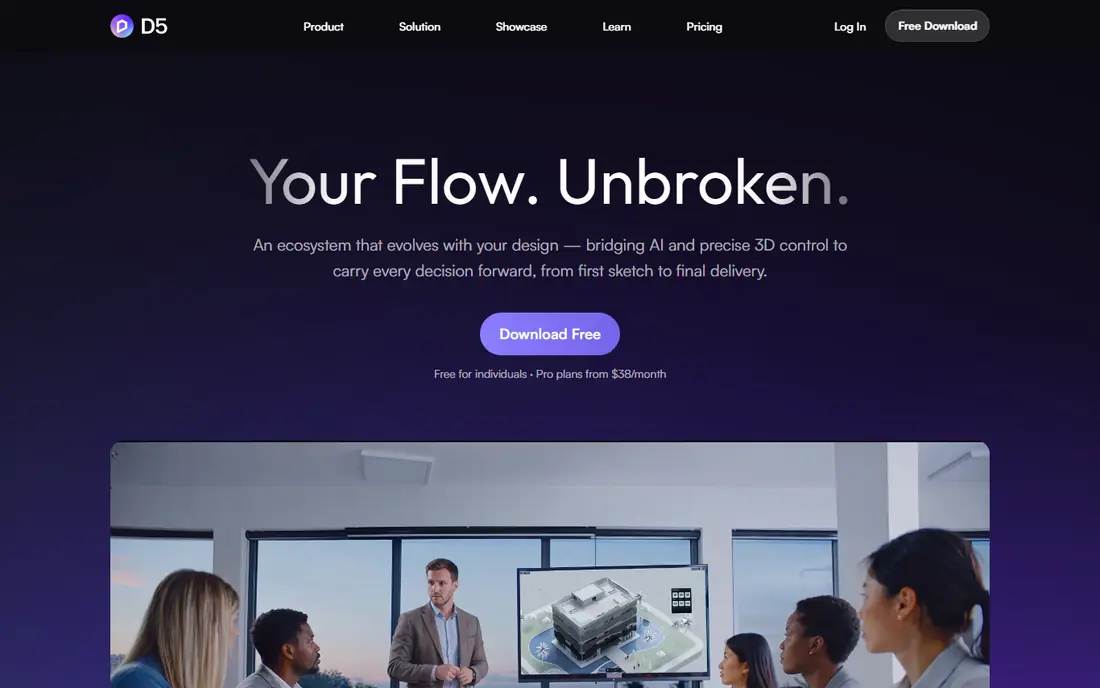
D5 Render is the budget pick among paid real-time renderers, and the gap is large: Pro at 360 dollars per year costs less than a third of Lumion Pro and about 60 percent of Enscape Solo. Pro includes real-time ray tracing, more than 16,000 assets, unlimited AI features, VR walkthroughs, frame-sequence export and a cloud-rendering allowance. The free Community edition is genuinely usable for learning and non-commercial work, though commercial use requires Pro. The limits are clear. D5 runs on Windows only and needs a dedicated NVIDIA graphics card, so Mac users are excluded. The single-computer licence is a real friction point for people who split work between two machines.
What we like- Lowest paid price in this list, free Community tier, more than 16,000 assets on Pro, built-in AI tools, VR walkthroughs included
Watch out for- Windows only, with no Mac version, and the Pro licence is tied to a single computer, which is awkward if you work across office and home machines
#4Unreal Engine
Best for: Studios that need interactive walkthroughs, large scenes, virtual production or custom real-time applications4.5/5 on
G2 (151 reviews, checked Oct 2026)
Visit unrealengine.com
Starting priceFree to download and use; games and runtime apps pay a 5% royalty on lifetime gross revenue above $1 million per product, and non-game commercial use above $1 million in annual gross revenue costs $1,850 per seat per year
Free planFree to download with full features; no cost until the revenue thresholds above apply
Unreal Engine is the engine underneath Twinmotion, so it shares the same real-time DNA and adds far more depth. You can build interactive walkthroughs, configurators, VR experiences and virtual production scenes that no other tool in this list can match. The lighting quality is a clear step above Twinmotion, and the Fab marketplace supplies a huge range of ready-made assets. The trade is time and skill. Unreal is a full game engine, not a focused archviz tool, so setting up a scene, materials and lighting takes much longer than in Twinmotion or Lumion. Licensing also needs care: the 5 percent royalty applies to games and runtime apps sold to third parties, while architecture firms earning over 1 million dollars a year pay the 1,850 dollar per seat annual subscription for non-game commercial use. Below those thresholds, use is free.
What we like- The most capable real-time engine here, with the best lighting and scene scale, huge asset marketplace through Fab, strong VR support
Watch out for- The learning curve is steep, scene setup takes far longer than in Lumion or Twinmotion, and the licensing terms for commercial archviz work above 1 million dollars of revenue are easy to misread
#5V-Ray
Best for: Studios that need maximum photorealism and precise control over still images4.5/5 on
G2 (241 reviews, checked Oct 2026)
Visit chaos.com
Starting price$540 per year (V-Ray Solo, named user, billed annually; Premium is $778.80 per year, Collection is $1,210.80 per year)
Free planNo free plan; 14-day money-back guarantee on paid plans
V-Ray has been the reference point for photoreal still images in architecture for years, and that position still holds in 2026. It renders on CPU, GPU or both, gives precise control over every light, material and camera setting, and produces the most accurate glass, fabric and daylight of any tool in this list. Chaos now sells V-Ray in three tiers: Solo at 540 dollars per year, Premium at 778.80 dollars per year with a floating licence and five times the AI credits, and Collection at 1,210.80 dollars per year with Vantage, Anima and cloud rendering. V-Ray works inside most major 3D hosts, which makes it easy to add to an existing pipeline. The cost is time: a beginner will need weeks before results match what Lumion or D5 Render produce in an afternoon.
What we like- The quality ceiling for final-frame photorealism, physically accurate lighting and materials, CPU and GPU rendering, works inside most major 3D hosts, large Cosmos asset library
Watch out for- The steepest learning curve among the renderers in this list, and it is a renderer rather than a modelling tool, so you must already pay for a host application
#6Blender
Best for: Individuals and studios that want a free, full 3D pipeline with no licence cost and no revenue limit4.6/5 on
G2 (319 reviews, checked Oct 2026)
Visit blender.org
Starting priceFree, open source, with no paid tier and no royalty
Free planFree forever, including commercial use, with the full feature set
Blender is the only tool in this list with no price at all. It is free and open source, with no seat limit and no royalty, and it covers the whole 3D pipeline: modelling, sculpting, texturing, animation, rendering and video editing. Its two render engines serve different needs. Cycles is a path tracer that produces accurate still images, while Eevee is a real-time engine suited to fast previews and stylised work. The community is large, tutorials are plentiful, and free add-ons cover common archviz tasks. Blender also runs on Windows, Mac and Linux, which makes it the most flexible option here for mixed-platform teams. The trade is effort. Blender is a general 3D application, not a focused archviz tool, so building a client-ready architectural scene takes more manual work than in Twinmotion, Lumion or D5 Render.
What we like- Completely free with no seat limit, includes modelling, sculpting, animation and video editing, Cycles and Eevee render engines, huge community, runs on Windows, Mac and Linux
Watch out for- The interface and workflow take real time to learn, real-time archviz needs add-ons and manual setup that Twinmotion provides out of the box, and there is no official support desk
#7OctaneRender
Best for: Artists and studios that want GPU path tracing for high-end stills and animation across many host applications4.1/5 on
G2 (11 reviews, checked Oct 2026)
Visit home.otoy.com
Starting price19.99 euros per month, billed yearly (OctaneRender Studio+, about 239.88 euros per year; 23.95 euros per month billed monthly)
Free planOctaneRender Prime is a free tier with limits, available for Windows and macOS after registering an OTOY account
OctaneRender is a GPU path tracer known for clean, physically accurate light and fast iteration on capable hardware. The Studio+ subscription gives access to the standalone renderer and the full plugin ecosystem, with no limit on how many graphics cards one machine can use. That makes it a strong choice for heavy stills and animation work, and it pairs well with Cinema 4D, Houdini and Blender pipelines. OTOY also includes cloud rendering services in the subscription. The free Prime tier lets you learn the tool with limits before paying. The main limits are cost structure and hardware. There is no perpetual licence: you rent Studio+ for 19.99 euros per month billed yearly, or 23.95 euros per month billed monthly.
What we like- Fast unbiased GPU rendering with spectrally correct light, works as a plugin inside Cinema 4D, Maya, Houdini, Blender, SketchUp and Unreal, no GPU limit on Studio+, includes cloud rendering
Watch out for- The licence is rental only with no perpetual option, it needs a compatible NVIDIA graphics card on Windows, and the euro pricing can surprise buyers who expect a dollar price
#8KeyShot
Best for: Product designers and studios that need fast, beautiful object renders with minimal setup4.5/5 on
G2 (182 reviews, checked Oct 2026)
Visit keyshot.com
Starting price$1,299 per year (KeyShot Studio Professional, one individual seat, billed annually; Business is $1,599 per year)
Free plan14-day free trial with full features, no credit card required
KeyShot is the odd one out in this list, because it is a product renderer rather than an architecture renderer. That focus is also its strength. Import a CAD model, drag a material onto it, set the lighting and render: the workflow is so direct that many designers produce a client-ready image in minutes. The Professional plan includes the full feature set on one seat, with real-time ray tracing, animation and AI denoise. KeyShot runs on Windows and Mac, and the 14-day trial needs no credit card. The limit for Twinmotion users is scope. KeyShot has no landscape tools, no weather and sun system for sites, and no walkthrough workflow for buildings.
What we like- The fastest route from a CAD model to a polished product image, real-time ray tracing with a simple material system, supports more than 34 CAD formats, built-in animation and AI denoise
Watch out for- It is built for products and objects rather than buildings and sites, so architecture, landscape and context work are a poor fit, and the 1,299 dollar price is the highest in this list
Frequently asked questions
Is Twinmotion really free?
Twinmotion is free for individuals, students, educators, hobbyists and companies with less than 1 million dollars in annual gross revenue, and commercial work is included. Above that revenue line, or if you need Twinmotion Cloud, a seat costs 445 dollars per year. The revenue test applies to your whole company, not to a single project.
What is the cheapest Twinmotion alternative?
Blender is free with no licence cost at all. Among paid tools, D5 Render Pro is the cheapest at 360 dollars per year, with a free Community tier for non-commercial work. Twinmotion itself is free under 1 million dollars of annual revenue, so many small studios can stay with Twinmotion and add Blender for stills.
Which Twinmotion alternative works on a Mac?
Enscape runs on Apple Silicon Macs as well as Windows, Blender runs on Mac, Windows and Linux, and KeyShot runs on Windows and Mac. OctaneRender also supports Mac through Apple Metal. Lumion and D5 Render are Windows only, so Mac-based studios should shortlist Enscape, Blender or KeyShot first.
Can I use these tools with Revit or SketchUp?
Yes, most of them connect to common modelling tools. Enscape runs as a plugin inside Revit, SketchUp, Rhino, Archicad and Vectorworks. Lumion links to SketchUp, Revit, Archicad and Rhino through LiveSync. V-Ray works inside Revit, SketchUp and Rhino. D5 Render offers LiveSync for the same hosts. Blender imports common formats but has no native live link.
Which alternative is best for video walkthroughs?
Lumion is the strongest pick for video, with a full animation toolset for camera paths, moving objects and effects, plus a large asset library. Unreal Engine goes further for interactive walkthroughs and VR, though it needs more setup time. Enscape and D5 Render also produce good walkthrough video with less effort.
Sources we checked (10)
- https://www.twinmotion.com/license
- https://lumion.com/pricing
- https://www.chaos.com/enscape/pricing
- https://www.d5render.com/pricing
- https://www.unrealengine.com/en-US/license
- https://www.chaos.com/vray/pricing
- https://www.blender.org/download/
- https://home.otoy.com/render/octane-render/purchase/
- https://www.keyshot.com/pricing/
- https://rankite.com/blog/best-architectural-rendering-software
Is your product missing or out of date?
We review this list regularly. Vendors can request a listing, send updated pricing or ask about featured placement.

Shihab Mia · Founder, Rankite
Shihab has 5+ years in B2B and SaaS SEO. He writes Rankite's software buying guides from pricing pages, documentation and public user reviews. More about Shihab.