How we make this list: we compare pricing pages, product documentation and public user reviews. Ratings come from G2, Capterra or Trustpilot, with the date we checked them.
Key takeaways
- Start with invoice volume, approval rules, and your accounting system, not with a feature checklist, because those three factors rule most tools in or out.
- BILL and Ramp cover the most common small and midsize cases, with BILL at $49 per user per month for Essentials and Ramp offering a free starting tier.
- Tipalti fits global and multi-entity payables, starting at $99 per month for accounts payable, with transaction fees charged separately.
- Free and low-cost plans can work well at low volume, but check limits on users, payment methods, and accounting sync before you commit.
- Ask every vendor for the total cost at your volume, including transaction fees, platform fees, and implementation, not just the headline monthly price.
Quick comparison
| Tool | Best for | Starting price | Free plan |
|---|
 BILL BILL | Small and midsize teams with structured approvals | $49 per user/month (Essentials) | No |
 Ramp Ramp | Teams that want free AP plus cards and expenses | $0 per month (free plan); $15 per user/month (Plus) | Yes |
 Tipalti Tipalti | Global and multi-entity payables | $99 per month (Accounts Payable) | No |
 Melio Melio | Small businesses paying vendors by card or bank transfer | See website | Yes |
 Stampli Stampli | Teams that approve bills together in one place | See website | No |
 Airbase Airbase | Companies combining AP, expenses, and procurement | See website | No |
 AvidXchange AvidXchange | Midsize companies with high invoice volume | See website | No |
 Brex Brex | Startups and growing companies using corporate cards | $0 per month (Essentials) | Yes |
 Xero Xero | Small businesses that want bill pay inside accounting software | See website | Free trial |
Is your product missing or out of date?
We review this list regularly. Vendors can request a listing, send updated pricing or ask about featured placement.
#1BILL
Best for: Small and midsize teams with structured approvals4.4/5 on
G2 (1,805 reviews, checked Oct 2026)
Visit bill.com
Starting price$49 per user/month (Essentials)
Free planNo
BILL is built around payables first, and that focus shows in the daily workflow. Bills arrive in a central inbox, get coded and routed for approval, then go out by ACH, check, wire, or card. For a team that processes a steady stream of vendor bills, having capture, approval, and payment in one system removes a lot of copying between tools and inboxes.
The catch is cost structure. Essentials starts at $49 per user per month, with higher tiers for deeper controls and integrations, and transaction fees sit on top. That can still be good value if it replaces manual entry and late-payment problems, but count every approver who needs access before you judge the monthly total. BILL fits best when approvals are formal, vendor volume is real, and clean accounting sync matters more than a free starting price.
What we like- Dedicated AP workflow from capture to payment
- Strong sync with QuickBooks, NetSuite, Xero, and Sage
- ACH, check, wire, and card payments in one place
Watch out for- Per-user pricing adds up as approvers are added
- Transaction fees apply on top of the subscription
#2Ramp
Best for: Teams that want free AP plus cards and expenses4.8/5 on
G2 (2,540 reviews, checked Oct 2026)
Visit ramp.com
Starting price$0 per month (free plan); $15 per user/month (Plus)
Free planYes
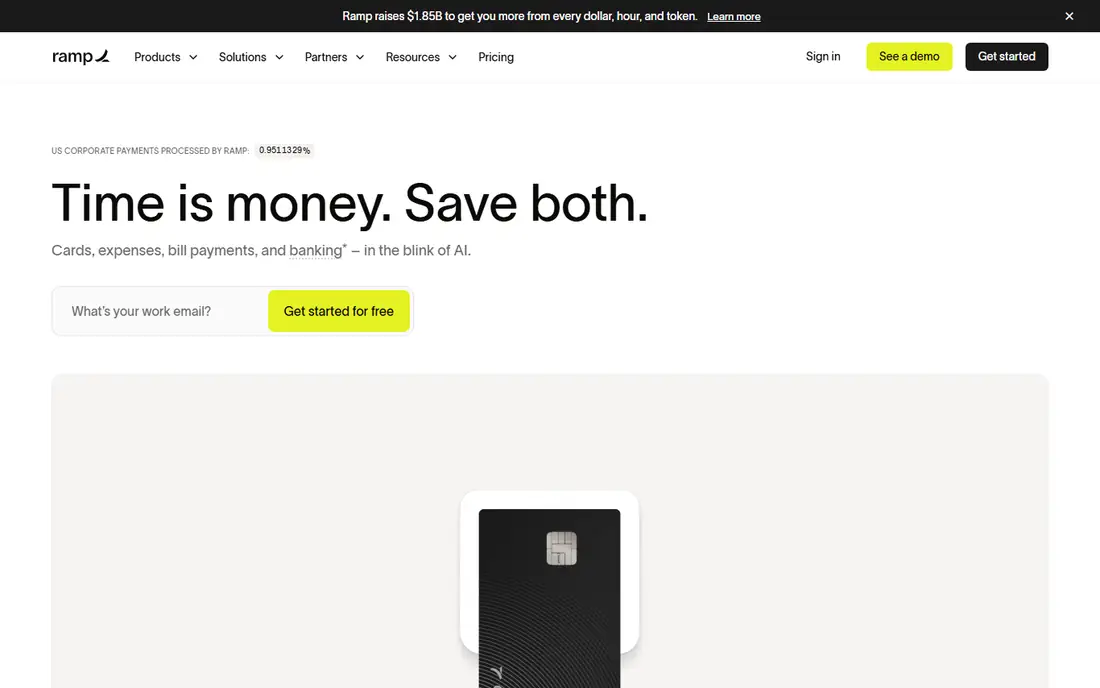
Ramp is a strong starting point for a team that wants to stop paying for AP software before it knows its volume. The free tier includes invoice capture, bill payments by check, ACH, card, and wire, vendor onboarding, and mobile approvals.
Growth is where the decision gets more detailed. Ramp Plus starts at $15 per user per month and adds batch payments, payment release approvals, and two-way and three-way matching, plus deeper ERP support. If you already use Ramp cards, keeping AP in the same place also keeps spend data together. Ramp fits best when you want a low-cost start, value cards and expenses alongside AP, and can accept that the most advanced controls sit on a paid tier.
What we like- Free tier covers core bill pay
- Corporate cards and expense controls in the same platform
- Accounting sync with QuickBooks Online, Xero, and major ERPs on paid tiers
Watch out for- Advanced ERP features and some automation require Plus
- Plus also carries a platform fee that is quoted by team size
#3Tipalti
Best for: Global and multi-entity payables4.5/5 on
G2 (419 reviews, checked Oct 2026)
Visit tipalti.com
Starting price$99 per month (Accounts Payable)
Free planNo
Tipalti is designed for companies that pay suppliers and payees across borders and entities. The supplier portal lets vendors manage their own bank details and tax forms, which removes a common source of back-and-forth for finance teams. Invoice capture, approvals, and payment sit in the same workflow, with reporting across entities.
The published starting price of $99 per month for accounts payable is only part of the cost, because per-invoice and per-payment transaction fees are quoted separately. That makes Tipalti hard to judge from a pricing page alone, and a written quote tied to your volume is essential. Tipalti fits best when global payments, tax compliance, and multi-entity reporting are core needs, not nice extras. For a domestic team with a short vendor list, a simpler tool will usually cost less and set up faster.
What we like- Supplier portal for onboarding and tax forms
- Payments in many currencies and countries
- Unlimited users on the published starting plan
Watch out for- Transaction fees are charged separately and are not published
- Overkill for a small domestic vendor list
#4Melio
Best for: Small businesses paying vendors by card or bank transfer4.4/5 on
G2 (248 reviews, checked Oct 2026)
Visit melio.com
Starting priceSee website
Free planYes
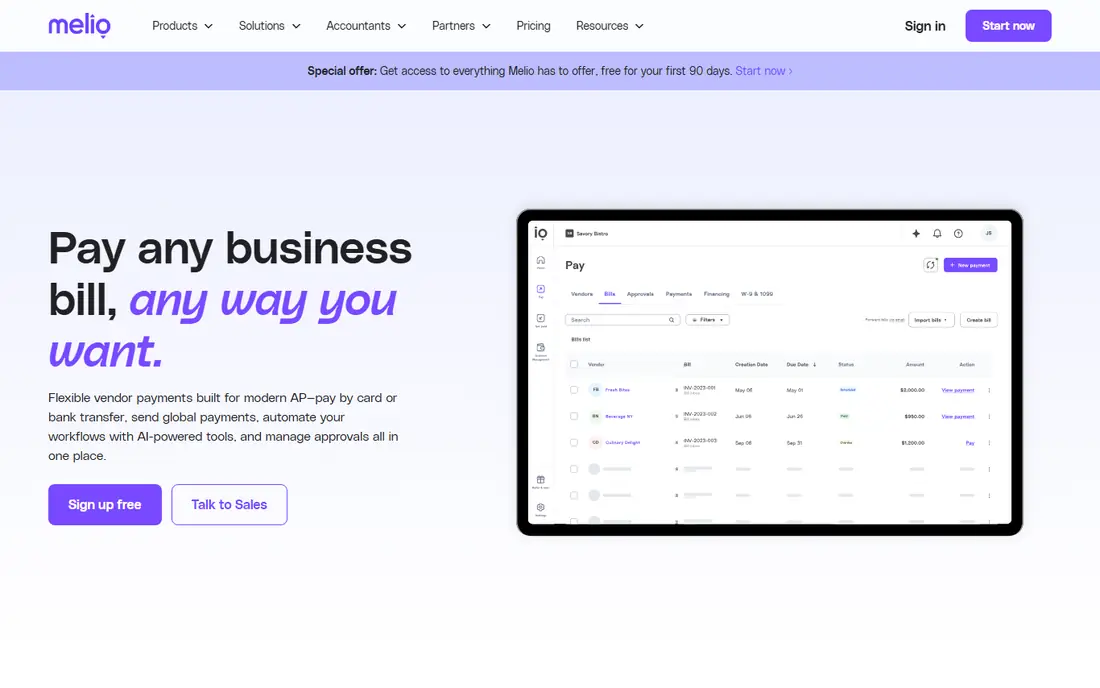
Melio keeps the pitch simple: pay business bills the way that works for your cash flow, without a heavy implementation project. A small business can send a payment by bank transfer or card, track what is due, and keep its books in sync. That simplicity is the point, and it is why Melio often appeals to owners who handle payables themselves.
The limit is scope. Melio is not built to replace a full procure-to-pay system for a midsize company with purchase orders, multi-level approvals, and several entities. Check the fee for each payment method before you rely on card payments for large bills, since fees can change the math. Melio fits best for small teams that want fast setup, straightforward bill pay, and accounting sync, and that do not need complex approval chains.
What we like- Simple setup for small teams
- Pay vendors by card even when they accept bank transfer
- Sync with QuickBooks and Xero
Watch out for- Less depth for purchase order matching and multi-entity controls
- Some payment methods carry fees that depend on the plan
#5Stampli
Best for: Teams that approve bills together in one place4.6/5 on
G2 (2,069 reviews, checked Oct 2026)
Visit stampli.com
Starting priceSee website
Free planNo
Stampli treats the invoice as a shared workspace, not just a document to be coded. Approvers can ask questions, leave notes, and see the full history on the bill itself, which cuts down on the email threads that usually slow AP down. It is designed to sit on top of an existing ERP, so the accounting system stays the system of record while Stampli handles the human part of approvals.
Because pricing is quoted, you will need a demo and a written proposal to compare Stampli fairly with a published-price tool. That extra step is worth it if approval delays are your main problem and several people touch each bill. Stampli fits best for midsize teams where collaboration, audit history, and ERP compatibility matter more than a free plan or a one-click setup.
What we like- Approval discussion stays attached to each invoice
- Works alongside major ERPs without replacing them
- Strong focus on collaboration for AP teams
Watch out for- Pricing is quoted, so total cost is not clear from the website
- Smaller teams may find the setup heavier than a simple bill pay tool
#6
Airbase
Best for: Companies combining AP, expenses, and procurement
Visit airbase.com
Starting priceSee website
Free planNo
Airbase suits a company that is outgrowing separate tools for bills, cards, and purchase requests. When a purchase starts as a request, becomes a bill, and ends as a payment in the same system, there is less room for duplicate spending and missing approvals. Budget owners can see commitments before money leaves the account, not only after the month closes.
The trade-off is that Airbase is a platform decision, not a quick bill pay fix. Implementation and training take more time than a simple payment tool, and pricing is quoted rather than published. Airbase fits best for growing companies that want spend control across AP, cards, and procurement, and that have the staff to run a broader system well.
What we like- AP, corporate cards, expenses, and procurement in one platform
- Approval workflows tied to budgets and purchase requests
- Accounting integrations with major systems
Watch out for- Pricing is quoted, which makes early comparison harder
- Breadth can be more than a small team needs
Starting priceSee website
Free planNo
AvidXchange is aimed at the middle of the market, where invoice volume is high enough that manual processing becomes a real bottleneck. It captures invoices, routes approvals, and pays suppliers through its network, with controls that suit companies with formal finance processes.
The honest catch is fit. A company with a handful of monthly bills will not use the depth AvidXchange offers, and will still pay for an involved setup. For a midsize team drowning in paper invoices and approval delays, that depth is the value. Ask for implementation time, supplier onboarding help, and total transaction costs in the quote, since those factors matter as much as the platform fee.
What we like- Built for high-volume invoice processing
- Supplier payment network and multiple payment methods
- Approval and audit features for larger AP teams
Watch out for- Pricing is quoted and implementation can be involved
- Too heavy for a very small vendor list
#8Brex
Best for: Startups and growing companies using corporate cards4.8/5 on
G2 (1,643 reviews, checked Oct 2026)
Visit brex.com
Starting price$0 per month (Essentials)
Free planYes
Brex started with corporate cards, and its AP features work best when cards and expenses are already part of how a company spends. The free Essentials tier gives a startup a way to issue cards, track expenses, and handle bill pay without an upfront software cost. As the company grows, paid tiers add deeper controls and integrations.
Brex is less compelling if your payables are mostly checks, wires, and purchase orders with little card spend. In that case, a dedicated AP tool may fit the workflow better. Brex fits best for startups and growing companies that want cards, expenses, and bill pay together, and that expect to scale headcount and spend quickly.
What we like- Free Essentials tier for cards and expenses
- Bill pay and accounting sync in the same platform
- Useful controls for fast-growing teams
Watch out for- Advanced AP and ERP features sit on paid tiers
- Card-first design may not suit teams that mainly pay by check or wire
#9Xero
Best for: Small businesses that want bill pay inside accounting software4.4/5 on
G2 (1,832 reviews, checked Oct 2026)
Visit xero.com
Starting priceSee website
Free planFree trial
Xero is a different kind of choice: instead of adding AP software on top of accounting software, you use the bill pay features inside the accounting system itself. For a small business, that can be enough. Enter the bill, approve it, schedule payment, and see the effect on cash flow and reports without a sync step in between.
The limit appears as volume and complexity grow. Multi-level approvals, purchase order matching, and complex global payments are not Xero's strength, and a dedicated AP tool may be needed later. Xero fits best when you already use Xero for accounting, your bill volume is modest, and keeping everything in one system matters more than advanced AP automation.
What we like- Bills, accounting, and reporting in one system
- No separate AP tool to sync
- Good fit for businesses already using Xero
Watch out for- AP depth is less than a dedicated platform
- Advanced approvals and global payments may require add-ons or another tool
How we chose
We compared pricing pages, product documentation, and public reviews on G2, Capterra, and Reddit, and checked each tool for fit by company size, invoice volume, payment methods, and accounting integrations. Tools were kept only if they are sold today, cover core AP work such as invoice capture, approvals, and payments, and have a clear use case for US businesses. Where a vendor does not publish pricing, we marked the price as See website instead of guessing a number.
We also weighed the total cost, not just the subscription. Per-user fees, platform fees, transaction fees, and implementation time all change the real price, especially for teams with many approvers. That is why a free tier can be the best choice at low volume and a poor choice once volume, entities, or approval complexity grows.
What to check before you buy AP software
A short trial will not reveal every problem, so use the buying checks below to test the parts that usually cause regret later.
Count your real users and approvers
List everyone who enters, codes, approves, or reviews a bill, including occasional managers. Per-user pricing makes that list expensive, while unlimited-user plans like Tipalti's starting plan change the math. Ask whether view-only approvers cost the same as full users, and whether that changes on higher tiers.
Map your invoice journey end to end
Follow one real invoice from inbox to paid status, including exceptions, duplicates, and partial payments. Check how the tool handles a bill that does not match a purchase order, a vendor that changes bank details, and an approver who is away. These edge cases, not the happy path, decide whether staff trust the system.
Test the accounting sync with your system
Confirm two-way sync with your exact accounting or ERP system, not just a logo on a marketing page. Check how coding, departments, classes, and multi-entity books are handled, and what happens when a sync fails. A sync that needs manual cleanup each month is not automation.
Get the full price in writing
Ask for subscription, platform, transaction, implementation, and support costs at your current volume and at double that volume. Confirm which payment methods are included, which carry fees, and how international payments are priced. This is not financial advice, but a written quote protects you from a headline price that hides the real total.
Frequently asked questions
What is accounts payable software?
Accounts payable software captures vendor bills, routes them for approval, schedules payments, and syncs the result to accounting software. It replaces manual entry, email approvals, and spreadsheet tracking with a single workflow. The goal is fewer errors, faster payments, and a clear audit trail for every bill.
How much does accounts payable software cost?
Costs range from free tiers at Ramp, Brex, and Melio to $49 per user per month at BILL for Essentials and $99 per month at Tipalti for accounts payable. Quoted tools such as Stampli, Airbase, and AvidXchange vary by volume and scope. Always add transaction fees and platform fees to the subscription price before comparing tools.
Do I need AP software if I already use QuickBooks or Xero?
You may not, if your bill volume is low and your approvals are simple. Accounting software often covers basic bill entry and payment well. A dedicated AP tool becomes worth it when approvals slow you down, invoice volume grows, or you need purchase order matching, multi-entity handling, or global payments.
What is the difference between AP automation and bill pay?
Bill pay usually means scheduling and sending payments for bills you have already entered. AP automation covers the full cycle, including invoice capture, coding, approvals, matching, payments, and sync. A bill pay tool can be enough for a small team, while a larger team usually needs the full cycle to control errors and delays.
Can AP software handle international vendors?
Some tools can, and some cannot do it well. Tipalti is built for global payments in many currencies and countries, while other tools focus on domestic ACH, check, and card payments. Check supported currencies, payment methods, fees, and tax form handling before you promise international vendors a payment method.
How long does it take to set up AP software?
Simple bill pay tools can be set up in days, while platform tools with ERP sync, approval rules, and supplier onboarding can take weeks. Implementation time depends on invoice volume, accounting system, approval complexity, and how clean your vendor data is. Ask the vendor for a realistic timeline based on a setup like yours, not a generic estimate.
Sources we checked (9)
- https://www.bill.com/pricing
- https://ramp.com/pricing
- https://tipalti.com/pricing
- https://melio.com/pricing
- https://www.stampli.com/pricing
- https://www.airbase.com/pricing
- https://www.avidxchange.com/pricing
- https://www.brex.com/pricing
- https://www.xero.com/pricing
Is your product missing or out of date?
We review this list regularly. Vendors can request a listing, send updated pricing or ask about featured placement.

Shihab Mia · Founder, Rankite
Shihab has 5+ years in B2B and SaaS SEO. He writes Rankite's software buying guides from pricing pages, documentation and public user reviews. More about Shihab.